



There are several devices designed with the idea of “completing computer operations with a single device,” not only in the home-built keyboard area.
It can be a “trackball + keyboard operation,” which is common in the homebrew keyboard community, or a pointing stick like the HHKB Studio or Lenovo Trackpoint.
On the other hand, an input device integrated with a trackpad is not so common.
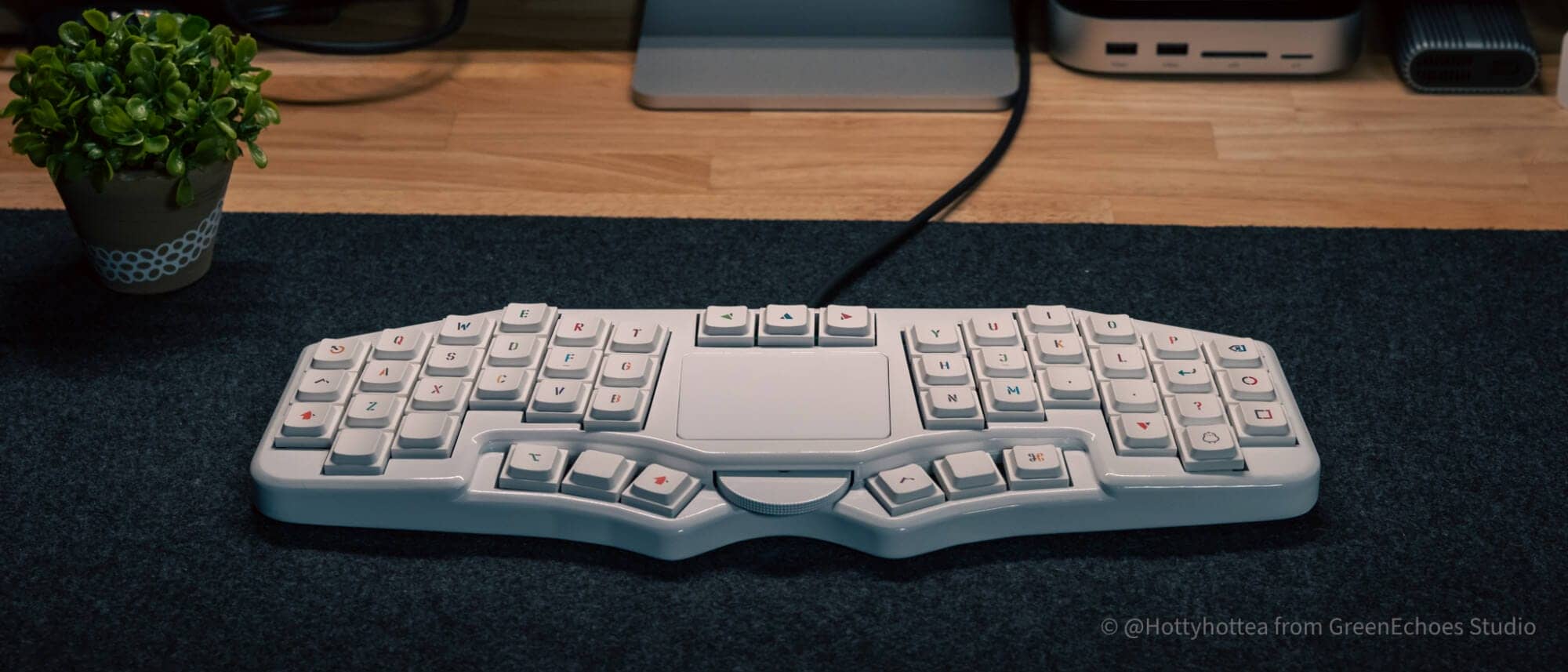
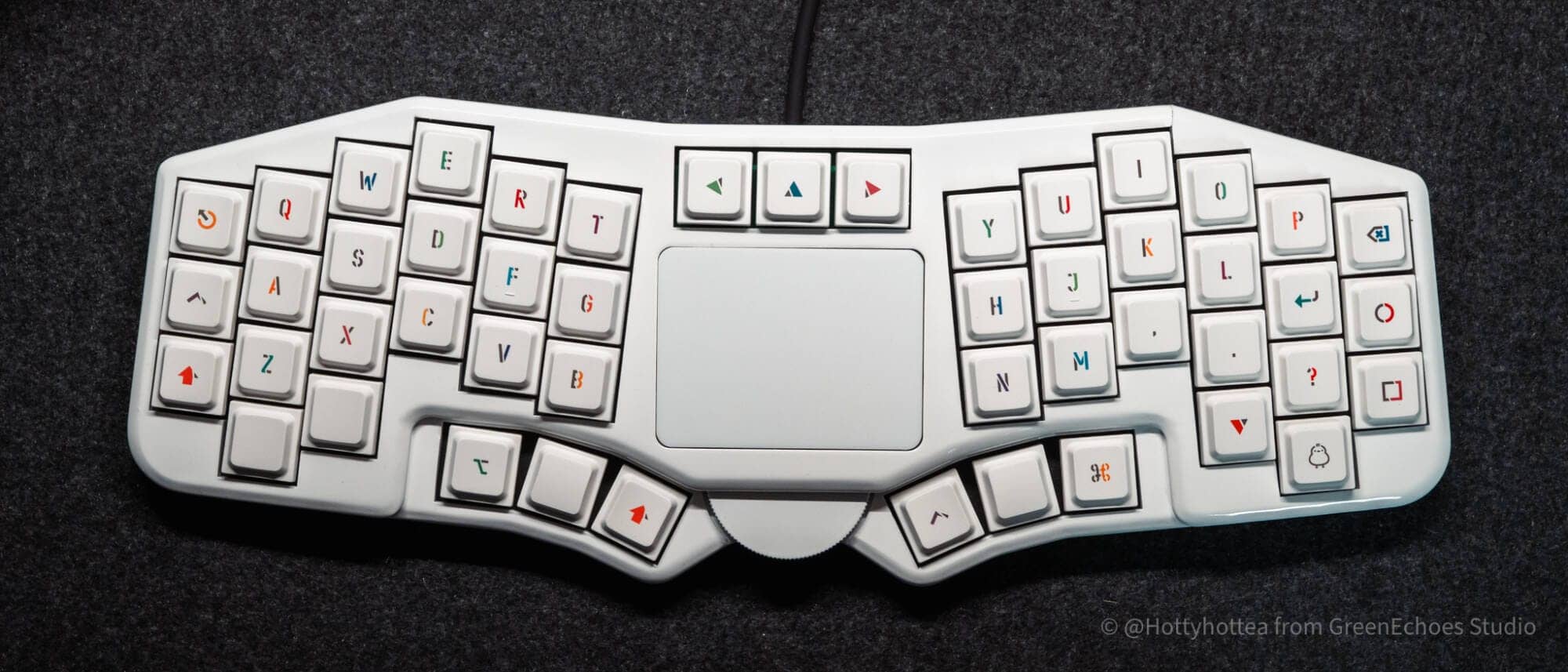
Futaba is a 40% keyboard with a column-staggered layout with a trackpad in the center, and is the perfect example of a “trackpad + input device” fusion.
Inheriting the “lowered thumb cluster” characteristic of the previous “Timothy,” this ambitious work is packed with elements such as low-profile switches, a multi-track pad that supports up to four fingers, and a large wheel, while also paying thorough attention to the key feel.
This article will tell you about the fascinating new input experience that Futaba brings to the table.
Disclaimer
The keyboards introduced in these contents are “self-made keyboard kits” produced by individuals. They are “distributed” by individuals who have created them as a hobby, and are clearly different from industrial products. Please understand that any problems that may occur with the product are the responsibility of the person who obtained it and must be recovered. In addition, the “JLC3DP Spray Paint Option” used in the case of this kit is only a “painting service. We can accept color changes as long as the color can be specified, but please understand that there is a possibility of cracks in the paint, such as in the case of a gloss finish, and that it is not perfect. In addition, the responsibility for any defects (deformation or damage) of 3DP products manufactured by JLC3DP ordered by individuals belongs to the manufacturer.
- 「トラックパッド」+「カラスタレイアウト」で手の動きが最小限でパソコン操作が可能
- サムクラスタが下がっていることで快適にタイピングができる
- フレックスカットと吸音材による柔らかな打鍵感が魅力的
- ケーブルの取り回しがやりやすい
- (免責事項)3Dプリント製ケースの仕上がりに注意が必要
- 特殊配列への慣れが必要
- 環境によってはトラックパッドの解像度が気になるケースも
- スイッチプレートがないためキーキャップ交換時にキースイッチが抜けてしまう


Price, sales format, and availability
- Availability: ★☆☆☆☆ (lucky if available)
- Price range: from 11,000 yen (tax included)
- Kit without case|11,000 yen (tax included)
- Case only|14,000 yen (tax included)
- Kit with case (soldering required)|24,000 yen(tax included)
- Pre-soldered kit|32,000 yen (tax included)
- Form of sales: Sold when in stock or at events
- Resale schedule: undecided
- Where to obtain: Usakibodo (Web store)
-Kailh ChocV1/ChocV2 (Hot Swap)
Parts required separately from this kit
– 49 Kailh ChocV1 or Kailh ChocV2 switches
– 49 1U size keycaps for Low Profile
(If soldering is required, a set of soldering tools is necessary.)
Futaba Specifications Overview
Futaba is an integrated 40% keyboard that is easy to carry, yet condenses a powerful control interface such as a trackpad and a huge wheel.
The design features a “flex-cut” PCB that softens the impact of keystrokes and a “stack mount” that holds the board in place with a cushion, resulting in a surprisingly soft feel despite the low profile.
Inheriting the design concept of the previous “Timothy” model, the thumb cluster has been lowered by one step to pursue an ergonomic design that reduces fatigue even after long hours of work.
The keyboard is centered on the trackpad, and the column staggered layout, placed like leaves on either side, gives the keyboard a gentle impression reminiscent of a “Futaba”.
| (data) item | Contents |
|---|---|
| Product name | Futaba |
| Sales and design | Usakibodo (geek-rabb1t) |
| category | Integrated 40% Keyboard Kit (with Trackpad) |
| array (programming, programing) | Column staggered (vertical misalignment) / 49 keys |
| key switch | Low profile switch support (Kailh Choc V1/V2) |
| sales format | Self-made keyboard kit (pre-soldered version available) |
| MCU | RP2040-Zero |
| keymap change | Support (Vial support) |
| access method | Wired connection (USB connector hidden structure / 3-way cable guide) |
| mount(ing) system | Stack mount (cushion retention) / Flex-cut PCB |
| Case Material | 3D printing (spray paint by JLC3DP) |
| Tilt Tenting | 4-degree tent / 4-degree tilt (thumb cluster is designed to be one level lower) |
| Distinctive features | Trackpad with up to four-finger support, huge clickable wheel |
| Price | 11,000 – 32,000 yen (varies depending on the contents of the kit) |
| Product page | BOOTH – USAKI-BODO |
*This product is a DIY kit that requires self-assembly (soldering) (except for the pre-soldered version).
*Switches and keycaps must be provided separately.
Pre-purchase checklist
Futaba is a kit that is designed to be assembled. Before purchasing, please make sure that the following items are available.
Required (not included in kit)
- Keyswitch: Kailh Choc V1 / V2 or Lofree Low Profile x 49
- Keycaps: Low Profile compatible 1U size x 49 pcs.
Tools required for assembly
- Soldering iron set (if other than pre-soldered kit)
- Precision screwdriver (No.1/PH1 size)
- Nippers, tweezers, double-sided tape
Precautions
- 3D printed housing: Although the design is ingenious, some warping and uneven painting are specifications.
- Installation environment: The trackpad may malfunction on magnetic or conductive materials such as steel desks.
Review Environment
The review environment is as follows
- Connection environment: macOS
- Switch used: Kailh Taro IceCream MINI Linear (40gf)
- Layout: 40% column staggered layout
- Primary use: content writing (typing Japanese)
キースイッチスペックはこちら▷▷

- Taro Ice Cream MINI (Linear)
- Type:3-pin
- Total travel: 2.8±0.25mm.
- Operating force: 40±10gf
- Actuation label: 1.2±0.3mm.
Evaluation of keystroke feel and keystroke sound
- Keystroke noise level: ★☆☆☆☆ ( quite quiet even when using normal linear switches)
- Sound Height: Slightly high
- Key weight: – (depending on the keyswitch used)
- Sense of bottoming out: Soft
- Key wobble: – (depends on the keyswitch used)
Attraction of Futaba
Attraction of Futaba
- Trackpad” + “Karasta Layout” enables PC operation with minimal hand movement
- Thumb cluster is lowered for comfortable typing.
- Attractive soft keystroke feel due to flex-cut and sound-absorbing materials
- Easy cable routing
Trackpad” + “Karasta Layout” enables PC operation with minimal hand movement
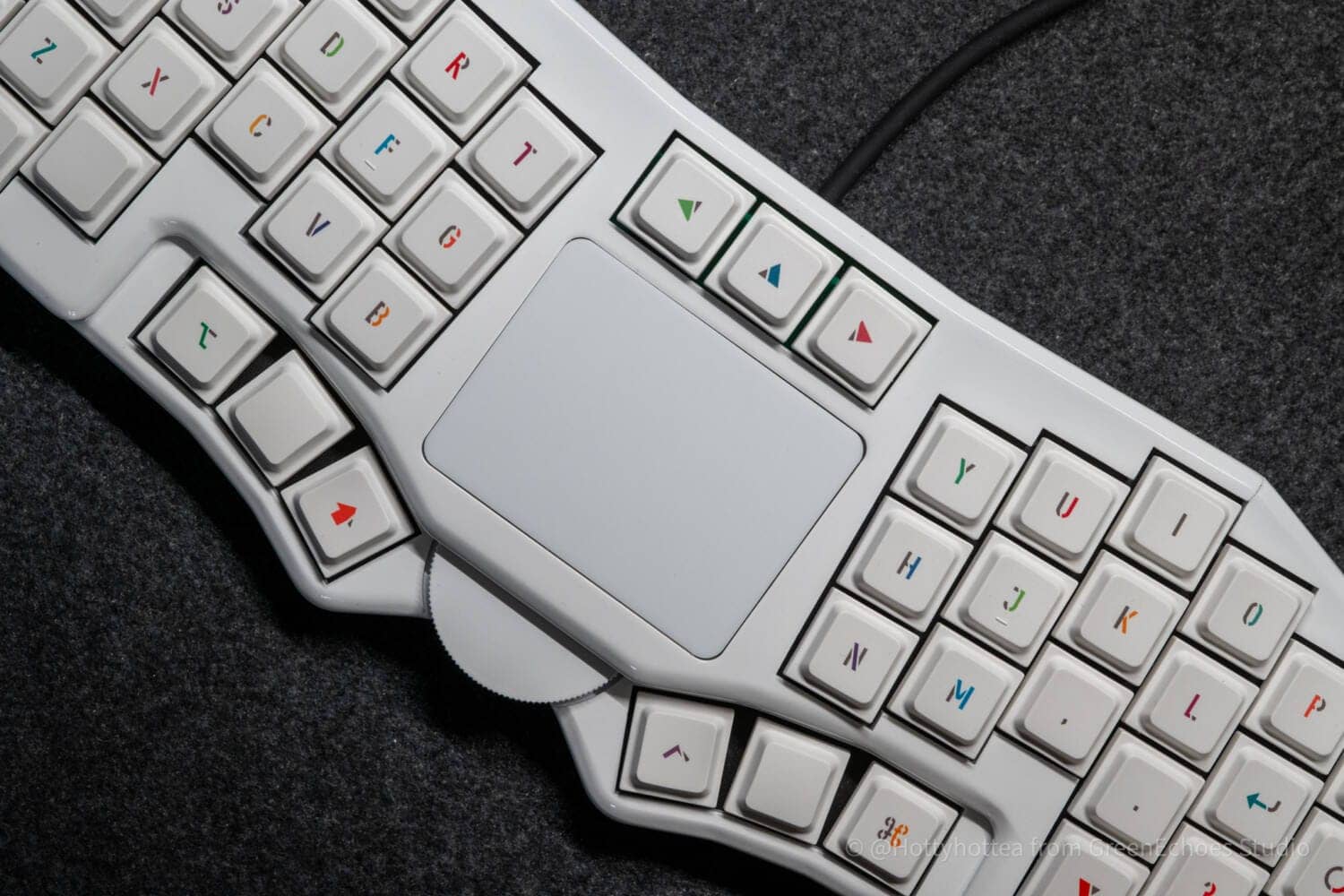
Perhaps the most attractive aspect of Futaba is that it is an all-in-one device using a trackpad.
Although it is difficult to maintain the home position when operating the trackpad, it is possible to type with minimal hand movement.
The fact that there is no need to move the wrist position at all is a major attraction, especially in cases where split palm rests are used.
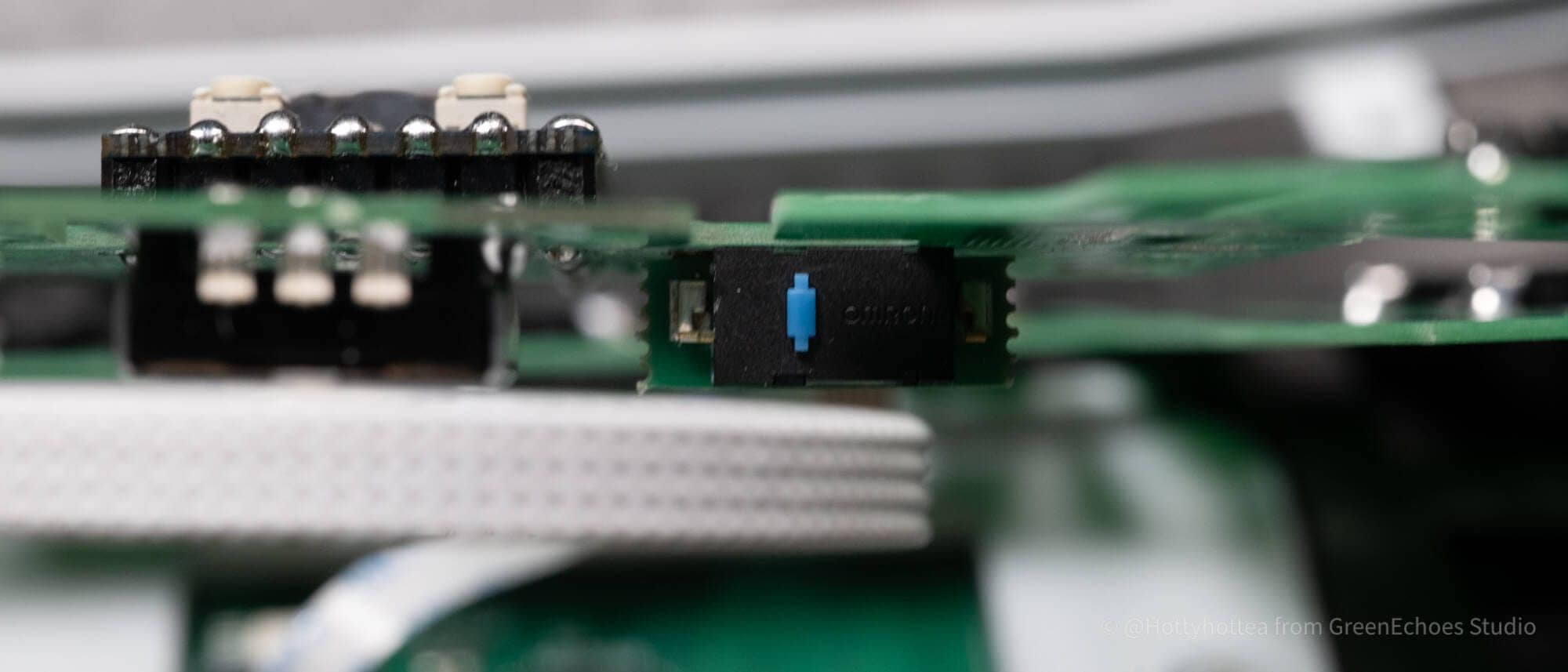
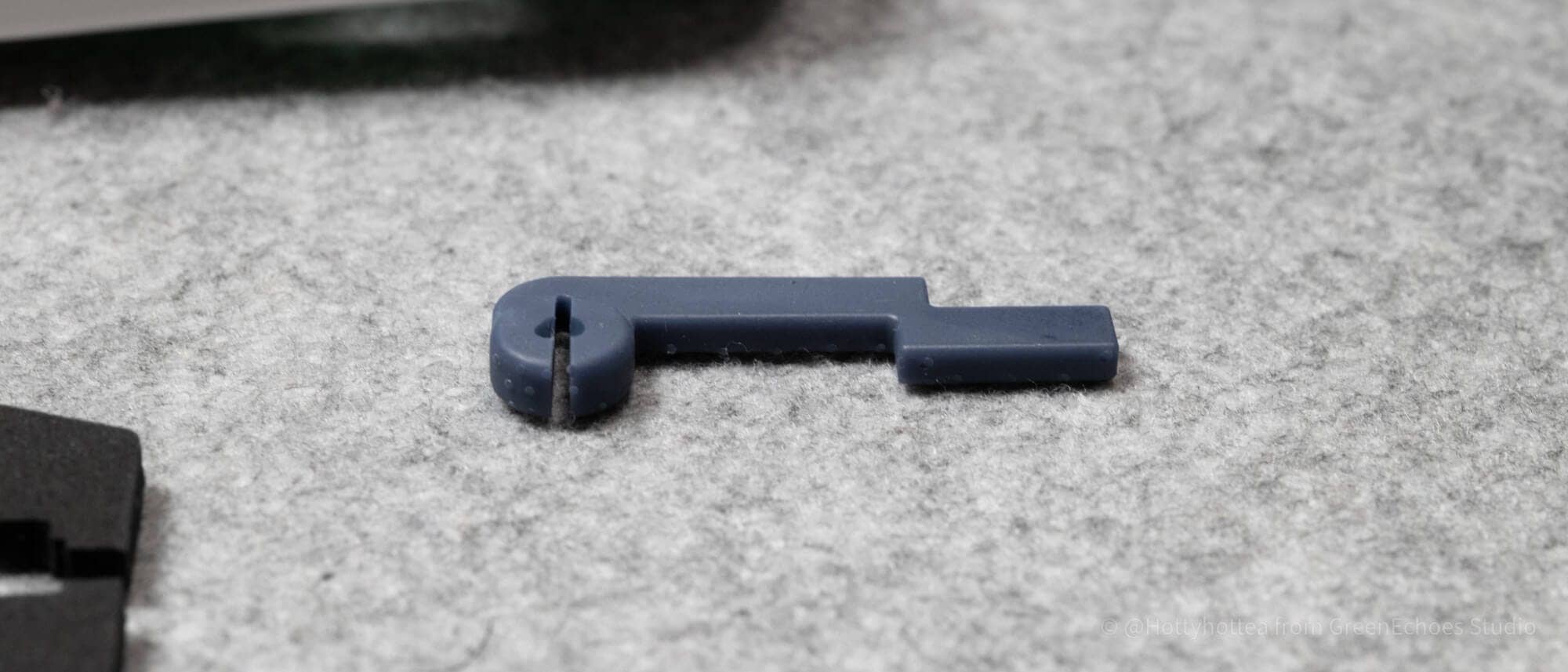
The large wheel can be easily moved with the thumb and has a gimmick that functions as a switch when pushed toward the back.
 Kawamura
Although it is a matter of preference, I personally preferred Futaba to be typed down, so I use the split palm rest, which is about 1.5 cm high.
Thumb cluster is lowered for comfortable typing.
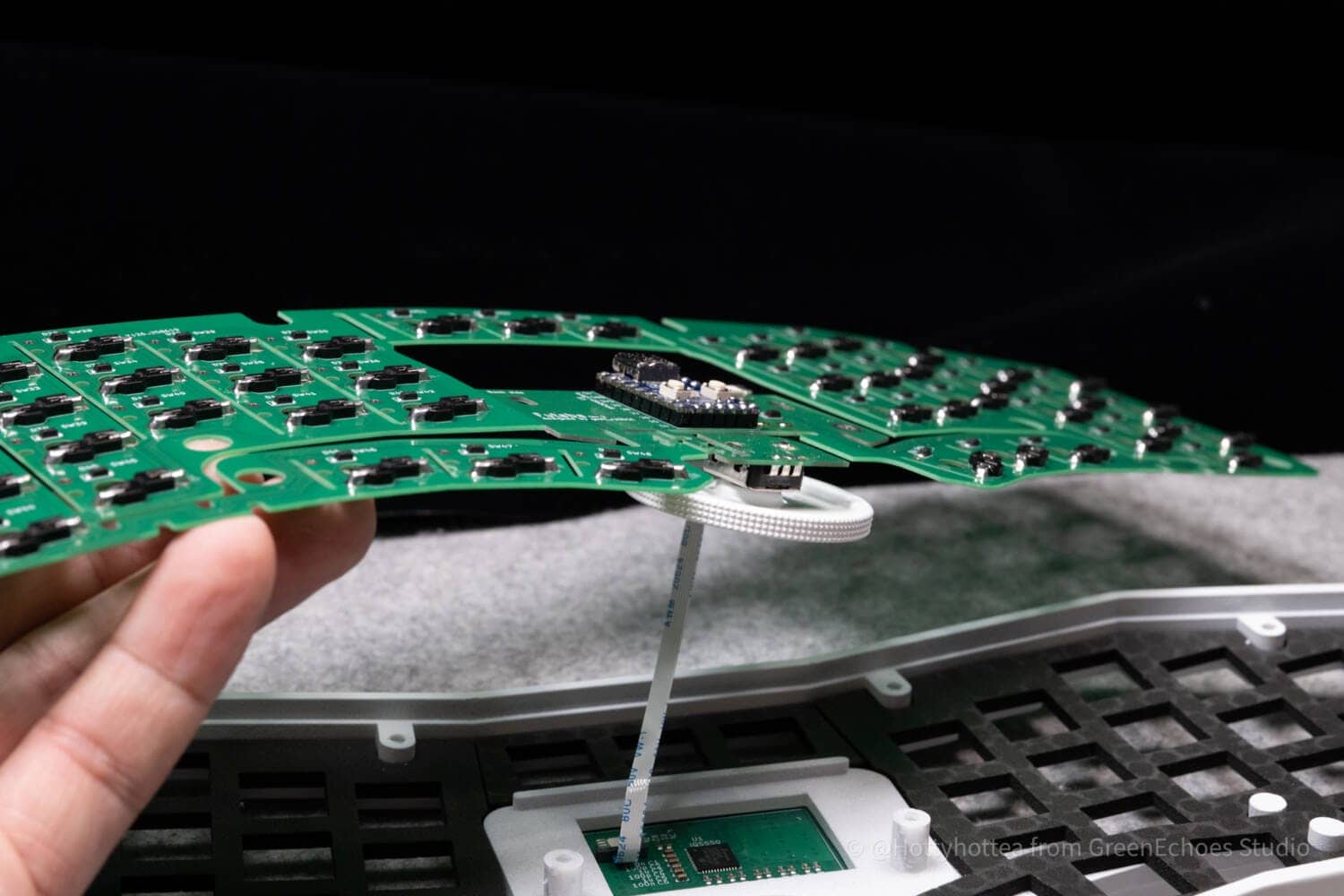
One of the main attractions of Futaba is that the thumb cluster area is one step lower.
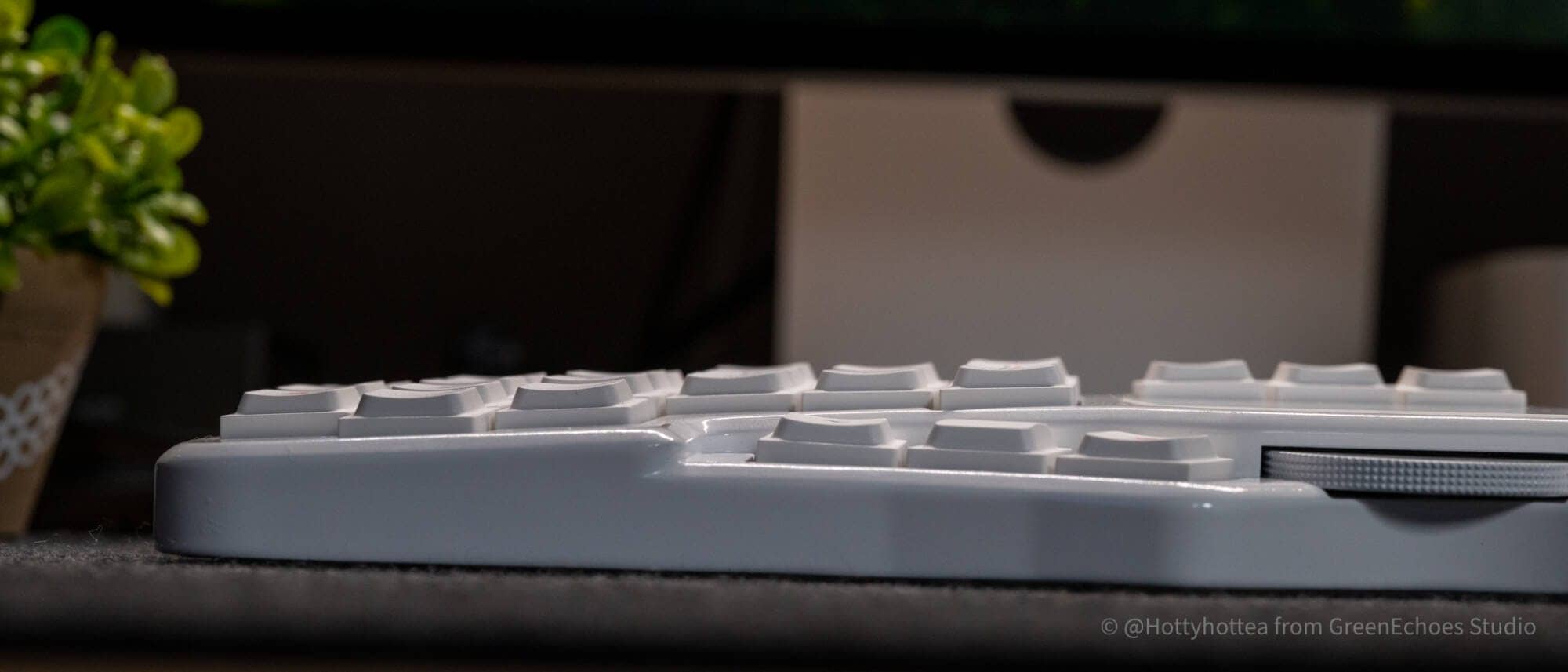
Thanks to this, the thumb is naturally lowered and the thumb cluster can be operated in a more comfortable position.
Also, the mechanism that makes this possible is amazing.
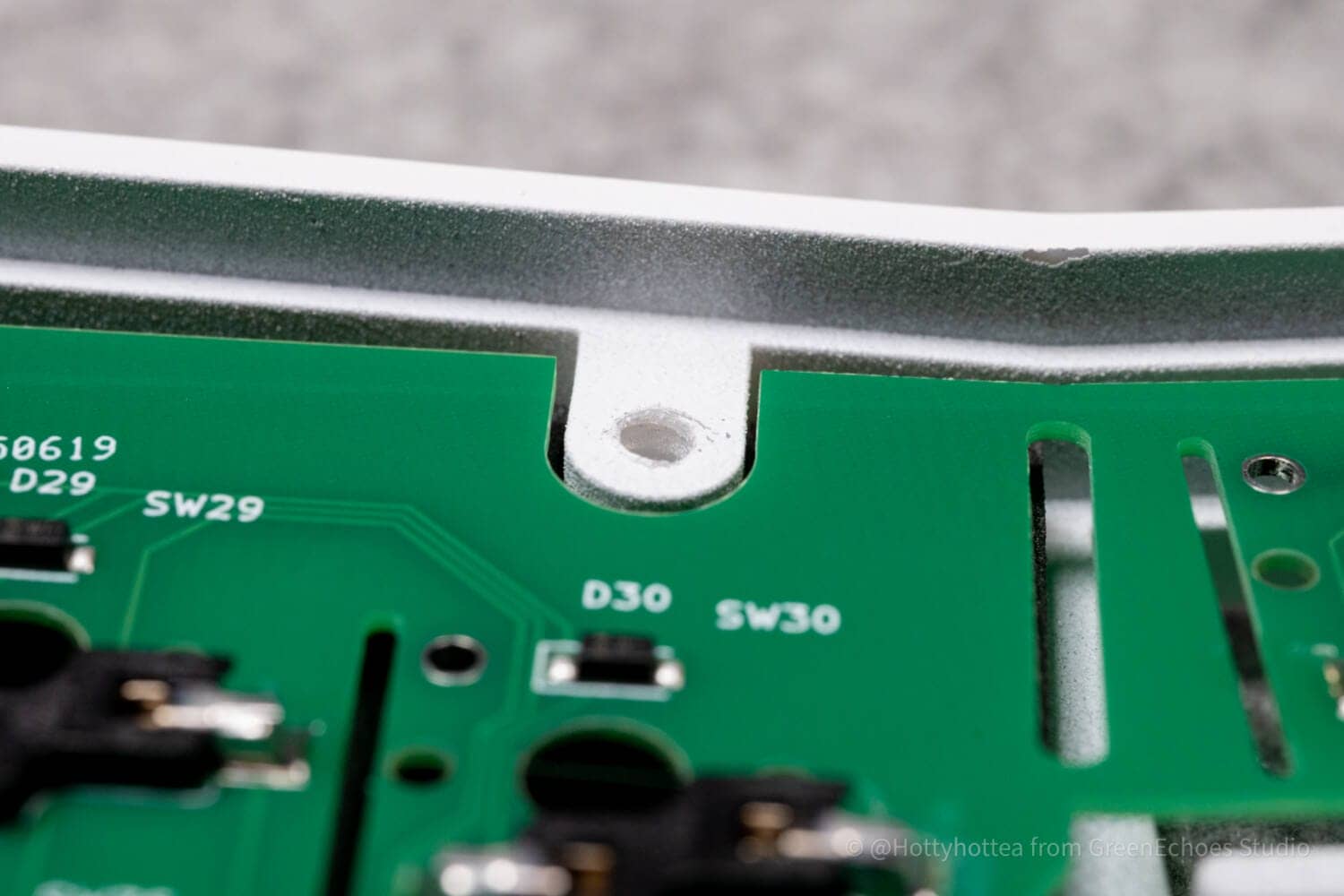
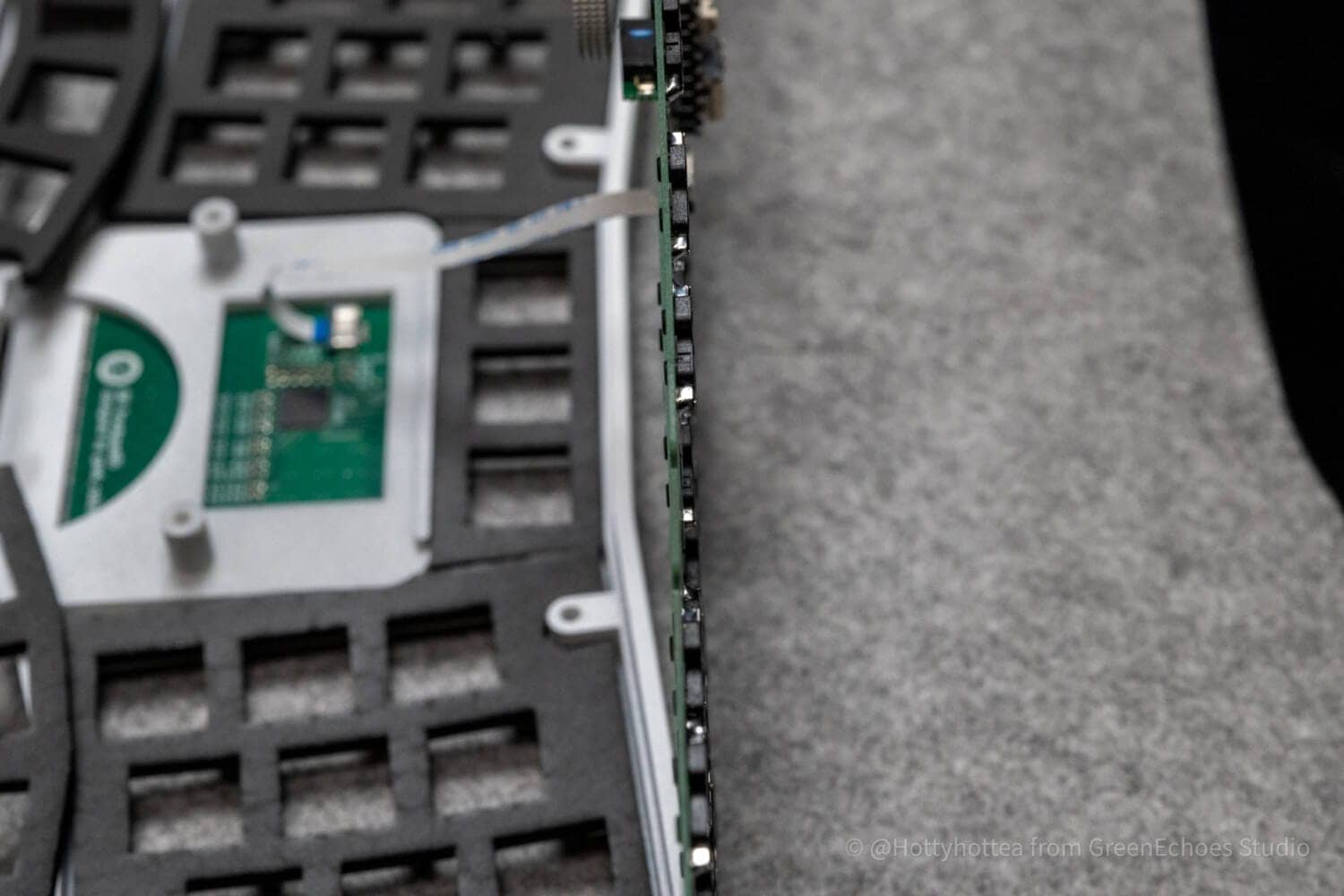
By using a flex-cut board only 0.8 mm thick, this mechanism is realized on a single board without flexible cables.
Attractive soft keystroke feel due to flex-cut and sound-absorbing materials
Futaba has by far the softest keystroke feel and the most attractive “feel-good” typing experience.
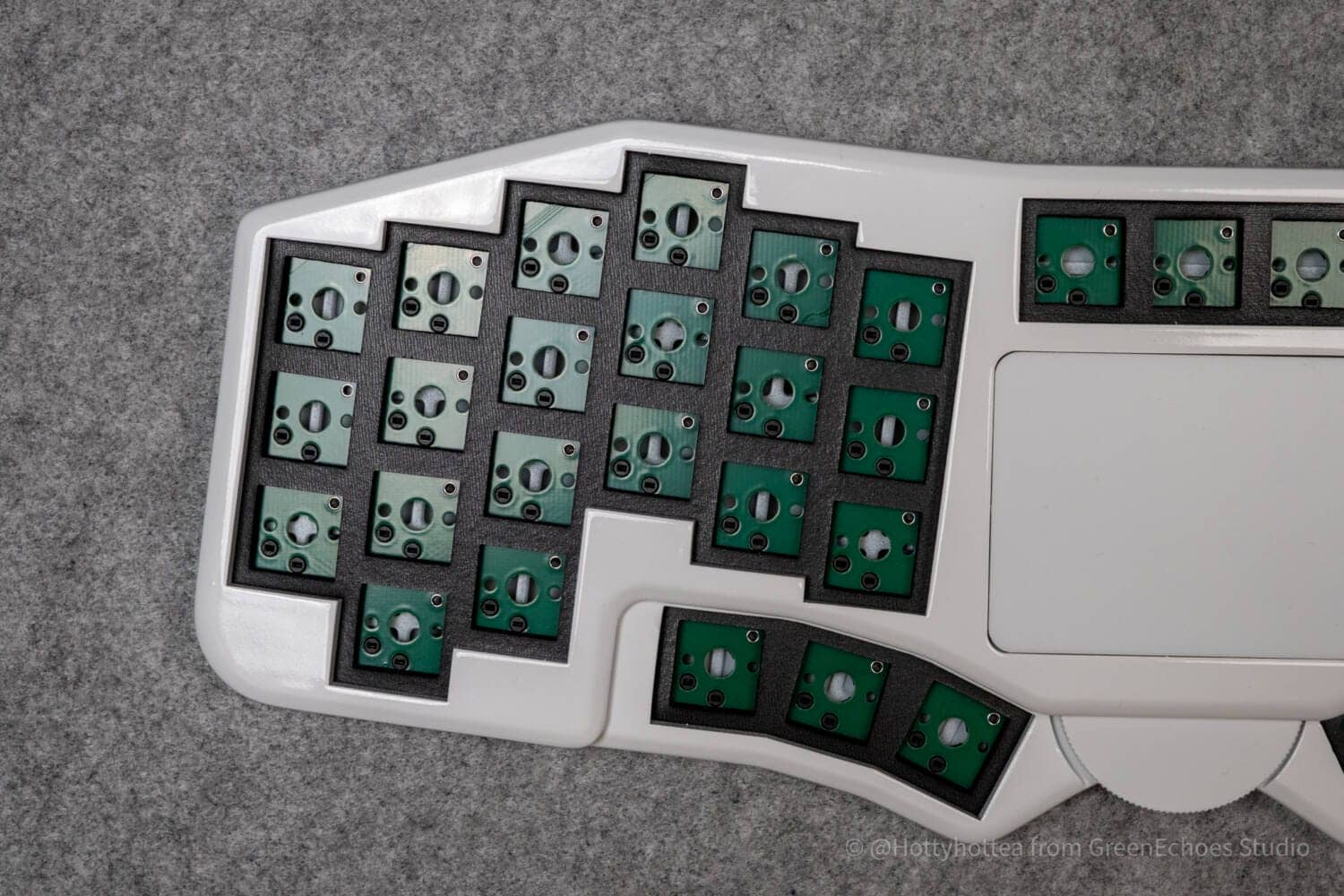
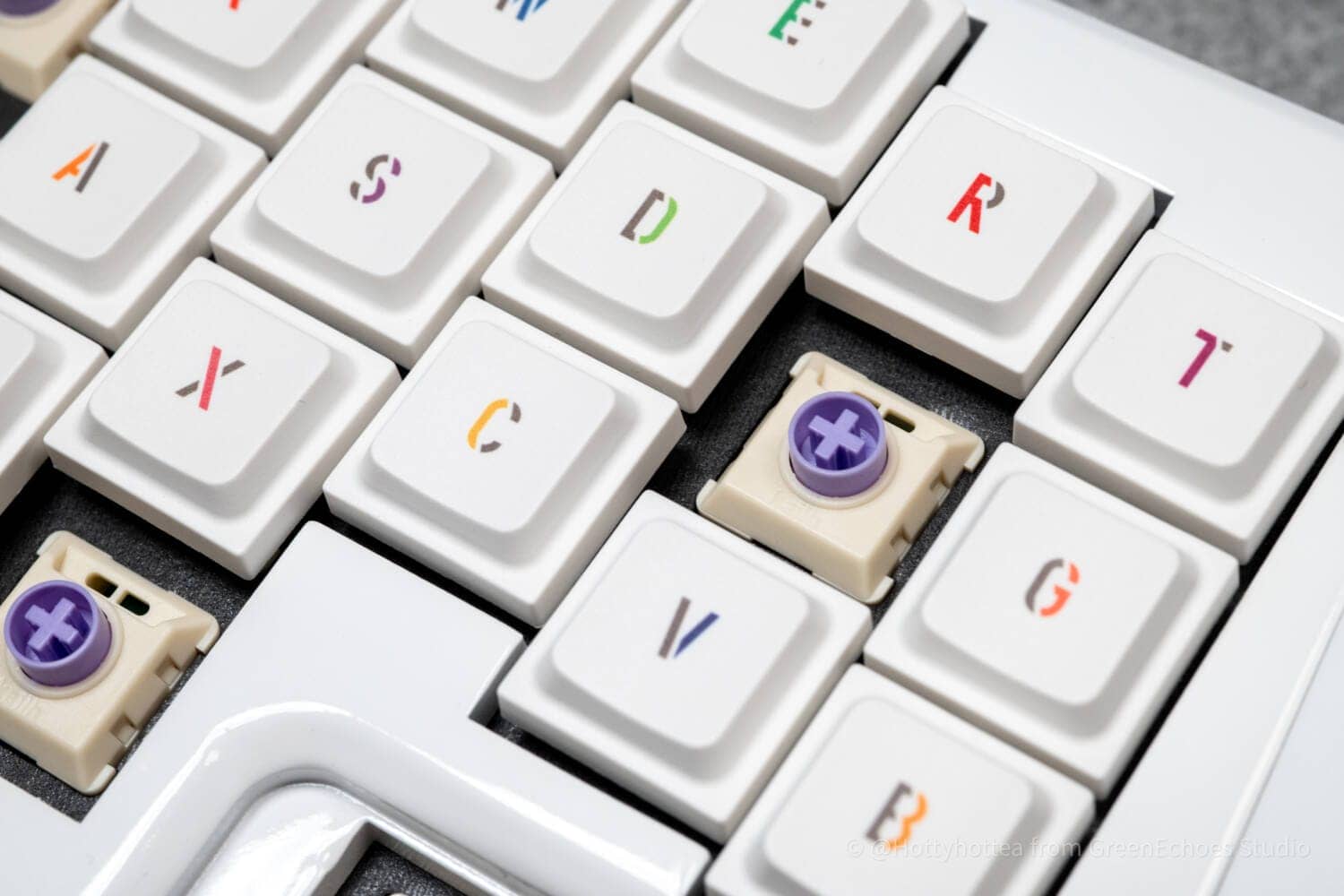
The construction dares not use switch plates, and even with normal linear key switches, you will hardly notice any typing noise, depending on how you type.
In addition, the soft bottoming sensation seems to be a unique attraction.
Easy cable routing
Futaba is for wired connections only.
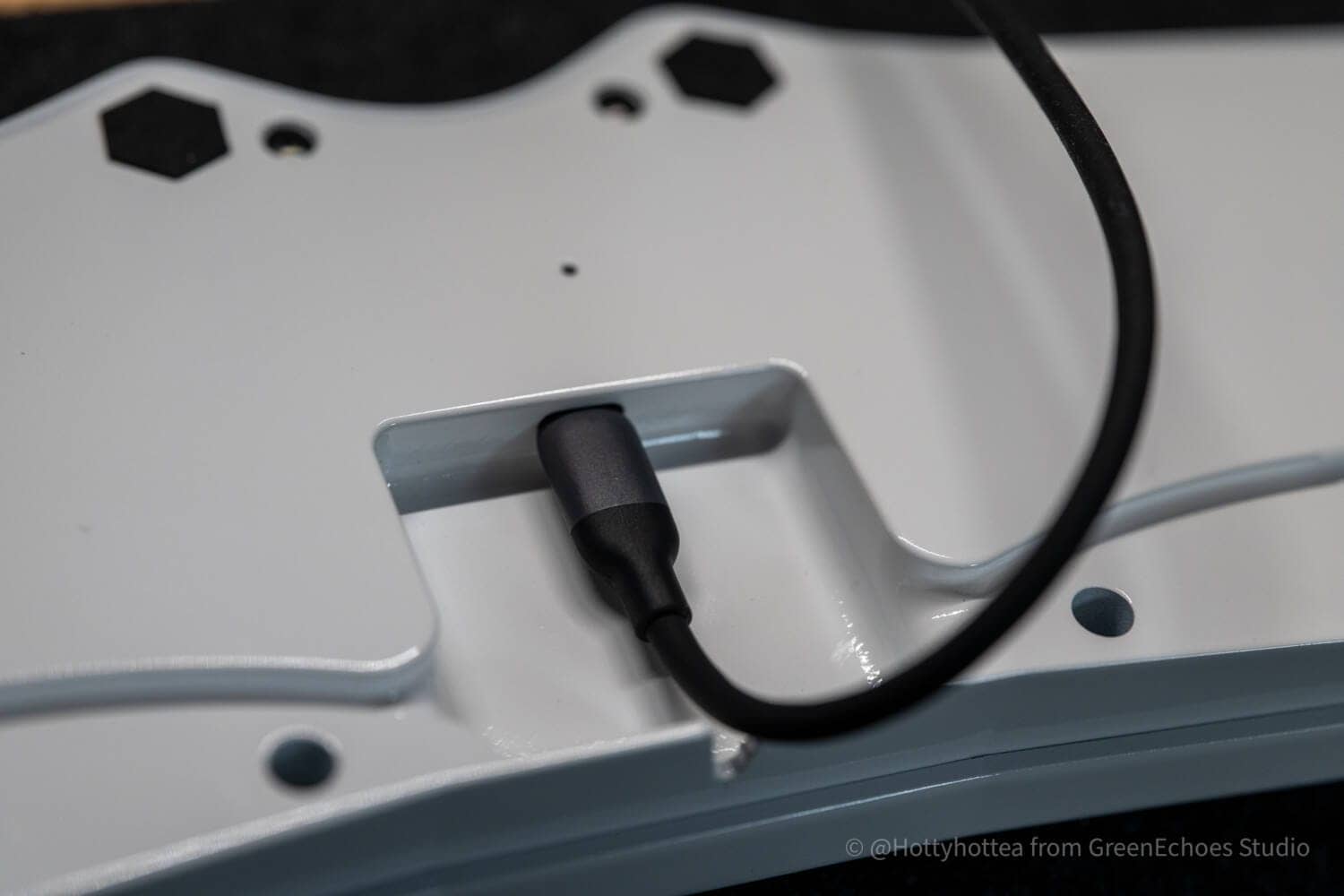
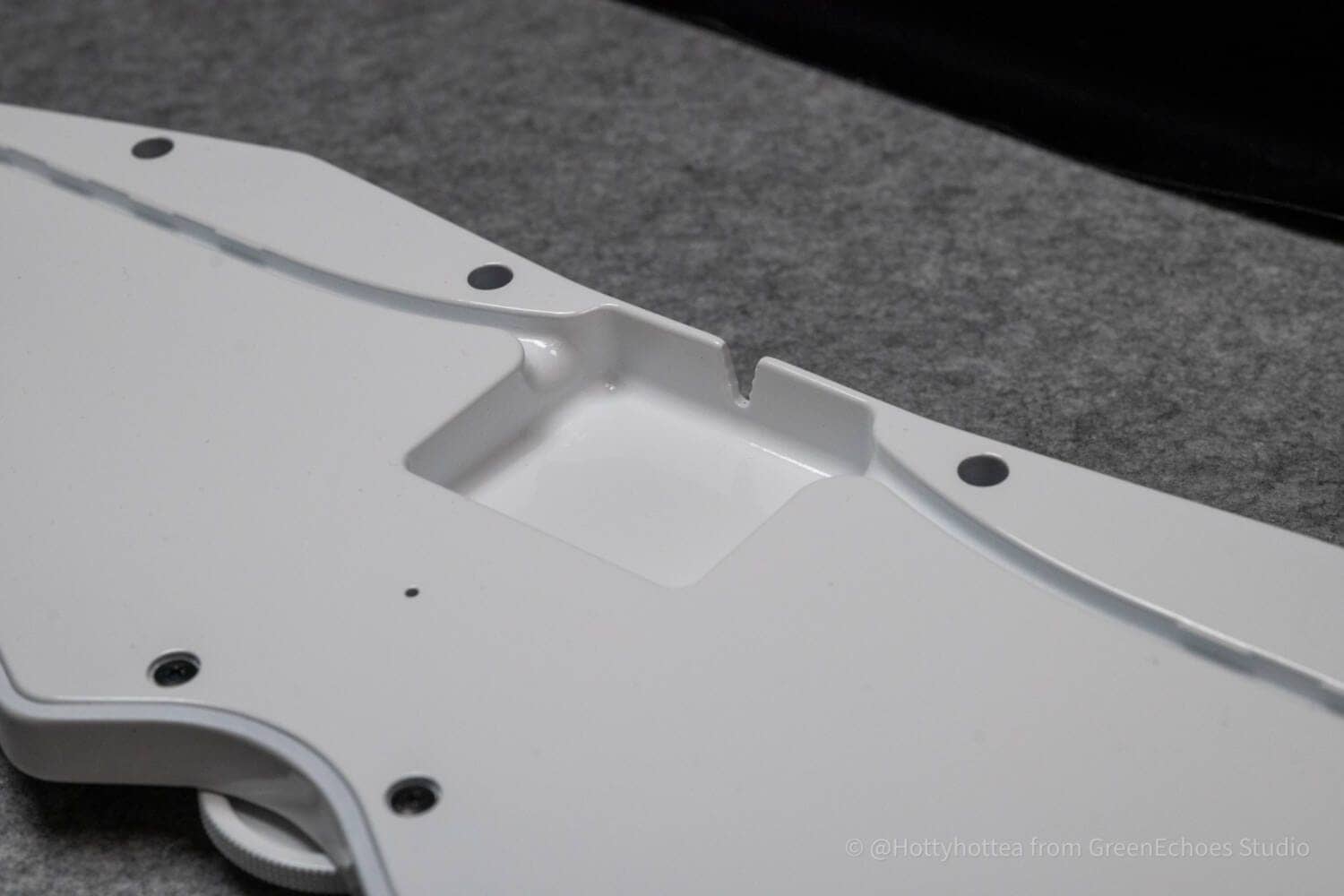
The Type-C connection is located quite far back and, to our surprise, allows the cable to escape in three directions.
 Kawamura
The diameter of the cable to be used should be noted, but it is a device that may make cable routing easier.
Areas of concern for Futaba
Areas of concern for Futaba
- (Disclaimer) 3D printed cases require attention to finish.
- Requires familiarity with special sequences
- In some environments, the resolution of the trackpad may be a concern.
- No switch plate, so the keyswitch is pulled out when replacing the keycap.
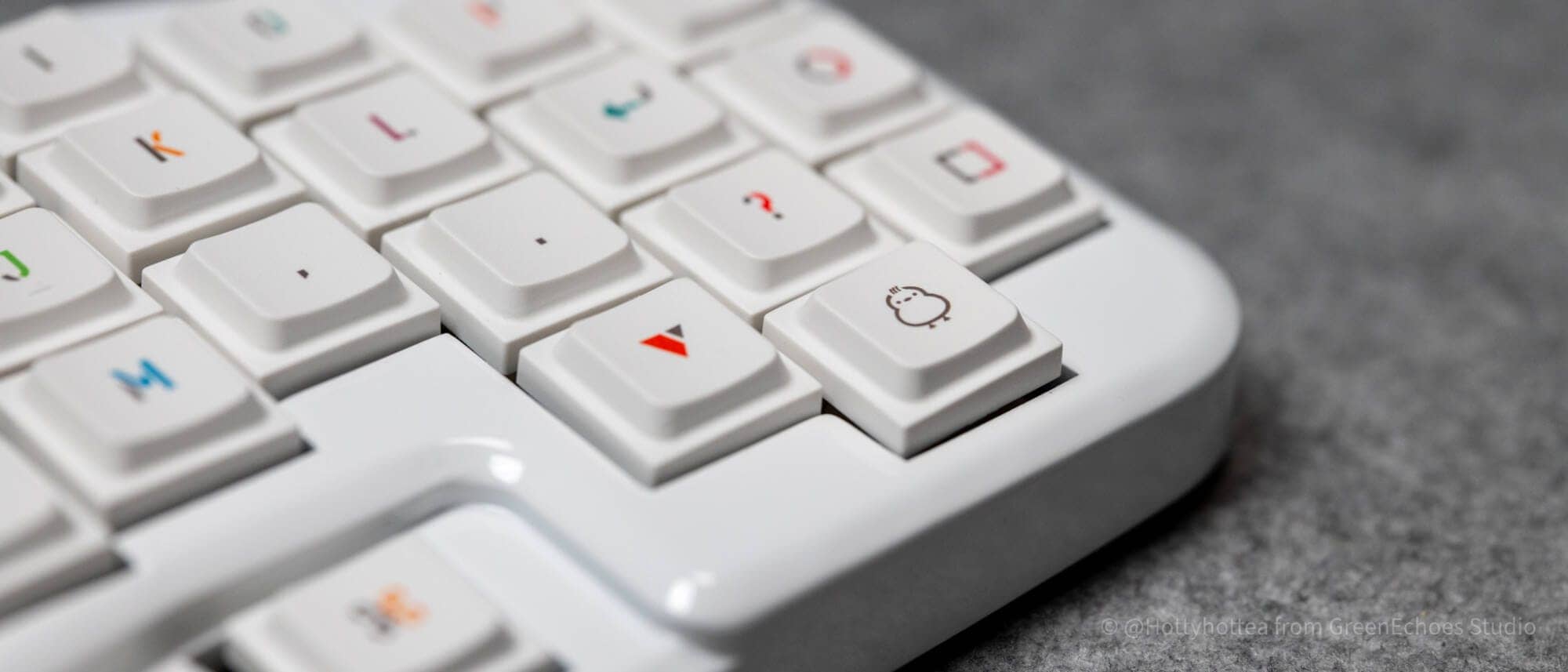
(Disclaimer) 3D printed cases require attention to finish.
The cases used by Futaba are ordered from a company called JLC3DP, and are different from general “industrial quality” painted products.
Please check the disclaimer on the sales page for this section before ordering.
 Kawamura
Speaking from a subjective perspective based on my experience to date, I have the impression that glossy finishes are more prone to paint flaking and cracking.
Those who order their own cases can choose a material that does not require painting, or choose a matte finish.
Requires familiarity with special sequences
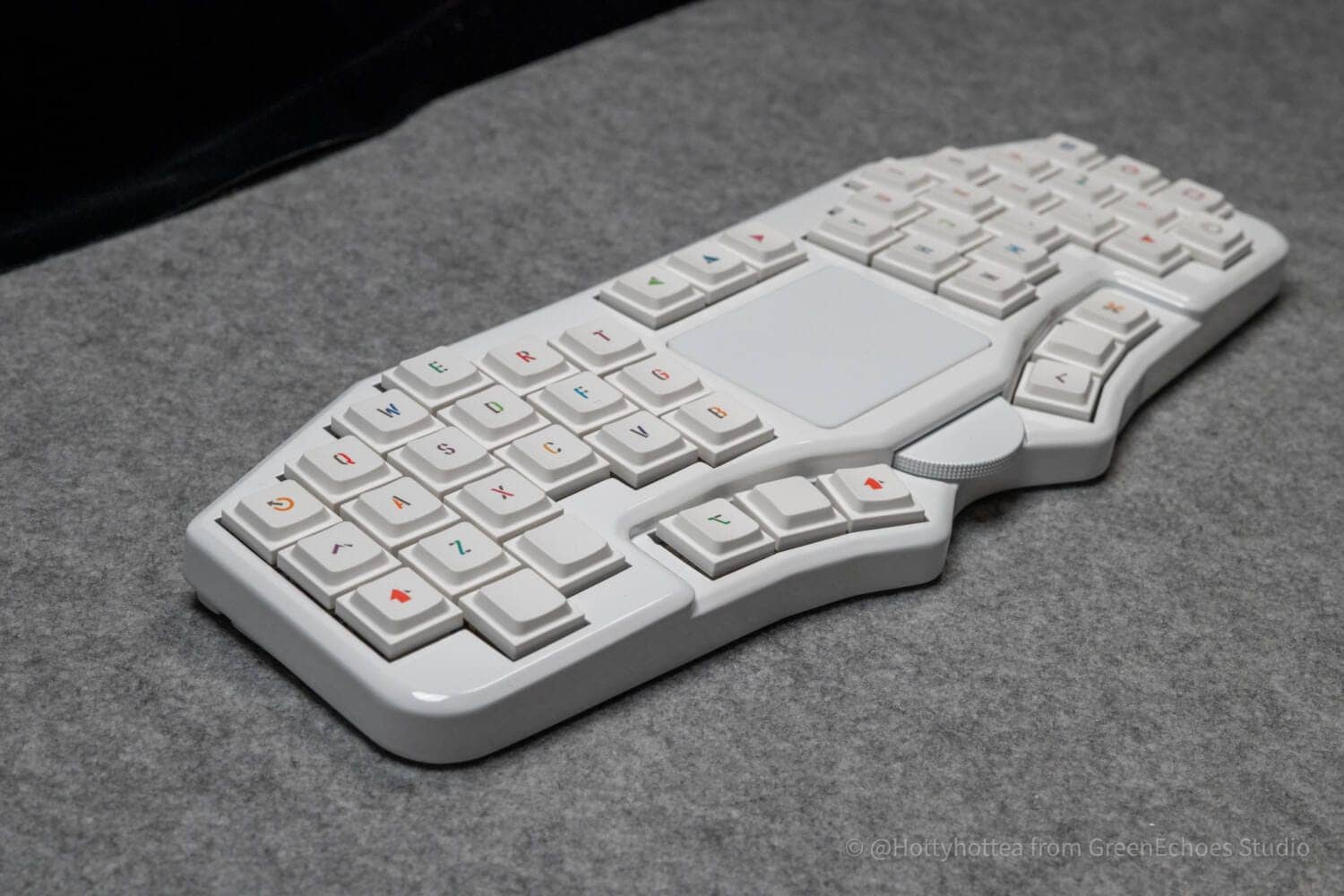
Unlike the normal keyboard layout (row staggered layout), Futaba has a “vertical shift” layout called column staggered.
In addition, it does not have a number line and has a “40% layout” with fewer keys on the right hand side, so the switching cost from a regular keyboard is significant and takes a reasonable amount of time to get used to.
 Kawamura
In fact, the fun of a self-made keyboard is that you can enjoy this “period of inability” as well.
In some environments, the resolution of the trackpad may be a concern.
As for the trackpad used in Futaba, compared to the Apple Magic Trackpad used at the same time, we were slightly concerned about the latency (delay) at the start of movement.
In this regard, you need to adjust yourself by looking at the setting gait to fit your own senses.
Reference: https://geek-rabb1t.github.io/futaba/customize_guide
No switch plate, so the keyswitch is pulled out when replacing the keycap.
Futaba is thought to be based on the idea of a flex-cut structure that lowers the thumb one step/softens the feel of the keystroke.
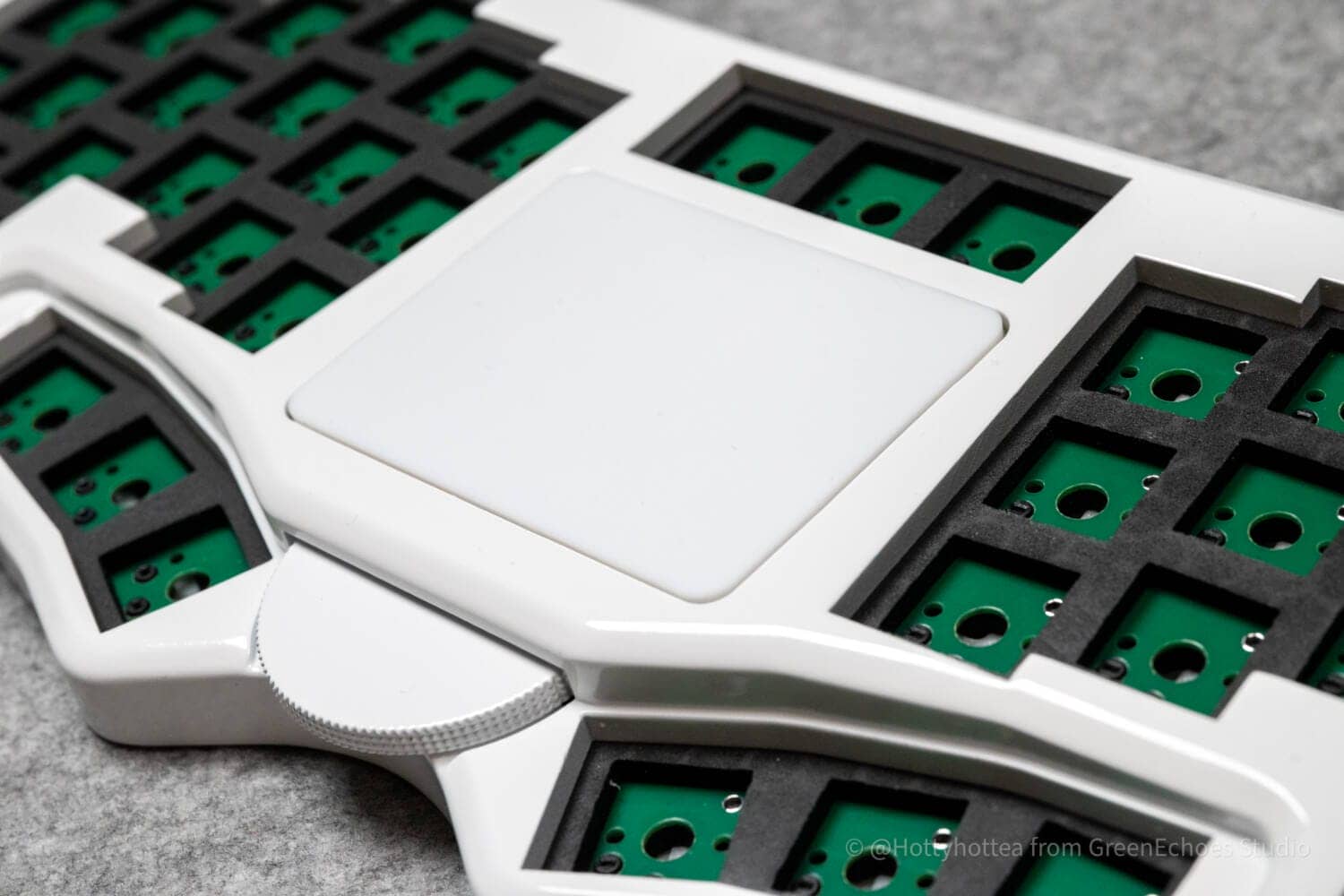
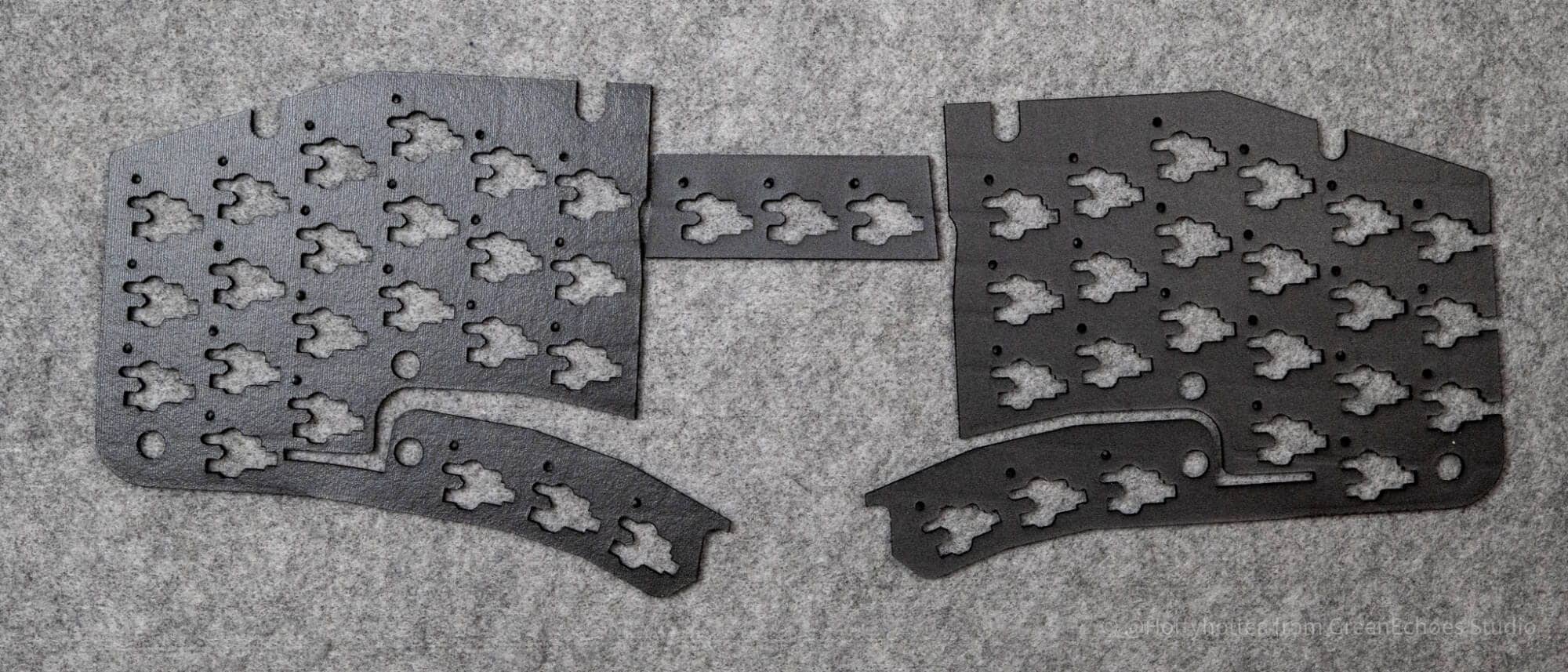
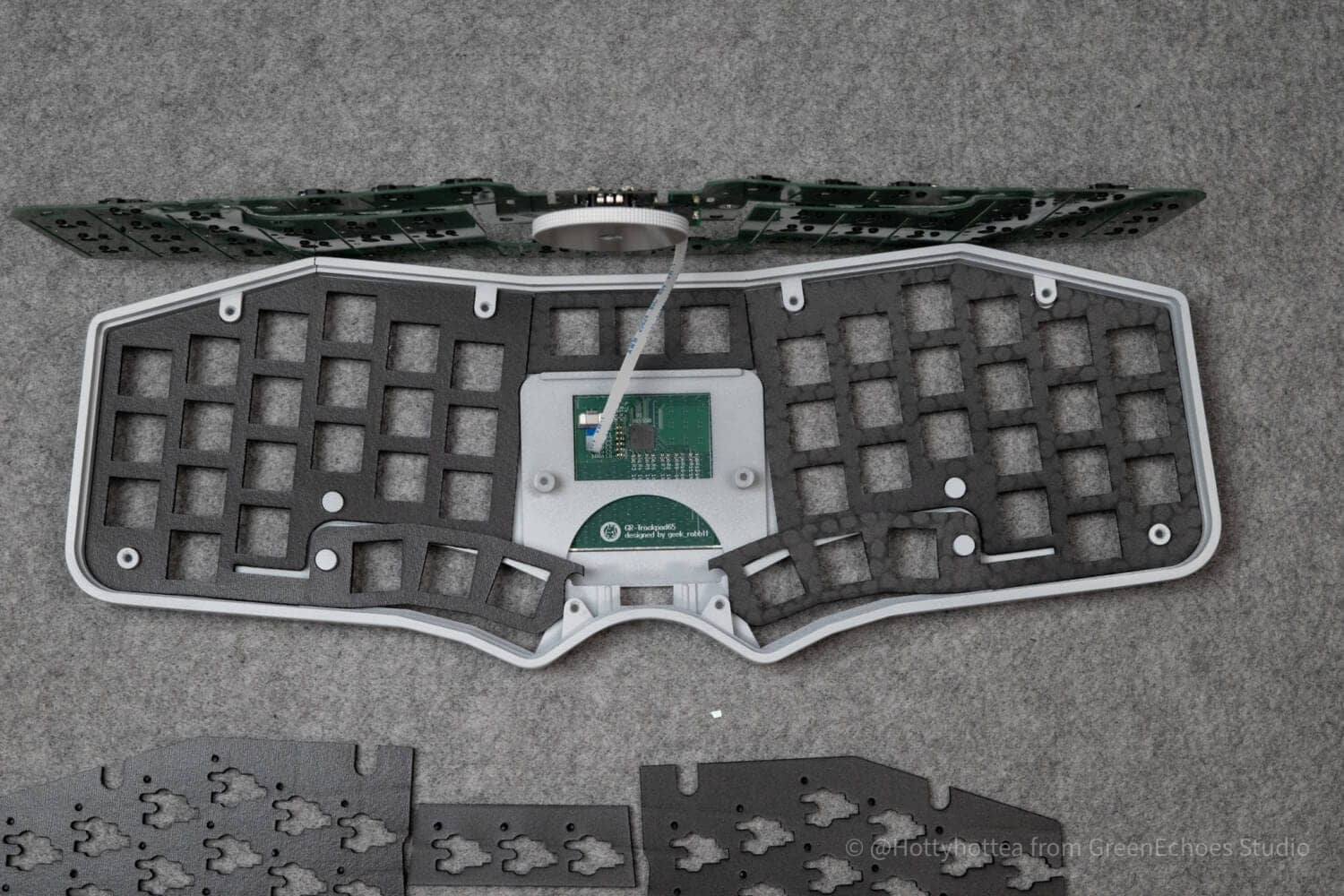
When the board is fitted into the case, the board itself has a gentle curve, making it impossible to use a “one-piece switch plate” made of ordinary FR4, PC, or other materials.
KawamuraIf choc switches are used, the thickness of the switch plate should be about 1.2 mm, but that thickness is considered too hard to accommodate curved surfaces.
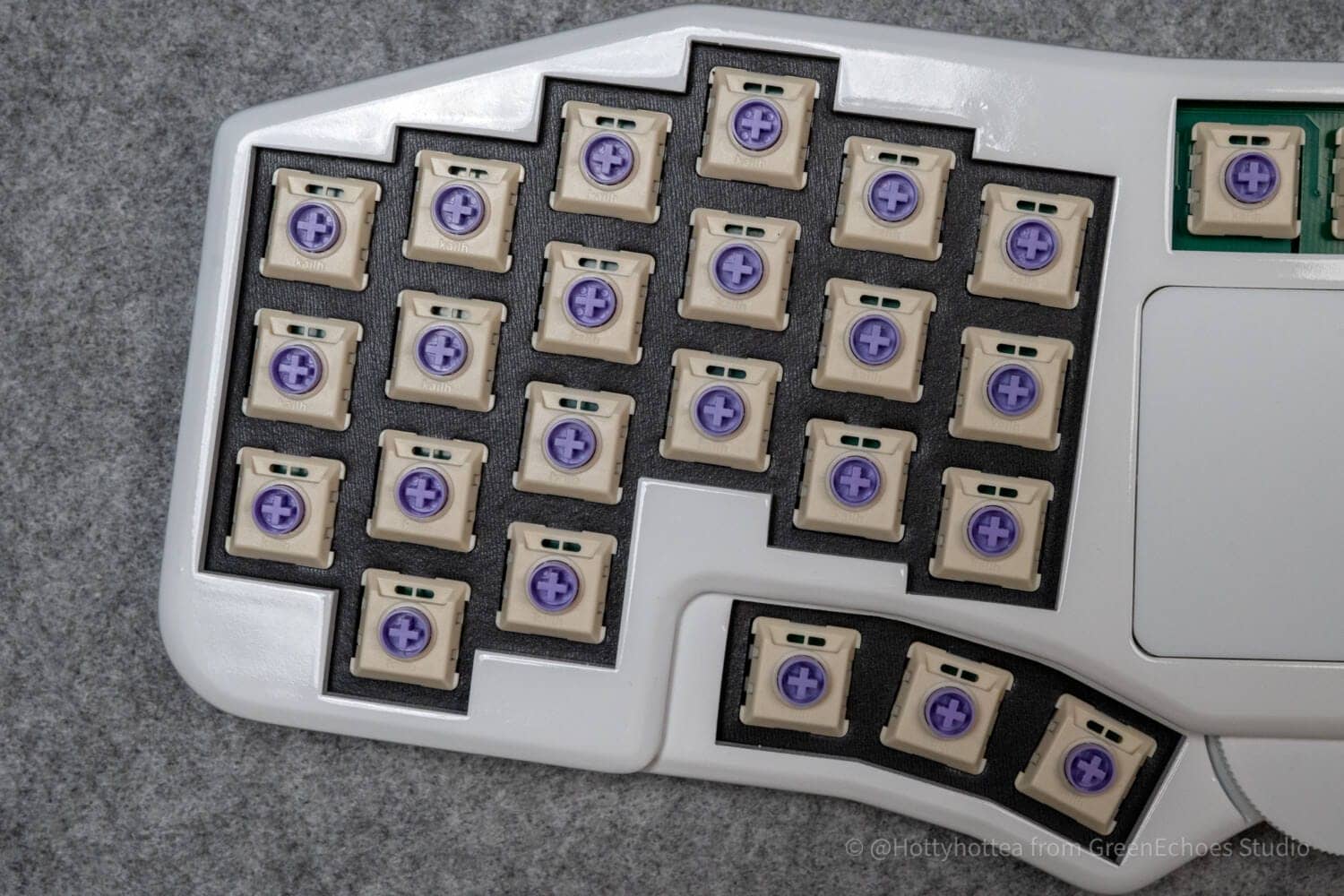
Therefore, the keyswitch itself is fitted into the switch form in this way, and the keyswitch is secured by clamping it between the hot-swap sockets.
Normally, the keyswitch is fixed to the switch plate by the “return structure” of the keyswitch, but in the case of Futaba, it is not fixed.
Therefore, it is difficult to avoid the specification that the keycap will come off when the keycap is replaced.
[Photos] Futaba Review
Let’s take a look at the actual Futaba actual device.
The kit provided this time is a “pre-soldered” kit.
The contents include three items: a soldered keyboard body, a store business card, and a non-slip pad.
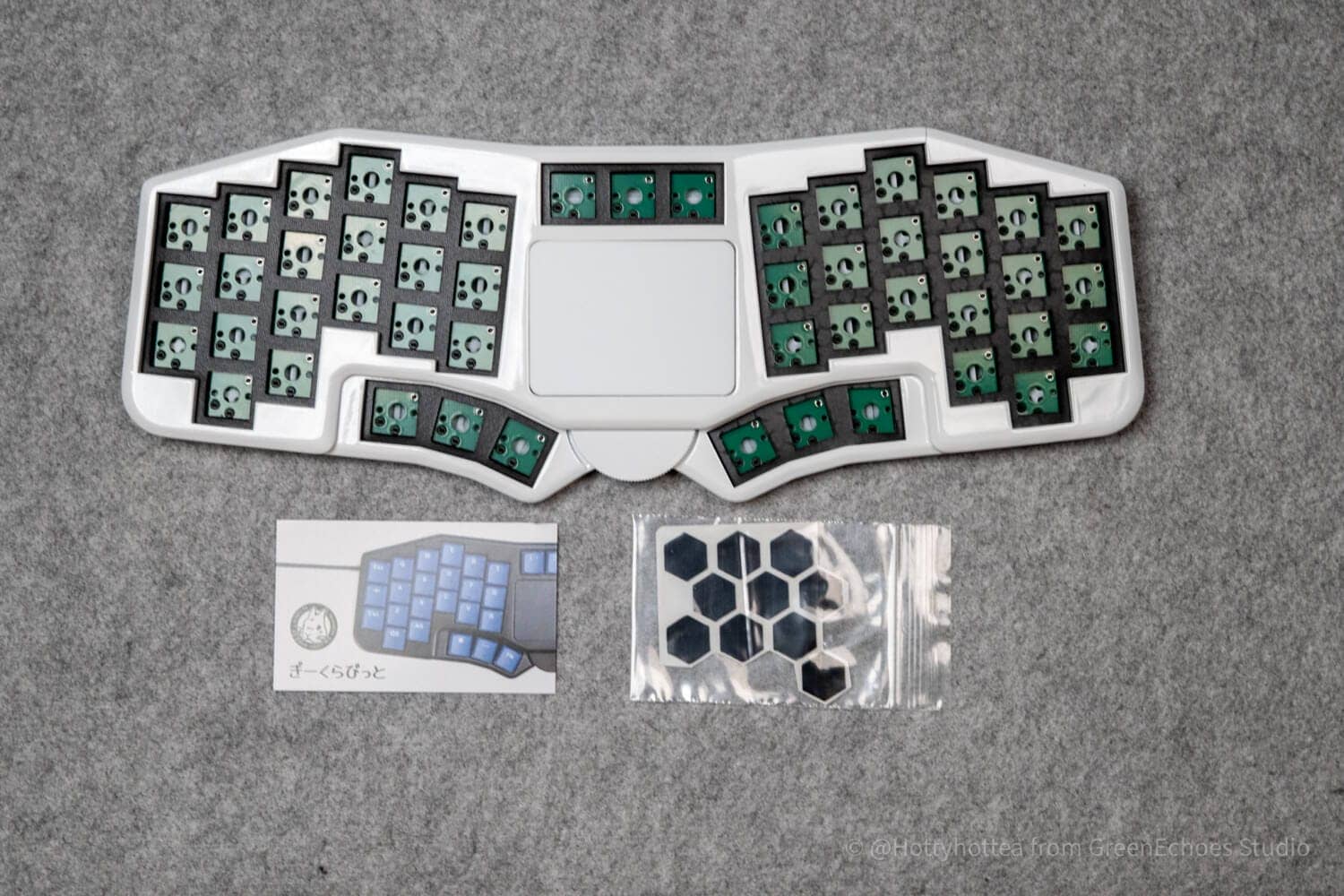
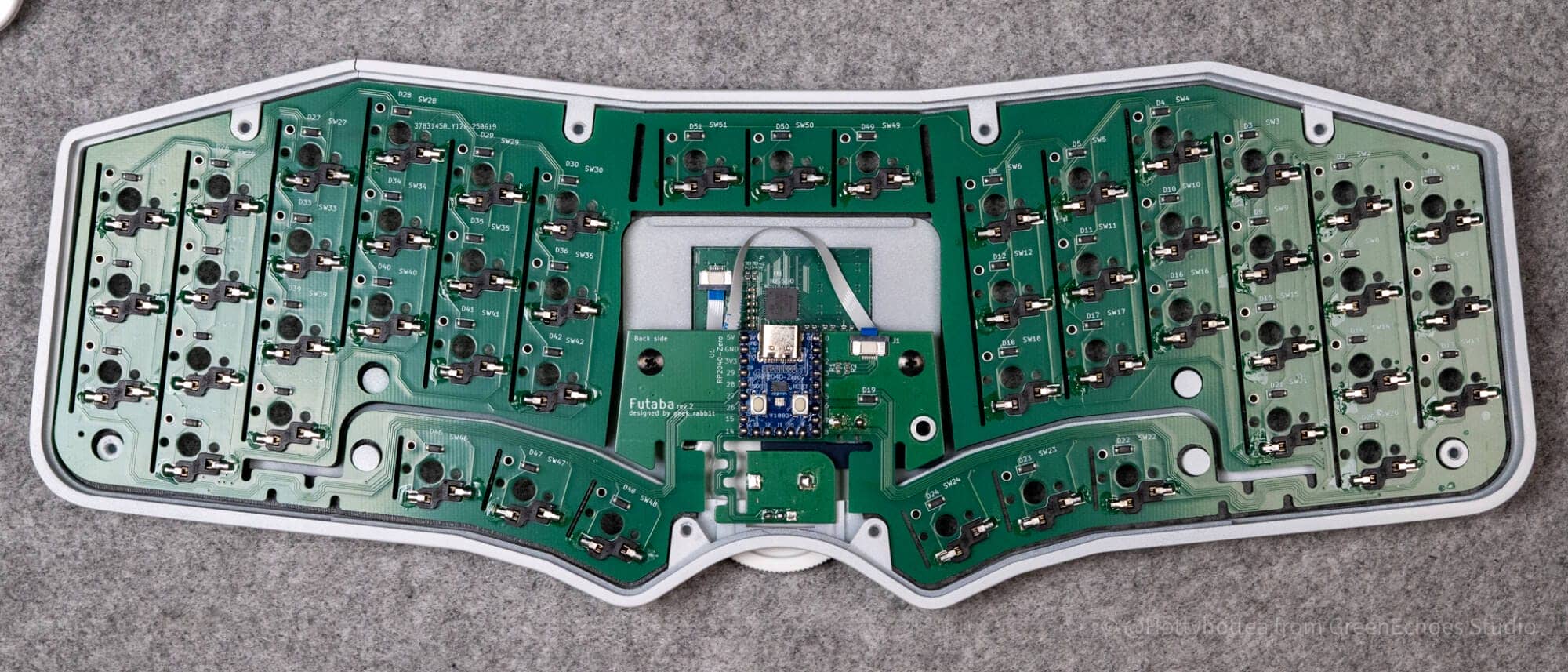
Unlike ordinary keyboards, this is a switch plate-less design.
Switch fixation is done with cushion foam and hot-swap sockets.
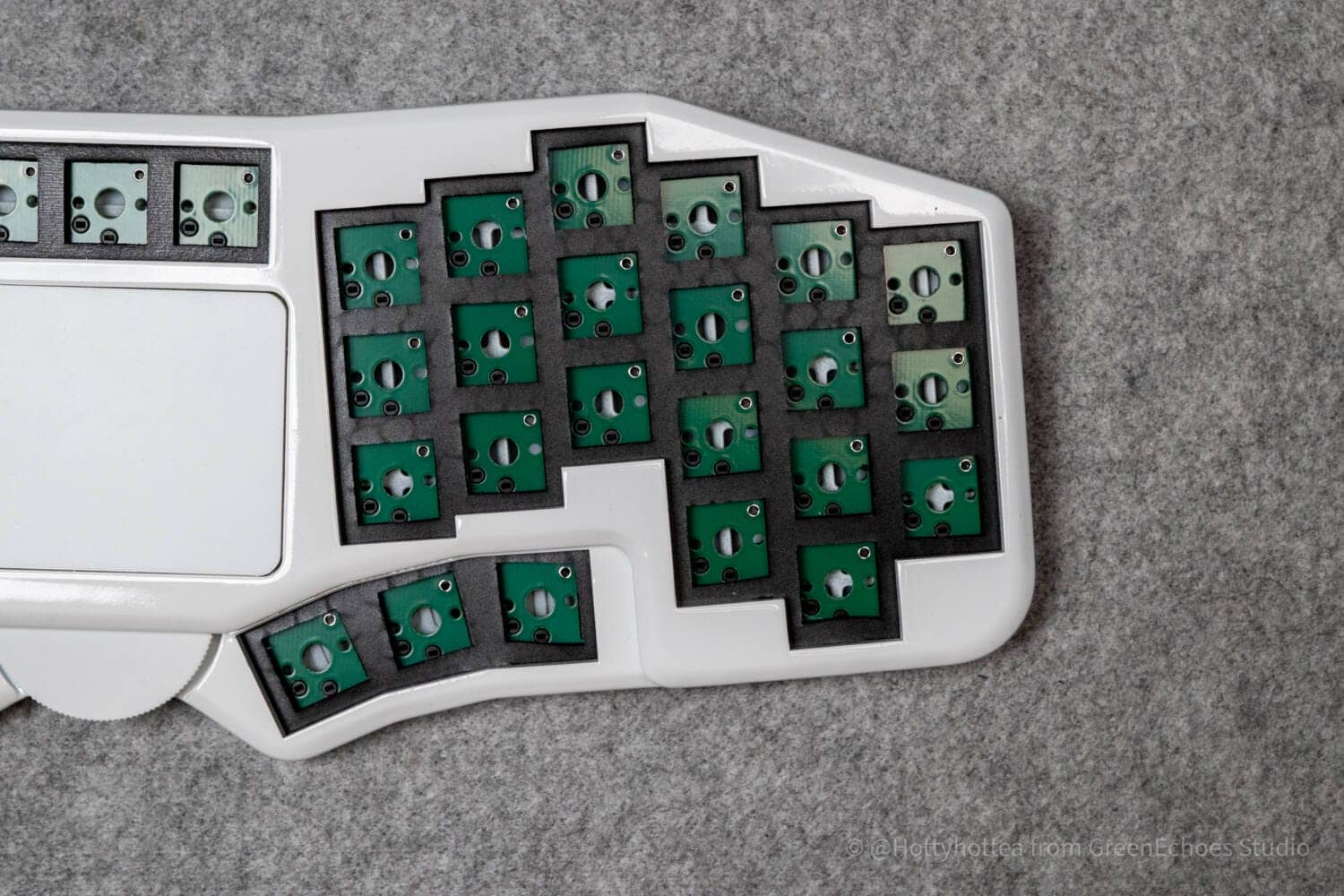
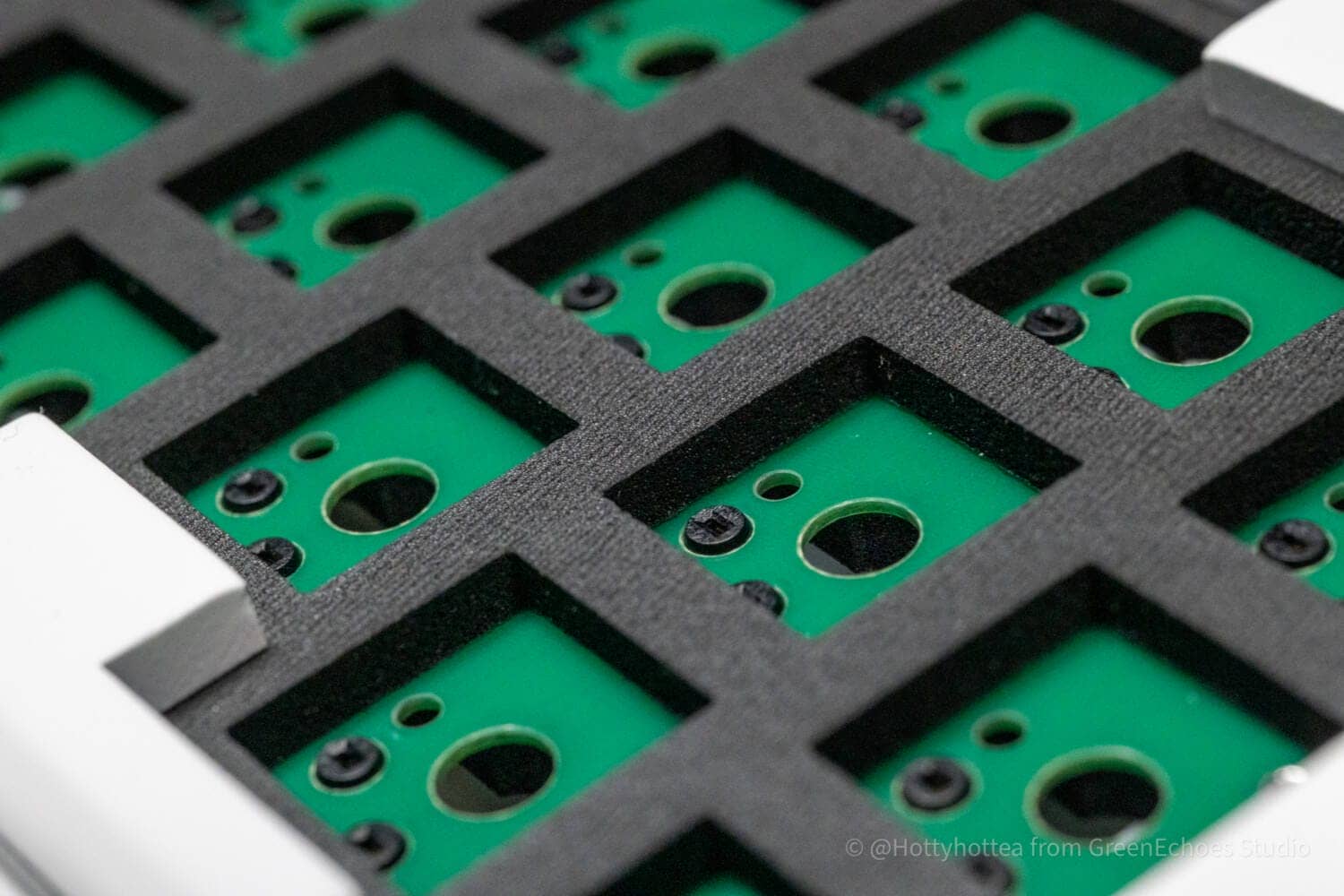
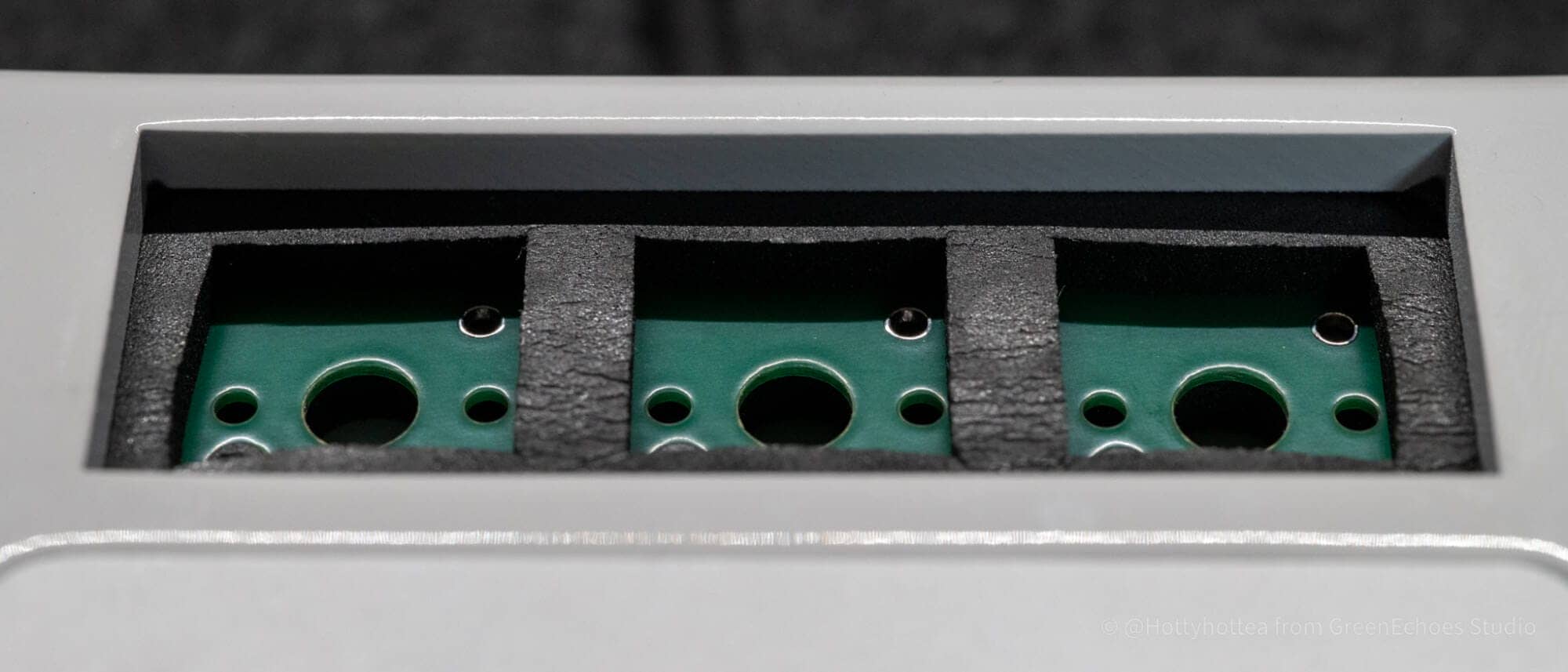
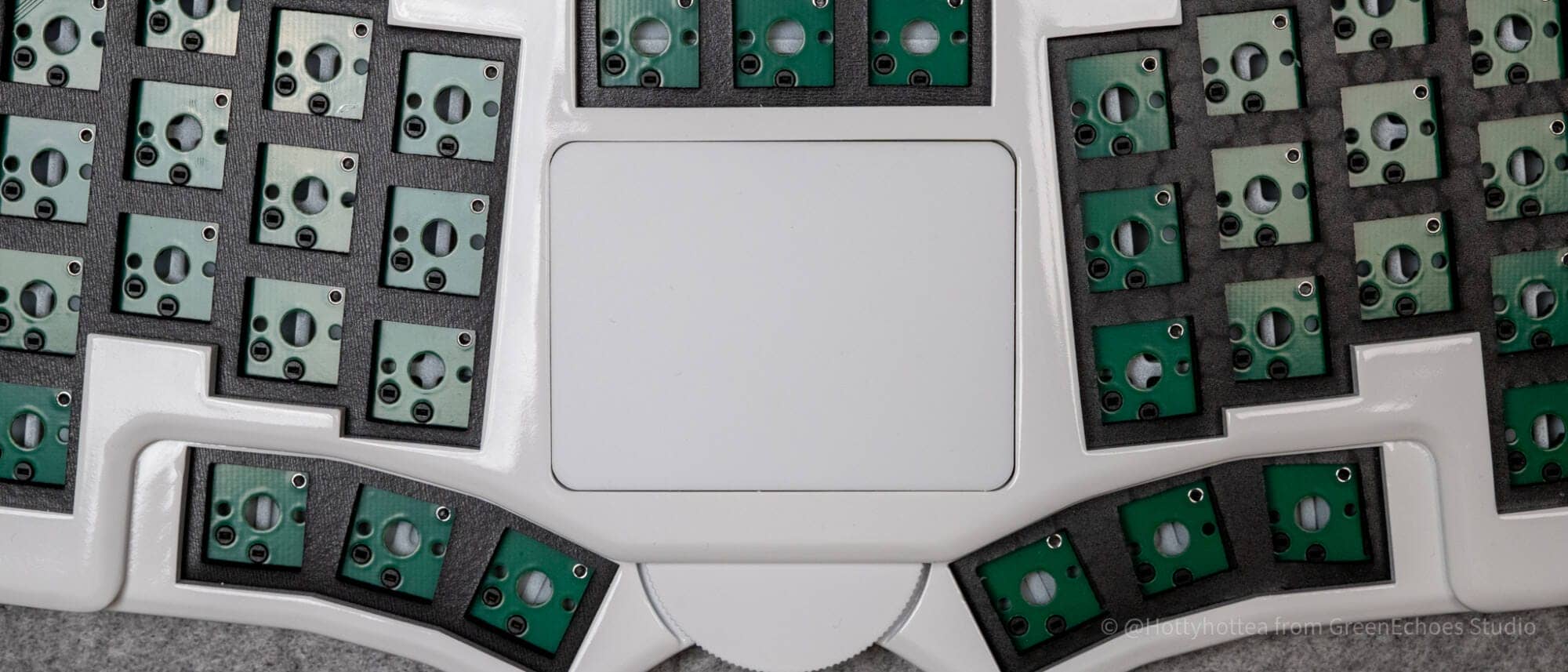
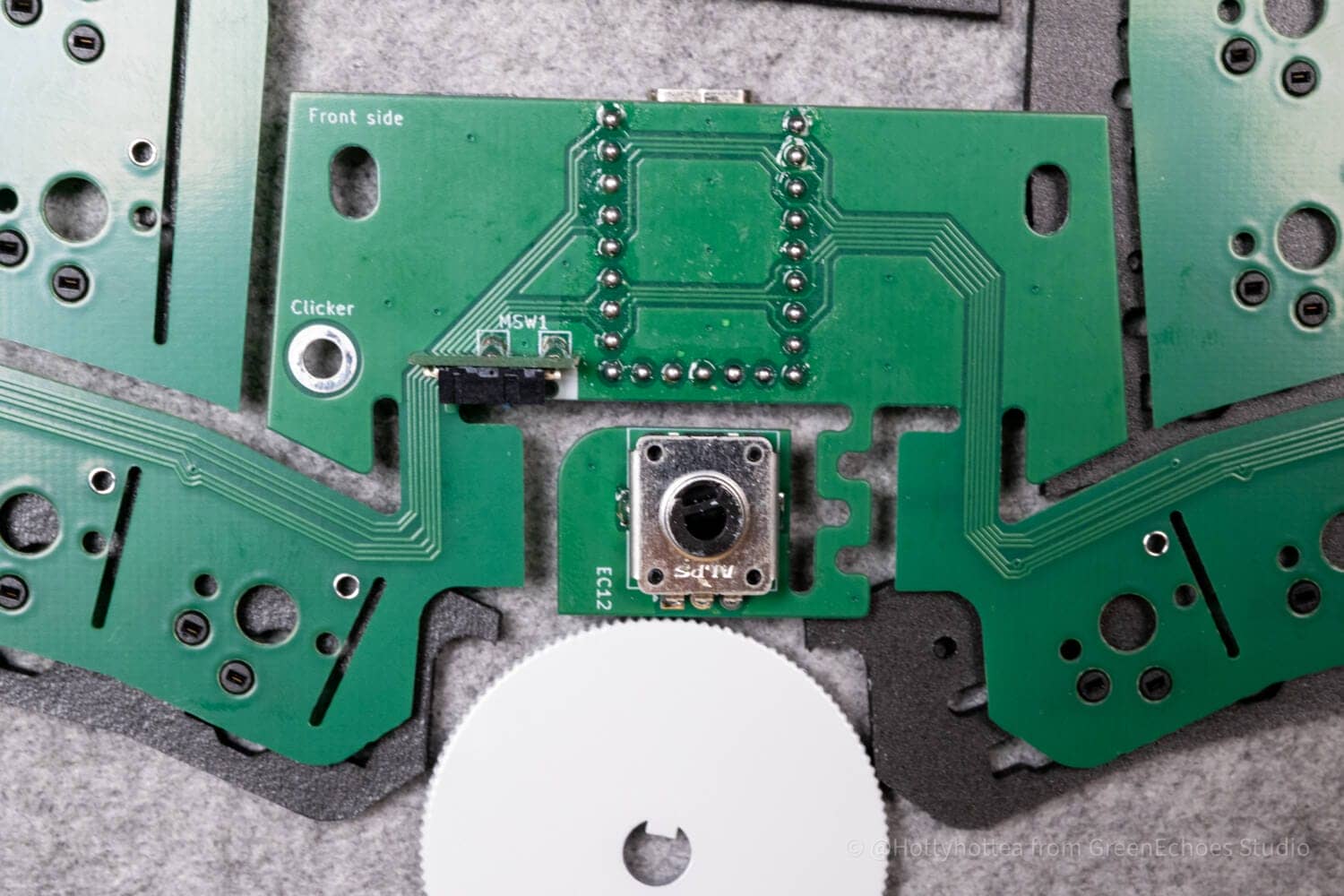
A rotary encoder that rotates horizontally is housed under the trackpad and can be operated with a large scroll wheel.
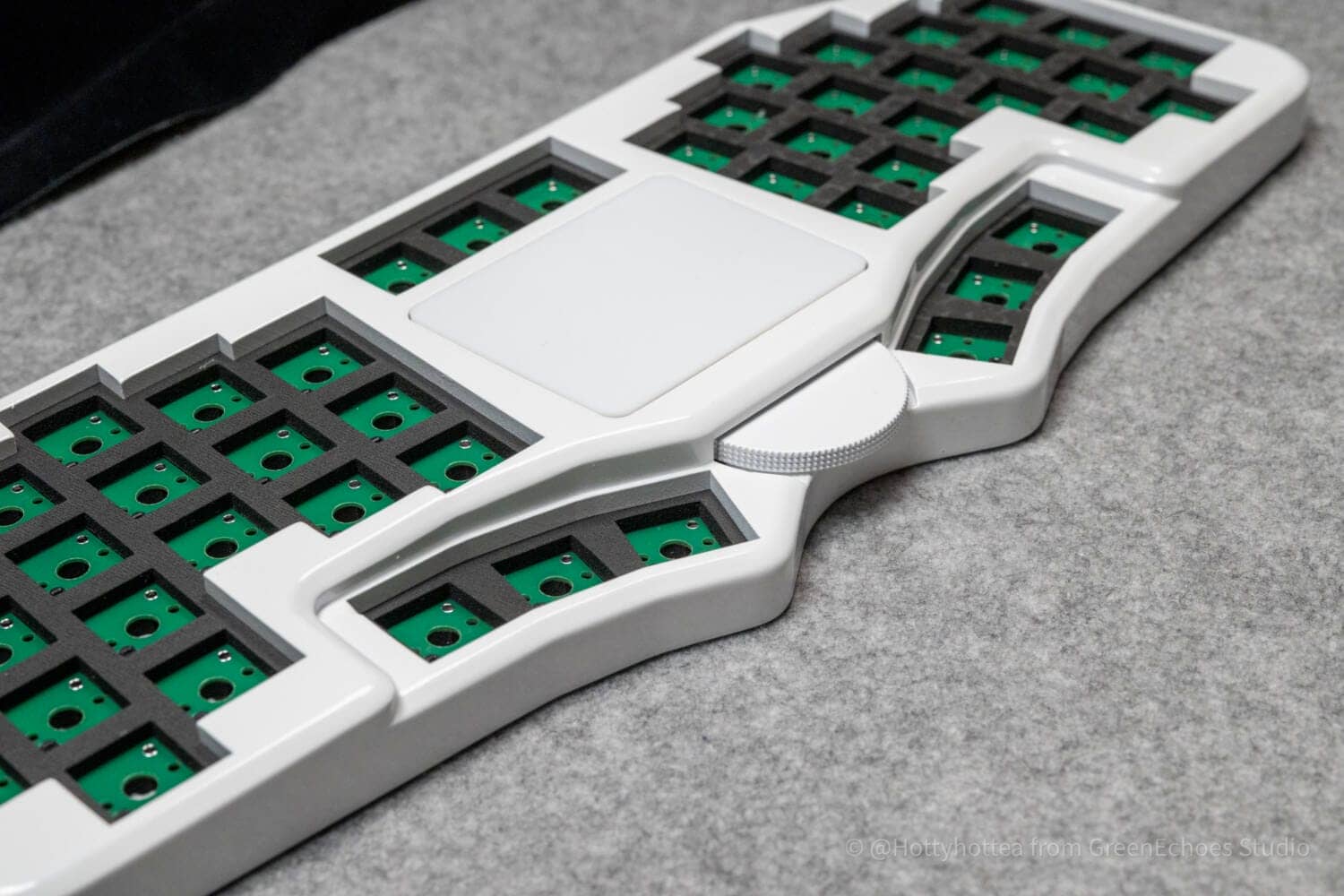
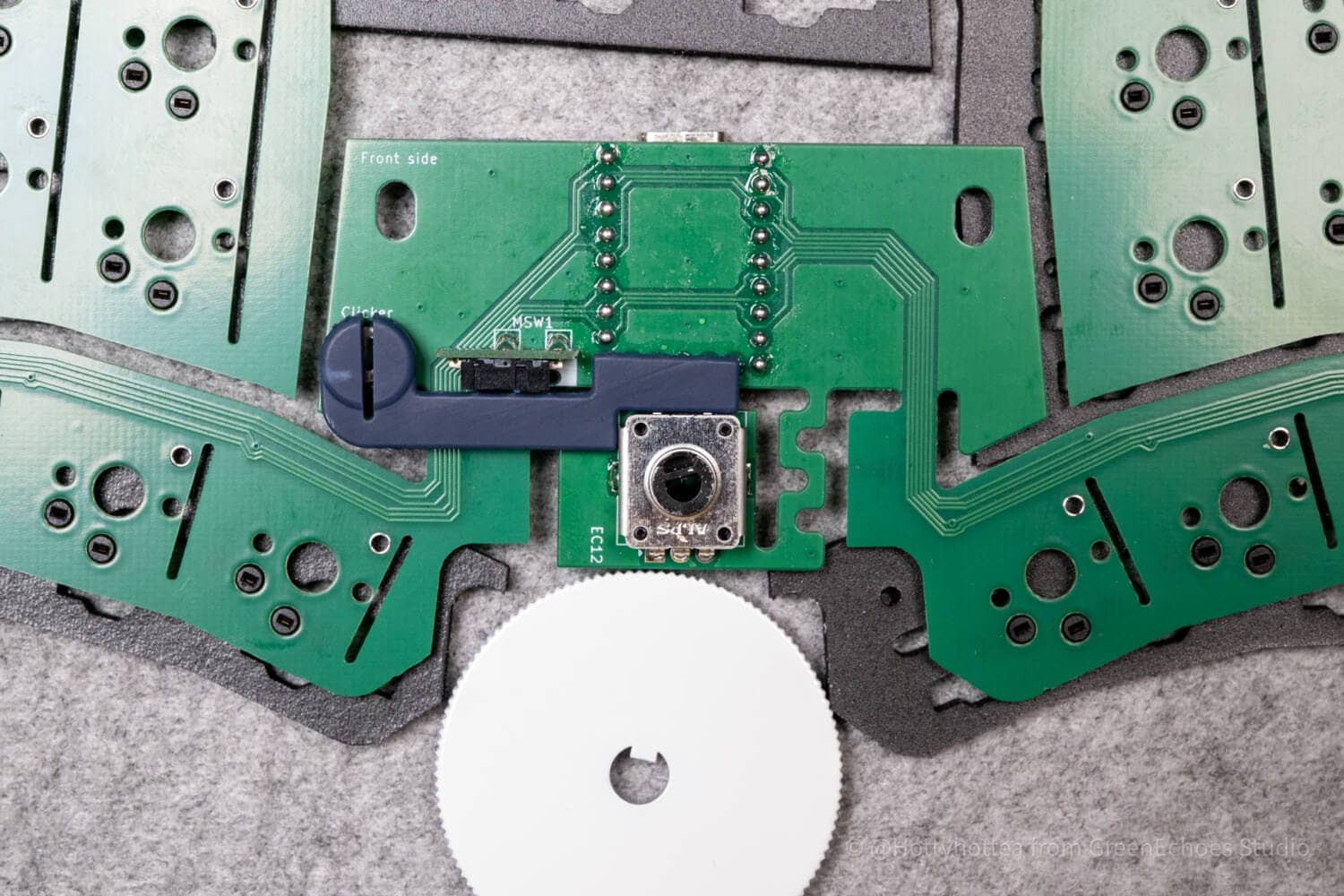
As described below, this part has a gimmick in which an embedded microswitch is clicked by pushing it toward the back.
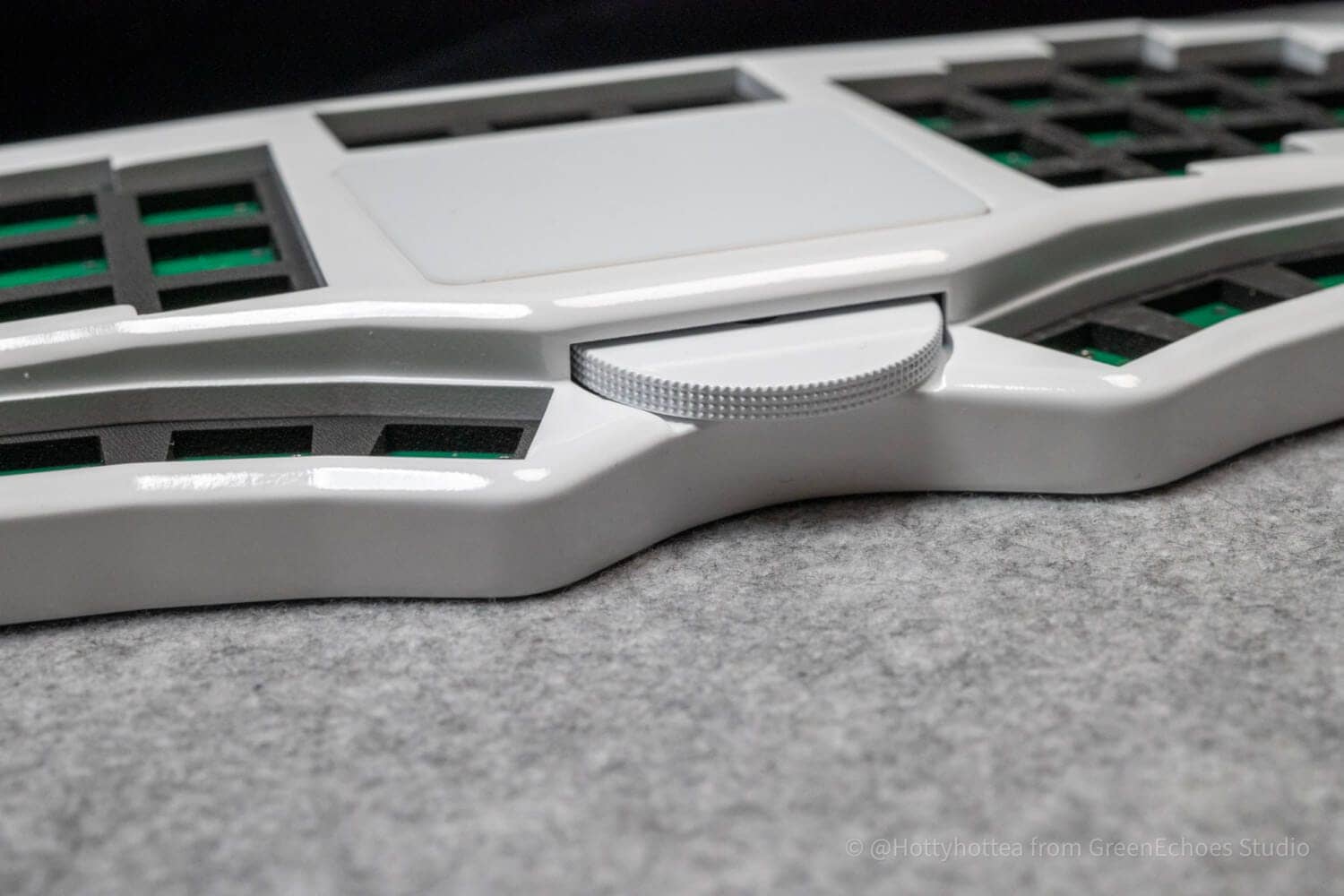
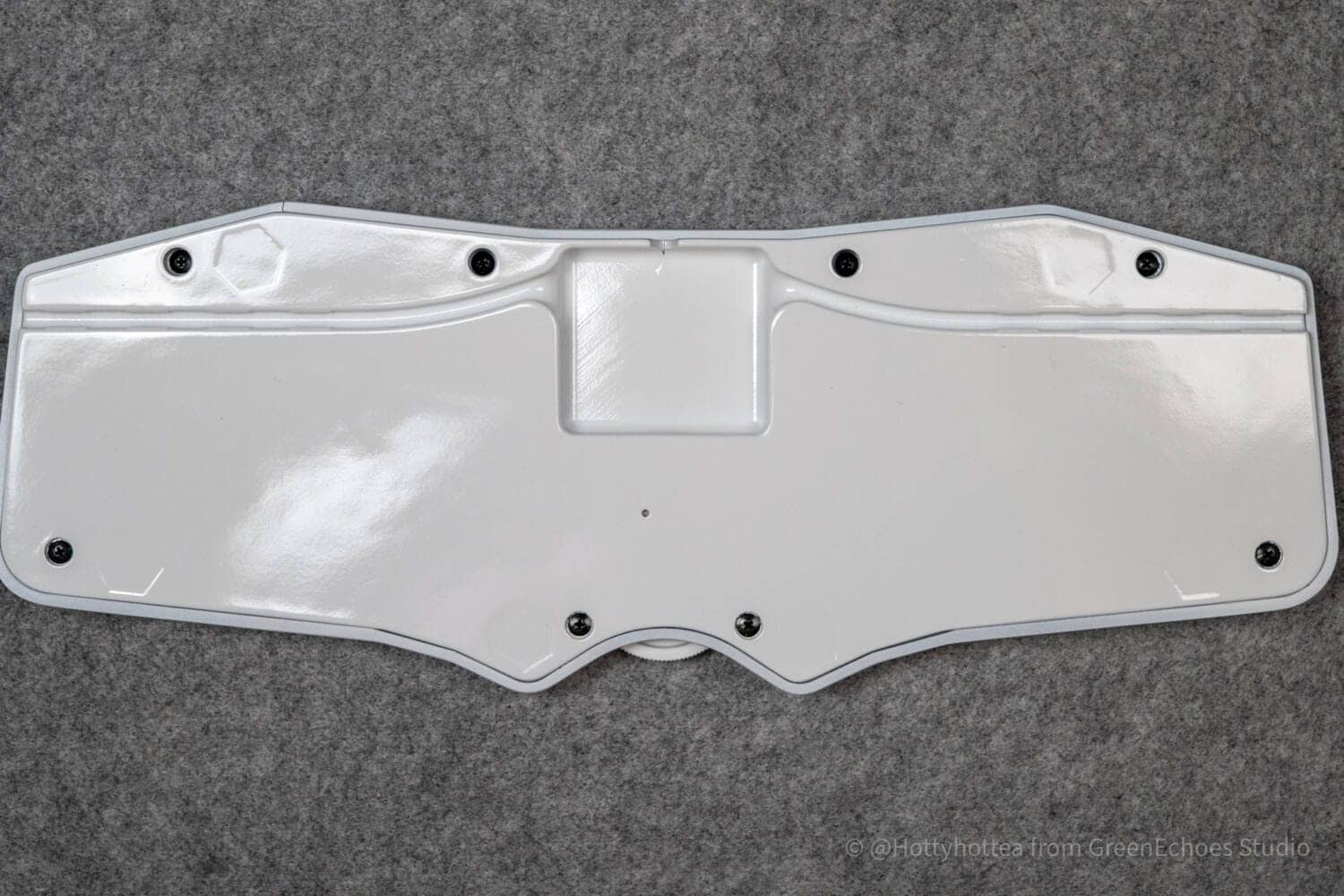
Then let’s look at the reverse side.
It is fastened with eight M3 size tapping screws.
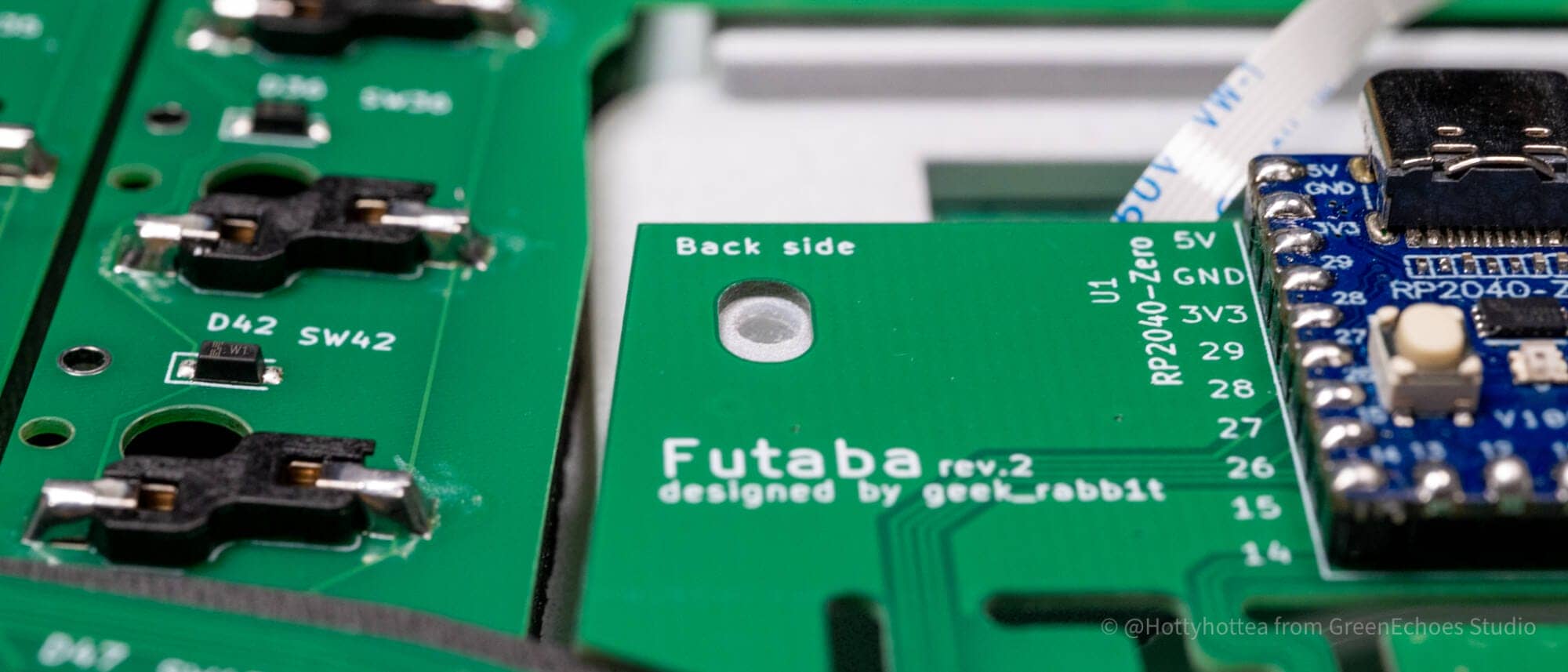
A distinctive feature is that the Type-C connection port used for wired connections is located quite far back.
Thus, when the cable is plugged in, the cable outlets can be selected in three directions, and the design is designed to allow for better cable routing depending on the desk.
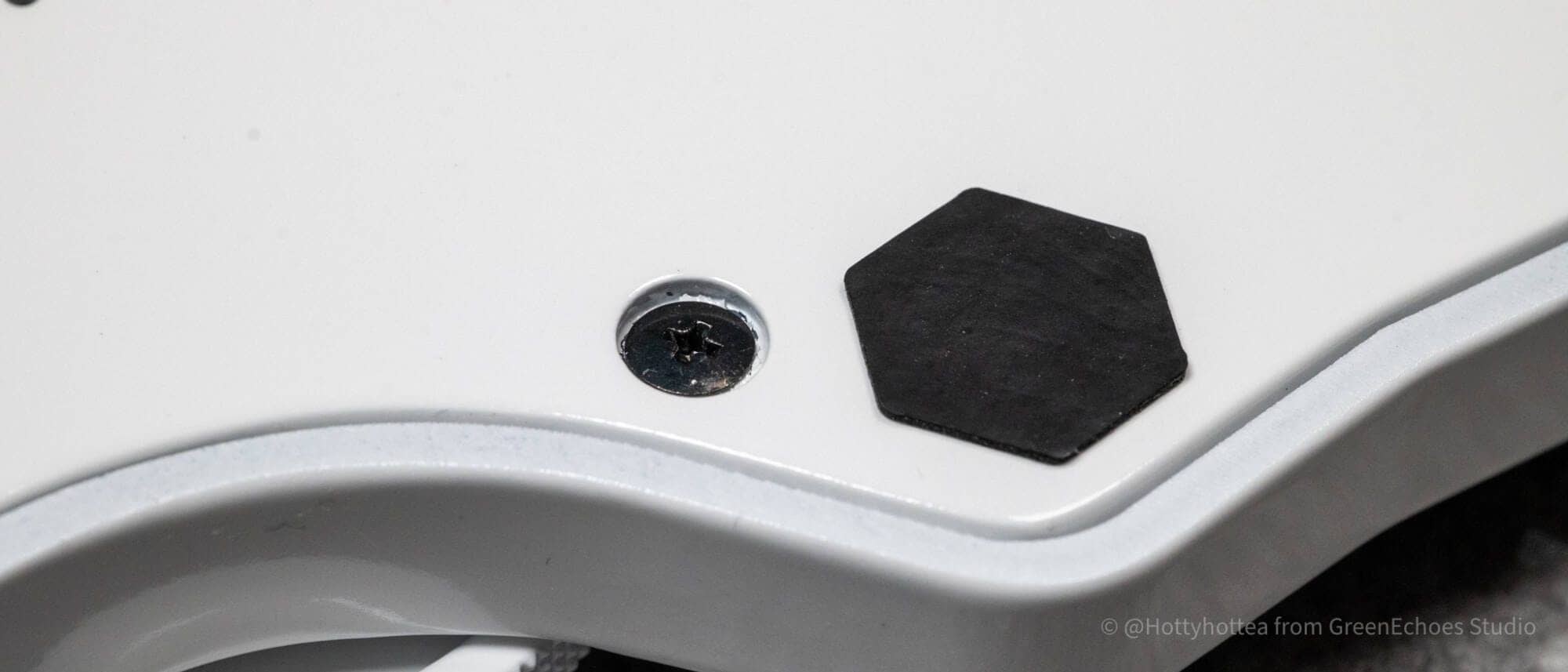
Let’s fit the key switch.
We chose the Kailh Taro IceCream MINI, which is relatively easy to find on Amazon.
As described below, the structure does not employ a key switch plate, and the switch is sandwiched between a hot swap socket and foam.
Therefore, it is a “specification” that the entire key switch will be pulled out when replacing the key switch, so check before purchasing.
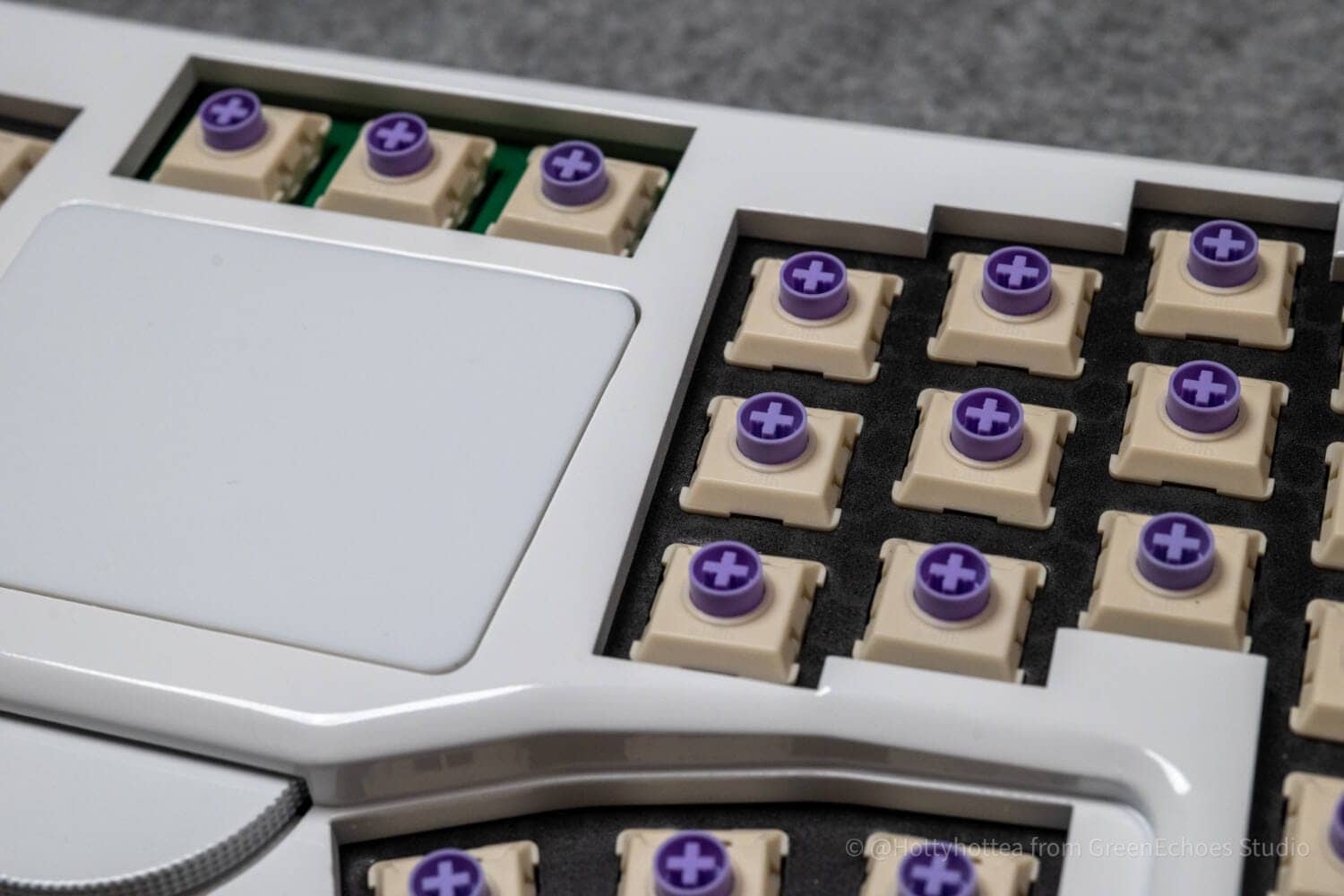
As for the keycap, Jezail Funder Japan x Yamatake LAK Kotori Shimaenaga (not for sale) was chosen.
t_yamanakさんより使用許諾をいただき、Shimaenagaデザインを LAKキーキャップにも適用できることになりました!今後は、各種イベントやキャンペーンの限定ギフトとして皆さまにお届けする予定です。
— JezailFunder Japan (@jezailfunder_jp) December 4, 2025
📢今回の記念として12月6日までに
1. 本投稿をRT
2. @jezailfunder_jp & @t_yamanak をフォロー… pic.twitter.com/P5JZmo0Ret
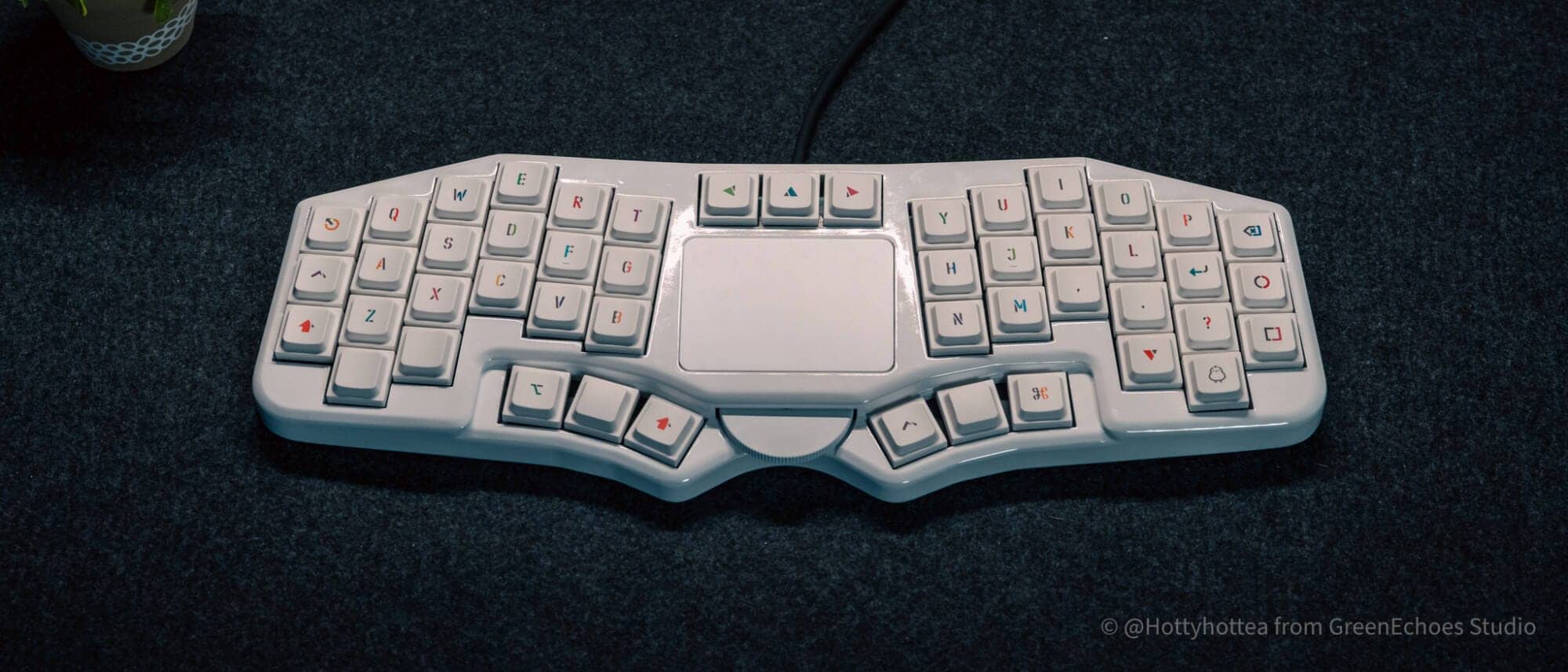
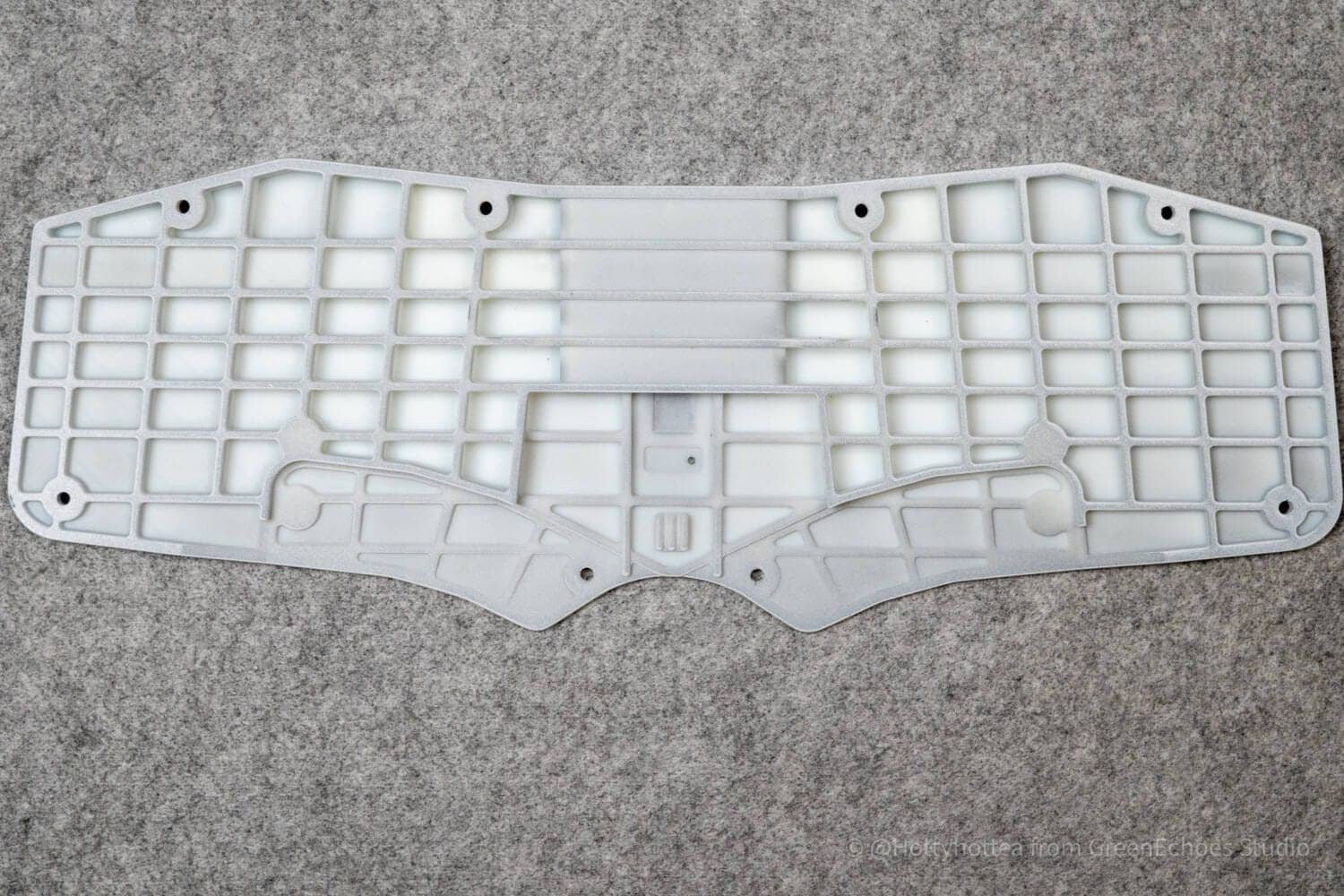
やはり特徴的なのがこの「サムクラスタが一段下がっている」ことでしょう。
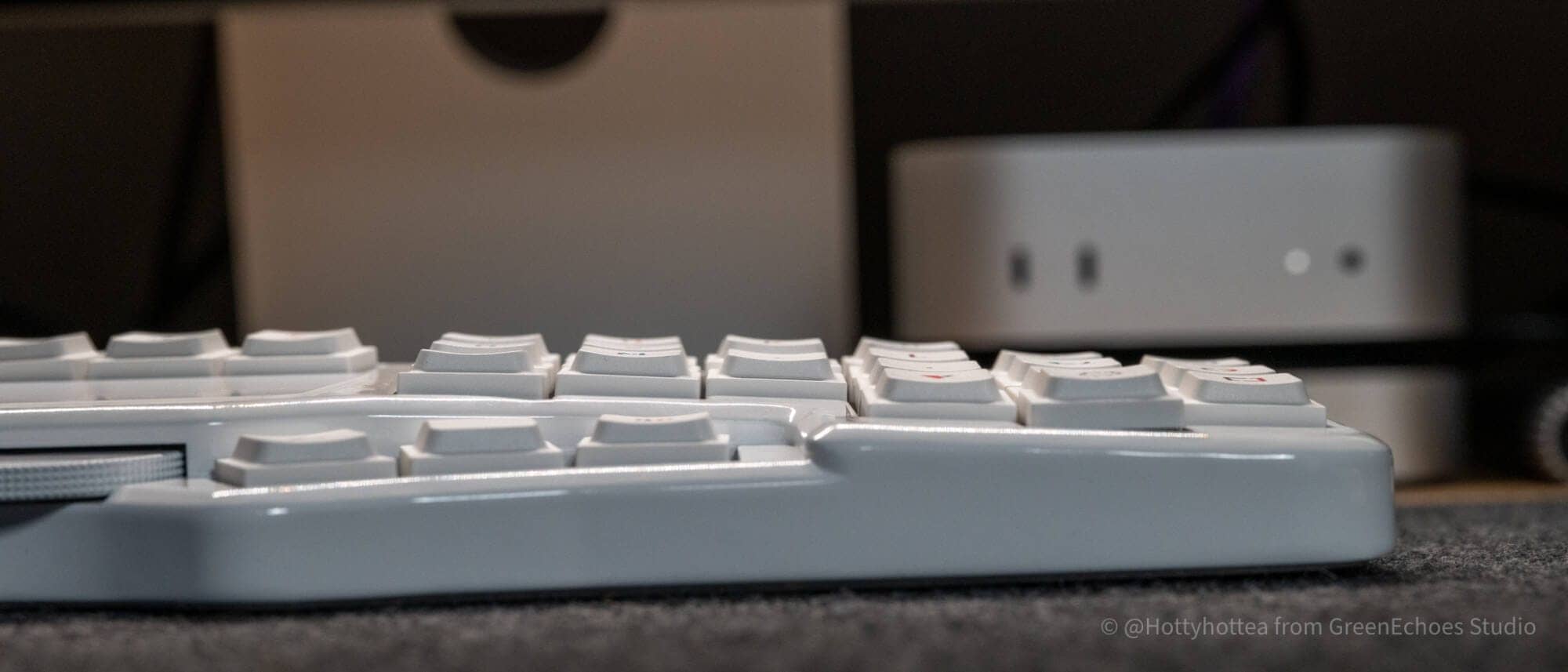
前作のTimothyから引き継いだこのギミック。
前回が基板を別にしてフレキシブルケーブルで繋いでいたのに対し、Futabaではなんと「一枚の基板」でこの機構を実現しているのには驚きました。
その秘密がこの0.8mm厚のフレックスカット基板です。
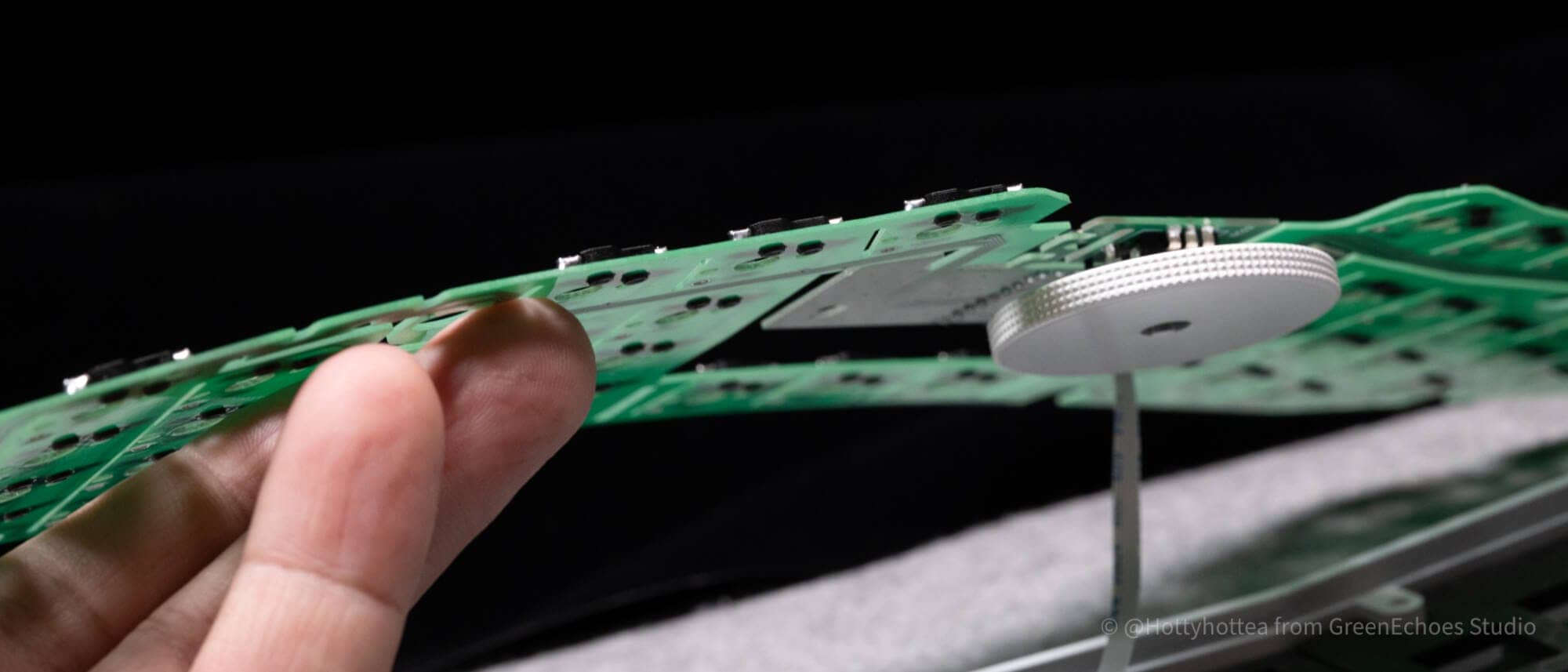
底面に配置したボトムケースと、緩やかにアールを描いたトップケースで挟み込むと、うまい具合に基板が湾曲・親指部分だけ一段下がる形に設計されていました。

また、ロータリーエンコーダー部分のギミックも注目です。
ロータリーエンコーダー自体にはクリック機構が付いていないのですが、ロータリーエンコーダーを構成している部分が離小島のようになっており、ジグザク状の橋で繋がっているような構造になっています。
そして、別途この3Dプリント製のパーツを装着すると、奥側に仕込んだマイクロスイッチが押し込まれる、という仕組みになっていました。

summary
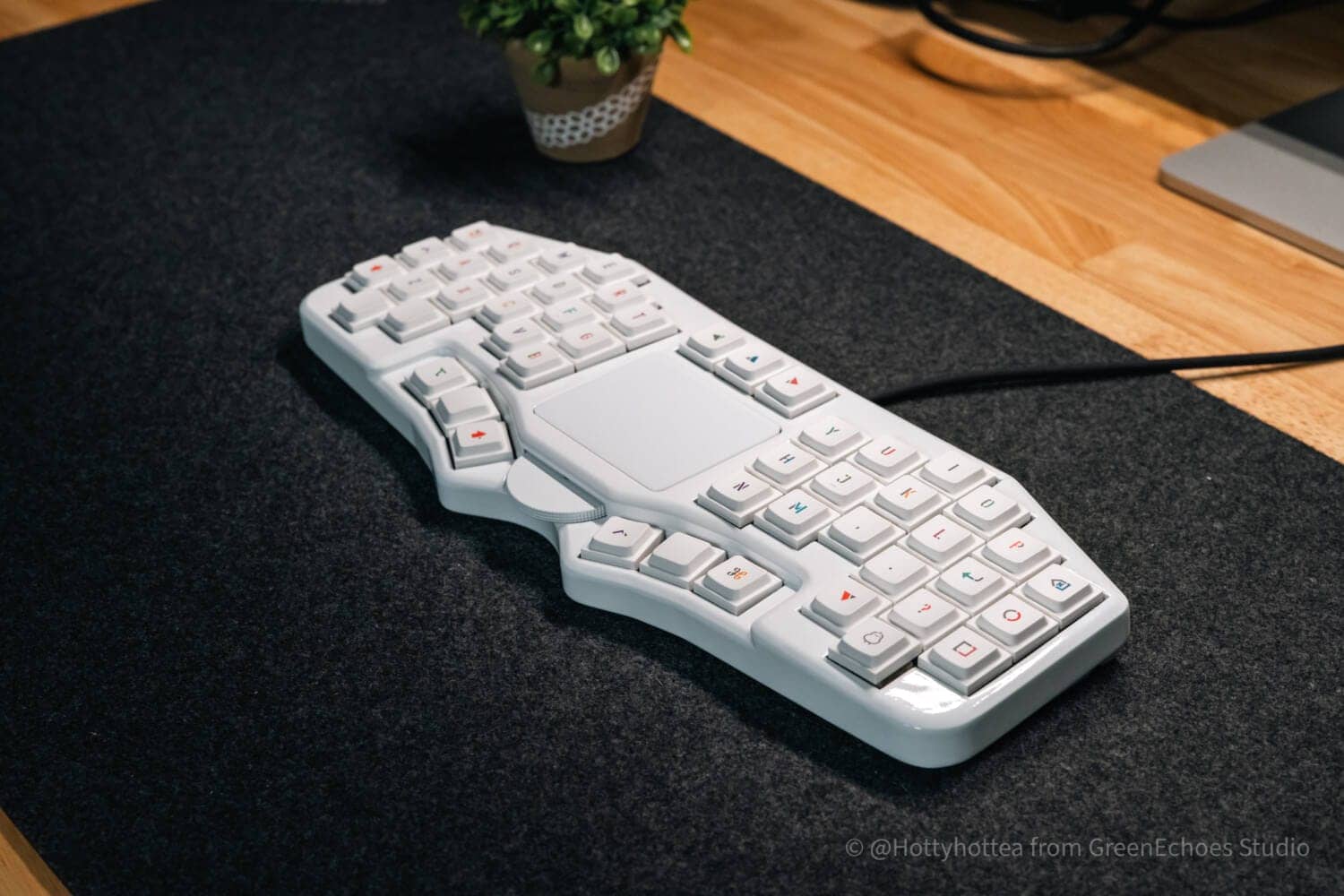
The above is an introduction to Futaba, a column-staggered layout keyboard with integrated 40% trackpad released by Usakibodo.
Perhaps the most common type of all-in-one keyboard with a pointing device is the trackpad.
KawamuraCompared to an all-in-one keyboard with pointing stick and trackball, it seems to have a greater “always in use” feel.
Although the layout is a little high hurdle for general users, it is a “hands-on” keyboard that can be enjoyed, including the physical layout and keymap changes.
If you are interested, please visit the product page as well.
- First written on: February 15, 2026
- Last update: February 15, 2026
- Method of coverage: Product offer
- Reference and image credit: https://booth.pm/ja/items/6631691, etc.
- Conflicts of interest: Product offering: Yes Monetization link in this paper: No
Greenkeys operates solely on performance-based advertising and does not use Google ads because they reduce usability.
Please support us through Buy Me a Coffee if you enjoyed reading the article so that we can continue to operate the media.