


This near-future look might be nice.
On October 24, 2025, zfrontier announced in its newsletter that it had begun selling stock of the product that would become Flexbar.
Flexbar is a touch-operated device manufactured by a company called ENIAC Electronic.
The look is reminiscent of the touch bar that was once installed in Macbooks, and it appears to be customizable in various displays.
It is equipped with a 2K equivalent (2170 x 60) AMOLED full-touch display, and is a “fully customizable shortcut tool” that allows users to freely design the appearance, size, function and macros of the buttons using the dedicated “FlexbarDesigner” application. The app is a “fully customizable shortcut tool” that allows users to freely design the appearance, size, function, and macros of the buttons.
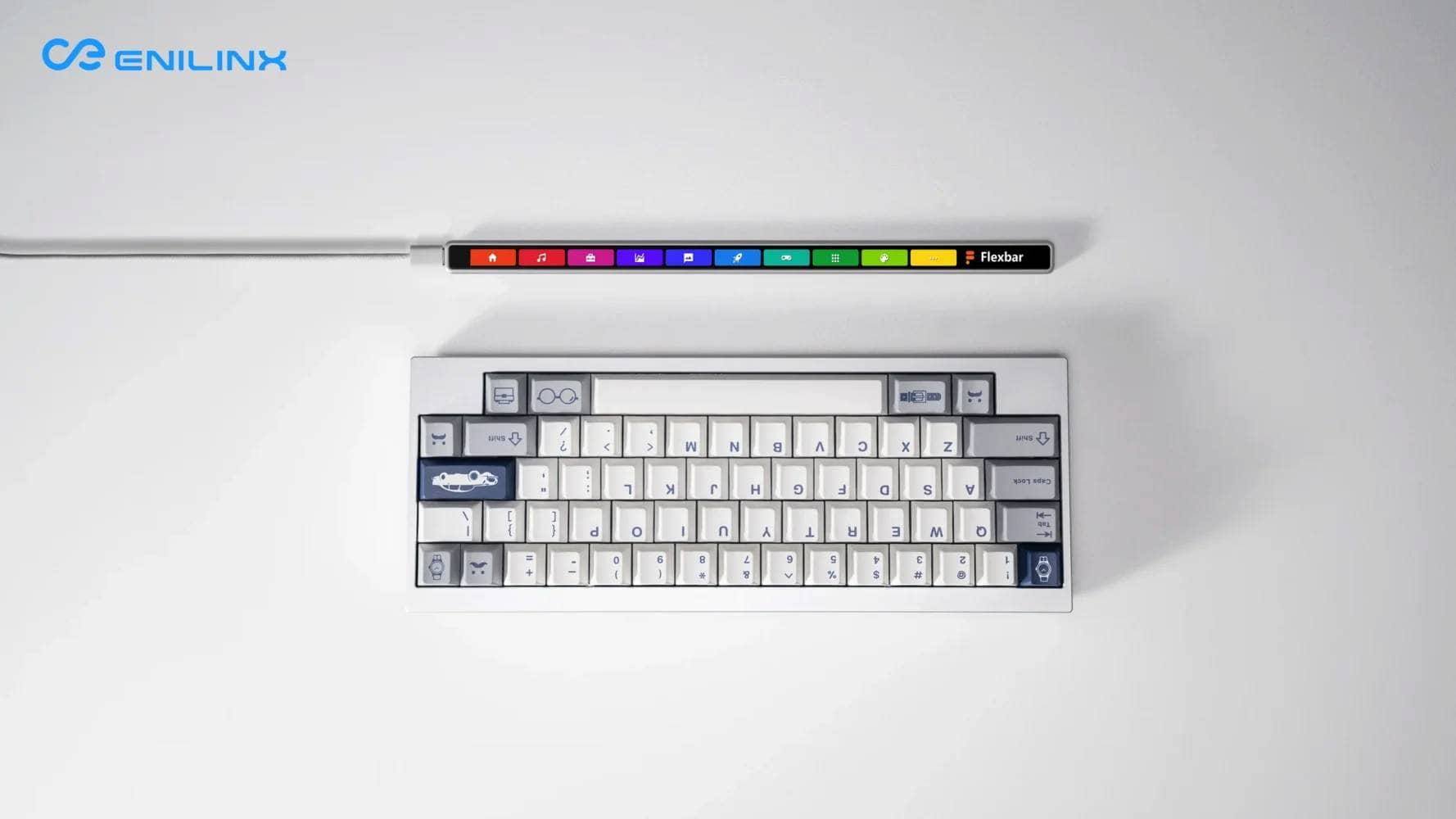
Supports Windows/macOS/Linux, integration of OBS/Twitch/Adobe/Microsoft Office, etc. and macro recording.
It comes with an aluminum enclosure + magnetic stand included and sells for only $179.00.
It is available in two colors: silver and space black.
Moreover, you can buy multiple units in bulk at a much lower price, with 10% off when you buy one, 15% off when you buy two, and 20% off when you buy three.
Shipping is also quite inexpensive at about $15.00.

5% off with “GREENKEYS5” / \“GREENKEYS5”.

View Flexbar in pictures
Let’s take a look at some photos.
Here’s what’s inside.
It has a bit of a Mac-like feel to it.
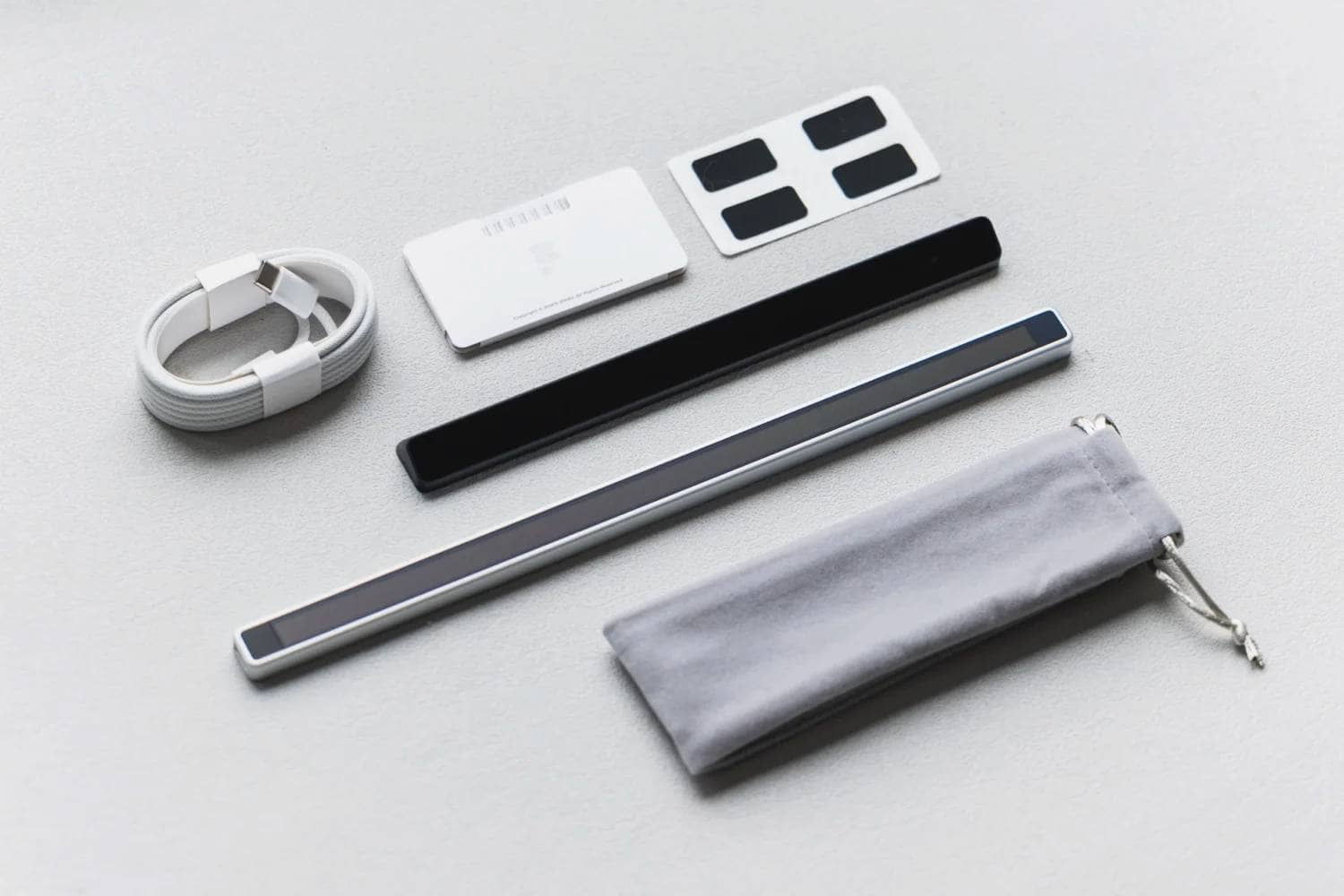
It comes in two color schemes: silver and space black.
Connection is made via Type-C.

Installation diagram.
This is fashionable.
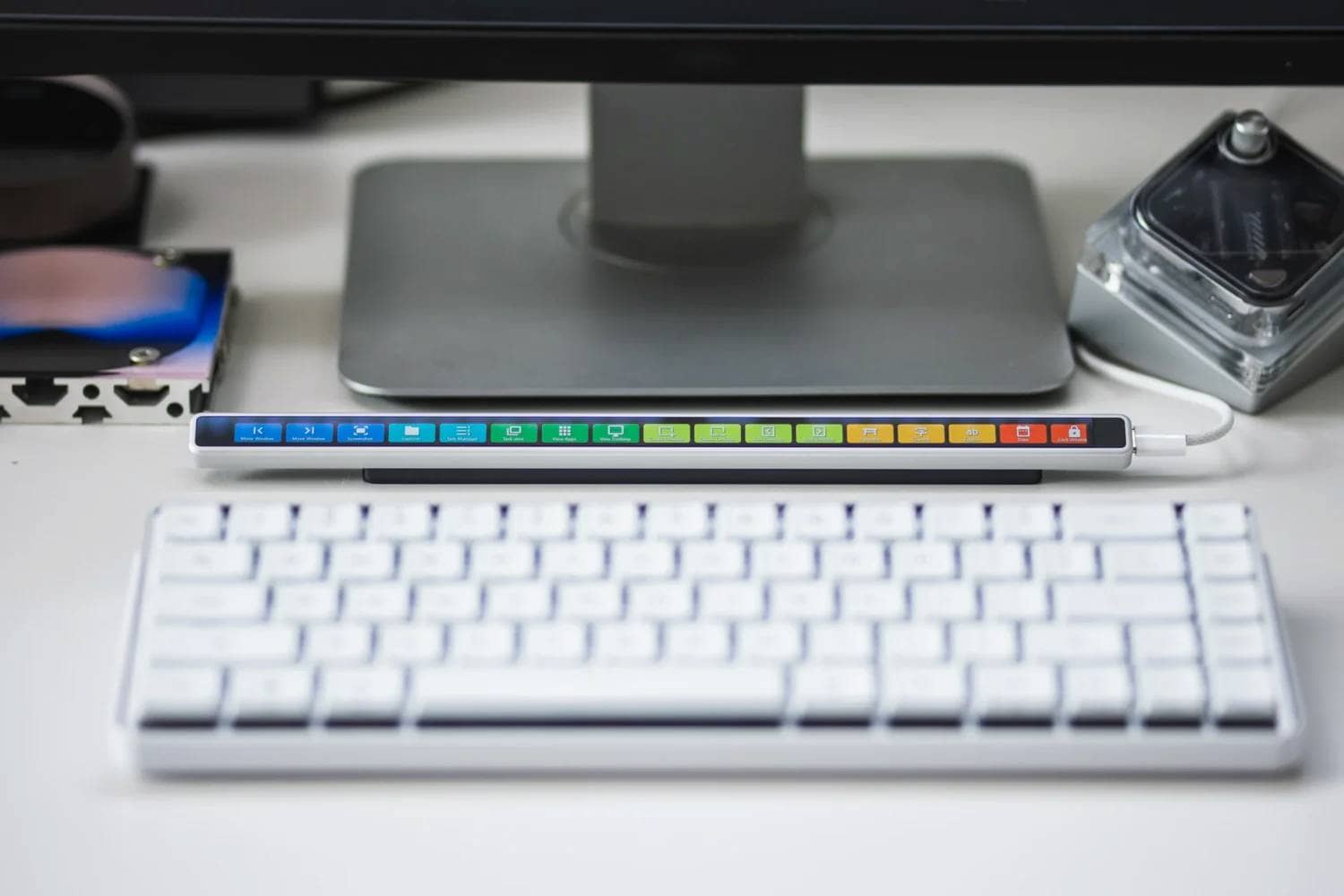
Incidentally, as for the cable, it appears that it can be taken out from either the left or right side.
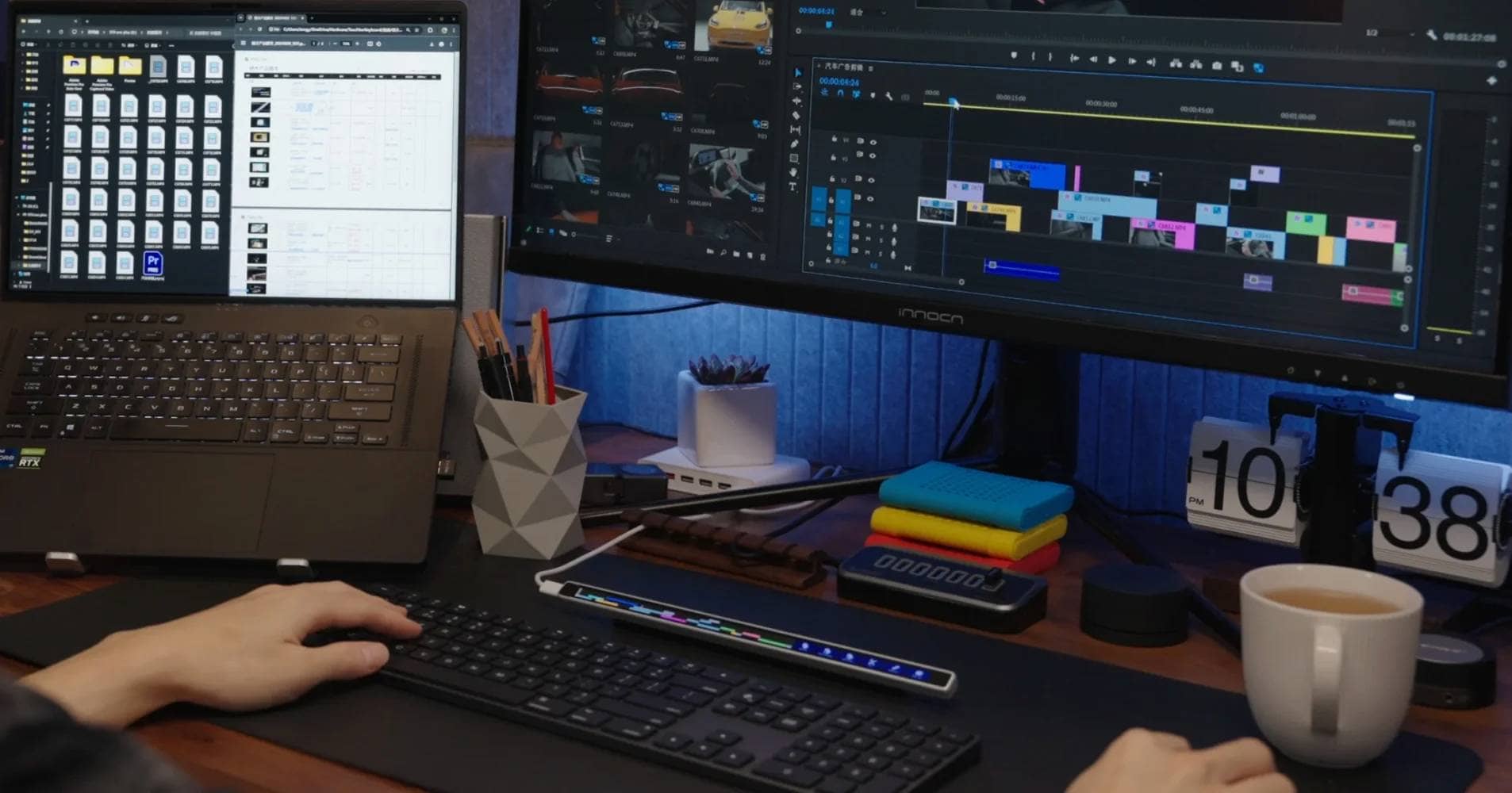
The display UI seems to be quite flexible in terms of customization, and can be changed to various looks and functions.


It can also be used as an app launcher.
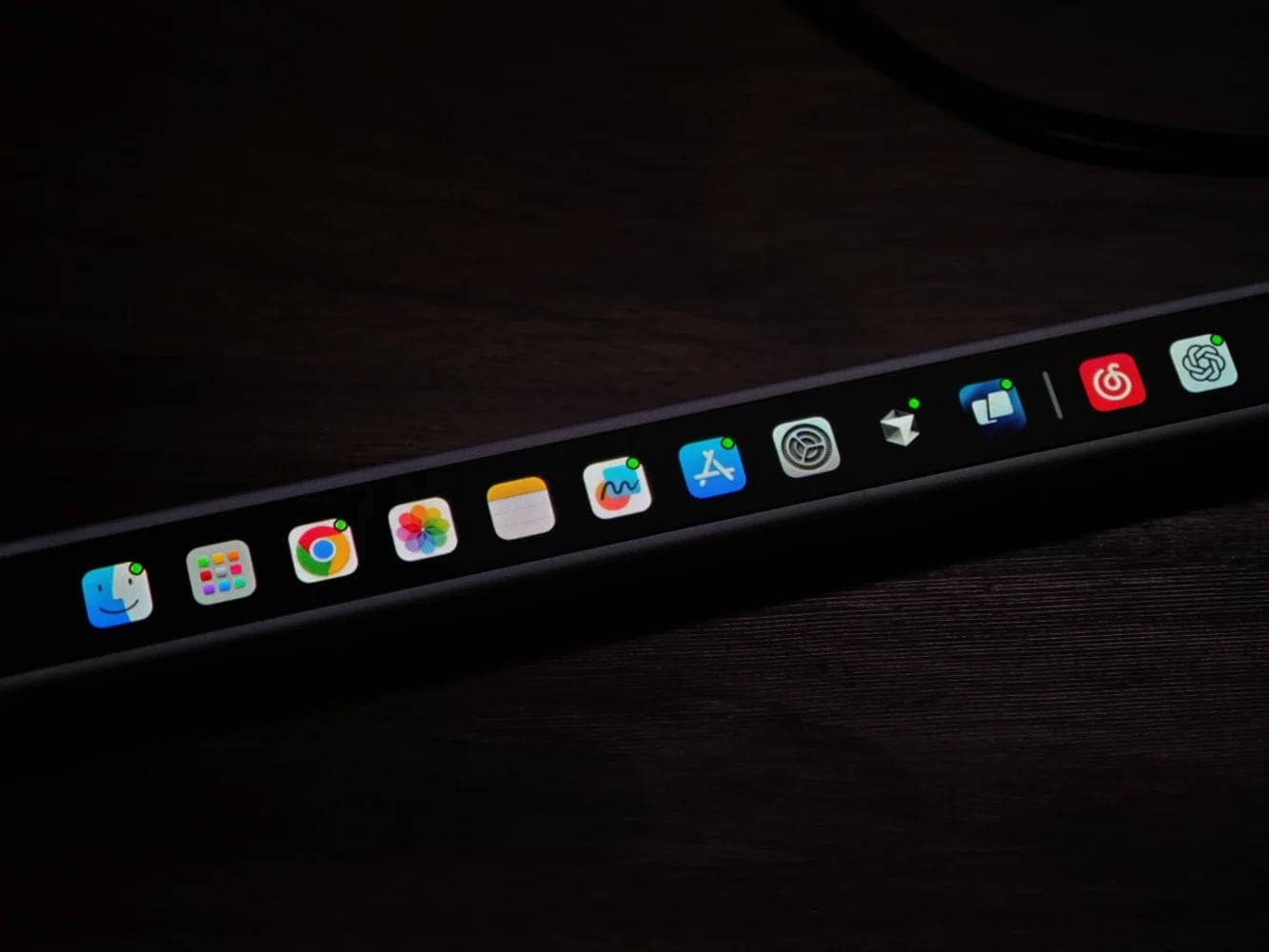
The fact that it is sloped for easy touch is also Good.

The settings seem to be made using dedicated software, which is in Chinese as far as the images show, but English display seems to be available as well.
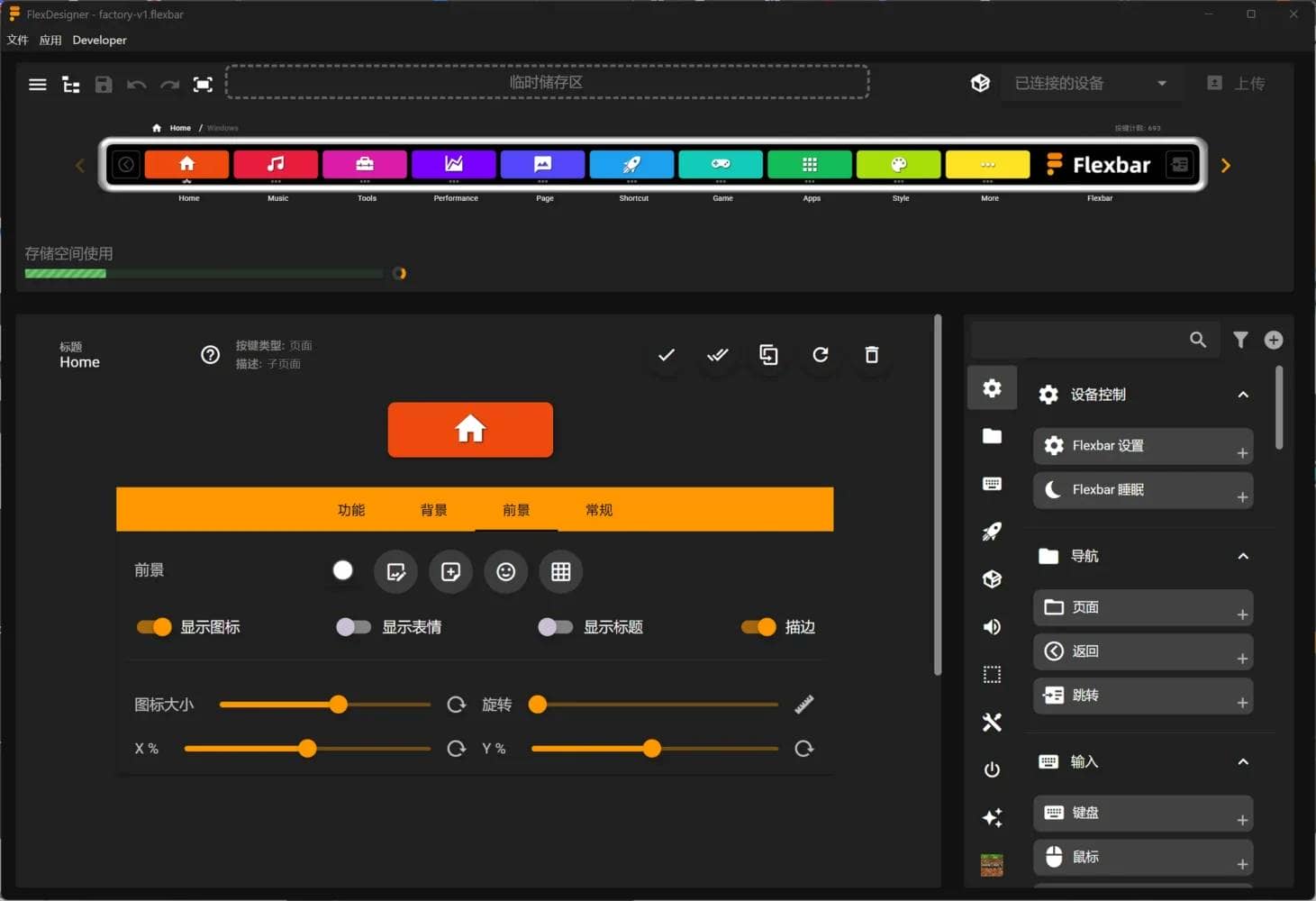
This designer tool is also available for Windows /Linux as well as Mac, making it great for any OS.
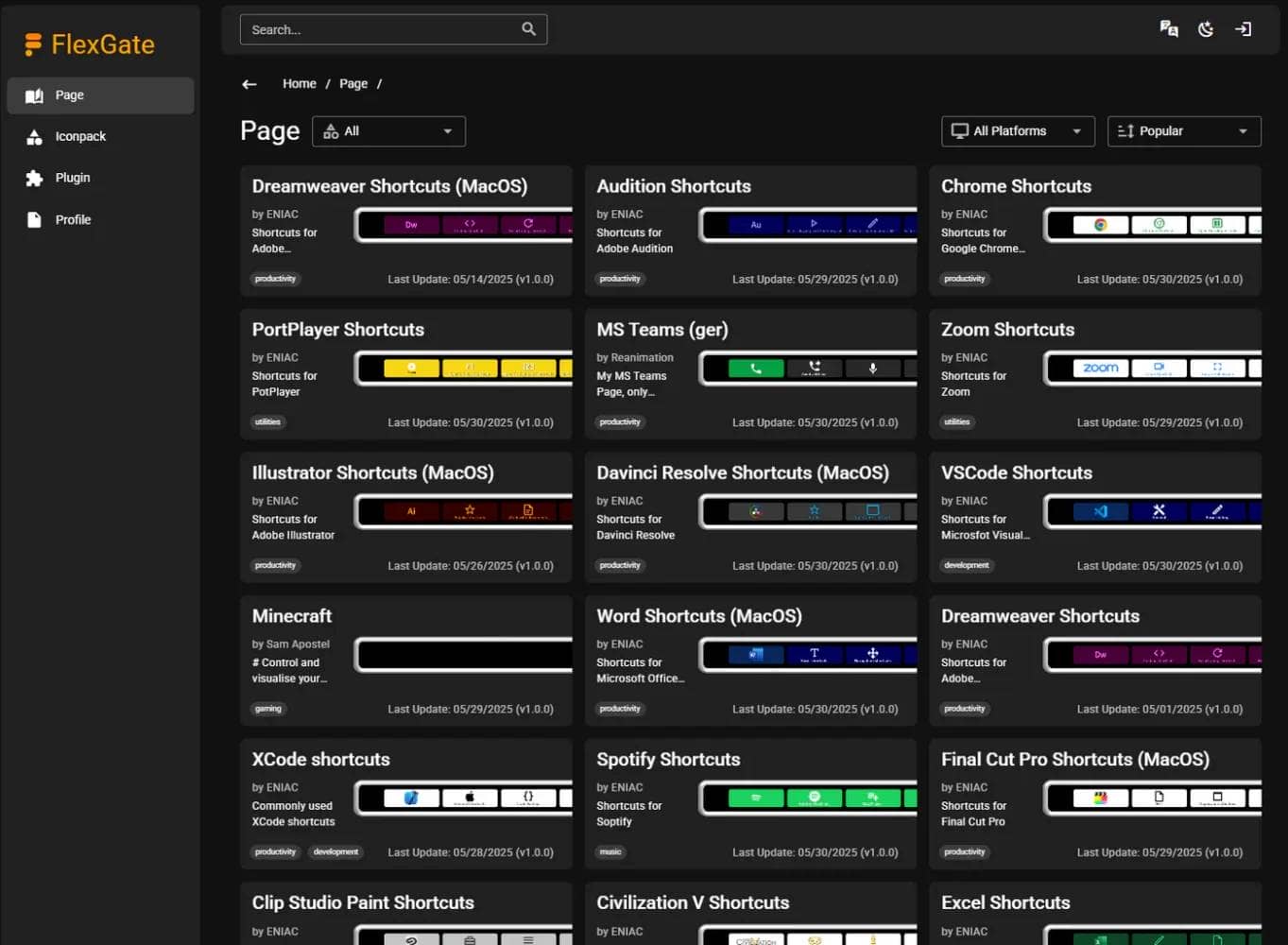
A possible use case might be as follows
- Creators: Adobe systems (Photoshop/Illustrator/Premiere, etc.) centralized shortcuts, tool palette substitution, timeline manipulation.
- Office: Regular Office-based operations, template development, and one-tap operations during meetings.
- Streamer/Gamer: OBS scene switching, mute, BGM/SE manipulation, Twitch integration, in-game macros.
 Kawamura
Personally, I feel that not only is it practical, but it seems to make my desk happy just by being placed on it.

5% off with “GREENKEYS5” / \“GREENKEYS5”.
More about Flexbar
Key Specifications
- Screen size: 250 x 7 mm (full touch) / Display: 2170 x 60 (2K AMOLED)
- Body size: 275 x 15 x 8.35 mm
- Weight: Main unit 71.7g / Stand attached 154.7g
- Material: Aluminum alloy
- Terminal: USB Type-C
- Power supply: 5V 500mA
- Software: FlexbarDesigner (Win/macOS/Linux)
- Supported OS: Windows, macOS, Linux (with Designer required functions) / iPadOS and Android can be used as HID shortcuts
- Accessories: aluminum magnetic stand, USB-C cable, anti-slip, manual, drawstring
- Price: $179 (Silver/Space Black)
Main Features
- 2K AMOLED touch bar
2170×60 resolution and full touch. Free UI can be placed in the horizontal display area. - Fully customizable (appearance + action)
Set the appearance, size, and function of each button as desired. Automatic profile switching for each of multiple applications and multi-actions (continuous operation, delay, loop) are also supported. - Powerful Macro & Recorder
Drag & drop programmer and macro recorder make complex operations one tap away. - Wide range of integrations (distribution, production, operations)
Presets & integrations for OBS Studio, Streamlabs, Twitch, Adobe Creative Suite, Microsoft Office, Minecraft, etc. (more to come). - Profile sharing/distribution
Provides “FlexGate” for sharing profiles and icons online. - Cross-platform support
“FlexbarDesigner” on Windows/macOS/Linux; basically works as HID shortcut input on iPadOS/Android, etc. (advanced features require PC-side software). - Easy-to-carry aluminum housing
Body 71.7g (154.7g including stand). Aluminum alloy body, USB-C connection, 5V/500mA power supply. Magnetic aluminum stand included. - Price, Sale, and Included:
Price $179. Included: main unit, aluminum magnetic stand, USB-C to C cable, anti-slip, manual, drawstring, etc. - Information for developers
JavaScript SDK to be provided, enabling 3rd party API integration with WebSocket/HTTP, etc. - Warranty
Limited Warranty 12 months (manufacturing defects).
5% off with “GREENKEYS5” / \“GREENKEYS5”.
English Summary
On Oct 24, 2025, zFrontier began in-stock sales of “Flexbar,” a MacBook Touch Bar-like touch control strip made The 250 x 7 mm device uses a 2170 x 60 AMOLED full-touch display and the FlexbarDesigner app to build fully custom buttons, layouts, and It works on Windows/macOS/Linux, comes in aluminum with a magnetic stand, and is zFrontier lists multi-unit discounts (up to 20%), about $15 shipping, and a “GREENKEYS5 ” coupon for an extra 5% off.
Greenkeys operates solely on performance-based advertising and does not use Google ads because they reduce usability.
Please support us through Buy Me a Coffee if you enjoyed reading the article so that we can continue to operate the media.