
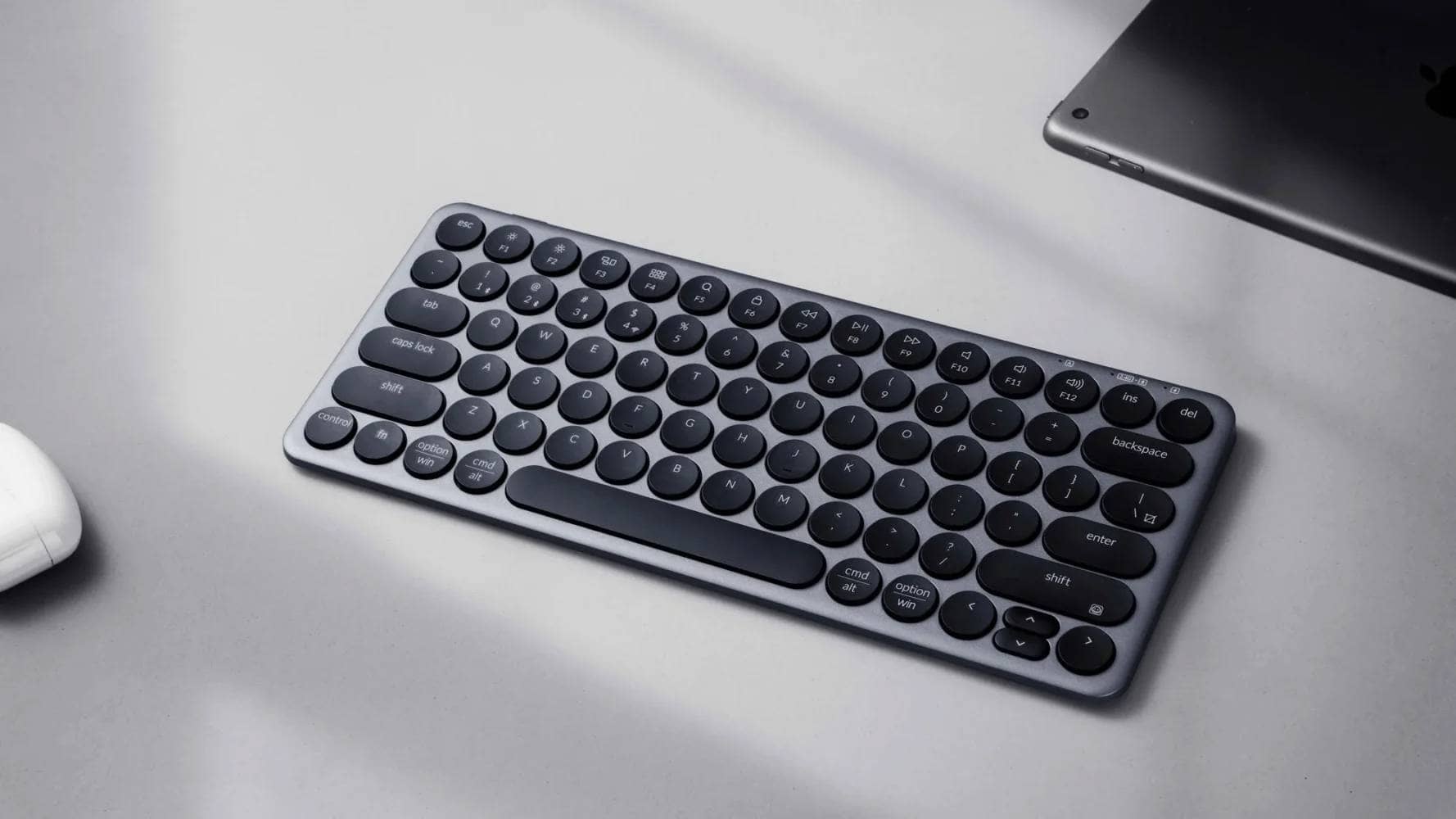


Compactness for you.
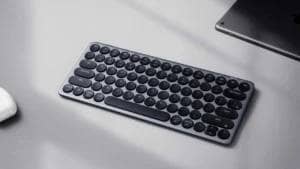
The VortexGear Core Plus is a low-profile mechanical keyboard with a 40% layout based on English sequencing.
Counting from the original Core, this second-generation model is a “low-profile mechanical keyboard” with a powerful keymap change function by VIA.
It has also acquired the Japanese domestic wireless standard “Gikitei” (technical compliance), and can be used with peace of mind.
The availability of this compact keyboard is good, and it is an excellent introduction to compact keyboards.
This article reviews the VortexGear Core Plus.
- アルミボトムケースの完成品としては破格の安さ
- 洗練されたルックスが美しい
- 技適対応で安心して無線接続ができる
- QMKベースの各種応用設定ができない
VORTEXKEYBOARD Core Plus Low Profile Switch 50 keys
¥21,000-(tax included)
Click here for a list of coupon codes ▷▷▷
View full list of articles ▷▷▷
Find a keyboard layout you like.
VortexGear Core Plus Specifications Overview

| (data) item | Contents |
| Product name | Vortex Core Plus |
| Size / Array | 40% layout / 50 keys |
| switch | Low Profile Mechanical Switches (Designed exclusively for Gateron Low Profile) |
| switch option | Brown / Red / Blue / Silent Red |
| hot swap | support |
| keycap | VTG profile (Vortex proprietary low-profile shape) |
| Housing material | CNC aluminum (bottom case) |
| access method | Wired (USB Type-C) Bluetooth 2.4GHz wireless (dongle included) |
| software | VIA 3.0 compatible (keymap can be changed) |
| inner structure | FR4 plate adopted Double layer foam (placed on top and bottom of PCB) |
| Typing angle | five degrees |
| Body size | 26.9 × 9.2 × 1.5 cm |
| weight | Approx. 552g (main unit only) |
| Supported OS | Windows 7 or later / Mac OS |
| color | Black / White / Retro Grey |
Review Environment

The review environment is as follows
- Connection environment: macOS
- Switch used: Red axis switch (Gateron LP 2.0 Red Linear 50gf)
- Layout: 40% English alignment
- Primary use: content writing (typing Japanese)
キースイッチスペックはこちら▷▷
Switch type: Linear
Keystroke
Pre-travel: 1.7±0.4mm
Total travel: 3.2±0.2mm
Pressing pressure
Working pressure: 50±15gf
Bottoming pressure: 60±5gf
Mounting pins: 3 pins
Material
Stem: POM
Top housing: PC
Bottom housing: nylon pa66
Spring
13.5mm 2stage spring
Factory rub: 0
Who should use Vortex Core Plus?
The following characteristics make Vortex Core Plus difficult to recommend or recommend
Who can recommend Vortex Core Plus?
- People who want to use a small keyboard for the first time
- Low-profile mechanical keyboard for introductory use
- For those who insist on using a keyboard with a wireless connection.
The Vortex Core Plus is, Vortex Core Plus is a keyboard that we recommend for “first time small keyboard beginners Vortex Core Plus is a keyboard that is recommended for “first time small keyboard beginners.
The small keyboard genre is a niche, and availability is often an issue, giving the impression that in many cases, “you can’t buy it when you want it.
After all, for most people who are “trying a different keyboard” and need some time to consider it, This machine, which is available at any time, is very attractive. This is a very attractive model that can be obtained at any time.
In addition, the fact that it is technically certified and can be used for wireless connection with peace of mind is also a major feature of this product.
 Kawamura
It is also nice that the price point is inexpensive for a scarce small keyboard.
People for whom Vortex Core Plus is hard to recommend
- People who want to use MOD-TAP, simultaneous presses and macro functions
- People who are not convinced of the trade-off between size and ease of typing.
The only weakness of Vortex Core Plus is that “complex operational settings cannot be done on the software side software.
As for keymap changes, they use a mechanism called VIA, but as for firmware builds, they do not seem to use the open source QMK mechanism. (According to support)
Therefore, functions such as “MOD-TAP” that changes key bindings according to the pressing time, functions for simultaneous pressing such as “⌘+C”, and “macro functions” that enable complex operations to be executed with a single button are not available.
A scene that may be particularly inconvenient is when typing “back layers”.
With MOD-TAP compatibility, frequently used keys such as the space bar and the layer key can cohabitate, but with this unit, it is necessary to hold down another key when moving layers.
It is possible that this can be resolved by a matter of familiarity, but for those who use MOD-TAP on other small keyboards, it is a difficult fulfillment gear to get used to.
Also, these small keyboards are based on the principle of “putting the missing keys on the front layer on the back layer”.
Compared to a regular keyboard, it may be difficult to recommend this product if you are not convinced that pressing keys on the back layer inevitably involves an additional process of pressing function keys.
[Photos] Vortex Core Plus Review
Let’s take a look at the actual Vortex Core Plus.
It is packaged in a fairly solid, high-quality cosmetic box.

It consists of a two-piece upper and lower section, and the top lid is lifted up to open.

Check the contents.
It consists of a simple main unit, a simple instruction manual, a USB dongle, and a USB cable (Type-A to C).

Keycaps for Mac are not included.
The simplified manual describes how to connect wirelessly, etc.

The “White” model is the one we will be reviewing.
Black /Retro Grey models are also available.
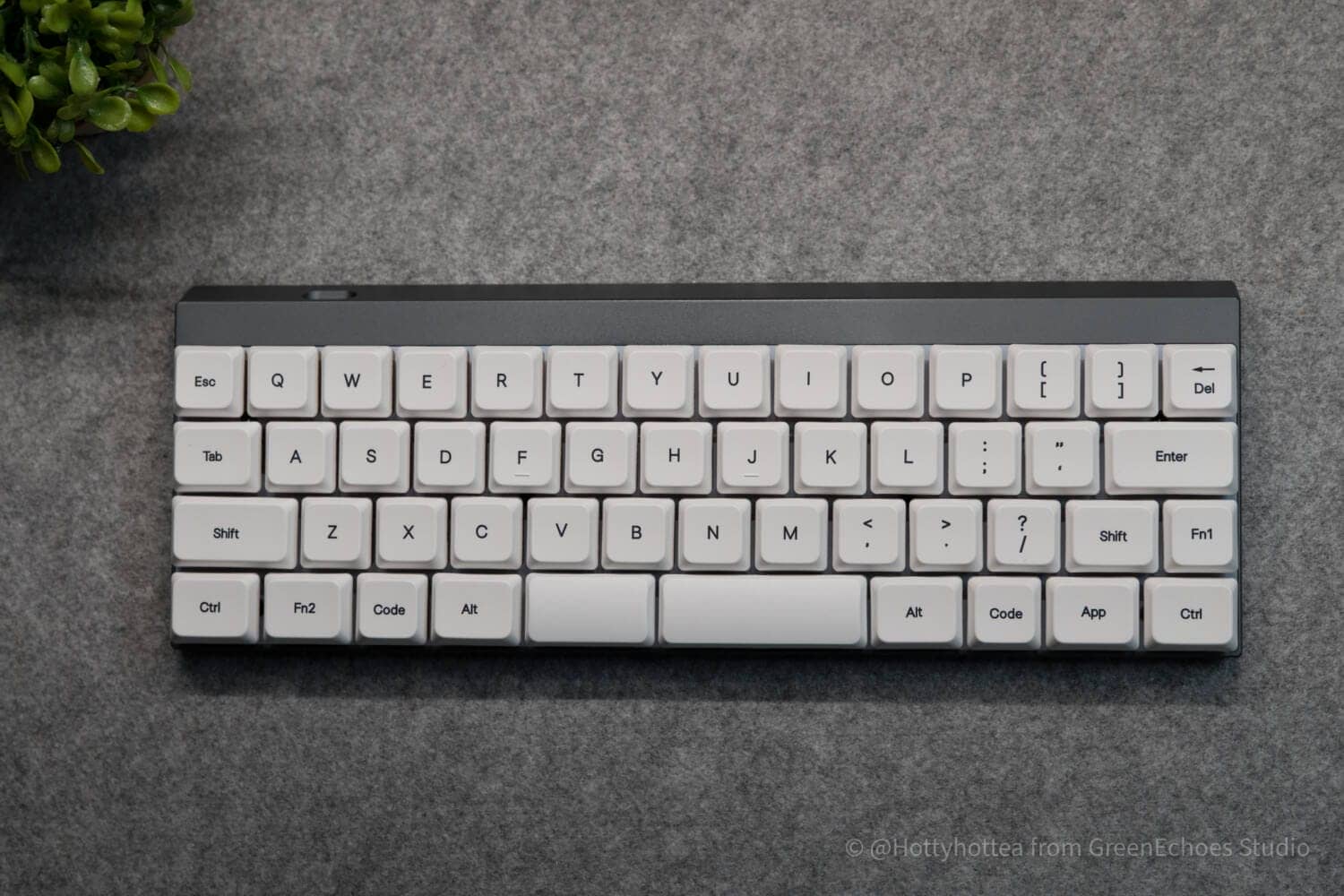
It is a 40% layout keyboard with a width of 14u and does not support multi-layout.
The space bar is divided, 1.75u on the left / 2.75u on the right, with stabilizer on the right only.

The left shift key is 1.75u in size, and the Z-row displacement is equivalent to a normal English keyboard.


As for the right side, it follows the normal 65% layout keyboard in that the [ ] key is placed next to the P, but differs in that the Del key is placed next to it instead of the |.
As for the next to L, it is the same as the 65% keyboard, so the switching hurdle is not that high as an introduction to small keyboards.

The keyswitch is Gateron LP 2.0, with red-, brown-, and blue-axis as well as silent red-axis (Silent Linear) selectable.

The key profile is low profile and there is no difference in slope from row to row.
The key tops have a cylindrical design that looks as if it has been cut into a bow shape.
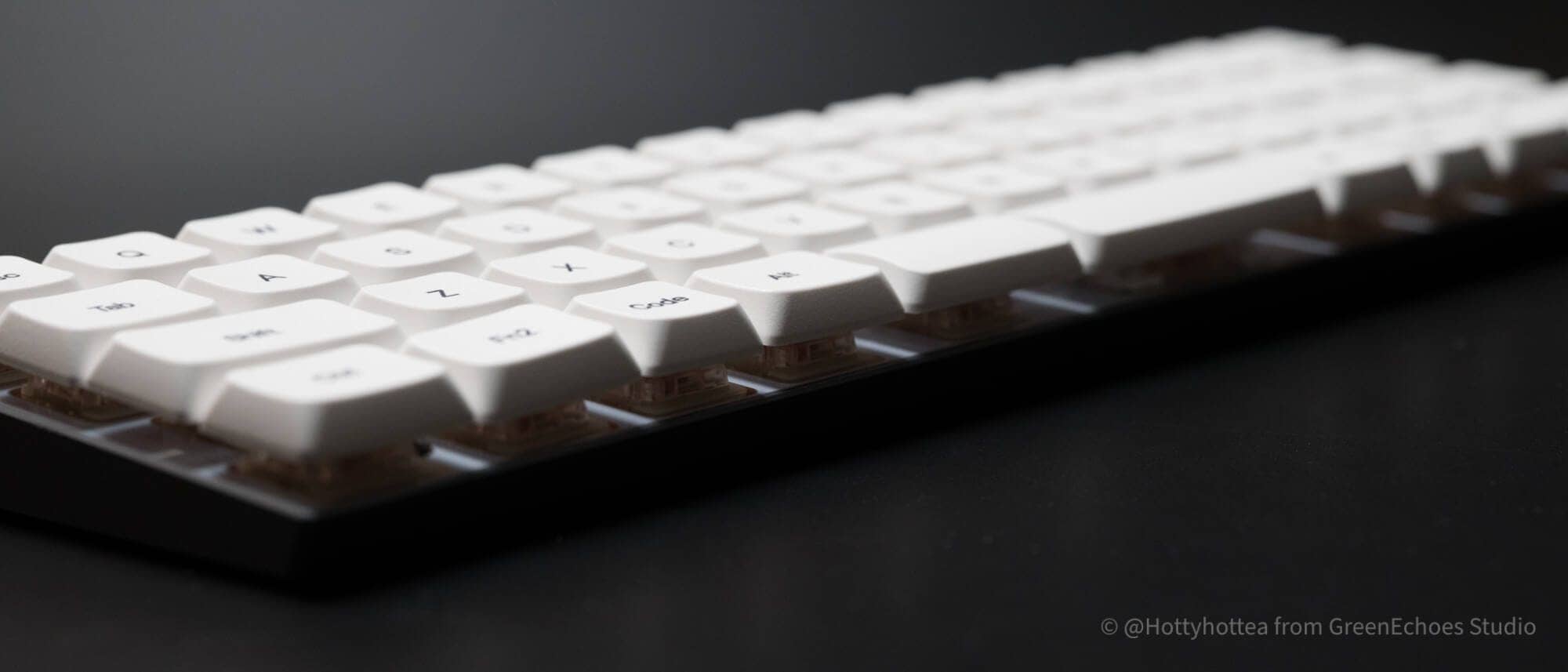
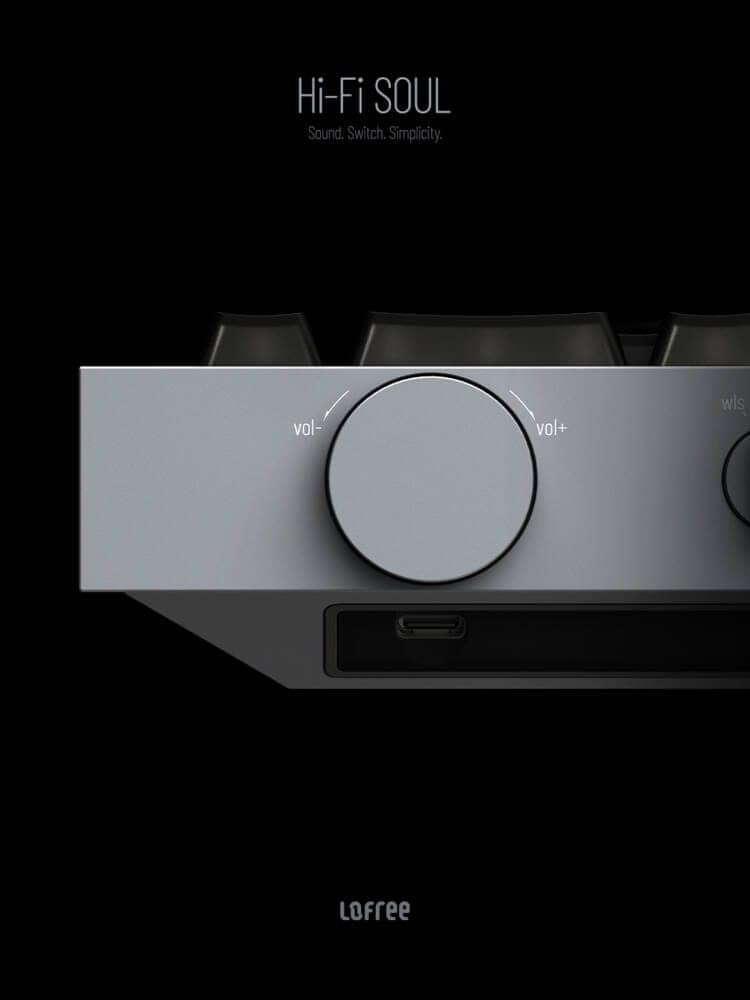
The body is made of aluminum and has a simple design with only a Type-C connection port on the back.


Let’s look at the bottom.
The bottom has rubber feet at the four corners, a battery compartment for wireless connection at the bottom center, and an on/off switch for power.
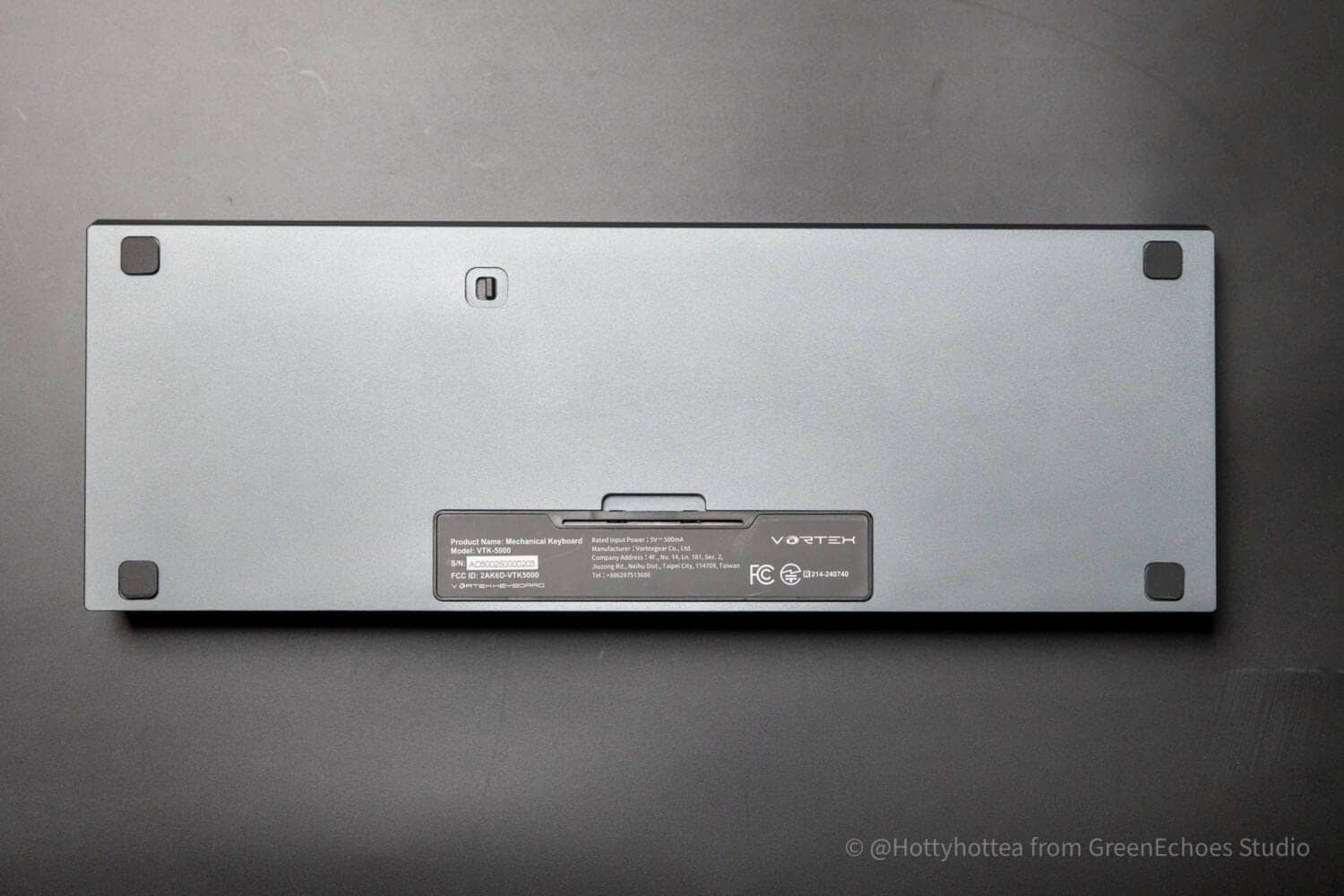


Batteries are two AAA batteries.

It is reassuring to see the technical certification number firmly printed on the product.

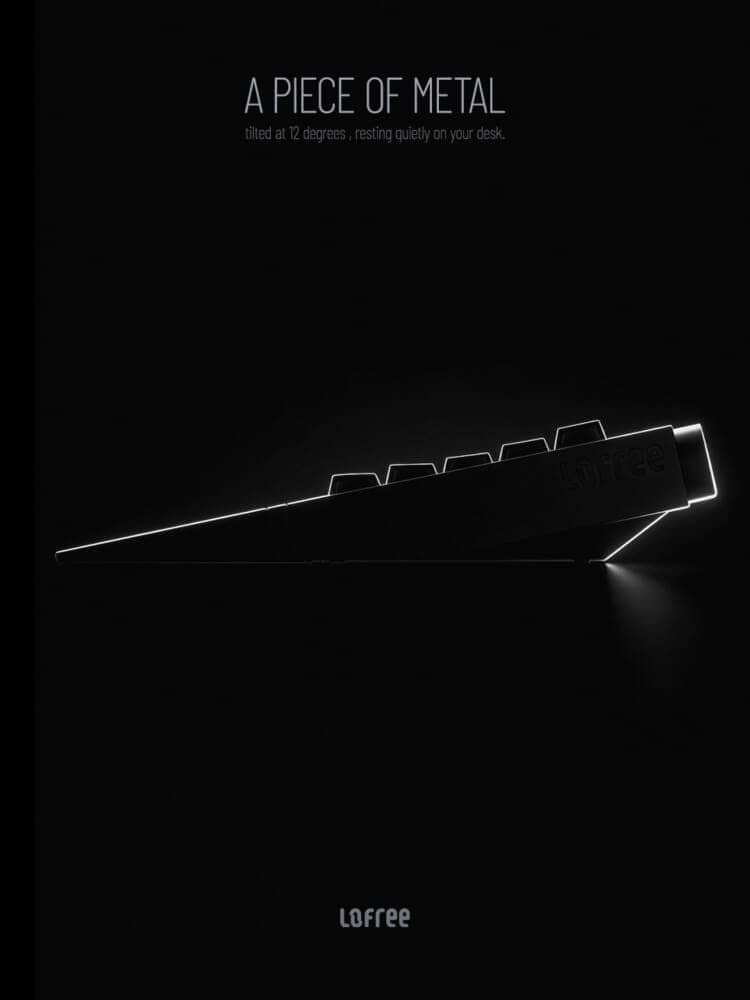
The typing tilt angle is fixed at approximately 5 degrees.
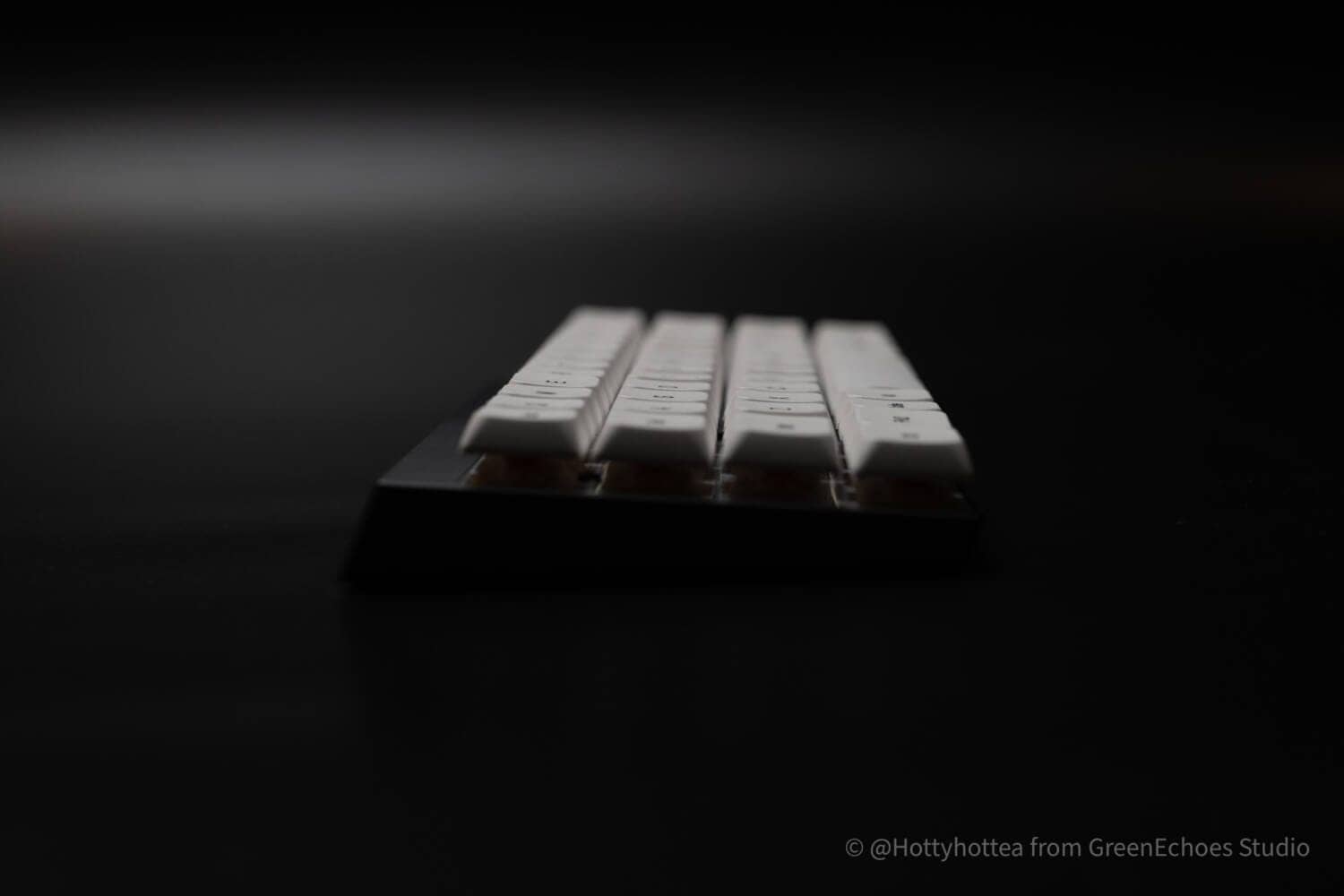
The plate is FR4 material. Keyswitches are Gateron LP 2.0 as mentioned earlier.

Each key is equipped with a north-facing LED.

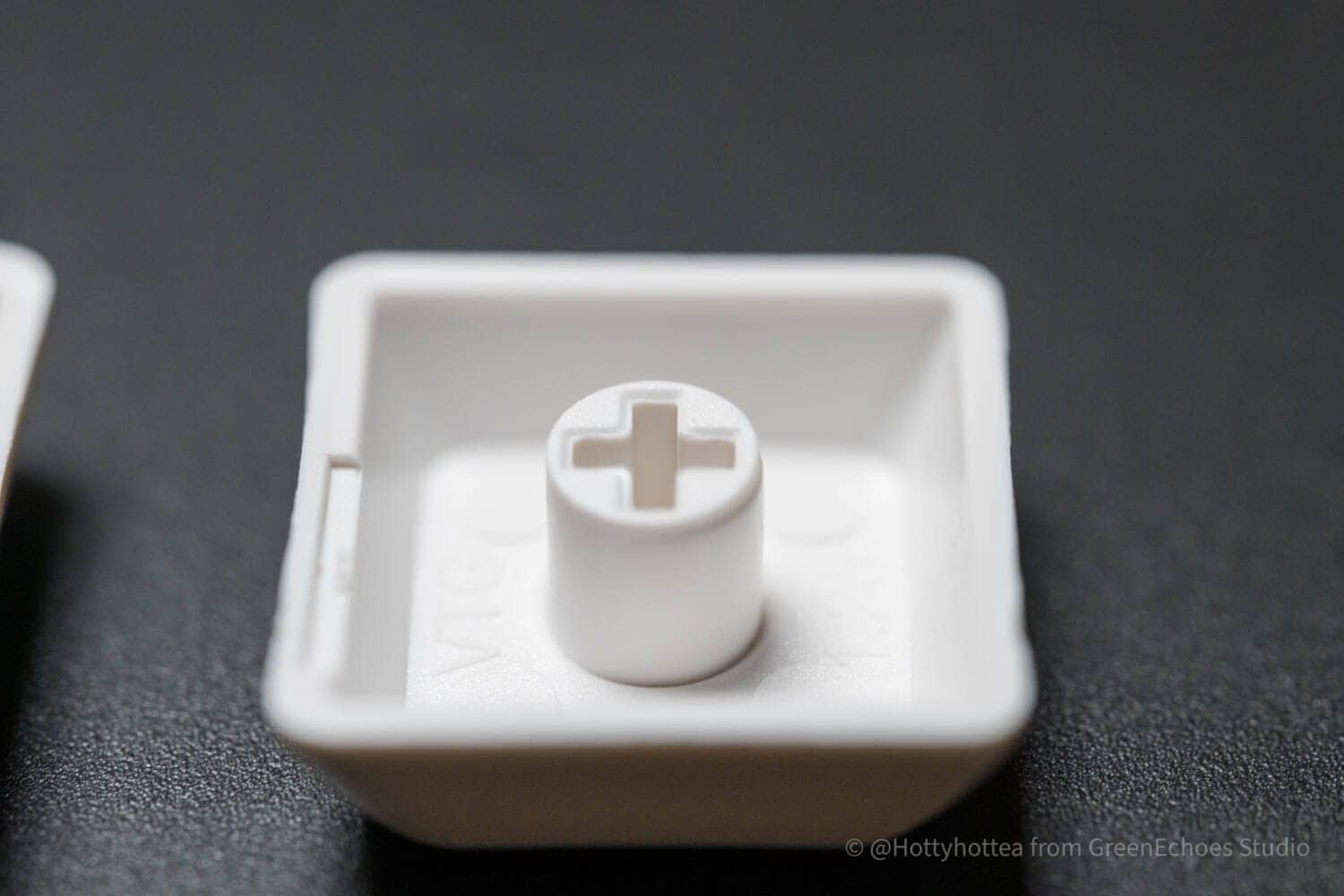
Let’s look at keycaps.
The keycap material is PBT and the printing is probably sublimation printing.


The profile is the Vortex original VTG profile.

Keycap molding accuracy is very high and quite precise.
Evaluation of keystroke feel and keystroke sound
- Loudness of keystrokes: ★★★☆☆☆☆ ( not that loud, but the level is noticeable in the surroundings)
- Tone Height: Intermediate (equivalent to a typical keyswitch)
- Key weight: Slightly heavy (50gf is the impression of many who find it slightly heavy)
- Bottoming feeling: clear (probably soft if silent switch)
- Key wobble: normal
Advantages of Vortex Core Plus
Advantages of Vortex Core Plus
- Unbeatable price for a complete aluminum bottom case
- Beautiful sophisticated look.
- Technical compliance allows wireless connection with peace of mind
Unbeatable price for a complete aluminum bottom case

One of the major advantages of Vortex Core Plus is its low price.
The price setting of approximately 20,000 yen may be considered “high” when compared to the price of ordinary keyboards sold in Japan, but it is in the “easy-to-buy” price range within the “small keyboard” genre.
Because small keyboards are a niche genre, these products are most often made-to-order, homemade keyboards that require soldering, or obtained through group buys (GB) at overseas stores, which in many cases are priced at 30,000 yen or more.
Furthermore, if an “aluminum case” with a high material unit price is used, the price often increases even more.
In addition, keyswitches and keycaps are often not included in the package and must be found and purchased by the customer.
From this perspective, it is an amazing cosmetics product that can be purchased at this price range while offering the advantages of “aluminum case adoption,” “keycap and key switch included,” and “ready to use as soon as it is delivered.
Beautiful sophisticated look.
The Vortex Core Plus has a very beautifully sculpted aluminum case.
In particular, the blank space extending to the rear and the solid “massiveness” of the piece give it high existence value as an object of appreciation, and a sense of satisfaction in owning it.
Technical compliance allows wireless connection with peace of mind
Vortex Core Plus is certified by the Japanese government to be safe for wireless connection in Japan.
These “finished” small keyboards are often made overseas and in most cases have not obtained technical certification.
Even if these products are used with a wired connection, they may violate the Radio Law if they have the potential to emit radio waves.
Core Plus has obtained Japanese technical certification from the product design stage, and is designed and manufactured with an eye toward sales in Japan, which provides a high level of security.
Link to the technical license number →.
Disadvantages of Vortex Core Plus
Disadvantages of Vortex Core Plus
- Various QMK-based application settings are not available
Various QMK-based application settings are not available
The only disadvantage with Core Plus is the lack of detailed QMK-based settings.
Specifically, the following two settings must be satisfied before purchase.
MOD-TAP cannot be set
VIA has a setting called “Anykey” from which a setting called MOD-TAP can be manually configured.
Simply put, MOD-TAP is a function that “produces different keys to be input according to the time it is pressed”.
For example, it is possible to set MOD-TAP for the space bar and realize “space” when pressed briefly and “function key (layer key)” when pressed longer.
This is a function that works very well with small keyboards with a small number of keys, and is very useful because it allows multiple functions with a small number of keys.
This feature is not available in Core Plus.
Simultaneous presses cannot be set.
There are two ways to set up simultaneous presses “Ctrl + C (copy)” etc. using the “VIA” keymap modification application.
- Using the Macro function
- Manually set simultaneous commands from Anykey
Since both of these functions are not available in Core Plus, it is not possible to set a single key to press two keys at the same time.
KawamuraThis is an area that, if improved, would be much easier to use.
Comparison with similar concept keyboards

The following two products were selected as the best keyboards to compare with the Vortex Core Plus and a comparison was created.
- Keychron Q9 Plus: Same 40% layout, representing a high-end custom keyboard.
- NuPhy Air60 V2: A strong contender as a low-profile, portable “go-anywhere keyboard” (60% size).
Vortex Core Plus is in a very unique position, being “40% smaller” and “low profile”.
The following is a summary of the differences between the two models that are likely to be compared when considering a purchase.
KawamuraA direct competitor would probably be NiuNiu @40, etc., but there is no stable supply (assuming GB), making a direct comparison difficult.
1. comparison with Keychron Q9 Plus
This is a comparison with a high-end custom keyboard with the same “40% array, aluminum housing, QMK/VIA compatible” concept.
| feature | Vortex Core Plus | Keychron Q9 Plus |
| concept | Thin, lightweight and portable Premium 40%. | Heavyweight and heavy stationary premium 40 |
| switch | Low Profile (Gateron Low Profile) | Normal profile (MX compatible) |
| connection | Wired / BT / 2.4GHz (tri-mode) | Wired only |
| weight | Approx. 552g | Approx. 1050g (approx. twice the weight) |
| structure | Tray/top-mounted system (with foam) | Double gasket mount (soft strike) |
| price range | $129.00 | $159.00 – $179.00 (depending on configuration) |
If you want to use it on the go or keep your desk as uncluttered as possible, go for the Core Plus.
If you are primarily stationary at home and are looking for the deep keystroke feel and customizability of normal profile switches, the Q9 Plus is the right choice.
2. comparison with NuPhy Air60 V2
This is a comparison with a low-profile model (60% size), which is popular as a “portable mechanical keyboard.
| feature | Vortex Core Plus | NuPhy Air60 V2 |
| Size | 40% (no number columns, very small size) | 60% (with number columns, standard compact) |
| Number of keys | 50 keys | 64 keys |
| switch | Gateron Low Profile | Gateron Low Profile (with NuPhy custom axis) |
| portability | ★★★★★ (small enough to fit in your pocket) | ★★★★☆ (thinner, but wider than Core Plus in width) |
| proficiency level | High (Layer manipulation to numbers and symbols is required) | Medium (relatively easy to get used to because of the number keys) |
| Housing material | CNC Full Aluminum (High quality and rigidity are important) | Aluminum frame + ABS bottom (for lightweight) |
| weight | Approx. 552g | Approx. 463g (Air60 is lighter due to material difference) |
If you are a “40% layout enthusiast” who wants to minimize the distance traveled by your fingers by eliminating even the number keys, or if you prefer the metallic feel of full aluminum, then Core Plus is for you.
If lightness is your top priority while maintaining the convenience of a common key layout, the Air60 V2 is a strong competitor.
Price, sales format, and availability
- Availability: ★★★★★ (very readily available)
- Price range: $129.00 (about 21,000 yen (including tax))
- Form of sales: Normal sales
- Scheduled to be resold: Always sold in stock
- Available at: Amazon(Japan)/Overseas official website
Vortex Core Plus|Overseas Official Website ▷▷▷
Vortex Core Plus|Amazon Japan▷▷▷
summary

This is my review of the Vortex Core Plus.
It is great that a niche genre product can be purchased at any time through stock sales, and we appreciate that an aluminum keyboard of such high quality can be purchased in Japan for a little over 20,000 yen, which is an amazingly low cost.
However, caution should be exercised with regard to those who assume QMK-based functions.
If you are interested, please visit our product page!
VORTEXKEYBOARD Core Plus Low Profile Switch 50 keys
¥21,000-(tax included)
- First written on: 12/12/2025
- Last update: 12/12/2025
- Method of coverage: Product offer
- Reference/image credit: Vortex Keyboard official website
- Conflicts of interest: Product offering: Yes Monetization link in this paper: Yes
Greenkeys operates solely on performance-based advertising and does not use Google ads because they reduce usability.
Please support us through Buy Me a Coffee if you enjoyed reading the article so that we can continue to operate the media.