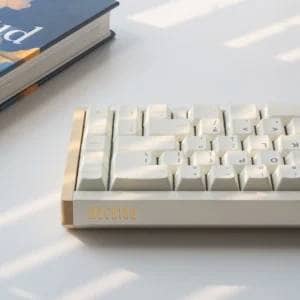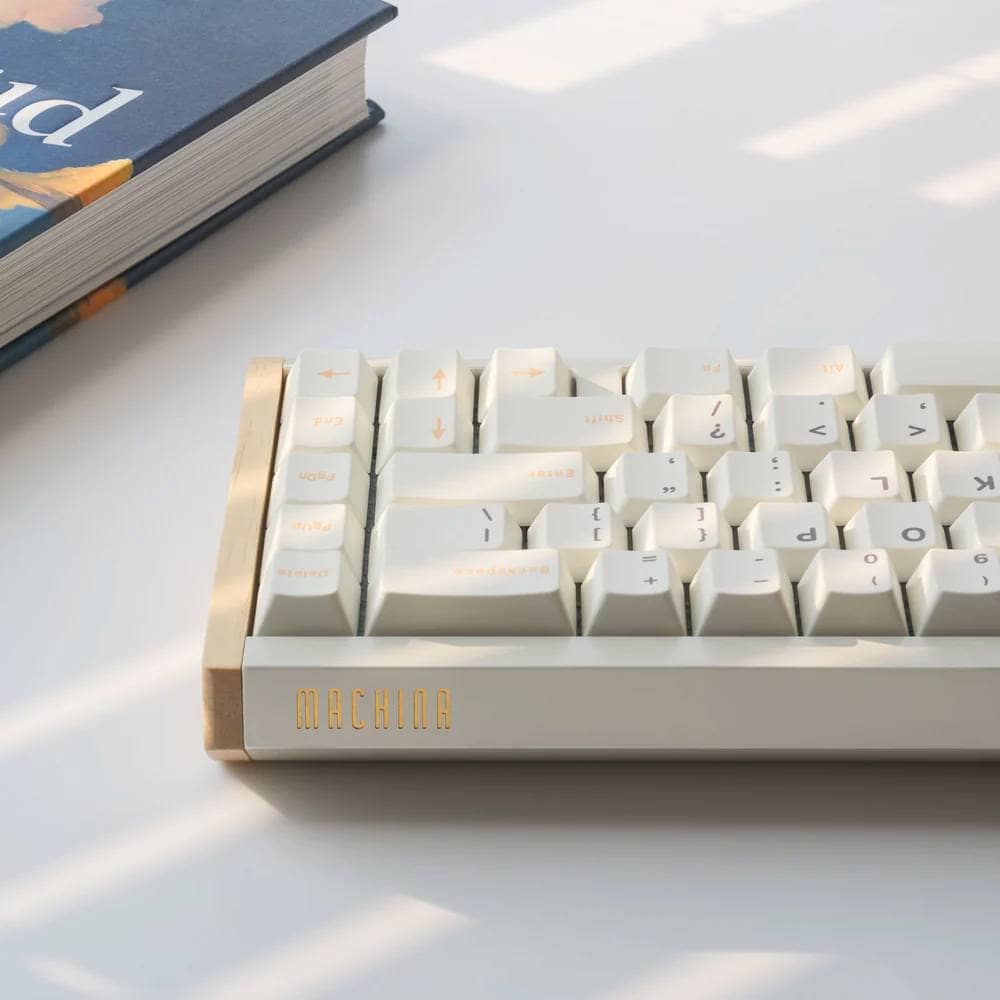



This is “something more than a keyboard” in the form of a keyboard, which is a joy to own.
Mokulate is a self-made keyboard kit marketed by Kinoya and designed, produced and sold by Nobuki Inoue ( @black_trooper ).
Constructed with a 3DP printer and real natural wood, the 40% left-right split keyboard with wireless connectivity has a magical appeal that makes it more than a keyboard, but a joy to own.
Each wooden enclosure is finished by hand, and no two are alike, making each one you own a one-of-a-kind gem.
This article will tell you about the appeal of Mokulate.
Recommended for
- I want to enjoy the texture and aging of wood.
- I want to own a keyboard as a “work of art” and not just a “tool”.
- Enjoy the time it takes to build and assemble your own products.
Be careful here (point to choose the right person).
- Not suitable if you want the ease of a finished product
- Soldering and selection of required parts is a prerequisite
- Not highly available and may take time to align depending on timing
Mokulate is not a finished product, but a kit to be assembled.
Before purchasing, it is a good idea to make sure that you can provide at least this much.
- key switch
- keycap
- XIAO nRF52840 x 2
- 2 AAA batteries
- A set of tools necessary for soldering (substitute is an option if you are unsure)
- Precision screwdriver set (#0 Phillips screwdriver required)
Sohyo (General Council of Trade Unions of Japan)
Mokulate is not the type of keyboard to judge solely by its specifications or price.
I felt that this product places value on the experience of “becoming your own keyboard,” including the process of assembling it.
This kit strongly appeals to those who seek the charm of the material wood and the fun of completing a project with their hands.
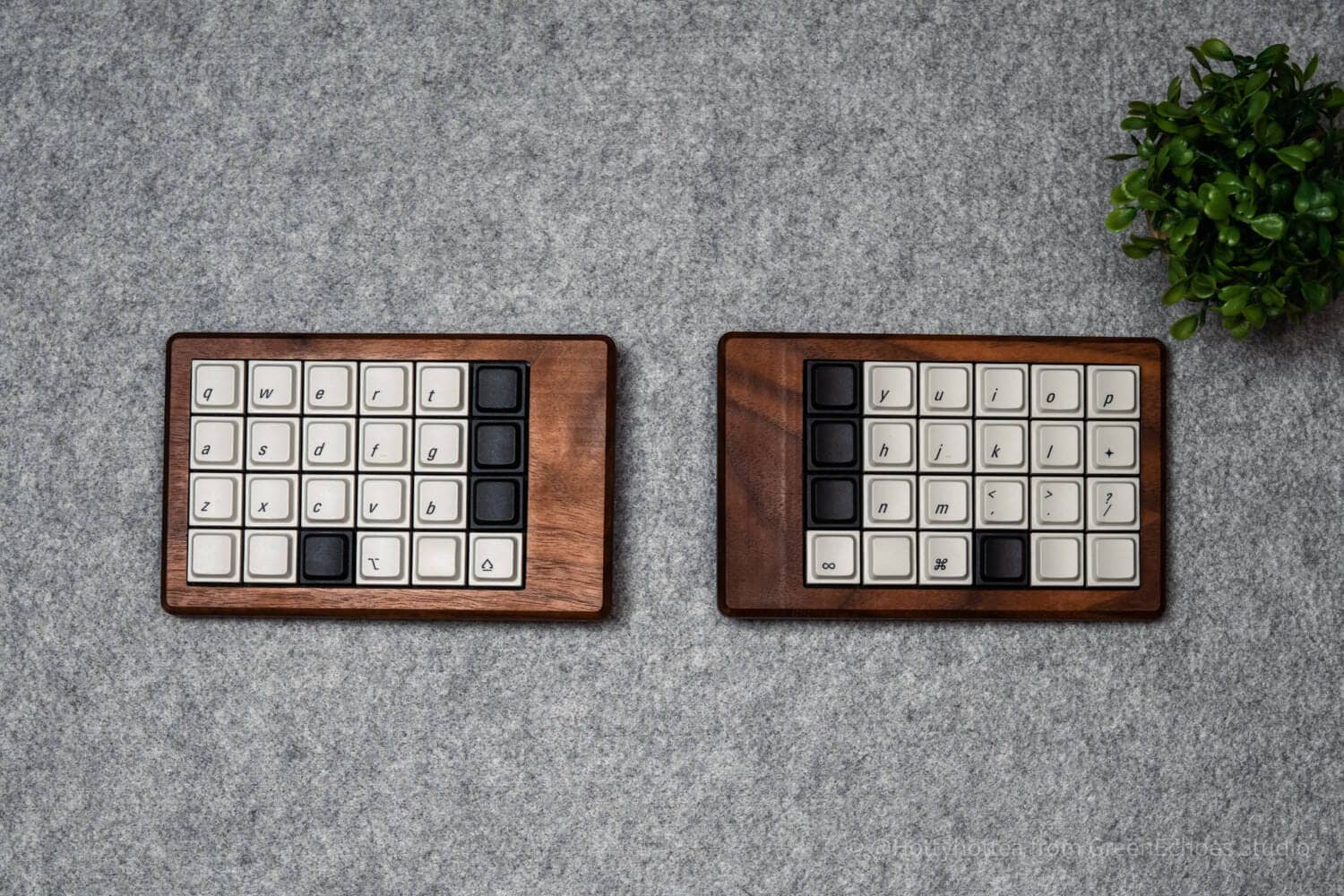
- 木製キーボードという唯一無二の所有感を味わうことができる
- 自作キーボードジャンルの製品としての精度が高い
- 安全面にも配慮した“完全無線運用”が可能
- 配列自由度がかなり高い
- 左右対称ではない
- ハンダつけが必要
- 入手性がそれほど良くはない
- 木目の再現性はなく一点もの
- 工業製品ではない
- M1.7ネジを使っているため小さいドライバーが必要
- 利用には慣れが必要


Price, sales format, and availability
- Availability: ★☆☆☆☆ (lucky if available)
- Price: 33,000 yen (including tax)
- Sales form: Irregular shipment
- Resale schedule: irregular (limited availability due to personal production)
- Available at: https://kinoya.booth.pm/items/7752191
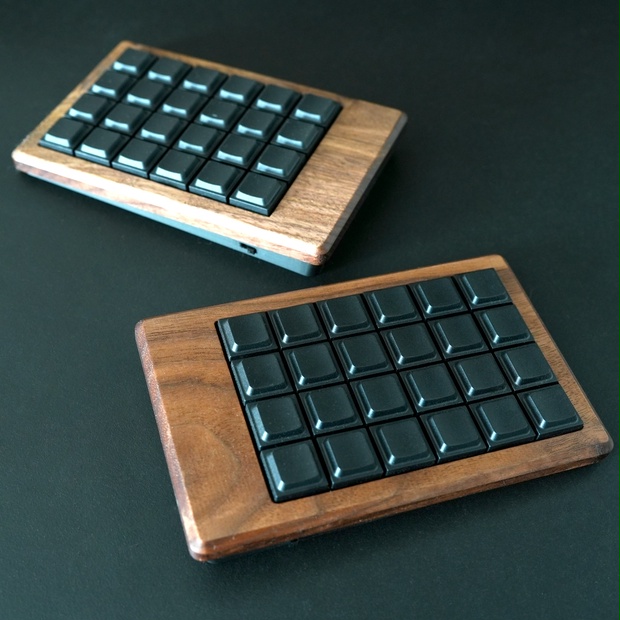
Mokulate Specifications Overview
Mokulate is a wireless split keyboard kit featuring a luxurious top case carved from solid natural wood.
The design uses a Tadpole mount that absorbs the impact of keystrokes and creates a unique keystroke feel.
By housing the microcontroller (XIAO nRF52840) and battery (AAA batteries) all inside the case, digital elements are eliminated from the exterior, resulting in a simple and beautiful design with only the warmth of wood.
| (data) item | Contents |
| Product name | Mokulate |
|---|---|
| Sales and Planning | Kinoya |
| design | Nobuki Inoue |
| category | Split 40% Keyboard Kit (Separate Left & Right / Wireless) |
| array (programming, programing) | Orthogonal (grid array) 48 keys in total (24 keys each for left and right) |
| key switch | Low profile switch supported Kailh Choc V2 recommended |
| sales format | Homebrew keyboard kit (soldering required, no pre-assembled kit) |
| PCB / MCU | Seeed Studio XIAO nRF52840 x 2 (hot-swappable / soldering sockets, etc. required) |
| firmware | ZMK Firmware |
| keymap change | Supported Supports GUI method (ZMK Studio) |
| access method | Wireless connection (ZMK Firmware) |
| Driving method | AAA batteries x 2 |
| Key pitch spacing (on board) | 19.05mm (standard pitch) |
| Commercial keycap (18mm square) | support |
| mount(ing) system | Tadpole Mount (gasket mount construction with tadpole) |
| Case Material | Top: Solid natural wood (machined) Bottom: 3D printed (PLA) |
| Tilt Tenting | With tinting mechanism (designed to give a natural angle to the wrist) Without tilt |
| Price | 33,000 yen (tax included) |
| Product page | BOOTH – Kinoya GitHub – Mokulate |
This product is a DIY kit that requires self-assembly (including soldering).
*Switches, keycaps, microcontrollers, and batteries must be provided separately.
Pre-purchase checklist
Mokulate is not a finished product, but a kit to be assembled.
Before purchasing, it is a good idea to check first just to see if the following can be provided.
Required
- Keycap (recommended for low profile, KeyTok Berry profile has plate interference risk)
- Keyswitch (Kailh choc v2 standard)
- Controller ( Seeed XIAO BLE nRF52840 x 2)
- AAA dry cell battery x 2 pcs.
Required for assembly
- Soldering iron set (soldering iron, solder, flux, iron holder, tip cleaner, etc.)
- Tweezers / Nippers / Screwdrivers (#0 required)
If you are unsure
- There is also an option to use a substitute service for soldering.
*It is better to choose according to whether you want to enjoy the “fun of assembling by yourself” or prioritize efficiency to completion.
Review Environment
The review environment is as follows
- Connection environment: macOS
- Switch used: Lofree x Kailh Pulse Tactile
- Layout: 40% left-right split orthogonal (keys used follow 30% QAZ layout)
- Primary use: content writing (typing Japanese)
キースイッチスペックはこちら▷▷
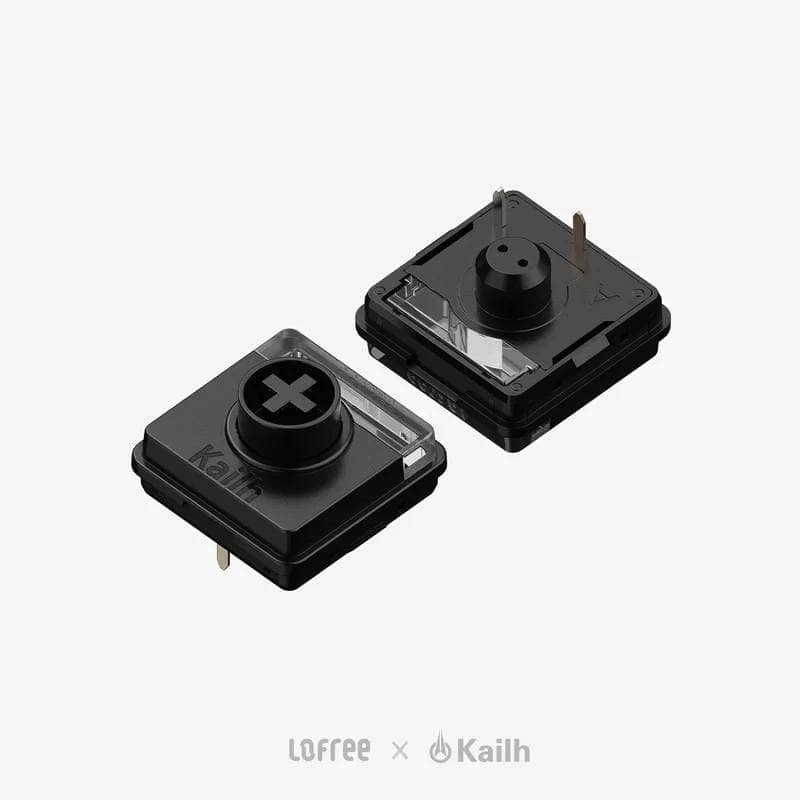
Switch type: Tactile
Material: POM+PC (light diffuser)
Actuation force: 40±10gf
Total travel: 2.8±0.25mm
Actuation travel: 1.6±0.3mm
Spring length: 15.5mm
Durability: 50 million cycles
Factory rub: Yes
Price: 180 yen/piece (tax included)
Evaluation of keystroke feel and keystroke sound
Keyswitch used: Lofree x Kailh Pulse Tactile
- Loudness of keystrokes: ★★★★☆ (ambient level of concern)
- Sound Height: Slightly high
- Key weight: slightly heavy (feels heavier than linear 40gf due to faster tactile peaks)
- Sense of bottoming out: clear
- Key wobble: normal
- Comment: Although this is a gasket mount with a tadpole, a clear bottoming sound can be felt due to the lack of foam. Also, due to the rather hard PLA switch plate and the echo of the plastic bottom case, the strike sound itself is crisp and peppy. This is not a bad thing. The sound of the keyswitch itself is directly reflected in the keystroke sound. If you are concerned about keystroke noise, we recommend a quiet switch such as DeepSea Island MINI Pink.
benchmark
- Wireless stability: When using on a Mac, connection may not be established when the computer returns from sleep mode. Automatic connection is possible by turning the keyboard back on (may vary depending on environment).
- Experience delay: Almost imperceptible, but not suitable for gaming applications due to low polling rate (probably around 125 Hz)
- Battery life: Currently unknown, but it is expected to last more than two weeks (assuming one AAA battery is 380 mAh (boost efficiency of about 85%) and power consumption per hour is 0.5 mAh, it is calculated to last about one month).
- Comfort with ZMK Studio operation: currently low. It is quite difficult to select keys using the pull-down method. Other keymap change applications are much easier to use, but it is attractive to not have to do simultaneous presses and MOD-TAP settings from Any key like VIA.
Mokulate Attraction
Let me quickly introduce the charms I found when I actually used Mokulate.
Mokulate Attraction
- The one and only wooden keyboard, a unique experience of ownership.
- Accurate as a product of the homebrew keyboard genre.
- Fully wireless use is possible in safe areas
- Sequence flexibility is quite high.
The one and only wooden keyboard, a unique experience of ownership.
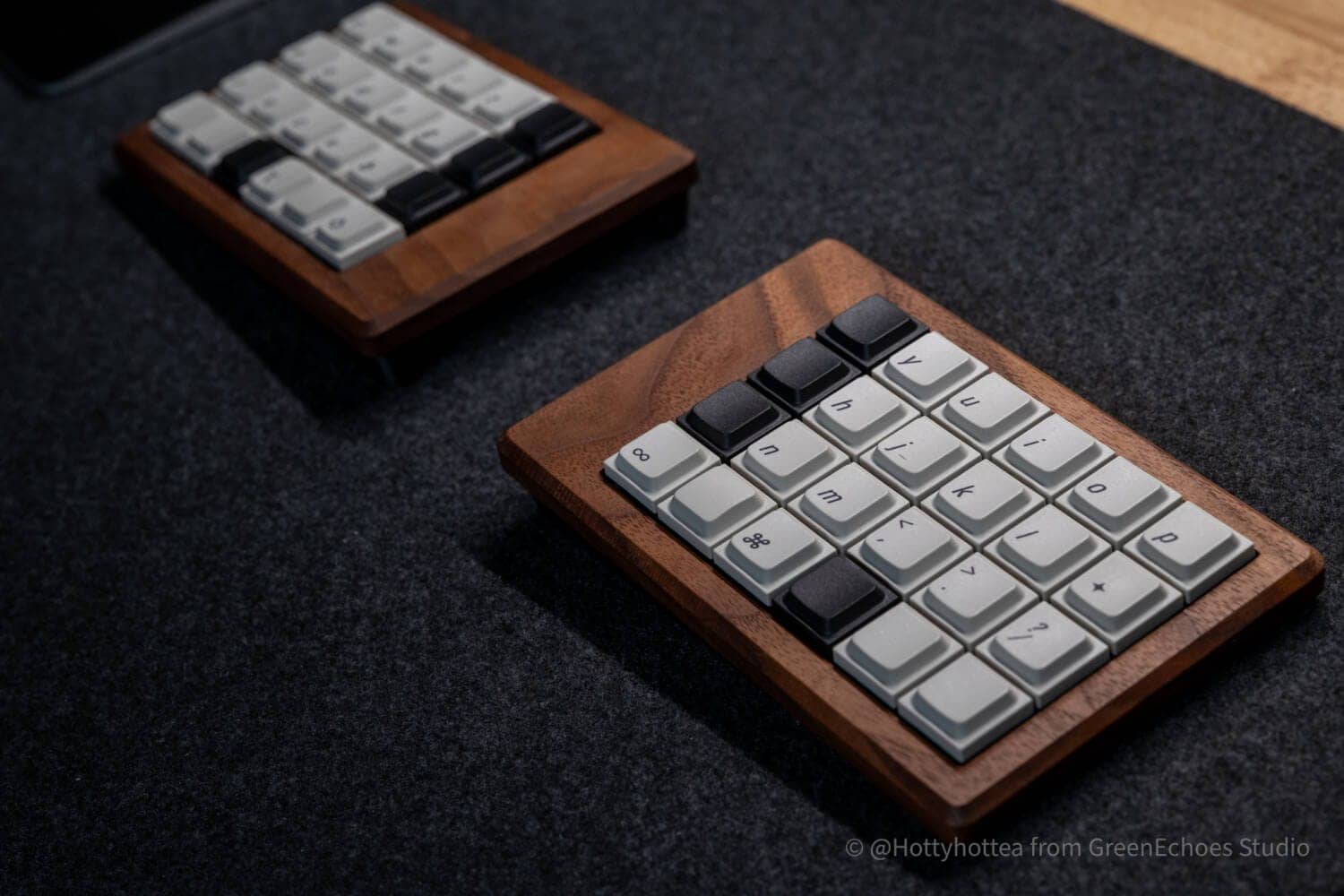
The most attractive thing about Mokulate is the satisfaction of “owning” a one-of-a-kind wooden keyboard.
In addition, the fact that we dare not sell “finished products” allows us to feel a sense of fulfillment that includes the experience of assembling and using the product from scratch yourself, making it “your own thing” that you will love.
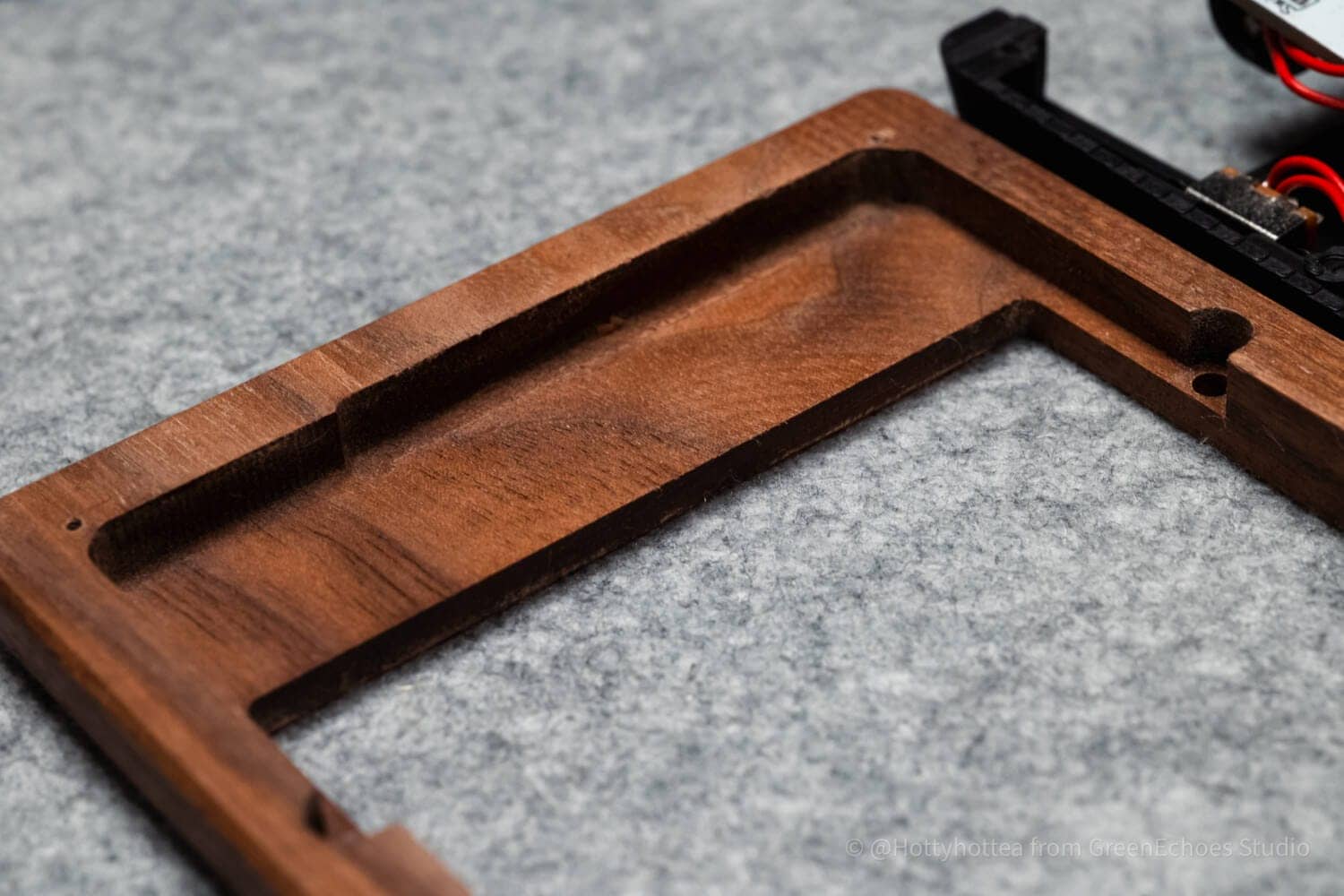
The wooden case is carved from walnut, a natural solid wood, and has a unique grain, which can be aged by caring for it with beeswax.
I think “keyboards that age with you”, is the best.
 Kawamura
This is the second wooden case I have personally designed by Nobuki, and it is the most frequently used of the more than 100 keyboards I have.
Accurate as a product of the homebrew keyboard genre.
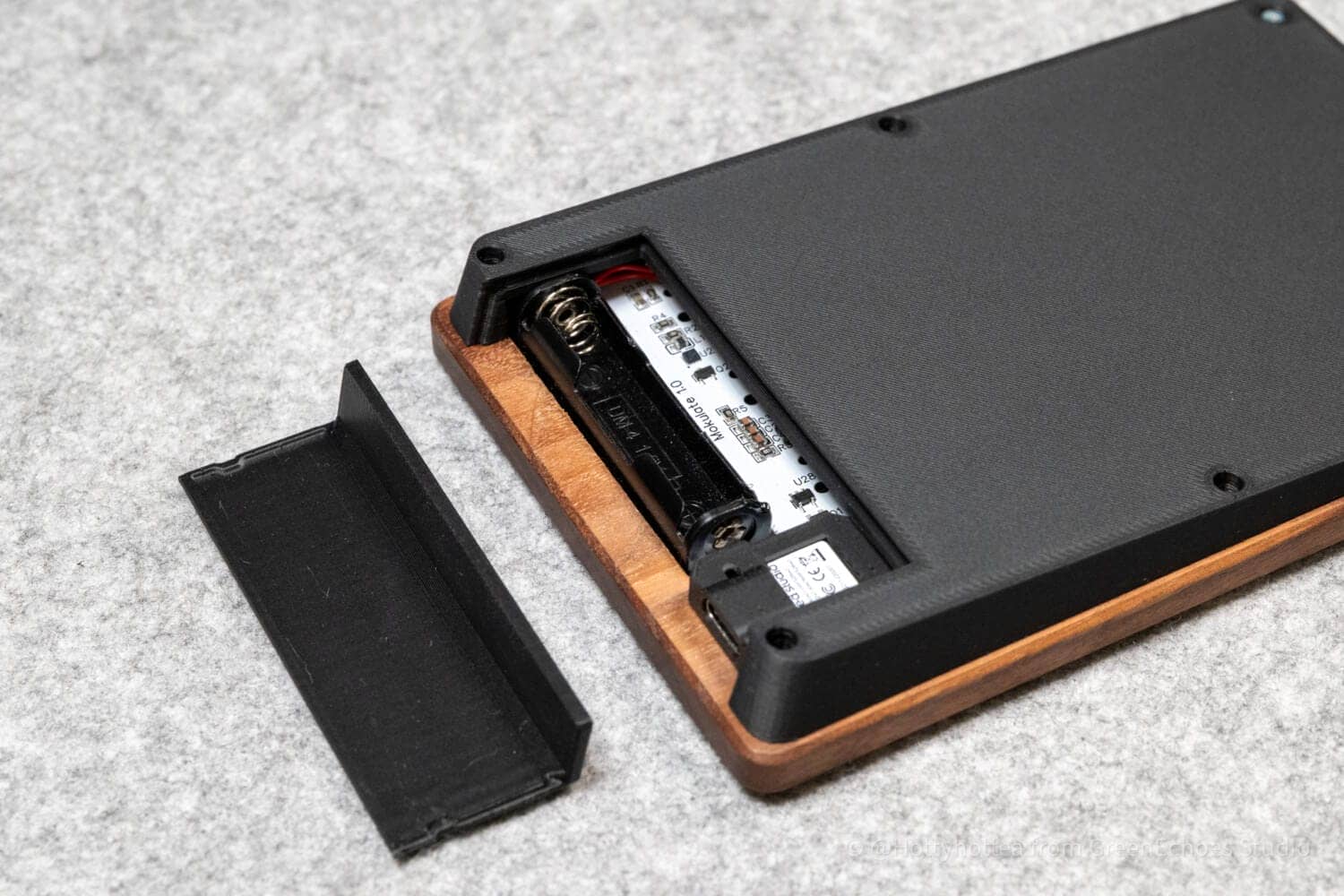
Mokulate was found to be quite accurate for a product in the homebrew keyboard genre.
As for the cutting of the wooden top case, the modeling of the bottom case using PLA is truly amazing.
I am amazed at how much trial and error it takes to print so beautifully, and I admire the fact that this product is based on unimaginable prototypes.
Safety-conscious “complete wireless operation” is possible.
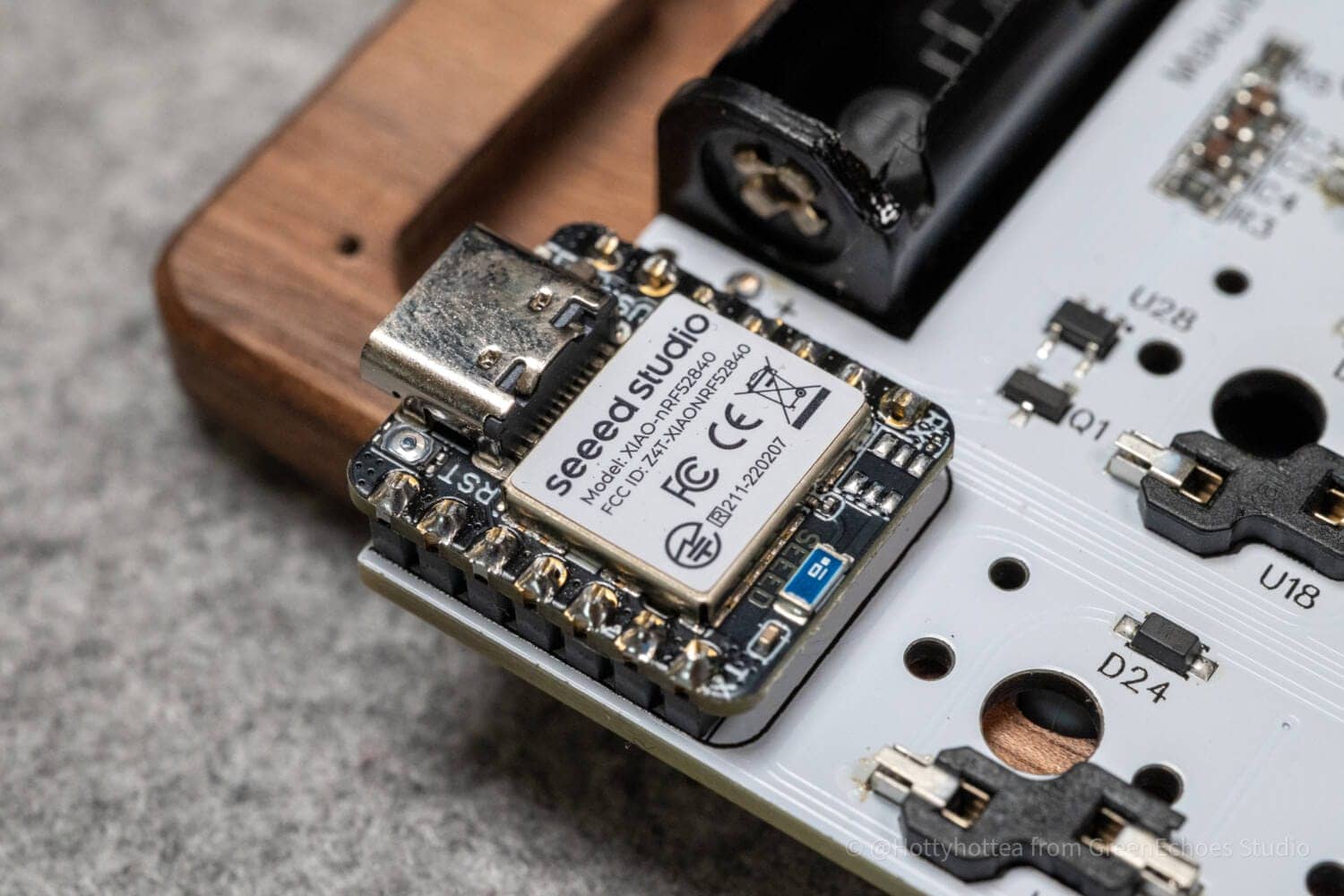
Mokulate is a homebrew keyboard that uses the Seeed Studio XIAO nRF52840, which has been increasingly adopted in the recent homebrew keyboard community.
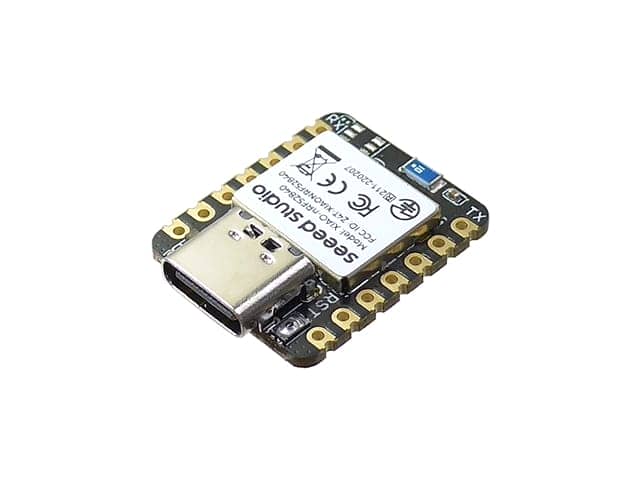
This microcomputer has been certified for technical compliance and can be used with confidence in Japan.
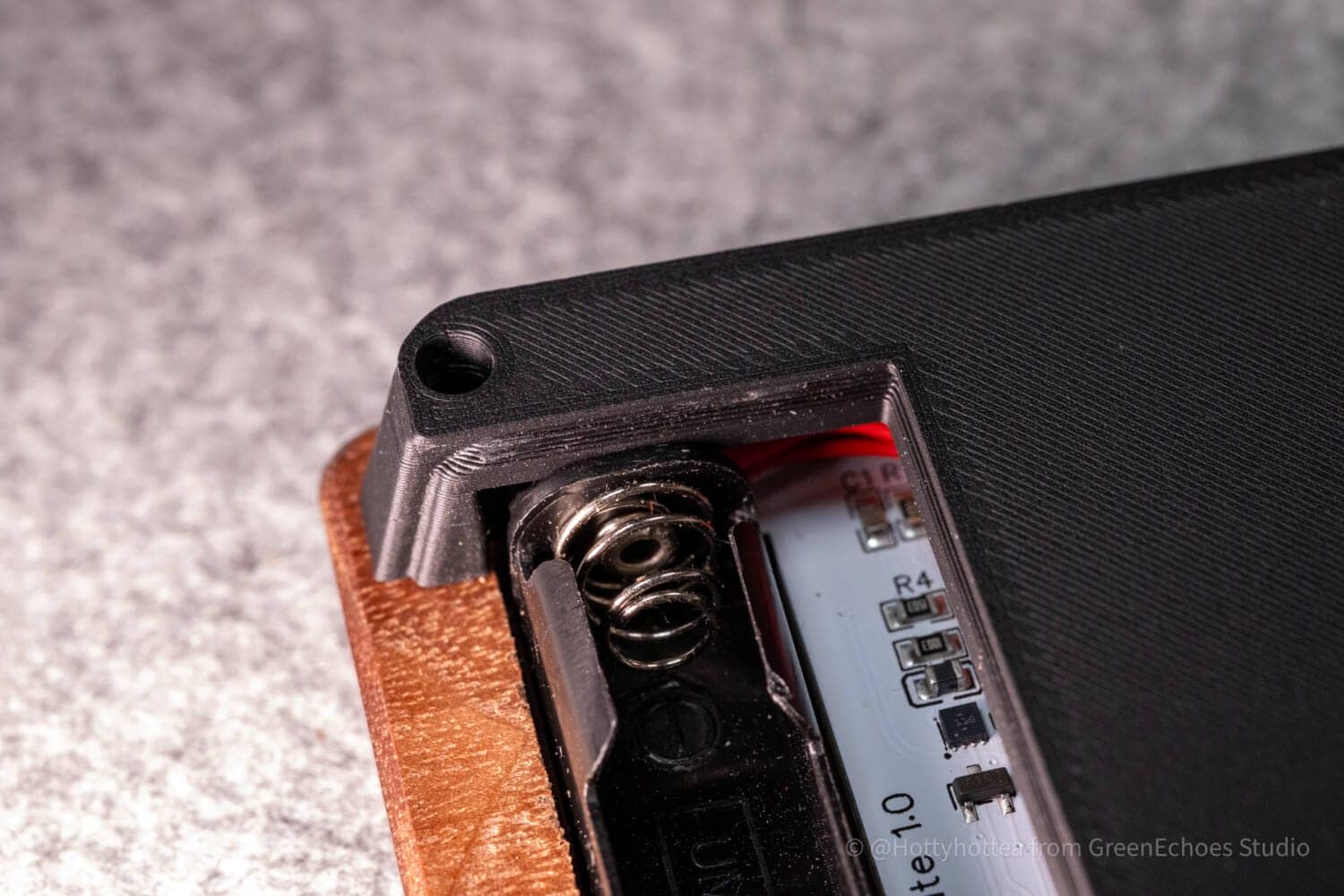
In addition, I felt that the product was very well thought out not only in terms of taking into consideration the risks associated with batteries, which are becoming increasingly common these days, such as the use of AAA batteries instead of lithium-ion batteries, but also in terms of electrical appliance safety considerations.
Sequence flexibility is quite high.
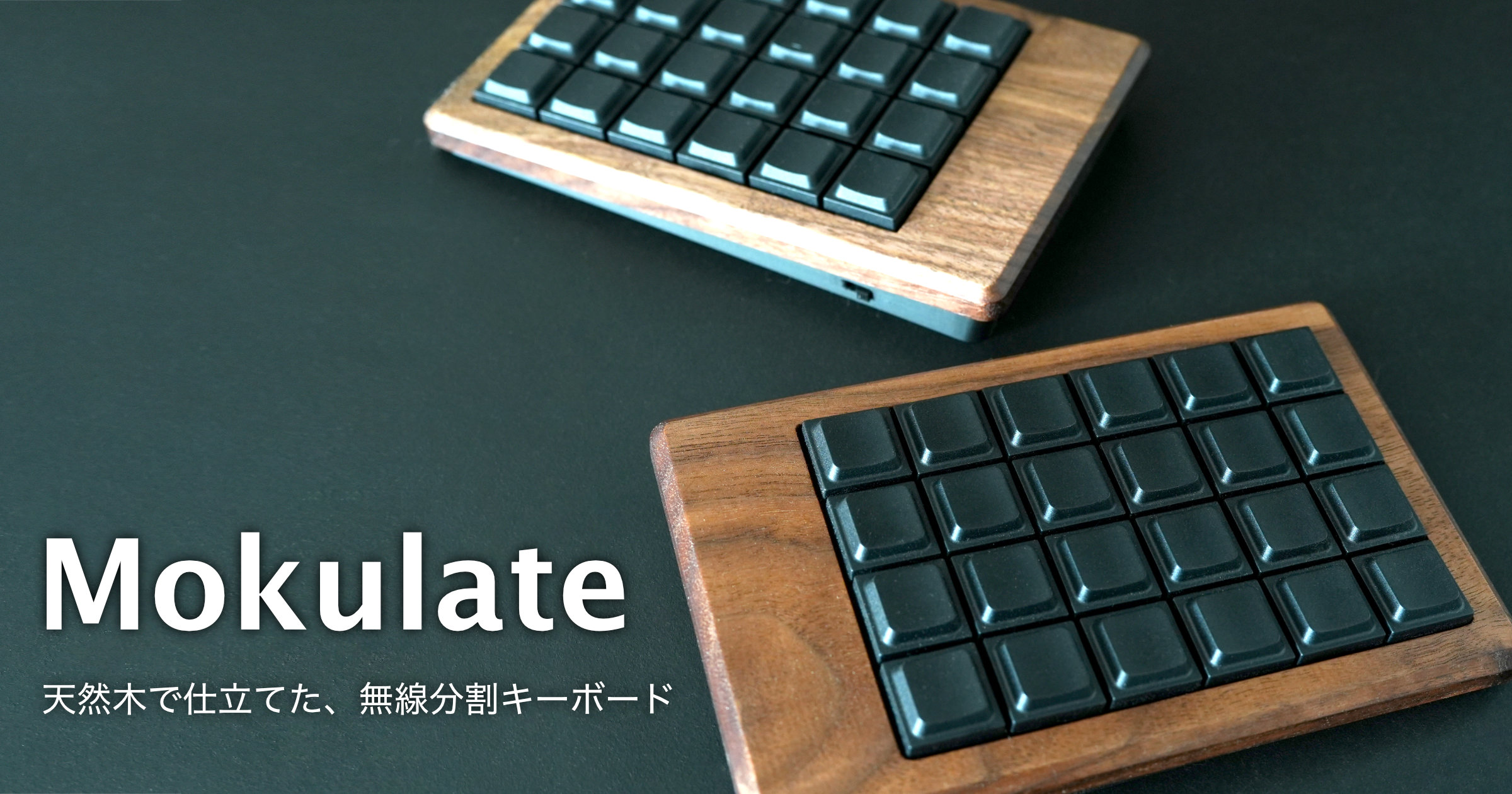
Mokulate is a left-right split 40% layout keyboard with an orthogonal layout (grid arrangement) with one-handed 6×4 keys.
The major advantage of an orthogonal layout would be the flexibility of the layout.
When the keyboard has less than 60% of the number of keys compared to a full-size keyboard, the number of keys is physically insufficient for typing all keys. Therefore, it is common to place keys on a “back layer” and provide functions equivalent to a full-size keyboard by pressing and operating “layer keys”.
This means that there is a great deal of individual variation regarding which keys to bring to the back layer and where to place them, requiring a more flexible key layout.
In this sense, the grid layout is really reasonable, and the fact that it can target a wide range of users, from a conventional 40% layout with modifier keys such as Shift on the little finger to a 30% layout with the modifier keys’ role concentrated on the thumb keys, is a major attraction.
KawamuraAs you can see, I am using a 30% layout.
Areas of concern for Mokulate
I will pick up on many of the areas that bothered me a little, but only at the level of “bothered”.
Please refer to the following information when making a purchase.
Areas of concern for Mokulate
- Not symmetrical
- Soldering required
- Availability is not that good.
- No reproduction of wood grain, one of a kind.
- Not an industrial product.
- Uses M1.7 screws, so a small screwdriver is required
- Looking forward to ZMK Studio updates.
- Usage takes some getting used to.
Not symmetrical

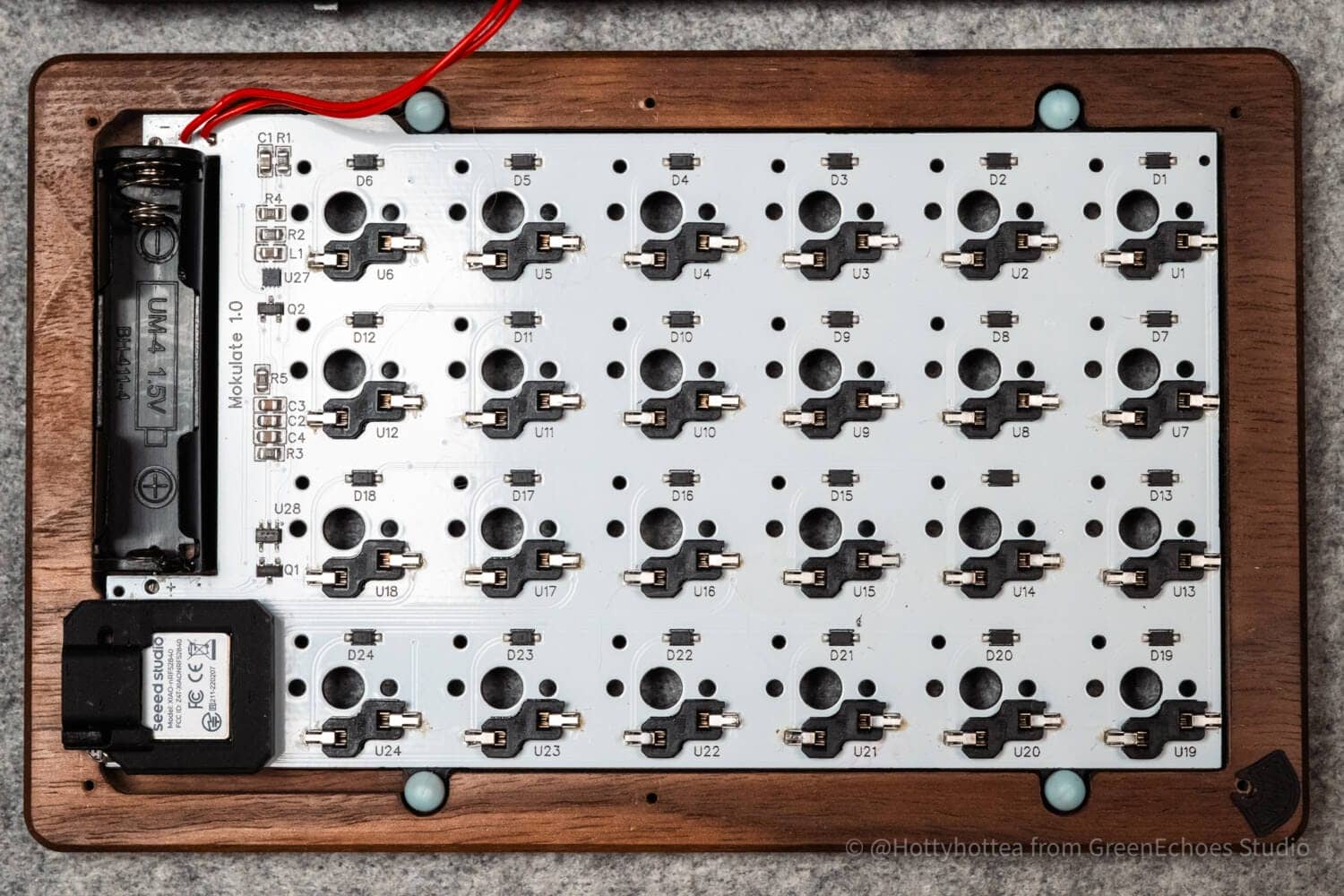
Mokulate is not symmetrical due to the board design, and the left and right sides are inverted.
Although it is an area that only those who care about it will care about, some may feel more comfortable if the microcontroller is located in the same area on both sides.
We were also concerned about the reversed orientation of the keyswitches on the left and right sides.
KawamuraThere seems to be a design backstory involved in this.
You can view it below.
Soldering required
Mokulate is not a finished product.
Soldering is required, and if it is difficult to solder by yourself, you need to use a soldering service such as “Coconara”.
Reference: https://coconala.com/services/2823049
Also note that key switches and key caps must be procured separately, and that the kit is not completed simply by purchasing the kit.
Availability is not that good.
Mokulate wooden cases are produced by private individuals.
Because of the existence of a manual finishing process after machine cutting, it is not possible to produce large quantities at a time.
Therefore, depending on the popularity of the product, there may be a waiting list.
No reproduction of wood grain, one of a kind.
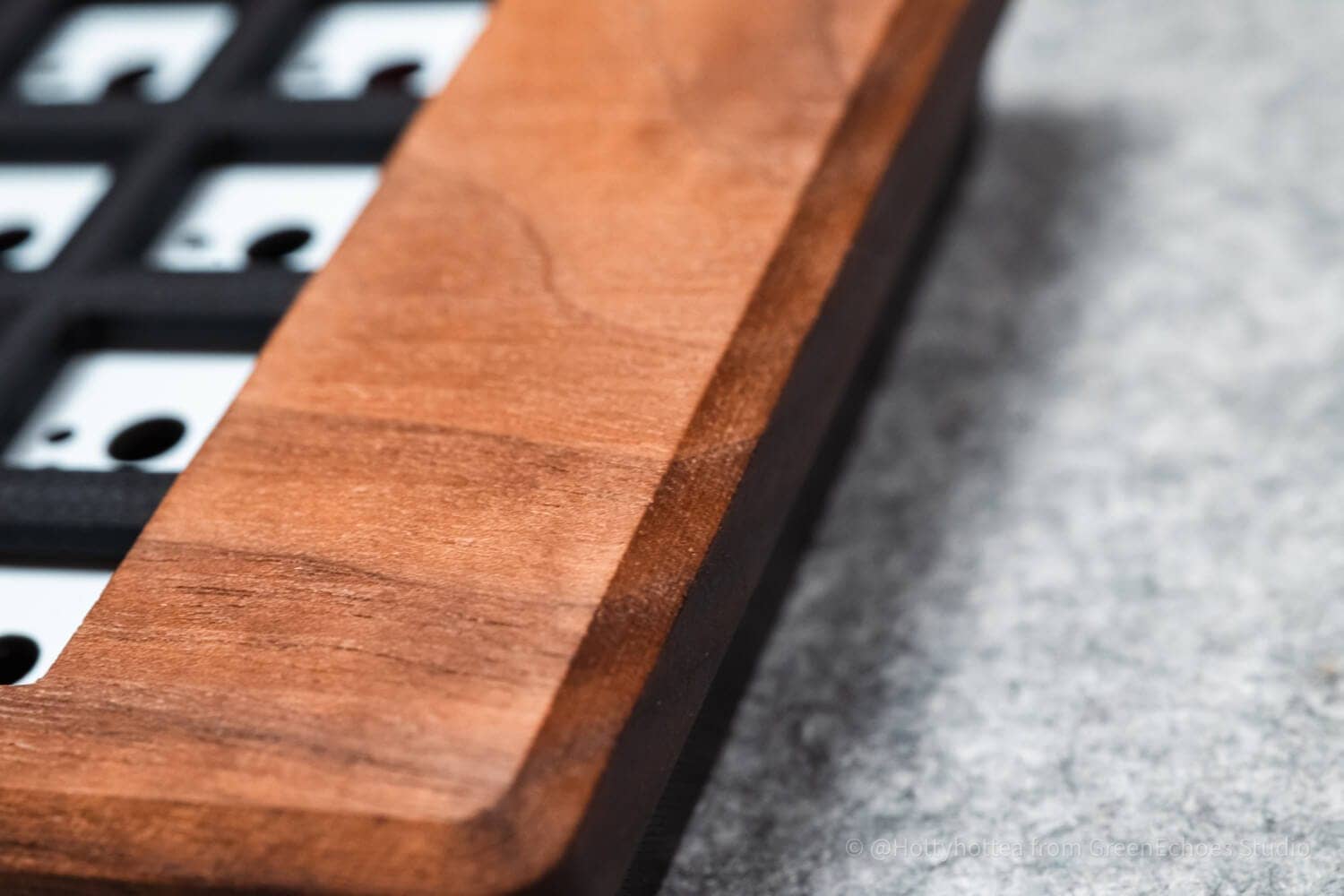
Mokulate wooden cases are “one of a kind” for better or worse.
It is physically impossible to fulfill the “I want that wood grain case” part of the product page, so you must agree before you buy.
Not an industrial product.
Mokulate is only a “homemade keyboard kit” produced by an individual, and while it is highly accurate as a DIY kit, it is not the same as a perfectly uniform industrial product.
It should be noted that the 3DP printer used is a 3DP printer and is not expected to achieve the level of perfection of an industrial product.
Uses M1.7 screws, so a small screwdriver is required
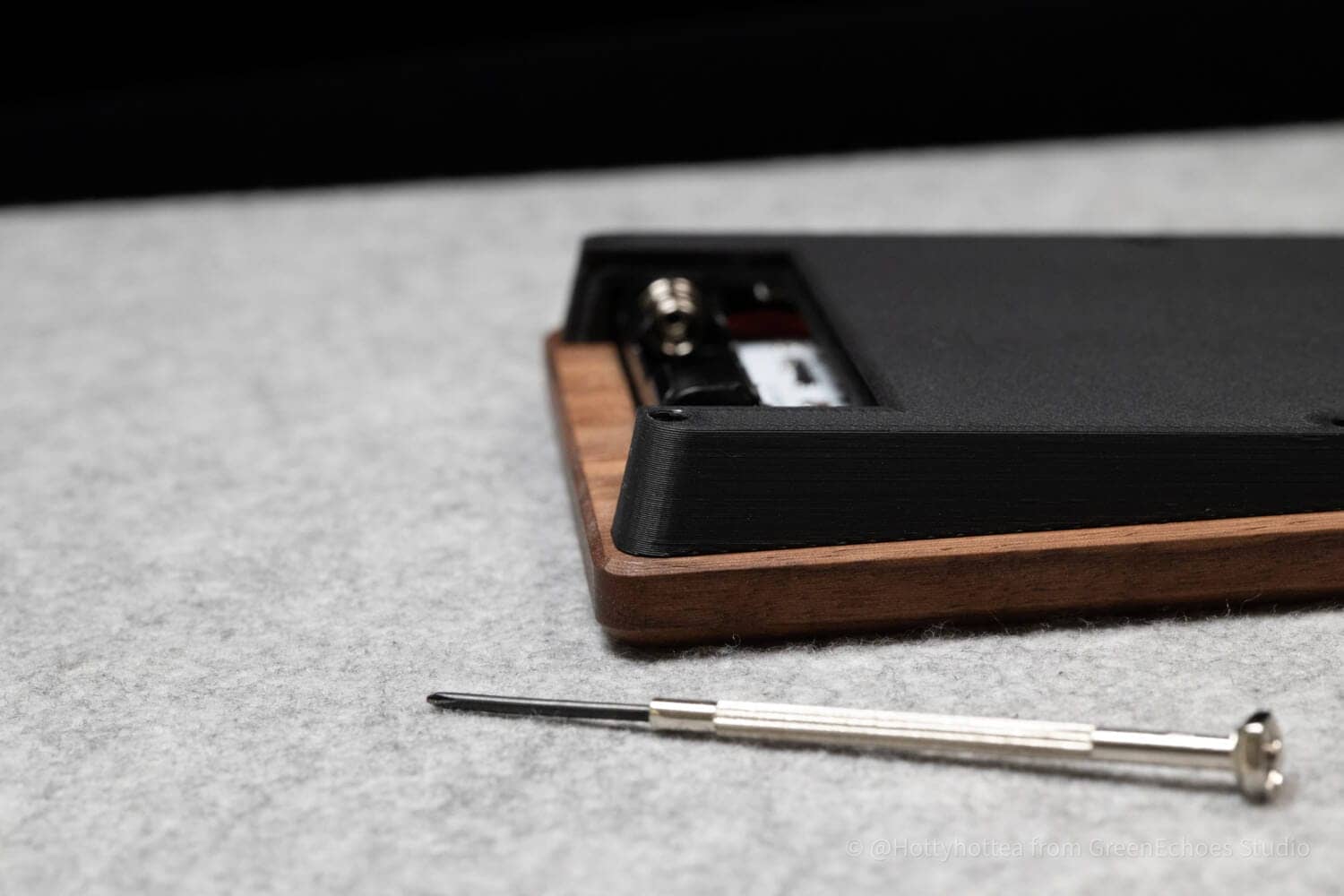
Many home-built keyboard kits use “M2.0” size screws, even if they are small, but the screws used in Mokulate are of a smaller diameter, the “M1.7” standard.
When it comes to screws of this standard, you cannot turn them unless you have a “precision screwdriver kit (#0),” which is used to turn screws such as eyeglasses, instead of a “screwdriver kit” sold at 100 yen stores.
Purchase them if necessary, as they may not be available in the average home.
KawamuraPerhaps looking at the structure, they decided that with that thin wooden frame, there is a high risk of cracking with M2 screws.
Looking forward to ZMK Studio updates.
Mokulate supports ” ZMK Studio,” which can be set up in GUI (visually, not in code) so that even beginners can easily make keymap changes.
However, the current version of ZMK Studio has a UI that is still immature and makes it difficult to change keymaps.
In the current version, when changing keymaps, you have to select each key one by one from a pull-down list. This can be difficult to use compared to other keymap software.
Expect this to be updated in the future.
KawamuraI heard from people in the area that an updated demo version is available.
This method is easy to do.
(There are still some glitches, such as modifier keys and arrow keys not being reflected in the settings.)
Excuse me for the side note, it has been improved in PR#159, so you might want to use the preview version of that. There might be some glitches, so you’re on your own: https://t.co/F4trPIsAMS pic.twitter.com/JzZ16CQ1DN
– kot (@kot149_) January 18, 2026
Usage takes some getting used to.
In addition to the left-right split, Mokulate is an “orthogonal layout keyboard,” which differs from the usual horizontal shift.
In addition, since there are fewer keys than usual, sufficient proficiency will be required to use them in practice.
[Photos] Mokulate Review
Now let’s take a look at the actual Mokulate.
Let’s start with size.
It is small, about 150mm wide by 150mm long by about 100mm wide on one hand.
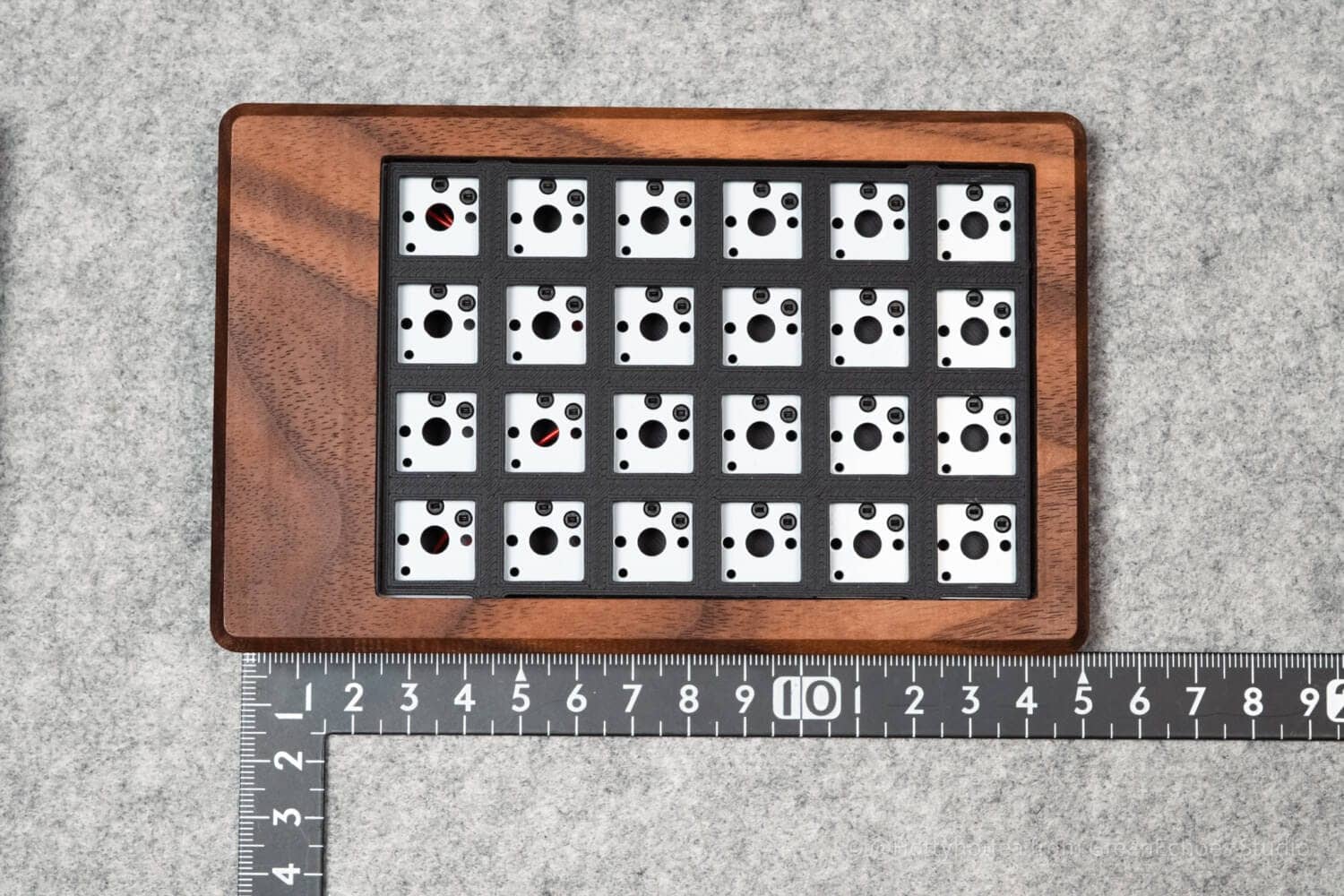

The top case is natural wood (probably walnut).
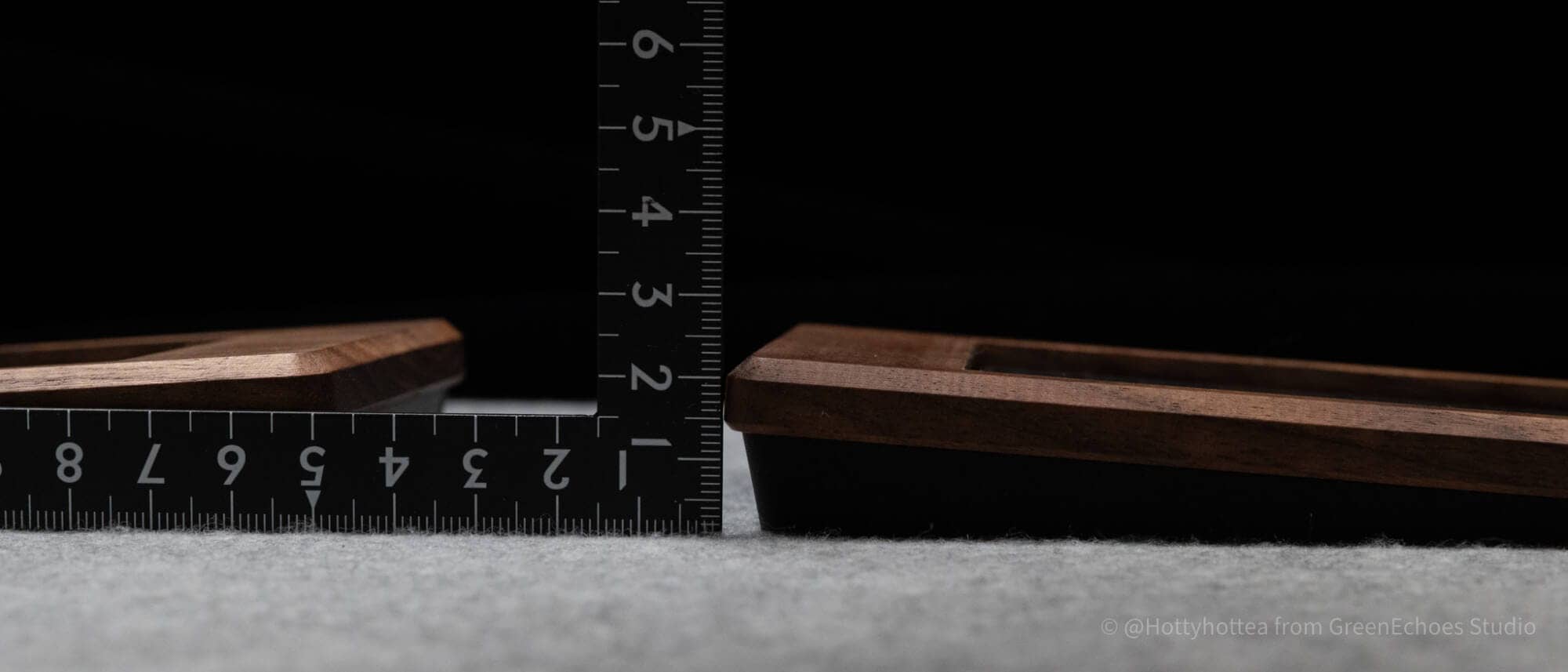
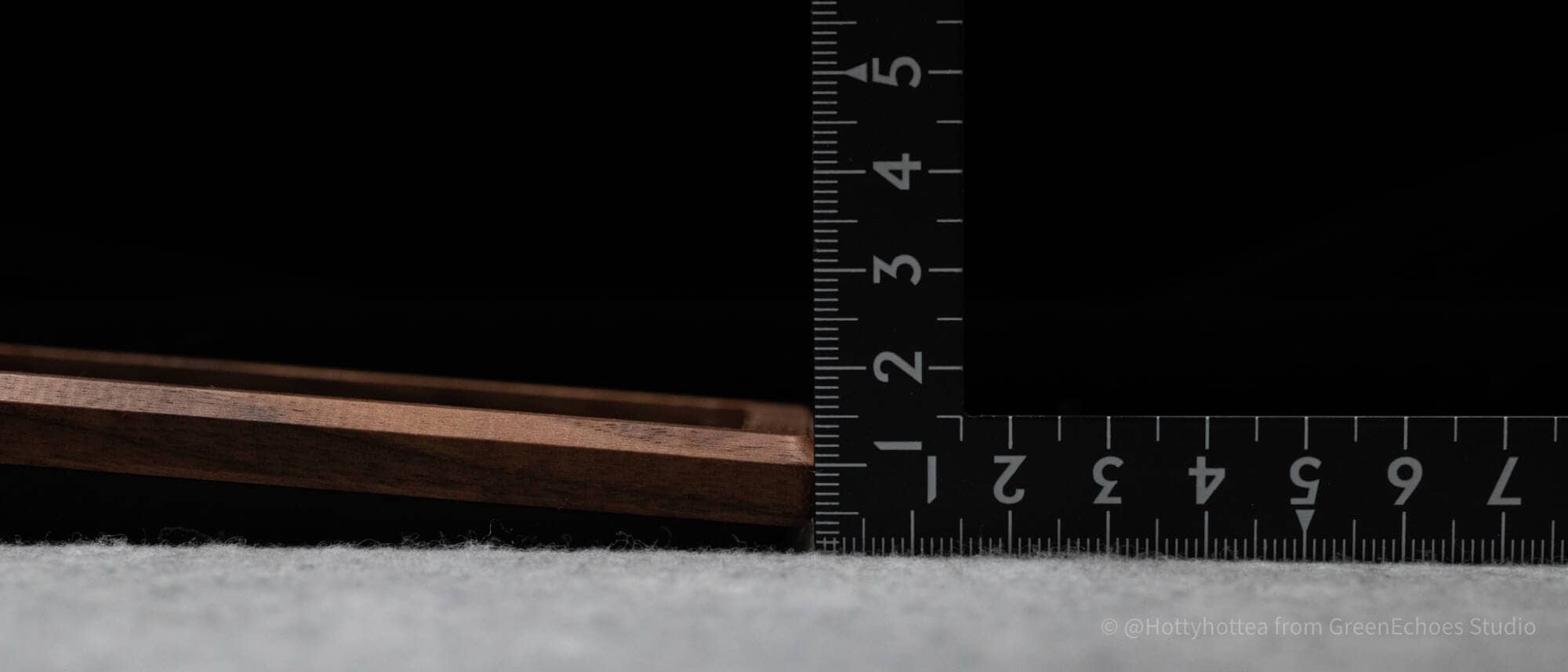
Tenting angle is approximately 3.3 degrees, with no forward or backward tilt.

The height of the center portion of the case is approximately 24 mm, and the height of the edges is approximately 14 mm.
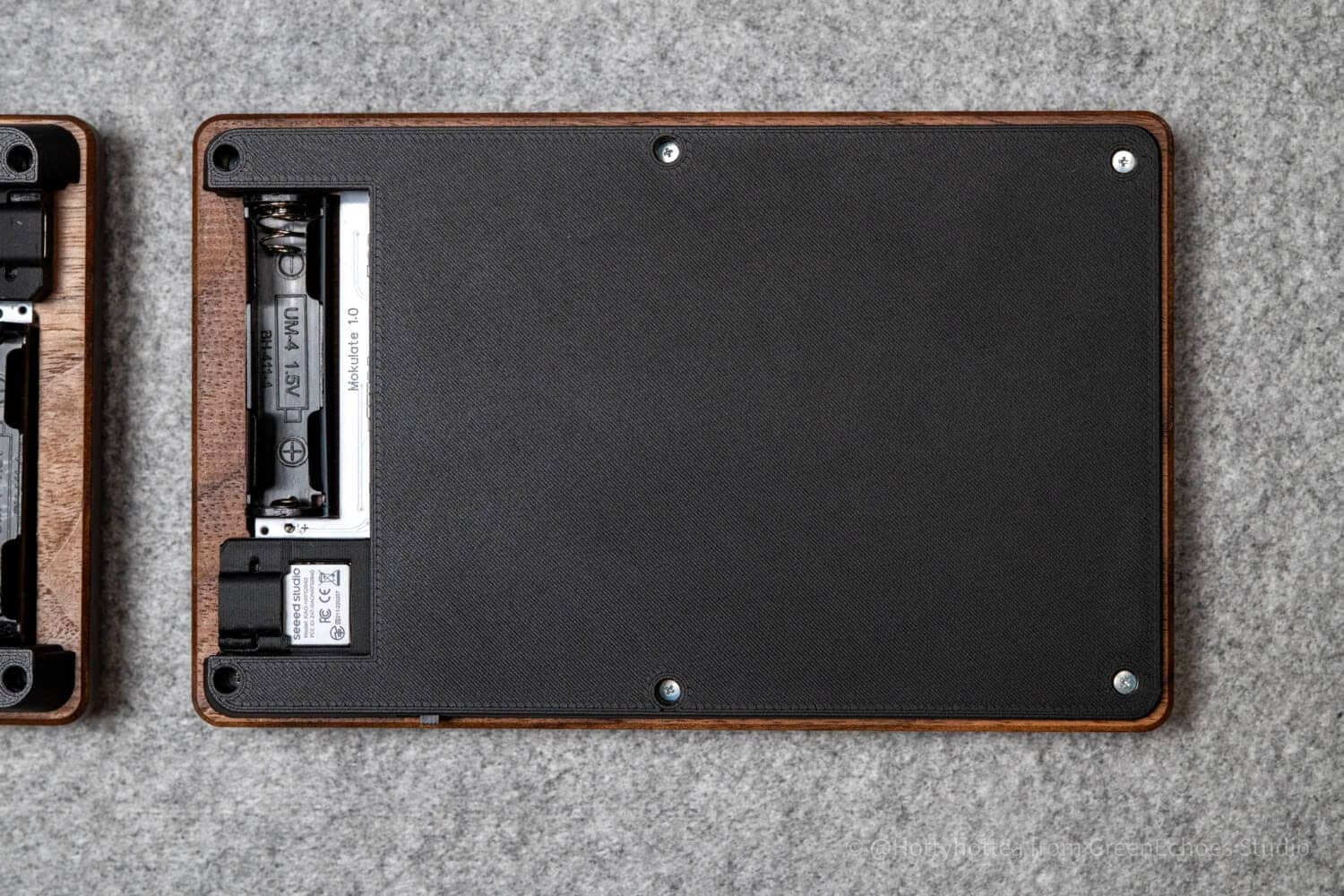
Let’s also look at the bottom case.
The bottom case is made of 3DP (PLA).
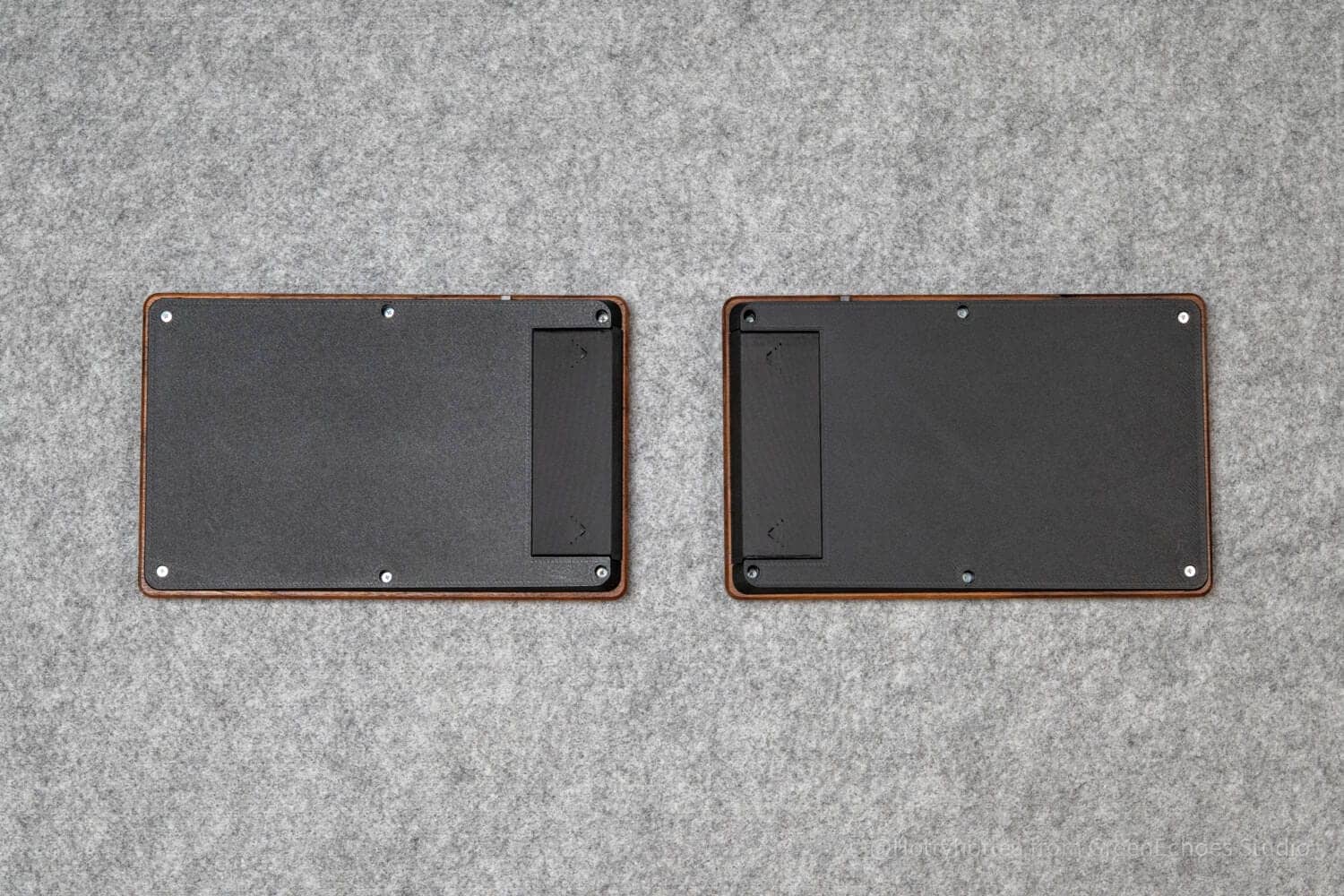
The structure is relatively simple, with the bottom case side screwed to the top case.

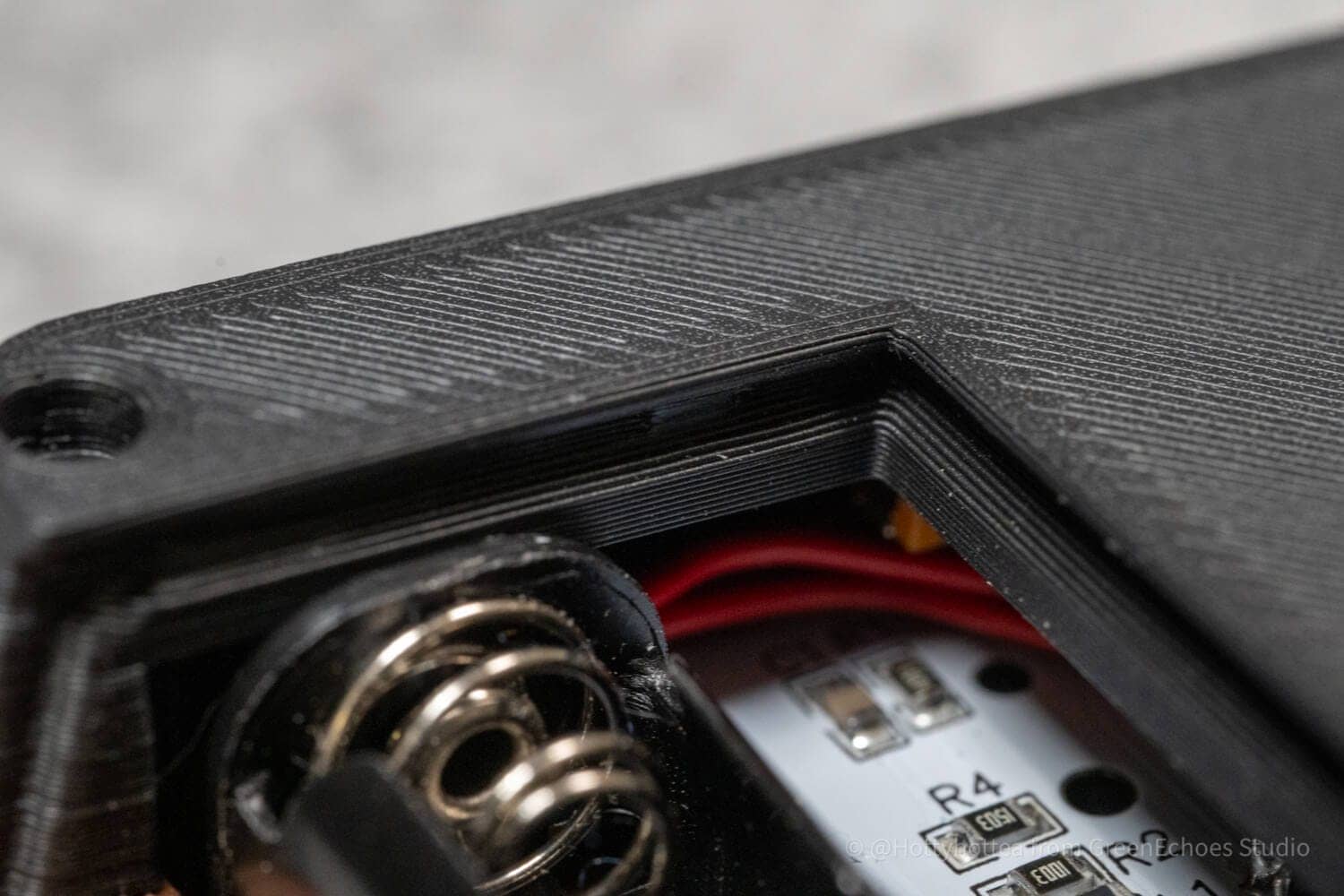
What was surprising was this battery case cover, which I was astonished at how perfectly it fit, so much so that I could not believe it was made with 3DP.
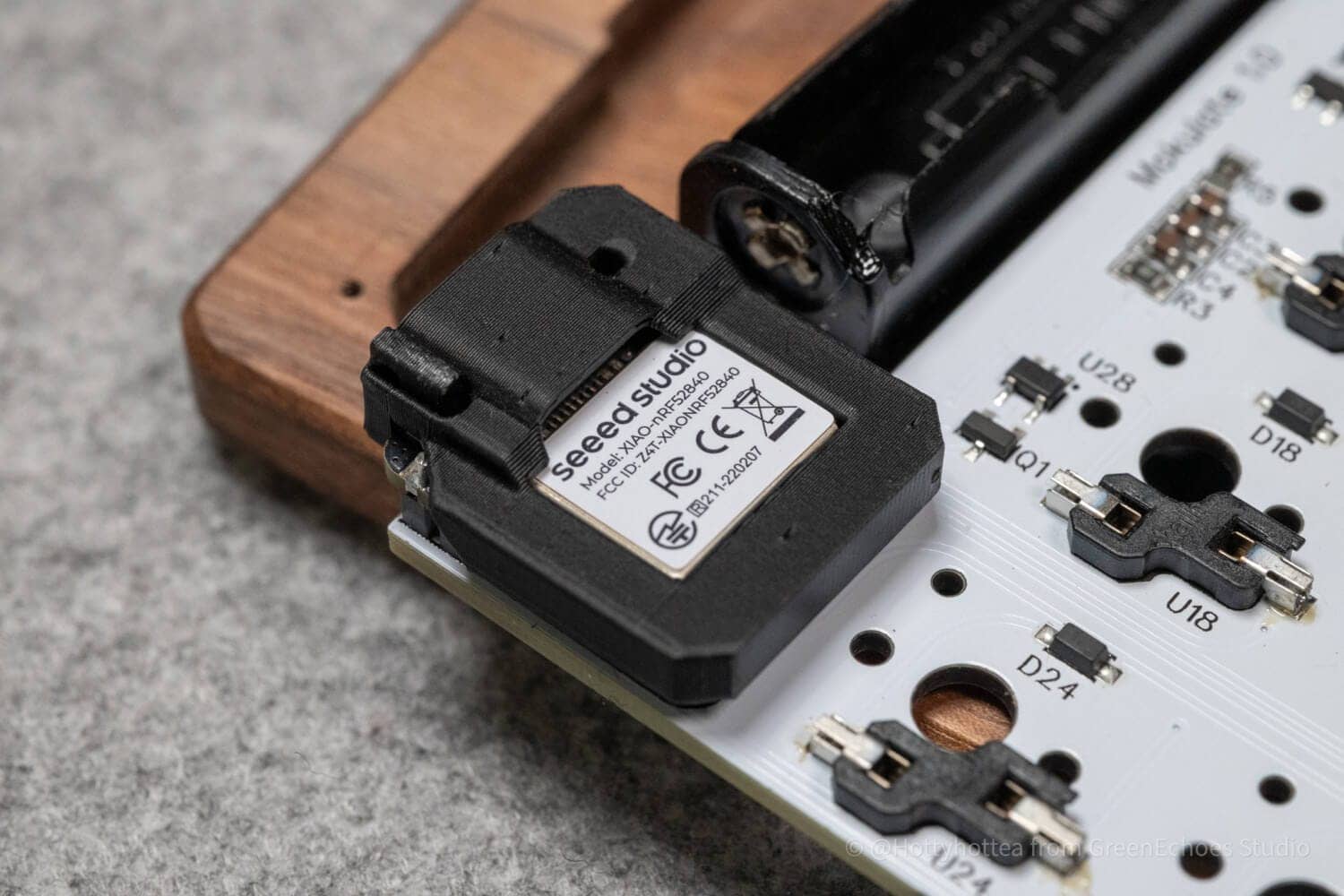
The specifications are completely wireless (left-right connection and PC-to-PC connection) using XIAO nrf52840 on the left and right sides, with one AAA battery built into each side.
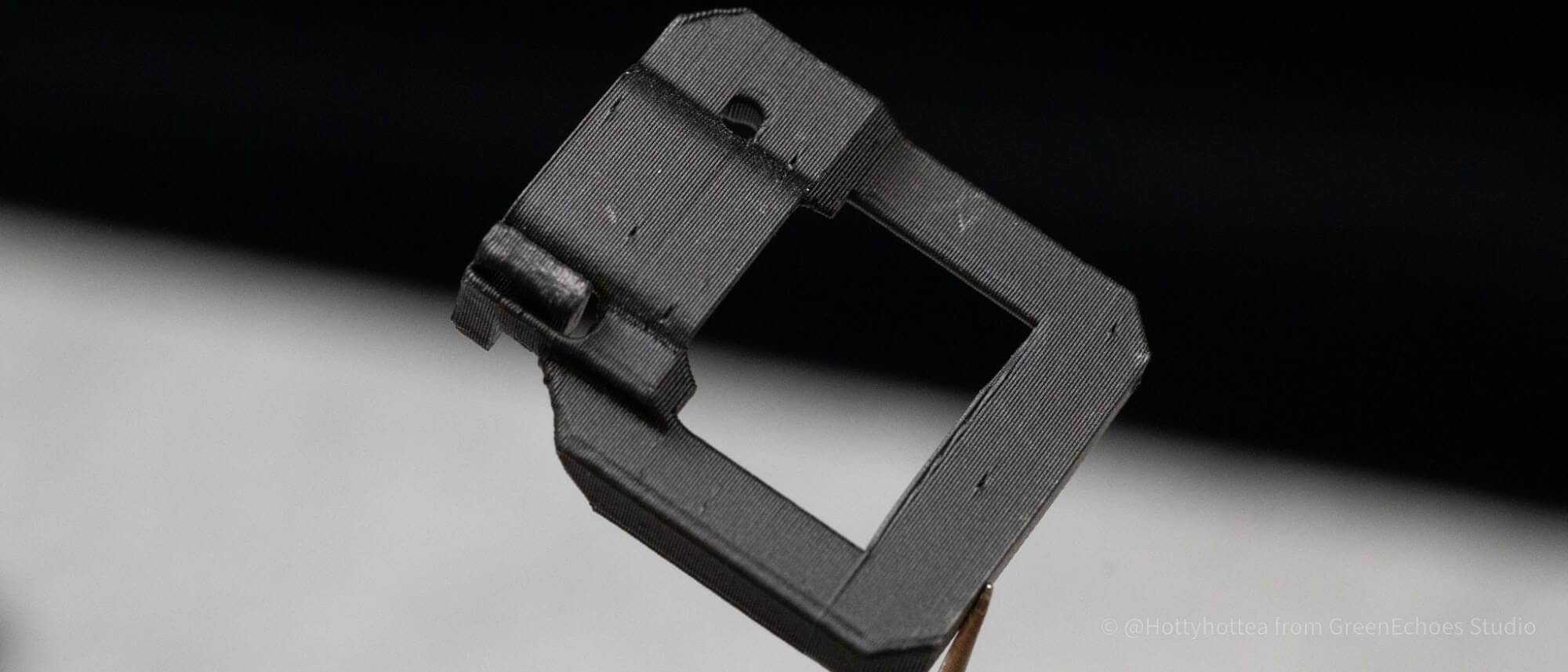
The microcontroller is covered with a cover, and the bottom case is placed over the top, so the cover will not come off in this state.

This microcontroller cover is also designed to make the reset switch easier to press, and can be clicked by pressing the depression on the left side.


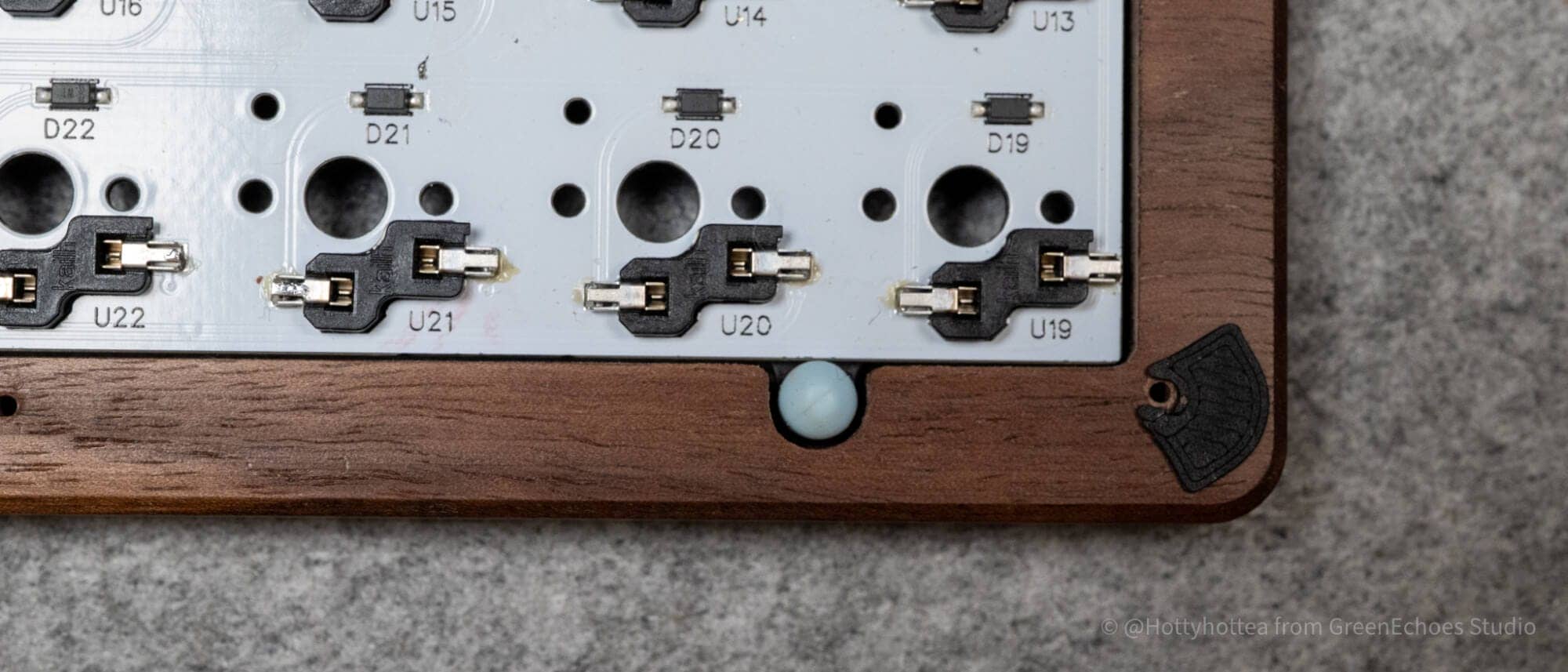
This is what it looks like when the bottom case is removed.
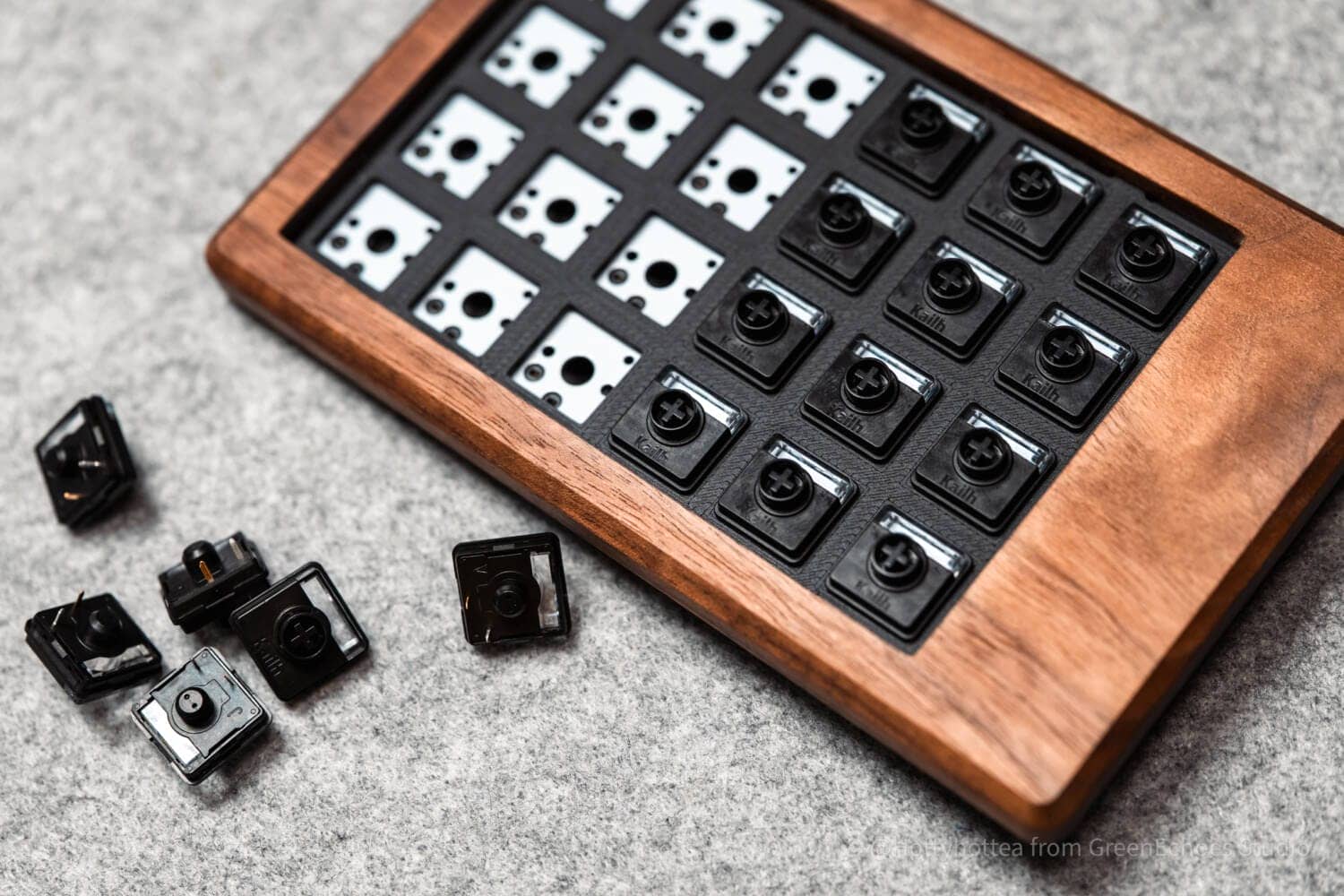
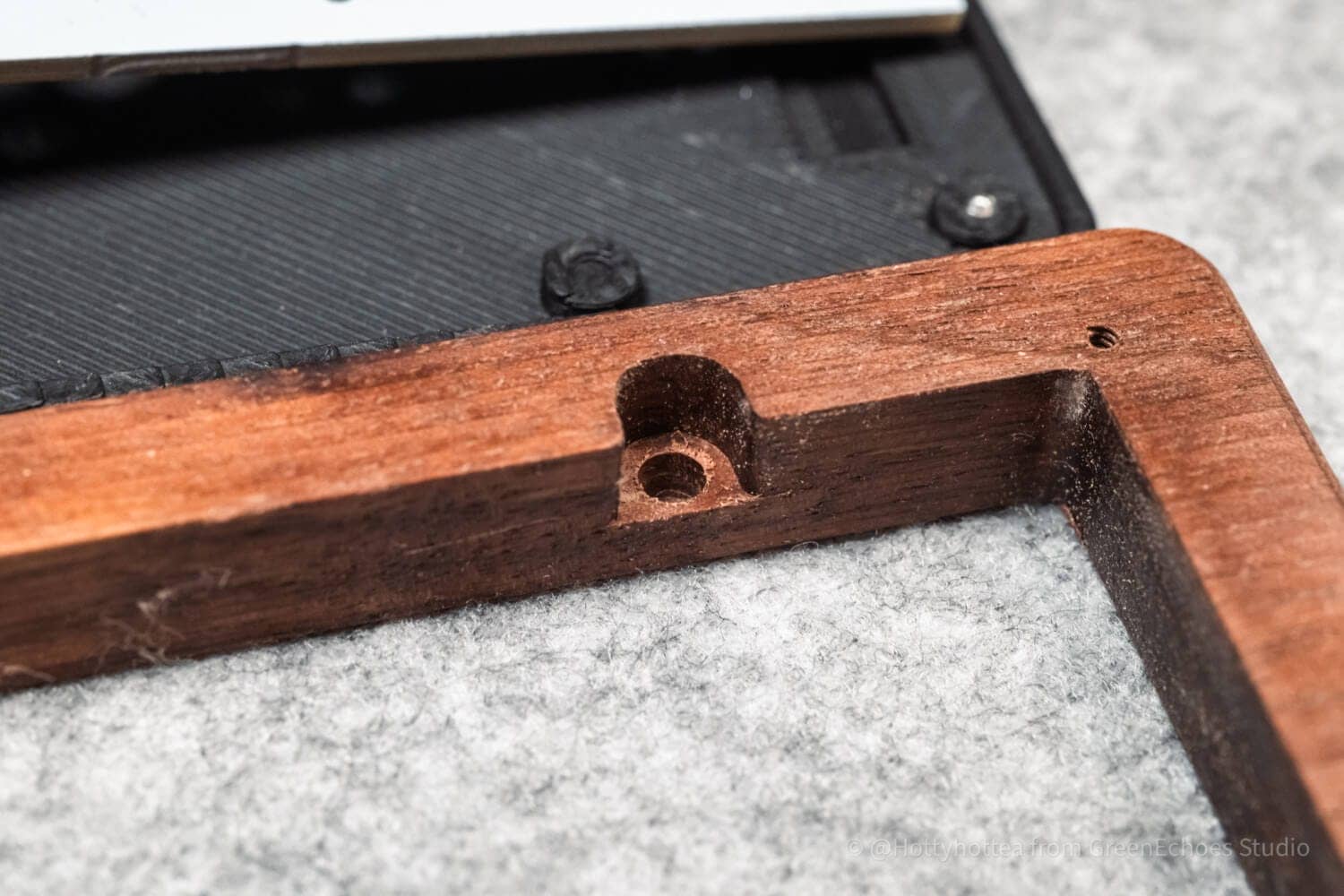
The socket is a Kailh choc socket, and the wood has a hole for an M1.7 screw.
It is good to be able to clearly distinguish between the screws for fitting the bottom case and the screws for fitting the bottom case, so that there is no confusion.

Spacers were inserted at the ends of the case to accommodate shrinkage of the wood.
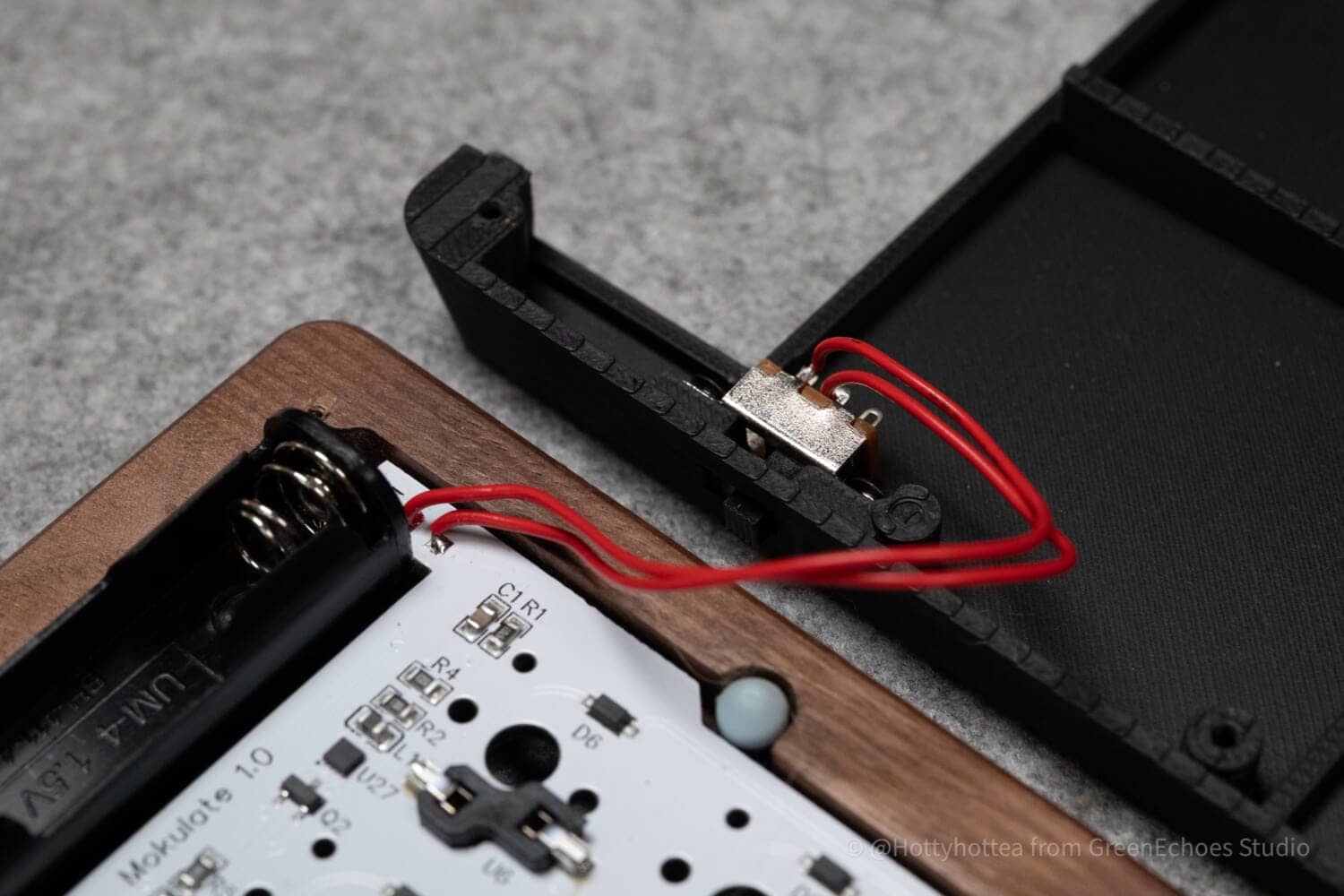
The board has just been removed.
Two on-off switch leads extend from the board toward the bottom case.
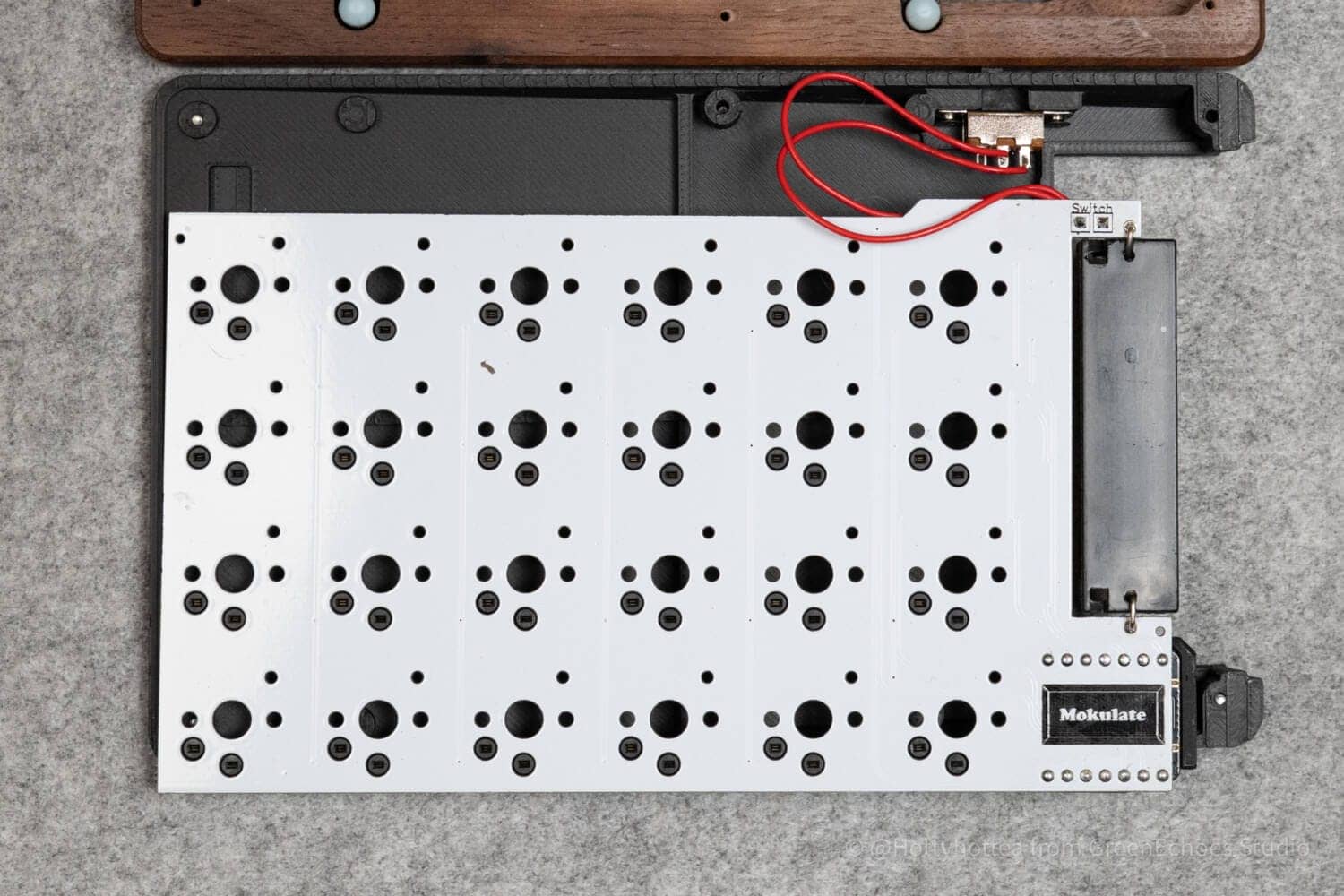
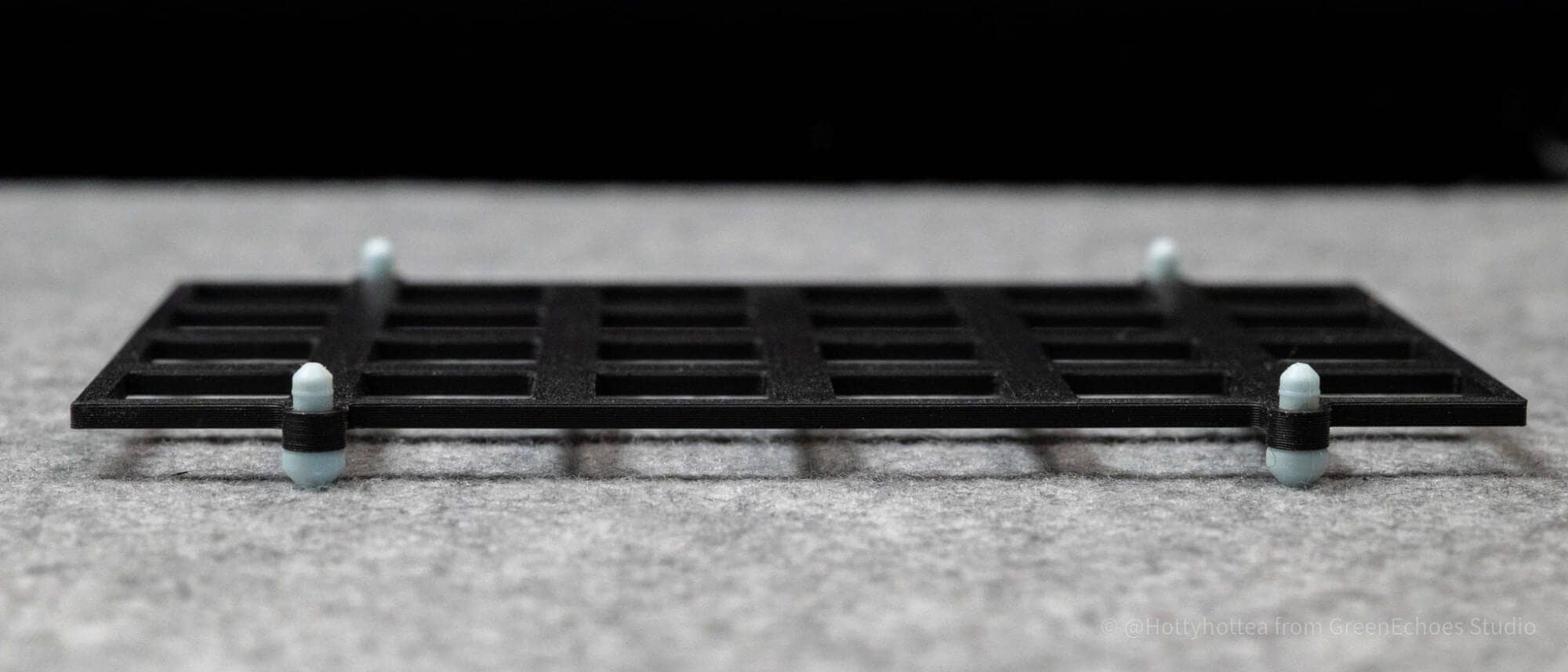
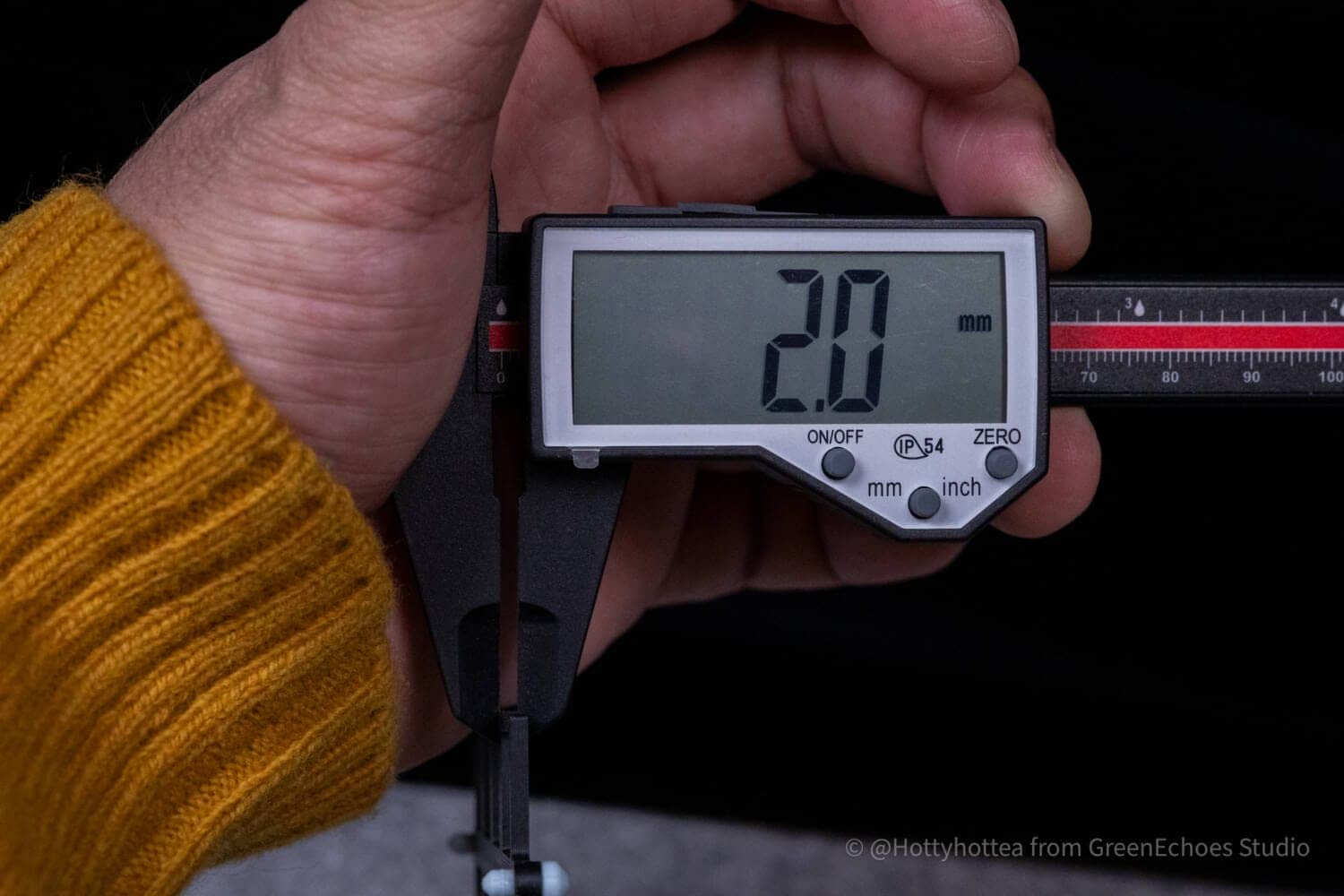
The switch plate is also made of PLA and is approximately 2 mm thick, which is thicker than the usual plate for choc switches (approximately 1.2 mm-1.5 mm).
 Kawamura
The ability to manufacture switch plates in-house is a great advantage.
I would like to try it on steel and FR4.
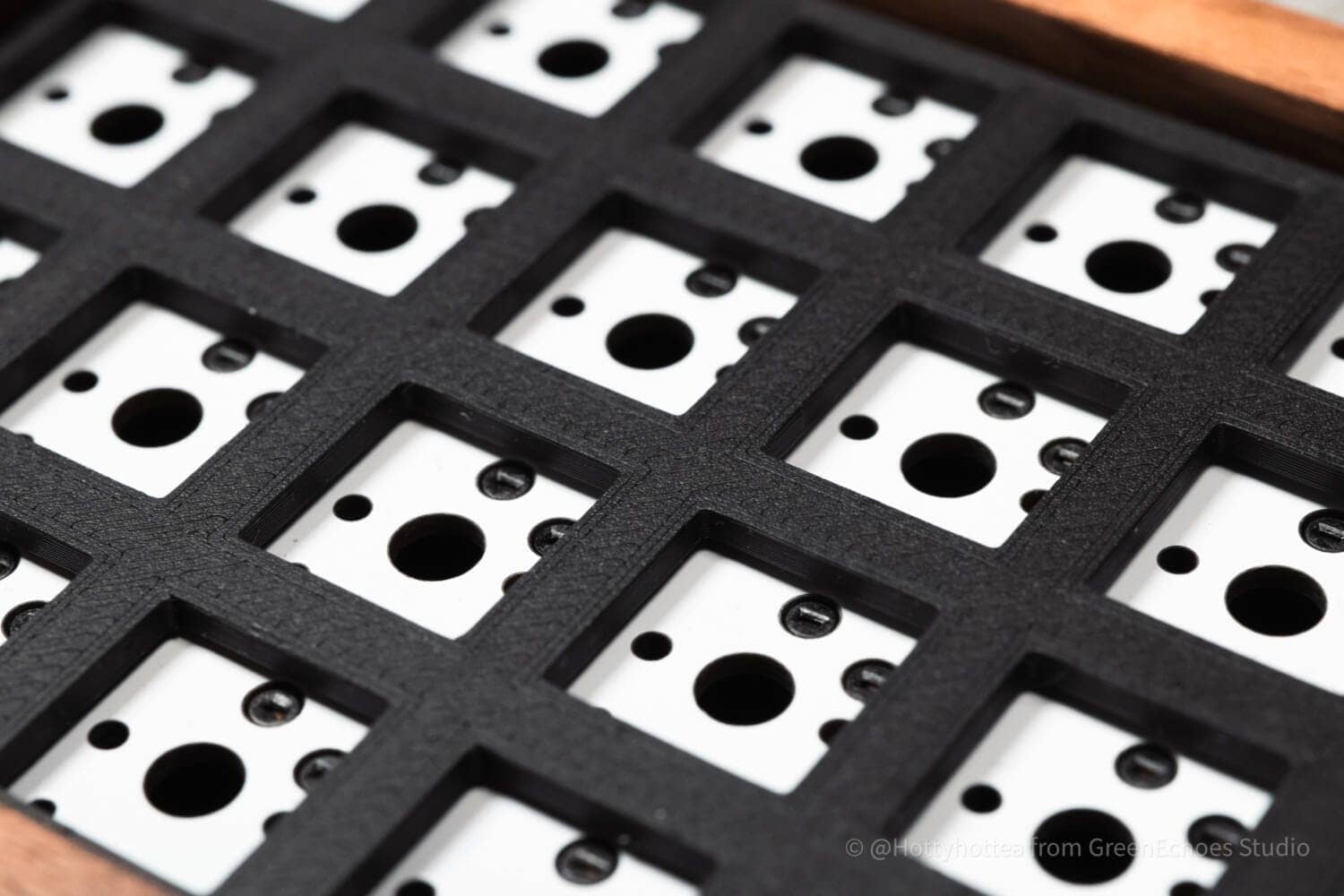
The switch plates are also incredibly beautifully sculpted.
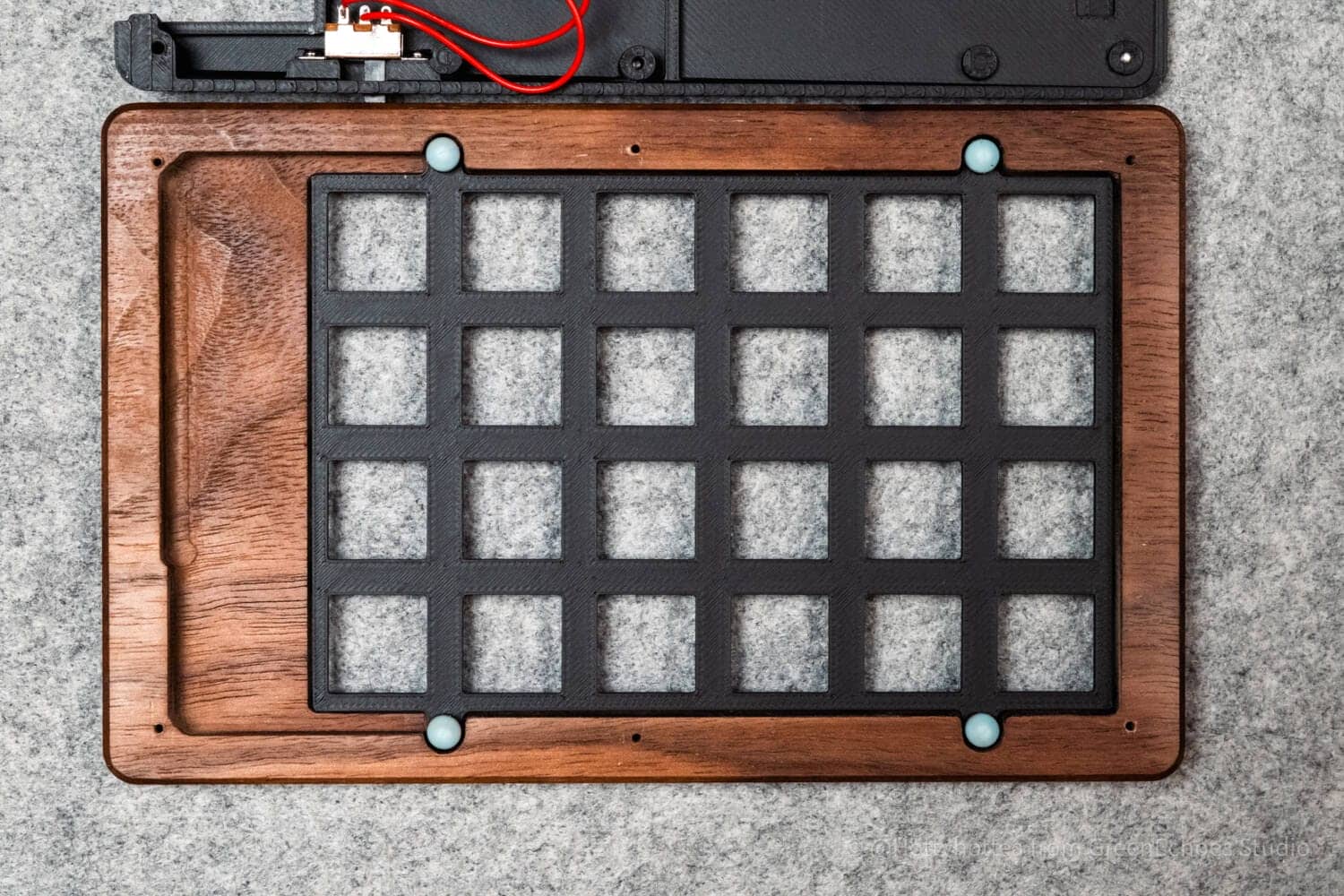
Mokulate has a gasket-mounted structure using a tadpole. The tadpole, inserted from below against the switch plate, fits into the top frame, and the top and bottom are sandwiched so that the switch plate seems to float inside the case.
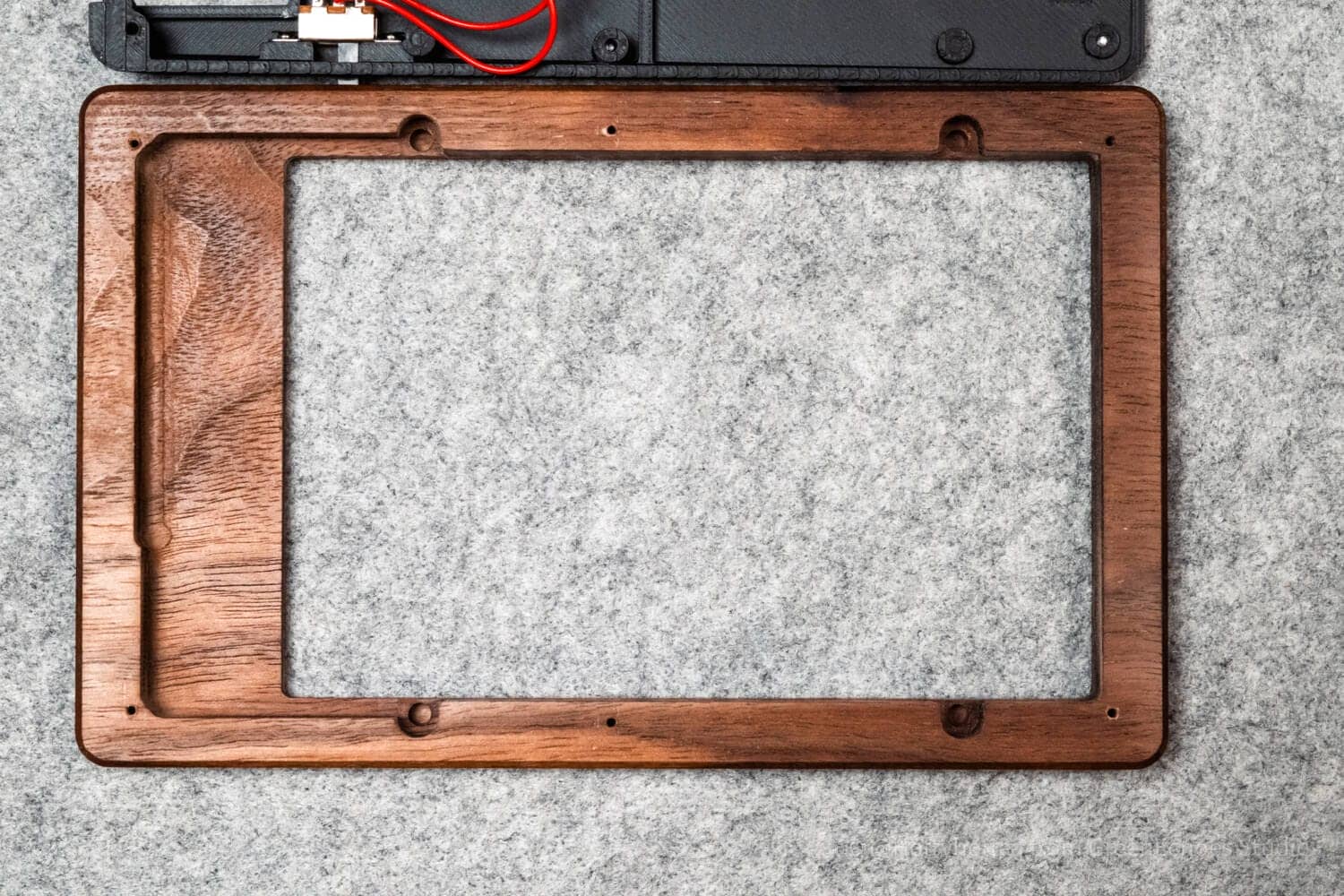 Kawamura
I didn’t realize that a wooden case could be processed with such precision!
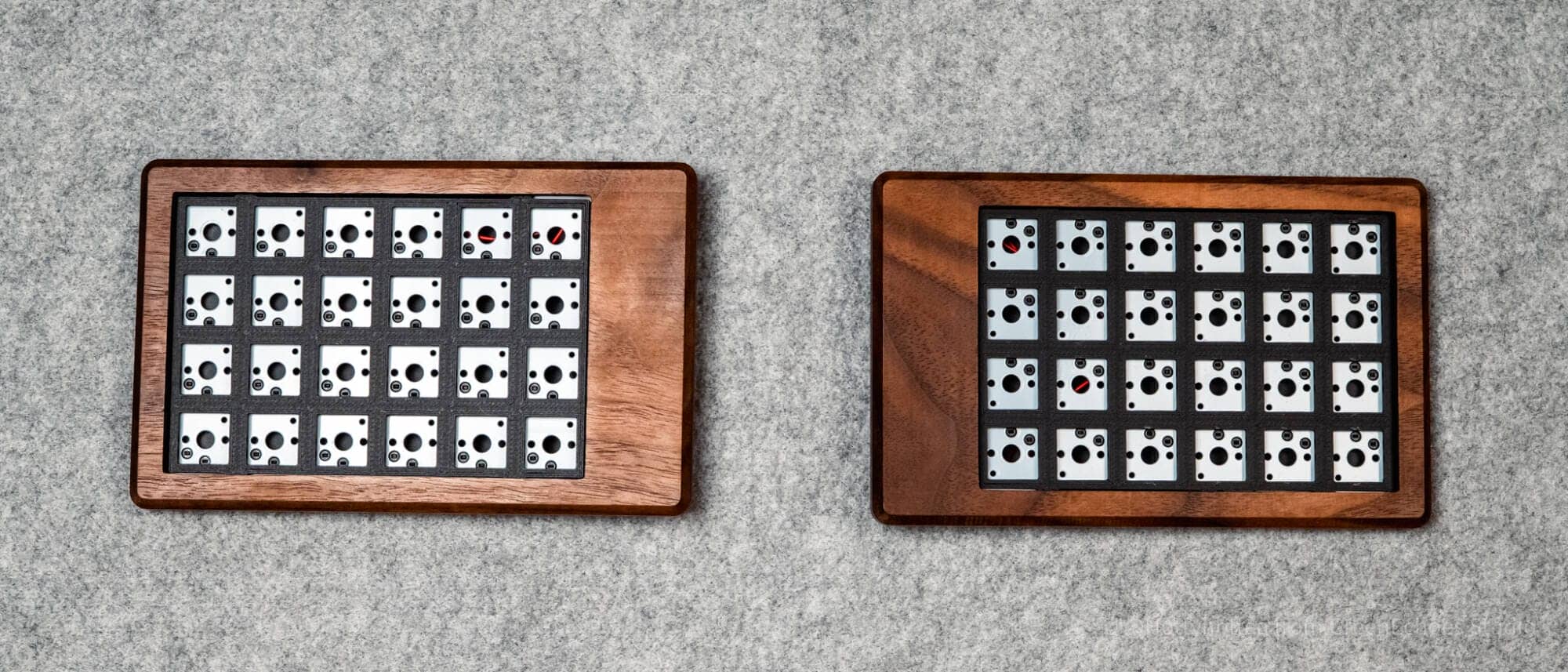
Let’s assemble it.
Lofree x Kailh Pulse was chosen as the keyswitch for this project.
The 2mm plate was used without any problem.

As described below, the left and right switches are reversed due to the reversible PCB.
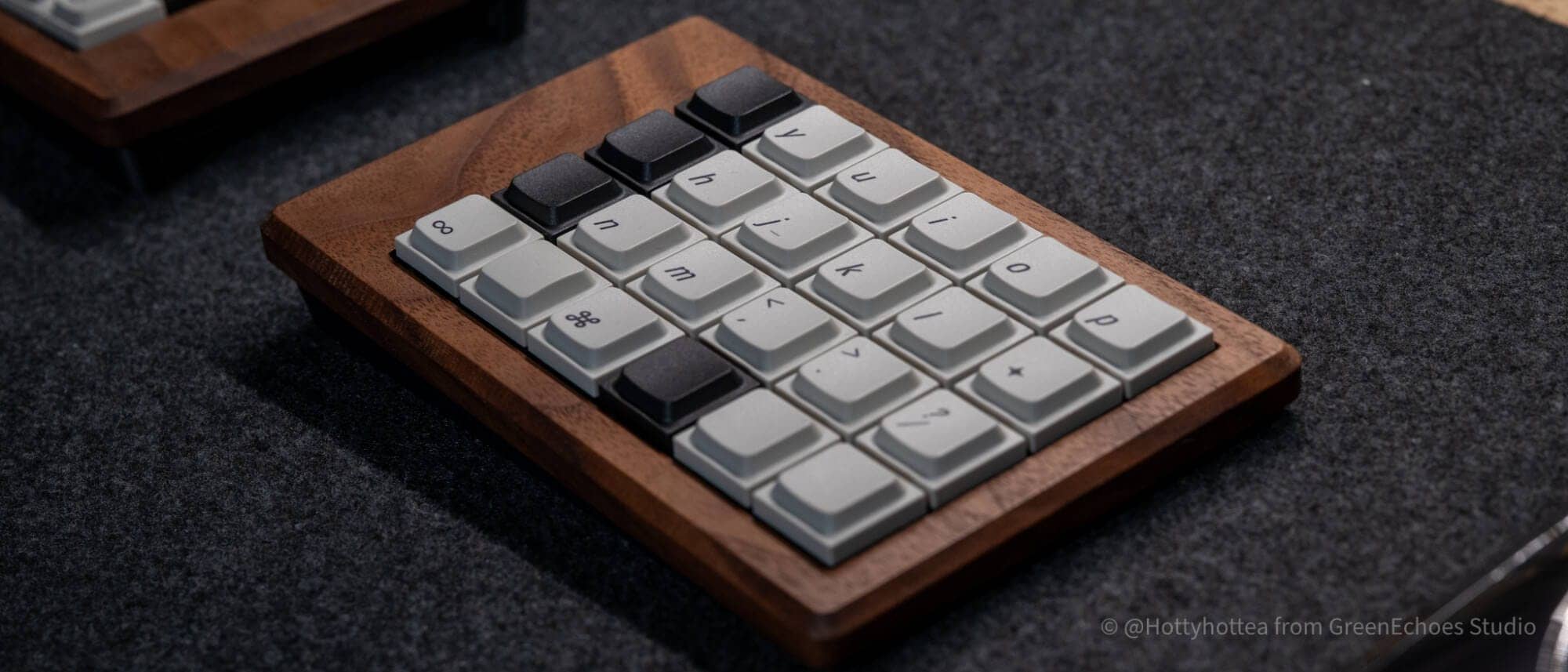
Finally, a keycap is attached to complete the process.
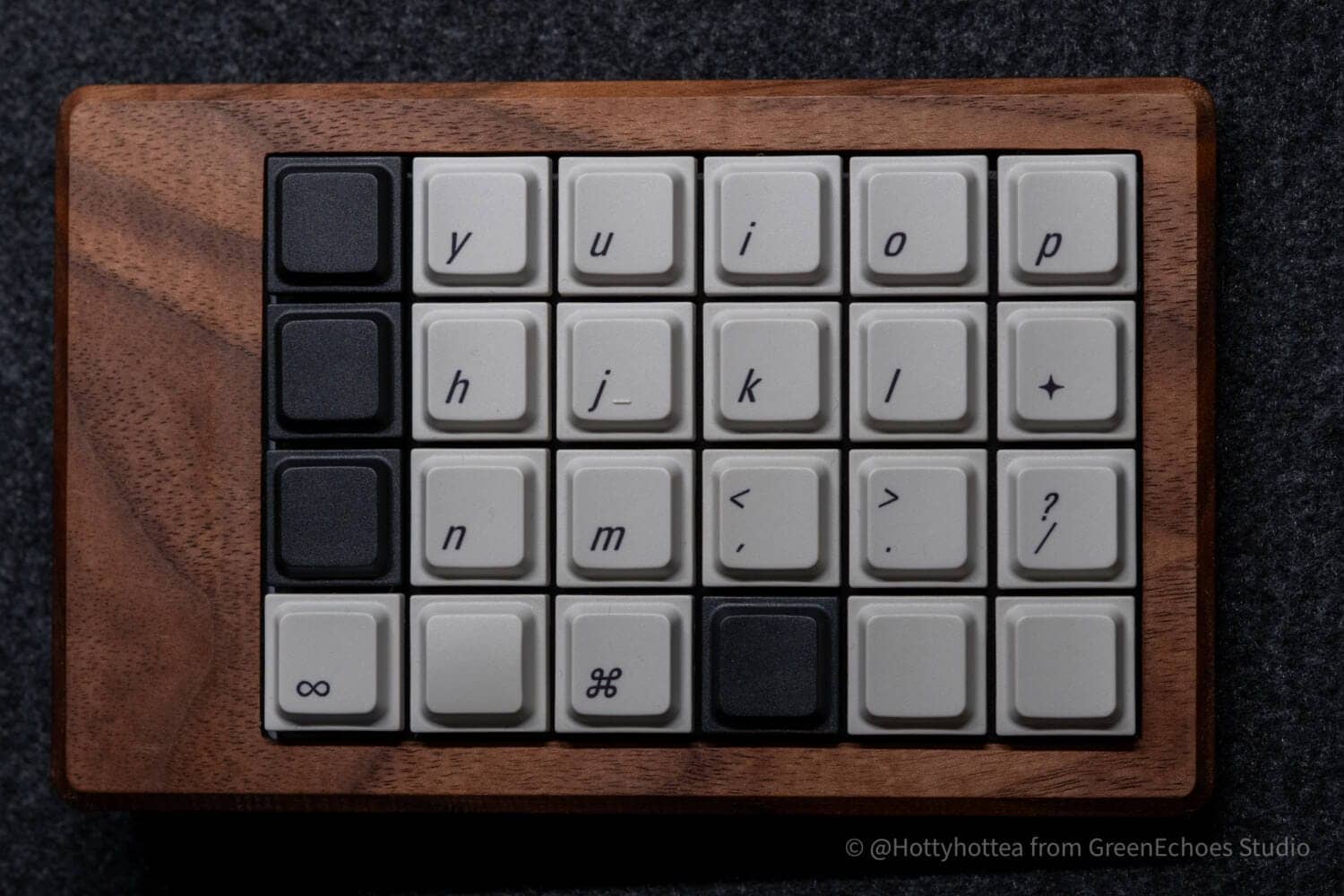
In this case, Jezail Funder LAK keycap was used.

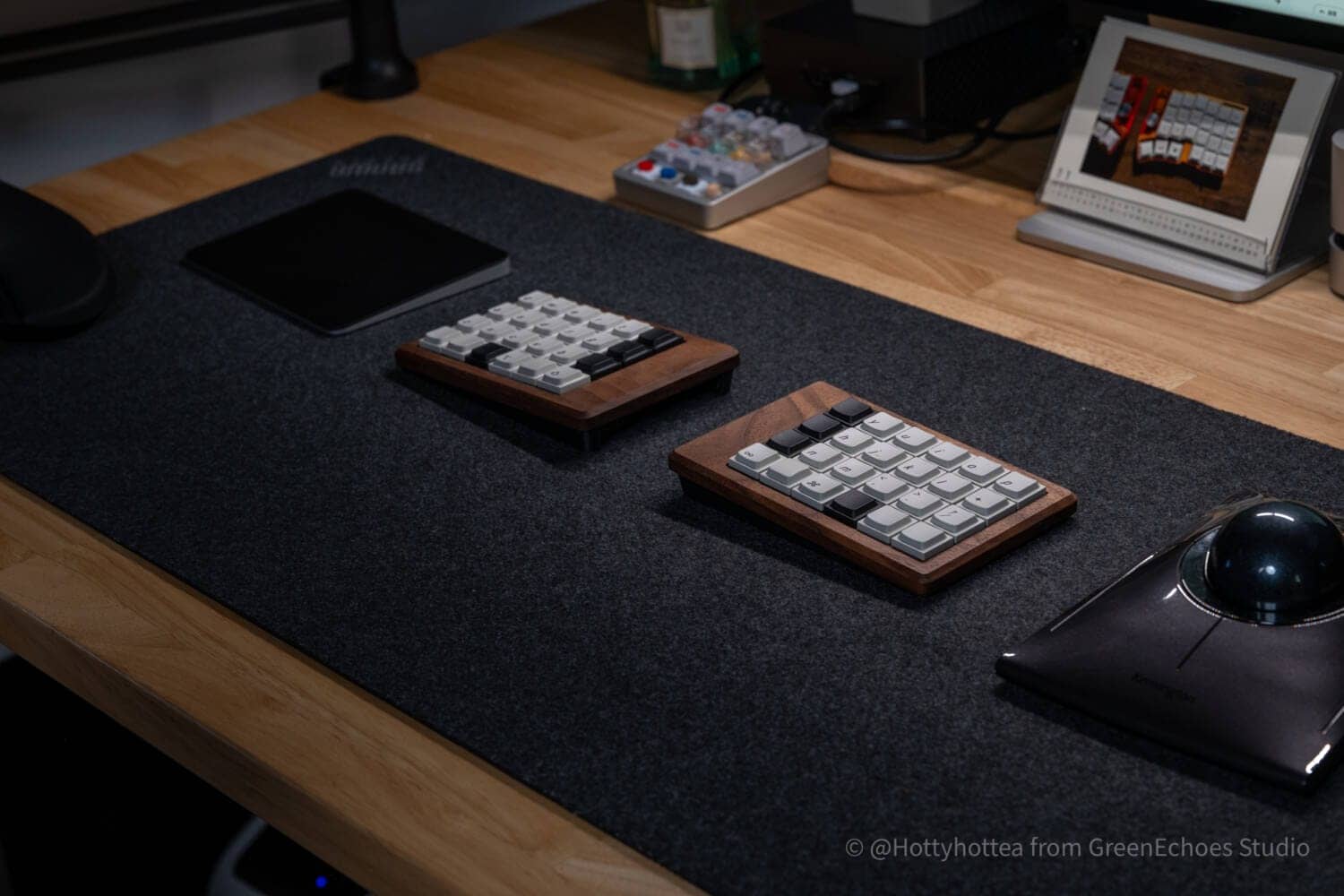
In this case, as a 30% QAZ layout, we use unmarked keys for keys that are not used.
In the product introduction image, LAK’s black unmarked was used, but gray is also quite addictive.
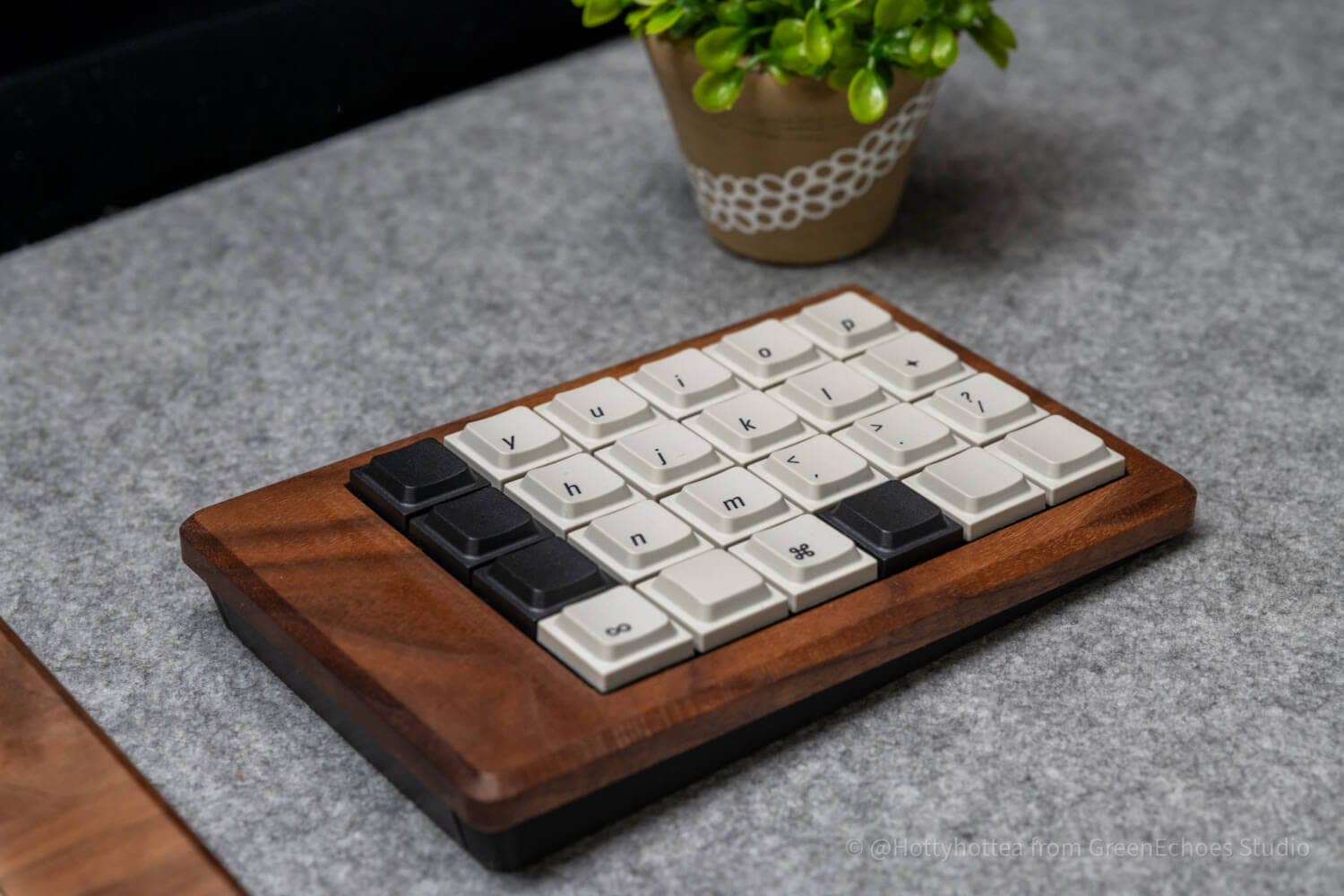
It is also a very mysterious keyboard that changes its expression depending on the color and material of the desk mat on which the keyboard is placed.
summary
This is my review of Mokulate.
Although 3DP case keyboards have become mainstream in the home-built keyboard industry, wooden case keyboards are rare and have a unique appeal.
Although the assembly using solder and firmware baking are somewhat high hurdles for beginners to purchase this product, it can be said that the appeal of this product outweighs these hurdles.
If you are interested, please take a look at the product page as well.

33,000-(tax included)
- First written on: January 18, 2026
- Last update: January 18, 2026
- Method of coverage: Self-purchase
- Reference and image credit: https://kinoya.booth.pm/items/7752191
- Conflicts of interest: Product offerings: None Monetization link in this paper: Yes (Mokulate is not covered)
Greenkeys operates solely on performance-based advertising and does not use Google ads because they reduce usability.
Please support us through Buy Me a Coffee if you enjoyed reading the article so that we can continue to operate the media.