




The 96% layout keyboard with excellent cost performance is now available.
RK (Royal Kludge), which was also exhibited at TKX2025 in September 2025, has introduced a 96% layout Japanese-style keyboard to the Japanese market.
The keyboard boasts a high quality yet incredibly cost-effective price.
Although there is a price to pay for the conversion to a Japanese-style keyboard without changing the outline of the English layout, it can be said that even experts will be satisfied with the keyboard’s keystroke feel and sound.
This article reviews the RK M100 Japanese-language layout.


- レトロなルックスがクール
- コスパ抜群で安い
- 打鍵感が素晴らしい
- キーマップ変更にも対応
- 完璧な日本語配列ではないため癖が強い
- 交換用キーキャップが現時点では存在しない
- キーマップ変更ソフトへの動線に課題
Price, sales format, and availability
- Availability: ★★★★★ (very readily available)
- Price: about 15,000 yen
- Form of sales: Normal sales
- Scheduled to be resold: Always sold in stock
- Available at: Amazon(Japan)/Overseas official website
RK M100 Japanese Array Specifications Overview
| (data) item | Contents |
| Product name | RK ROYAL KLUDGE M75 |
|---|---|
| Manufacturer | RK ROYAL KLUDGE (Royal Kludge) |
| Layout / Array | 75% layout / 81 keys (English layout / US ANSI) |
| key switch | Cream Switch (45gf linear) Light Sound Axis (37gf linear) *Hot-swappable (3-pin/5-pin) |
| keycap | PBT keycap probably double shot for ANSI based printing sublimation printing for side printing and Japanese kana printing |
| mount(ing) system | Gasket mount |
| Sound-absorbing foam | Equipped with 4-layer sound-absorbing foam |
| Connection interface | 3-mode connection support ・Wired (USB Type-C) ・2.4GHz wireless (dongle included) ・Bluetooth 5.1 (multi-pairing up to 3 devices) |
| Battery capacity | 3750mAh |
| backlight | RGB (South-facing LED) |
| Pauling rate | 1000 Hz (wired, 2.4 GHz connection) |
| Body size | Approx. 328 x 139 x 42 mm |
| weight | Approx. 660g – 760g (depending on configuration) |
| Supported OS | Windows / macOS / Android / iOS |
| software | RK-specific software support (keymap changes, macros, LCD settings, etc.) https://drive.rkgaming.com/ |
| Other Functions | On-board LCD smart display (battery, time, connection mode display, GIF animation, etc.) ・Rotary knob (volume control, mode switching) ・USB pass-through port (Type-C) |
| reference price | See Amazon sales page (varies) |
Review Environment
The review environment is as follows
- Connection environment: macOS
- Switch used: Cream switch (light axis also available)
- Layout: 96% ANSI
- Primary use: content writing (typing Japanese)
キースイッチスペックはこちら▷▷


Evaluation of keystroke feel and keystroke sound
Switch: Cream switch
- Loudness of keystrokes: ★★★★* (ASMR-like and pleasant, but at a level that is bothersome to those around you)
- Sound Height: Slightly high
- Key weight: Normal (feels slightly lighter than the pressing pressure because of the short stroke)
- Sense of bottoming out: clear
- Key wobble: normal
Advantages of RK M100 Japanese Array Style
Advantages of RK M100 Japanese Array Style
- Cool retro look
- Cost-effective and inexpensive
- Great keystroke feel
Cool retro look

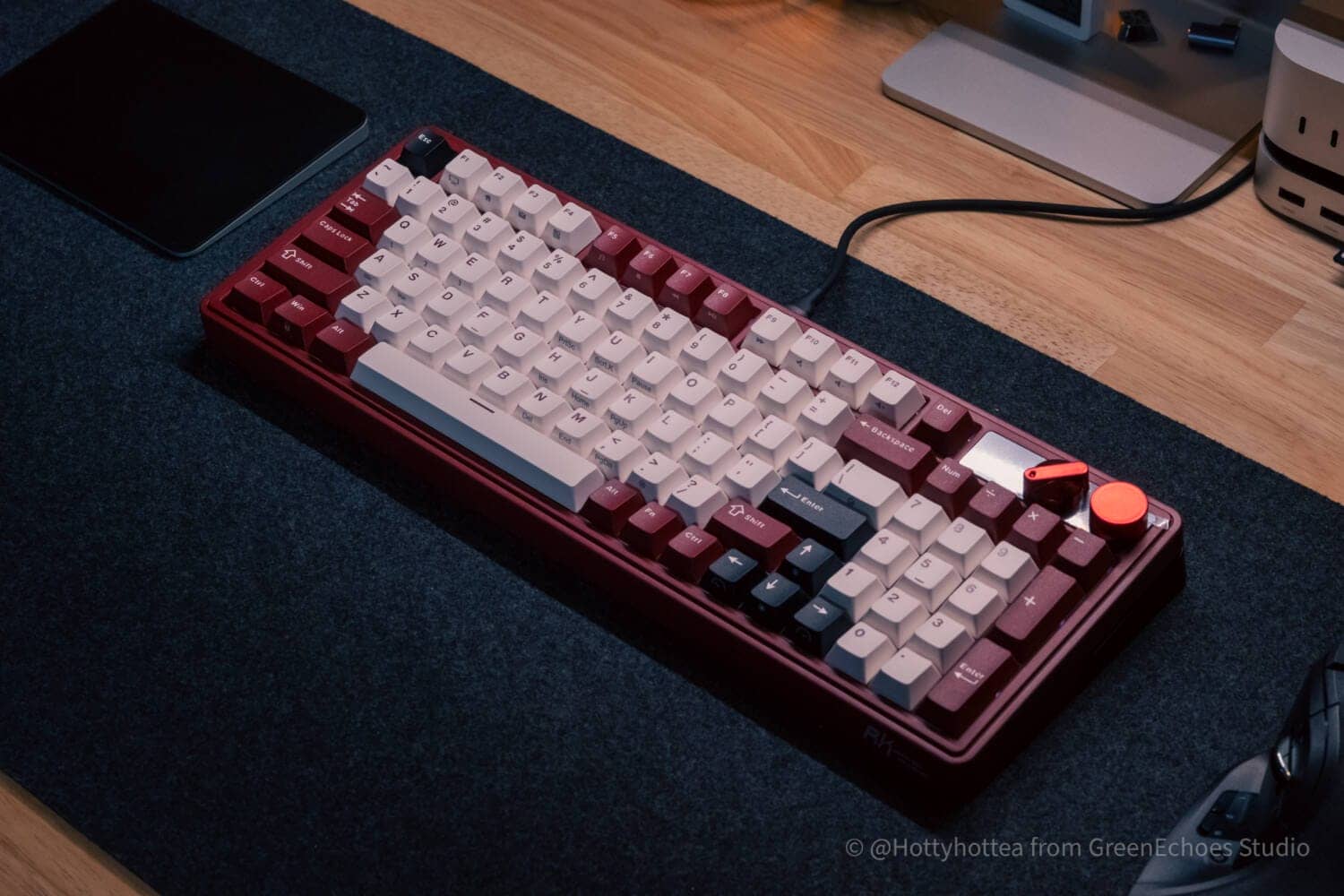
The advantage of the RK M100 is its look, which is both “retro” and pop.
At first glance, “red-based” colors are not often seen in the Japanese desk scene, but they are quite “addictive” when actually used.
The ivory-based key caps are printed in an engine color to match the accent color.
Cost-effective and inexpensive
RK M100 boasts a phenomenal cosmetic quality.
It is attractive to get a 96%-sized Japanese-style keyboard for only 15,000 yen.

In addition to wireless compatibility, the keymap can be changed, it has an LCD, hot-swappable key switches can be replaced, gasket mount + 4-layer sound-absorbing material for excellent key feel, PBT double-shot keycaps that keep printing, built-in 8000mAh battery that never needs charging, and so on…in a good way, “not worth the price It has all the “features for the price” in a good sense.

Great keystroke feel
RK M100 boasts a great typing feel.
The most important reason for this is the “gasket mount structure” that floats the board inside the case.

RK M100 has a silicone part that sandwiches the front and back of the POM (resilient and soft material) switch plate.
The silicone is sandwiched between the silicone and the case, which reduces the impact of keystrokes, resulting in a “very soft” feel.
In addition, multiple layers of sound-absorbing material are also incorporated, allowing users to enjoy a deader, “thumping” sound.
Supports keymap changes
RK M100 allows keymap changes, macro settings, and lighting settings using the original keymap change web application ( https://drive.rkgaming.com/ ).

RK M100 Japanese Array Style Disadvantages
RK M100 Japanese Array Style Disadvantages
- Not a perfect Japanese layout, so it is habitual.
- Replacement keycaps do not exist at this time.
- Issues with flow line to keymap change software
Not a perfect Japanese layout, so it is habitual.
In fact, RK M100 is not a “perfect Japanese layout”.
Below is a comparison with the competing Keychron K4 (Japanese layout).
As you can see, the M100 does not have a “_\ (ろ)” key (to the left of the right shift).
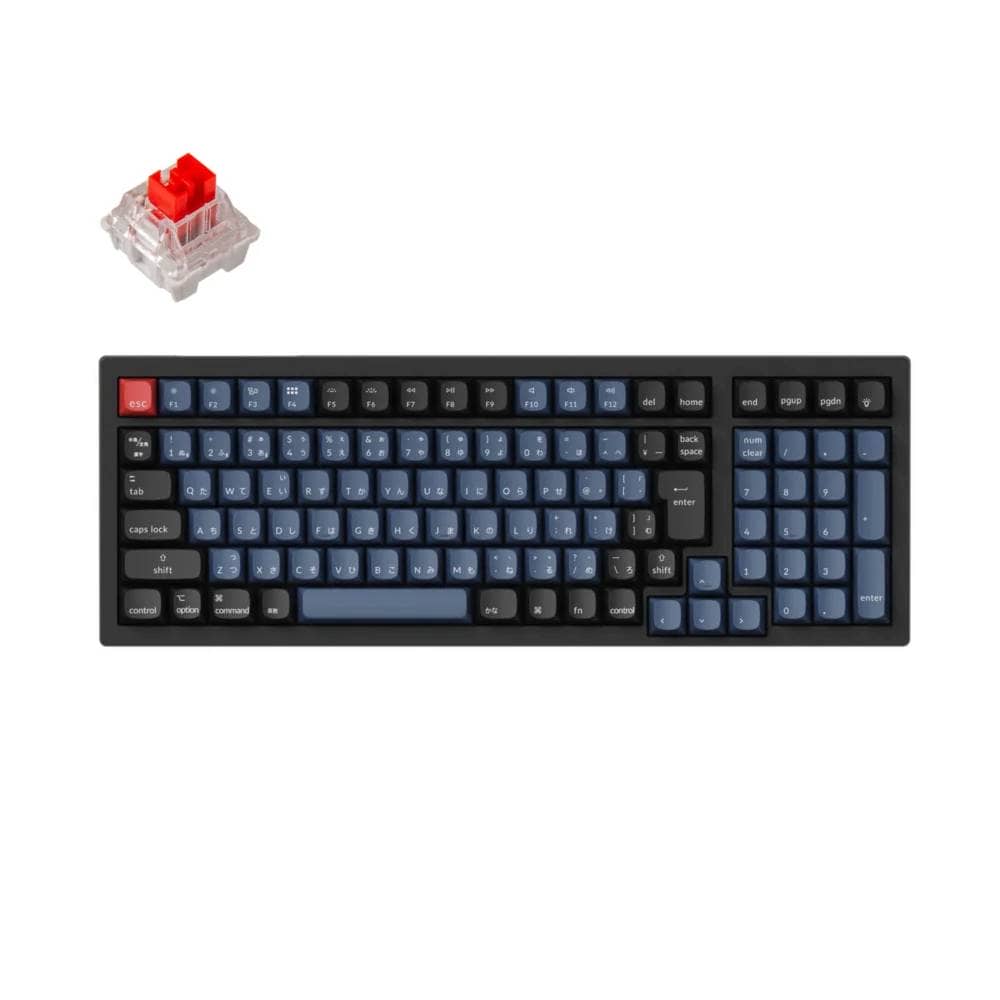


 Kawamura
This is an effect of Chinese brands using “ANSI” as their standard sequence.
In order to convert ANSI boards to Japanese layout with minimal processing, it is easiest not to install “RO”.
Simply adding this “ro” will require the board to be redesigned.
(To change in this layout, you need to shorten the left shift and shift all the Z rows a bit to the left.)
To enter “ろ”, hold down the Fn key and press the “? to input the “ロ” character.
(i.e., “ro” is on the back layer)

Considering the frequency of “underbar (_)” and “backslash (\)” input, it does not seem to be that much of a concern, but those who care will be bothered.
Replacement keycaps do not exist at this time.
Replacement keycaps do not exist for the RK M100 Japanese-language model.
As for replacement keycaps for Japanese-language layouts, other companies have released a few, but they do not fit the space bar size.
The space bar of this model is a special 3u standard.
Issues with flow line to keymap change software
RK M100 supports keymap changes using a web application.

Although the Amazon sales page mentions it, there is no URL link as text, which can be a disadvantage in that it is somewhat inaccessible.
[Photos] RK M100 Review
Let’s take a look at the photos of the actual equipment.
It comes in a fairly solid box.
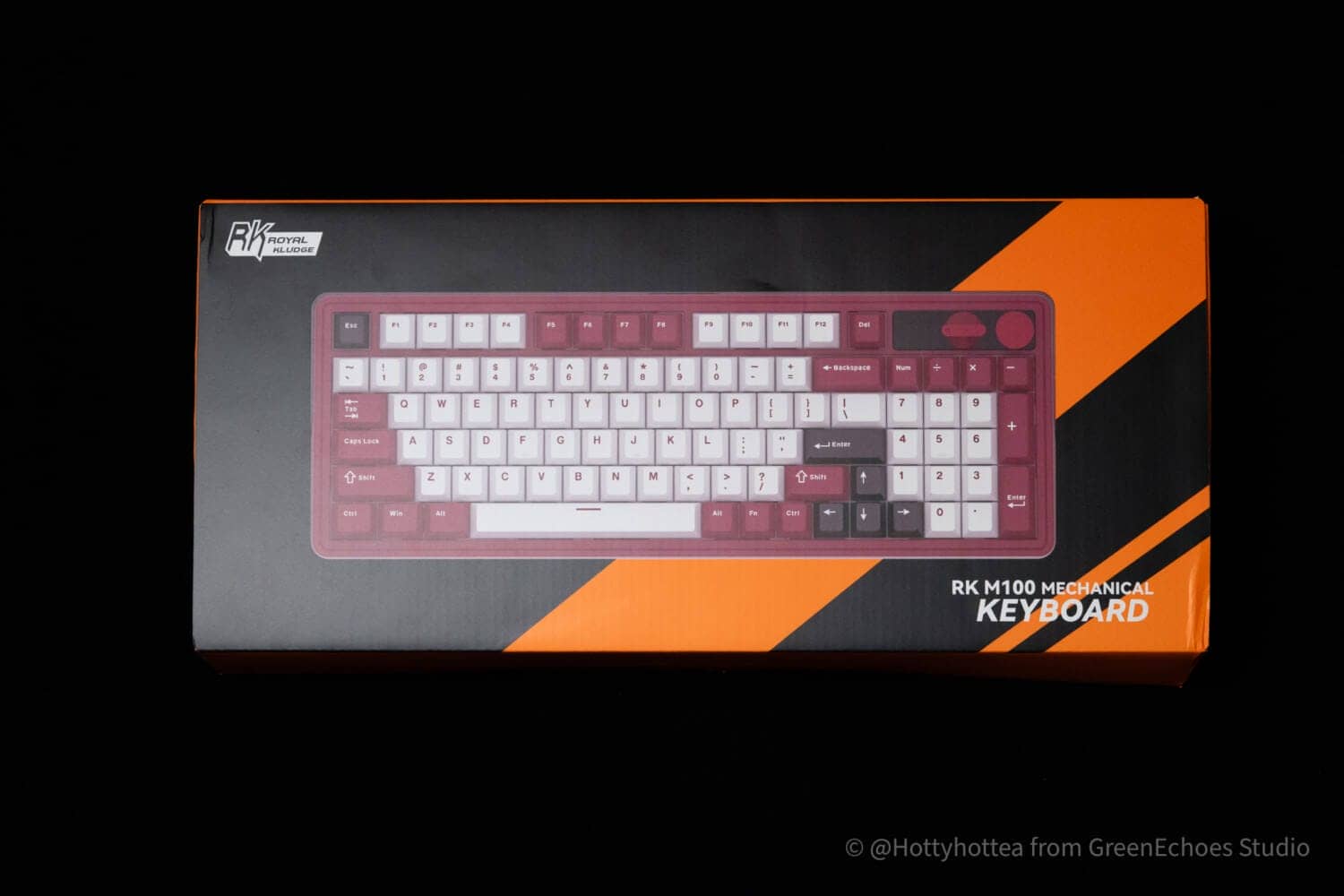
The black and orange packaging is quite eye-catching, but since the main unit has such a chic look, a more mature exterior would be preferred.
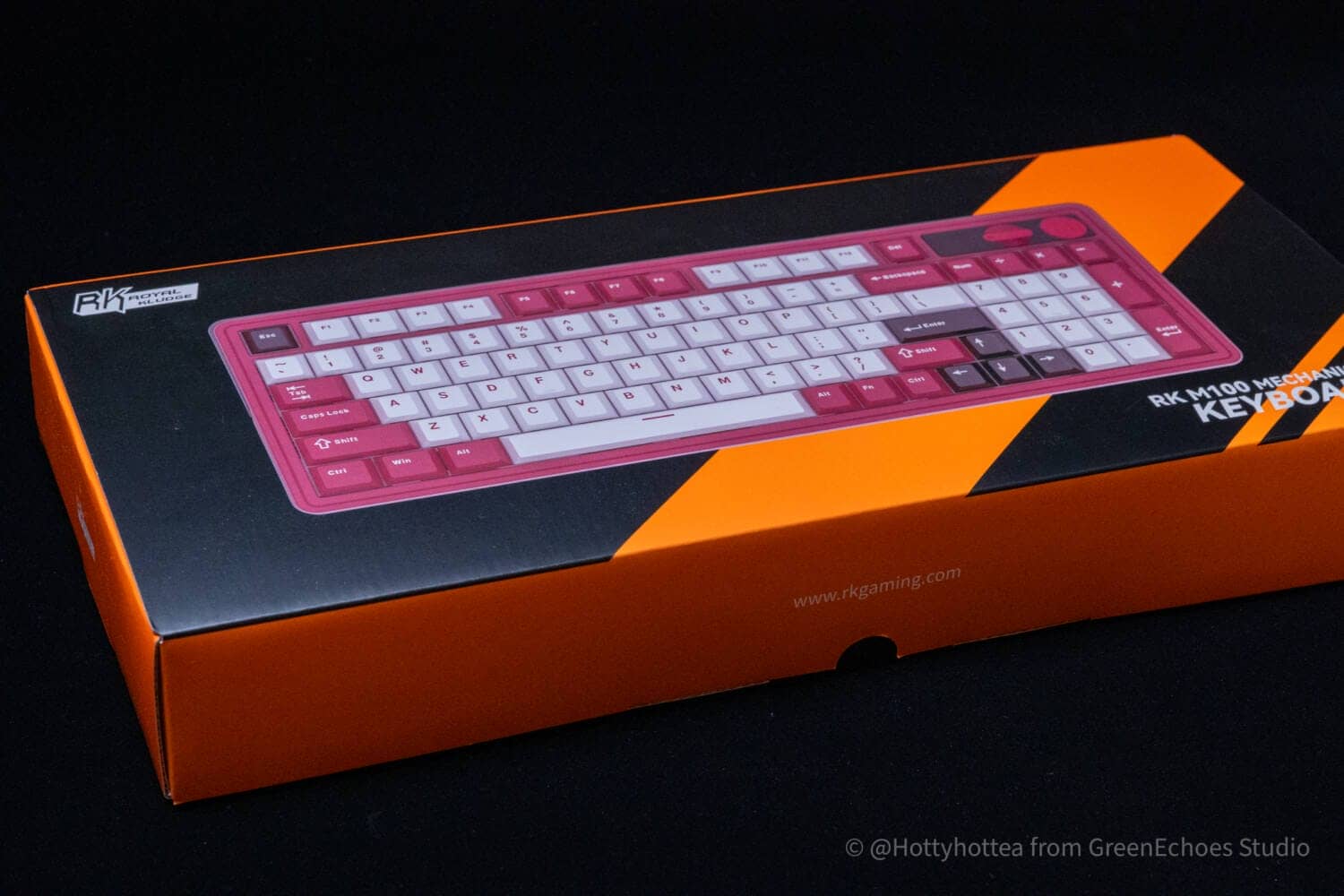
The official website is here ( https://www.rkgaming.com/), but note that the official online site is a different URL.
Check the contents.
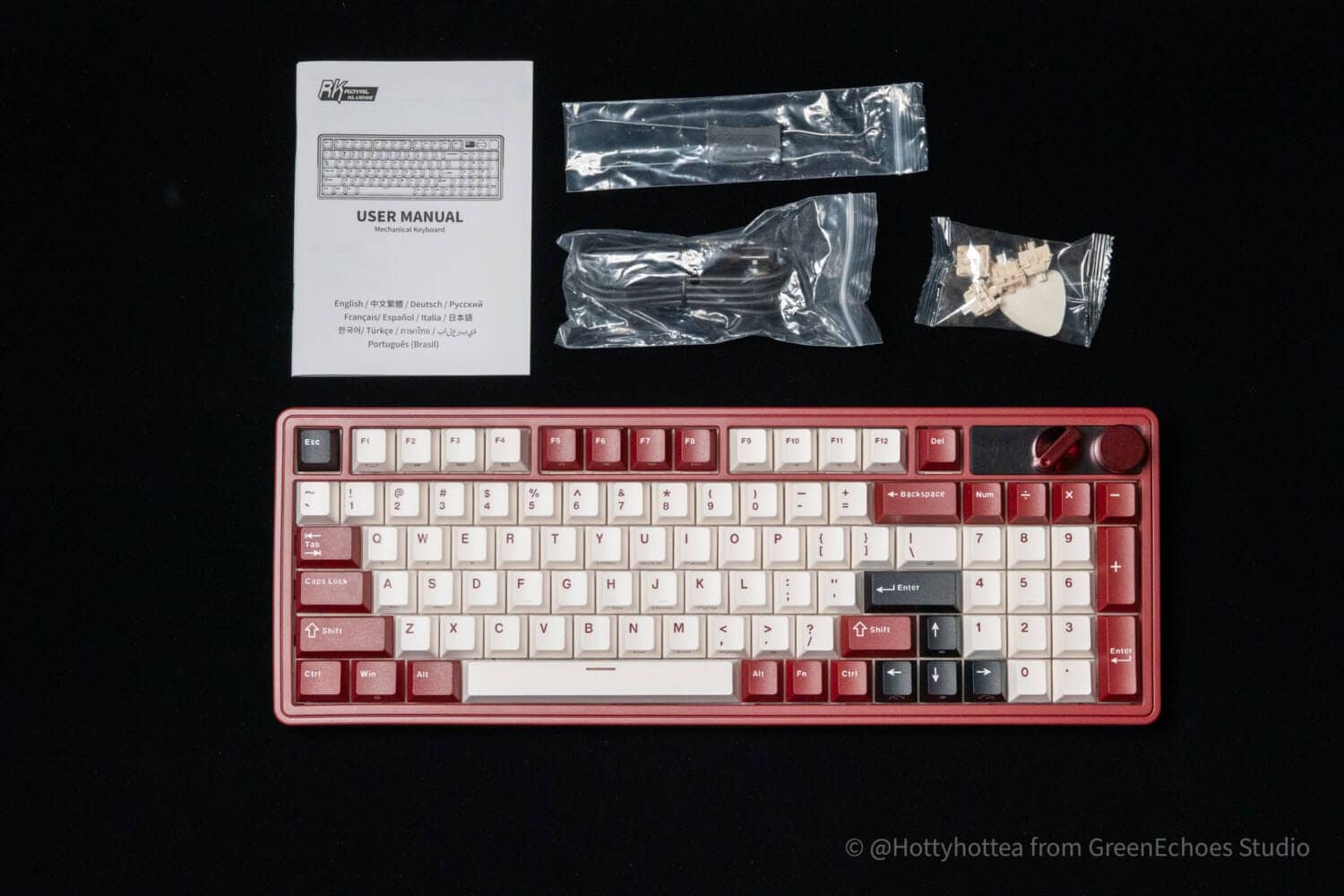
Contents include the keyboard itself, manual (Japanese language compatible), keyswitch/keycap puller, USB cable (Tyep-A to C), spare switches, and a pick for disassembly.
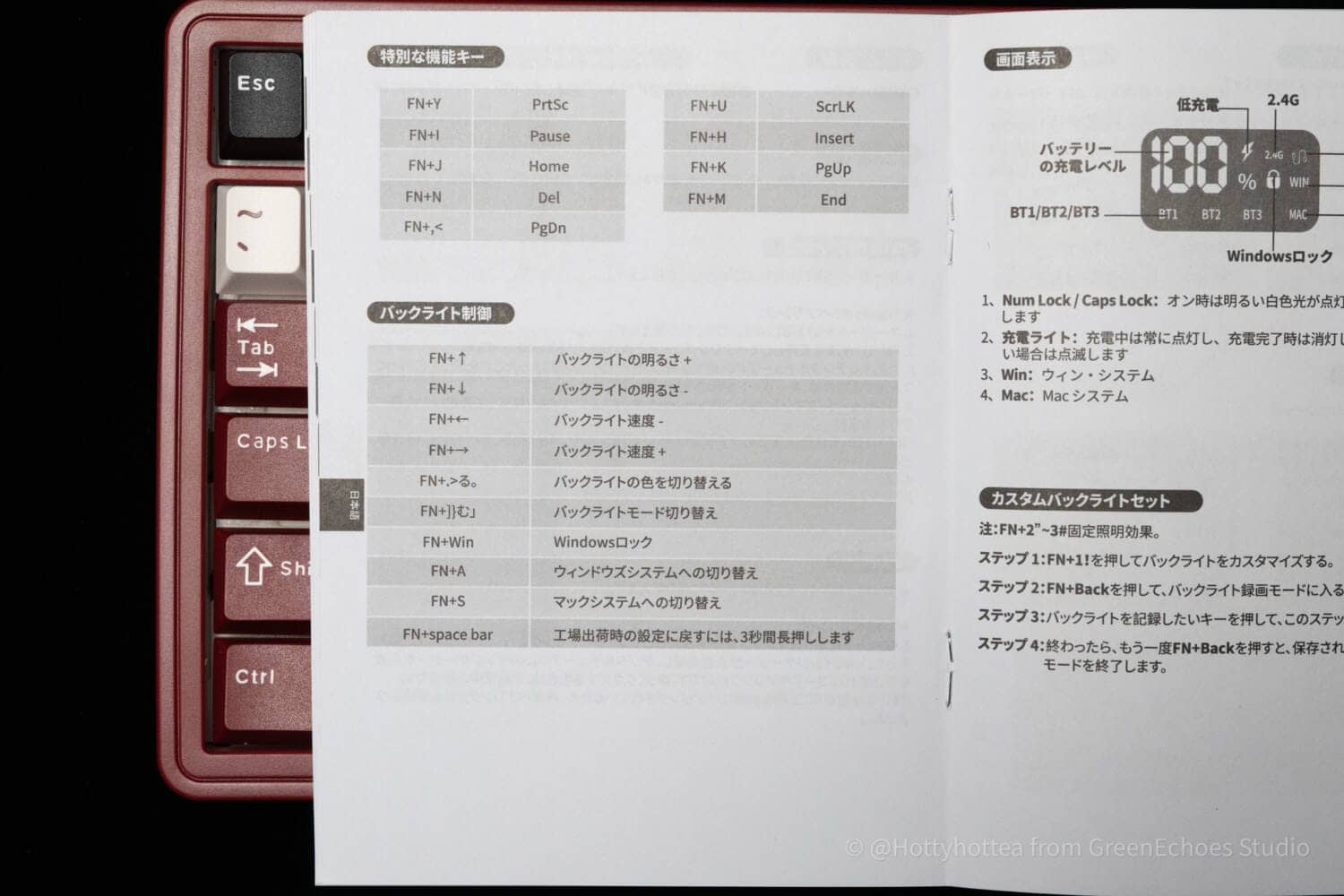
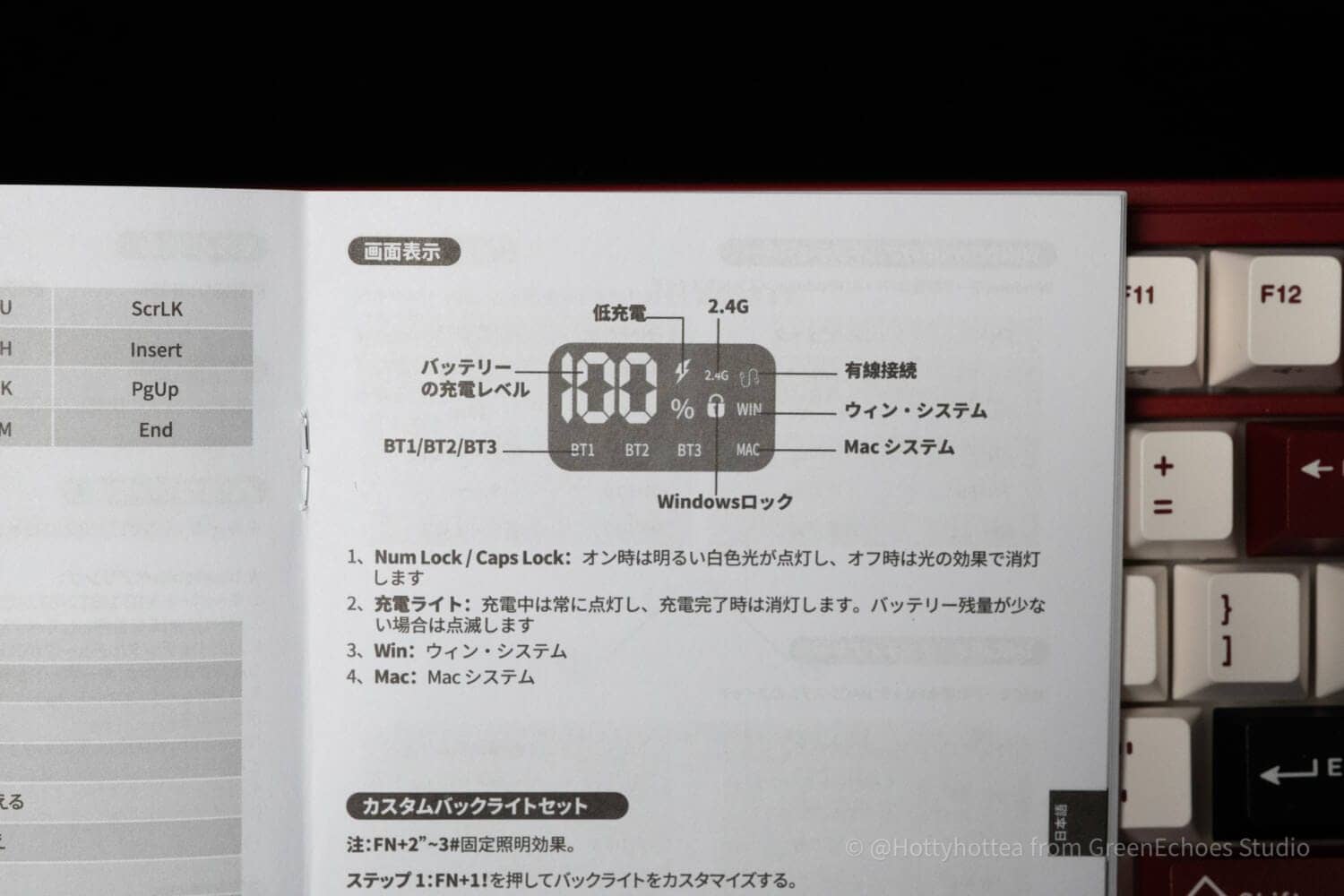
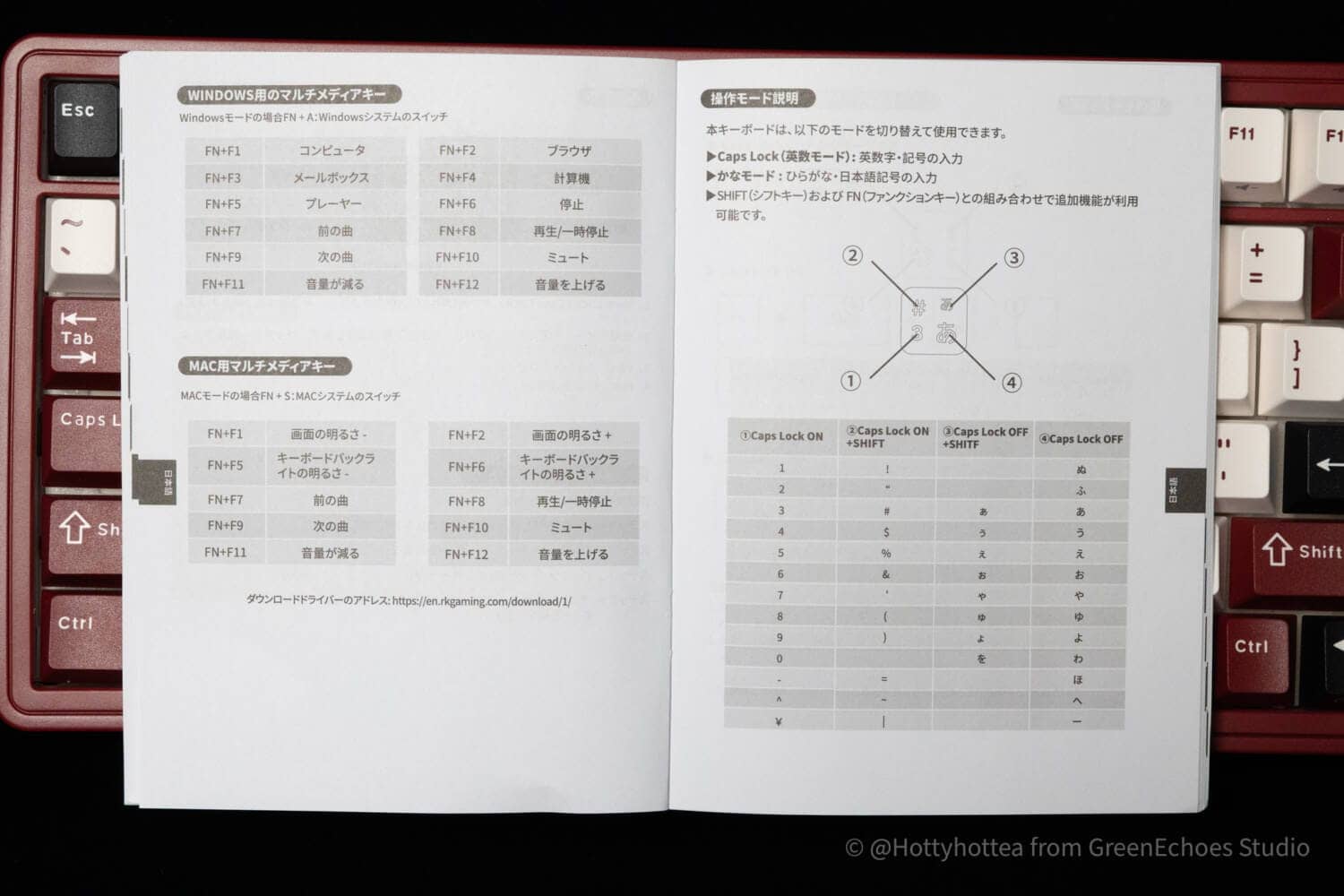
As for the manuals, there is little discrepancy in the Japanese language.
Let’s take a look at the exterior.
The offerings are ANSI layouts, but only Japanese layouts are available in Japan.

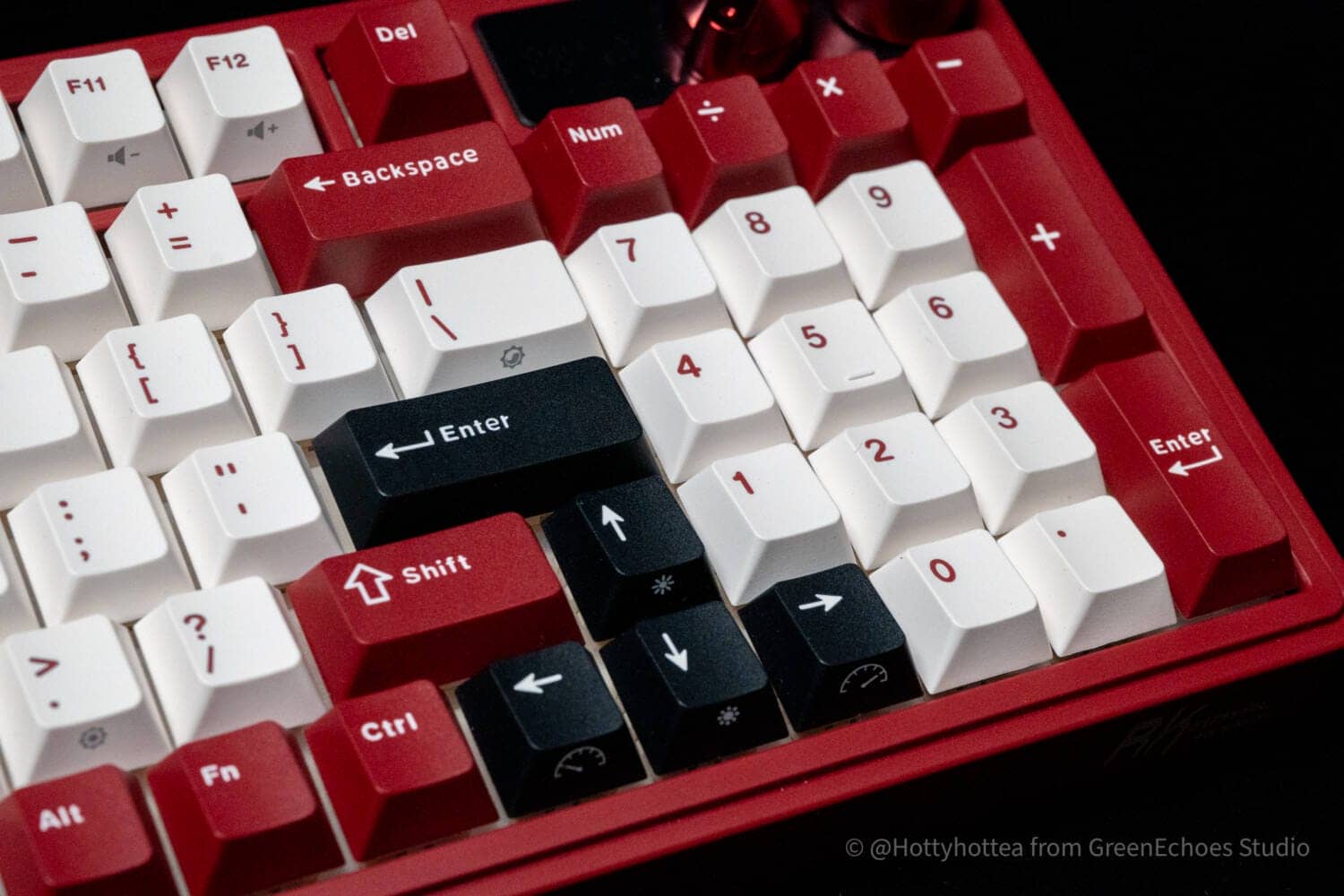
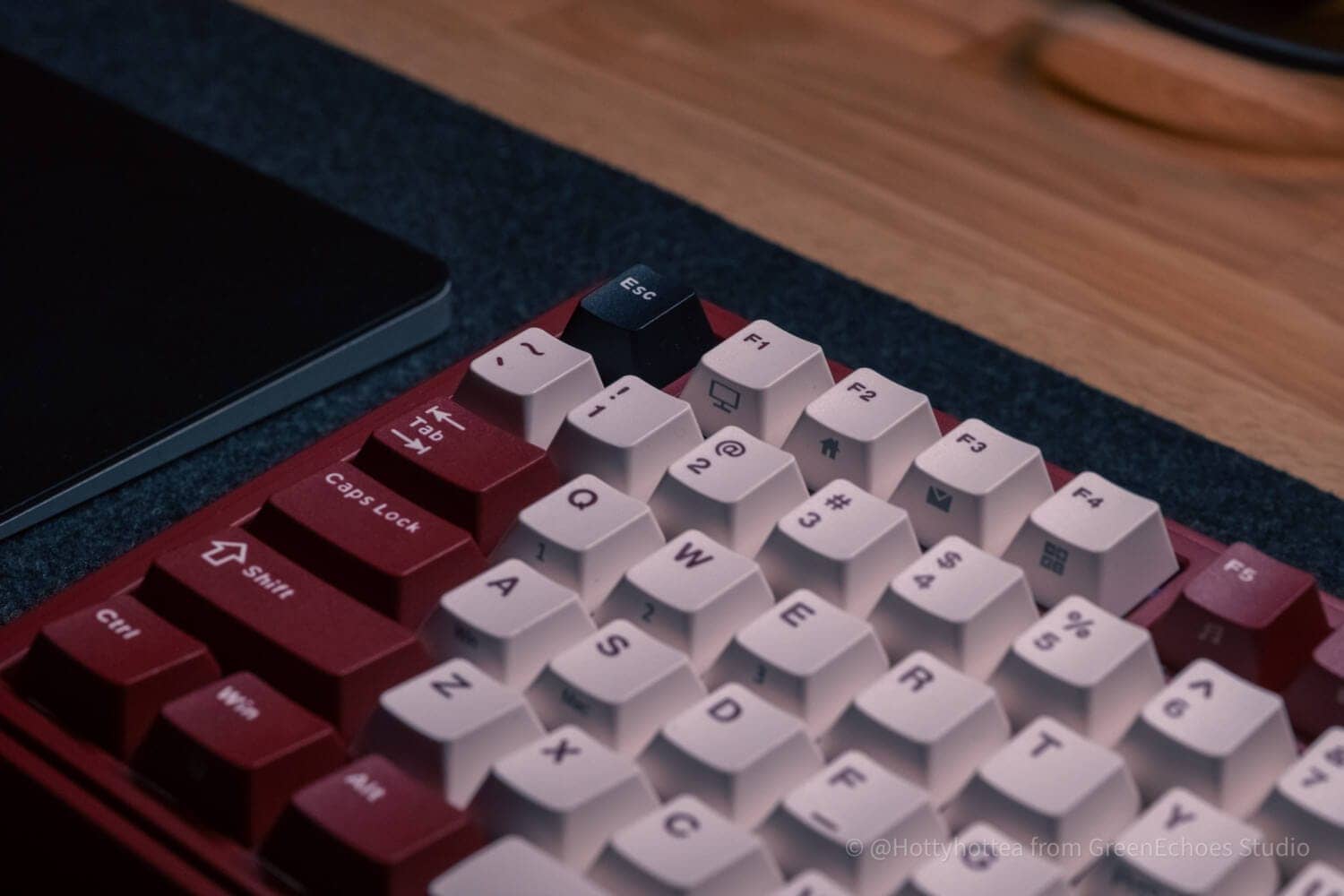
The overall image color is burgundy, with the alpha key in the center, white keycaps that lean toward ivory, and modifier keys in burgundy, the same color as the case.

As accents, I see that only the Esc, Enter, and Arrow keys have black keycaps.
I like the fact that the alpha keys are printed burgundy instead of black.
The overall sense of unity is greatly enhanced.

It is unusual to have printing on the side as well.

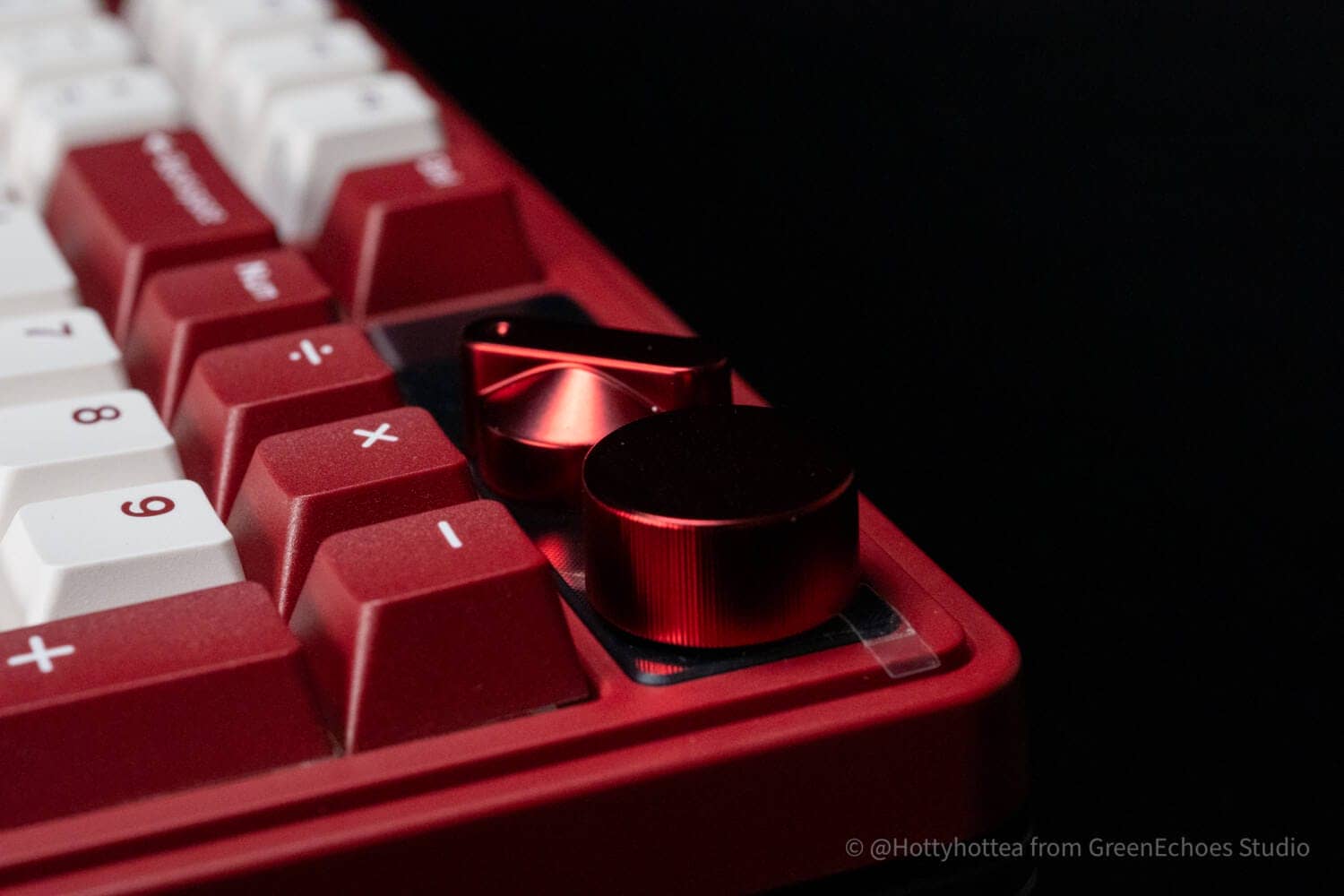
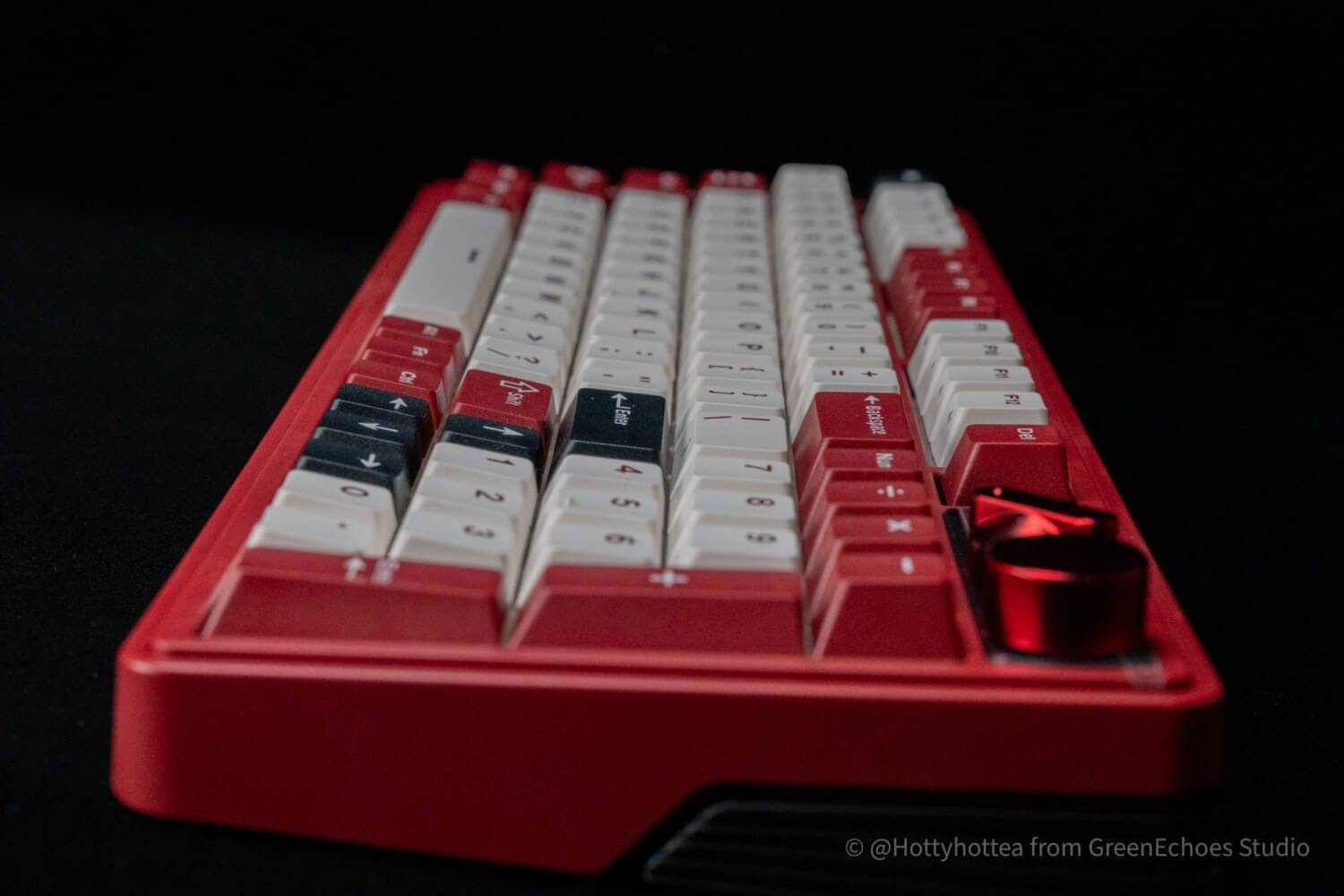
The key layout is a 96% key layout, excluding special keys, and features a short width despite the numeric keypad.
The space for four keys, where special keys and other keys would be placed on a normal 96% keyboard, is occupied by a connection destination switching knob and a rotary encoder.
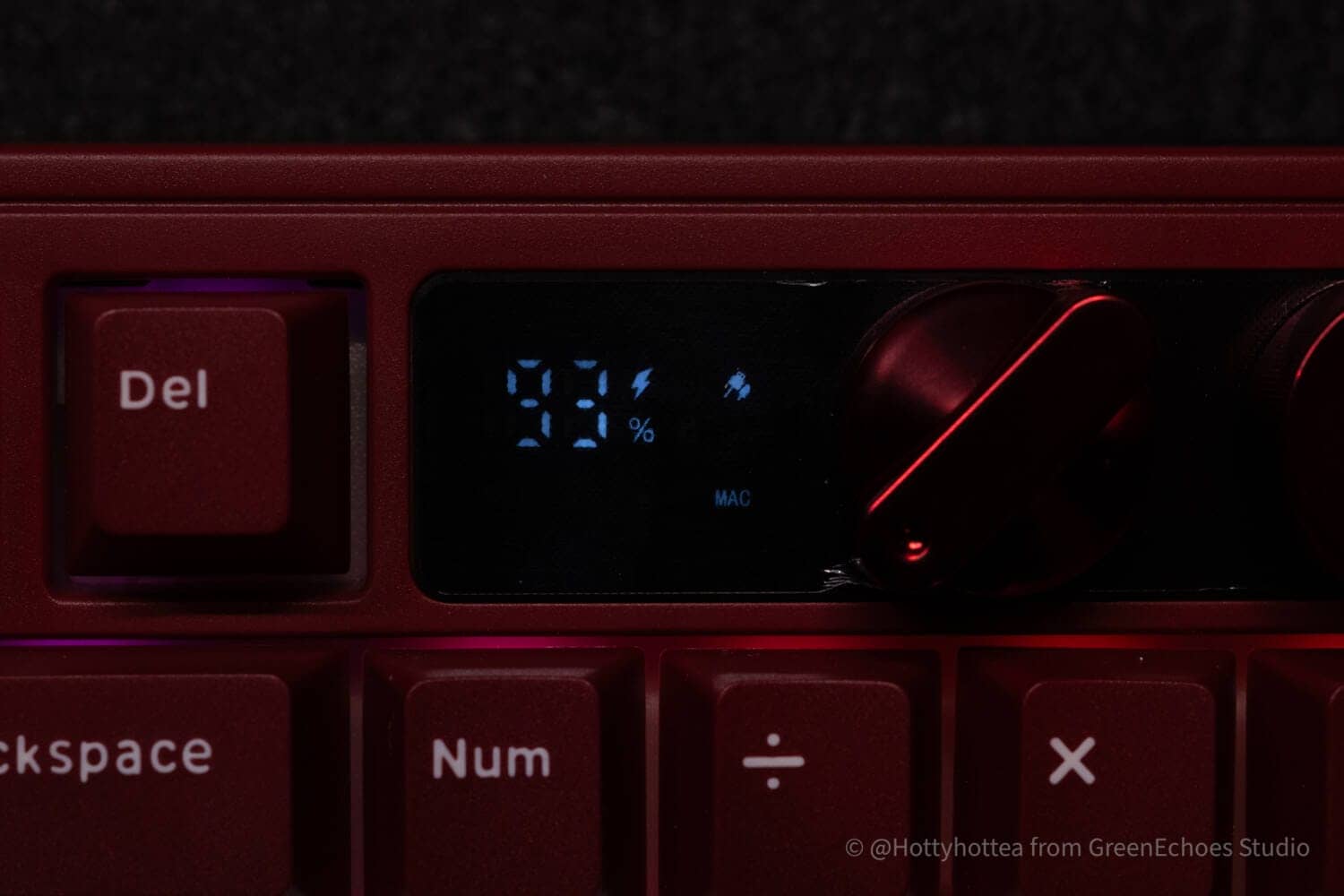
To the left of it is an information window.


The large display here shows “% remaining charge,” as well as the connection mode, Windows/Mac mode, and other information.
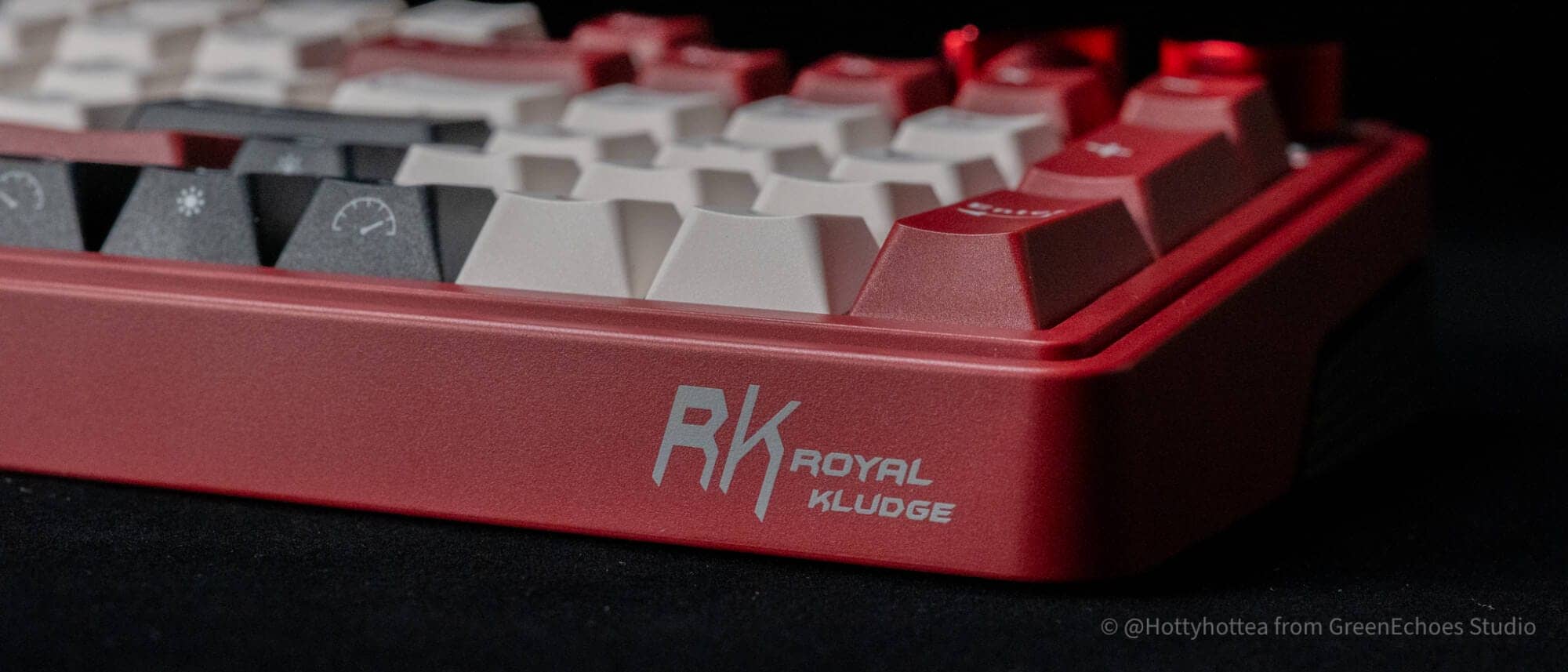
Let’s look at the sides.
The brand logo is on the right side of the front.
The case is two-tone, and only the back appears to be made up of separate parts.

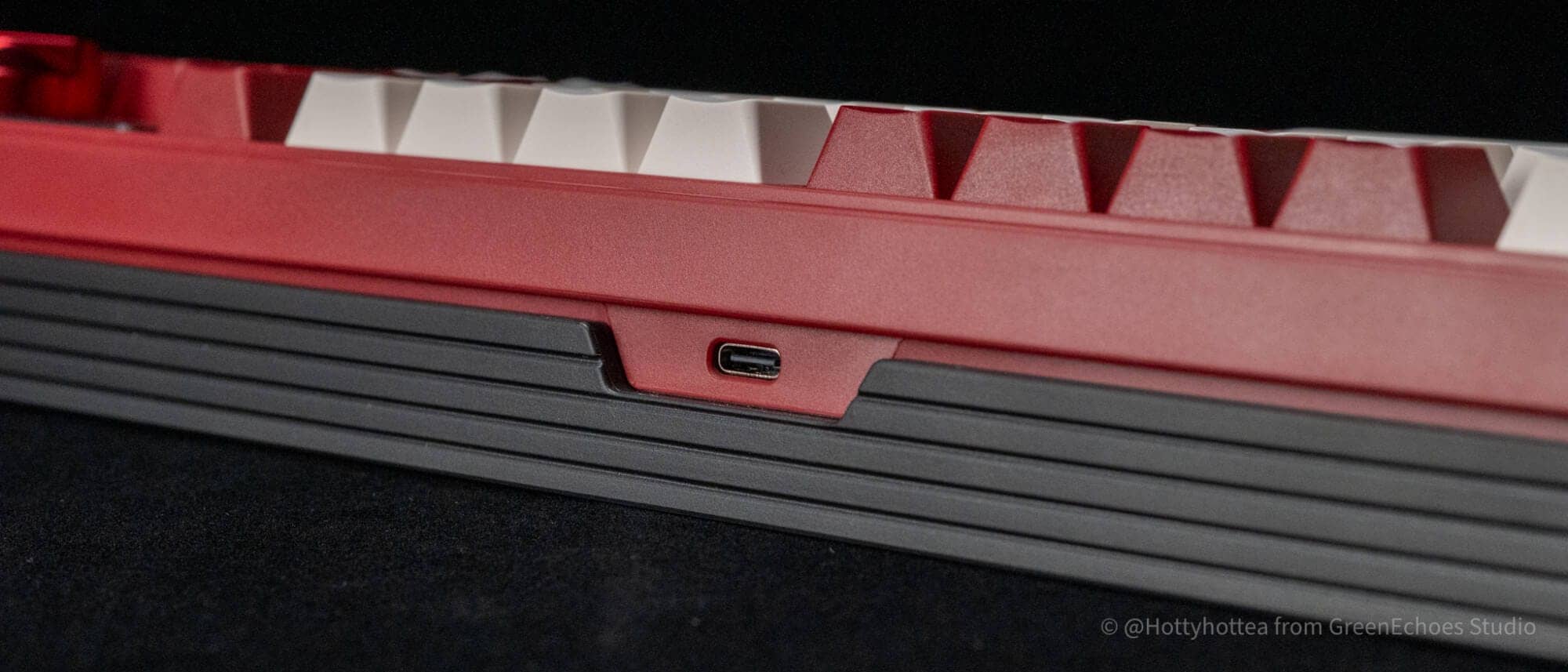
The only switch on the back is a USB port; there are no other switches.
KawamuraI agree with you that it is easier to do without switches on the sides due to case design. This is becoming more common among recent manufacturers in this area.
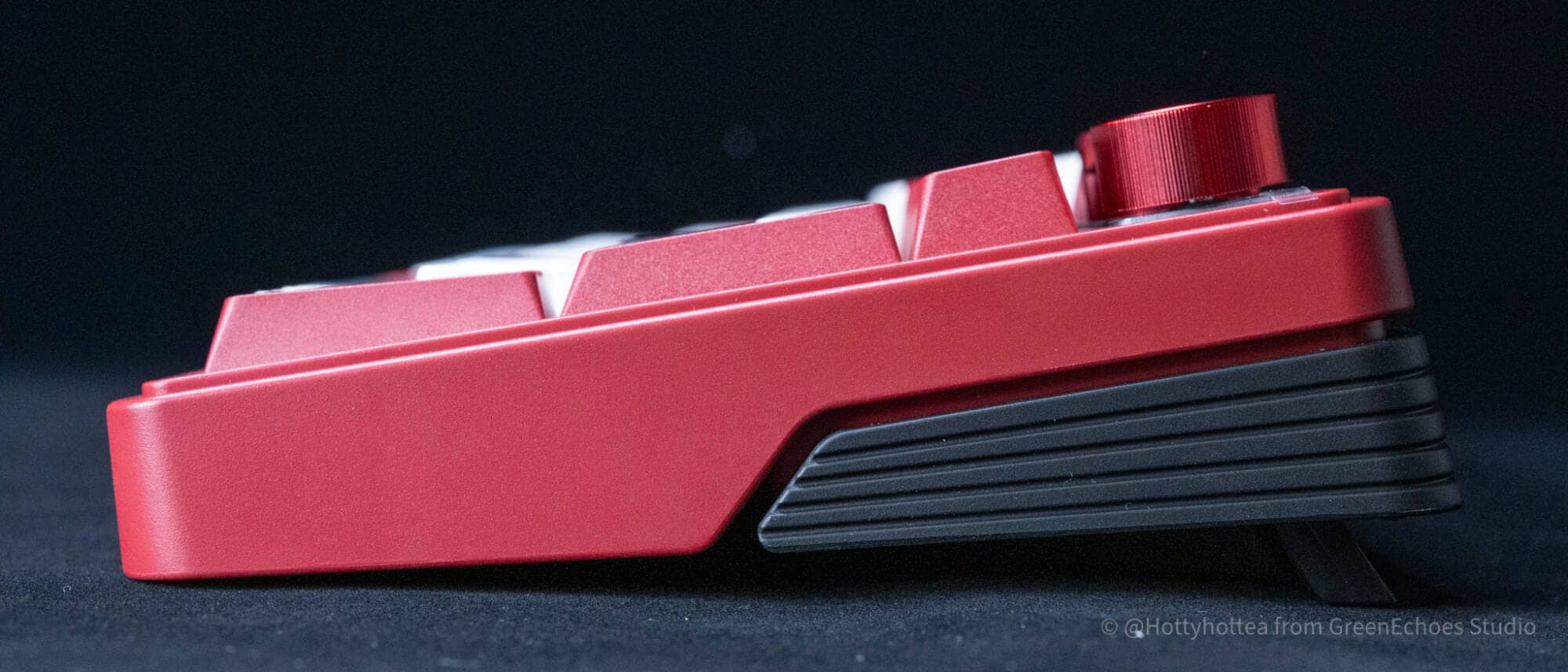
The back side also has a two-tone configuration, and the tilt leg is built-in and adjustable to two levels, with three angles to choose from when combined with the default state.


Let’s look at keycaps.
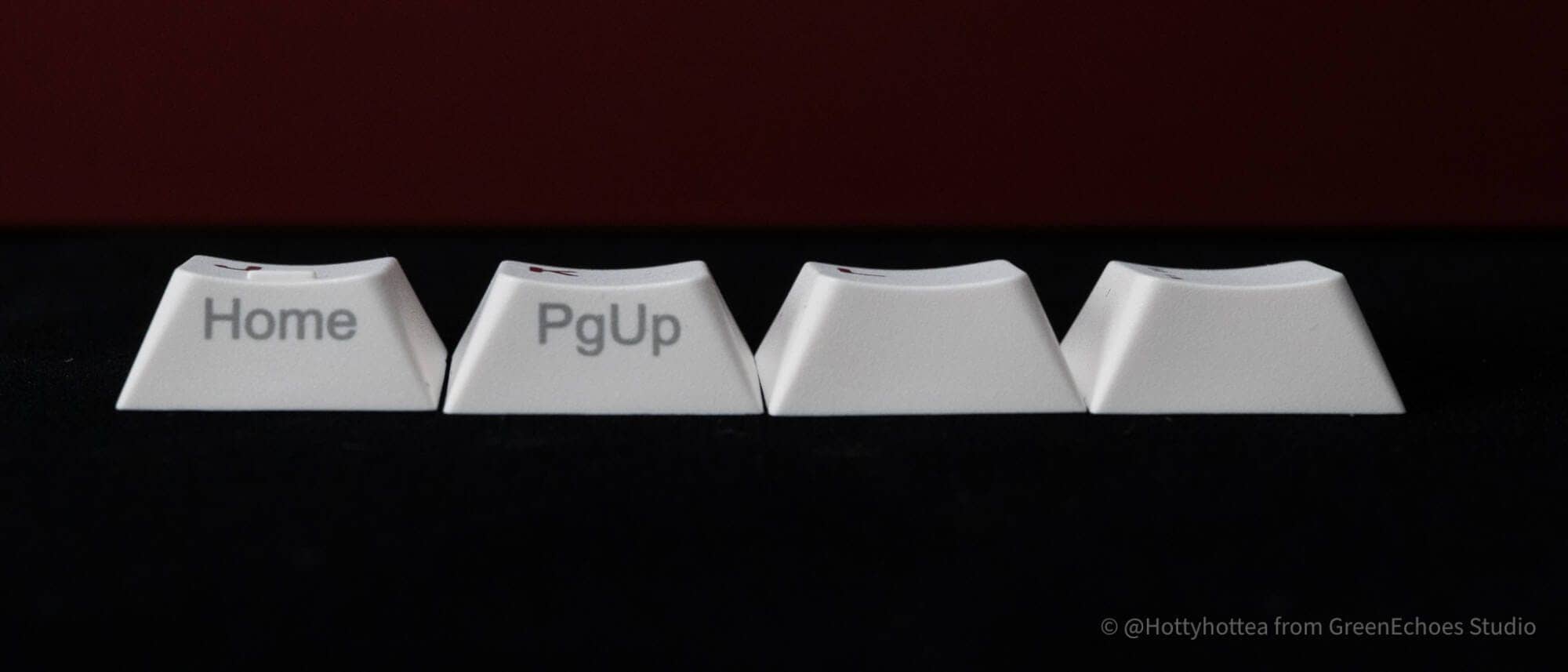
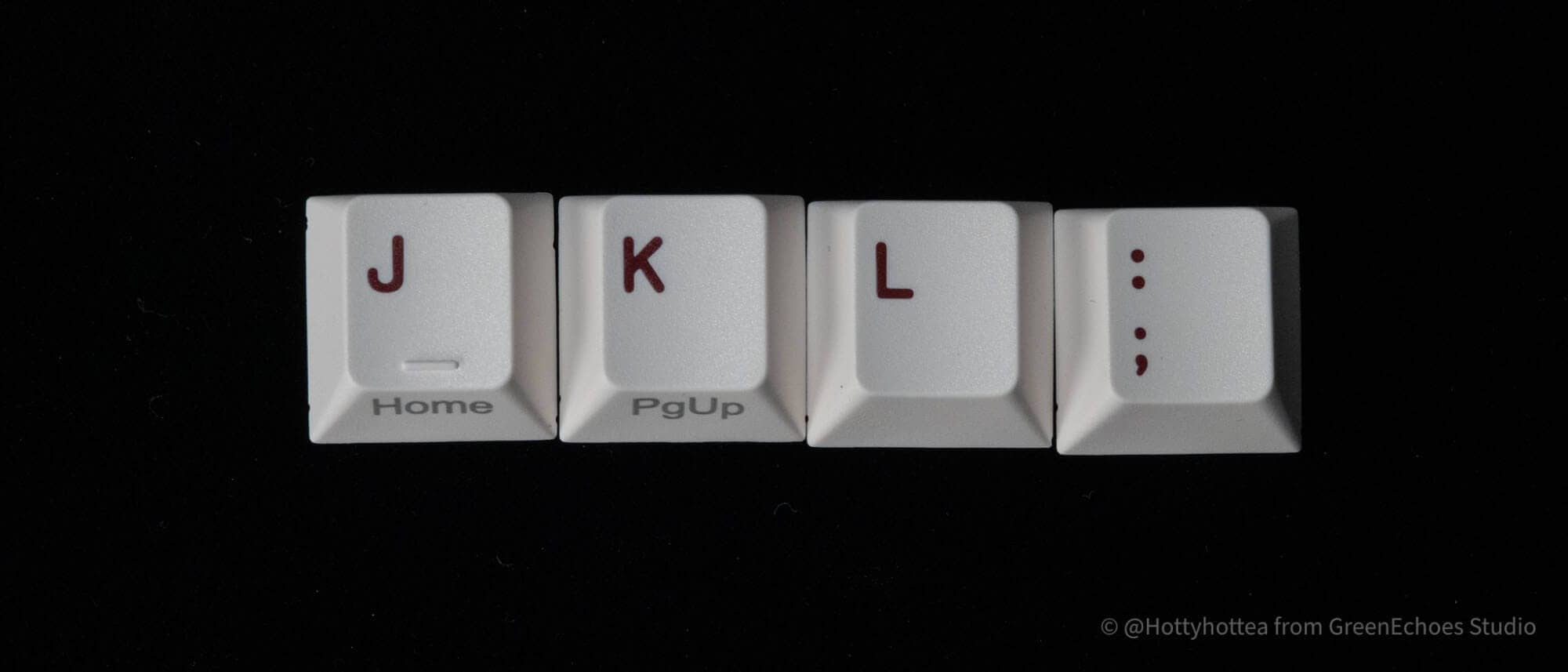
The adopted keycaps are so-called Cherry profile-like, with a step-sculptured style (different slopes for different rows) and a cylindrical design.
Homing key is bar type.

The keycap material is PBT and the printing is double shot, but the side print is probably sublimation printing.

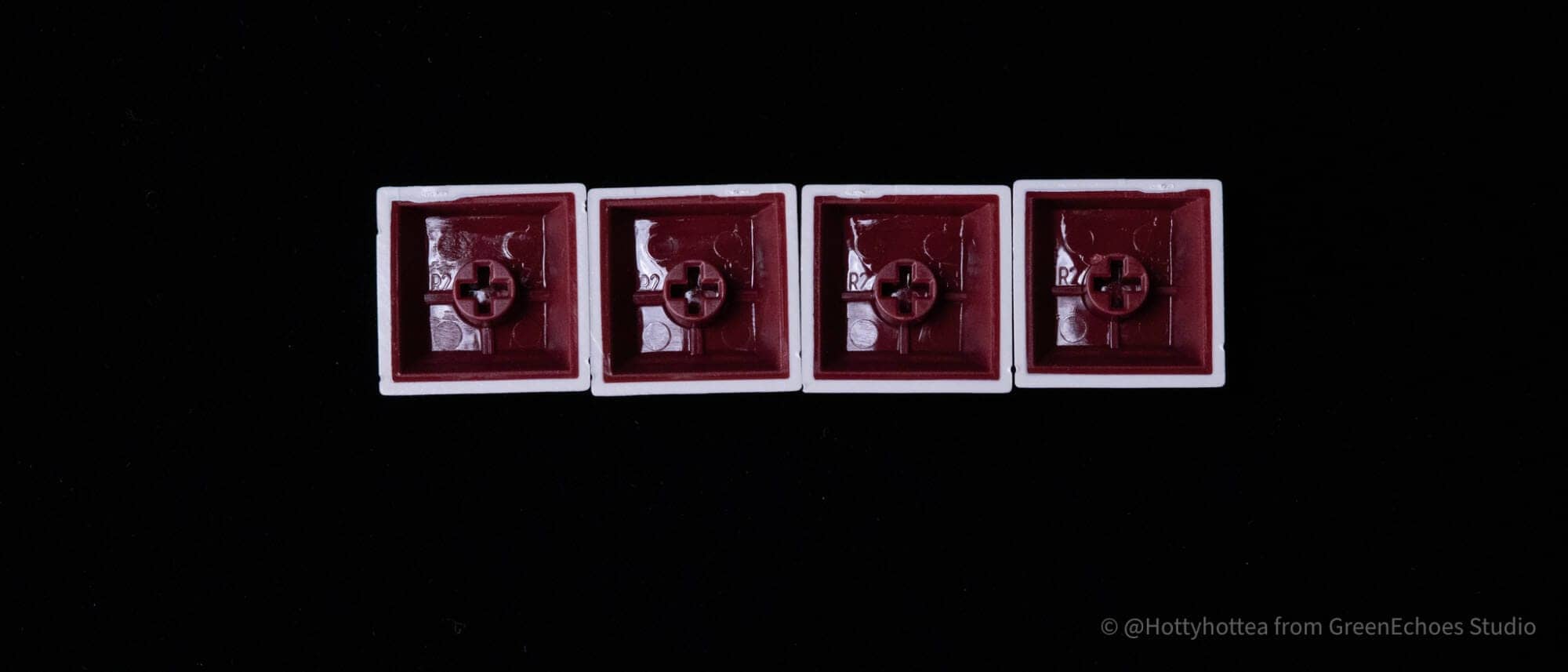
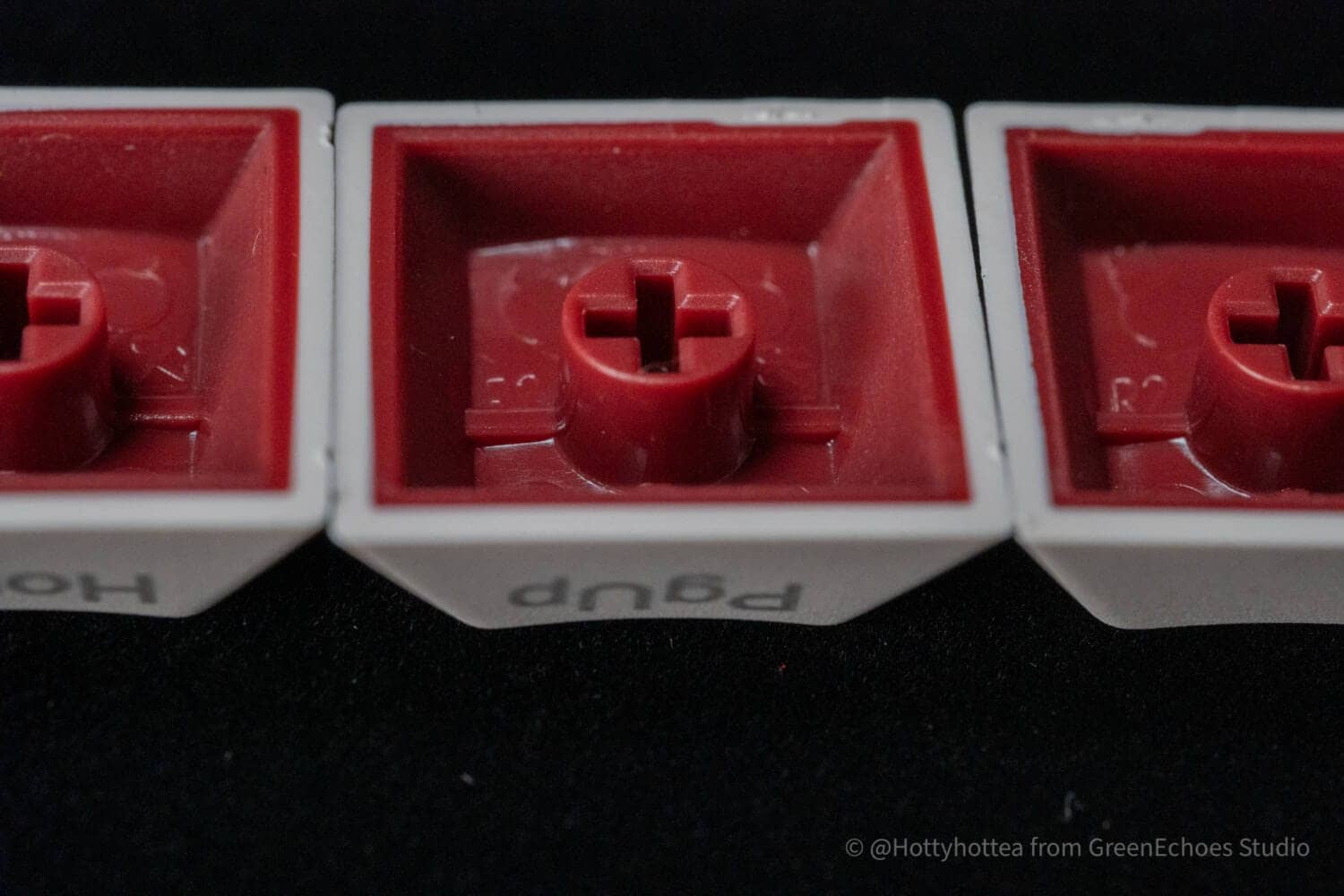
The stem molding is also quite beautiful.
It is hard to believe that this is a keycap of this quality at this price point.
LEDs are placed facing north, and the plate material is probably PC (polycarbonate).
I think that soft keystroke feel is due to the PC + gasket construction.

The keyswitch was installed with a cream switch.
Here, you can choose between two types of keyswitches: cream switch (45gf) and light axis (37gf), both of which are normal linear switches. It should be noted that these are normal linear switches and not silent switches.

The switch is stamped “RK” and appears to be an original switch.
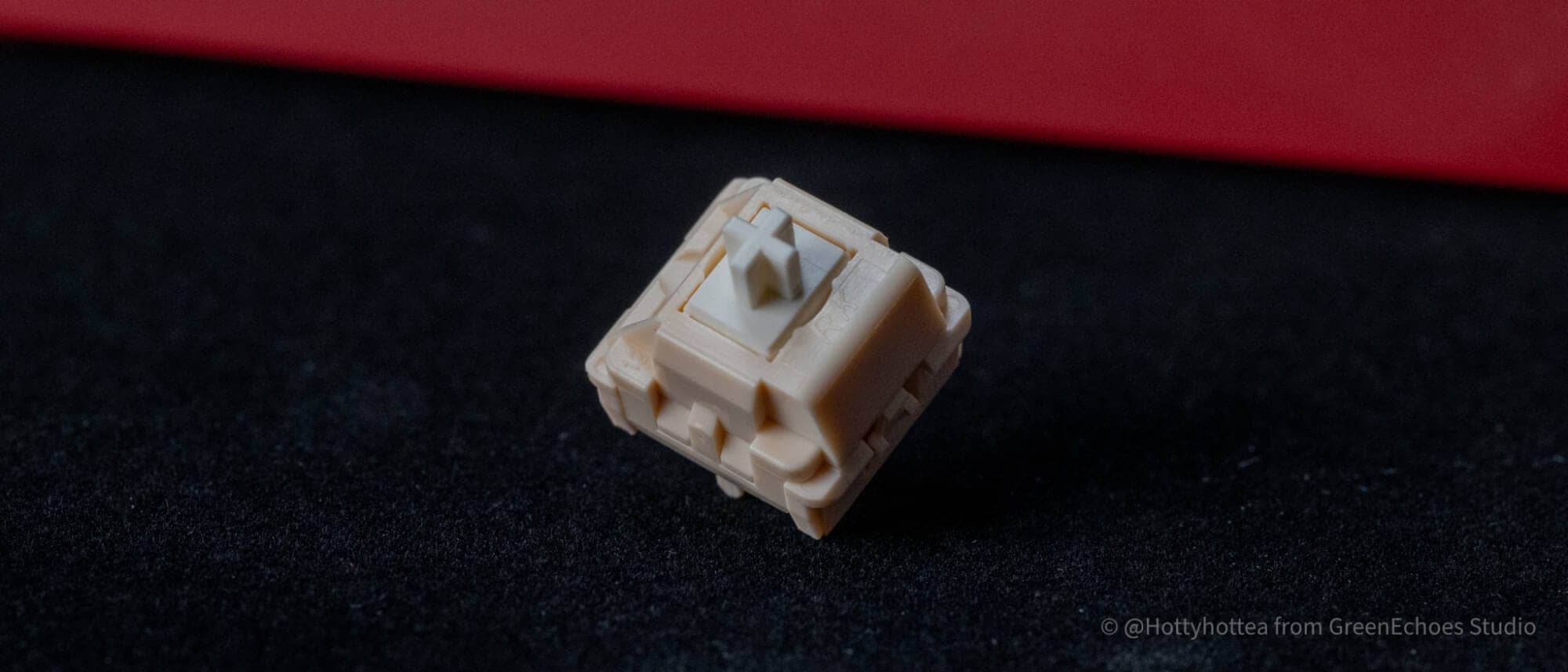
It has a 5-pin configuration and CherryMX compatible keyswitches.


summary
These are the features of the RK M100 Japanese-language model.
While the mechanical keyboard scene is gaining momentum, the number of Japanese-language keyboards is still small, and the number is quite limited when it comes to 96% layouts.
Although this model has a “whatabout-Japanese” layout with no “Ro”, it is one of the very cost-effective options, considering its price, key feel, and keymap change function.
- First written on: January 16, 2026
- Last update: January 16, 2026
- Method of coverage: Product offer
- Reference and image credit: Amazon, etc.
- Conflicts of interest: Product offering: Yes Monetization link in this paper: Yes
Greenkeys operates solely on performance-based advertising and does not use Google ads because they reduce usability.
Please support us through Buy Me a Coffee if you enjoyed reading the article so that we can continue to operate the media.