


Finally, a Japanese-language layout is available!
On December 15, 2025 at 6:00 p.m., KIBU Corporation launched the Smackape Impact80 JIS (Impact 80 Japanese Sequence Version).
The product is available at the official store and the official Amazon store.
Prices and lineups are as follows
| Model name | plate (often as in “tectonic plate”) | battery | switch | color | Price (incl. tax) |
| Standard | PC | 4,000mAh | Polar | Sunset | 10,900 yen |
|---|---|---|---|---|---|
| Pro | PC | 4,000mAh | Cheese | Mist | 11,900 yen |
| Ultra | PC | 8,000mAh | Cheese | Black | 13,900 yen |
| Ultra | FR4 | 8,000mAh | Frost Blue | Mist / Black / Forest | 13,900 yen |
What a surprise! The cost of the product starts at around 10,000 yen. The price is about 10,000 yen.
 Kawamura
Although it may seem a bit high compared to the price of a typical “ordinary keyboard,” this price for this quality in the mechanical keyboard genre is honestly unbelievable.
The SmakApe Impact 80 is an 80% TKL-sized mechanical keyboard that went on sale on July 22, 2025.
The company has been enhancing its presence by offering an outstanding key feel that is unimaginable for the price.

If such a popular product were to appear in a Japanese-language version, it would surely be very popular. If such a popular product comes in a “Japanese layout version” that is familiar to Japanese people, it is sure to be a popular product. I am sure that it will be very popular.
In this content, we would like to review the Impact80 JIS, which is now in its full glory.
If you are considering a Japanese-language keyboard, please refer to this page!
- Good choice as TKL Japanese keyboard
- Excellent keystroke feel and sound
- Key map can be changed to customize it to your liking.
- MOD-TAP / Simultaneous presses supported
- As for the polling rate, it is in the 1000Hz class (estimated) for wired systems, so gaming enthusiasts may not be satisfied.
- Loud keystrokes make office use difficult


- ちゃんとした日本語配列で使い勝手が良い
- 打鍵音・打鍵感がこの価格帯のキーボードではトップクラス
- キーマップ変更対応に加えてMOD-TAP /同時押しにも対応
- ライティングが美しい
- 有線接続時のポーリングレートが「ガチゲーミング仕様」ではない
- macOSX用のキーキャップが付属していない
- 打鍵音が大きいためオフィスユースには向かない
- キーマップ変更の仕様が若干わかりにくい


Smackape Impact80 JIS Specifications Overview
| color | model | writing | Plate material | battery | switch | Price (including tax) |
|---|---|---|---|---|---|---|
Sunset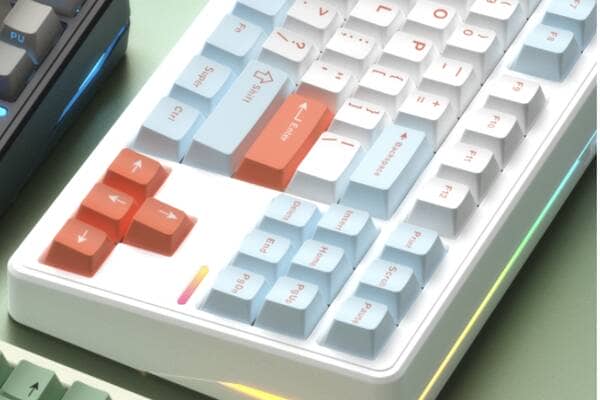 | Impact 80 Standard | RGB | PC | 4000mAh | Polar Switch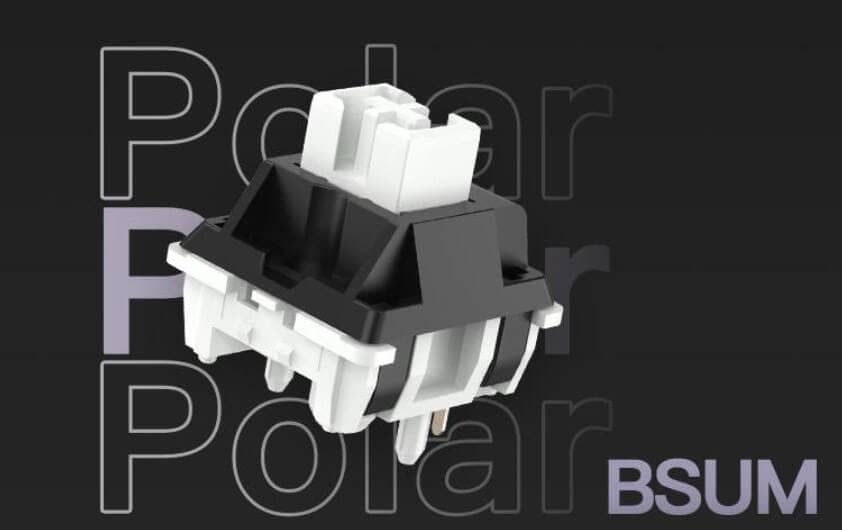 | 10,900 yen |
Mist | Impact 80 Pro | RGB | PC | 4000mAh | Cheese Switch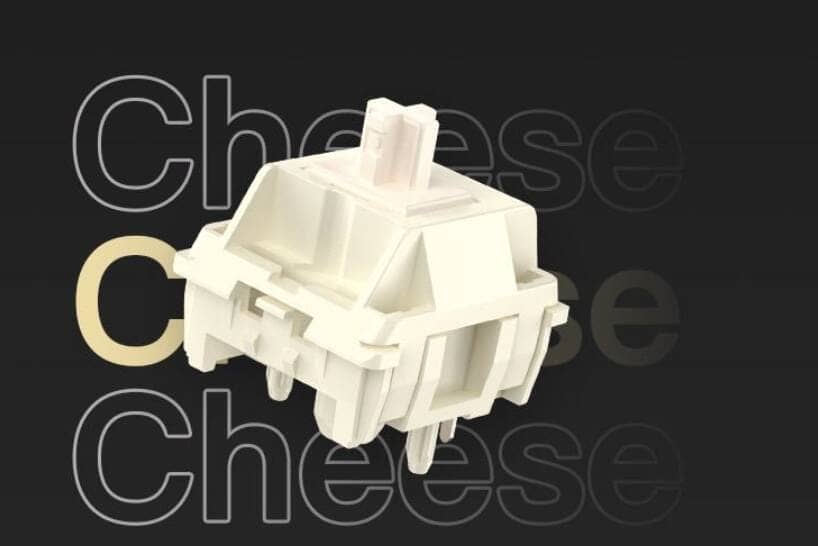 | 11,900 yen |
| Black | Impact 80 Ultra | RGB | PC | 8000mAh | Cheese Switch | 13,900 yen |
| Mist / Black / Forest | Impact 80 Ultra | RGB | FR4 | 8000mAh | Frost Blue Switch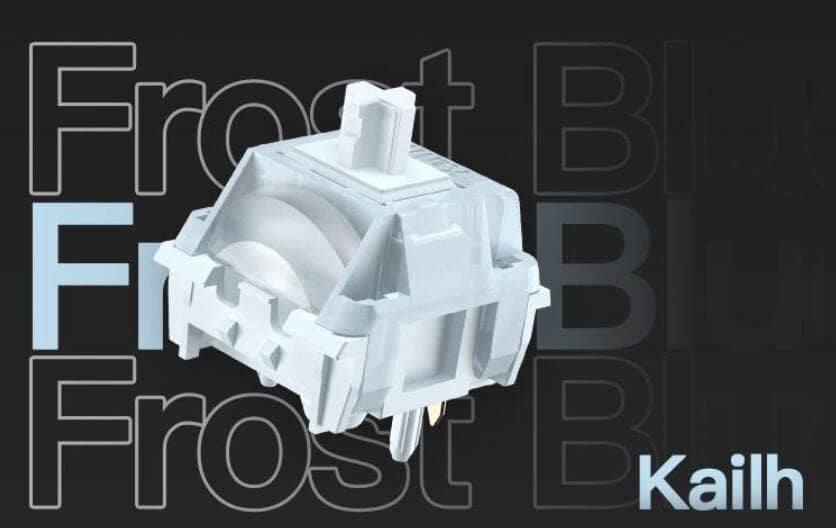 | 13,900 yen |
Functions and Features
- 80% TKL layout
- Physical Layout: Japanese layout
- Price: 10,900 yen – 13,900 yen (tax included)
- High-performance dual chip
- Connection: wired / 2.4GHz wireless / Bluetooth 3-mode support
- Polling rate when wired: 1000 Hz (estimated)
- 2.4GHz polling rate: 250Hz (estimated)
- BT polling rate: approx. 80 Hz (estimated)
- VIA Support
- Triple mode support
- Cherry Profile Keycaps
- PBT Double Shot Key Cap
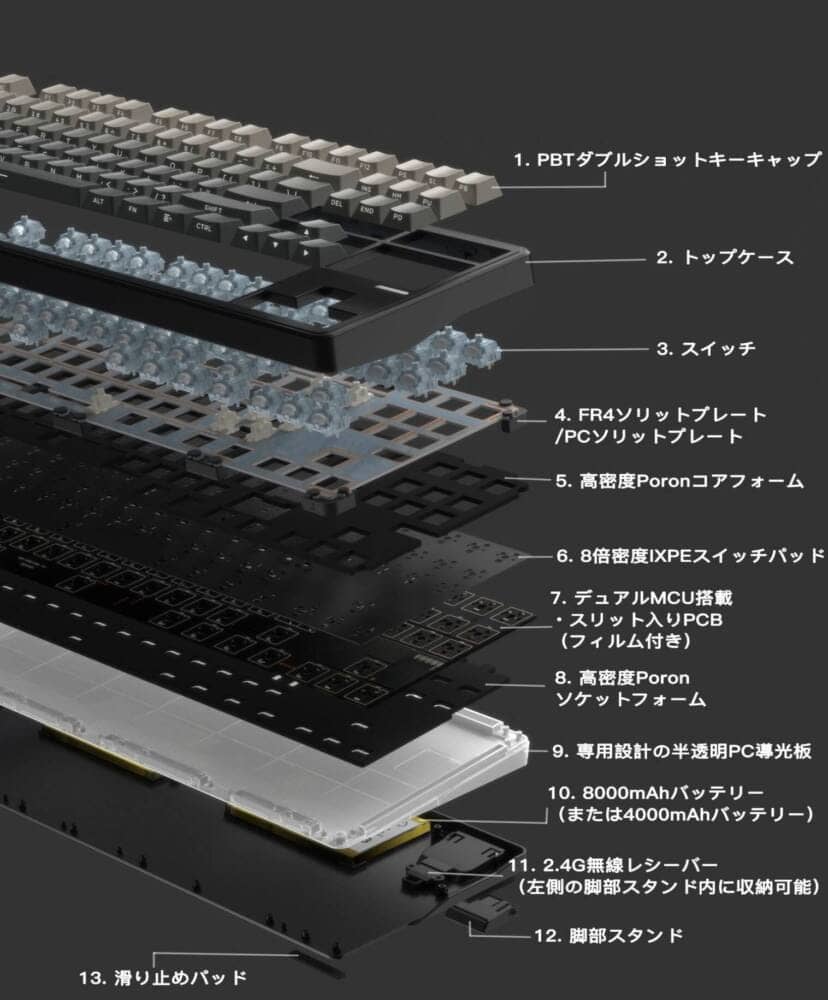
- Gasket mount structure adopted
- PCB with slit
- Equipped with sound-absorbing material
- Plate: PC /FR4
Review Environment
The review environment is as follows
- Connection environment: macOS (Tahoe 26.1)
- Model used: Impact80 JIS Mist (Urtra) FR4 plate
- Switch used: Frost Blue (linear-45gf-3.6mm travel)
- Layout: Japanese layout
- Primary use: content writing (typing Japanese)

Who should Smackape Impact80 JIS be recommended to?
Here is a brief summary of who can and cannot recommend Smackape Impact80 JIS.
Who can recommend Smackape Impact80 JIS?
- Looking for a cost-effective Japanese keyboard.
- Looking for my first mechanical keyboard.
- Looking for a keyboard with good key feel
The Smackape Impact80 JIS is, It is the perfect choice for those who are looking for a cost-effective Japanese-language mechanical keyboard.
There are very few mechanical keyboards with a Japanese layout, and this keyboard is a very good choice from the standpoint of having a good key feel and being able to “enjoy typing to the fullest.
I honestly can’t believe that this price can produce this kind of typing sound.
People for whom Smackape Impact80 JIS is hard to recommend.
- People who don’t plan to use anything but a full-size keyboard.
- People who are not comfortable with software keymap changes
- Heavy users for wired-only, low-latency gaming applications
- People considering taking it with them.
- Who wants to replace keycaps?
- People who often use it in a quiet environment
- People considering office use
I have listed some of the characteristics of people for whom it is difficult to make recommendations, The most important situation to avoid is “use in a quiet environment”.
Smackape Impact80 JIS is designed to “make loud typing sounds” to begin with, so there is no consideration for quietness.
Therefore, the impact of typing sound on the surroundings is expected to be quite large.
It can be used without problems by converting to silent keyswitches, but this may be a disadvantage in that it cannot be used in the condition in which it was purchased.
[Photos] Smackape Impact80 JIS Review
Let’s take a look at some photos of the actual Smackape Impact80 JIS.
The model reviewed here is the Ultra grade, Mist color, Forest Blue switch model.
KawamuraIt is a top-of-the-line model.
My personal preference is for the FR4 plate because it has more rebound when struck.
POM plates are good for those who prefer a softer feel and lower keystroke sound.
The exterior is no different from the ANSI model (US array model).
The gold lettering on a black base gives it a very luxurious look.


The manufacturer is a Chinese company called HuiZhou Huami Intelligent Technology.

Let’s open the package right away.
Contents include keyboard body, 3 spare key switches, USB Type-A to Type-C cable, key switch/keycap puller, and instruction manual.
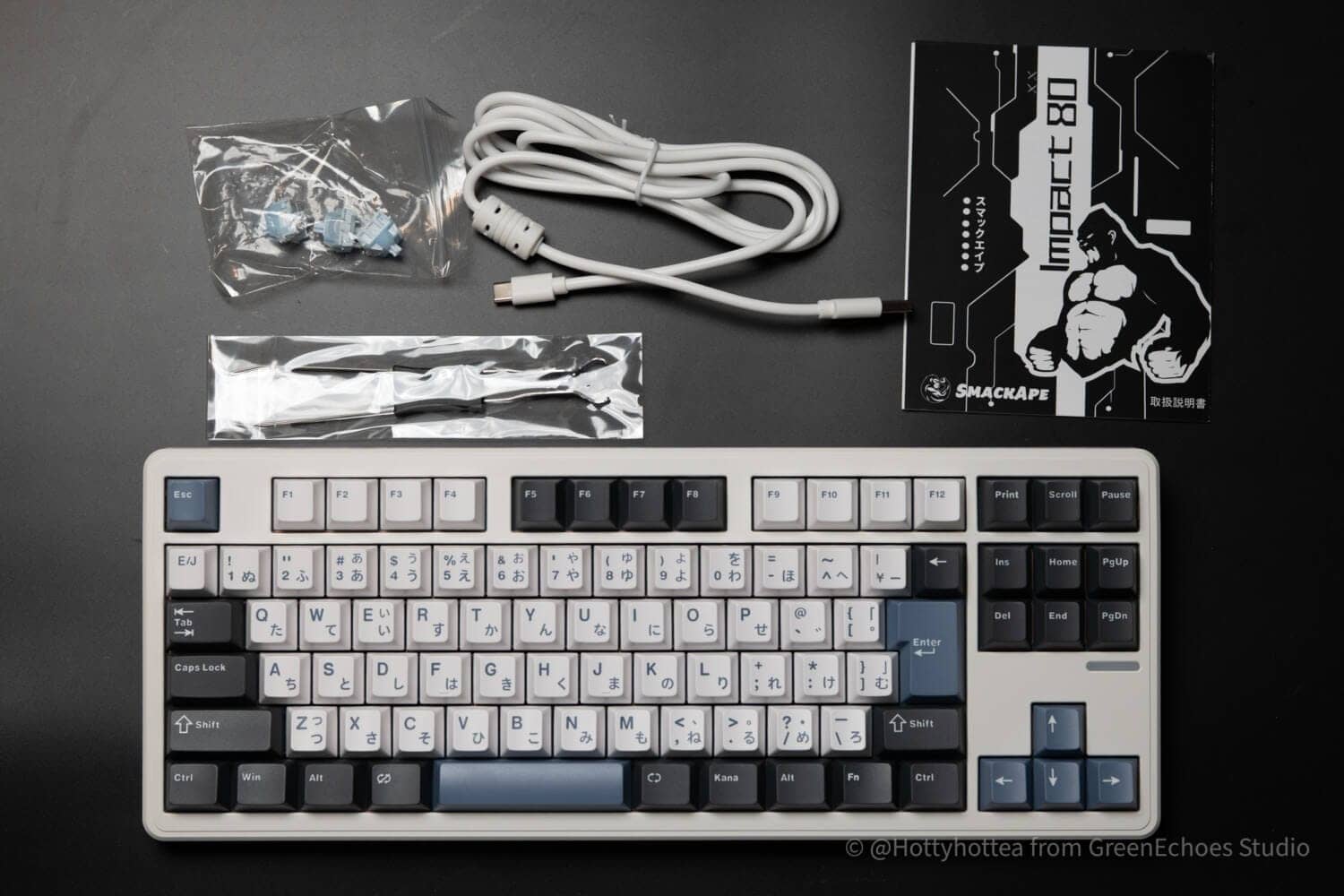
The accessories are located in the depression at the top of the box.
When you lift up the keyboard, the explanation of the select switches on the back of the keyboard shows the care of the product.

Let’s start with the keycap profile and keycap details.
The keycap has a cylindrical design with an arched depression toward the center and a stepped sculpture with different slopes in different rows.
It is a replica of the so-called “Cherry Profile”.

The keycap material is probably PBT, and the printing is a whopping double shot.


The keycaps are molded with high precision and are wonderfully finished.

The fact that it is a double shot shows that the print is quite legible.

The gently arched cylindrical design is beautiful.

Let’s look at the switch plate.
The Ultra model uses a plate made of a material called “FR4,” which is slightly harder and more elastic than the POM plate used in the Pro/Standard model.
The slit structure is also very meticulous, as it would be noticeably hard if left as it is.
KawamuraIt is really rare to find a keyboard in this price range with this kind of construction. Amazing.

The keyswitches are original keyswitches developed with Kailh, and the Ultra model comes standard with “Forest Blue” keyswitches.

Pressing pressure is standard at 45gf, and total travel is 3.6mm, a slightly short stroke.
Let’s look at the entire keyboard.
The keyboard is a retro-featured design in warm gray tones, with a high affinity between the main keys and the body color.
The alpha keys are printed in blue, the same as the accent color, and the modifier keys are printed in dull black and white.
The layout is the orthodox 80% TKL Japanese layout, with “HANKAKU/ZENKAKU”, “1u Backspace”, “ISO Enter”, and “RO” keys.

The housing is made of resin and is not that much heavier than aluminum-body keyboards.
However, it is rigid and quite sturdy.
I did not feel any sense of cheapness.

Space bar size is 3.75u.
The frequently used non-conversion and conversion keys are 1.25u size, which seems easy to press.

Decorative LEDs are built into the bottom of the special keys.

The LEDs seem to be linked to those on each key.

The modeling of the side diffuser section and other parts is very beautiful.
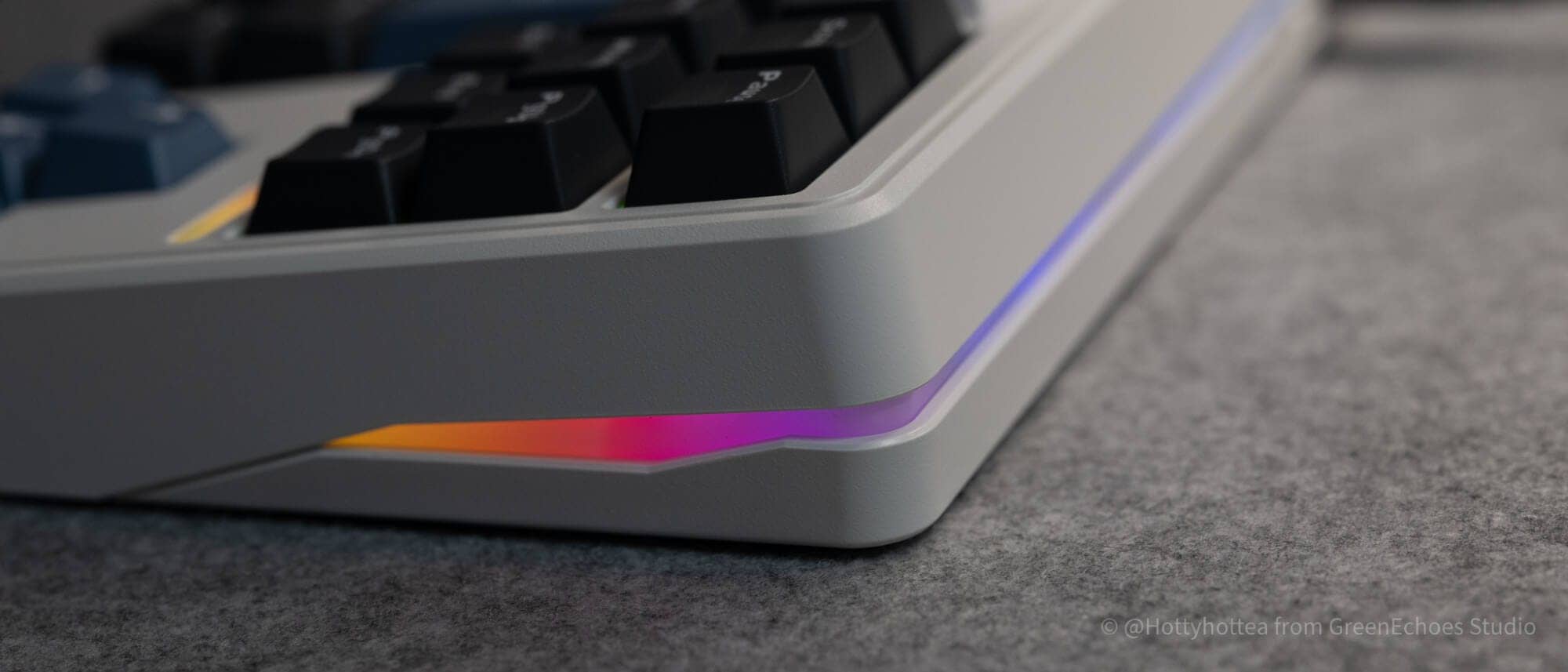
Printing is quite clear as it is a double shot.
The font lines are slightly thicker because of the double shot, which may not be to your liking.
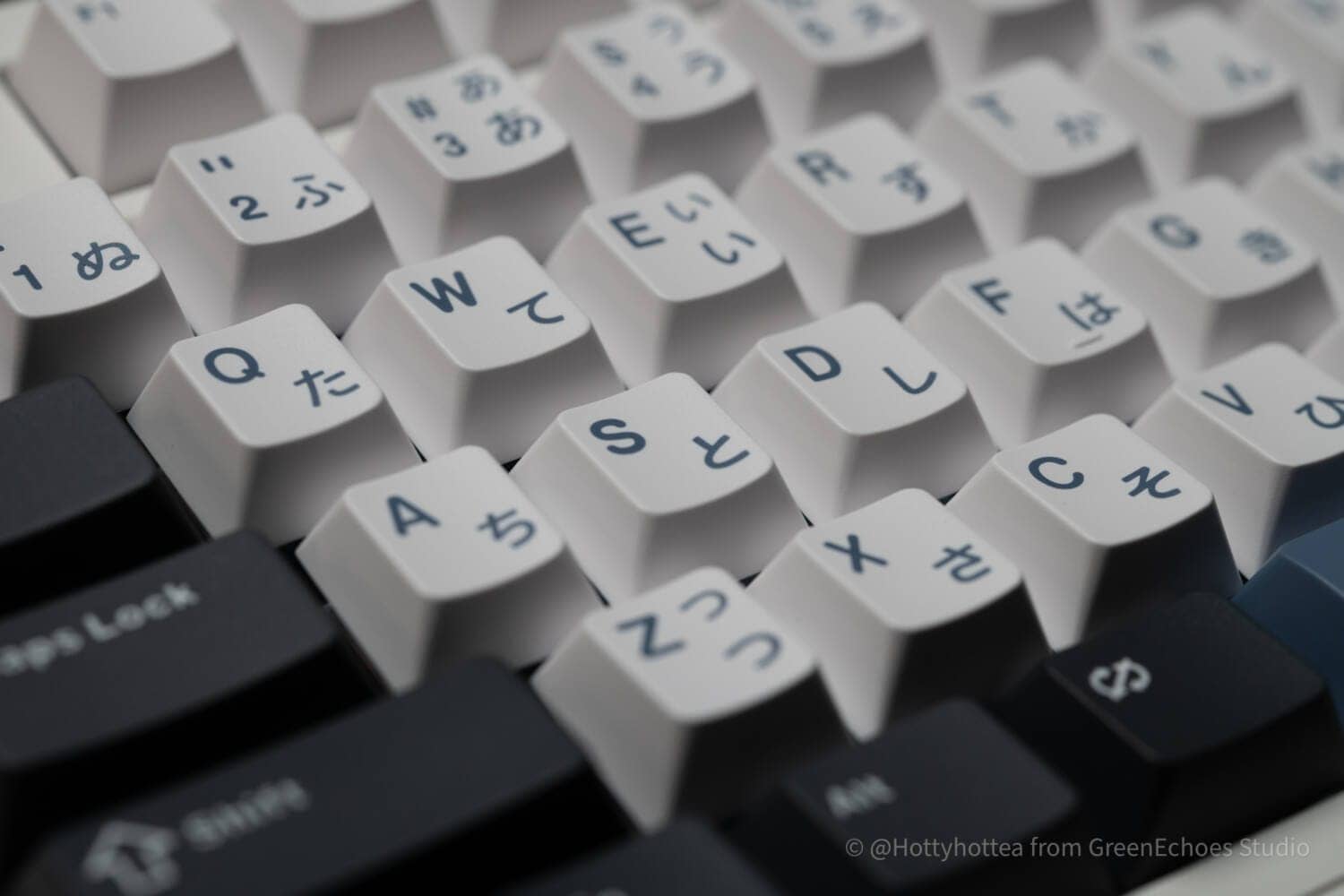
Speaking of Japanese-language layouts, this is the shape of the Enter key.
This is called ISO Enter, which is used in the ISO sequence.
Japan is the only country in the world that uses Japanese-language layouts, and we feel the enthusiasm for Japan in the fact that they are offering that local layout product.


Then let’s look at the sides.
The frames are not monotonous, but have a fairly well-designed look with accented borders.
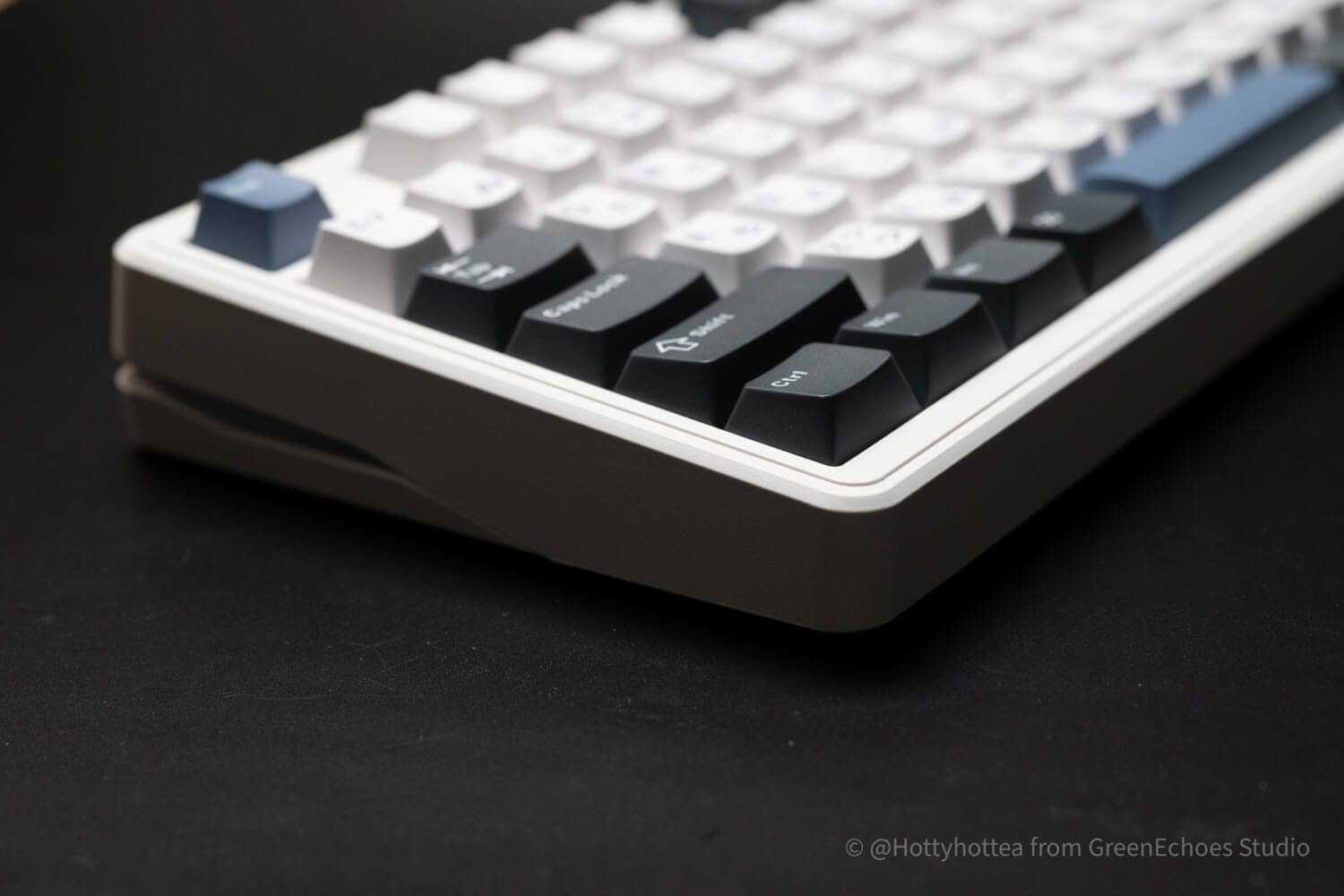
As beautiful as the aforementioned LED diffuser is, the fluidity of this rear design is wonderful.

All switches and terminals are concentrated in the center of the rear panel.
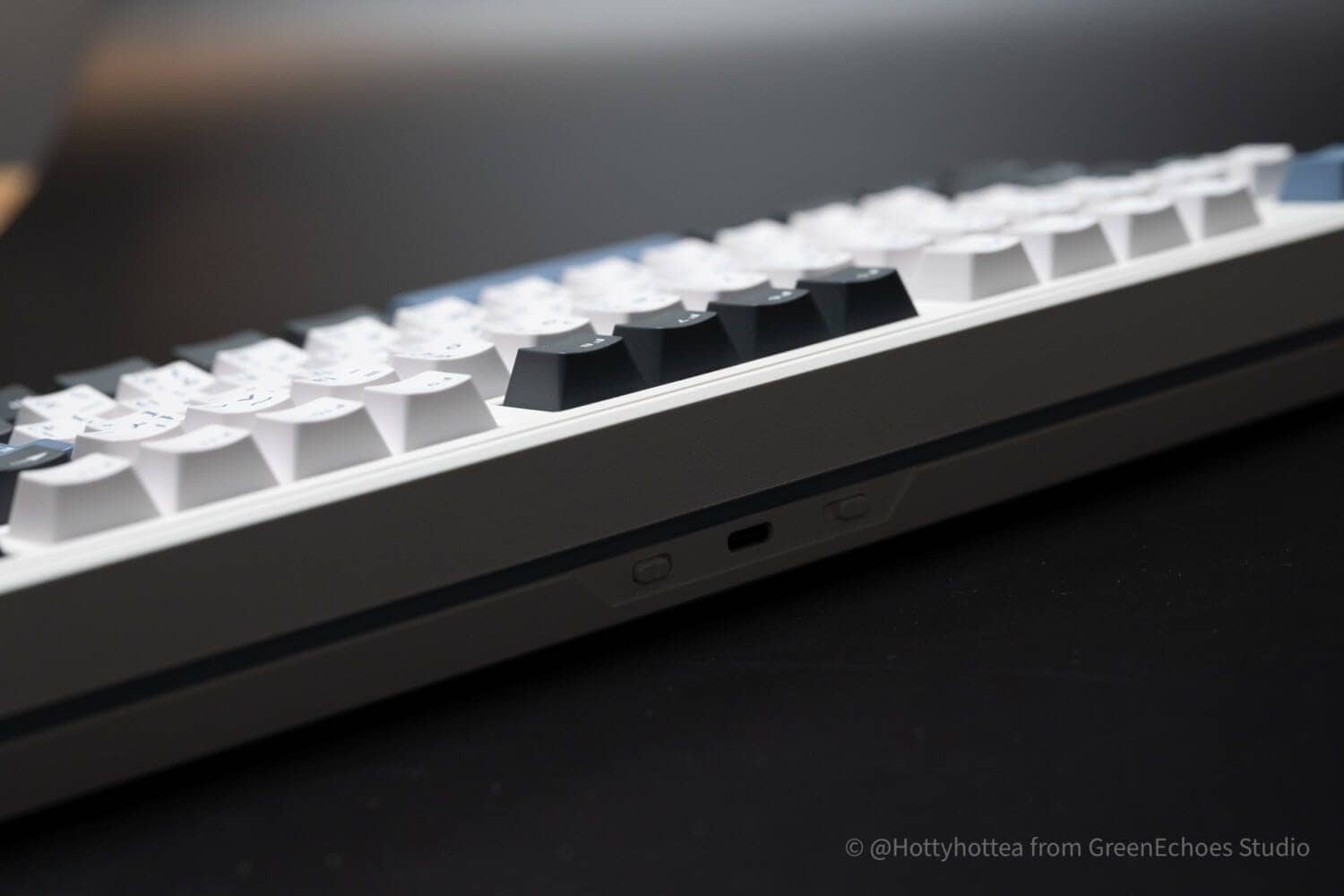
In the center is a Type-C terminal for wired connection, with the OS switch on the left side of the screen and the connection mode switch on the right side.

Let’s look at the back.
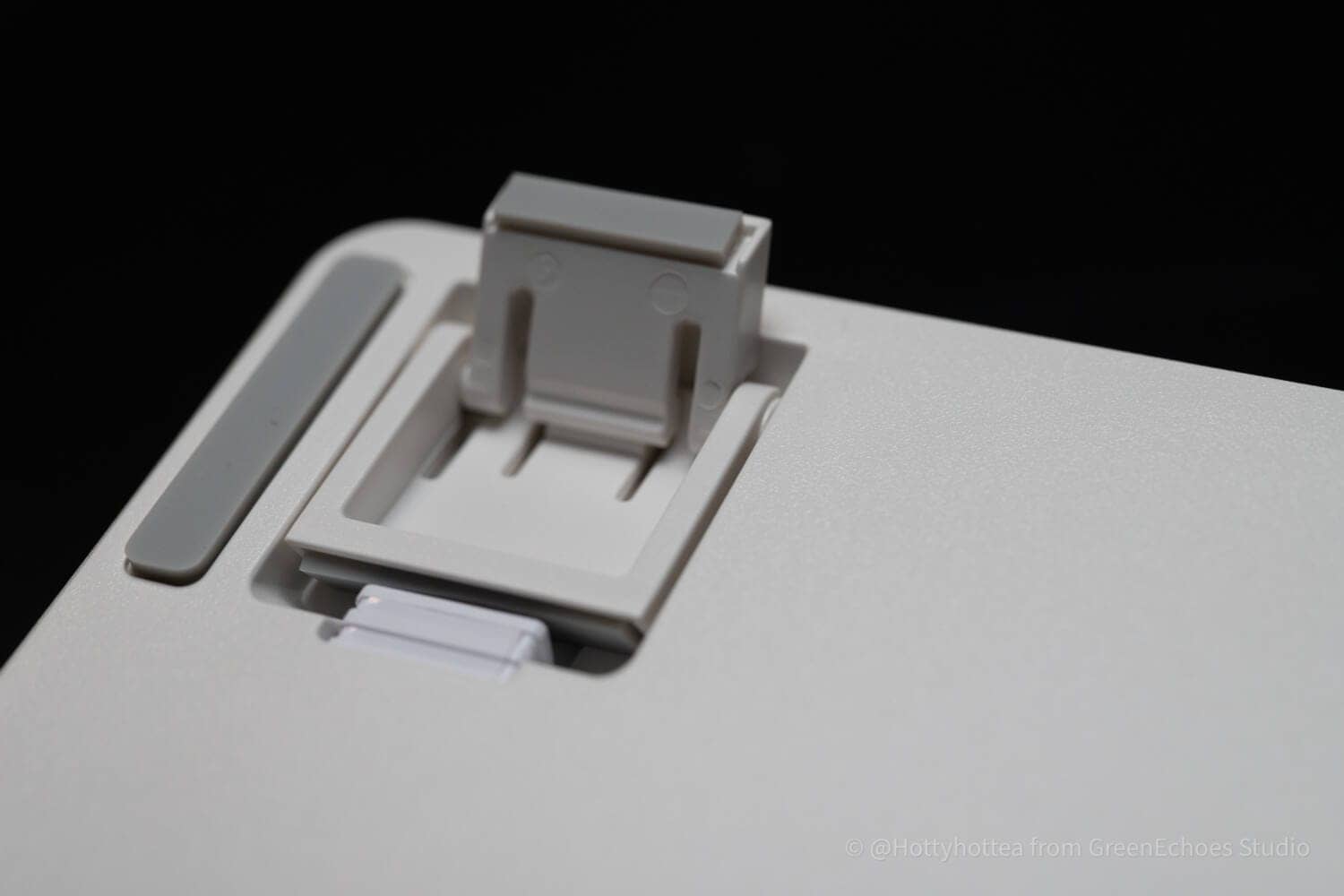
The back material is also made of resin and has a built-in two-stage tilt leg.
I see that non-slip is pasted in four places on the four corners.

The technical conformity mark is well labeled and can be used with confidence in Japan.

The tilt leg is 5.2 degrees with nothing out, 8.4 degrees with one step up, and 11.7 degrees at its highest.



Evaluation of keymap changes
Impact80 JIS supports keymap changes using an online tool called VIA.

VIAで.jsonファイルを読み込む方法▷▷

Go to VIA, click on the gear symbol→Switch the “Show Design tab” slider to “On” at the top.

Load the downloaded .json file from “Load” in the Design tab.

From the CONFIGURE tab, click “Authorize device” and select the USB-connected keyboard to change the keymap.
Click here to see how to set MOD-TAP (single press and long press setting) and simultaneous press setting.
Evaluation of keystroke feel and keystroke sound
- Keystroke loudness: ★★★★* (louder)
- Sound level: Intermediate (not peaky due to sound absorbing material mounted + gasket mount)
- Key weight: normal (45gf)
- Total travel length of keys: slightly shorter (3.6 mm)
- Sense of bottoming out: clear
- Key wobble: normal
Advantages of Smackape Impact80 JIS
Let’s take a look at the advantages of the Impact80 Japanese-language layout that I have found after actually using it.
Advantages of Smackape Impact80 JIS
- Decent Japanese layout and easy to use.
- Keystroke sound and feel is top class for a keyboard in this price range
- Support for MOD-TAP / simultaneous presses in addition to support for keymap changes
- Lighting is beautiful.
Decent Japanese layout and easy to use.
The first advantage is that it has a “solid Japanese layout.
The Japanese layout is quite unusual and local even from a global perspective, and there are actually circumstances that make it difficult for foreign companies to understand what the “half/full-width” keys are supposed to do.
This point has been completely resolved by the production of KIBU Corporation, the sales agent, and the fact that it has been completed as a “Japanese layout keyboard” with no sense of discomfort at all is a great advantage.
Keystroke sound and feel is top class for a keyboard in this price range
The Impact80 has a very pleasant typing sound and feel.
The ASMR-like, familiar typing sounds make you want to type all the time.
In addition to the gasket mount, the combination of the slit PCB and the multiple layers of sound-absorbing material mounted on the PCB also provides a very pleasant bottoming-out sensation to the fingertips when hitting the keys.
Support for MOD-TAP / simultaneous presses in addition to support for keymap changes
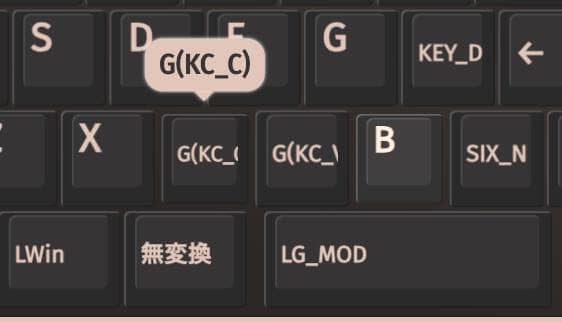

In addition to changing the keymap, the Impact80 Japanese layout allows users to customize their own MOD-TAP (a feature that changes which keys are entered depending on how long the keys are pressed) and simultaneous presses.
This is an essential feature for using a custom keyboard.
KawamuraRecently, these functions have been turned off in many cases due to the specifications of the MCU employed and the increasing use of proprietary firmware that is not QMK-based.
It is a wonderful advantage to have these work in such a situation.
Lighting is beautiful.
The Impact80 Japanese array also features very beautiful LED lighting.
In addition to the south-facing LEDs on all keys, not just the top portion of the arrow key, the beauty of the LED diffuser from the side to the back of the unit can no longer be described as artistic.
Disadvantages of Smackape Impact80 JIS
After all, even great products naturally have disadvantages that you want to check before purchasing.
The four disadvantages of Impact80JIS are as follows
Disadvantages of Smackape Impact80 JIS
- The specifications for changing the keymap are a bit confusing.
- Polling rate for wired connection is not “stiff gaming specs”.
- Keycaps for macOSX not included.
- Not suitable for office use due to loud keystrokes
Somewhat confusing keycap change specifications.
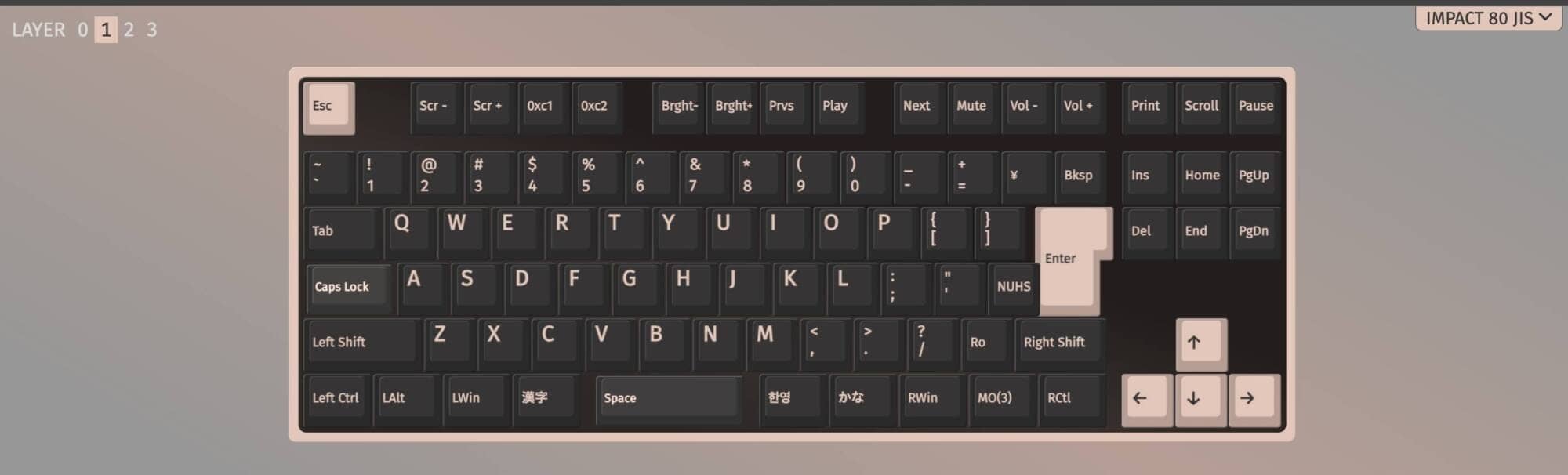
This is a story that needs to be understood because it is a product specification, but it is important to note that it does not specify which keymap is applied in which mode.
Two pictures can be set in Windows mode: “Layer 0” and “Layer 2” in the default state.
In macOSX mode, the default settings are “Layer 1” and “Layer 3”.
In Windows mode, the reference layer starts as “Layer 0”, and in macOSX mode, the reference layer is “Layer 1”.
KawamuraAlso, both sides of the space bar in macOSX mode are correctly “Kanji (Lang2)” and “한영 (Lang1)”.
Remember, this is the only place that needs to be corrected.

Polling rate for wired connection is not “stiff gaming specs”.
The polling rate of the Impact80JIS for wired connections is approximately 1000 Hz.
The polling rate of today’s magnetic keyboards with “stiff gaming specifications” is becoming 8000 Hz, which may not be suitable for use in e-sports where tenths of a second are at stake.
You should be aware that the specifications are only “for fans” before you consider purchasing the product.
Keycaps for macOSX not included.
Impact80 JIS is only available with keycaps for Windows, and does not come with keycaps for Mac.
Note that the specifications can be used on macOSX, but on the surface (on the keycaps), the notation will not be Mac.
Not suitable for office use due to loud keystrokes
We believe that Impact80 JIS is a keyboard designed to “ring” from the product planning stage.
Therefore, the keystroke sound is naturally loud, and it is definitely pleasant to type.
As this fact shows, it would be difficult to use it in a Japanese office in its default state.
If you must use it in an office or quiet environment, you must replace all keyswitches with silent switches.
Comparison with similar concept keyboards
Here we will compare the Impact80JIS with its direct competitors.
| Model name | Comment | Price (incl. tax) | Mounting Structure | switch | remarks |
|---|---|---|---|---|---|
| Smackape Impact 80 | If you value keystroke sound, this is the one for you. | Approx. 10,900 yen and up | Gasket with sound absorber | Original (Polar/Cheese etc.) | Gasket & TKL are rare at this price. Focus on keystroke sound. Hot swappable. |
Keychron C3 Pro 8K | Specs: ✖️ If you are looking for a cosmetic product, this is the one for you. | Approx. 8,000 yen | Gasket with sound absorber | Keychron Super Switch | QMK & Launcher App support. High-end design that fits well in the office, 8K support and high gaming performance. Hot-swappable. |
Pulsar Gaming Gears PCMK 2HE TKL | Recommended for gaming applications such as lapidary with a generous budget. | Approx. 22,000 yen | Tray with sound absorber | Gateron x Pulsar Magnetic switch | High gaming performance with 8K support. Hot-swappable. |
Prices are approximate at the time of writing.
The direct competitor would still be the Keychron C3 Pro 8K.
It is less expensive than the Impact80 and similar in that it is gasket-mounted.
This one is likely to be superior to the Keychron for gaming applications, as its polling rate is 8K compatible.
Impact80, on the other hand, shines with its excellent keystroke sound.
The Keychron C3 Pro 8K has ABS keycaps, while the Impact80 has PBT sublimation printing.
Price, sales format, and availability
The availability of Smackape Smackape Impact80 JIS is “Very good.” The availability of JIS is “very good”.
It is available in the Amazon store and can be purchased at any time, with ample inventory available.
- Availability: ★★★★★ (very readily available)
- Price range: 10,900-13,900 yen (varies by model)
- Form of sales: Normal sales
- Scheduled to be resold: –
- Availability: Amazon Store in Japan
summary
This has been a review of the Smackape Impact80 JIS.
We can say with confidence that this keyboard is a quality product that will satisfy not only mechanical keyboard beginners, but also those who have used mechanical keyboards to some extent.
The 80% TKL layout is just the right size, neither too large nor too small, and is ideal for the desktop environment in Japan, where desk space is often limited.
Since it is hot-swappable and key-switch customizable, it would be interesting to replace the key switches with those of your own choice.
Please give it a try!
- First written on: December 6, 2025
- Last update: December 15, 2025
- Method of coverage: Product offer
- Reference and image credit: Amazon Store
- Conflicts of interest: Product offering: Yes Monetization link in this paper: Yes
Greenkeys operates solely on performance-based advertising and does not use Google ads because they reduce usability.
Please support us through Buy Me a Coffee if you enjoyed reading the article so that we can continue to operate the media.