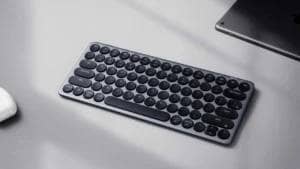



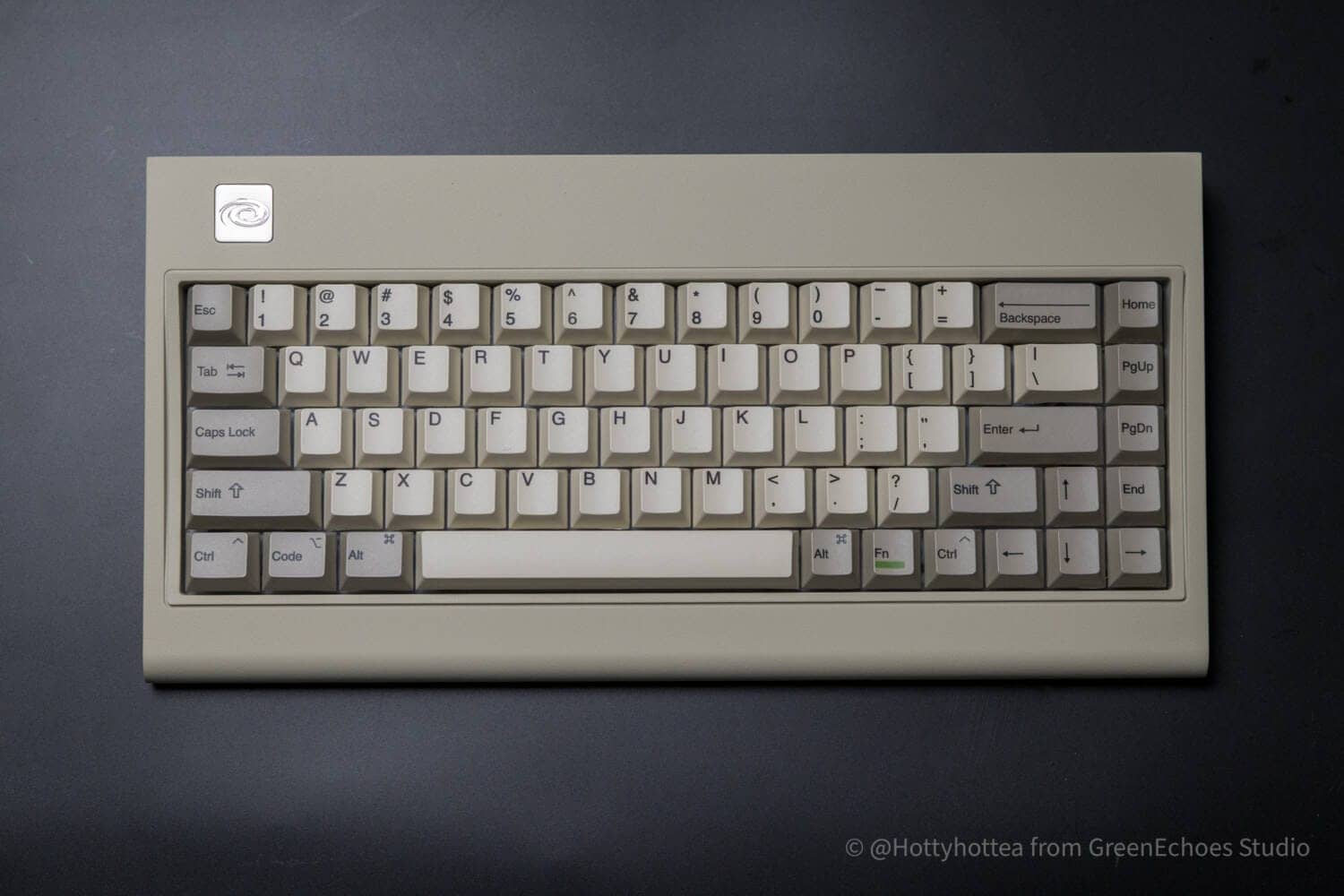
It may look retro on the outside, but it’s modern on the inside.
The Vortex M65 is a mechanical keyboard with a 65% ANSI layout.
In addition to the enjoyable blank space design, the beige resin housing is thought to feature the good old vintage keyboard, IBM’s “Model M” (that Model M-type design known as a famous machine in the 1980s)”.
Retro in looks but up-to-date in content.
It also supports keymap changes using VIA, is hot-swappable, and features multiple sound-absorbing materials in addition to gasket mounts for a more modern typing experience.
This article reviews the M65, the latest retro-luxe keyboard to be brought back to life in the modern age.
- ルックスと打鍵感とのギャップが素晴らしい
- レトロなのにホットスワップ対応・キーマップ変更可能
- オフィスユースも想定したスイッチラインナップ
- Windows /Mac両対応のキーキャップ
- 購入しやすい価格設定
- 日本語配列のラインナップはない
- 65%キーボードとしてはサイズが大きくデスクの占有面積が大きい
- キーキャップの仕上がりが同社製品とは若干異なる

$129.00-.
Click here for a list of coupon codes ▷▷▷
View full list of articles ▷▷▷
Find a keyboard layout you like.
Vortex M65 Specifications Overview
| (data) item | Contents |
| Product name | Vortex Model M 65 |
| Size / Array | 65% layout |
| Case Design | Retro-inspired design (Model M style) |
| Housing material | ABS plastic (spray-coated surface) |
| access method | Wired (USB-C) Bluetooth 2.4GHz Wireless |
| switch | Mechanical switches (Gateron G Pro / Cherry MX, etc.) |
| hot swap | Supported (3-pin & 5-pin) |
| keycap | PBT material / Cherry profile / Sublimation printing |
| Plate material | PC (Polycarbonate) plate |
| inner structure | Equipped with silicone damping pad and switch pad |
| software | VIA 3.0 compliant |
| backlight | not equipped (with) |
| Typing angle | 6 degrees (with stand: 10 degrees) |
| Supported OS | Windows / Mac OS |
Selectable key switches
| brand | switch(es) name | feature |
| Gateron. | G Pro Brown 3.0 | Tea Axis (Tactile) |
| G Pro Yellow 3.0 | Yellow axis (linear). Slightly heavier and smoother than the red axis. | |
| Cherry MX | Blue | Blue axis (clicky). A clear clicking sound. |
| Red | Red axis (linear). Light and straightforward push feeling. Standard type. | |
| MX2A Brown | Brown shaft (Tactile). Improved version (MX2A) with improved smoothness. | |
| Clear. | Clear axis (Tactile). Heavier and clearer feel than the brown shaft. | |
| Silver | Silver axis (speed). Shallow working point for high-speed input. | |
| Milky (White) | Milky white (clicky/tactile). Slightly heavier clicks. | |
| MX2A Silent Red | Silent red-axis (linear). Silent model with low noise red-axis keystrokes. |
Review Environment
The review environment is as follows
- Connection environment: macOS
- Switch used: Cherry MX MX2A Silent Red
- Layout: 65% ANSI
- Primary use: content writing (typing Japanese)
キースイッチスペックはこちら▷▷
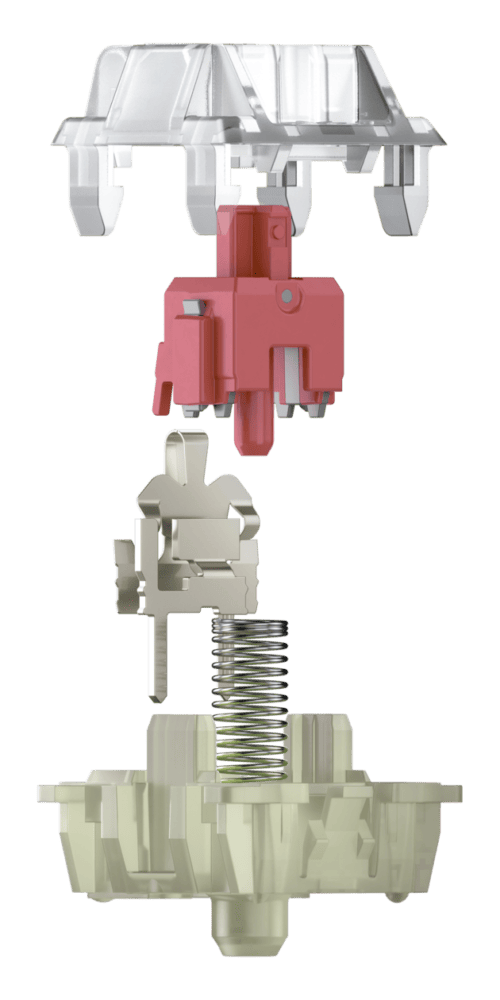
- Linear switching characteristics
- 45 cN operating force
- 1.9 mm pre travel
- 3.7 mm total travel
- > 50 mil. keystrokes
- Lubricated
- Silent
Reference: https://www.cherry.de/en-us/product/mx2a-silent-red
[Photos] Vortex M65 Review
Now let’s take a look at the actual M65.
I can already feel the homage to IBM from the outer box.

This is a sight for sore eyes.

Contents include the keyboard itself, simple instructions, Type-A to C curl cable, replacement accent keycaps, key switch/keycap puller, hex wrench, and replacement logo badge.


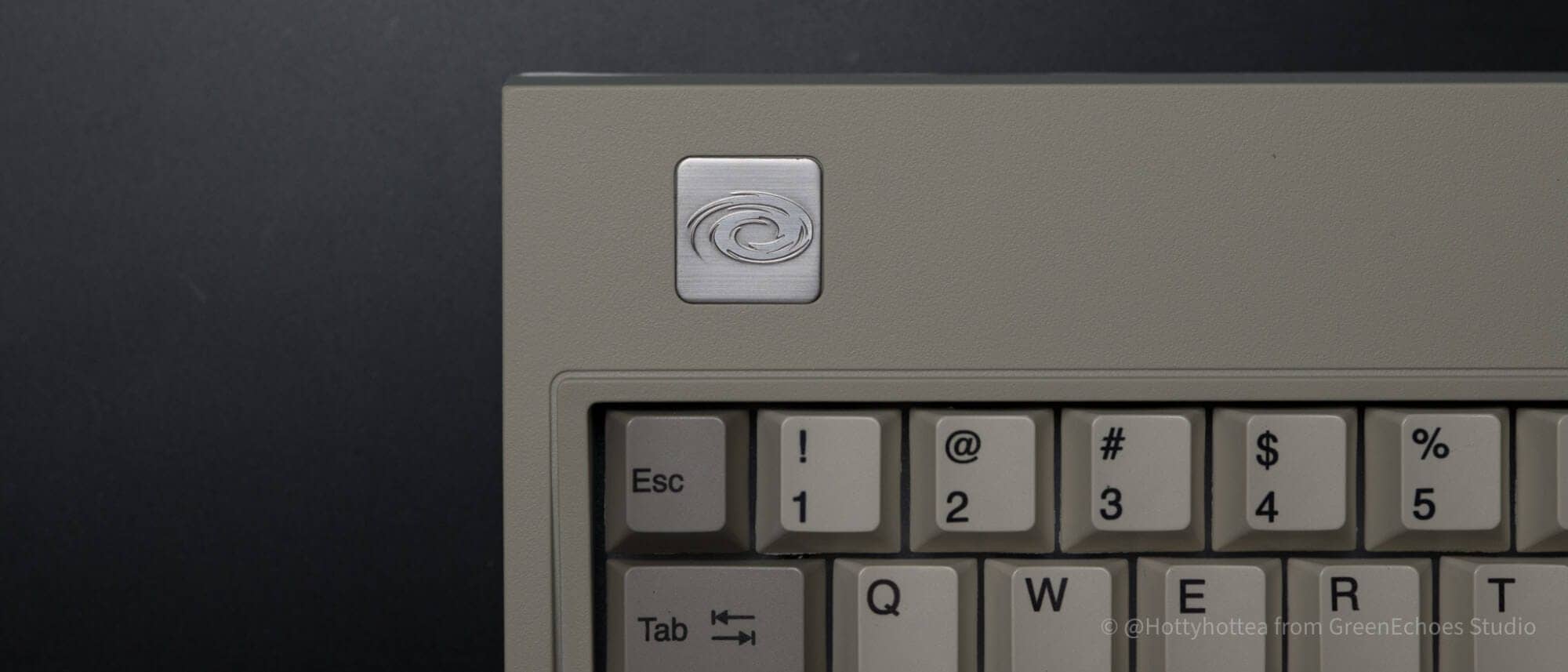
Taken as a whole, it is an English-language keyboard with an orthodox 65% layout.
The coloring and Cherry-like step-sculptured profile Kanji characters also give a retro feel.

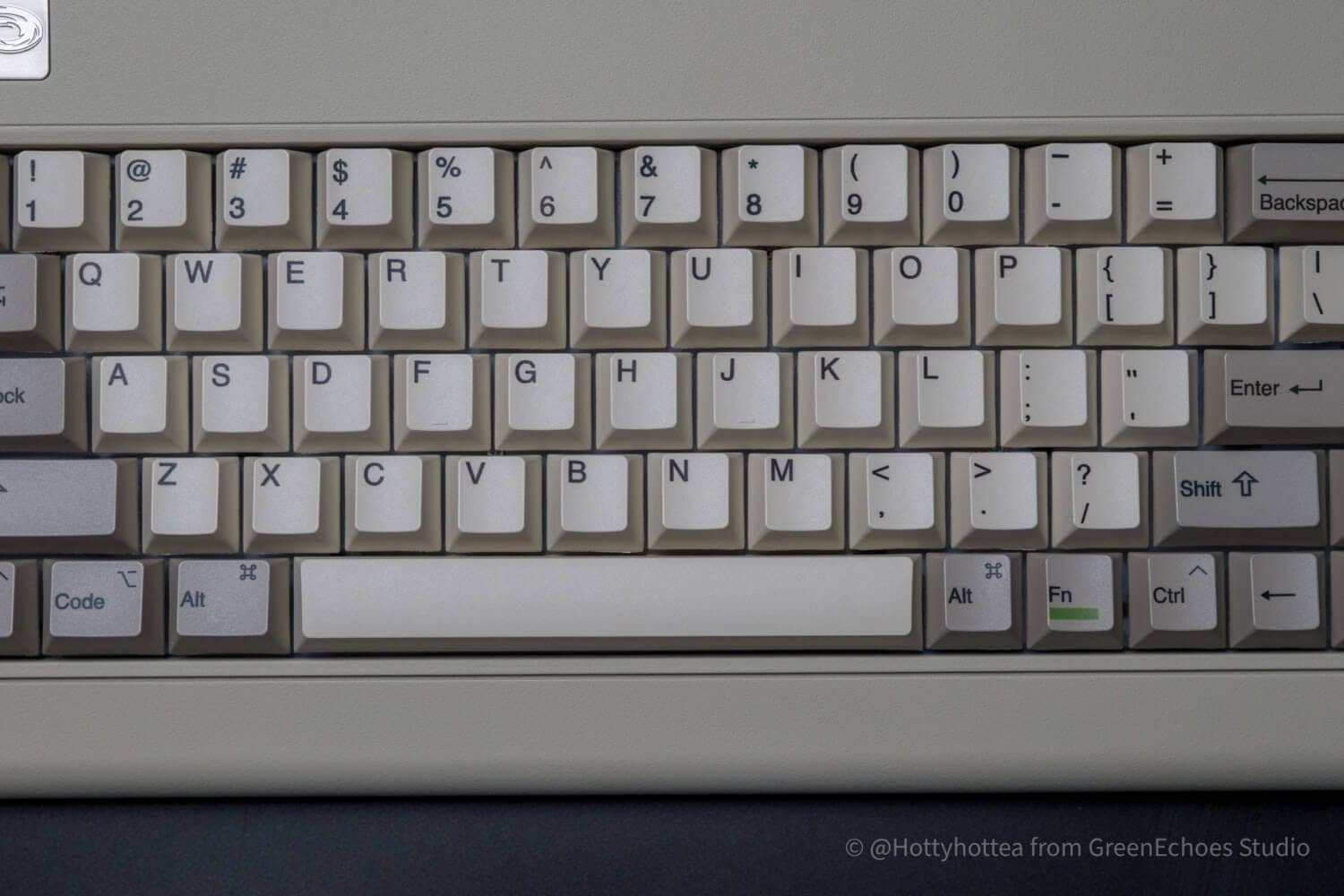
Modifier keys are for both Windows /Mac and do not come with dedicated replacement keycaps.

The green line on the Fn key only is also very cool.


The modeling of these parts is very detailed, and one can sense the attention to detail in the work.


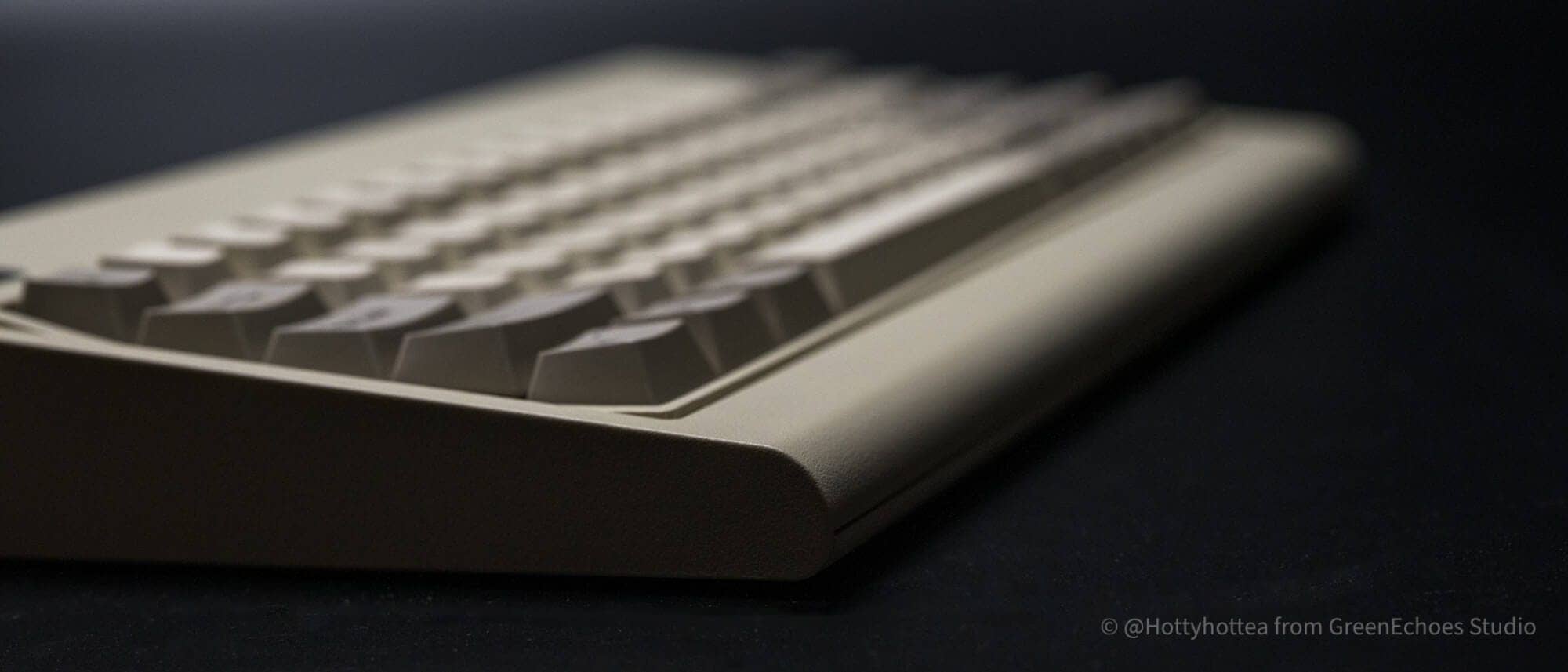
Unlike PC66, which the company releases as a separate line, M65 has an angular back design.

On the other hand, it is rounded in the form of a large R on the front side.
There are no switches around the keyboard, only a USB Type-C connection on the back.

On the back, there are non-slip surfaces placed at the four corners, a vintage-looking spec label in the center, and a battery compartment above it.


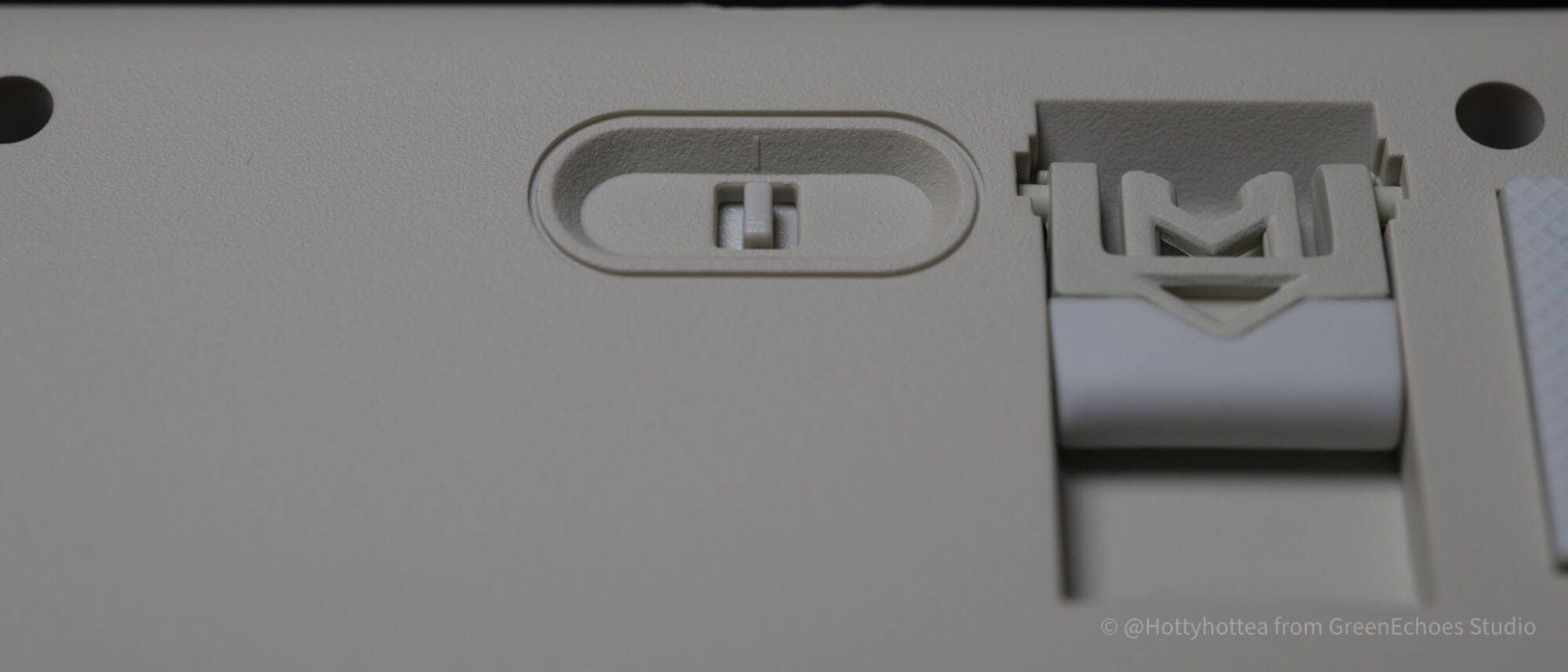
The tilt leg has only one level, approximately 6 degrees in normal and 10 degrees when one leg is raised.


The keyswitches are MX compatible, and Cherry switches, which are now rare by default, can be selected.
The switch plate is made of PC and has no backlight.

Multi-layout is supported, but the keycaps/key switches must be removed and disassembled once in order to change the layout.

Let’s look at keycaps.
The keycap material is PBT and the printing method is sublimation printing.

There are no print blots on the keys.
The surface of the keycap has a slightly shiny form of reflection.

Some of the keycaps had loose end processing and some burrs were visible.


This is what it looks like when all the accent keycaps are used and replaced.


Evaluation of keystroke feel and keystroke sound
- Loudness of keystrokes: ★☆☆☆☆☆ ( office-use level for quiet switches)
- Sound level: – (not rated due to silent switch)
- Key weight: Normal (45 gf, but feels slightly lighter due to short total travel)
- Bottoming feeling: Soft, partly due to the fact that it is a silent switch.
- Key wobble: normal
Advantages of the Vortex M65
The advantages of M65 that I have found in actual use are as follows.
Advantages of the Vortex M65
- The gap between the looks and the feel of the keystrokes is wonderful.
- Retro but hot-swappable and keymap changeable
- Switch lineup designed for office use
- Keycaps for both Windows /Mac
- Affordable pricing
The gap between the looks and the feel of the keystrokes is wonderful.

I still felt that the most important point of M65 was the gap between the looks and the feel of the keystroke.
I wouldn’t expect such a soft keystroke feel from a keyboard with this look.
It is a keyboard that will disappoint you in a good way.
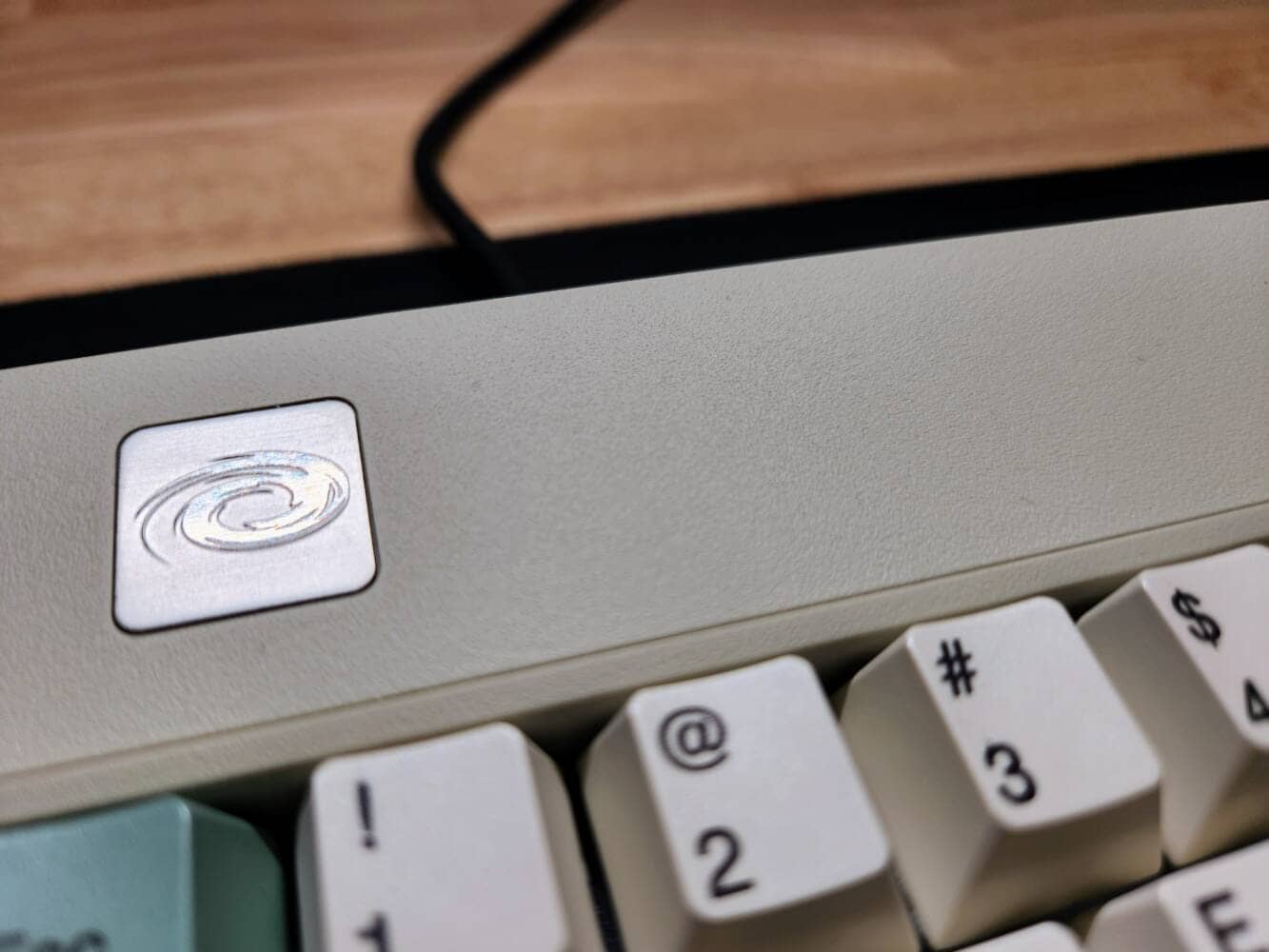
 Kawamura
The packaging reminds me of the good old IMB.
Retro but hot-swappable and keymap changeable
This is another pattern that is hit by gaps, but the M65 is hot-swappable despite these looks.
In addition, we are happy to see that it is VIA-compatible, which makes it perfect for keymap changes.
In addition, it is multi-layout compatible and can be changed to split-back space or ISO layout specifications.

Also, unlike the company’s Core Plus, it seems to operate on a QMK basis, and functions such as MOD-TAP and simultaneous presses can be set from AnyKey.
Switch lineup designed for office use

Unusually for a product of this type, Cherry’s silent linear switch can be selected by default.
In addition to the gasket mounts, the keys have a very gentle strike sound, thanks in part to the multiple layers of sound-absorbing material.
The fact that silent linear specifications can be used in the office without problems is a major advantage.
Keycaps for both Windows /Mac
Thus, for the M65’s Bottom Row, the keycap printing is designed not only for Windows but also for Mac.
It is convenient to use either OS without changing keycaps.
Affordable pricing
The M65 is also attractive in part because of its affordable pricing.
It is a wonderful cosmetic product that can be purchased for only $129.00 (approx. 20,000 Japanese yen) with such specs.
Disadvantages of Vortex M65
After all, even the best products have disadvantages that should be accepted.
KawamuraHowever, there is not that great a disadvantage.
The disadvantages of M65 as actually used and felt are as follows
Disadvantages of Vortex M65
- No Japanese-language lineup
- Large size for a 65% keyboard and occupies a large desk space
- Keycap finish is slightly different from the company’s products


No Japanese-language lineup

Unfortunately, M65 does not have a Japanese-language lineup.
Since ISO layout is also supported, it is possible to customize the keycaps if you do not mind matching the printing on the keycaps, but you need to prepare keycaps separately and the Backslash key is on the right side of the left shift, which is opposite to the Japanese layout. However, it is possible to customize it if you don’t care about the keycaps.
It is better to use it as a straightforward English sequence.
Large size for a 65% keyboard and occupies a large desk space

Although this is probably something that those who purchase M65 will inevitably agree with, the body of M65 is larger vertically because of the margins.
Despite being a 65% size, the vertical width is larger than the 75% size.
Be careful before you buy.
Keycap finish is slightly different from the company’s products
The PBT sublimation printing keycaps used on the M65 are slightly more noticeable than those used on the Core Plus in the post-molding process of the keycaps.
As can be seen in the photo, a key was identified with burrs in the end processing of the key.
Comparison with similar concept keyboards
The appeal of the Vortex Model M 65 lies in its clear concept of paying homage to the “IBM Model M”.
Here we compare it to two 65% keyboards with authentic retro designs that also have a strong “office equipment and PC of the 80s and 90s” feel.
1. comparison with Vortex PC66 (68 Key)
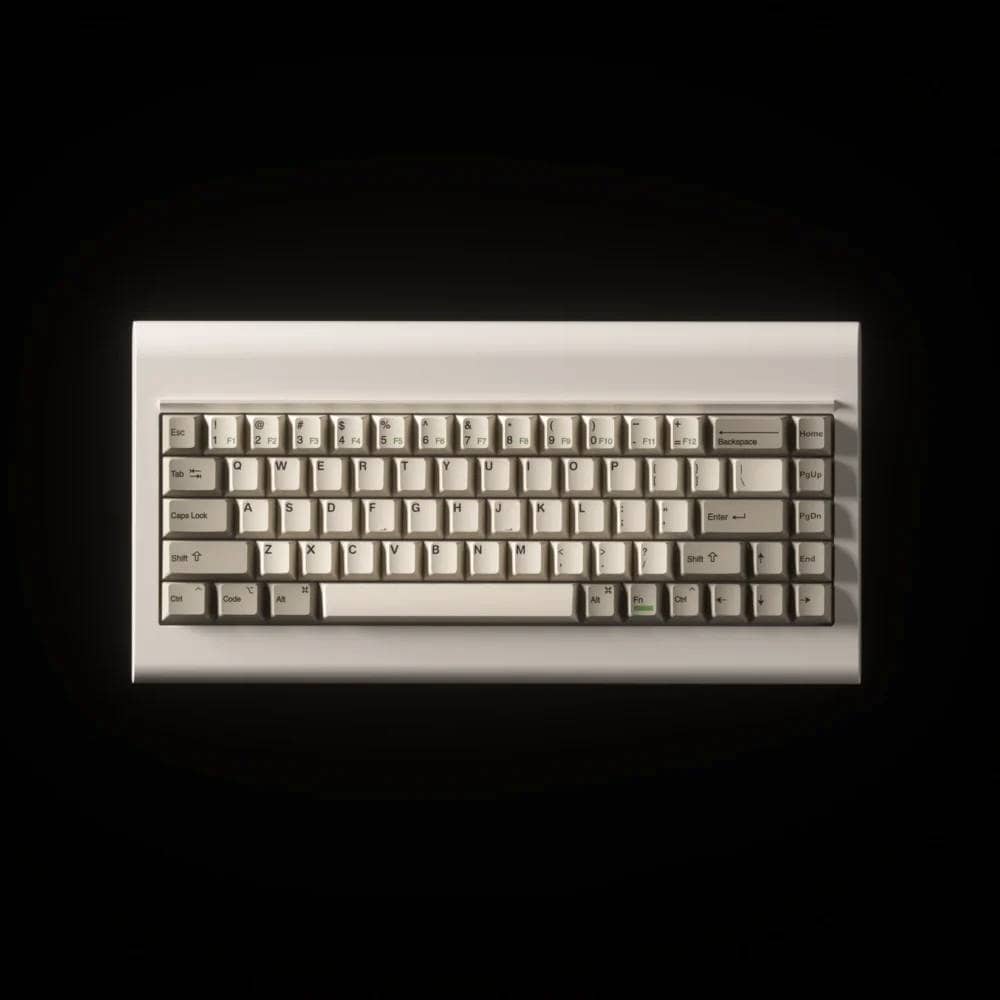
This is a comparison with its sibling from the same Vortex company: if the Model M 65 was the “IBM Model M”, this one is based on the “IBM PCjr”.
| feature | Vortex Model M 65 | Vortex PC66 (68 Key) |
| motif | IBM Model M (heavy office use) | IBM PCjr (early home PC) |
| Case Design | Thick, angular bezel with a large “forehead” (upper frame) | Rounded design with a groove (pen holder style) at the top |
| raw materials | ABS plastic (painted finish) | ABS plastic |
| Mounting Structure | Gasket (with PC plate) | Gasket (FR4 plate used) |
| Number of keys | 65% | 65% |
| Battery-powered | AAA dry cell battery x 2 pcs. | AAA dry cell battery x 2 pcs. |
| price range | Approximately $129.00 | Approximately $119.00 – $159.00 |
Both are part of Vortex’s “Retro Series,” but they have different design preferences.
If you are attracted to a slightly charming round form, PC66 is recommended.
2. comparison with Epomaker CIDOO V65 V2 (Retro Grey)
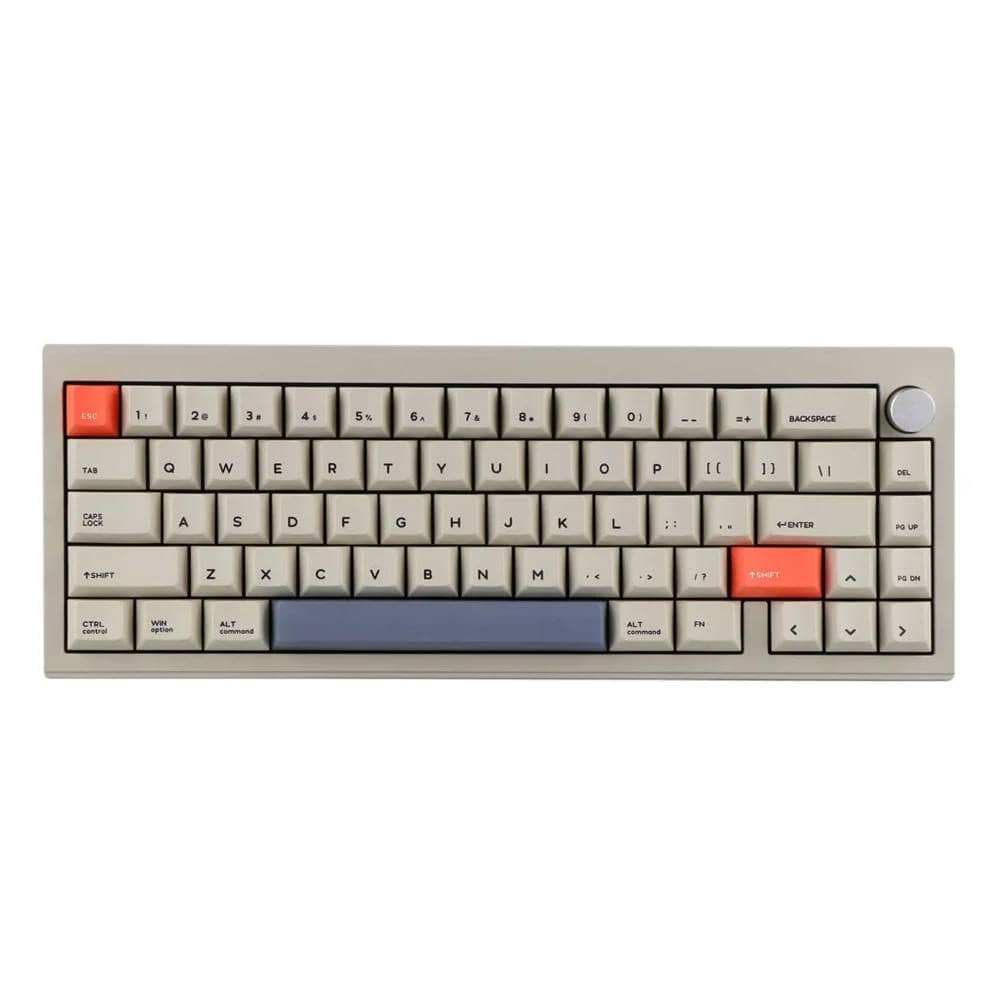
Typical retro keyboard made of “metal (aluminum)” instead of plastic.
They are similar in terms of their “beige/retro gray” appearance, but differ in the direction of texture and keystroke feel.
| feature | Vortex Model M 65 | CIDOO V65 V2 (Retro Grey) |
| Housing material | Plastic (spray paint) faithfully reproduces the texture of the time | Full aluminum (painted finish) Heavy weight and luxurious feel |
| keystroke impression | Relatively prominent high notes Tend to enjoy retro sound | Low, thumping sound Modern “thocky” keystroke sound |
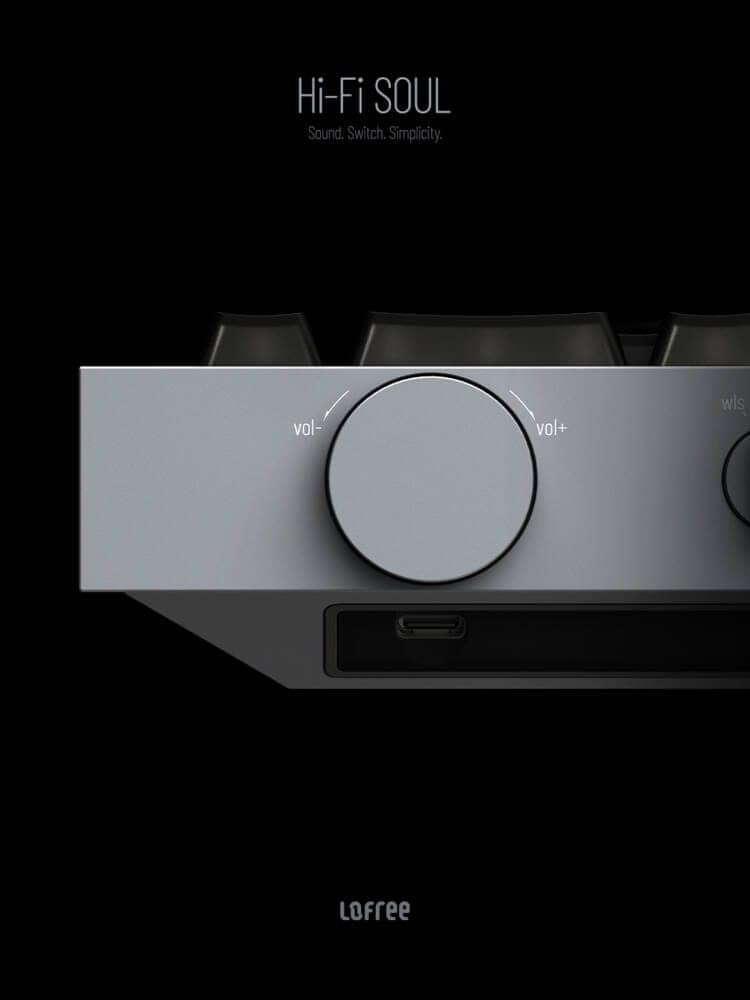
| functional difference | Pure keyboard functionality only | Rotary knob (volume control) |
| appearance | Beige” in the 80’s | Slightly darker “retro gray” |
| connection | Tri-mode (Wired/BT/2.4G) | Tri-mode (Wired/BT/2.4G) |
| price range | Approximately $129.00 | Approximately $129.00 – $140.00 |
If you enjoy the retro plastic texture and hard look without knobs as “reproducibility,” Model M 65 is for you.
If you like the retro look, but want a modern luxury feel inside, such as “metal weight” and “modern-style rattling sound,” CIDOO V65 V2 is a strong competitor.
Price, sales format, and availability
- Availability: ★★☆☆☆☆ (Availability is not so good due to purchase from the original Taiwanese website)
- Price range: $129.00
- Form of sales: Normal sales
- Scheduled to be resold: Always sold in stock
- Available at: Overseas official website
summary
These are the reviews we have done on the M65.
In recent years, the “retro boom” has resurfaced, and we are seeing a “return to basics” from the latest designs.
While many keyboards are modern in content, the M65 can be said to be a keyboard with an image of “a modern upgrade of the old keyboard feel.
If you want to enjoy a key feel that cannot be achieved with a plastic enclosure, the M65 is a highly recommended keyboard.
If you are a retro fan, this is the keyboard you want to get.
$129.00-.
- First written on: 12/13/2025
- Last updated: 12/13/2025
- Method of coverage: Product offer
- Reference and image credit: https://vortexgear.store/en-jp/products/model-m-65/https://www.cherry.de/en-us/product/mx2a-silent-red
- Conflicts of interest: Product offering: Yes Monetization link in this paper: Yes
Greenkeys operates solely on performance-based advertising and does not use Google ads because they reduce usability.
Please support us through Buy Me a Coffee if you enjoyed reading the article so that we can continue to operate the media.