


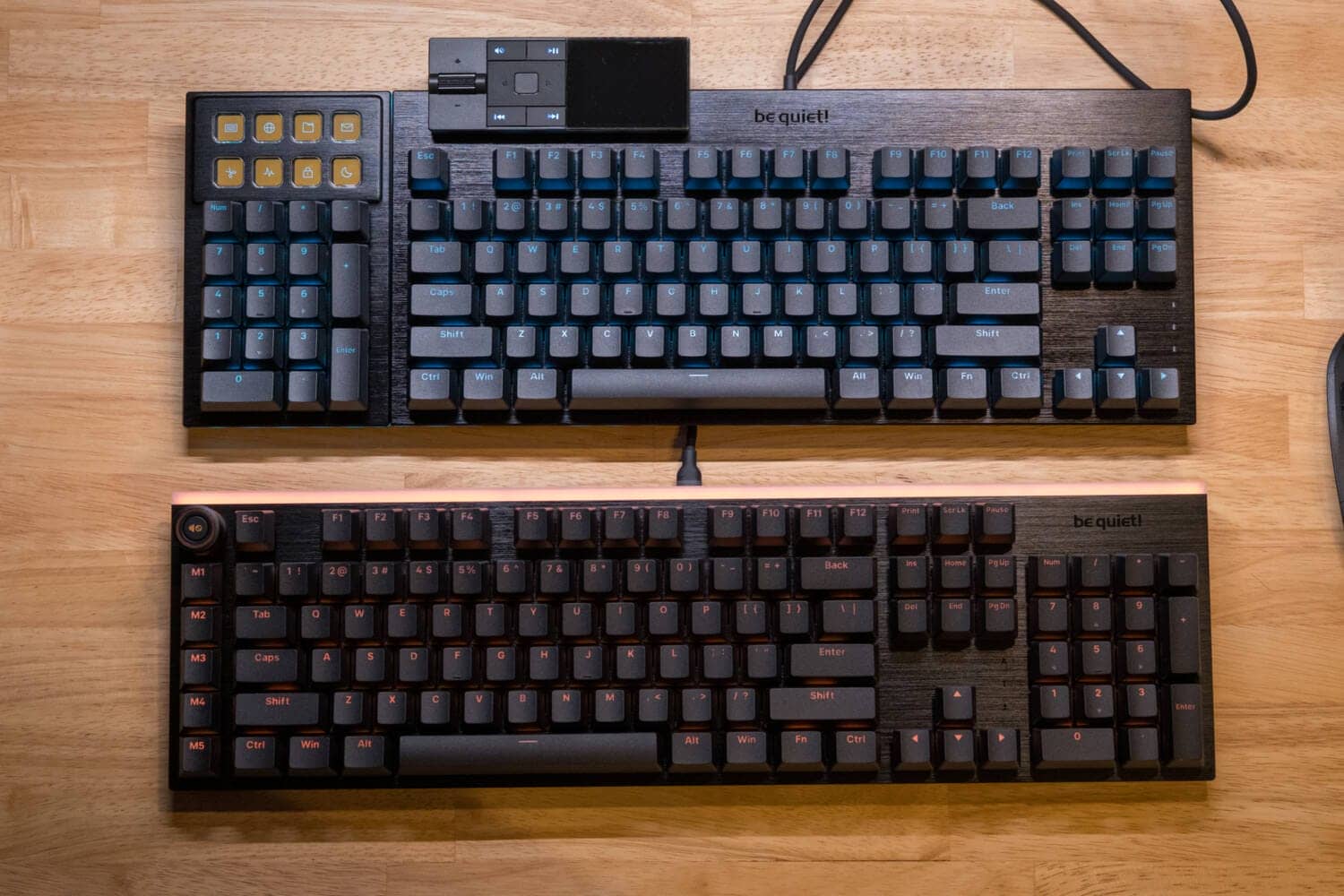
The quiet keyboard from Germany is excellent.
be quiet! is a well-known brand of home-built PCs from Germany, and its main products are home-built PC parts such as power supply units, PC cases, CPU coolers, and case fans.
The two keyboards they released as their first attempt are the “DARK MOUNT /LIGHT MOUNT” keyboards.
They have brought their brand identity of “silent technology” to their peripherals as well, pushing the quietness of keystrokes to the forefront.
As for DARK MOUNT, it fully demonstrates the high degree of customizability that has been cultivated in home-built PCs, and the fact that it functions as a “replaceable module” is probably the most noteworthy point.
In this article, we will review the new keyboard “DARK MOUNT/LIGHT MOUNT” that be quiet!
- 打鍵音が静かで快適に作業ができる
- テンキー入れ替えは事務作業に最適(DARKMOUNT)
- 直感的なメディアコントロール・ショートカットコントロールが可能(DARK MOUNT)
- マクロキーが非常に便利(LIGHT MOUNT)
- ライティングが秀逸
- キーマップの変更はWEB上から可能
- サイズが少々大きい
- モジュール式は便利だが磁気接合方式を期待
- ディスプレイキーが手元からだと見えにくい
- トップフレームとスイッチプレートが共通のため側面からの見た目が気になる
- Macでは利用に若干の制限がある
- IO CENTERのダウンロードリンクがわかりにくい
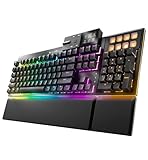


be quiet! DARK MOUNT/LIGHT MOUNT Specifications Overview
| (data) item | DARK MOUNT (Flagship) | LIGHT MOUNT (Standard) |
|---|---|---|
| Product Concept | Silent x Modular | Silent x 3D media wheel |
| key switch | be quiet! Silent Switch Linear (orange) / Tactile (black) Pre-lubricated Hot-swappable (5-pin) | be quiet! Silent Switch Linear (orange) / Tactile (black) Pre-lubricated Hot-swappable (5-pin) |
| key layout | US Array (ANSI) | US Array (ANSI) |
| keymap change | IO CENTER Web IO CENTER (DL version) | IO CENTER Web IO CENTER (DL version) |
| module function | Yes (removable/movable) Numeric keypad: left/right placement/removable Media dock: left/right placement | None (fixed full-size layout) |
| Unique keys and controls | 8 display keys image (JPG/PNG/GIF) display and macro settings possible | 3D media wheel (volume/mute) + 5 dedicated macro keys |
| Silent structure | 3-layer soundproofing structure (foam + silicone pad) | 3-layer soundproofing structure (foam + silicone pad) |
| writing | Per-Key RGB + side light bar | Per-Key RGB + top and side LED bars |
| Size (WxDxH) | 456 x 174 x 52 mm (when fully equipped) *Width is about 370 mm without numeric keypad | 461 x 132 x 44 mm |
| weight | Approx. 1.59 kg (including palm rest) Approx. 1.38 kg (body only) | Approx. 0.91 kg (910g) |
| Housing material | Aluminum top plate ABS bottom | Aluminum top plate ABS bottom |
| accessory | Split palm rest (magnetic) Detachable cable (2m) | Cushioned palm rest (magnetic) Detachable cable (2m) |
| Release Date | November 7, 2025 | November 7, 2025 |
Review Environment
The review environment is as follows
- Connection environment: macOS
- Use switch:be quiet! Silent Switch Linear (orange) / Tactile (black)
- Layout: 100% or irregular 100% layout
- Primary use: content writing (typing Japanese)
キースイッチスペックはこちら▷▷
silent linear
| (data) item | value |
|---|---|
| Type | Mechanical |
| Switch | Orange |
| Total Travel | 3.10 mm |
| Work Travel | 2.00 ± 0.5 mm |
| Work Force | 40 ± 10 gf |
| Min Trigger Force | 35 gf Min |
| End Force | 45 gf Max |
Silent Tactile
| (data) item | value |
|---|---|
| Type | Mechanical |
| Switch | Black |
| Total Travel | 3.10 mm |
| Work Travel | 2.00 ± 0.5 mm |
| Work Force | 40 ± 10 gf |
| Tactile Force | 50 ± 10 gf |
| Tactile Travel | 0.10 mm |
| Min Trigger Force | 30 gf Min |
| End Force | 60 gf Max |
Who would you recommend the keyboards released by be quiet!
DARK MOUNT /LIGHT MOUNT is recommended for people with the following characteristics
- Looking for a quiet keyboard?
- Those who are fed up with the clacking sound of keys being struck.
- Those who are comfortable with English sequences.
- For those who would like to use the numeric keypad position on the left side as well.
- Those who want to complete various operations on a single device.
- For those who want to use it for creative purposes.
It is important to note that these two keyboards are by no means “for gamers,” but rather for “creators” and “typists.
be quiet! itself is a brand for home-built PCs, and many people may think that a home-built PC = gaming use, However, this machine is not for gaming use.
It is not a magnetic keyboard, which is in vogue these days, nor does it have high-performance Hall effects or high-polling rates.
This product was developed for typists who are particular about the quietness of keystrokes and for creators who want to complete all operations with a single keyboard.
In particular The DARK MOUNT modular system and the multi-function window with display, which is one of the features of this series, are recommended for creators who want to customize their keyboards and operate them as their own “hands and feet”. The DARK MOUNT is a great choice for those who want to customize their own keyboards.
Evaluation of keystroke feel and keystroke sound
- Loudness of keystrokes: ★☆☆☆☆ (barely audible level to those around you)
- Impression when typing: quite good. Short stroke switches allow fast typing.
- Sound level: not rated (not audible due to near-silence)
- Key weight: Slightly lighter (in addition to 45gf, it feels slightly lighter due to the short stroke of 3.1mm)
- Bottoming feeling: remains hard in a good way (no rubbery squishy feeling that is common)
- Key wobble: normal
Price, sales format, and availability
- Availability: ★★★★★ (very readily available)
- Price range: Slightly high
- Form of sales: Normal sales
- Scheduled to be resold: Always sold in stock
- Sources: Amazon, etc.
Advantages of be quiet DARK MOUNT/LIGHT MOUNT
Let’s start with the advantages of DARK MOUNT /LIGHT MOUNT.
Advantages of be quiet DARK MOUNT/LIGHT MOUNT
- Quiet keystrokes and comfortable working
- Numeric keypad replacement is ideal for office work (DARKMOUNT)
- Key map can be changed on the web.
- Intuitive media control and shortcut control available (DARK MOUNT)
- Macro keys are very useful (LIGHT MOUNT)
- Excellent lighting
Quiet keystrokes and comfortable working
After all, the most noteworthy feature is the “quietness” of the system.
The “quietness” of the device is outstanding, and I had the impression that it is not only “quiet” in terms of keystroke sound, but also in terms of the feel of the bottom strike.
The keyswitch housing is made of PA66 nylon housing, the stem is made of self-lubricating POM, and the bottom strike area has a cushion between the keyswitches to reduce noise.
 Kawamura
I personally appreciated this “not rubbery bottoming out” as a very good point.
We also felt that the fact that it is equipped with three layers of sound-absorbing material via a hard aluminum switch plate is one of the factors in the “quiet but firm bottoming out” experience.
 Kawamura
I still have the impression that a quiet switch is more compatible with a stiffer mount than a gasket mount.
The ultimate feature is the ultra-short stroke keyswitch.
The ultra-short stroke of 3.1mm, whereas the usual depth of press-in is about 4.0mm, is also noteworthy for enabling high-speed typing.
Numeric keypad replacement is ideal for office work (DARKMOUNT)
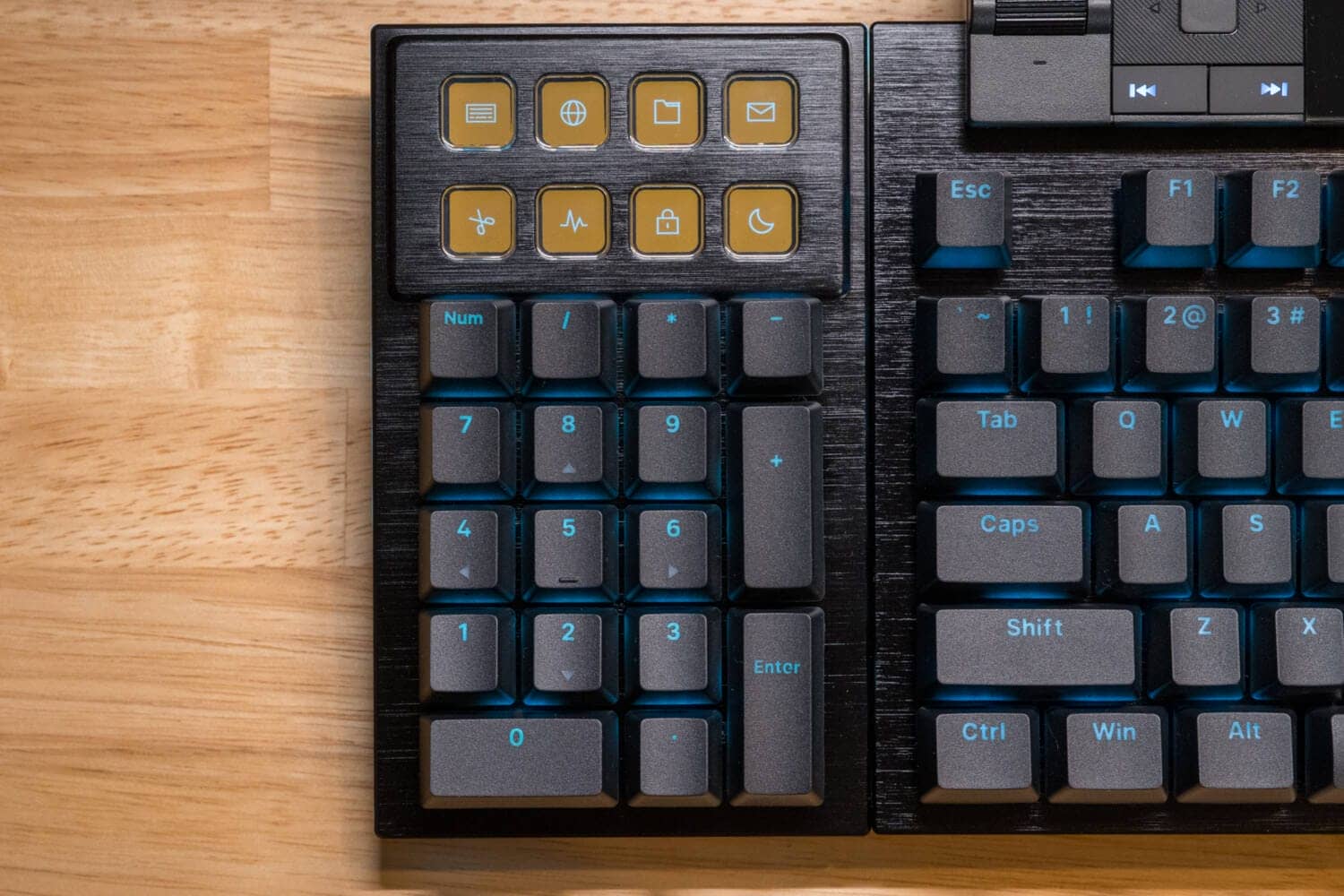
In DARK MOUNT, the left and right numeric keys can be swapped.
This was very useful.
As for specific tasks, “number entry work in Excel” has become much easier.
First, in a normal full-size keyboard, the space physically occupied on the right side is increased by centering the space between F and J.
In addition, many people operate the mouse on the right side, and even the numeric keypad is on the right side.
Therefore, structurally, typing numbers and moving cells always requires the use of the right hand, which is very inconvenient.
This is dramatically improved by having the numeric keypad on the left side.
First, the mouse is positioned closer to the numeric keypad, allowing the user to type numbers with the left hand and operate the arrow keys and mouse with the right hand.
In this way, we realized that we could use both hands more efficiently and work more effectively.
KawamuraHowever, operating the numeric keypad with the left hand requires some familiarity.
Intuitive media control and shortcut control available (DARK MOUNT)
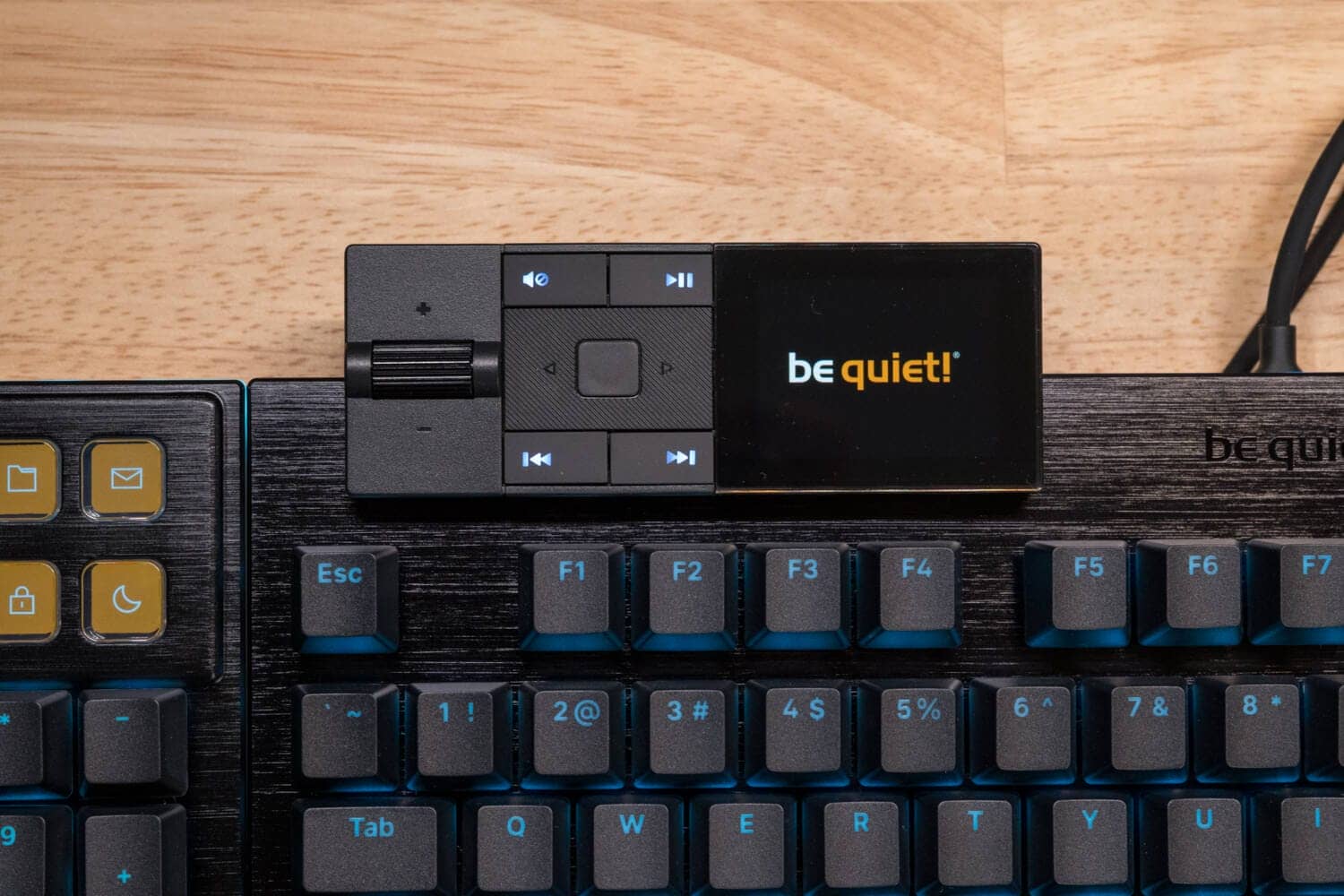
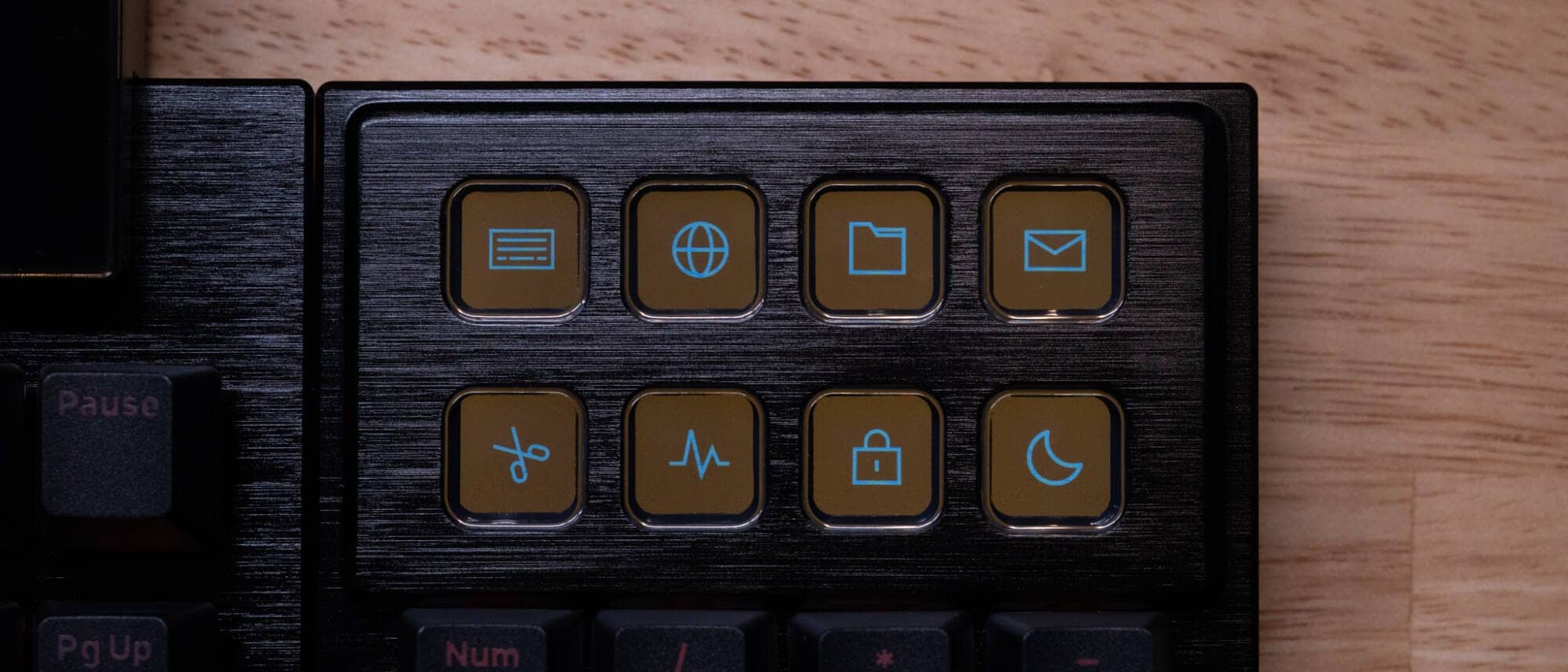
DARK MOUNT allows the user to freely customize the eight display keys above the numeric keypad.
The 140px x 140px icon can be freely configured and various tasks can be assigned to a single button, in addition to launching games and applications.
Also, don’t miss the media dogs.
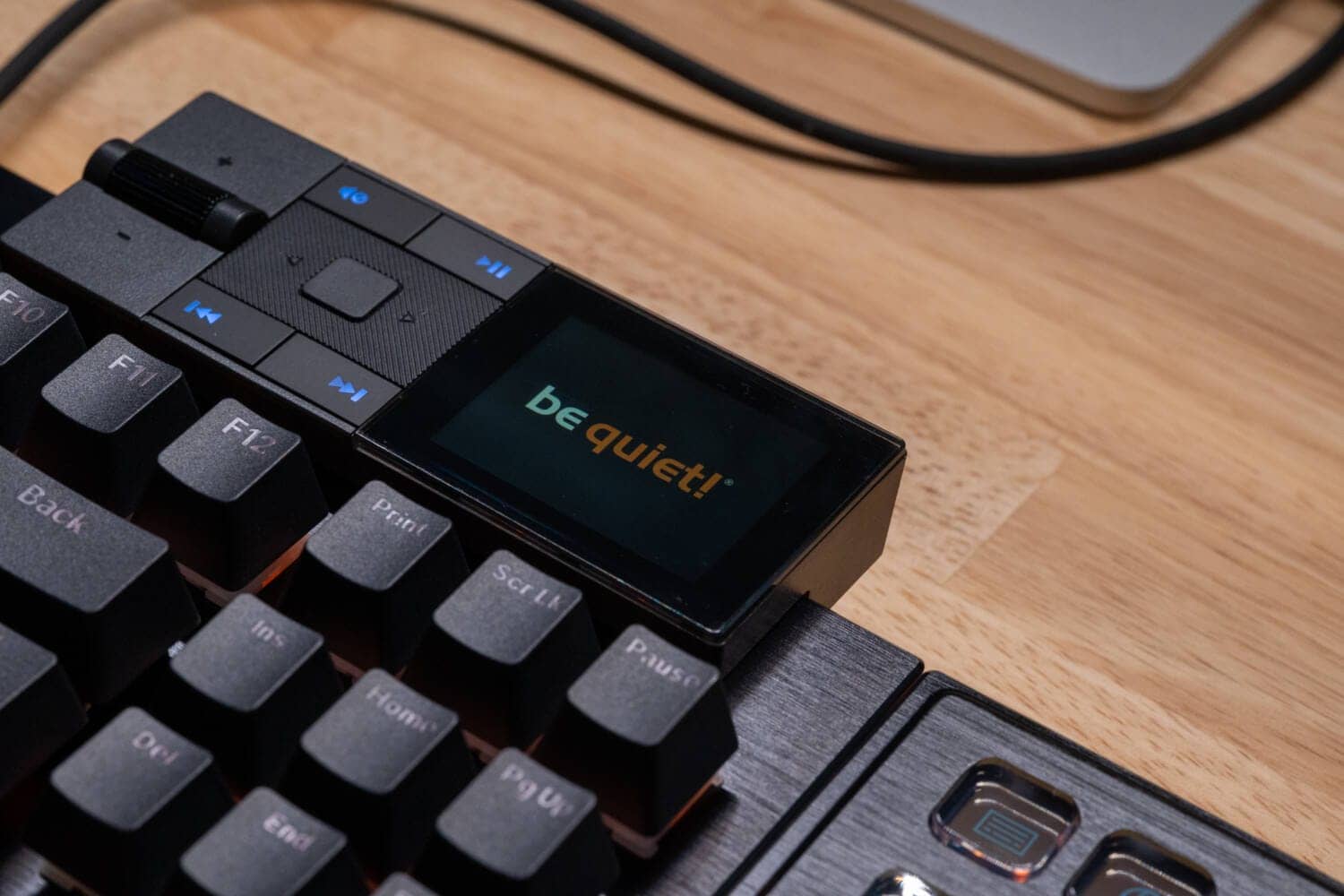
This one cannot be freely customized, but it allows a wide variety of operations, such as setting lighting on the visual, displaying a clock, and controlling music playback.
The ability to control everything at hand, not just typing, is one of DARK MOUNT’s most attractive features.
Macro keys are very useful (LIGHT MOUNT)

On the other hand, LIGHT MOUNT does not have display keys or a media dock, but instead has five “macro keys (M1-M5)” in a row on the left side of the keyboard.
Although not limited to this key, the dedicated web application “IO CENTER Web” and the dedicated Windows application “IO CENTER” make it easy to register shortcut keys and set “macro keys” that perform complex operations with a single button.
Excellent lighting
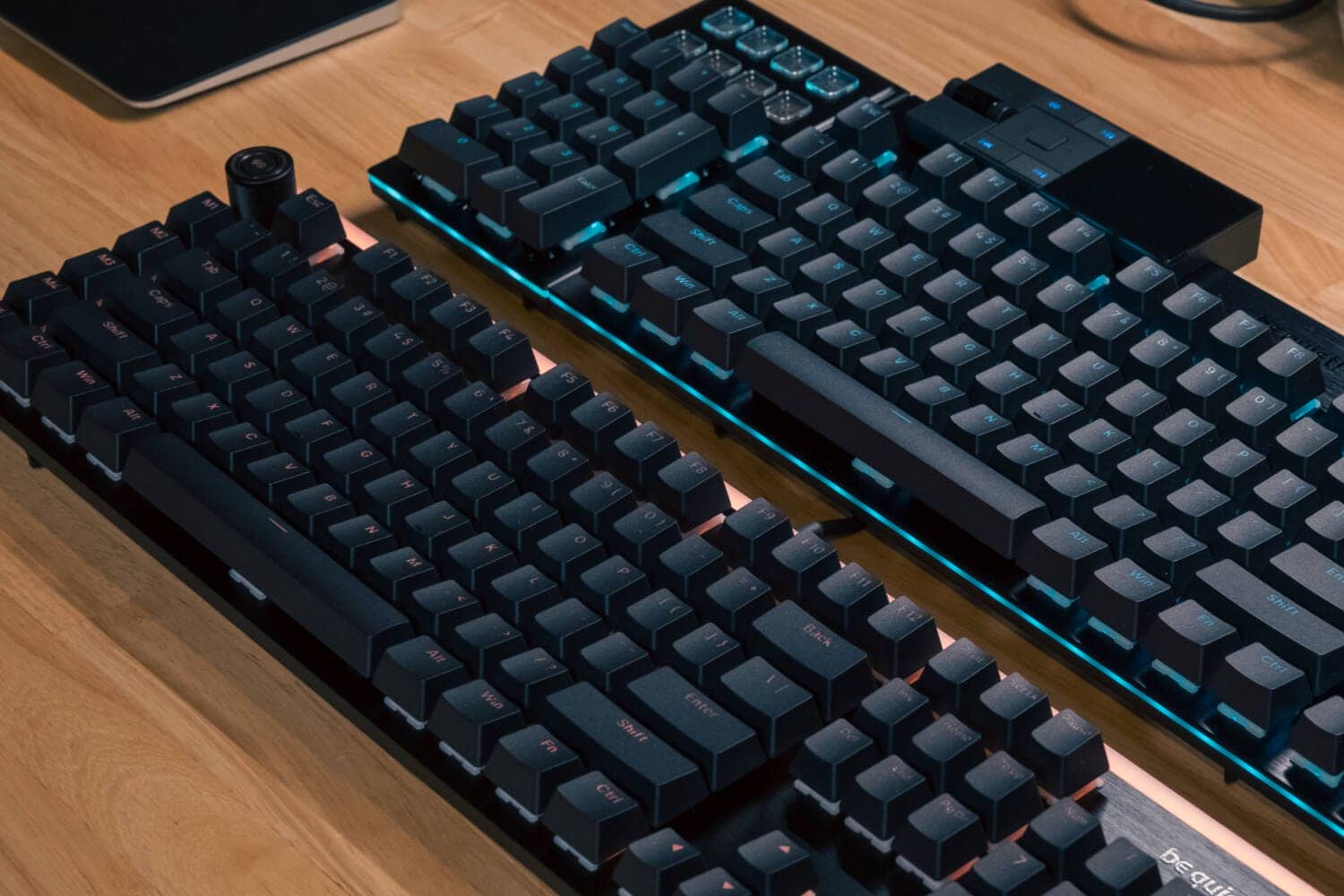
DARK MOUNT/LIGHT MOUNT is truly outstanding in lighting.
The keycap is made of double-shot molding, which allows light to penetrate the printed area, resulting in a very beautiful look.
The beautiful band of light spreading not only on the key tops, but also on the front, sides, and (in the case of LIGHT MOUNT) the back of the frame is a sight to behold.
KawamuraOf course, “flashy” lighting typical of gaming keyboards is possible, but I personally prefer monochromatic lighting with a low light intensity.
I like this keyboard very much because it can be made to glow discreetly.
Disadvantages of be quiet DARK MOUNT/LIGHT MOUNT
Disadvantages of be quiet DARK MOUNT/LIGHT MOUNT
- Slightly large in size
- Modular system is convenient, but expect magnetic junction system
- Display keys are difficult to see from the hand.
- Common top frame and switch plate for side view
- Some restrictions on use on Mac.
- The download link for IO CENTER is difficult to find.
Slightly large in size
DARK MOUNT/LIGHT MOUNT may be a little large considering the desk situation in Japan.
The width of the full-size keyboard is still quite long, about 45 cm.
DARK MOUNT can be used as a TKL size, but LIGHT MOUNT is non-modular and the width cannot be changed.
It is likely to feel cramped unless there is some room at the desk.
Modular system is convenient, but expect magnetic junction system
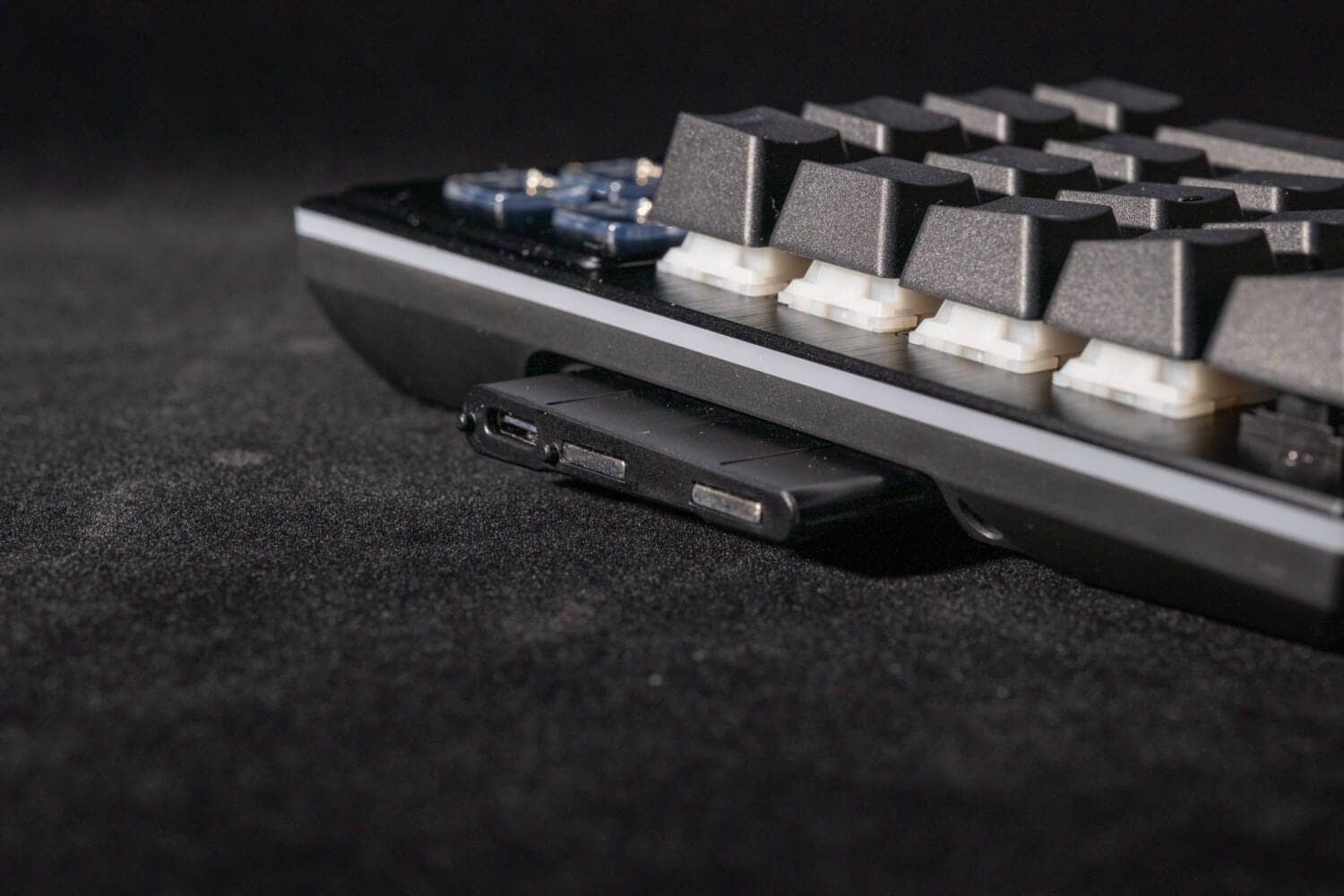
DARK MOUNT’s numeric keypad and media dock are connected via “USB Type-C”.
However, the connection is not only made by the terminals, but also by the physical protrusions that are provided separately.
Although interference problems with circuit boards and various parts need to be taken into consideration, I have the impression that “magnetic bonding type” would allow more convenient attachment and removal.
Display keys are difficult to see from the hand.
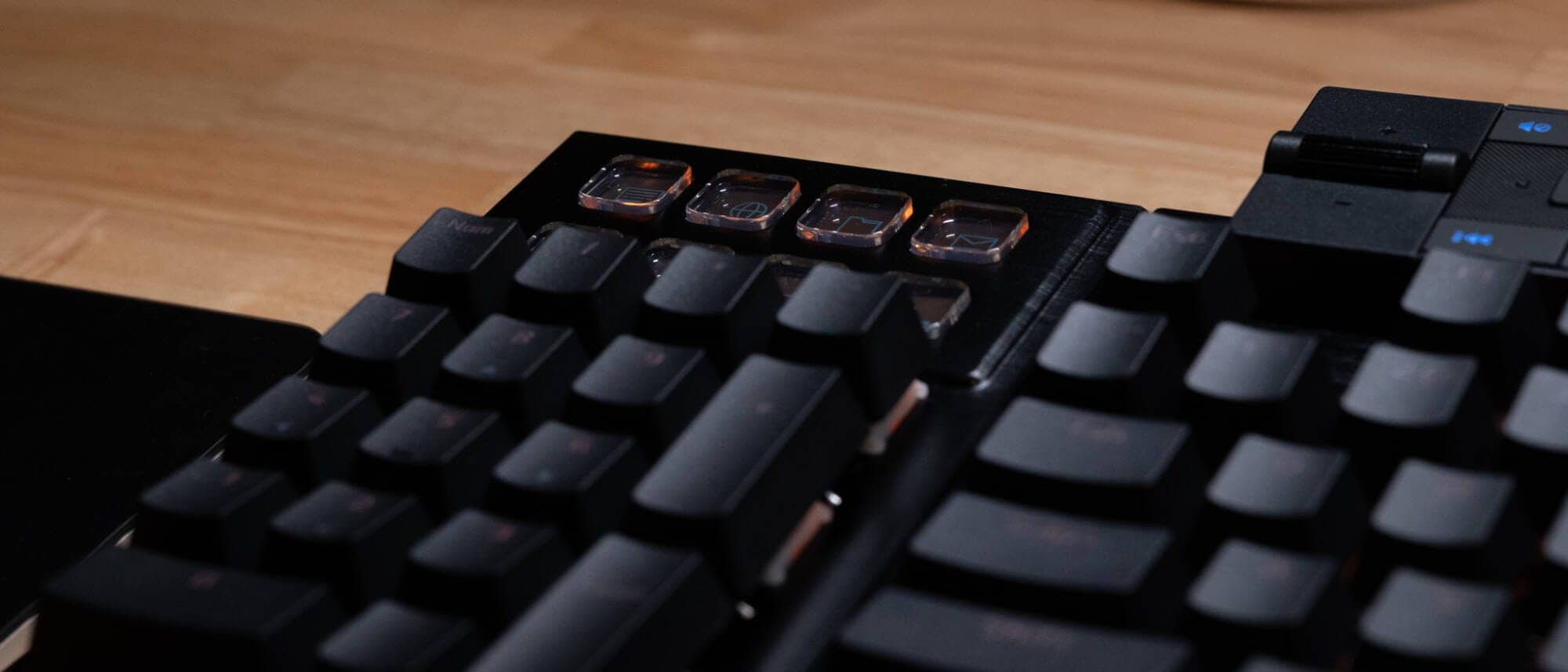
The eight display keys are provided above the numeric keypad, but are difficult to see from the perspective of actual use.
This is due to the display keys being lower than the key switches on the numeric keypad, and there is no current solution.
Although you can see them if you look into them, I still felt that this is an area where consideration should be given.
Common top frame and switch plate for side view

Many keyboards are constructed with a frame over the switch plate, so that the frame hides the parts that cannot be covered by the keycap skirts.
On the other hand, the DARK MOUNT/LIGHT MOUNT keyboard has a top frameless structure with the switch plate intact, so the side portions of the key switches are exposed.
For some people, this “gap” may be a case of concern.
Some restrictions on use on Mac.
Basically, the supported OS for DARK MOUNT/LIGHT MOUNT seems to be “Windows only”.
On macOS, we have confirmed that even if a modifier key (e.g. Ctrl→Shift) is assigned in IO Center, the replaced key is not “synthesized input as Shift” and Shift+a does not turn into A.
On the other hand, since the original Shift key can be used to input uppercase letters normally, I have the impression that the problem is more likely to be caused by the “treatment as a modifier key” on the remap side rather than a problem on the OS side.
The product page does not even list “compatible OS,” but the bottom row keys on the product indicate that it is for Windows, so it is likely that behavior on macOSX was not considered in the first place.
IO CENTER link is confusing.
Both the official website and the Japanese official website have very confusing links to the dedicated application “IO CENTER” which is responsible for keymap changes, etc.
The fact that it can only be reached from the original German official website should be improved.
DARK MOUNT/LIGHT MOUNT Review
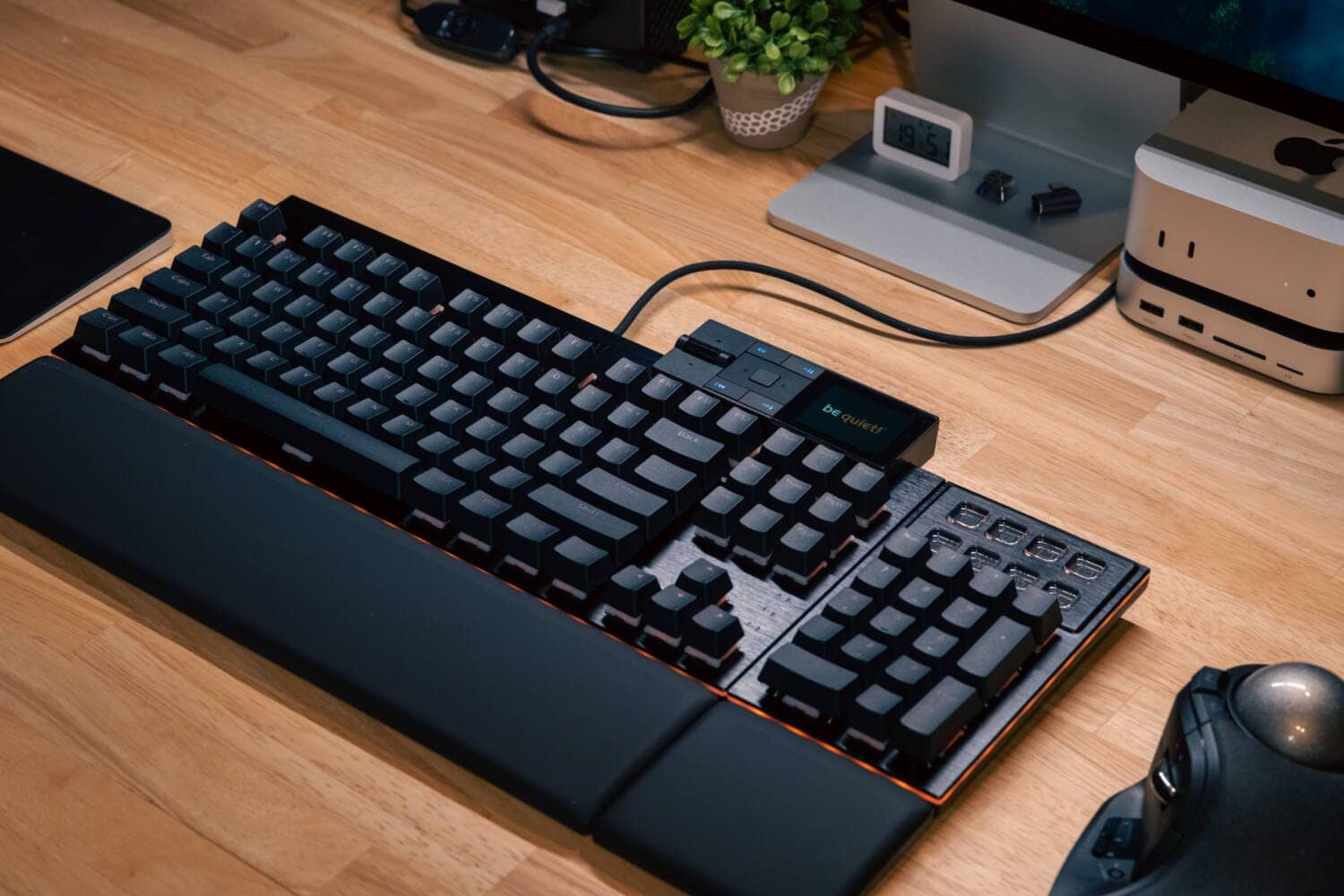
Now let’s look at the actual keyboard.
Each comes with its own palm rest and is packaged in a rather large box.
As for DARK MOUNT, the box is even larger because it contains the numeric keypad and media dog as separate parts.


Check the contents of DARK MOUNT.
It includes the main unit, numeric keypad with display keys, media control dock, split palm rest, Type-A to C cable, keycap/key switch puller, magnetic tilting leg, and instruction manual.

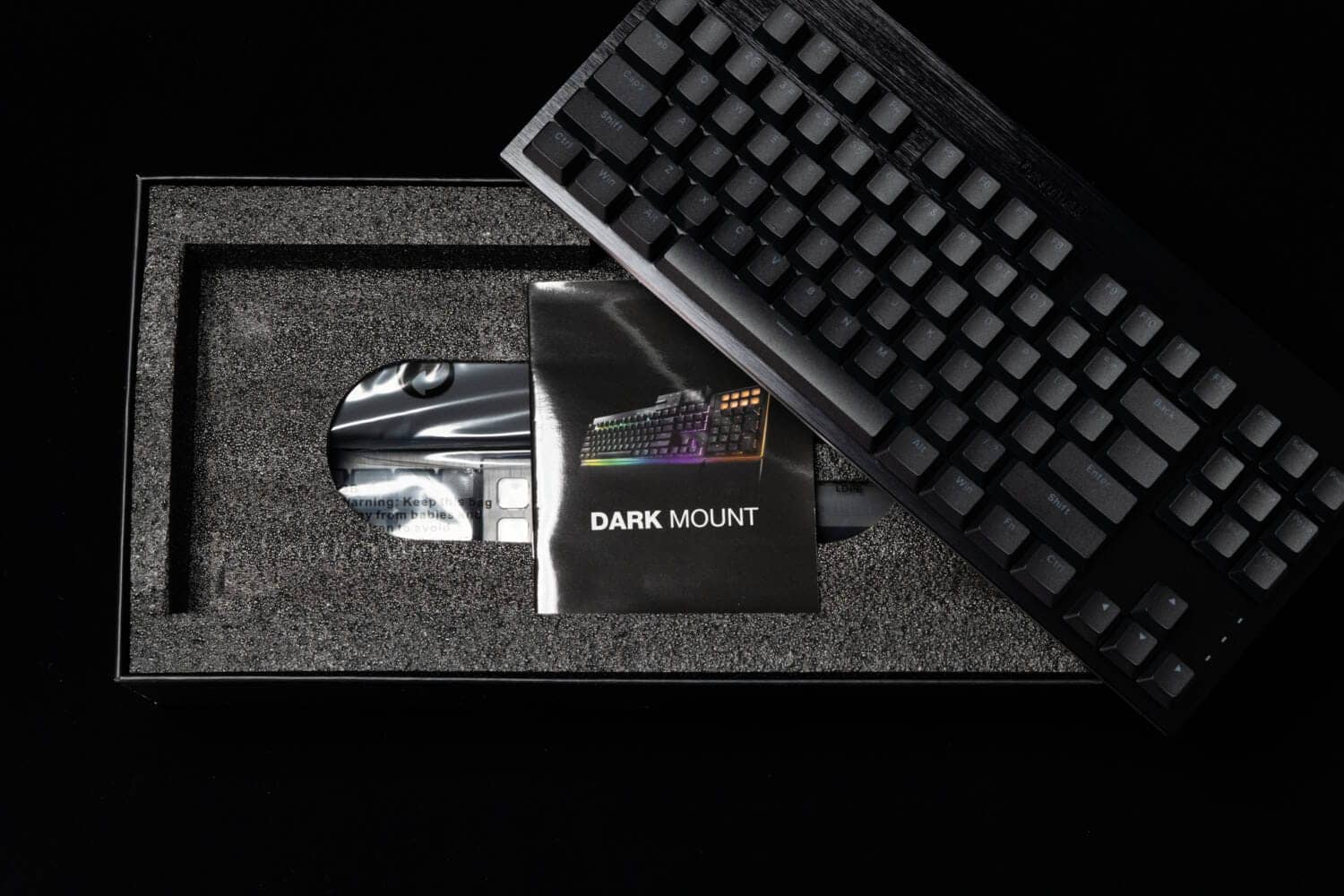

The LIGHT MOUNT is fairly simple: main unit, palm rest, Type A to C cable, keycap/key switch puller, and instruction manual.

Let’s start with the common features of both models.
First, the product features a top plate and switch plate, with no top frame.
The top plate material is aluminum with a hairline finish.
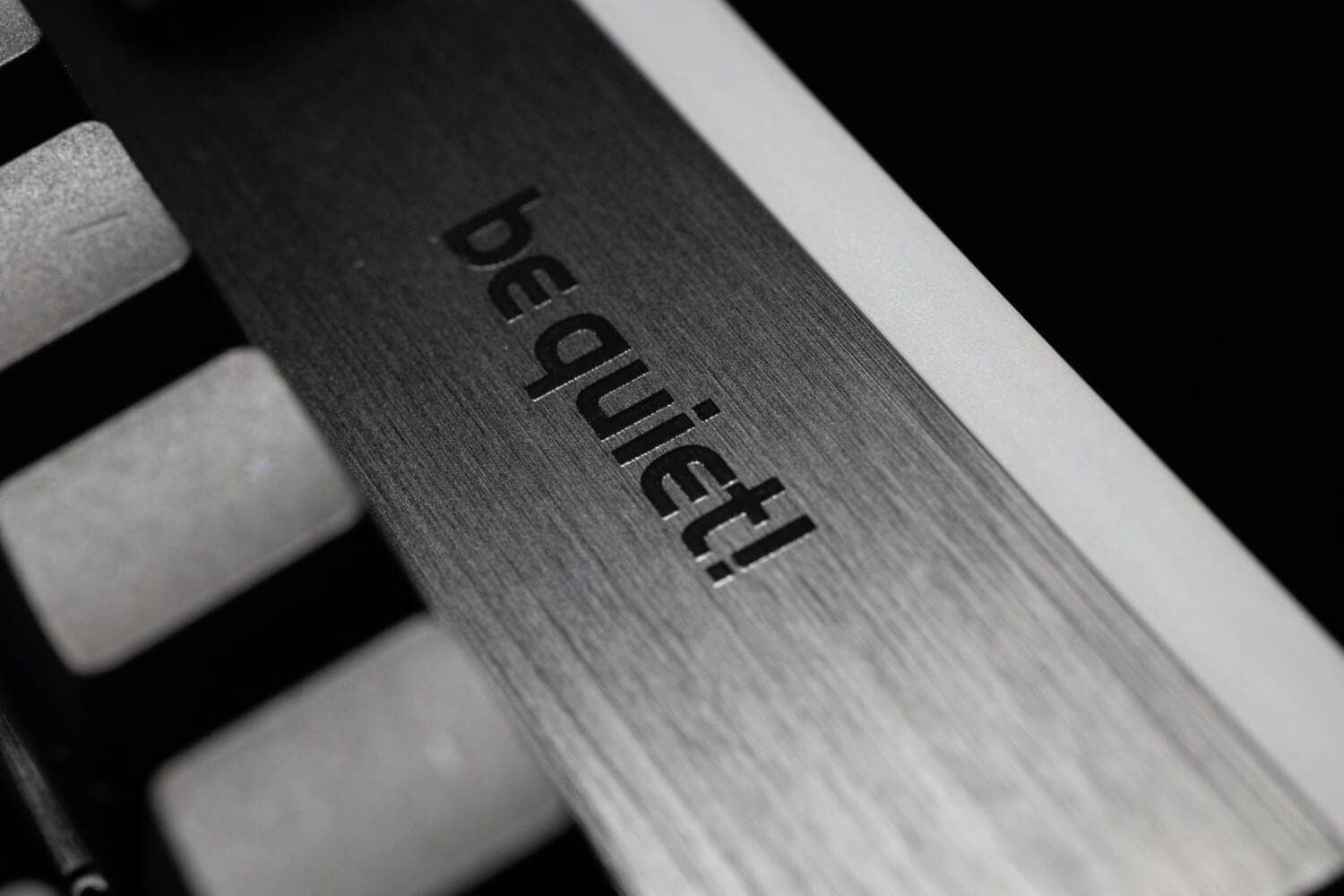
Therefore, the part of the keycap not covered by the keycap skirt is exposed from the side.

Hot-swapping is supported, and LEDs are north-facing on all keys.


The keyswitches are be quiet! original silent switches, with linear axis in orange and tactile axis in black.
The housing is made of PA66 nylon and the stem is made of POM. The bottom of the stem is cushioned to reduce bottoming noise.
Pre-lubricated and smooth in operation, both have a general weight of 45gf of pushing pressure.


The keycaps are double-shot molded, and we assume that the exterior is PBT and the legend part is permeable polycarbonate.


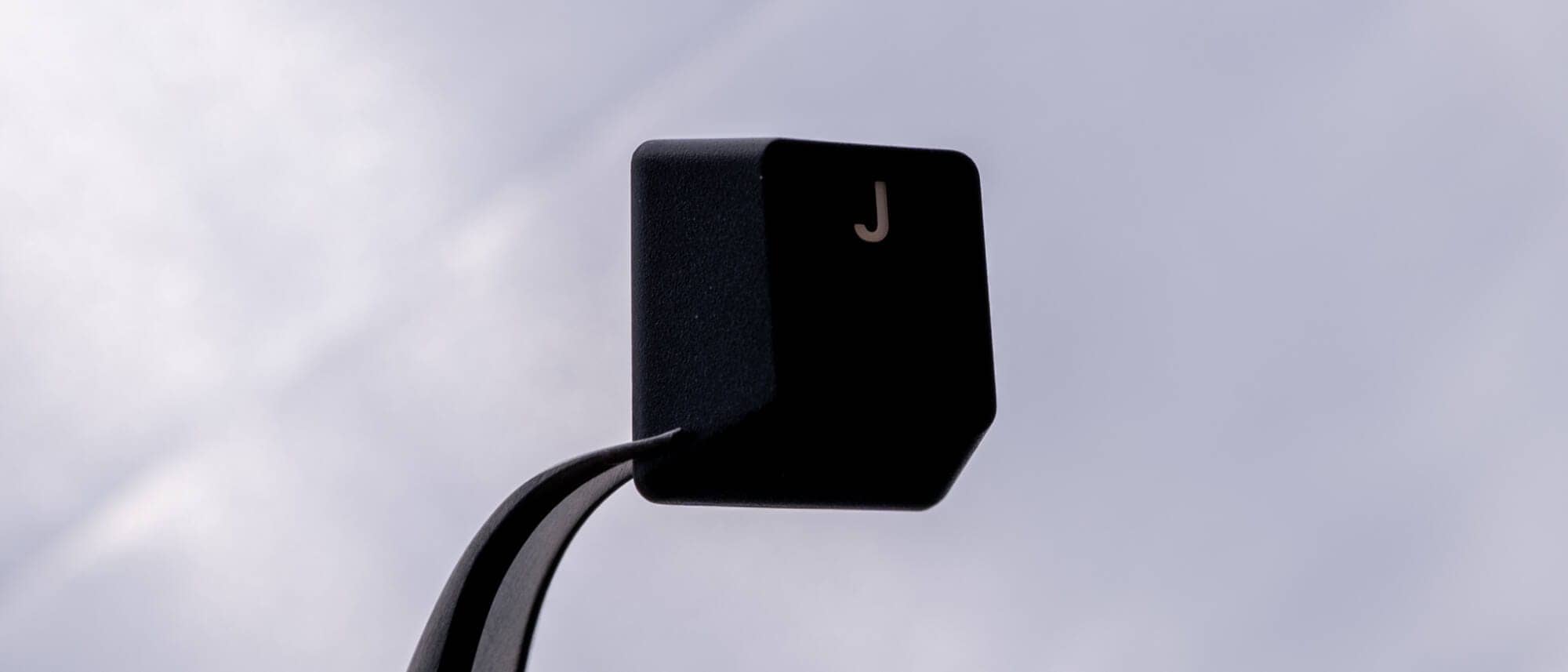
There is no profile specified, but I see that it is a Cherry-like cylindrical design step sculpture.
The height seems lower than the OEM profile.

DARK MOUNTの詳細
Let’s take a look at the overall appearance of DARK MOUNT.
DARK MOUNT is available in three patterns: left/right, mounted and tenkeyless.
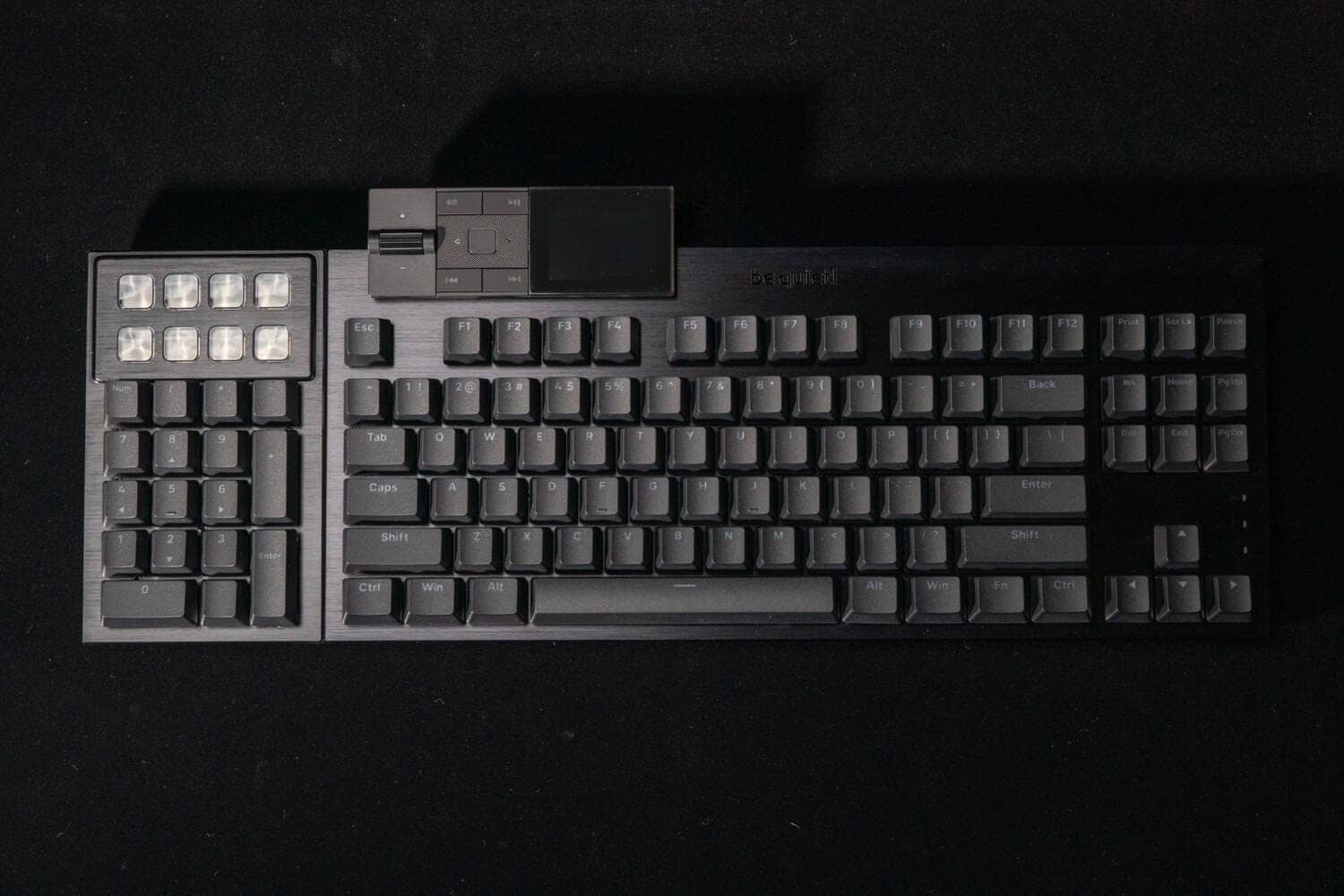
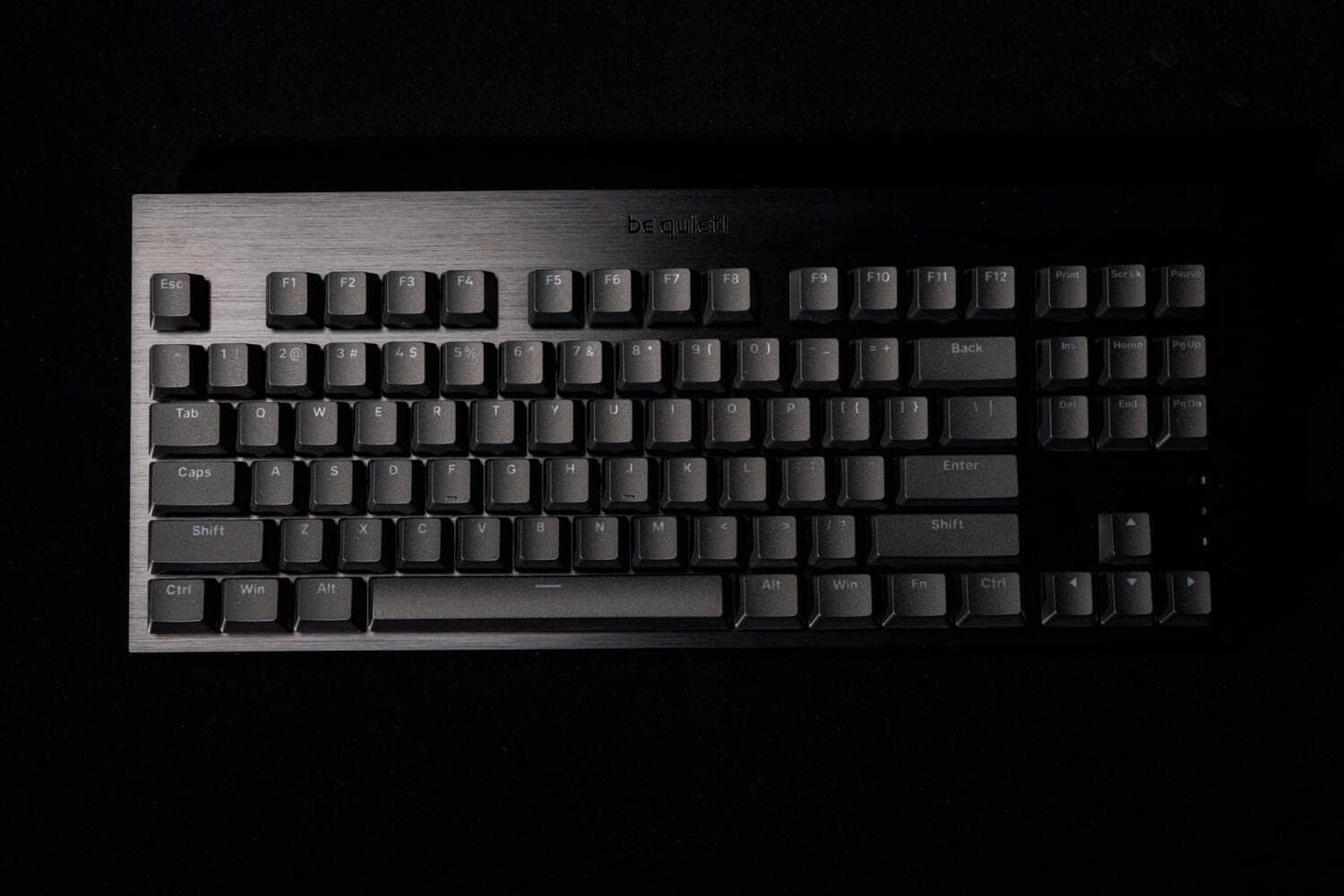

As for the palm rest, we can see the attention to detail, such as the separate numeric keypad section that can be used as a numeric keypad-less system without any problems.

The numeric keypad part has a structure that can slide left and right like this, and a Type-C terminal and magnets are used at both ends to make a joint mechanism.
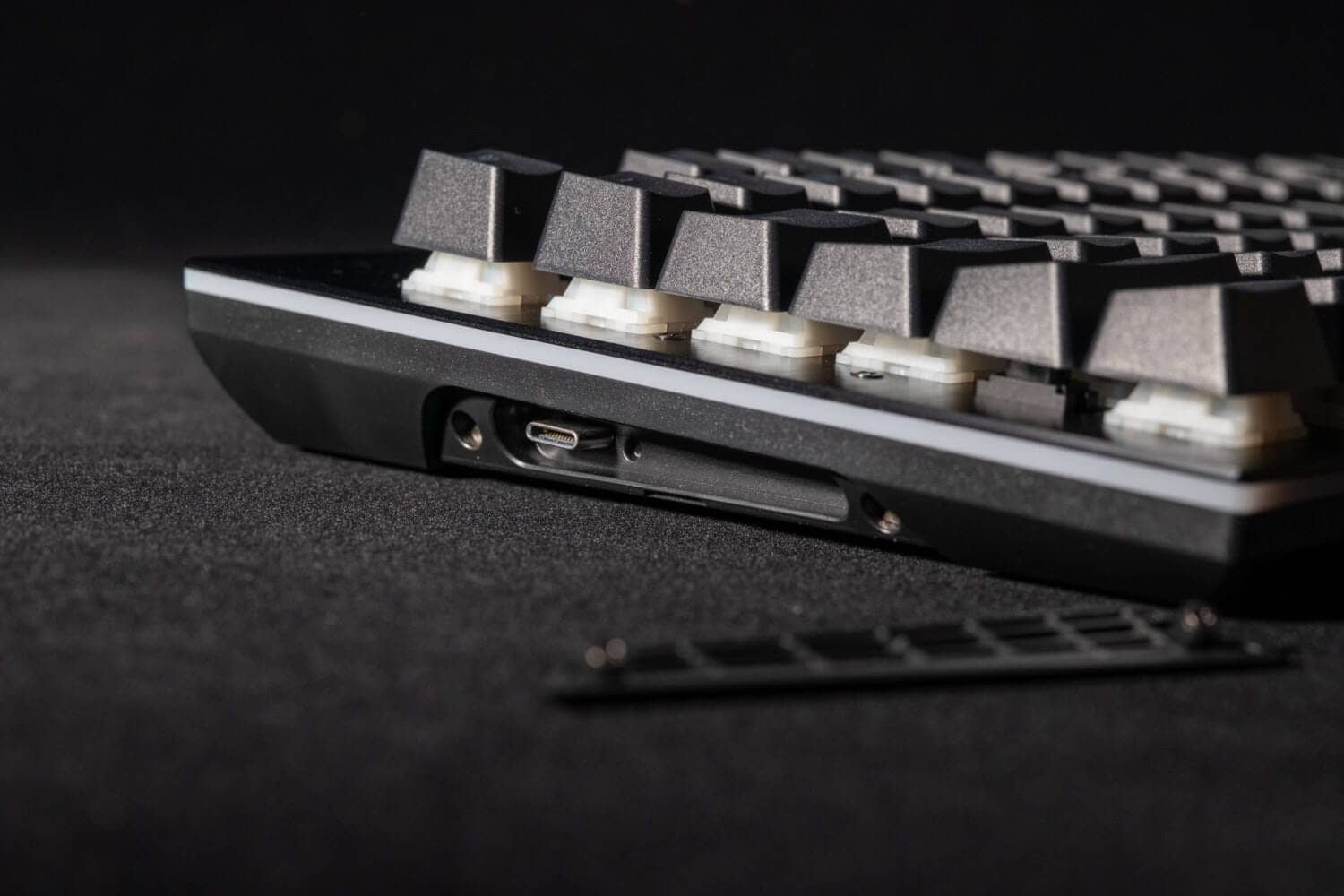
The media dock is connected via Type-C as well, but there are no magnets attached to it, and it is connected by physical unevenness.
There is one Type-C port on each side of the back of the keyboard, so it can be connected to either the left or right side.

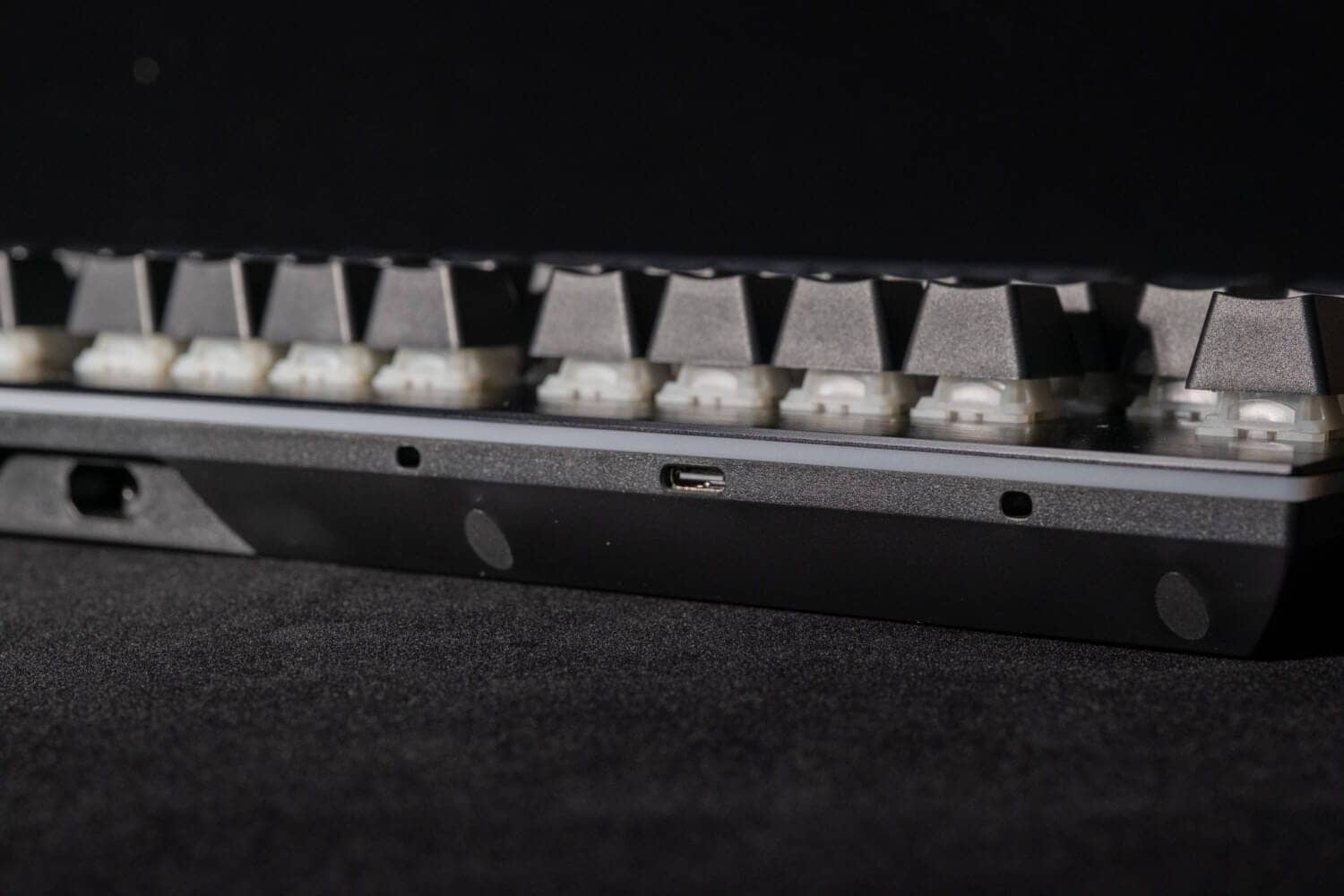
It is very convenient that no special operations, such as keymap changes, are required to connect the numeric keypad or media dog to either the left or right side of the screen.
The display keys above the numeric keypad can be customized with the dedicated “IO CENTER” software, allowing the user to set any 140 x 140px image and any key control.
The ability to customize various operations such as launching apps, complex macro operations, and copy/paste with visuals is excellent and Steam dock-like.
The media control dock can display not only music control, but also clock display, LED illumination adjustment, profile display, and media control, and can be customized.

The model is wired using the Type-C port on the back, and has a media dock port on the back as well as a Type-C port connection port in the center.
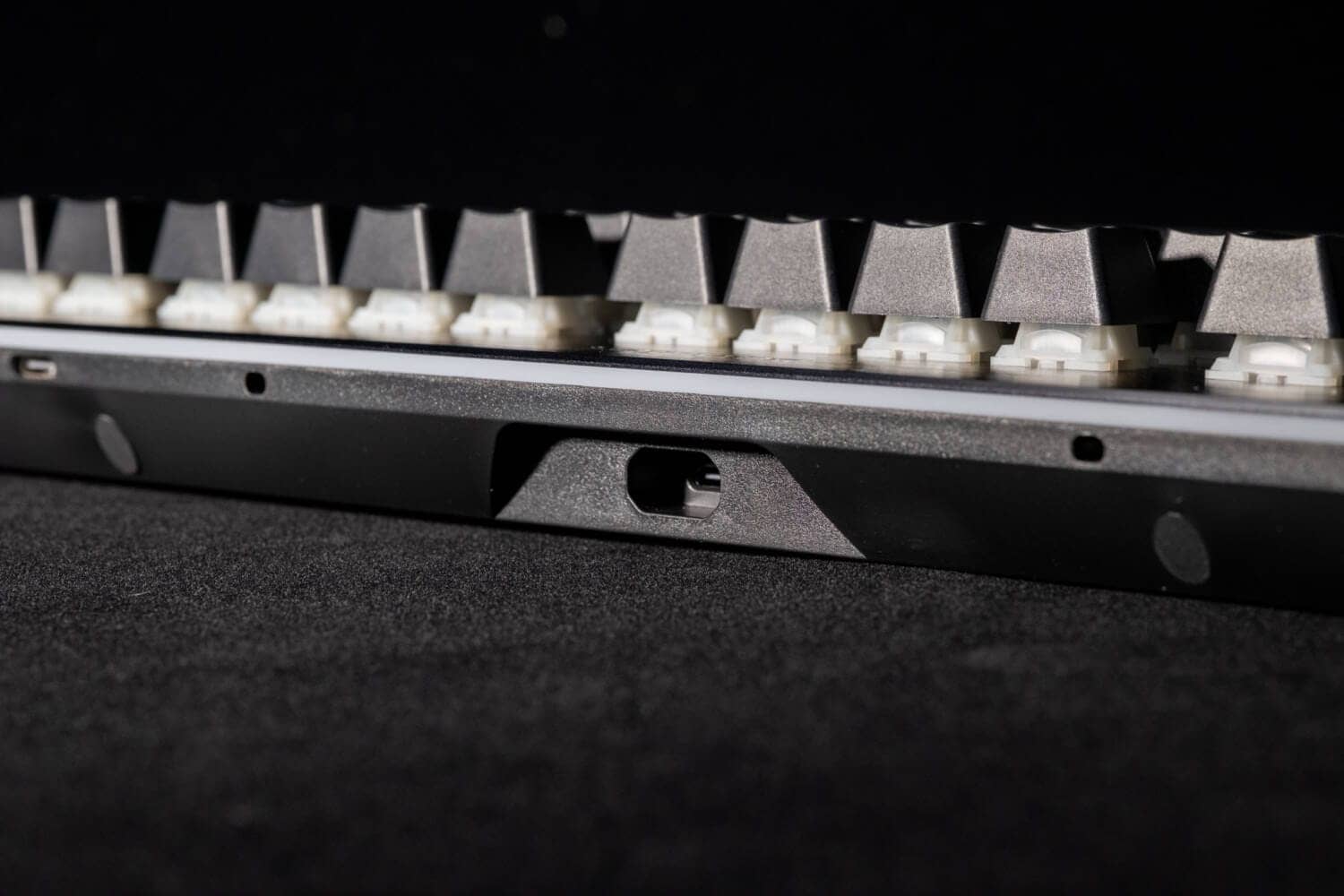
The back is simple, but the original position of the built-in tilt leg has been replaced by a rubber leg with a magnet.

Without rubber feet, it is about 3.3 degrees; with 1-section rubber feet, about 6.2 degrees; and with 2-section rubber feet, about 8.4 degrees.
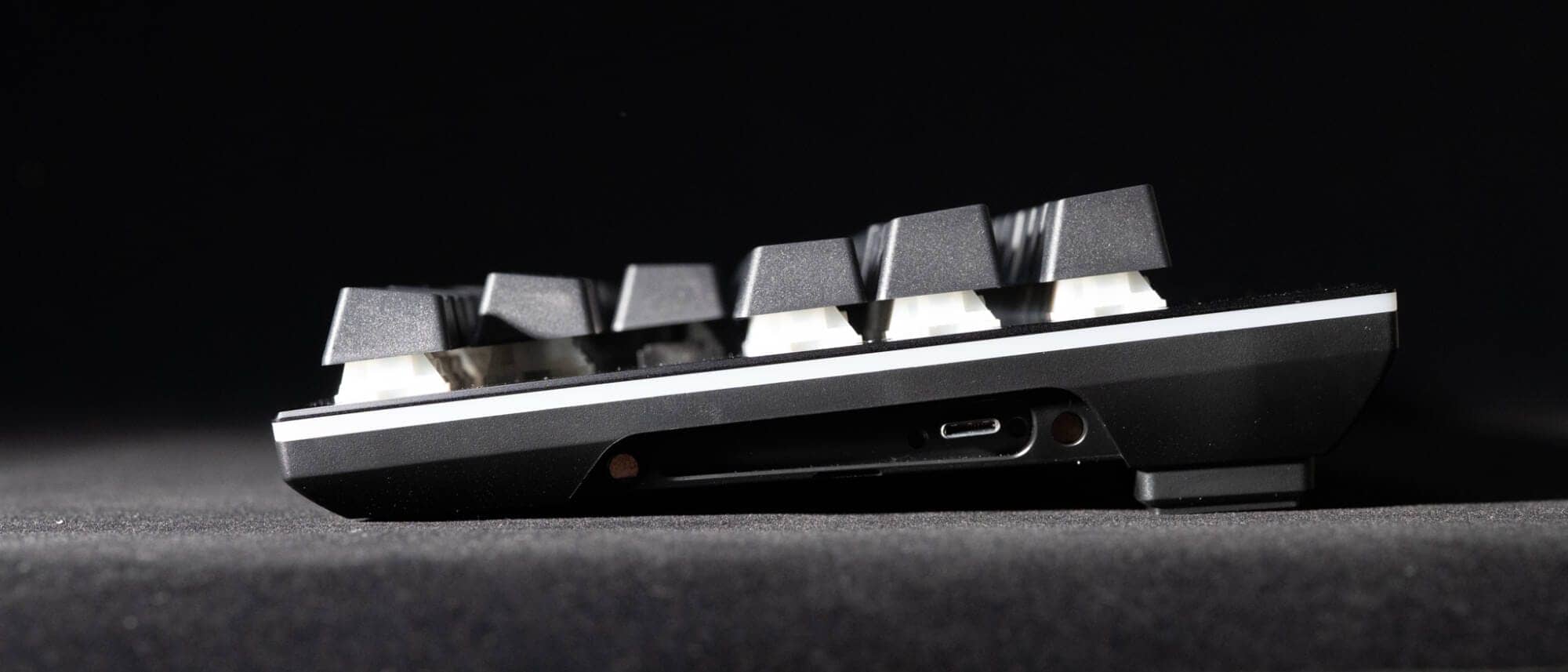 Kawamura
Personally, I felt comfortable with a single step on rubber legs.
The drawback, however, is that the display keys are not completely visible no matter how much the angle is raised, and it is necessary to look into the display.
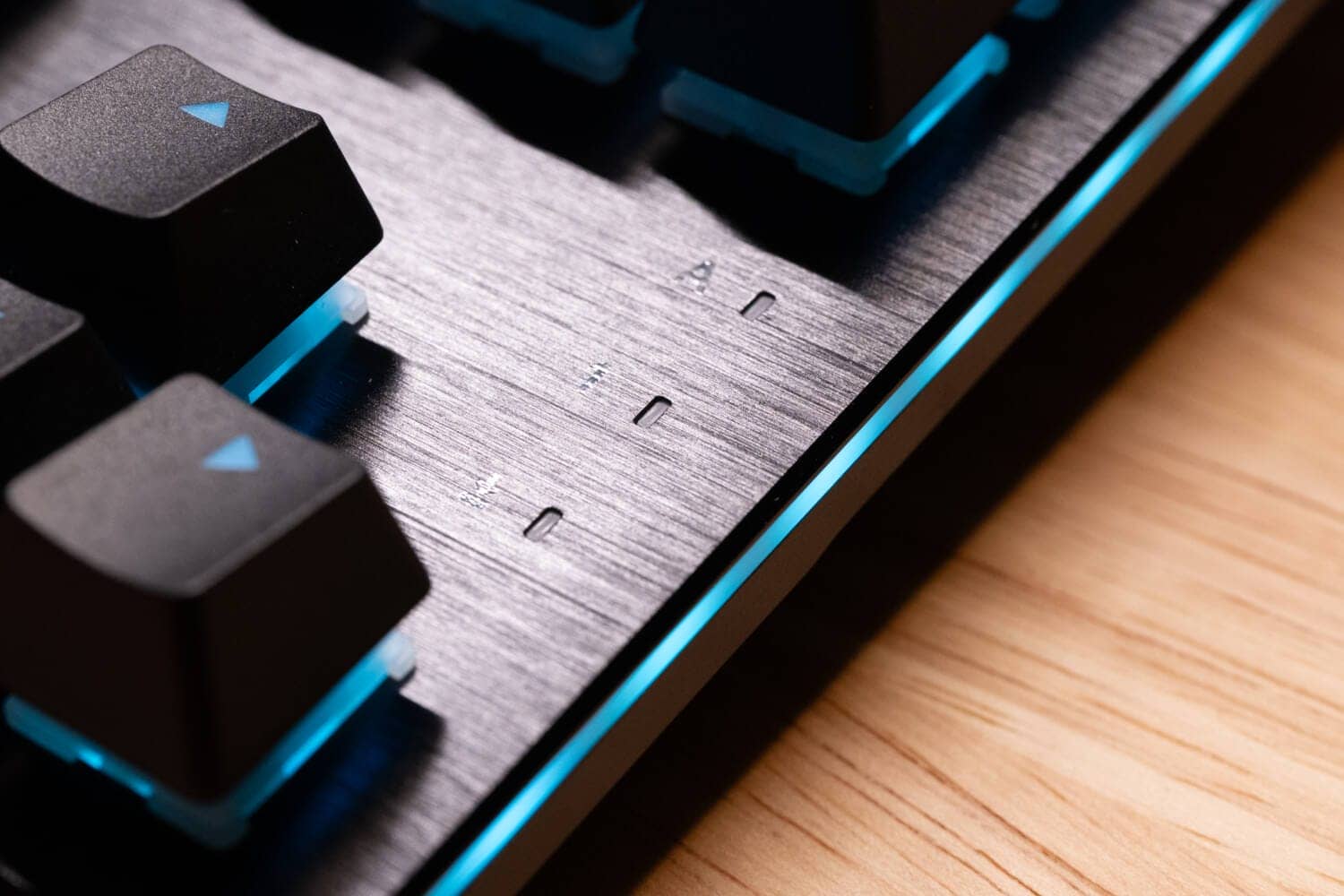
Lighting is provided by backlighting under each key as well as a strip of lighting circling the perimeter.
This is clearly a richer part than LIGHT MOUNT.
LIGHT MOUNT詳細
Then, let’s look at LIGHT MOUNT.
It is an orthodox full-size keyboard with a single row of macro keys and rotary encoder on the left side.


The LIGHT MOUNT has orthodox bottom-integrated tilt legs and does not come with magnetic ones.
The reverse side is as simple as DARK MOUNT, but this one is easier to use in that it has a built-in tilt leg.
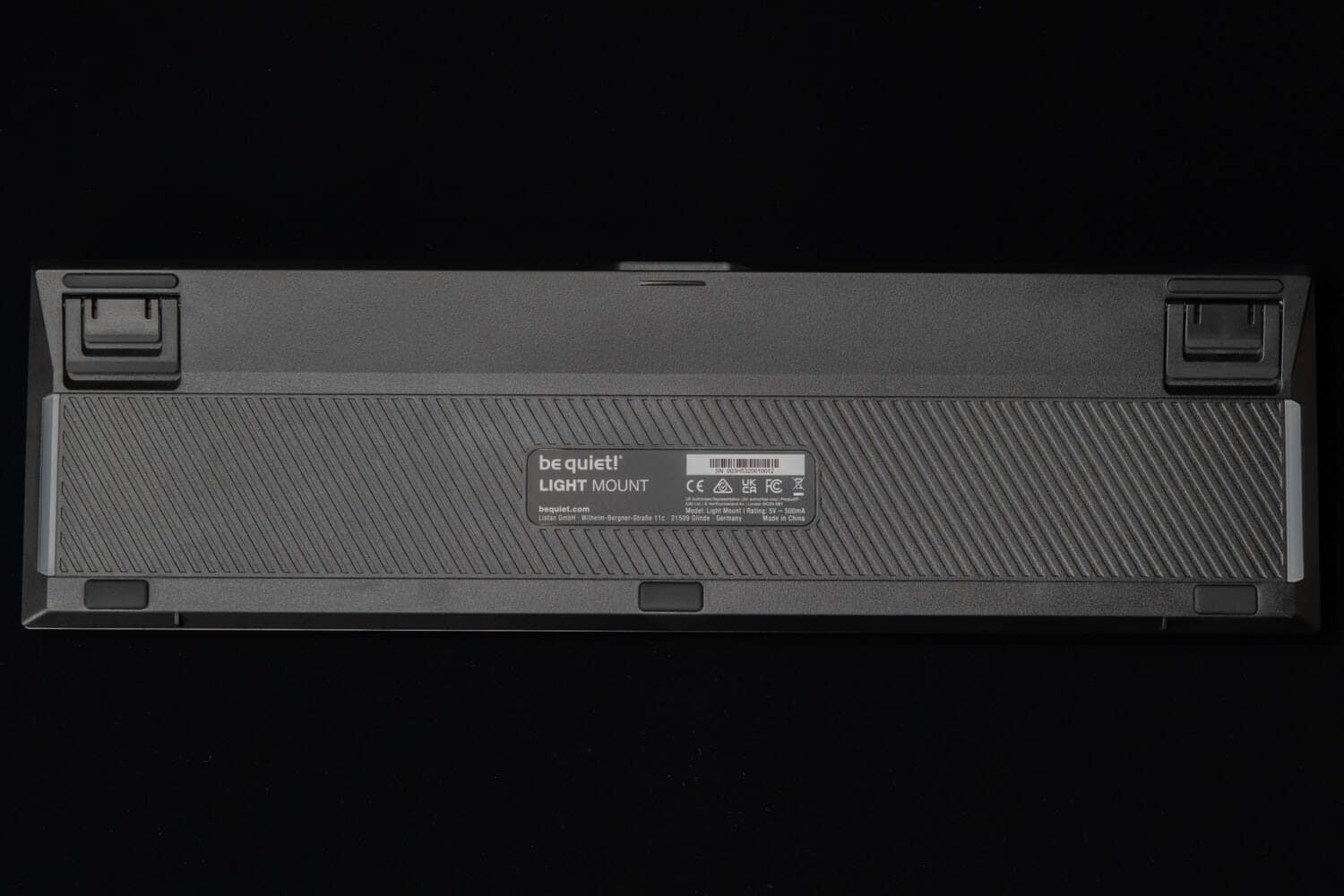
The adjustment range is 1.7, 5.1, and 9.7 degrees, and it was easy to use the system when it was raised one level.


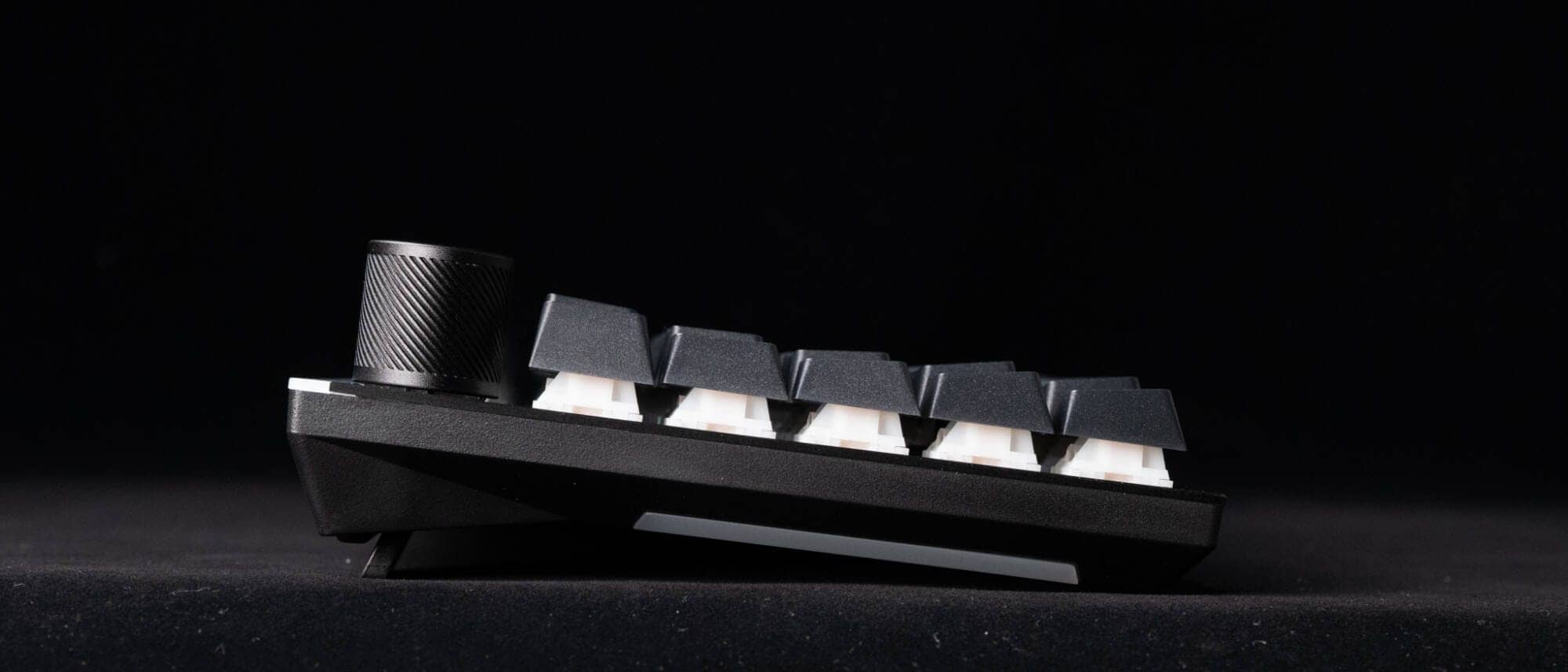
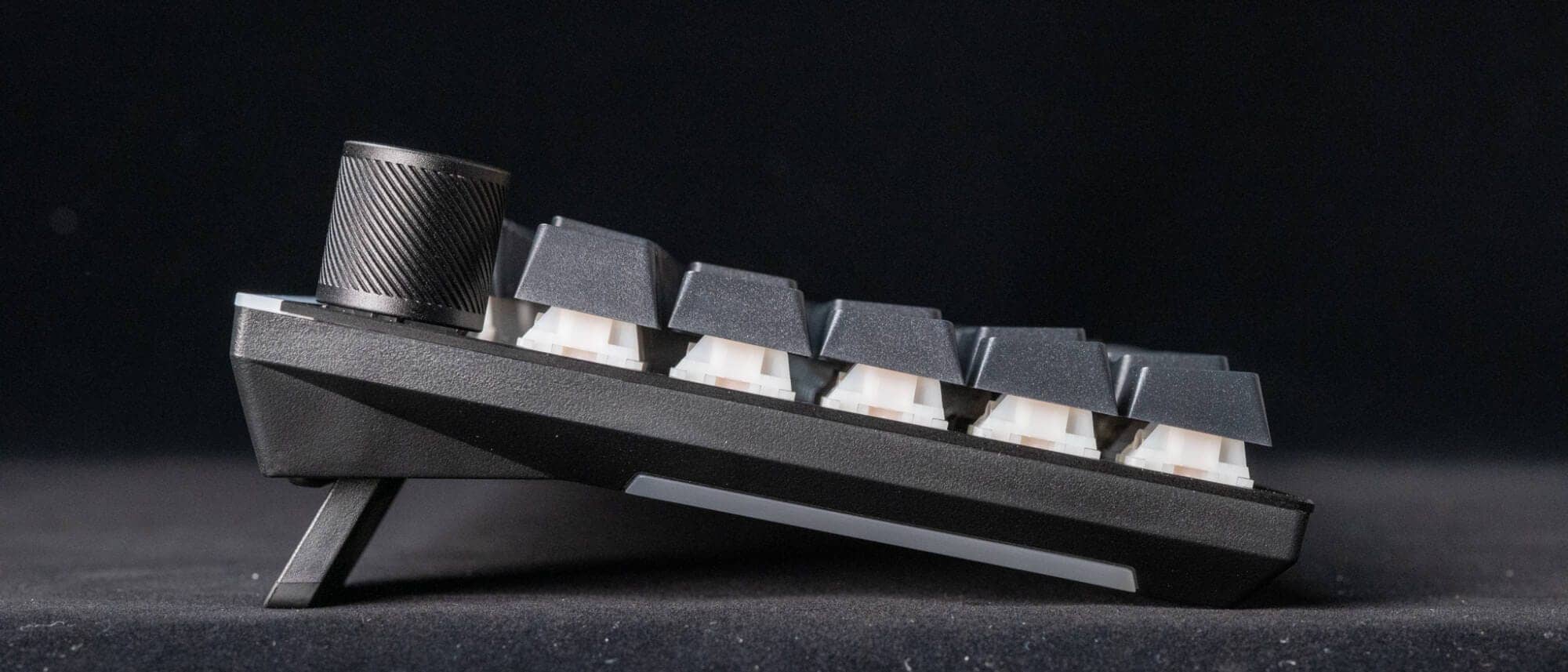
Compared to the DARK MOUNT, the LED lighting is slightly different, with the DARK MOUNT glowing all around, while the LIGHT MOUNT glows only on the sides and back.

Comparison with similar concept keyboards
Let’s compare be quiet DARK MOUNT/LIGHT MOUNT with similar competing keyboards.
The following three models are rivals.
- Mountain Everest Max
- ASUS ROG Claumore II
- Corsair K100 RGB
| (data) item | be quiet! DARK MOUNT | be quiet! LIGHT MOUNT | Mountain Everest Max | ASUS ROG Claymore II | Corsair K100 RGB |
|---|---|---|---|---|---|
| concept | Quiet + “all-in-one” modular | Silent + royal full size | Modular with custom premise | Wireless-enabled modular (numeric keypad unit) | Flagship with ultra-high-speed input and competition-oriented |
| layout impression | Full size (detachable numeric keypad) | Full size fixed | Numeric Keyless + Removable Numeric Keypad | 80% + detachable numeric keypad (left/right possible) | Full size fixed |
| module expansion | Numeric keypad + media dock | nashi (Pyrus pyrifolia, esp. var. culta) | Numeric keypad + media dock | Numeric keypad (left/right) | nashi (Pyrus pyrifolia, esp. var. culta) |
| Display system gimmick | Display key x 8 | nashi (Pyrus pyrifolia, esp. var. culta) | Display keys x 4 + dock display | None (hotkey-centric) | nashi (Pyrus pyrifolia, esp. var. culta) |
| Dedicated macros/hotkeys | Supported by display key/remap | Dedicated macro key x 5 | Supported by display key | Dedicated hotkeys available | Dedicated macro key x 6 |
| media manipulation | Media dock (key + display) | 3D Media Wheel | Dock (dial/display system) | Volume wheel (numeric keypad side) | iCUE Control Wheel |
| switch(ing) replacement | Hot-swap (5-pin MX) | Hot-swap (5-pin MX) | Hot swap (product concept) | No mention of hot swap | No mention of hot swap |
| Quiet design | 3-layer sound-absorbing + silent switch | 3-layer sound-absorbing + silent switch | Not a design concept dedicated to quietness. | Not a design concept dedicated to quietness. | Not a design concept dedicated to quietness. |
| connection | communicate by wire | communicate by wire | communicate by wire | Wired / 2.4GHz wireless | communicate by wire |
| soft | IO Center (Web version available) | IO Center (Web version available) | Base Camp (Windows-centric) | Armoury Crate type | iCUE |
Mountain Everest Max

This model would be a direct competitor to DARK MOUNT.
The direction of the design is similar to that of the “be quiet!” series, with the left and right numeric keys swapped, media dock, and display keys, but the difference is that it is not a quiet axis.
In terms of media control and the ability to attach the palm rest to the entire surface, DARK MOUNT seems to be superior.

ROG Claymore II
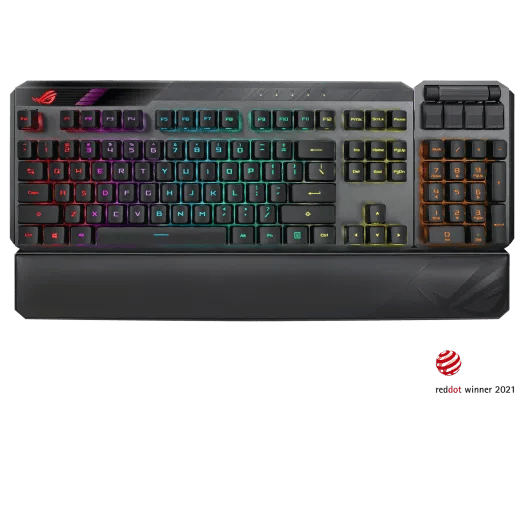
Although they share the same modular design that allows the numeric keypad to be swapped to the left or right, they are clearly different in that they support 2.4GHz wireless communication.
It also differs in that it is a completely gaming-oriented spec with optical switches.
DARK MOUNT is the predominant media control element.
If you are a wireless person, this would be a strong comparison.
Corsair K100 RGB

The LIGHT MOUNT competitor is this one.
In addition to 6 dedicated macros + control wheel, this gaming keyboard touts its input surface (high polling/fast processing).
If you want a gaming keyboard rather than typing, this model may be better for you.
be quiet! keyboards are not for gamers at this time, but for creators.

summary
This has been a review of the DARK MOUNT / LIGHT MOUNT keyboards released by be quiet!
Both will need to make allowances for the large desk space they occupy in the area of full-size keyboards.
However, the ability to operate all keys with one hand without stepping over layers was a product that reminded us of the appeal of a “full-size keyboard”.
The “DARK MOUNT” is still noteworthy.
The gimmick that allows the media dog and numeric keypad to be relocated to the left side is a fairly new gimmick in the keyboard world, and one of the key points is that it is not intended to be tricky, but is also practical.
Of course, the eight display keys, which can be customized, including icons, are superb and will surely stimulate the senses of creators.
If you are interested in this product, please take a look at the product page as well.
- First written on: January 10, 2026
- Last update: January 10, 2026
- Method of coverage: Product offer
- Reference and image credit: Tech Wind Release Page, etc.
- Conflicts of interest: Product offering: Yes Monetization link in this paper: Yes
Greenkeys operates solely on performance-based advertising and does not use Google ads because they reduce usability.
Please support us through Buy Me a Coffee if you enjoyed reading the article so that we can continue to operate the media.