


The products reviewed in this article were provided by the manufacturer or distributor. Ratings and descriptions are based on Greenkeys’ own perspective.
There are still not many options for mechanical keyboards with Japanese-language layouts and an aluminum housing.
In this context, Furycube F75 JIS is one that is easy to focus on, both in terms of key feel and layout cohesiveness.
When we actually touched it, we were impressed by the crisp, pleasing keystroke sound, which is a result of the unusual gasket-mounted construction combined with customized HMX switches.
In addition, this model uses a JLA-425-compliant configuration that takes into account compatibility around the space bar, making it hard to miss for users who want to even consider replacing the Japanese keycaps.
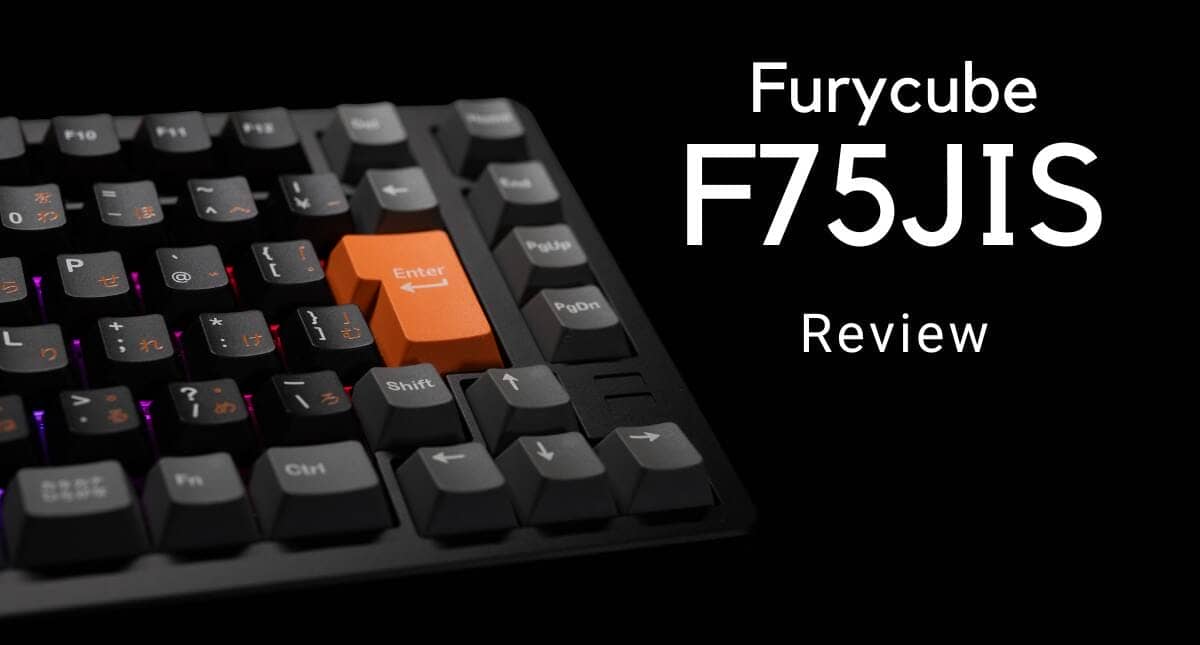
This article reviews the Furycube F75 JIS with photos of the actual device.

- 打鍵音が素晴らしい
- アローキーと特殊キーのポジションが理想的
- 日本語配列キーキャップ交換を意識しやすい構成|JLA-425準拠
- 打鍵音と打鍵感のカスタマイズが比較的容易
- 「なんちゃって」かな表記ではなくしっかりしたかな表記
- キーキャップのカラーによって製造方法が異なる(がメリットでもある)
- 無線接続のスイッチがCapsLockの下にある
- Mac用のキーキャップが付属しない
- 重いため持ち運びには向かない
- クリックリリース構造を採用しているのはUltraモデルのみ


FURYCUBE F75 specifications overview
The FURYCUBE F75 is a mechanical keyboard in an aluminum housing with a 75% layout.
The lineup consists of two models: the Pro model with Japanese-language layout, and the Ultra model with US layout and emphasis on customizability.
Pro is designed to be “safe to use” and Ultra is designed to be “enjoyable while using”.
The F75 Pro also conforms to the Japan Layout Alliance (JLA) concept and uses a 4.25u space bar.
This is not just a layout feature, but a design that takes into consideration compatibility around the space bar, which tends to be a problem with Japanese keyboards.
It is explained that this configuration is intended to be easy to combine not only with keycaps currently in circulation, but also with Japanese keycaps to be developed in the future.
The chassis is made of CNC-machined aluminum for both stable typing and a calm appearance.
It has a weight that does not shift easily even after prolonged use, and is oriented toward those who want to use it securely in a stationary position.

| (data) item | Pro Model | Ultra Model |
|---|---|---|
| array (programming, programing) | JIS array | US array |
| color | Blue / Black | Pink Golden / Matcha |
| switch | Grape Switch (HMX) | Jazz Switch (Kailh) |
| Keycap Material | PBT | PBT |
| Keycap Structure | Double shot + sublimation printing | double-shot |
| Translucent keycap design | ant | Yes (except Pink Golden) |
| Top Case Finish | Aluminum Case | Aluminum Case |
| Case surface treatment | Electrophoresis (Blue) / Anodization (Black) | Anodizing (Pink Golden) / Electrophoresis (Matcha) |
| Back Weight | Frosted glass + silk printing | Frosted glass + silk printing |
| inner structure | Gasket structure (8-point silicone) | Two-layer construction of gasket + bottom |
| plate (often as in “tectonic plate”) | PC Plate | FR4 Plate |
| quick release | incompatible | Compatible (ball-catch type) |
| backlight | RGB | ARGB |
| access method | Wired / BT / 2.4GHz | Wired / BT / 2.4GHz |
| Battery capacity | 8000mAh | 8000mAh |
The entire series is configured with a 75% layout for easy everyday use, combined with wireless connectivity and a high-capacity battery.
On the other hand, there is also a clear differentiation between models, with the Pro model focusing on key feel and ease of Japanese input, and the Ultra model focusing on the fun of disassembly and structural modification.
Difference between Pro and Ultra
The FURYCUBE F75 has a distinctly different character, even within the same F75 series.


The Pro model uses a JIS layout, with an 8-point silicon damper gasket structure and PC plate, emphasizing a soft and calm keystroke feel.
The Ultra model, on the other hand, uses a US arrangement and is configured with a ball-catch type quick-release structure for easy opening, closing, and maintenance without the use of screws.
The distinction between “Pro” for “safe to use as is” and “Ultra” for “enjoyment including disassembly and customization” is quite easy to understand.
 Kawamura
It is my impression that many people who use ANSI layouts are more focused on customization, so this is a logical product configuration.
contents
Included in the package are the following
- keyboard body
- Key switch/keycap puller
- Type-A to C cable
- Preliminary key switch
- USB dongle
- handling instructions
- simplified manual
Available Models and Colors


- Pro model (JIS layout): Blue / Black
- The 8-point silicon damper gasket structure features a soft and calm keystroke feel.
- Equipped with HMX “grape” switch.
- Ultra model (US layout): Golden Pink / Matcha
- Ball-catch quick-release construction allows easy disassembly and maintenance without screws.
- Equipped with Kailh “Jazz” switch.
About JLA Badge The Pro model conforms to the “Dimensional Compatibility Guidelines around Space Bar” as defined by the Japan Layout Alliance (JLA). The space bar is designed at 4.25u, which is safe for future keycap replacement.
Price, sales format, and availability
- Availability: ★★☆☆☆☆ (currently rare as it is only available through crowdfunding)
- Price range: 22,400 – 25,500 yen (depending on support plan)
- Sales form: Pre-order sales (CAMPFIRE)
- Sales Period: Open to April 30, 2026 23:59
- Available at: CAMPFIRE
- Scheduled delivery: April 2026
CAMPFIRE Schedule
- Availability: ★★☆☆☆☆ (mainly via crowdfunding at this time)
- Price range: 22,400 to 25,500 yen
- Sales format: Crowdfunding on CAMPFIRE
- Scheduled release: March 13, 2026 at 18:00
- Estimated closing date of application: 48 days after publication
- Scheduled delivery: April 2026
- Target amount: 500,000 yen
- Execution method: All-in method (returns will be sent even if the goal is not reached)
FURYCUBE F75 will be pre-deployed on CAMPFIRE.
As of the pre-publication page, the information is that the application will be released on March 13, 2026 at 6:00 p.m., with 48 days until the end of the application period, and a goal of 500,000 yen.
Because of the all-in format, returns will be delivered after the support is approved, even if the target amount is not reached.
Price on CAMPFIRE
The support price, which can be confirmed on CAMPFIRE, is as follows
The planned general sales price differs between Pro with JIS layout and Ultra with US layout, and the crowdfunding offers early bird and CF discounts with limited quantities.
| model | Return Name | Support Price | Estimated general sales price | discount rate | limited number |
|---|---|---|---|---|---|
| F75 Pro JIS | CAMPFIRE limited early bird discount 20% off | 22,400 yen | 28,000 yen | 20% OFF | 50 |
| F75 Pro JIS | CAMPFIRE limited CF discount 15% off | 23,800 yen | 28,000 yen | 15% OFF | 200 |
| F75 Ultra US | CAMPFIRE limited early bird discount 25% off | 22,500 yen | 30,000 yen | 25% OFF | 50 |
| F75 Ultra US | CAMPFIRE limited CF discount 15% off | 25,500 yen | 30,000 yen | 15% OFF | 200 |
Based on the expected general sales price, Pro is 28,000 yen and Ultra is 30,000 yen, so we have the impression that Ultra is differentiated by its structure and accessories, while keeping the price in the price range where domestic users can easily choose JIS layouts.
All returns are inclusive of tax and shipping, have technical certification, and are guaranteed for 180 days after receipt.
The instructions are provided in English for the US layout and Japanese for the JIS layout.
KawamuraThe early bird price is a very considerate level for the F75 Pro configuration.
Looking at the aluminum housing, Japanese layout, wireless compatibility, 8,000mAh battery, and even the way the keys feel when typing, we felt that this is one machine we would like to judge not just on the basis of a simple price comparison, but also on its perfection as a mechanical Japanese layout device.
Furycube F75 JIS Review
Let’s take a look at the Furycube F75JIS.
It is packaged in a rather heavy cosmetic box.
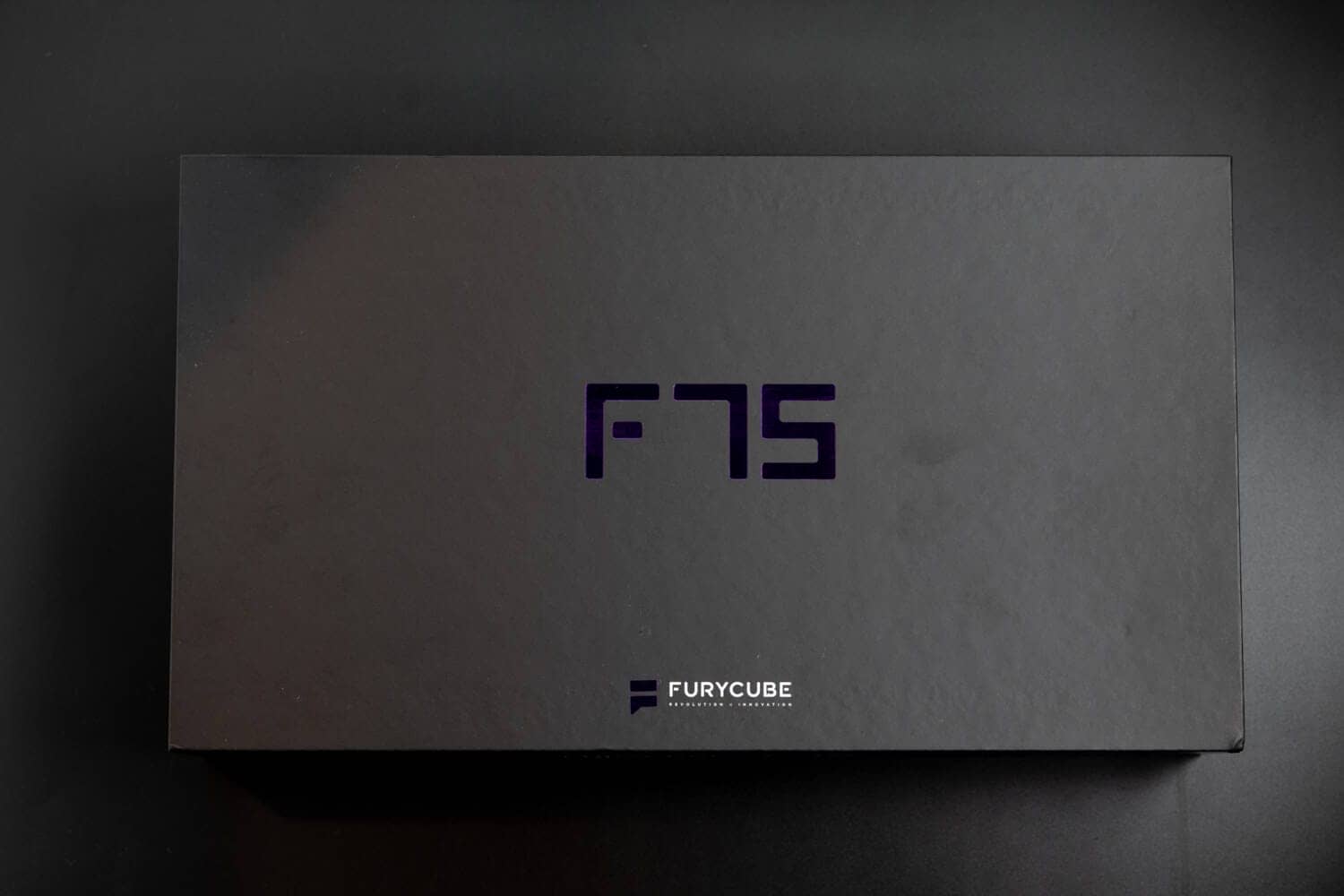

The matte cosmetic box is decorated with a lame logo, and the exterior is made with a great deal of care.


The contents include the keyboard itself, key switch/keycap puller, Type A to C cable, spare key switch, USB dongle, instruction manual, and simple manual.

As for the instruction manual, it is produced by KIBU Corporation and written in Japanese for the first part.


As for the simplified manual, it is in Japanese and very easy to understand.

Now let’s look at the keyboard itself.
As you can see, this is an orthodox 75% Japanese keyboard.
The Z line is shifted 0.5u to the right compared to the A line, just as on a normal keyboard, so you will be able to type without any discomfort.
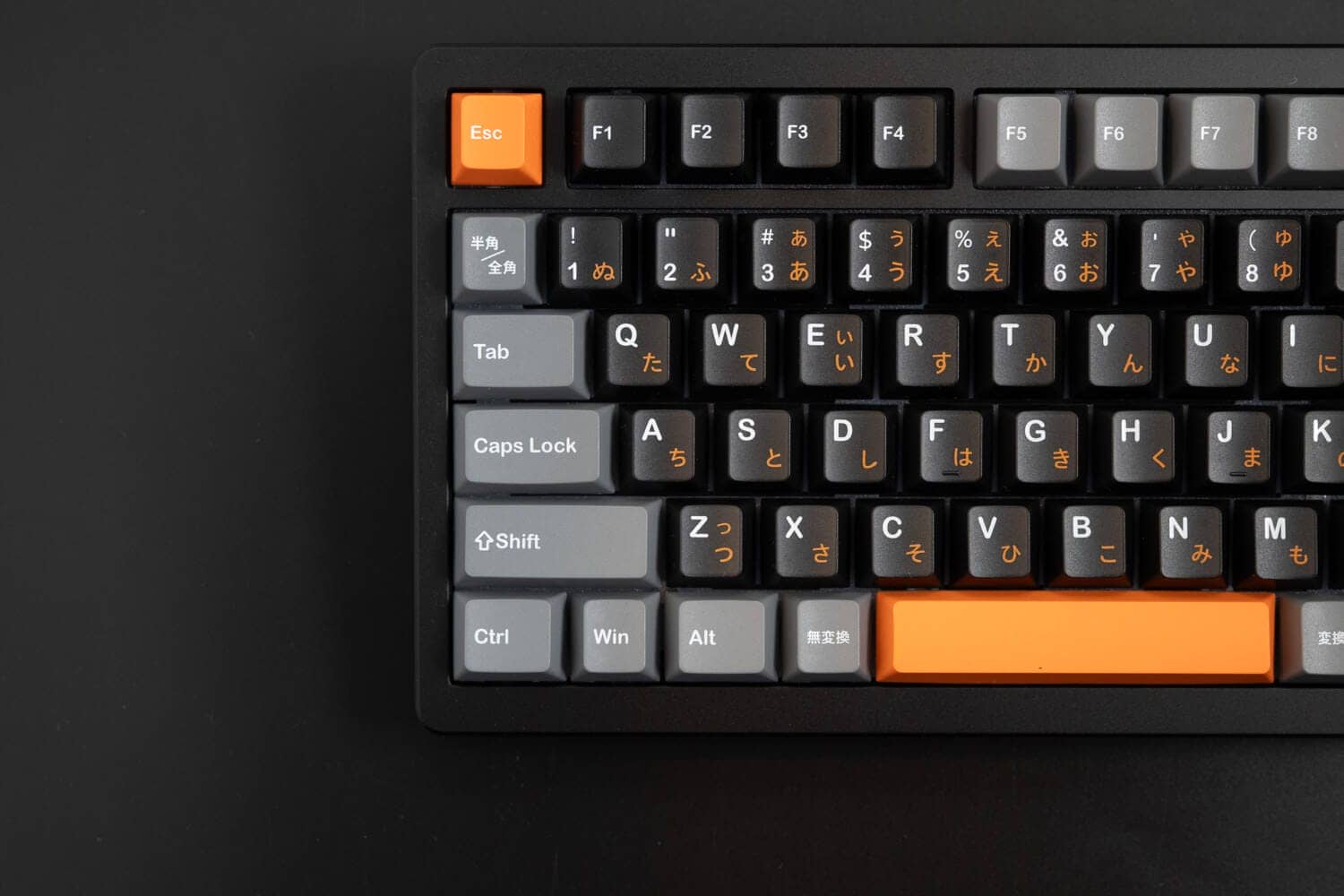
The length of the space bar is 4.25u size, which is often adopted in Japanese keyboards, and it seems that keycap replacement will not be a problem.

Notable is the right side.
Arrow keys and special keys are independent of each other to prevent miss-touching.
This is a specification that can only be achieved with a dedicated Japanese-language layout design.
KawamuraThe enthusiasm for Japanese-language sequences is palpable.

Typing tilt angle is approximately 6.3 degrees.
There is no tilt leg and the angle is fixed.

The height of the front side is about 2 cm, which is low enough that I personally can type without a wrist rest.

There is nothing on the periphery of the keyboard except for USB port holes.
 Kawamura
Therefore, the wireless connection switch is located next to CapsLock.
In addition to USB wired connectivity, the F75 also supports Bluetooth and 2.4GHz wireless connectivity, and has a built-in 8000mAh high-capacity battery.
It is easy to handle not only for stationary use but also for users who want to use it across multiple devices.

The case modeling is also simple but very beautiful.


Then let’s look at the reverse side.

The size of the rubber feet is modest, perhaps to accentuate the presence of bottom weights.

The bottom weight has a matte clear, glass-like look, with a mysterious pearl-like luster that can be seen from different angles.

The casual brand logo is stylish.

The switch plate material is POM.

LEDs are South Fetch specification.

The keyswitches are specially ordered HMX switches.
The use of color is very stylish, just like HMX.


The bottom strike sound is very crisp and pleasant.
The short stroke width is also suitable for high-speed typing.

Then let’s look at keycaps.
As for the keycaps, the alpha keys are PBT double-shot + sublimation printing (kana printing portion), while the other keys are sublimation printing.

There are no problems with the molding accuracy of the key switches.
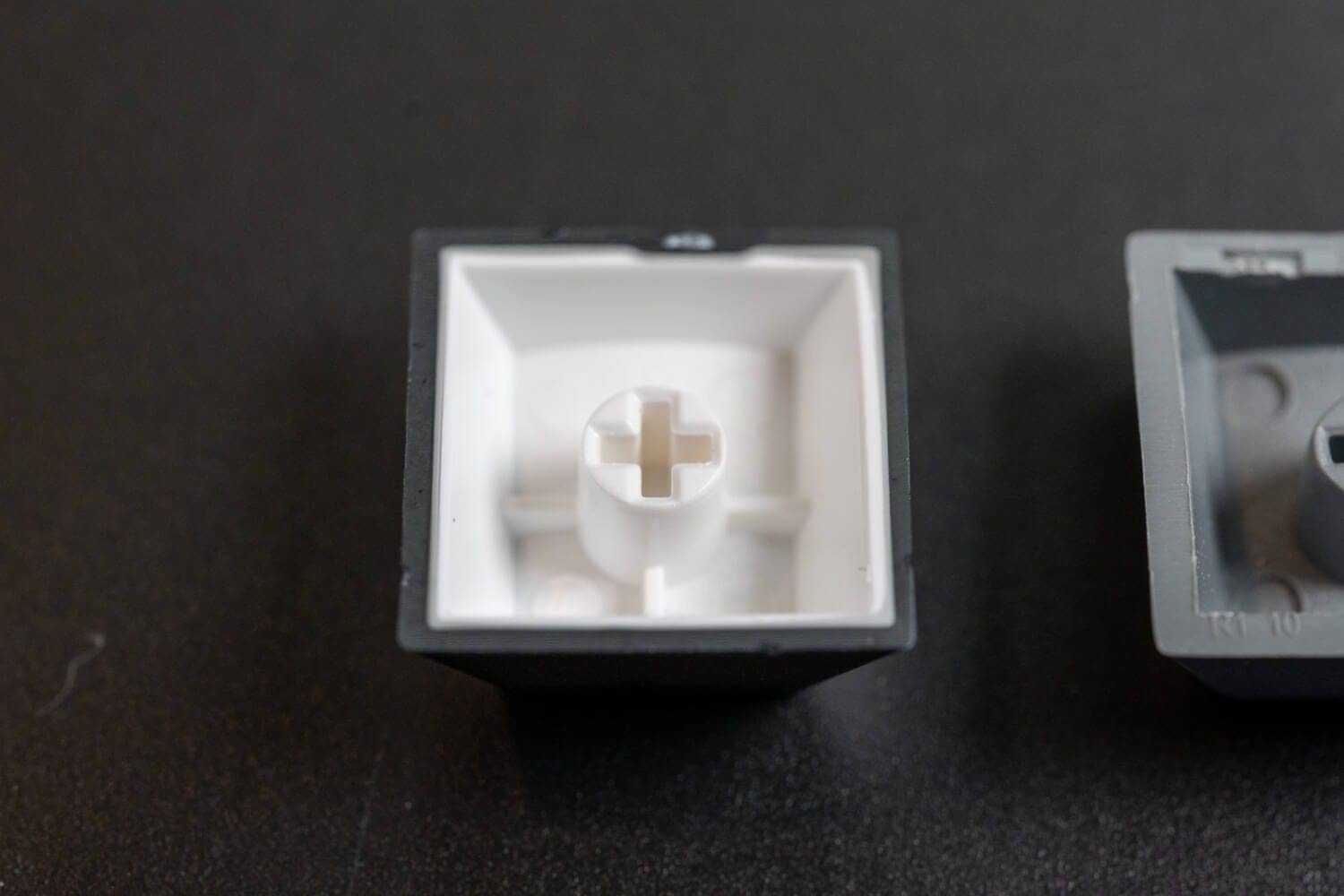

This seems to be the impression of the situation.
Probably, there is a history of sublimation printing because fine printings such as “half size/full size” peculiar to Japanese alignment cannot be reproduced by double-shot.

The top frame can be removed by removing six screws.


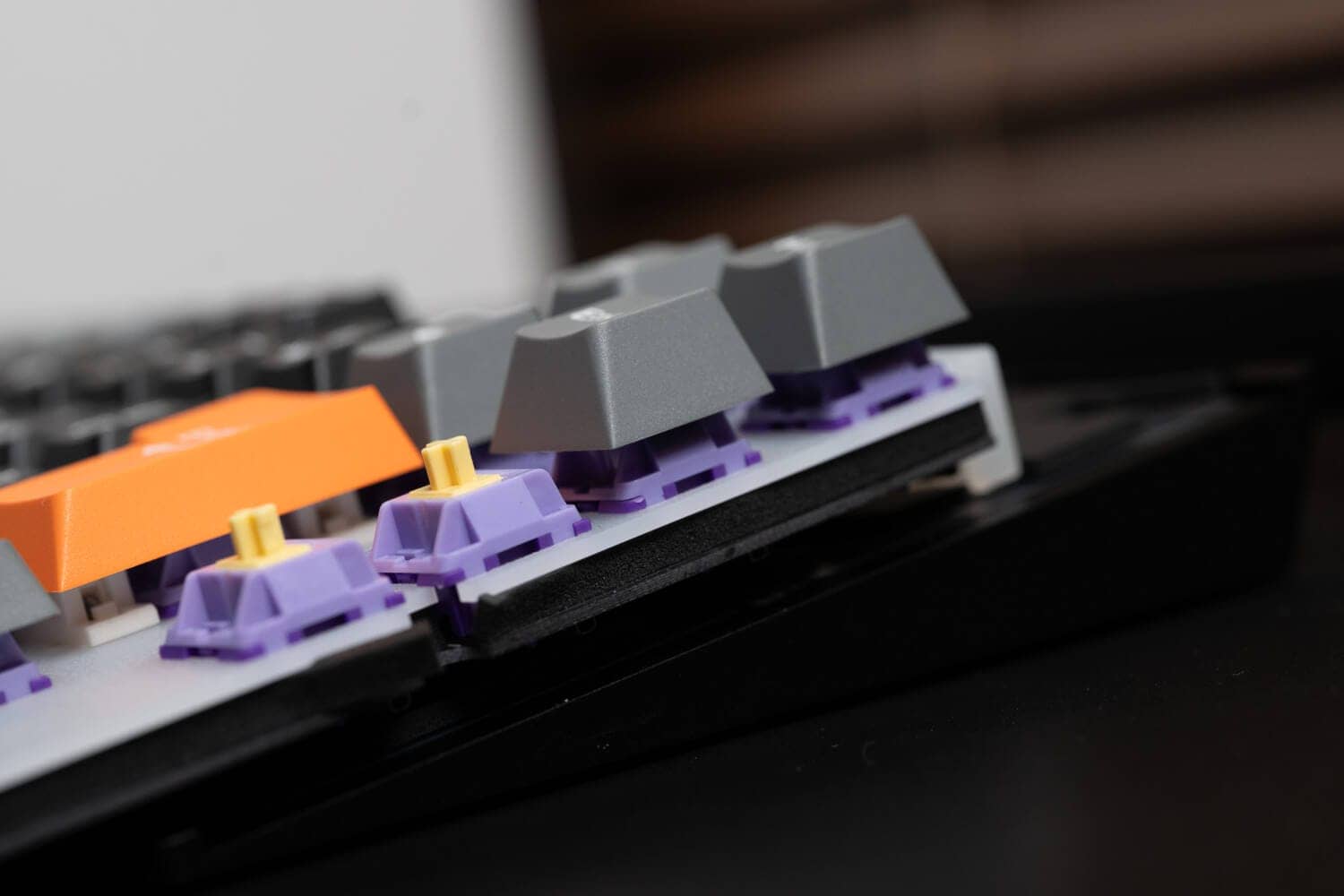
The mounting method is a silicone gasket attached to the switch plate.

Many of the materials used are “circular” materials, but as for F75JIS, you have adopted a part with a fairly large area.

This may have contributed to the uniform keystroke feel.

One piece of sound-absorbing material is installed under the switch plate and one under the PCB.

It is also important to note that the connection is made via a daughter board so that the keystroke feel is not affected.


Advantages of Furycube F75 JIS
- Great keystroke sound
- Arrow key and special key positions are ideal
- Japanese layout keycap replacement-conscious configuration|JLA-425 compliant
- Relatively easy to customize keystroke sound and feel
- Solid kana notation instead of “fake” kana notation.
Great keystroke sound
First, listen to the sound of these percussion keys.
Wouldn’t that be great?
The crisp sound of the keys, which seems to have been calculated from the reverberation of the metal case, and the sound-absorbing material carefully placed in the case, has a very pleasantly high pitch sound that is very pleasing to the ear.
Another noteworthy point is that the overall keystroke feel is less uneven, due in part to the gasket mount system, which is unfamiliar in this area.
Arrow key and special key positions are ideal
The reason why many people dislike the 75% keyboard and use the 80% TKL keyboard is that the key is next to the enter key and the arrow key is next to the right shift key.
KawamuraIn short, they probably don’t like it because they press the wrong button when they are touch typing (increasing the rate of misfires).
In this regard, as for this F75JIS, the arrow keys and special keys are independent, and the risk of mistouch is considerably reduced.
This method cannot be created by simply converting an English keyboard into a Japanese keyboard.
We are very impressed with the spirit of designing the top frame of the board exclusively for Japanese-language layouts.
Japanese layout keycap replacement-conscious configuration|JLA-425 compliant
The F75 Pro is configured according to the compatibility guidelines around the 4.25u space bar organized by the Japan Layout Alliance (JLA).
This is important not so much because of the value of the JLA name itself, but rather because it provides a clear point of dimensional confirmation when you want to replace Japanese-language keycaps.
While this may not be directly relevant to those who use the keyboard as a finished keyboard, it is a factor in the decision for users who want to see even room for customization of the Japanese layout.
KawamuraThe F75JIS is the first step in this direction, and we feel that it is very significant that the standard 4.25u size was chosen for this product.
Transparency Disclosure
The websites “Greenkeys” and “JLA” are both operated by GreenEchoes Studio.
Greenkeys is a for-profit media outlet, while JLA is a non-profit activity aimed at maintaining the culture of the Japanese language sequence.
The fact that this unit complies with the JLA does not guarantee the superiority of the product, but only treats it as an objective indication of “the possibility (fact) that the user may replace the keycap in the future”.
Benefits for users
F75JIS is designed with a space bar of “4.25u” (JLA-425 class). This improves the experience of
- Customization peace of mind: If you want to replace the keycap after purchase, you can use the JLA badge as a guide to select the appropriate part without hesitation.
- Future parts supply: No dependence on a specific proprietary standard makes it easy to combine with keycaps for Japanese layouts released by third parties in the future.

Relatively easy to customize keystroke sound and feel
F75JIS is relatively easy to customize the keystroke feel.
Although it is a little difficult to see, the board can be accessed by simply removing the screws that can be seen in the area where the keycap is removed in the following position.
To remove the form under the switch plate, all keyswitches must be removed, but the form under the PCB can be easily removed.
In this way, the ability to customize keystroke sounds according to preference is a major advantage.
Solid kana notation instead of “fake” kana notation.
As keyboard fans may know, foreign keycaps often have “kana” waved on them for decorative purposes.
However, most of them are written in a “fake” kana notation, which is very different from the “kana input character printing” commonly seen by Japanese people.
In this respect, you can see that F75JIS is printed in accordance with the “original kana input.
KawamuraIt is clear that both the manufacturer and the distributor have done their research on “products for Japan” and have created these products.
The crowdfunding page informs that the US-array Ultra model will feature PBT double-shot keycaps.
On the other hand, the Pro model is also a highlight in that the keycaps are designed with a different approach than the English layout model, in part to accommodate the detailed printing unique to the Japanese layout.
Disadvantages of Furycube F75 JIS
- Different manufacturing methods for different keycap colors (but also an advantage)
- Wireless connection switch is under CapsLock.
- No keycaps included for Mac.
- Pro models do not use a ball-catching structure
- Not suitable for carrying due to its weight
Manufacturing methods vary depending on the color of the keycap.
For F75JIS, the keycap manufacturing method differs slightly depending on the keycap color.
Thus, the black exterior keycaps held by Alpha Key and others are PBT double-shot, while the gray-colored keycaps are PBT single-shot.
If it is below, I feel that half/full size is PBT single shot sublimation printing, one key is PBT double shot, and hiragana legend is sublimation printing.
KawamuraWe did not feel any impact on the keystroke feel, etc.
Also, the printing does not feel blotchy just because it is sublimation printing.
Since fine printing such as half/full width is difficult for double-shot molding, it is inevitable that only sublimation printing can be used for this purpose due to the specifications.
The fact that the alpha key alone is a double shot can be considered an advantage.
Wireless connection switch is under CapsLock.
When connecting the F75JIS wirelessly, the CapsLock key must be removed and switched on.
The fact that it takes some effort to perform the action of removing the keycap is a disadvantage.
However, given that the price is achieved with an aluminum housing, this is a compromise on this point.
KawamuraI have the opportunity to be a little involved in the design of keyboards, and drilling switch holes in the side of an aluminum chassis case is quite an additional cost. Therefore, this method seems to be a better way to improve the cost performance.
No keycaps included for Mac.
The F75JIS does not come with replacement keycaps for Mac, although it can be changed to macOS mode.
Thus, it is a disadvantage for macOS users.
Kawamura Specifically, the following six keys.
Halfwidth/Fullwidth→~
CapsLock→Control
Win→⌘
Alt→⌥
Unconverted→Alphanumeric
Convert→Kana
Not suitable for carrying due to its weight
The F75JIS has a total weight of a whopping 1650g.
Therefore, it is not at all portable and should be used at home.
Only Ultra models are equipped with quick release construction.
Only the Ultra model uses a ball-catch type quick release construction.
In other words, if you select the Japanese-language model, the internal structure is accessed by unscrewing the screws instead of using the click-release structure.
However, since the frequency of disassembly and customization is not that high, the lack of a quick-release structure is not a major disadvantage.
Summary|If you’re looking for a Japanese keyboard, you’ve come to the right place!
This is our review of the Furycube75 JIS.
Recently, there has been a growing selection of Japanese-language mechanical keyboards with aluminum enclosures and ANSI layout-equivalent mounting systems.
This unit is one of the very best options.
The Furycube F75JIS can truly meet the need for a mechanical keyboard with a good key feel, but no Japanese-language model is available.
The fact that you can get a keyboard of this quality in an aluminum housing at an affordable price point is astonishingly cost-effective.
If you are interested, please visit our crowdfunding page as well.
- First written on: March 13, 2026
- Last update: March 23, 2026
- Method of coverage: Verification through provision of actual equipment and refer to the crowdfunding page
- Reference and citation: https://camp-fire.jp/projects/910469/view
- Conflicts of interest: Product offering: Yes Monetization link in this paper: No
Greenkeys operates solely on performance-based advertising and does not use Google ads because they reduce usability.
Please support us through Buy Me a Coffee if you enjoyed reading the article so that we can continue to operate the media.