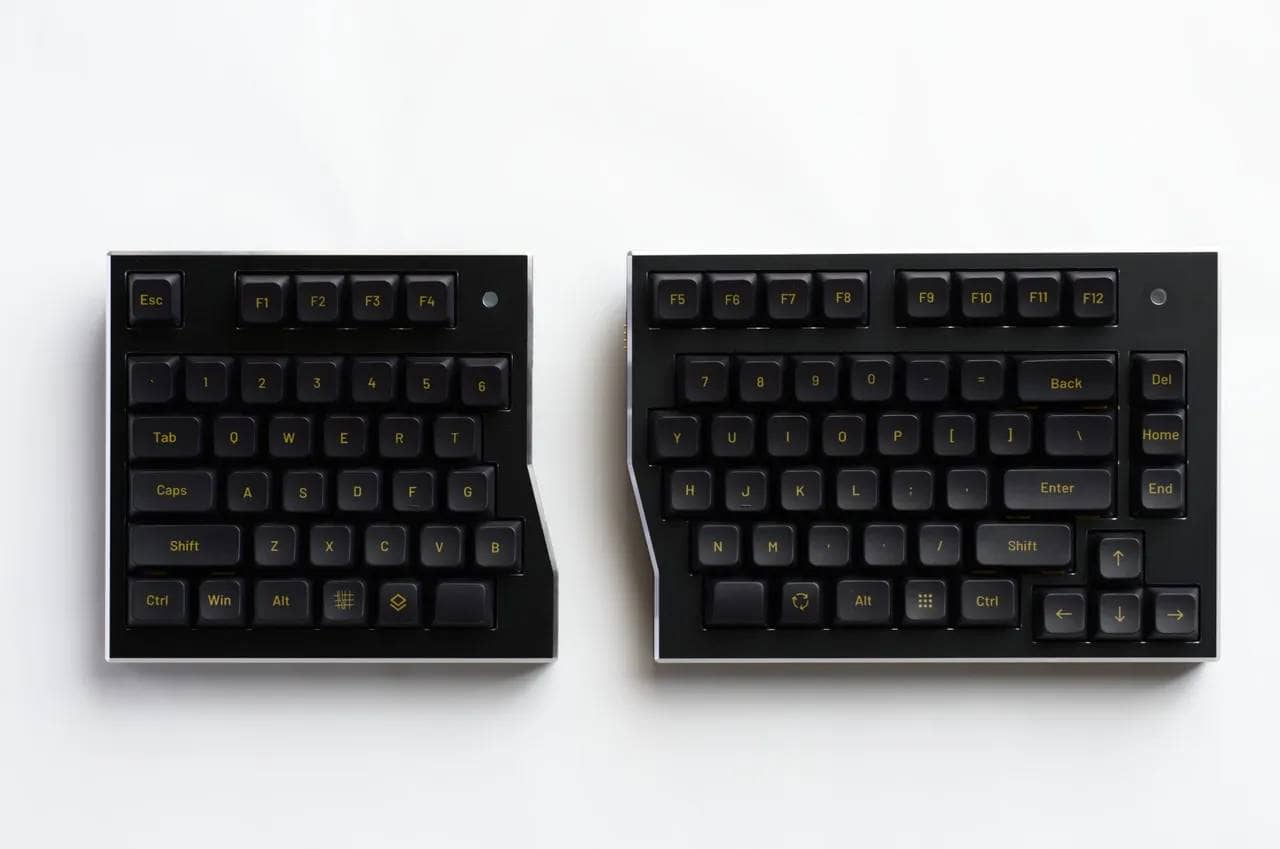



This is one form of a complete small all-in-one device.
The meretorite40 is a 36-40 key mechanical keyboard with integrated trackball and linear layout.
Two types are available: a normal profile version (MX compatible keyswitch specification) and a low profile version (Kailh choc v2 specification).
In addition to its ultra-compact design with a width of only 24 cm, the mouse can be operated without taking your hands off the keys, making it the ultimate all-in-one keyboard in minimalism.
The gasket mount and dedicated sound-absorbing material, despite being a home-built keyboard, make the feel of typing not at all inferior to that of commercial keyboards, and with wireless support and ZMK Studio keymap modification, there are few complaints.
This article reviews the meteorite40.

- オールインワンですべてがキーボードで操作できる
- 打鍵感が良い
- プレートまでカスタマイズできる
- 有線・無線接続に対応
- 超コンパクトサイズで持ち運びもできる
- 特殊配列ゆえに一般ユーザーはスイッチングコストが大きい
- 自作キーボードのため組み立てやパーツ準備が必要
- すべての設定をZMK Studioで実施するのは困難

meteorite40 Overview

The meteorite40 is a compact self-built keyboard that incorporates a 40% orthogonal array with trackball + physical mouse buttons “centrally integrated” into the keyboard.
It supports USB and Bluetooth (wireless), and the keymap is ZMK-based and can be changed from a browser.
The power-saving design makes wireless operation a realistic option.
- Trackball: Compatible with 25mm / 34mm (bearing structure) + cursor movement and scrolling OK
- Striking: gasket-mounted + Poron foam for a “thump-thump” sound.
- Layout: Many options for the bottom row, 20 patterns in total in combination (*Normal side features)
- Price: Kit 24,000 yen / Soldering and assembly service 3,000 yen (optional)
Multi-layout support (normal profile version only)

As for the low-profile version, it is a fixed layout.
Quick Comparison of Specifications
| (data) item | Normal profile (BOOTH: 7205675) | Low Profile (BOOTH: 7241088) |
|---|---|---|
| Number of Switches Required | MX compatible (socket x 45) | Choc v2 (3-pin) compatible (socket x 45) |
| Trackball Diameter | 25mm / 34mm | 25mm |
| mouse button | 2 physical buttons (under trackball) | Physical button (under trackball) |
| connection | Wired/Wireless | Wired/Wireless |
| firmware | ZMK (change keymap in browser) | ZMK (change keymap in browser) |
| Layout Features | Bottom row + left/right unit selection for a total of 20 patterns (normal side) | fixed pattern |
| Size/Weight (Reference) | 238mm × 87mm × 25mm (approx. 450g) | 238mm × 87mm × 22mm (approx. 360g) |
| battery | 950mAh size supported (prepared separately) | 950mAh size supported (prepared separately) |
| Price (including tax) | Kit 24,000 yen | Kit 24,000 yen |
Separately required before assembly
| classification | normal | low-pro (e.g. cellphone) |
|---|---|---|
| switch | MX compatible: 36-40 pieces | Choc v2 compatible: 40 pcs. |
| keycap | MX Compatible Keycaps | Keycap (Low-pro premise) |
| trackball | 25mm or 34mm available separately | 25mm separately available |
| battery | Lithium polymer (not included, self-discipline required) | same as on the left |
| option | Additional stabilizers/rotary encoders, etc. depending on configuration | long vowel mark (usually only used in katakana) |
Review Environment
The review environment is as follows
- Connection environment: macOS
- Use switch:
- MX-Chosfox x PMD Ragna Linear
- Choc v2-Kailh Taro Liniar
- Layout: 30% orthogonal (QAZ)
- Primary use: content writing (typing Japanese)
キースイッチスペックはこちら▷▷
Ragna Linear
- Switch type: Linear
- Top housing: PC (polycarbonate)
- Trunk: POM (polyoxymethylene)
- Lower housing: Nylon
- Spring: Single stage, 22mm
- Actuation force: 45 g
- Bottom out force: 55 grams
- Before movement: 2.0mm
- Total travel distance: 3.7mm
Reference: https://chosfox.com/ja/products/chosfox-x-masro-ragna-linear-switch
Kailh choc v2 Lofree Surfer Linear
- Switch type: Linear
- Material: POM+PC (light diffuser)
- Actuation force: 40±10gf
- Total travel: 2.8±0.25mm
- Operating travel: 1.3±0.3mm
- Spring length: 15.5mm
- Durability: 50 million cycles
- Factory rub: Yes
Reference: https://lofree.co.jp/products/surfer-low-profile-pom-switches
[Photos] meteorite40 review
Let’s take a quick look at meteorite40.
In this case, we were provided with a low-production kit and a regular kit.
Contents include bottom case, top case, bottom case parts (board material to fill cavities), circuit board, and trackball case, as well as three pieces of bottom foam, middle foam, and switch foam.
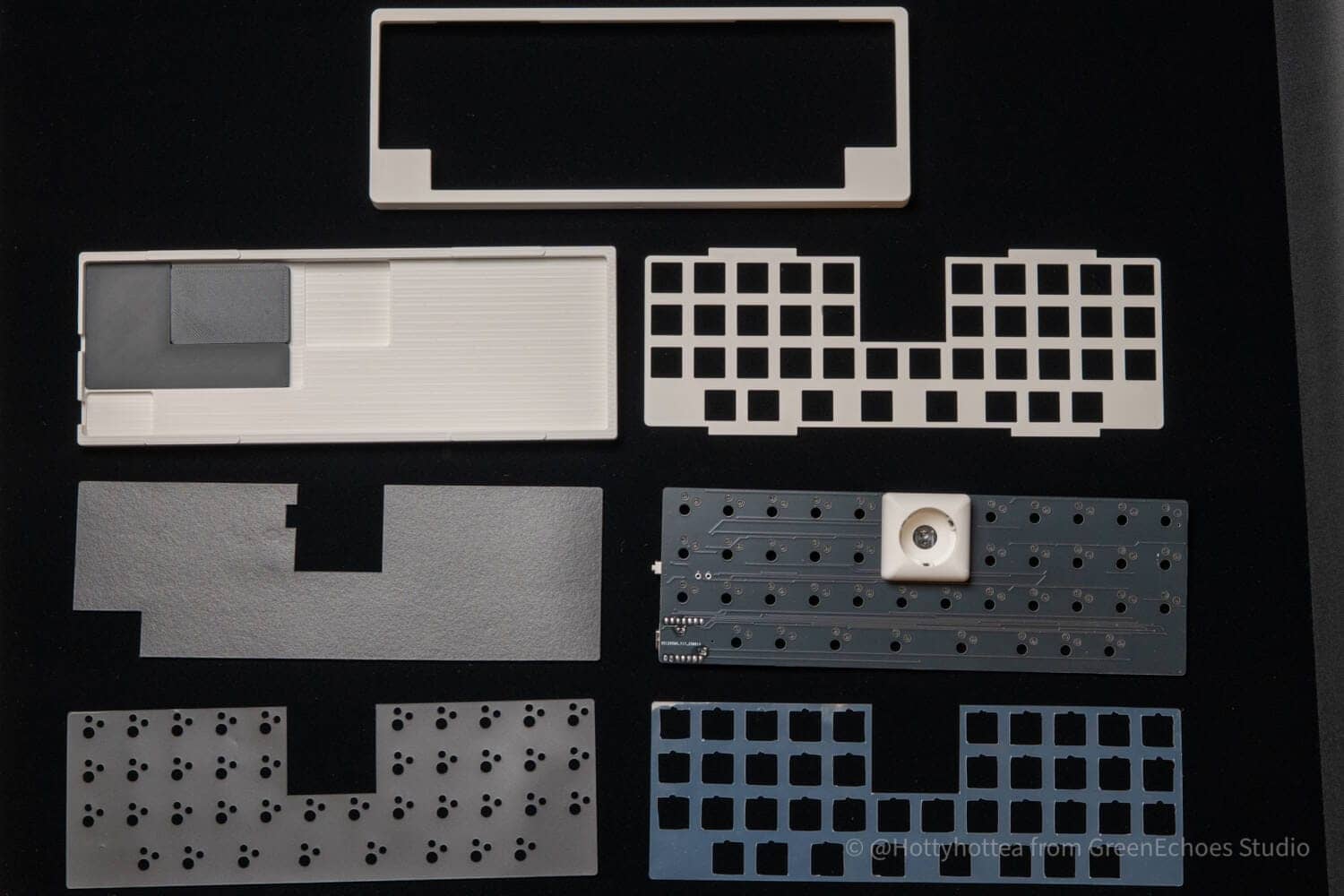
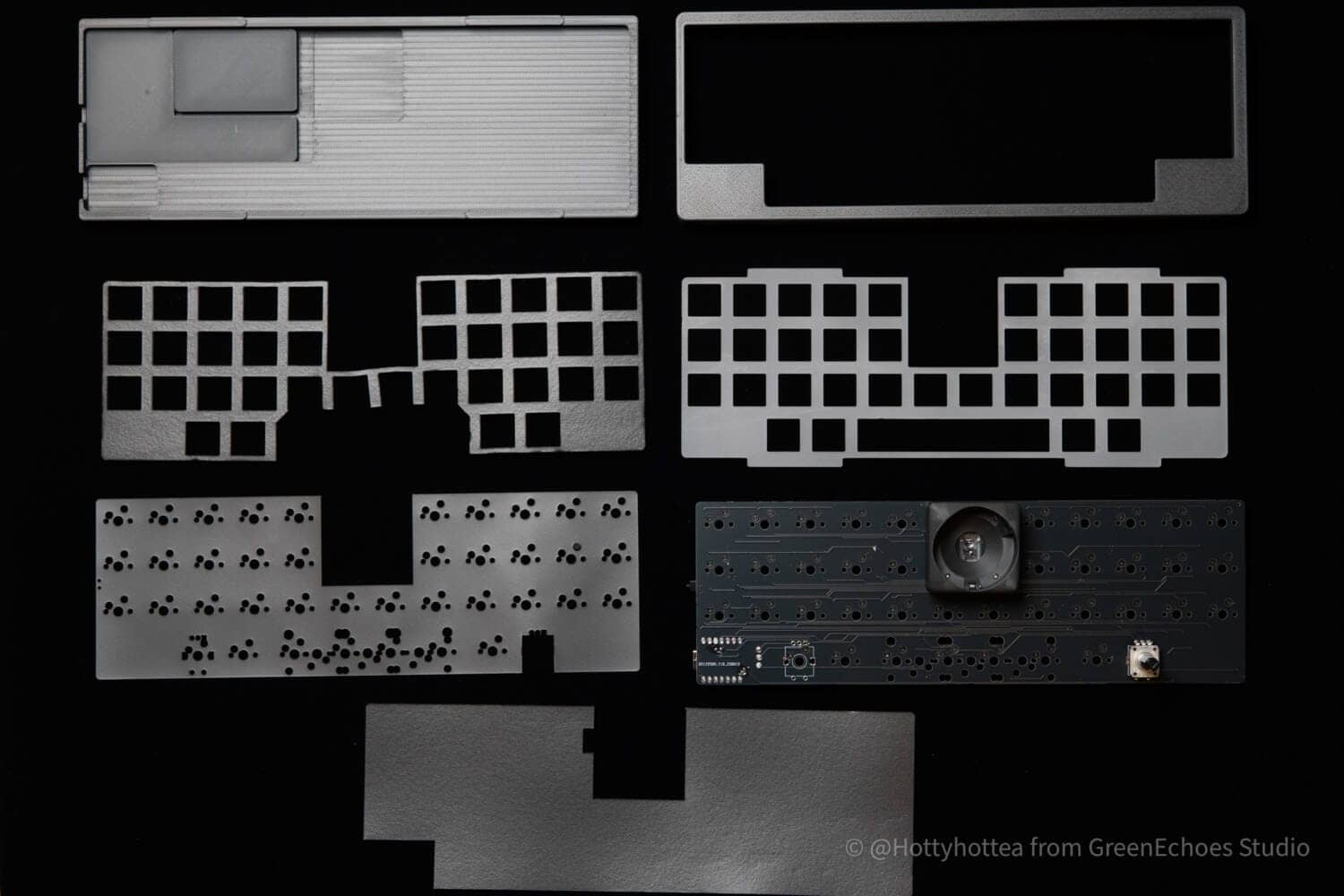
In addition, screws and rubber feet to secure the bottom case to the top case are included. (See product page for details.)

Forms are stacked in this manner.
Finally, the keyswitch is engaged to fix everything in place.
 Kawamura
I’ve never seen a homebrew keyboard kit with such heavy foam.
This is the secret behind the excellent keystroke feel and sound.


Let’s look at cases.
The bottom case is a simple tray type with depressions according to the parts mounting points on the board.
The following are specially included as “parts to fill in if the battery is not installed.
KawamuraThus, we caught a glimpse of the philosophy of minimizing the echo sound of the case.

There is a terminal cutout for wired connection on the side part, and a cover made of 3DP on the slide switch above it.


Let’s take a look at the substrate.
The normal version is a much more complex pattern, as the style allows for rotary encoders in addition to multi-layout support.
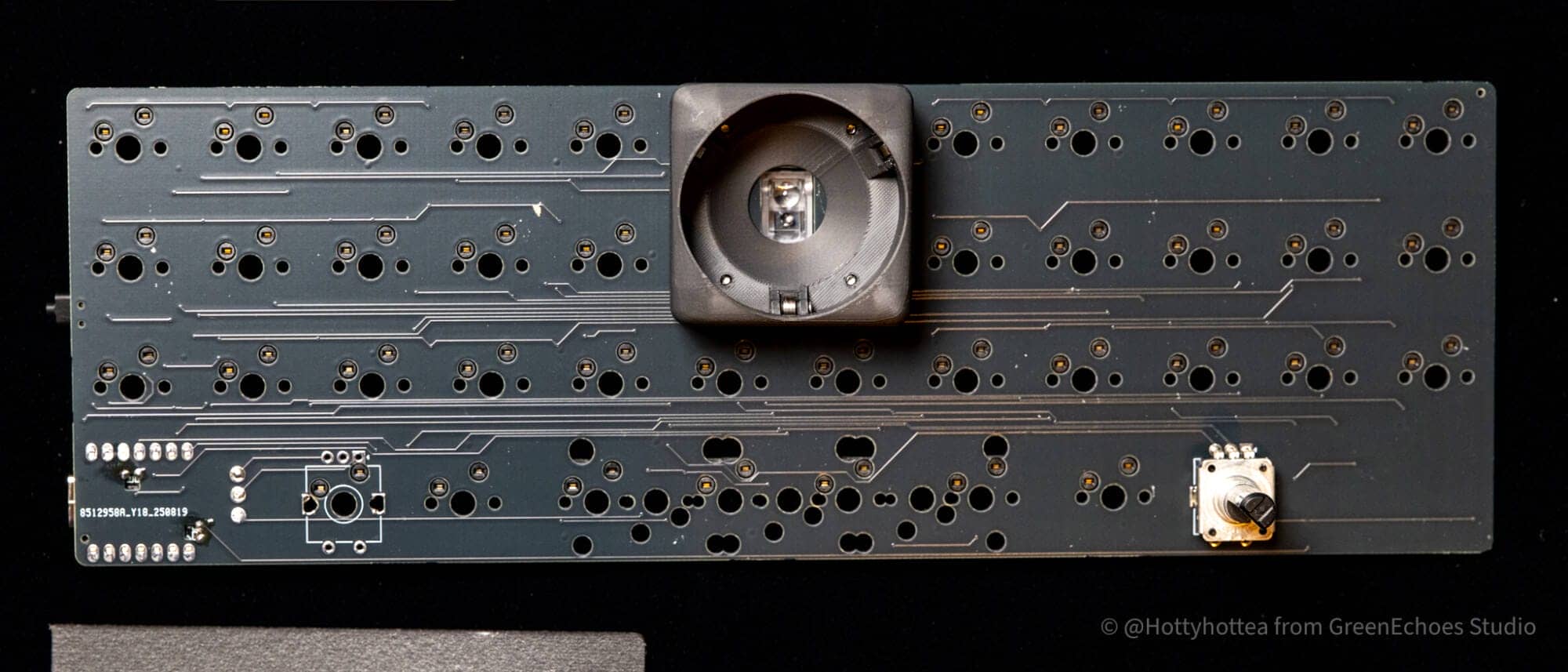


On the other hand, as for the low-pro version, it does not support multiple layouts and is not equipped with a rotary encoder, so it looks quite simple.
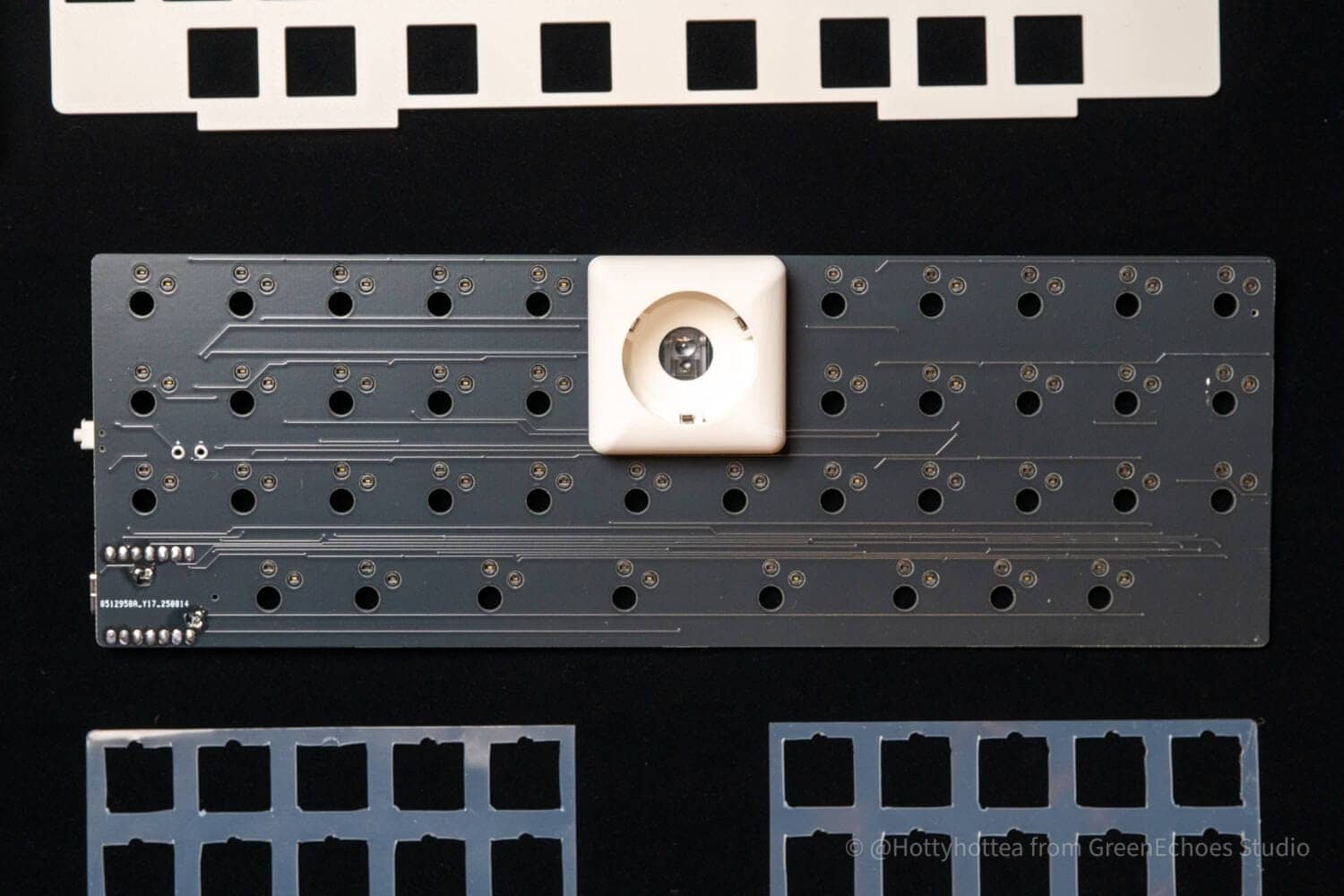

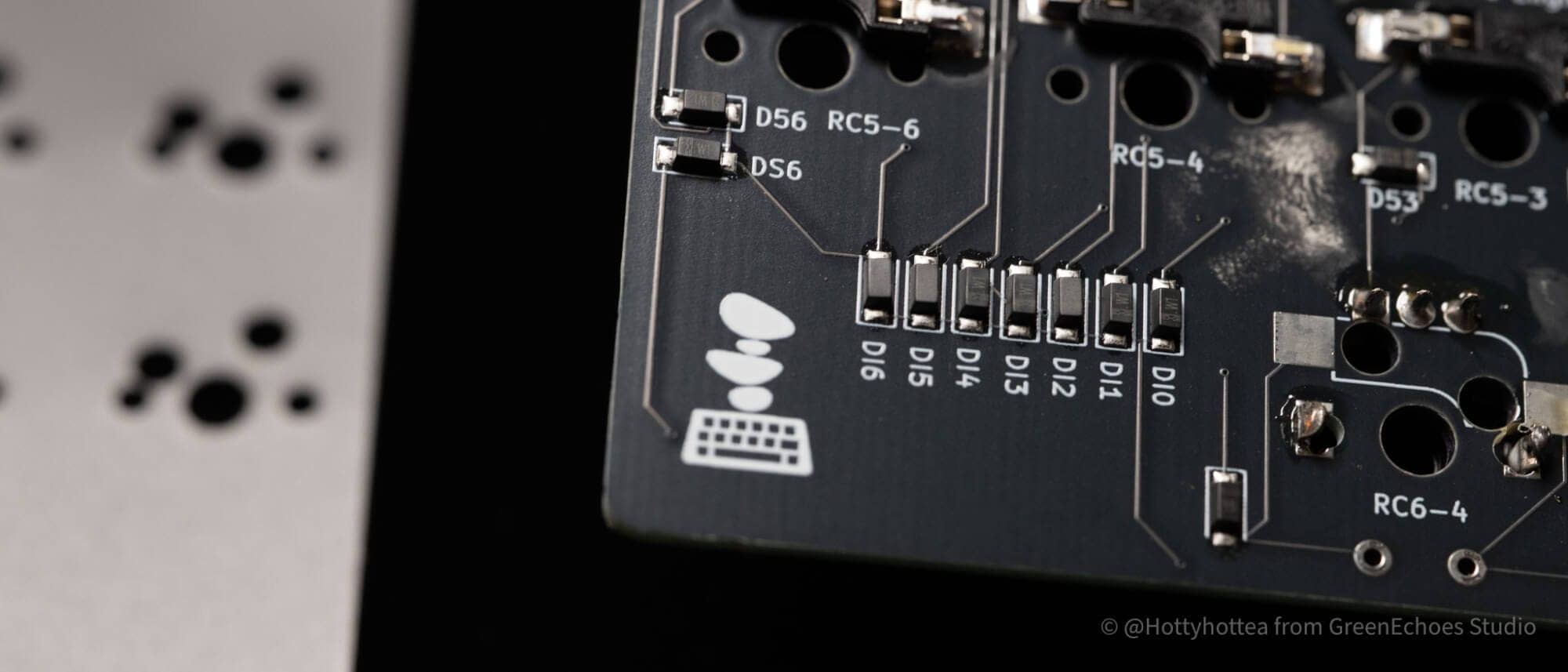
The trackball mounting part is a separate part (breakout board).
 Kawamura
I have heard that the trackball is very difficult to position the sensor.
Seeing it so compactly put together, I think there must have been a lot of trial and error in the design stage.
Well, this is wonderful.

Let’s look at the trackball implementation part.

As for the trackball cover, it is magnetic and easy to attach and detach.
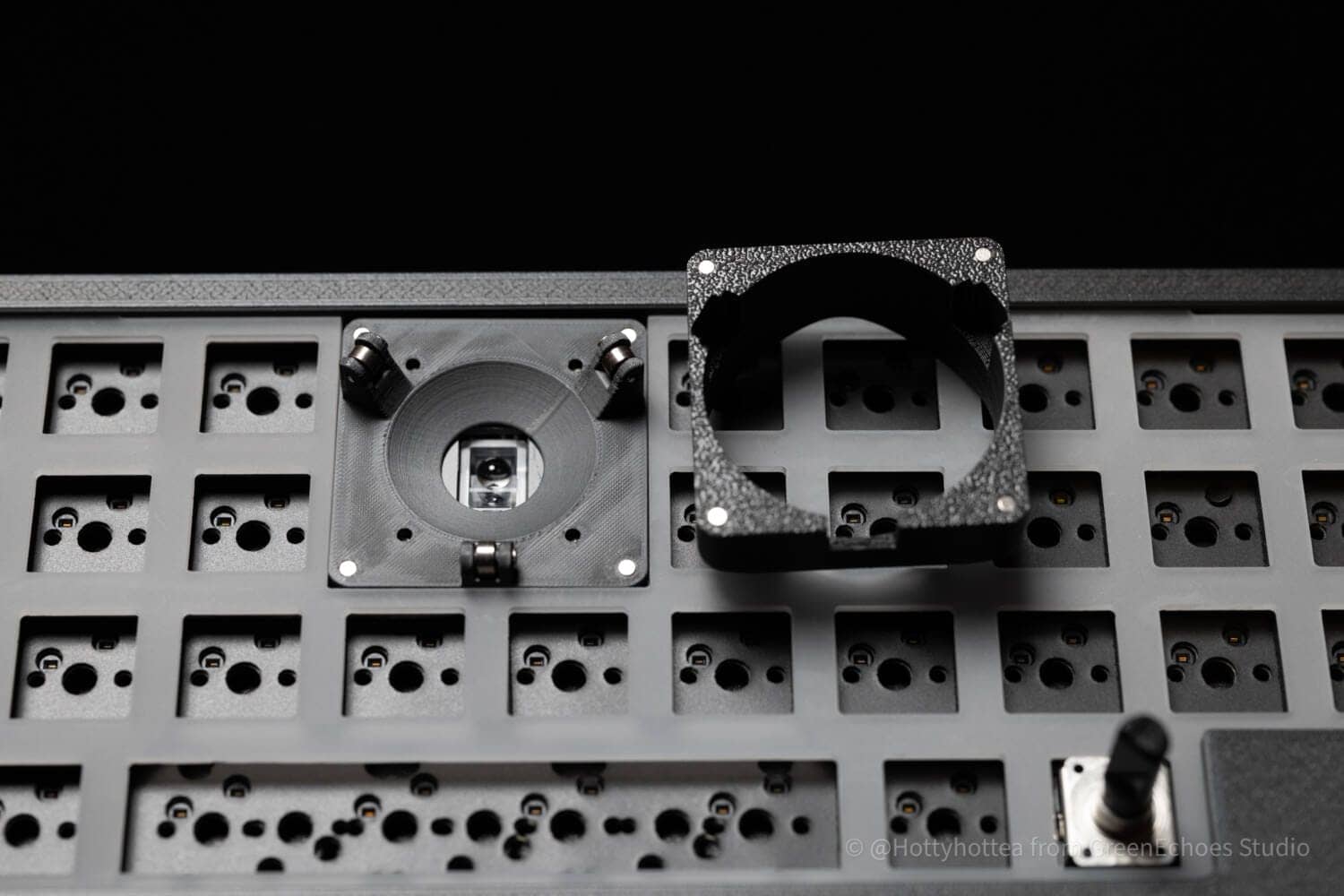
The support mechanism is a bearing, and the feel of the pitch is quite good.
KawamuraThere is no bearing rattling, and the operation is comfortable and quiet when sending the ball.

In addition, only the normal version is available with an optional switch plate.
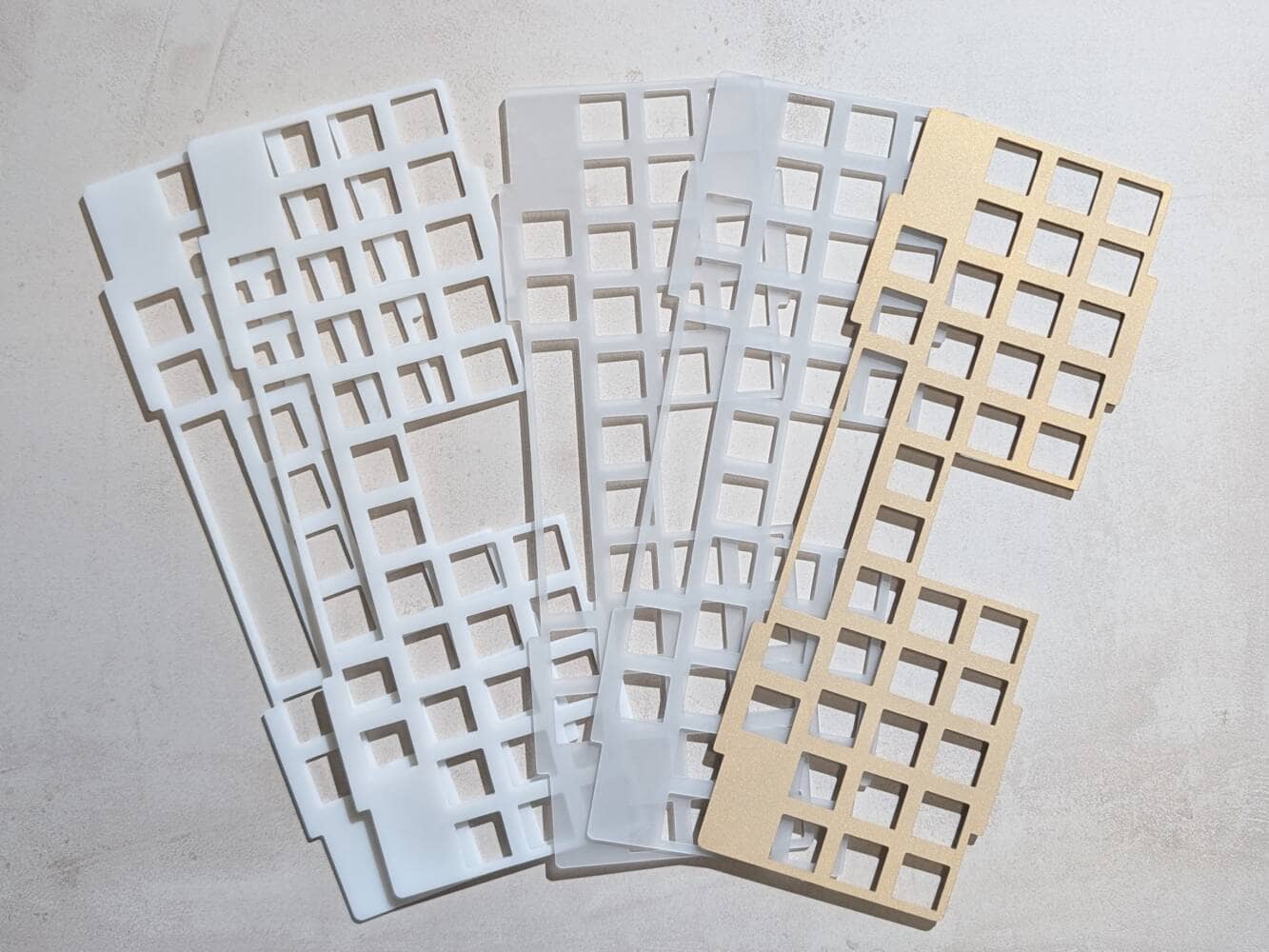
This time, we were kindly provided with brass plates.
It is sandblasted with a matte surface pattern.


When the key switch is installed, it has a very strong presence.

The switch plate has four “ears” where Poron foam is applied on both sides and sandwiched between the top and bottom cases to provide a gasket mount.

The top and bottom cases are designed to overlap perfectly, with very little rattling.
Finally, to prevent the case from coming off, three screws are attached at the front and three at the back to complete the case.
 Kawamura
For detailed assembly instructions, please visit the official website.
Now let’s look at the finished product.
Let’s start with the regular version.
- Keycaps:Drop MT3 Extended2048 Dark
- Switch:Chosfox x PMD Ragna Linear
- Plate:Brass(Option)
- Tackball:Perixx Black(36mm)
The keycap color was chosen to match the color of the case: black Hypro.
Purple keycaps are placed as accents.
Only the mouse click portion uses the low-headed, short-stroke Tecsee Midium.

As for the orthogonal layout, it is common in the homebrew keyboard community, but the lack of left and right keys on the Bottom Row is very well thought out.
KawamuraIt is nice that the keys are placed only as far as the thumb can press them.


After all, the mouse click keys are easier to use with short strokes.

Lamination marks are visible on the sides of the case made by 3DP, but not enough to be of much concern.
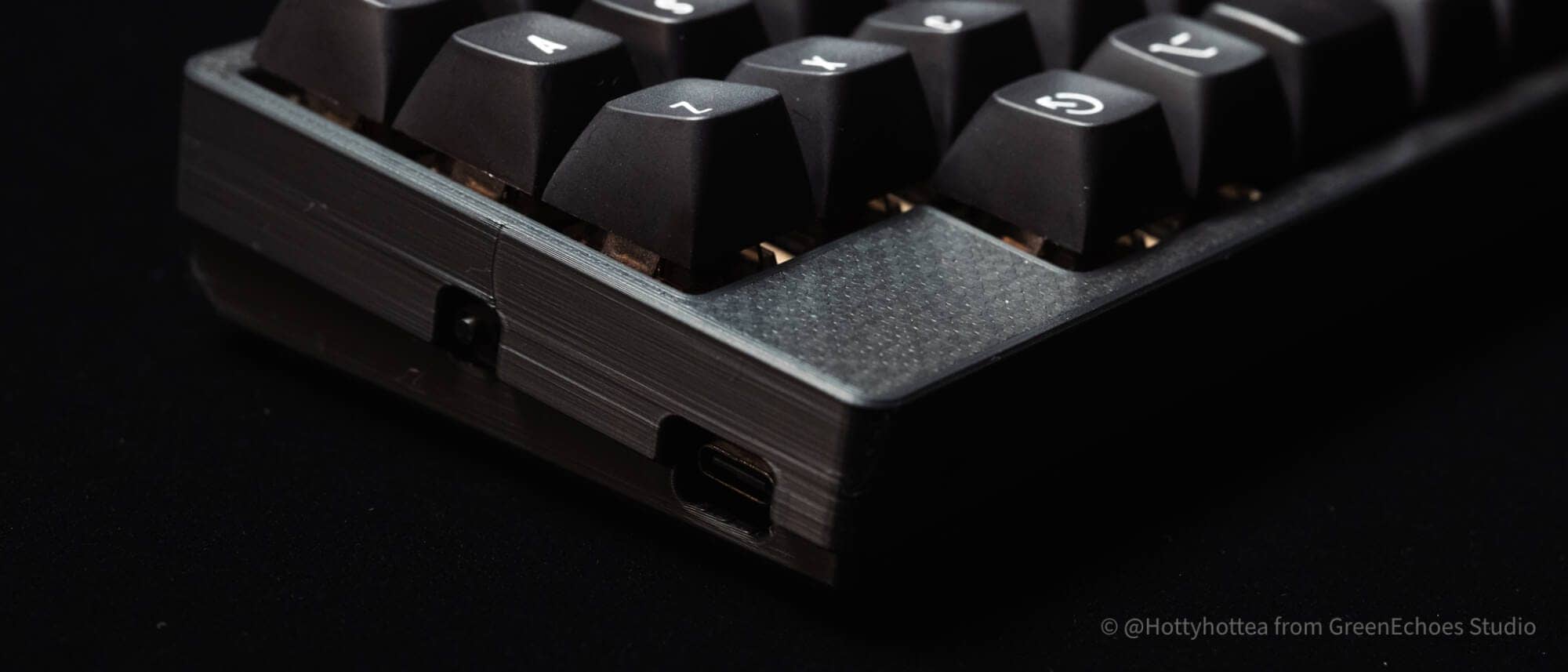
As for the rotary encoder, a taller one was implemented to match the attached knob.
I think this area is a matter of preference.

The brass plates visible through the gaps are very cool.

Then let’s look at the low-pro version.
- Keycaps:Chosfox Mahjong Keycaps
- Switch:Kailh x Lofree Surfer Linear
- Plate:PC
- Tackball:Elecom Silver(25mm)
To match the white case, the keycap is also white.
Key switches are also white for a clean look.


As for 25mm trackballs, the only two colors generally available on the market are Perixx’s red and Elecom’s silver, but the silver one hooked me up beautifully.

After all, the low-pro version is much less stressful on the wrist.
If you want to carry it with you and use it on the go, the low-pro version is a better choice.
 Kawamura
It would also be good to use a keyboard bridge ortype stix in a priestly style.


Evaluation of keystroke feel and keystroke sound
meteorite40 LOW
meteorite40-MX
- Loudness of keystroke sound: ★★★☆☆☆☆ ( not that loud, but the surrounding area will be aware of the sound/ However, if it is a silent switch, there is no problem)
- Sound Height: Slightly high (tight and dead, depending on keyswitch characteristics)
- Key weight: – (not evaluated because it depends on the keyswitch)
- Bottoming feeling: clear (probably soft if silent switch)
- Key wobble: – (not rated)
Attractiveness of meteorite40
The following is what I have found attractive about meteorite40 in actual use.
- All-in-one, everything can be operated with a keyboard.
- Good keystroke feel
- Even the plates can be customized.
- Supports wired and wireless connections
- Ultra compact size and portable
All-in-one, everything can be operated with a keyboard.

After all, the most significant advantage of this keyboard is that all operations can be performed based on the home position.
The QAZ layout is compact in width and allows access to the trackball in the center of the screen with little hand movement.
The fact that there are independent buttons for clicking, rather than AML-prerequisite mouse-clicking operations, is also highly operable and easy to use.
Moreover, the trackball is bearing-supported, so you can enjoy a smooth feel of control.
Good keystroke feel
meteorite40 LOW
meteorite40-MX
The meteorite40 has a very good typing feel.
Home-built keyboards are often simple and not equipped with sound-absorbing materials, but this keyboard has Poron foam in three locations on the top, PCB, and bottom, making it extremely comfortable to type on.
The gasket-mounted structure also makes this keyboard a keyboard with a smooth and responsive feel.
Even the plates can be customized.
What’s more, the meteorite40 can even be customized down to the switch plate.
◆PC (translucent, sandblasted) / POM (white, sandblasted)
Both have a soft keystroke feel and a popping kotokotsu sound. We recommend using POM for white keyboards and PC for black keyboards.
◆Sand-blasted brass
The heavy specific weight suppresses the reverberation of the entire keyboard, resulting in a tight keystroke feel and sound, and a subdued “kotokotoko” sound.
MX (normal profile version) only.
Since the material of the switch plate is one of the factors that greatly affects the key feel, the ability to customize it is a very big advantage.
It can be enjoyed as if it were a custom keyboard from a commercial product.
Supports wired and wireless connections
The XIAO nRF52840 (module with technical approval) is used, so it can be used with a wired connection as well as a wireless connection.
Even with a wireless connection, the installed version of ZMK Studio allows keymap changes, making it very convenient.
Ultra compact size and portable
Small is righteous.
Its ultra-compact design, measuring approximately 24 cm in width and 9 cm in height, makes it completely unobtrusive when carried in a bag.
KawamuraSince it is almost the same size as the Nintendo Switch, it is likely that the same case can be used in many cases.
Disadvantages of meteorite40
As a self-made keyboard user, I found almost no disadvantages that seemed to be disadvantages, but I will summarize the disadvantages from the perspective of an ordinary user.
- Due to the special arrangement, switching costs are high for general users.
- Assembly and parts preparation required for self-made keyboard.
- Difficult to implement all settings in ZMK Studio
- Multi-layout support is only available in the MX version.
Due to the special arrangement, switching costs are high for general users.
After all, the standard is definitely the row staggered layout (horizontal shift), and it will take a lot of practice to master the grid (orthogonal layout) of this machine.
It also has a so-called “QAZ layout,” which makes it difficult to place modifier keys on the pinky finger, so it requires practice to use it for normal work.
The high switching costs are generally shared by the “homebrew keyboard challenge”.
Assembly and parts preparation required for self-made keyboard.
Because the meteorite40 is a self-made keyboard kit, assembly and parts preparation using a soldering iron is required.
(Assembly services also available)
Although the product pages are bought in detail, the hurdle for use is slightly higher for those who do not know where and what parts to buy.
Difficult to implement all settings in ZMK Studio
The keymap changes for meteorite40 can be made in ZMK Studio.
Basic keymap settings can be done intuitively on the GUI (on-screen UI), but the trackball speed, “reference layer” setting, which is scroll mode while the layer key is pressed, trackball pointer DPI setting, MOD-TAP/Layer- TAPING TERM settings such as MOD-TAP/Layer- TAP, etc. must be modified and compiled on the command line by yourself.
The disadvantage may be that some areas are out of reach for non-engineers and others with only general computer knowledge.
Price, sales format, and availability
- Availability: ★★★☆☆☆☆ (stock sales are being made, but restocking dates have not yet been determined due to private sales)
- Price range: 20,000 – 30,000 yen
- Form of sales: Normal sales
- Scheduled for resale: Stock sales
- Where to get it: Official Site
summary

These have been the reviews of the METEORITE40.
There is no doubt that this is a fairly niche keyboard, with a 30% orthogonal trackball, but that is why it has a one-and-only appeal.
If you can master this keyboard, you will experience the excitement that only it can provide.
If you are interested, why not step into this swamp?
- First written on: 12/19/2025
- Last update: 12/19/2025
- Method of coverage: Product offer
- Reference and image credit: https://ontherock16.booth.pm/ note
- Conflicts of interest: Product offering: Yes Monetization link in this paper: No
Greenkeys operates solely on performance-based advertising and does not use Google ads because they reduce usability.
Please support us through Buy Me a Coffee if you enjoyed reading the article so that we can continue to operate the media.