


Many Mac users may have heard of the term “honors style.”
The term “tutorship style” comes from programmer Richard Matthew St allman’s use of the “HHKB” on top of his Macbook keyboard, and is often used to refer to the act of using an external keyboard on top of a laptop computer keyboard. The term is often used to refer to “the act of using an external keyboard on top of a laptop computer keyboard.
In this article, we report the results of our test to see if the Logitech MX MECHANICAL Mini for Mac can be used without any problems with the Toshiji style.

The problem with your style
The problem with the “Takeru style” of using the HHKB is “wrist pain.
Because of the “height” of normal profile keyboards like the HHKB, typing while keeping the home position with the wrists in perspective can cause wrist pain.

Low-profile mechanical keyboards can solve wrist pain.
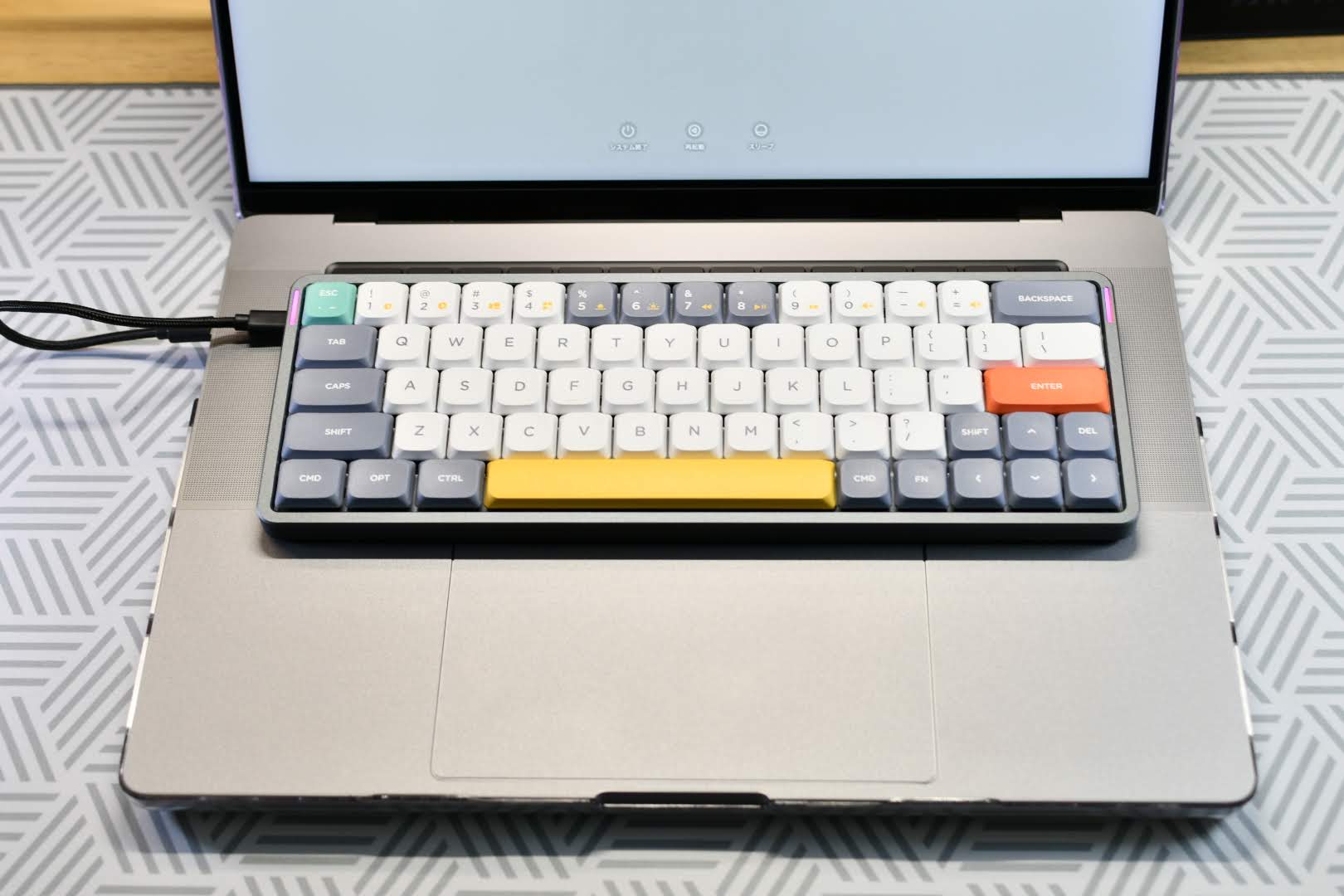
Mechanical keyboards come in two types: normal profile, which is the normal height, and low profile, which is a shorter profile.
A low-profile mechanical keyboard is not so tall that it causes wrist pain even when used in the sonji style.
Above is a diagram of the ” NuPhy Air60″ used in the nobleman’s style.
The Air60 is designed to allow typing without a keyboard bridge and without interfering with existing keyboards, making it useful for Windows users as well as Mac users who love the Tutor style. (Maybe)
Similarly, the ” Air75 ” can be used in the Toutoshi style, but please note that a keyboard bridge is required for use with the latest Macbooks that use the M1/M2 processor.
keyboard bridge


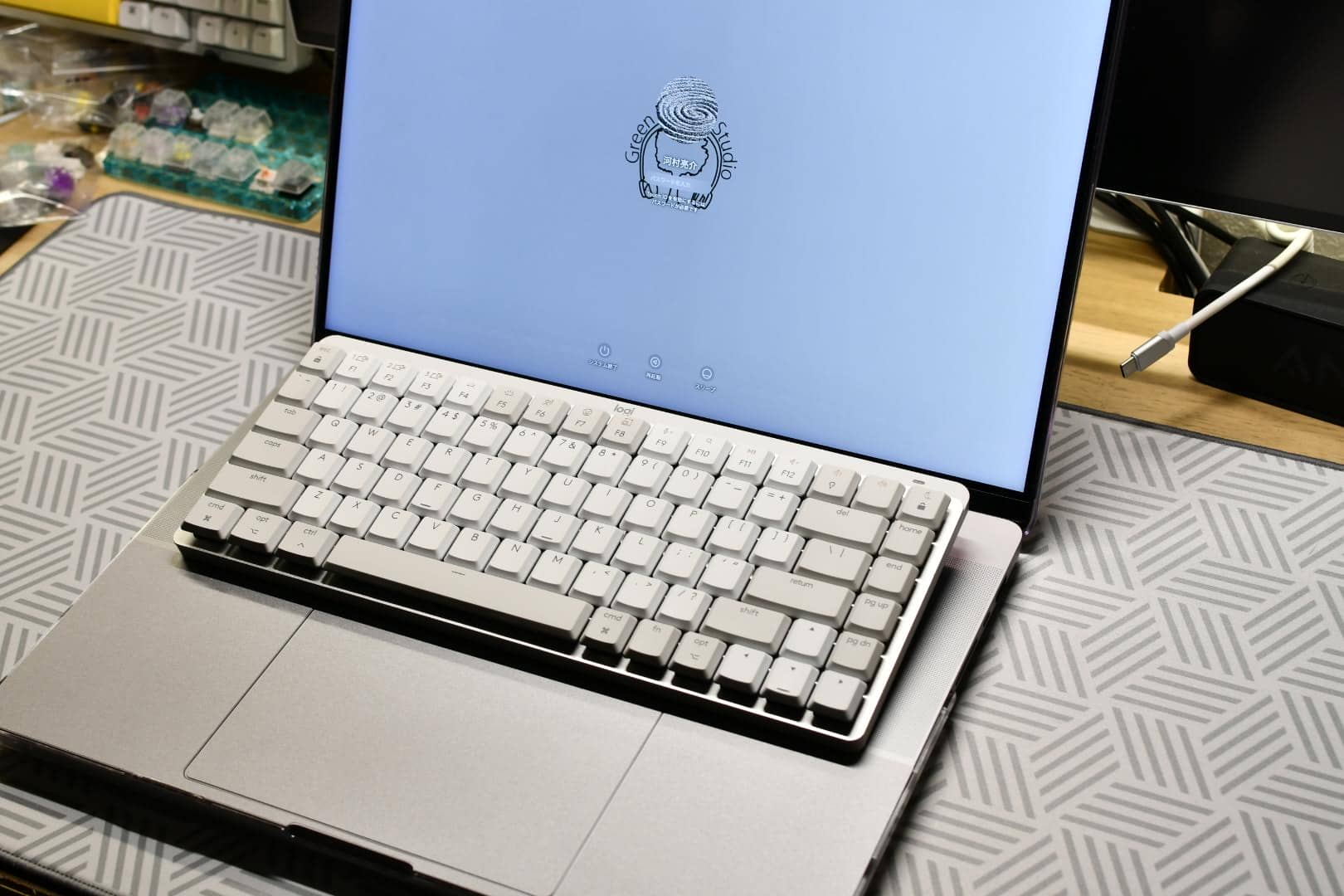
Using the Logitech MX MECHANICAL Mini for Mac in the style of a nobleman

The conclusion is “perfect”.
Thus, the Logitech MX MECHANICAL Mini for Mac can be placed on top of a Macbook keyboard without any problems.
And with “no keyboard bridge”!

My model is a Macbook Pro M1 16″.
Let’s look at the details.
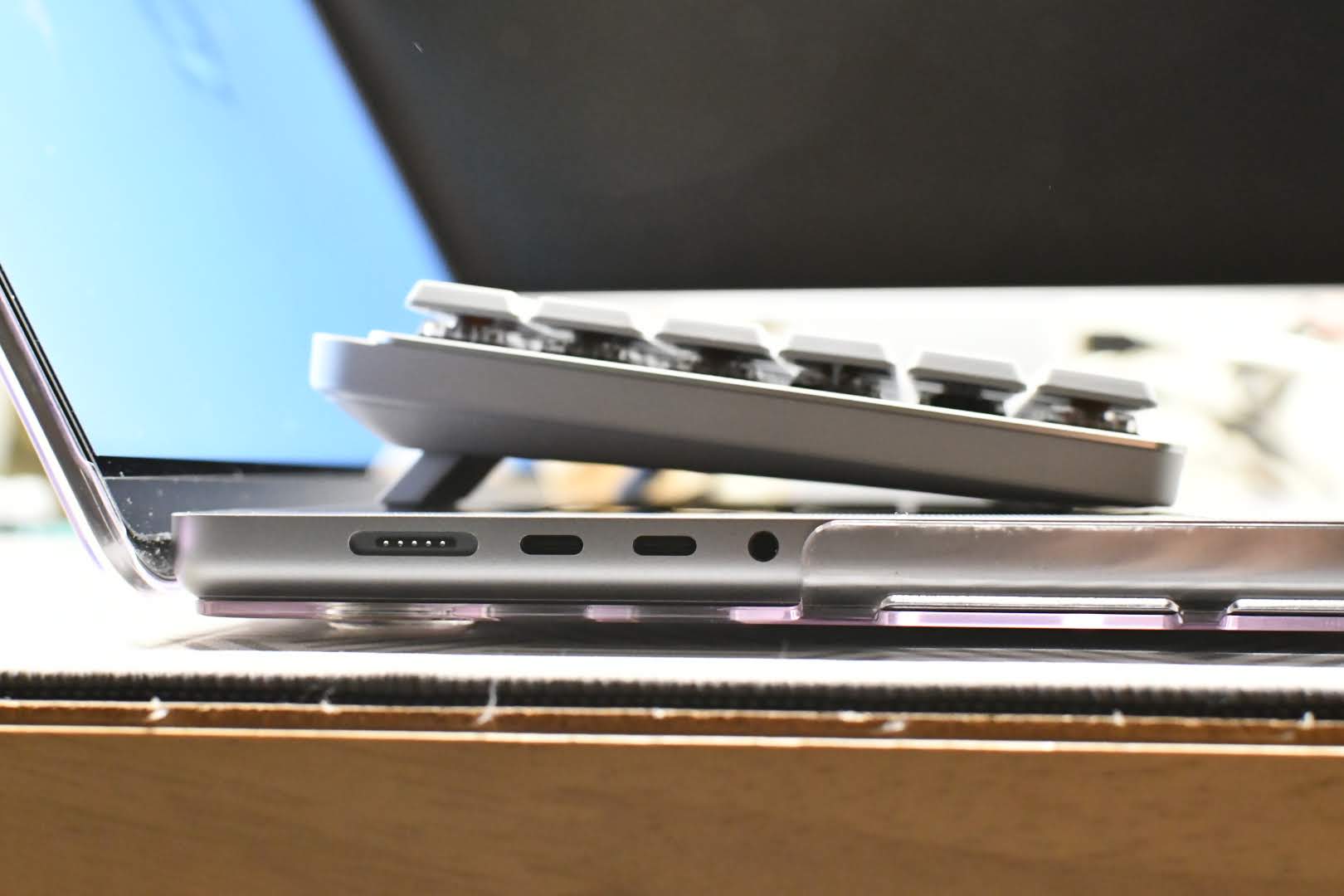
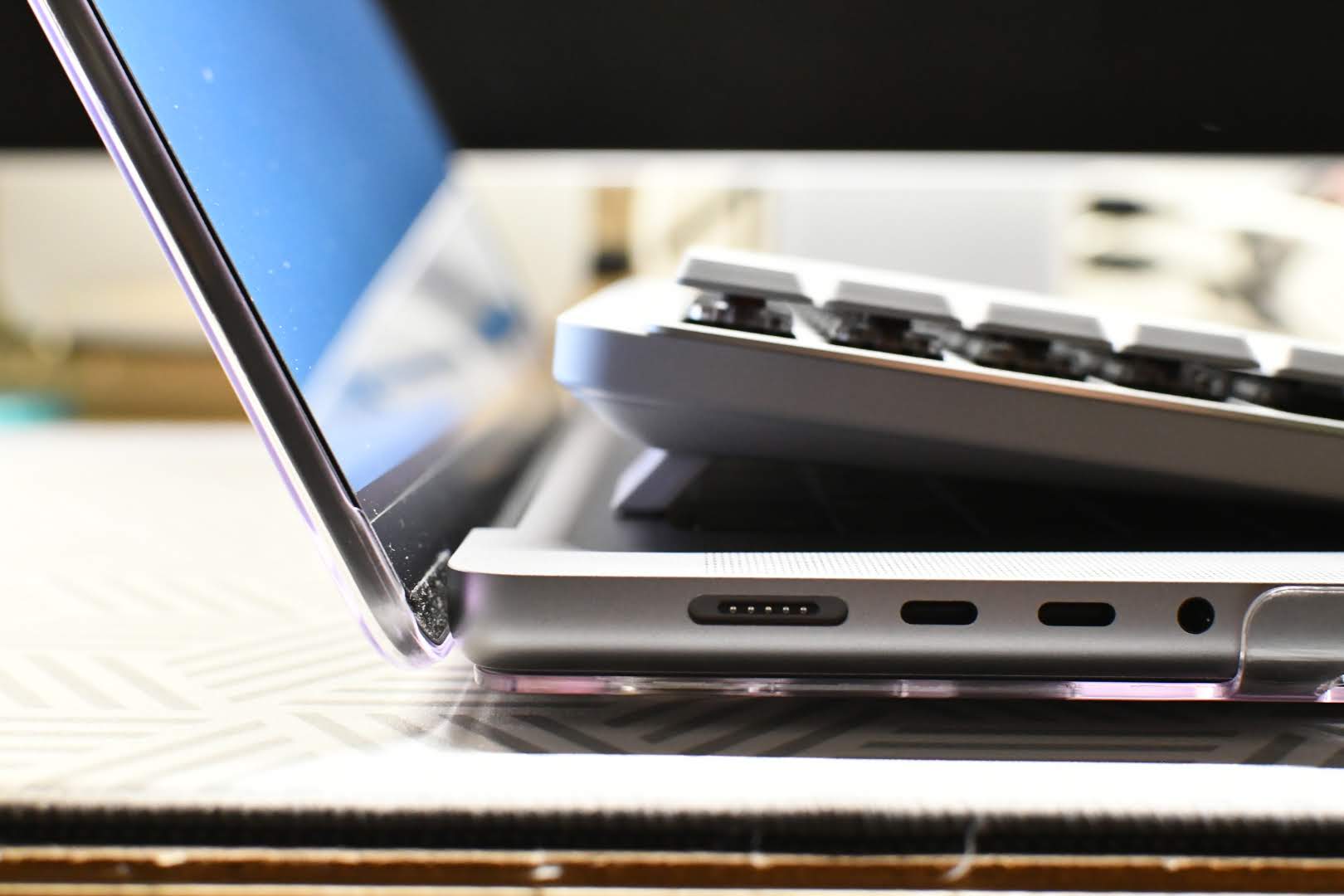

By placing it on top of the keyboard with the tilt leg out like this, it can be used without interfering with the existing keyboard just barely.
This was quite a discovery.
However, please note that the Logitech MX MECHANICAL Mini for Mac is a “US layout model”.
If you prefer the regular JIS layout, buy the regular model.

summary
The Logitech MX MECHANICAL Mini for Mac is available, Venerable Master style! If you are reading this article, which tells you only that the Logitech MX MECHANICAL Mini for Mac is available in the style of a guru, you must be a very enthusiastic person.
Changing keyboards will speed up your work and really make you work faster.
The Logitech MX MECHANICAL Mini for Mac is a fairly high-end product, but it is extremely cost-effective.
Try it!


Google検索の「優先ソース」にGreenkeysを追加します
Add Greenkeys as a Preferred Source on Google

