
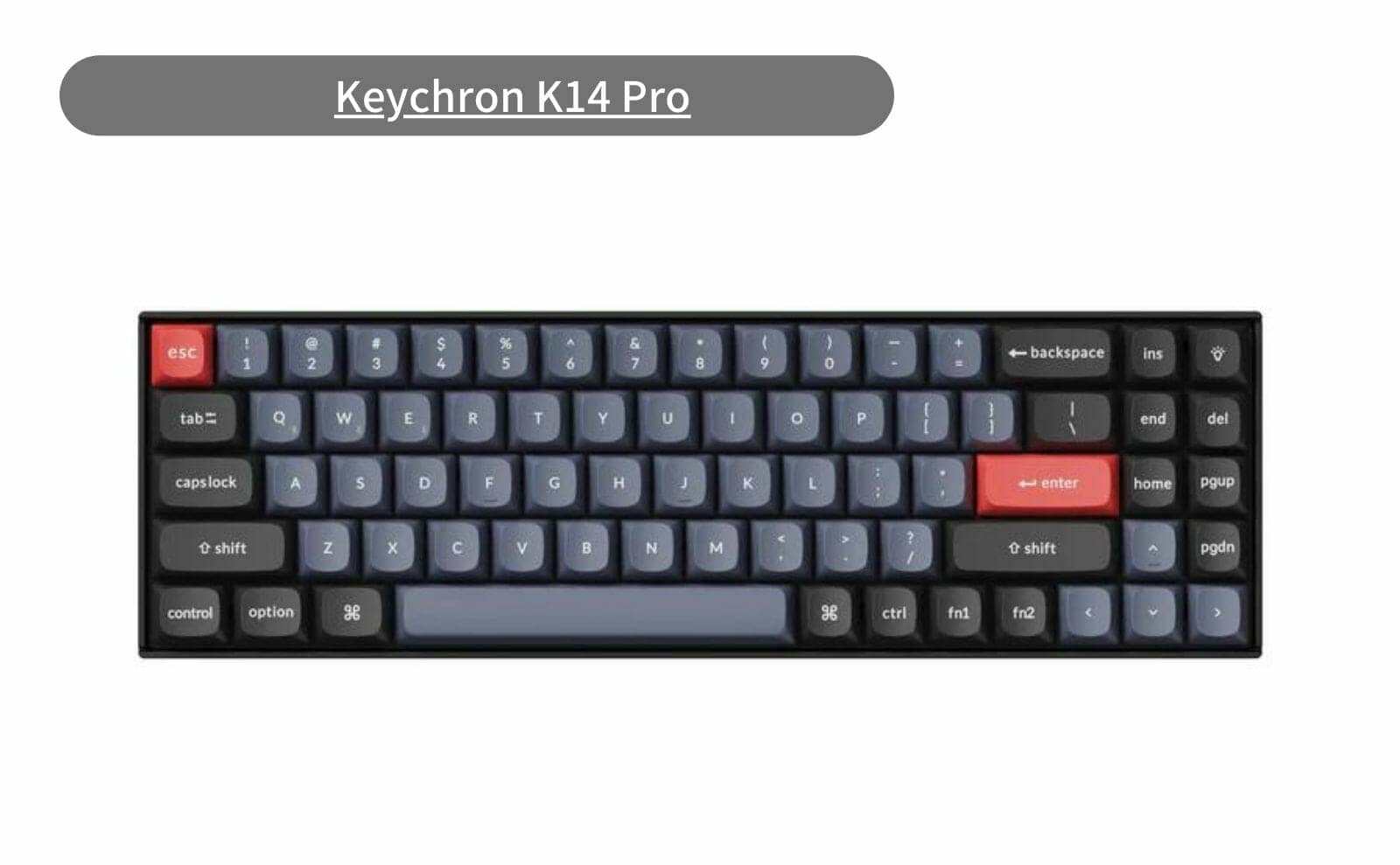


このキーボードの概要
| Brand | Keychron®︎ |
| Layout | US |
| Size | 70% |
| Connection | Bluetooth, USB |
| Hot-Swap | hotswap-available |
| Key Profile | Low Profile |
Comment
- Normal profile mechanical keyboard with 70% layout, available June 21, 2023.
- The most significant change from the existing K14 is that the keymap can now be changed
- Other features include double-shot PBT material on keycaps and OSA profile
- Prices are $99.00 for the white backlit model, $109.00 for the RGB backlit model, and $119.00 for the model with the RGB backlit aluminum frame.
- All are hot-swappable
Where to Buy
- Keychron.com|Official website with the entire product lineup
- Keychron on Amazon Official|Amazon Japan’s official store
- Keychron (Rakuten Ichiba)
Types of Keychron and how to choose ▷▷▷
仕様詳細
| Number of Keys | 72 (70%) |
| Switches (Not including Barebone Version) | Keychron K Pro Mechanical |
| Switch Face | South-facing |
| Stabilizers | PCB-mounted screw-in stabilizers |
| Number of Multimedia Keys | 12 |
| Frame Material | ABS / ABS+Aluminum frame |
| Plate Material | Steel |
| Keycap Material (excluding Barebone Version) | Double-shot PBT (backlight |
| Keycap Profile | OSA (OEM profile with spherical-angle) |
| Layout | ANSI |
| Polling Rate (Wired Mode) | 1000Hz |
| Polling Rate (Wireless Mode) | 90Hz |
| N-Key Rollover (NKRO) | Yes for both wireless and wired modes |
| Backlit | 22 types of RGB backlight options plus endless possibilities |
| Battery | 4000 mAh rechargeable li-polymer battery |
| BT Working Time (Backlit off) | Up to 300 hours (Lab test results may vary) |
| BT Working Time (RGB) | Up to 100 hours (Lowest brightness) |
| Connection | Bluetooth and Type-C cable |
| Bluetooth version | 5.1 |
| Bluetooth Device Name | Keychron K14 Pro |
| Compatible System | macOS/Windows/Linux |
| Dimension (Plastic frame version) | 331.1 x 102.45 mm (13.03 x 4.03″) |
| Weight | 835 g / 1.84 lbs |
| Dimension (Aluminum frame version) | 336.1 x 107.5 mm (13.23 x 4.23″) |
| Weight | 978 g / 2.15 lbs |
| Height without keycap (front) | 25.09 mm (0.98″) |
| Height without keycap (rear) | 29.65 mm (1.16″) |
| Height incl. keycap (front) | 33.87 mm (1.33″) |
| Height incl. keycap (rear) | 39.55 mm (1.55″) |
| Typing Angle | 3.5º, 8º and 12º |
| MCU | Ultra-low-power ARM Cortex-M4 32-bit STM32L432 (128KB Flash) |
| Operating Environment | -10 to 50°C |
Information reference: https: //www.keychron.com/products/keychron-k14-pro-qmk-via-wireless-mechanical-keyboard
Table of Contents

Selectable axis types
*Only red-axis and brown-axis are available for selection.
Keychron K Pro mechanical switches
| Red Switches | Blue Switches | Brown Switches | Banana | |
| pressing pressure | 45±10gf | 60±10gf | 50±10gf | 57±8gf |
| Movement to operation | 2±0.4mm | 2±0.4mm | 2±0.4mm | 2.2±0.4mm |
| keystroke | 4±0.4mm | 4±0.4mm | 4±0.4mm | 3.3±0.2mm |
| reaction | linear | clicky | tactile | early bump tactile |
| sound | quiet | clicky | gentle | gentle |
Greenkeysの記事をGoogleで見つけやすく
Find Greenkeys More Easily on Google

Google検索の「優先ソース」にGreenkeysを追加します
Add Greenkeys as a Preferred Source on Google

