
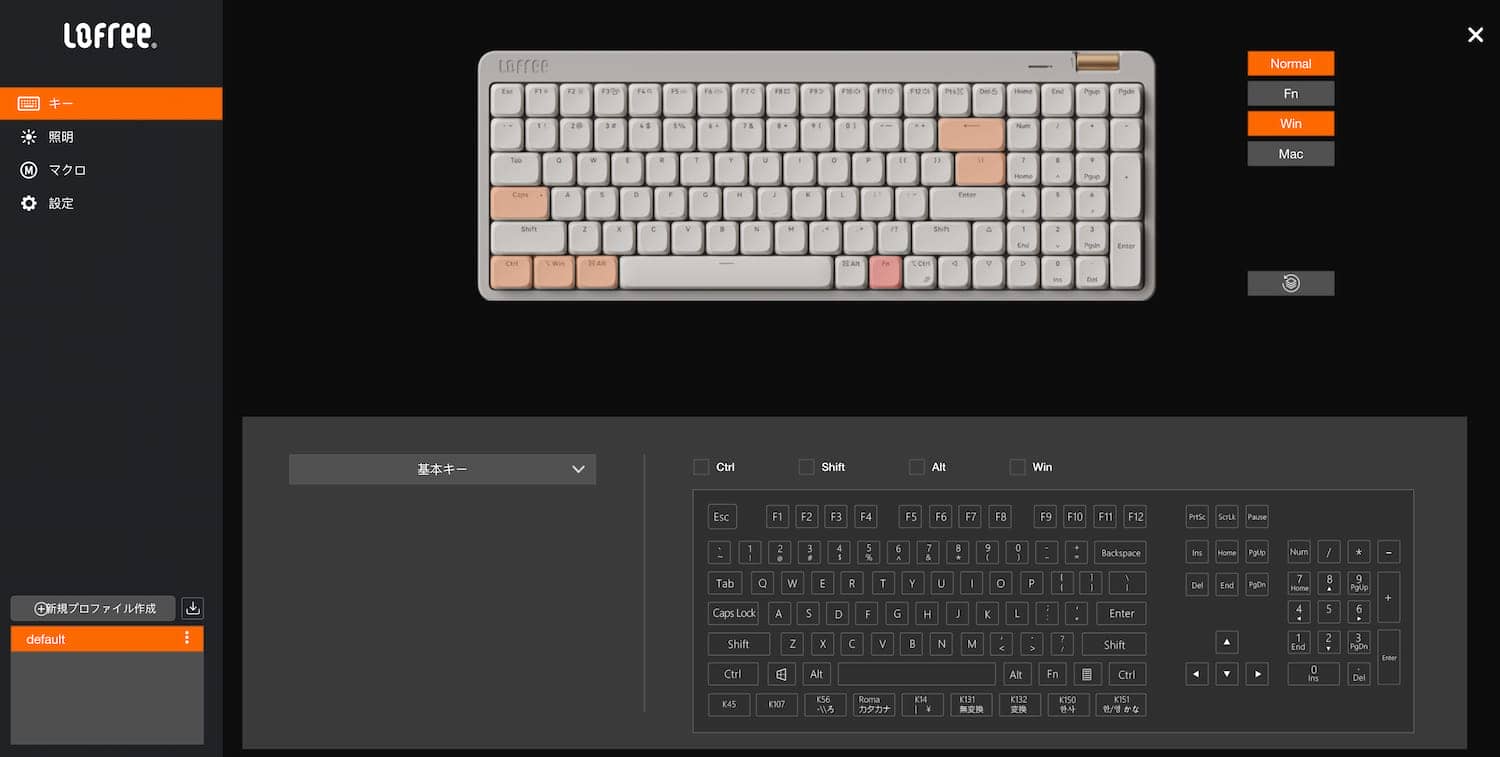


On July 22, 2025, Lofree updated its official discord channel to announce the release of a web-based keymap change application for Flow Lite.
Now not only Windows users, Mac users as well as Windows users can freely change keymaps, lighting, and macros and Mac users as well as Windows users can freely change keymaps, lighting, and macros.

Background to date
Flow Lite began crowdfunding on Kickstarter on September 19, 2024, and sales in Japan began on November 15, 2024.
The most notable feature of this model, which was marketed as a low-priced version of Flow, was the ability to change the keymap.
However, since it was necessary to use a Windows-only application called “Lofree Keymapper” for keymap changes, Mac users necessarily could not customize and use FlowLite.
 Kawamura
As I mentioned in my review at the time, it was quite disappointing that such a Mac-conscious design could not be used on macOS.
The background of this change is that, approximately 10 months after its release, a web application version has been released, and macOS users can finally enjoy Flow Lite.
Lofree Control HUB, a web app version of Lofree Flow Lite keymap modification software
Let’s take a look at how to use the Lofree Contrlo HUB, the web application version of the Lofree Flow Lite keymap modification software.
First, access the URL below.
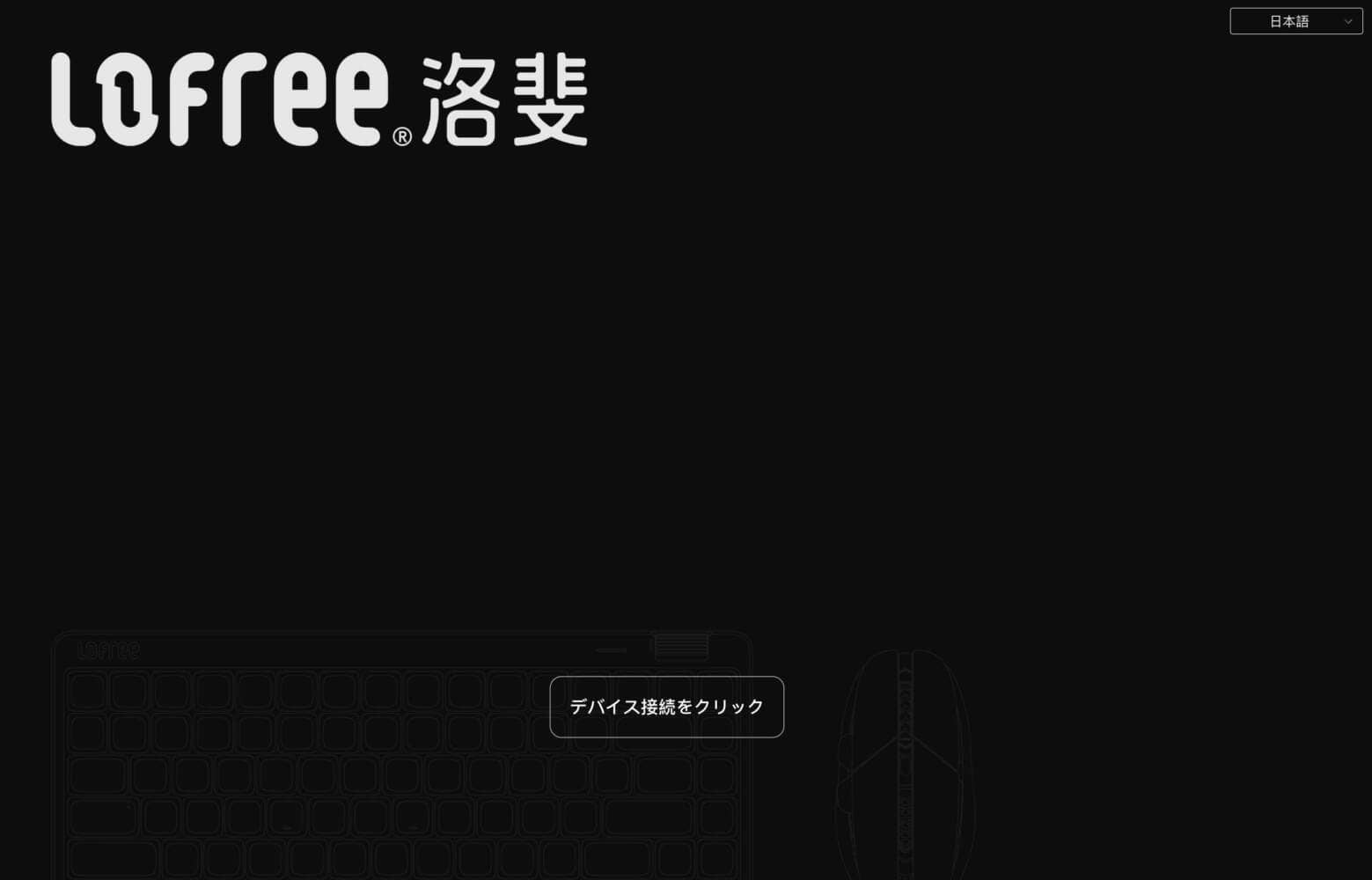
With Lofree Flow Lite wired to your computer, click on “Device Connection”.
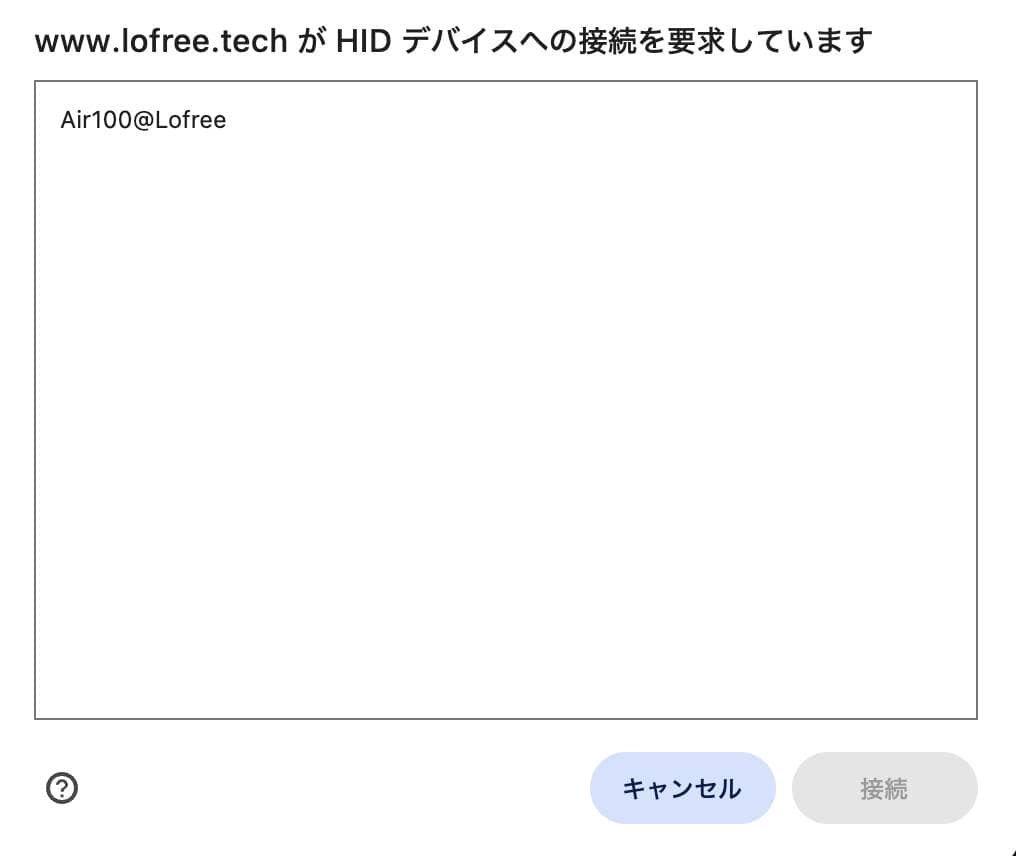
Select Flow Lite in the pop-up window and click “Connect”.
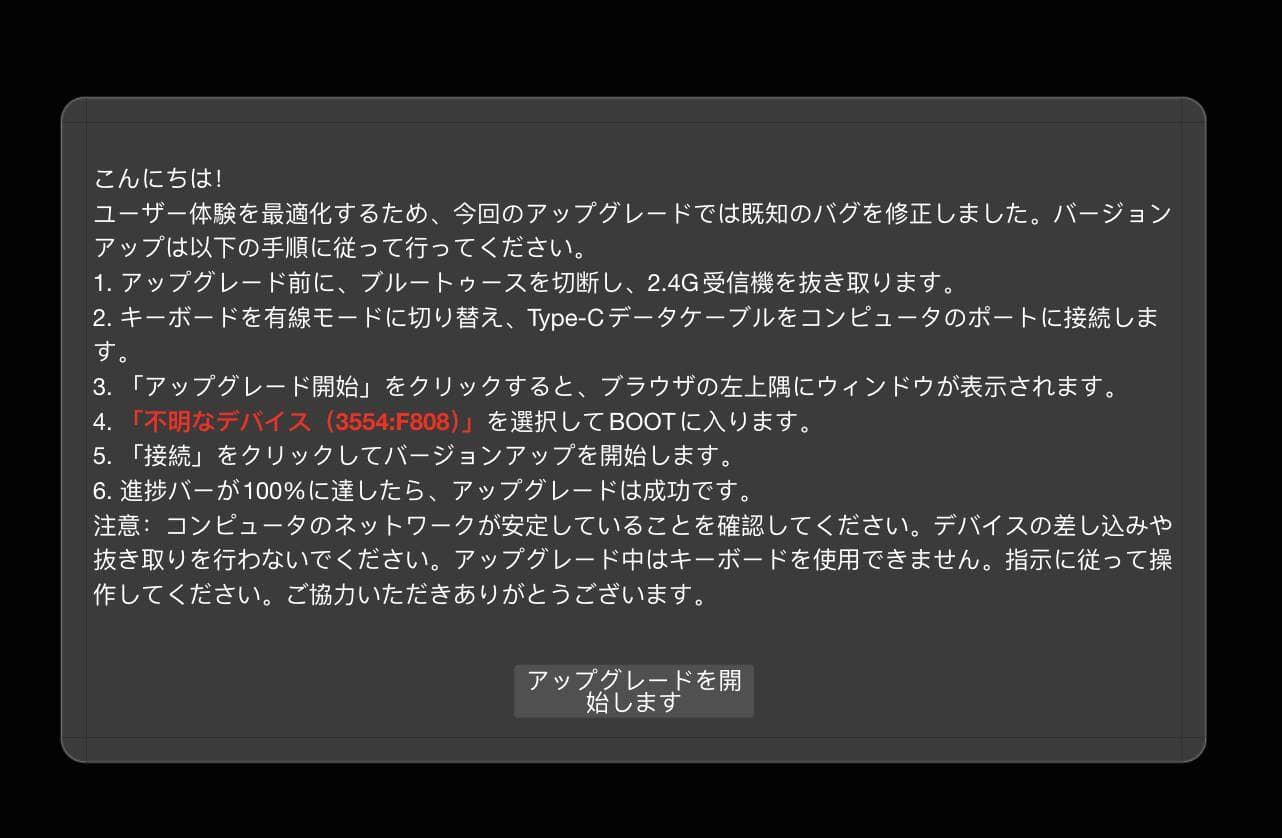
There will probably be a renewal process only the first time.
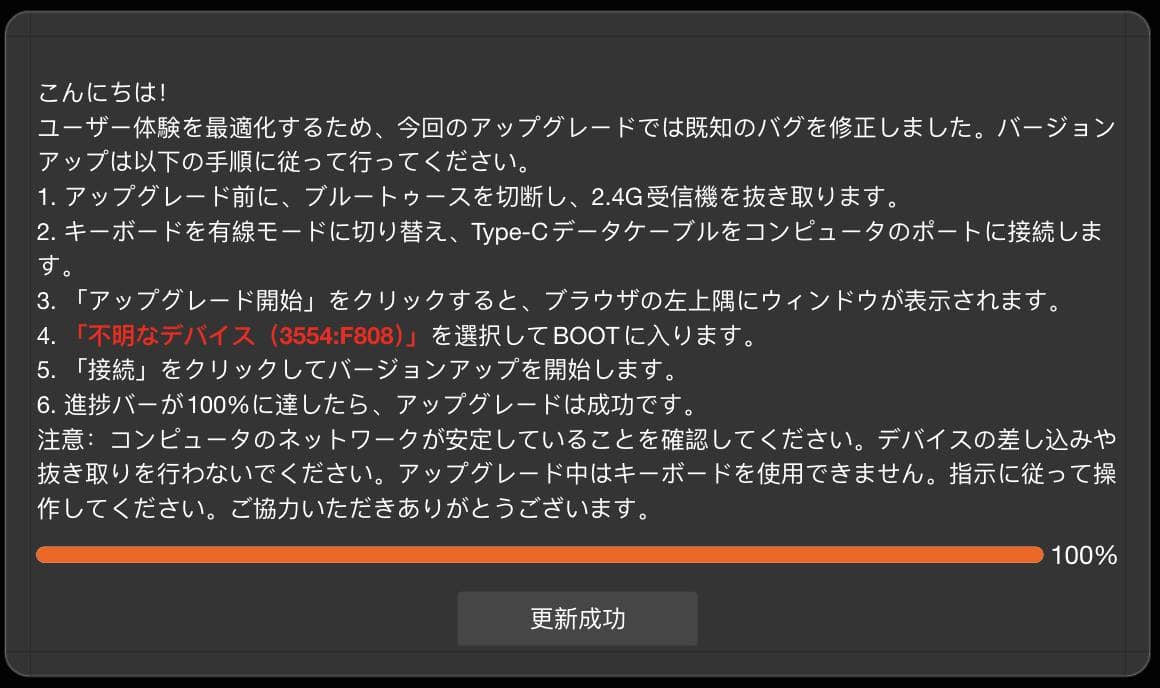
Once this point is reached, the rest of the operation is the same as KeyMapper.
Click on the key (top of the screen) whose keymap you want to change, and double-click on the key (bottom of the screen) whose keymap you want to change.
There is no save operation, and the system seems to reflect this in real time.
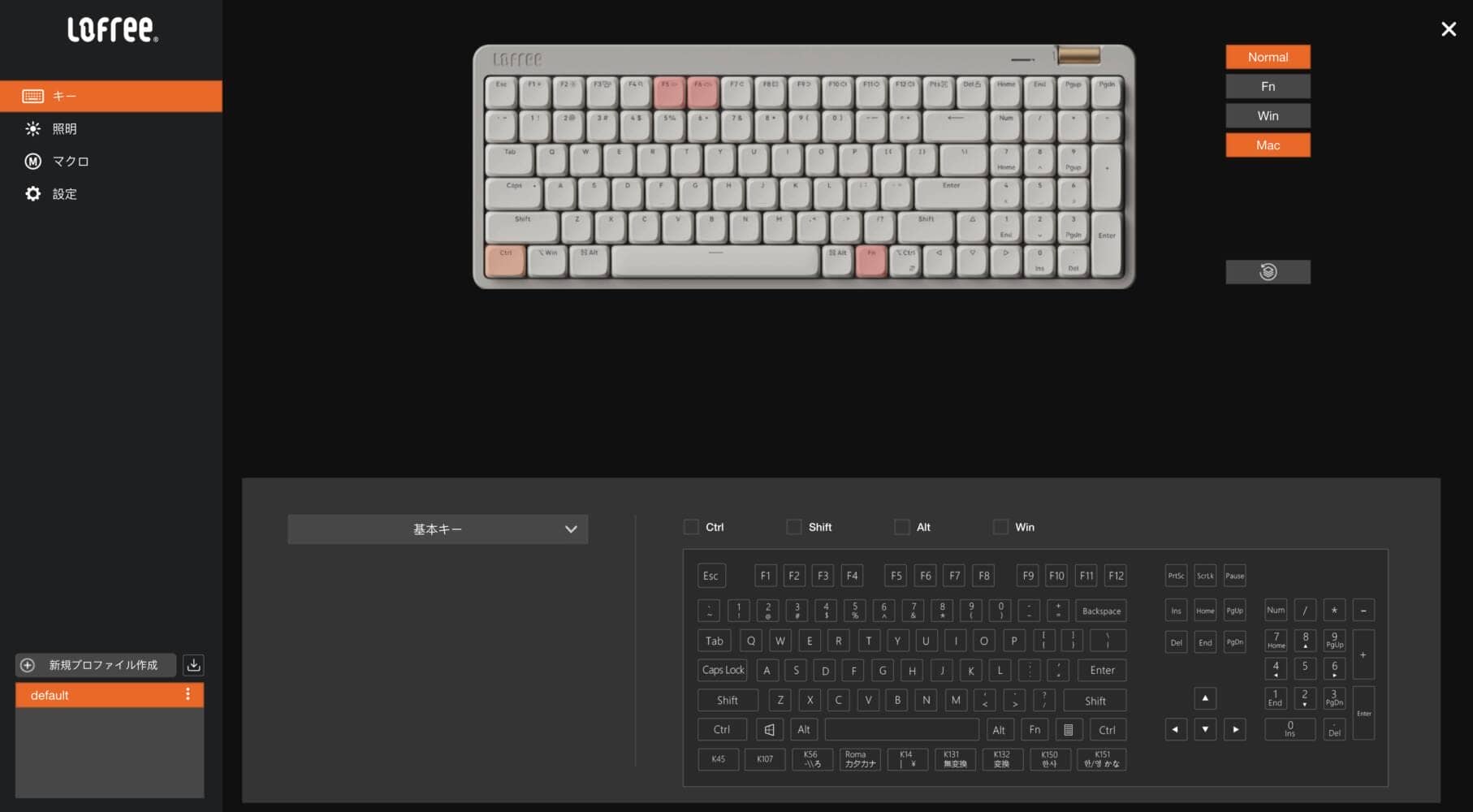
Not only can the keymap be changed, but also the lighting and macro settings can be modified.
Another nice feature is the ability to save your own custom keymaps as “profiles”.
Lofree Flow Lite is available at Lofree Japan.
Use coupon code “ryo10” for 10% off.

Discount Code: ryo10 ryo10
to save 10% off your purchase.
\ Japan, this way/
Products only available through Lofree Official
(Coupon code supported)
Custom keys for Flow Lite JIS (Japanese) also included
Custom keys are also available exclusively for “Lofree Flow Lite JIS”.

Lofree Flow Lite JIS-specific keys
- K45
- K107|” key (“M”)
- K56|Underbar ( _ ) key ( “ro”)
- Roma Katakana|Katakana Hiragana Keys (Windows only)
- K14|Yen Key
- K131|Non-conversion key (Windows only)
- K132|Conversion key (Windows only)
- K150|Lang1 key (alphanumeric) (for Mac only)
- K151|Lang2 key (Kana) (for Mac only)
Lofree Flow Lite JIS is available at Lofree Japan.
Use coupon code “ryo10” for 10% off.
Discount Code: ryo10 ryo10
to save 10% off your purchase.
\ Japan, this way/
Products only available through Lofree Official
(Coupon code supported)


Will there be support for MOD-TAP and Any Key in the future?
In the official DISCORD, we also saw comments suggesting support for MOD-TAP and Any Key.

Presumably, the development team is working to address these issues.
KawamuraMOD-TAP is a mechanism that changes the type of key to be entered depending on the length of the key press.
For example, a short press of the space key would function as the “space key” and a long press would function as a layered key.
This makes it quite convenient.
Any Key is a mechanism that allows you to set a custom key code that makes it even more flexible. See below for more details.


Google検索の「優先ソース」にGreenkeysを追加します
Add Greenkeys as a Preferred Source on Google

