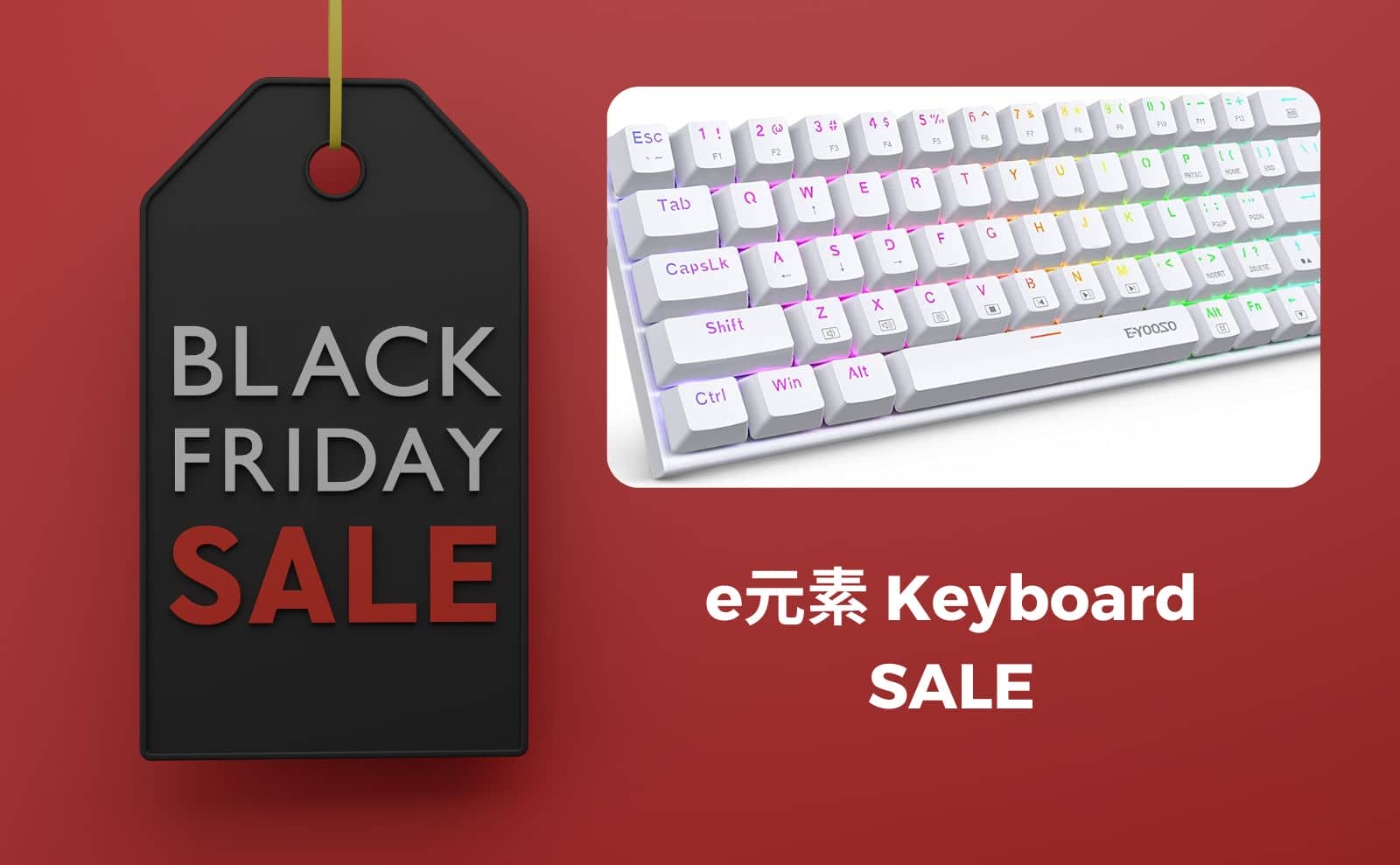
e element mechanical keyboards on sale on Amazon Black Friday at a huge discount!
Copied the URL !
The e Element, which has become a popular introduction to mechanical keyboards, is now available in the Amazon Black Friday sale and is considerably less expensive.
The price reduction of even just the inexpensive e-element gives the impression that it has become quite a festival.
Opportunity to purchase mechanical keyboards starting at 3,000 yen.
This would be perfect for those who want to try it out…………………
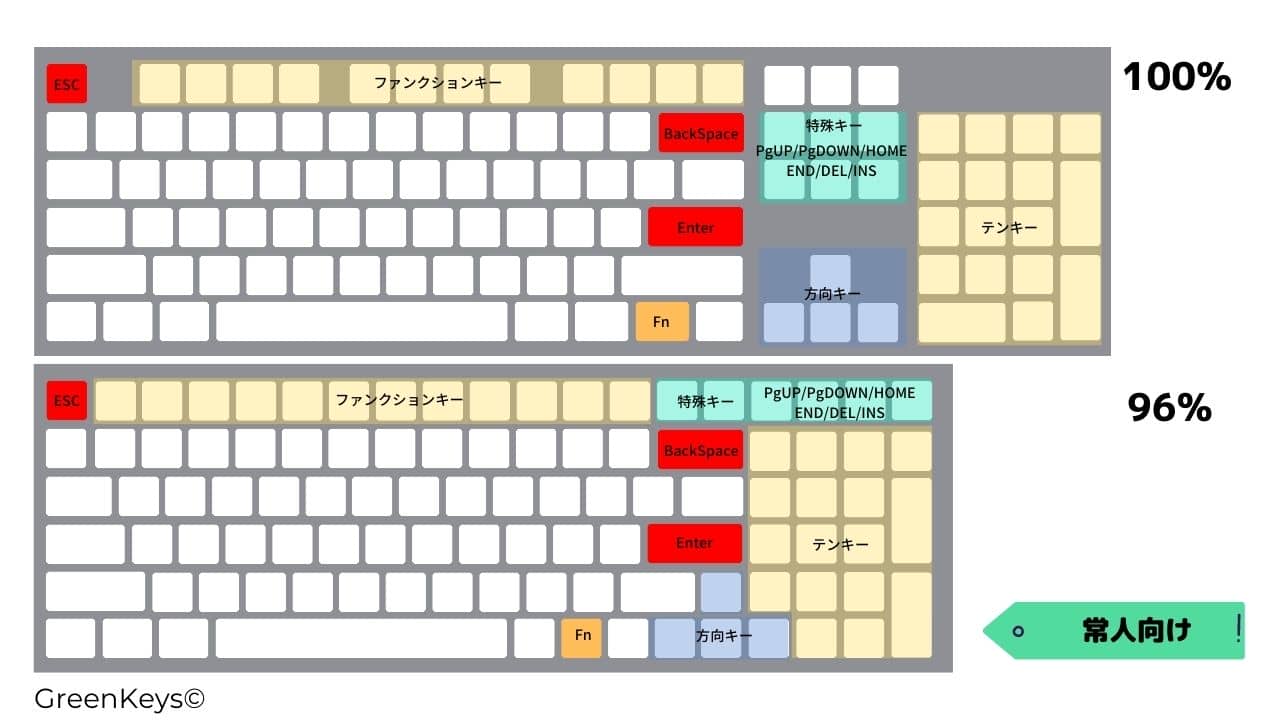
As the name suggests, a 100% layout keyboard is a keyboard with all keys aligned with a numeric keypad, special keys, and directional keys independent of each other.
It can be said to be recommended for those who have plenty of space to place it and for those who are not too concerned about the distance to be traveled by the right hand.
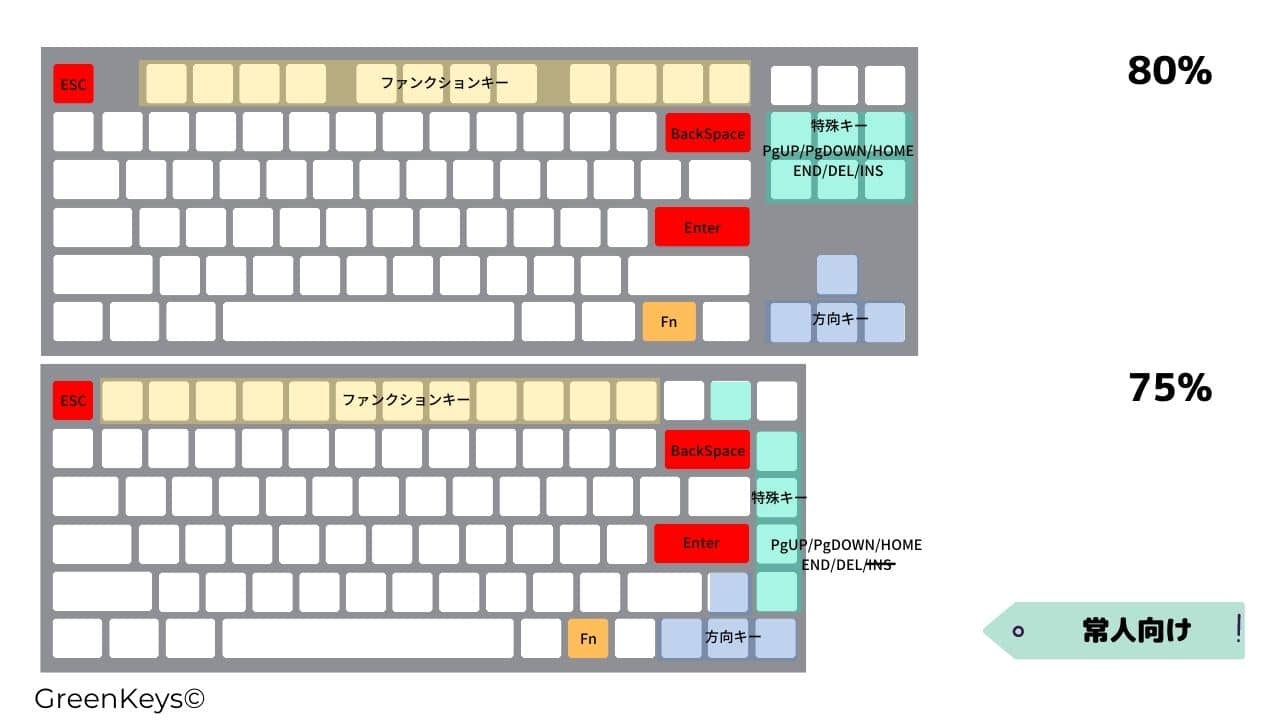
With the 60% layout, the top row of function keys, directional keys, and special keys are omitted and must be entered using the Fn key combination, which takes some time to get used to.
Recommended for those who do not want to move their fingers from the home position.
It’s more of a layout for experts, so if you’re up for a challenge, give it a try!
Greenkeys operates solely on performance-based advertising and does not use Google ads because they reduce usability. Please support us through Buy Me a Coffee if you enjoyed reading the article so that we can continue to operate the media.






 Japanese-Inspired Design Is Not the Same as Designing for the Japanese MarketThis article does not represent the opinion of the Japanese market as a whole...Keycaps
 Jezail Funder unveils new keycap design concept featuring a color scheme reminiscent of Western retro gaming consolesThis design is a keycap concept released by Jezail Funder Japan and does not ...
 Atelier Magnus shows off Slate Zero in Japan, shares a post from ShinjukuOn May 3, 2026, Atelier Magnus posted on its official X account showing its k...Keyboard