


In recent years, more and more keyboards allow users to set their own key layout, but the basic setting screen is “English layout” instead of Japanese layout.
In particular, Windows used in Japan has the “JIS Key board (106/109)” as the default sequence, so the output is different from the keymap set in the US sequence.
 Kawamura
By setting the OS to “Japanese”, it is assumed that the keycode is replaced with “output for Japanese layout” based on the keycode entered.
Therefore, if you want to change the keymap and use a “Japanese layout”, you will be able to key in your “usual Japanese layout” if you can visually grasp what key codes to set in the US layout will output what you intend in an OS set to Japanese.
So, I made a correlation table.
Reference: https://www.aandd.co.jp/pdf_storage/tech_doc/balance/t_gc_jis_us_keybord.pdf


Basic Concept of Japanese and English Arrays
The basic idea is that the keys in the same part of the English layout correspond to the same part of the Japanese layout.
However, the “³”, “_ ⌘”, “無変換”, “変換”, and “カタカナ/ひらがな” keys, which are only available in the Japanese layout, must be set individually.
KawamuraHalf/full size keys are supported by “~”.
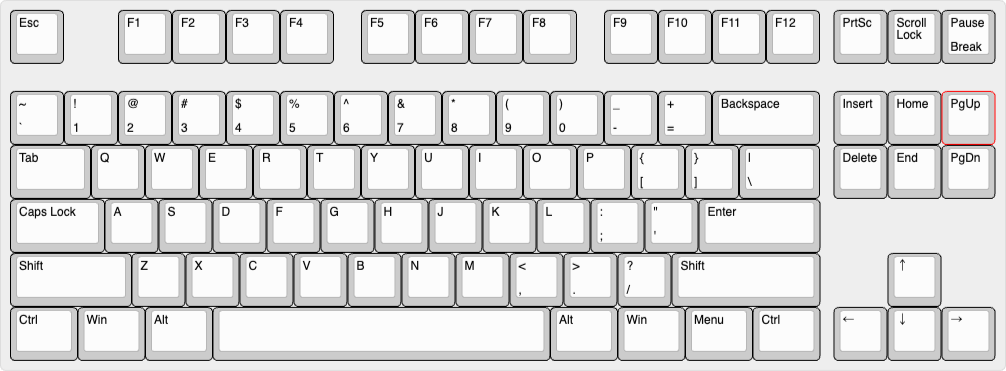
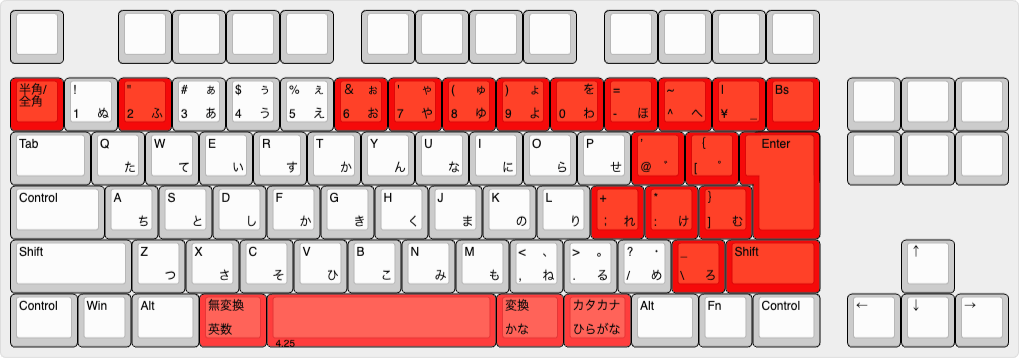

- Install the local version of Vial or access the Web version of Vial
- Select “Japanese (QWERTY)” from the Keyboard Layout section.
- Select the ISO /JIS tab
- The target character is highlighted in orange.
 Kawamura
Thanks to @catfist, @yubinagasaru, @kuzumotchi, @ymkn_gbf and @sago35tk for the information.
Let’s take a look.
Start with the bottom row of function keys (R4).
The only key that must be specially configured is “³ (KC_JYEN)”.
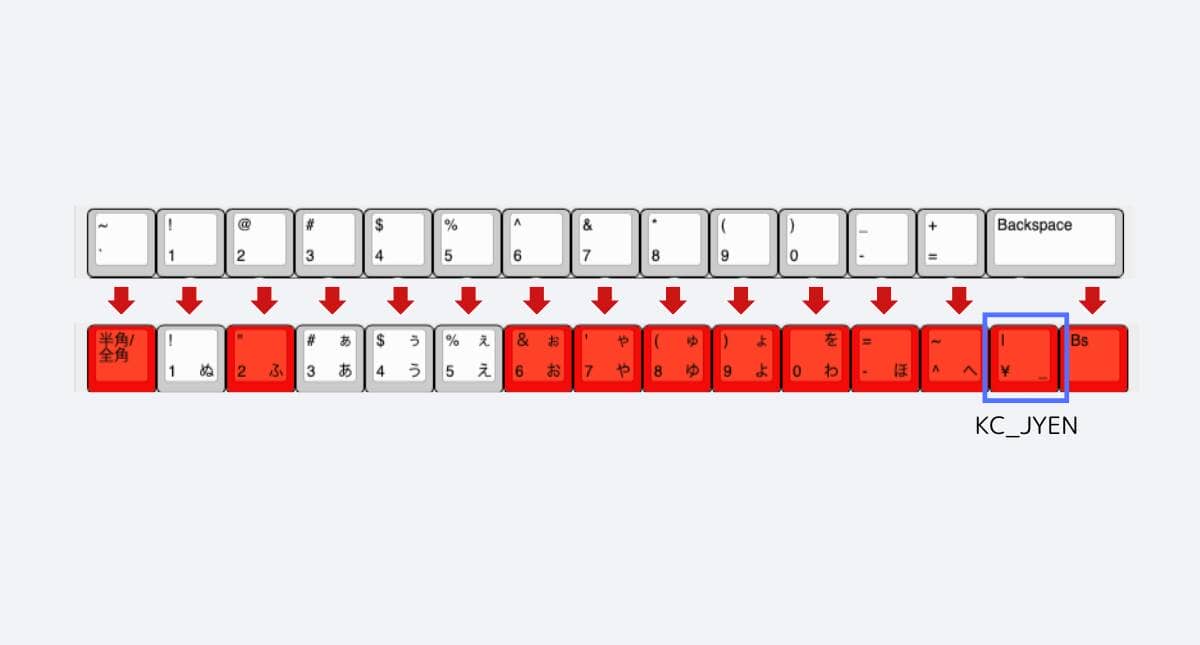
Then R3 and R2.
The Enter area is a bit tricky, but there are no keys that require special settings.
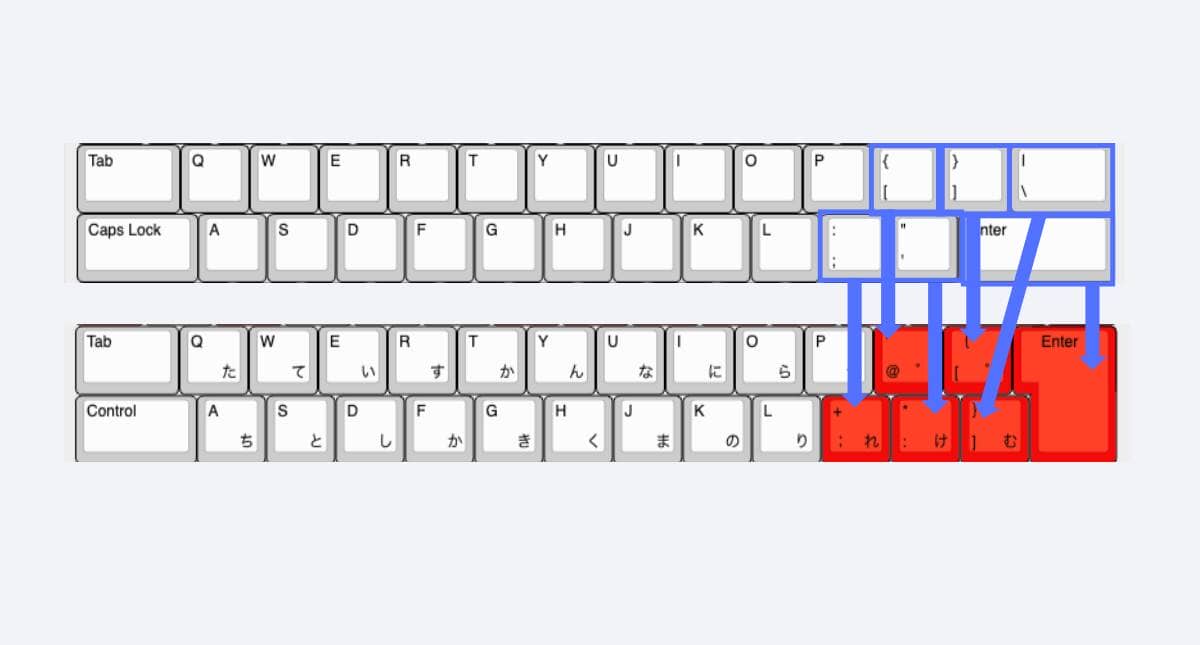
For R4 (line Z), set “KC_RO” because “RO” is not in the alphanumeric array.
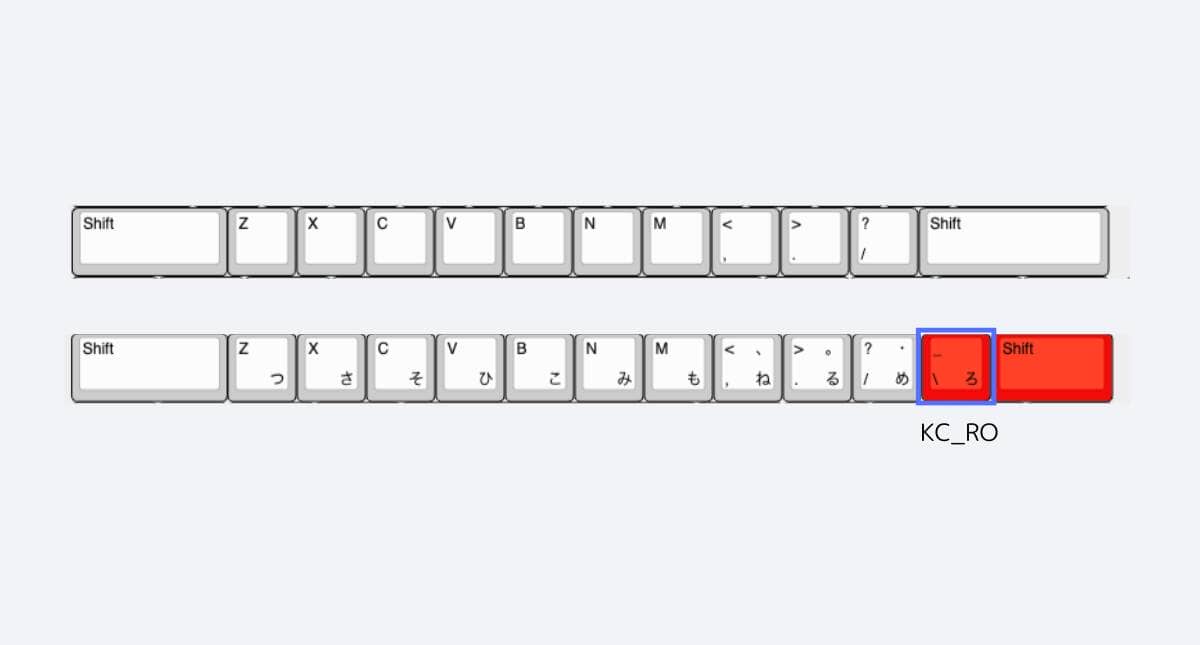
R4 (bottom row) requires a key setting specific to the Japanese layout.
KC_MHEN” for no conversion, “KC_HENK” for conversion, “KC_KANA” for kana (Windows)
KC_LANG2″ for alphanumeric and “KC_LANG1” for kana.
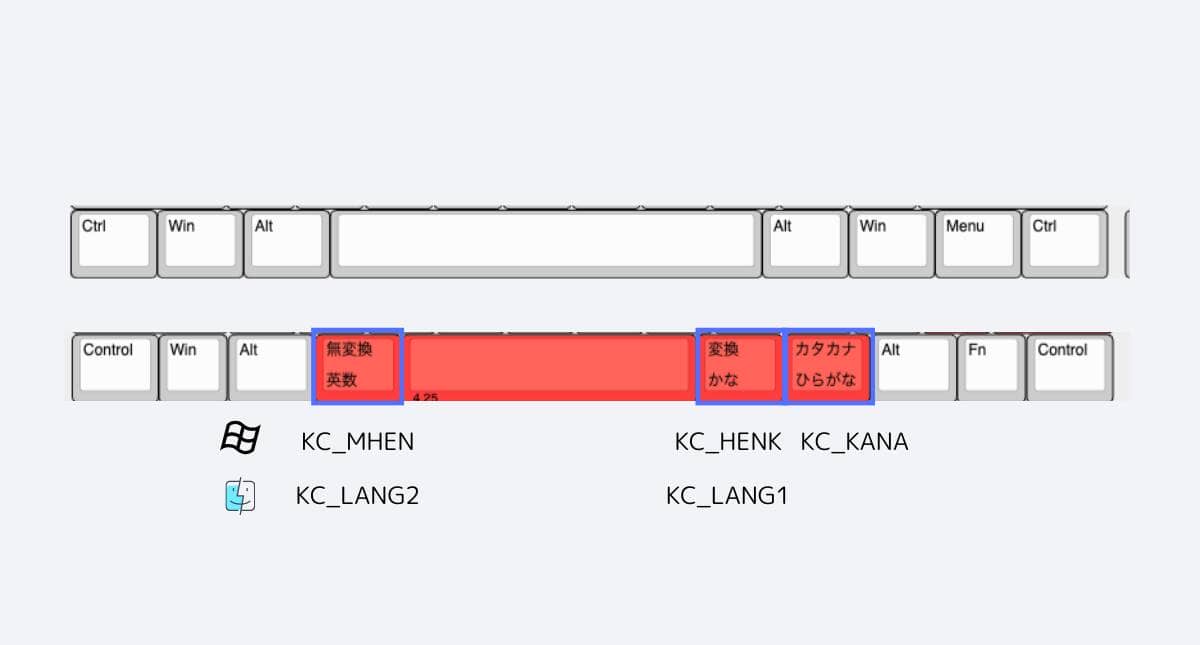
About setting up Kana-Eisuji switching (IME on/off) for Mac in VIA
As explained above, for Macs, we can assign LANG2 for non-conversion and LANG1 for conversion, but VIA does not make this visible.
When you go to the SPECIAL section, you will find the following screen.

This key marked “Kanji” corresponds to “LANG2” and this key marked “한글 (read: Hangul)” corresponds to “LANG1”.


Google検索の「優先ソース」にGreenkeysを追加します
Add Greenkeys as a Preferred Source on Google

