


2024年4月1日、JLCPCBは公式Xを更新し、同社のPCB製造サービスにマルチカラーシルクスクリーンオプションが追加されたことを発表しました。
それまでのPCBといえば、デフォルトで緑が選択され、そのほかのカラーといっても、数種類しか選択できませんでした。
しかし、今回のリリースによって、好みのイメージデザインをPCBに組み込めるようになったのです。
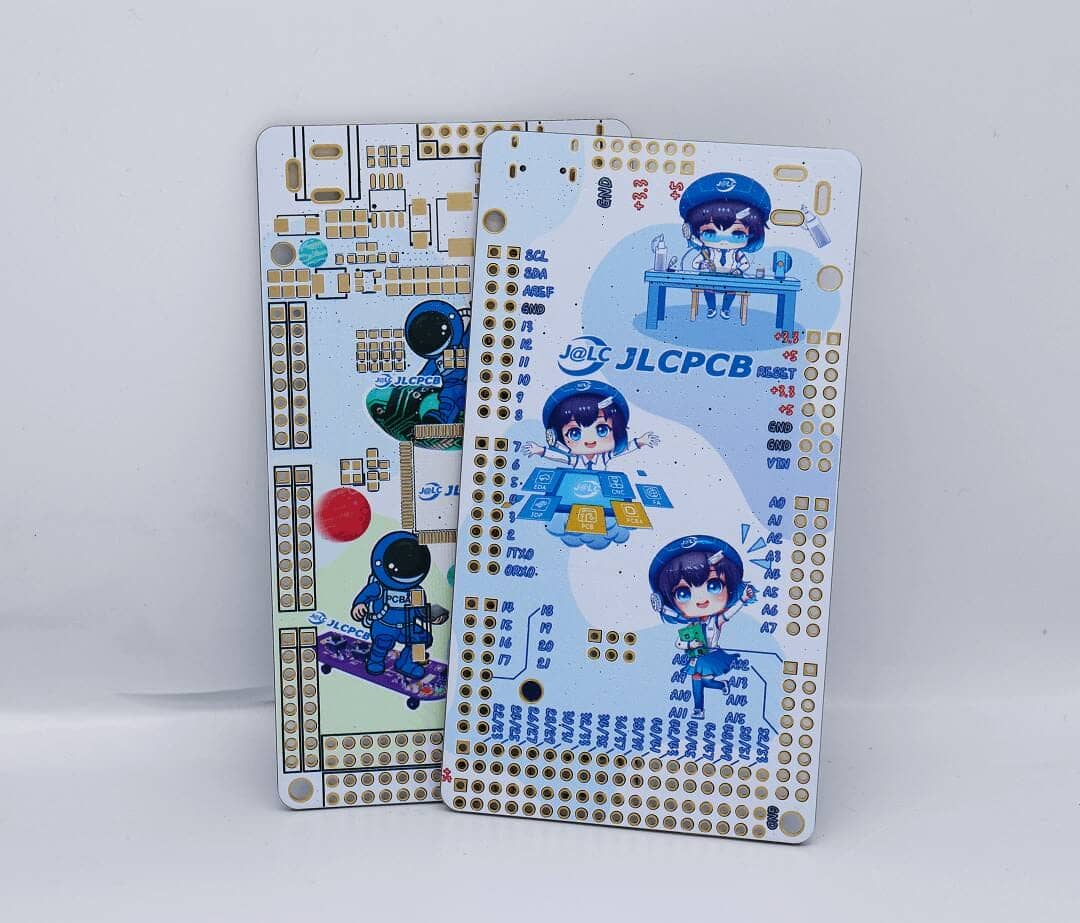
注文に際しては、PCBの寸法のサイズと解像度を満たした画像(PNGもしくはJPEG)を用意し、微調整するという手順になるとしています。
How to Design and Order Multi-color Silkscreen PCBs
Designing and ordering a Multi-color Silkscreen PCB on JLCPCB is very simple, that can be completed in a few simple steps:
https://jlcpcb.com/blog/653-multi-color-silkscreen-pcb?from=mcss
- Prepare the image: Choose or create the image you want to incorporate into your PCB design. Ensure it is in JPG or PNG format (we only support those 2 formats at the moment) and meets the size and resolution requirements for the PCB dimensions.
- Import the image: Open EasyEDA, locate the silkscreen layer or the layer designated for component markings and labels. Import the JPG or PNG image onto this layer.
- Adjust and position the image: Resize and position the imported image according to your desired placement on the PCB. Ensure it aligns correctly with the components and doesn’t interfere with critical areas.
- Verify the design: Review the overall design to confirm the accurate placement and fit of the image within the specified PCB dimensions. Make any necessary adjustments or modifications.
- Submit the design to JLCPCB: Upload the generated manufacturing files, including the Multi-color Silkscreen layer, to JLCPCB’s online ordering page. Follow the provided instructions for file submission and specify the Multi-color Silkscreen printing requirements.
- Place the order: Once satisfied with the design and specifications, proceed to place the order with JLCPCB.
現在、プロモーションを提供しており、下記手順を踏むと7ドルのクーポンをプレゼントするキャンペーンを実施しています。
- JLCPCB会員に登録する
- JLCPCB 公式ユーザー Facebook グループに参加する
プロモーションの締切は2024年4月30日まで。
興味のある方は一度発注してみてはいかがでしょうか。
情報参照元:JLCPCB


Greenkeysの記事をGoogleで見つけやすく
Find Greenkeys More Easily on Google

Google検索の「優先ソース」にGreenkeysを追加します
Add Greenkeys as a Preferred Source on Google

