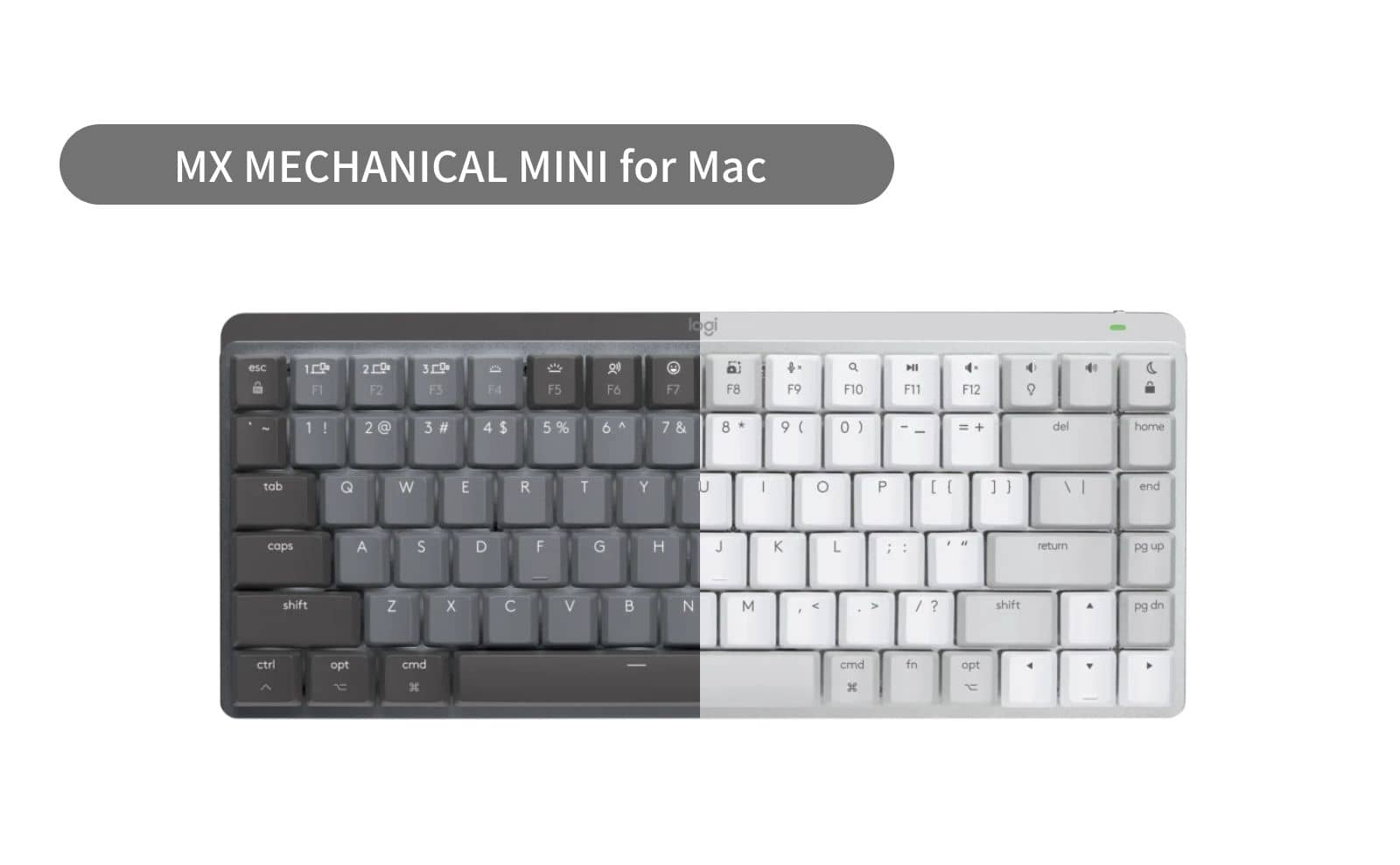
Finally, the long-awaited “Mac layout-only model” from MX MECHANICAL MINI is now available, only with US layout, and this time, unlike the “MX MECHANICAL MINI”, only with brown shaft.
The low profile allows for long, fatigue-free typing without a palm rest.
Key stroke is about 3.2 mm
Pale gray and space gray colors are used to match the Mac.
Automatic dimming with six different patterns according to the surrounding environment. Smart illumination is employed, which turns on when a hand is placed close to the device and turns off when the user leaves the seat.
Available online at the official Logitech store, Rakuten Ichiba, Amazon Logitech Store, etc.
Easy-switch key to connect up to three devices and easily switch between them
sensor
Backlight activated by a sensor when a hand approaches
Sensor for automatic adjustment of ambient light
USB-C – USB-C Charging
Up to 15 days, up to 10 months with backlight off (battery life may vary depending on usage conditions)
battery
Rechargeable lithium polymer battery (1500mAh)
Wireless communication range
10m Wireless communication range may vary depending on the operating environment and PC setup.
switching (to)
ON/OFF power switch
Indicator Light
Caps Lock and battery indicator light
Optional Software
Logi Options+ Logi Options+ software is required (https://www.logicool.co.jp/ja-jp/software/logi-options-plus.htmlで入手可能 for Windows/macOS)
Note: FILEVAULT
FileVault may be enabled on your macOS computer, which may prevent you from entering the password at startup/bootup when connected to Bluetooth. In this case, log in using the built-in keyboard and/or purchase a Logi Bolt USB receiver.
Sustainability
Space Gray: 47% recycled material Excluding printed wiring assemblies (PWAs), FFC cables, and cable and packaging plastics.
Pale gray plastic: 36% recycled material Excludes printed wiring assemblies (PWAs), FFC cables, and cable and packaging plastics.
Top case: Low carbon aluminum
Paper package: FSC certified
Certified carbon neutral
Warranty Information
2-year free warranty
model number
Pale gray English layout Tactile Quiet (brown shaft): KX850M
Space Gray English layout Tactile Quiet (brown shaft): KX850MSG
system requirement
Internet connection (for software download)
Logi Options+ software on macOS/Windows
Bluetooth Low Energy enabled devices that support keyboards
Bluetooth
Required: Bluetooth Low Energy
macOS 10.15 or later
iPadOS 14 or later On non-macOS operating systems, the device’s basic functionality works without software
iOS 14 or later On non-macOS operating systems, basic device functionality works without software
compatibility
Only compatible with Logi Bolt USB receiver (sold separately) Not compatible with Unifying USB receiver technology
Compatible with Logitech Flow-enabled mice
Logi Bolt wireless products cannot be paired with other Logitech USB receivers