


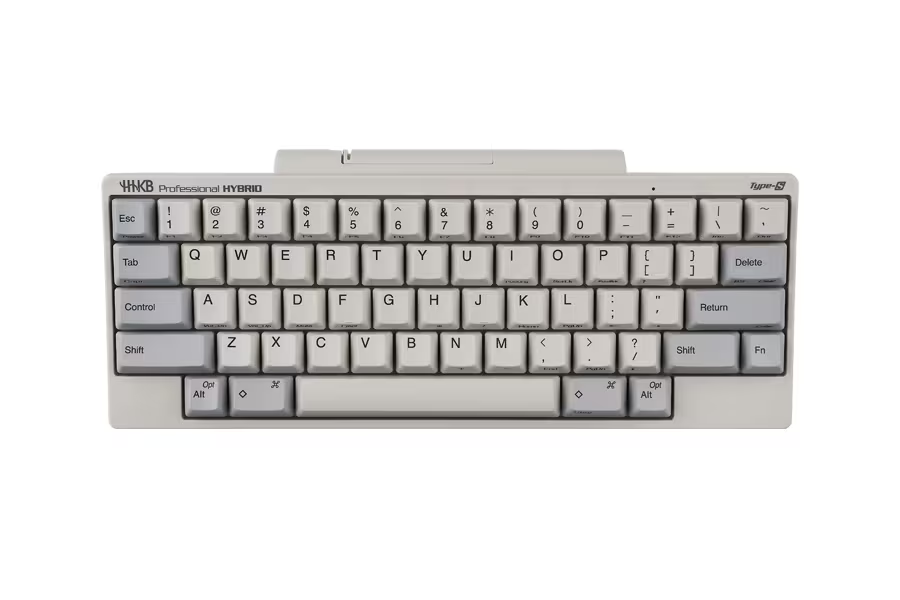
The HHKB is a keyboard with a 60% layout sold by PFU Ltd.
This keyboard has been designed to maximize efficiency centered around the home row, and the English-layout model has a wide following among users.
Celebrating its 30th anniversary this year, HHKB is generating a lot of excitement, from the release of the “30th Anniversary Model”—which features a key actuation force set to 30 gf—to the announcement of collaborations with various partners.

Meanwhile, the concept of “small keyboards” has been making waves in the keyboard world lately.
This concept, which I’d been hearing about for some time in the DIY keyboard community, is rapidly spreading throughout the keyboard scene following the announcement of the Keychron Orca Echo.
The Small Keyboard is based on the “layer” concept. With even fewer keys than the HHKB, it prioritizes maintaining the home position and uses layer keys to provide a typing experience that minimizes finger movement as much as possible.
I believe this idea is quite similar to that of the HHKB.
So, this time, I came up with an idea for a keyboard like this.
What if there were a 40% version of the “HHKB mini”?
Based on the HHKB’s philosophy of “keeping your hands in the home position,” I’ll try combining it with the design principles of modern compact keyboards.
This column is a thought experiment.

The philosophy of “staying in the home position,” which HHKB has always valued
There is a clear reason for the HHKB’s unique key layout.
PFU explains that the HHKB has its roots in the concept of “the keyboard with the ideal key layout for programmers,” and that by arranging the minimalist keys in a logical manner, it minimizes the need to move one’s hands from the home position. (Reference: HHKB )
For example, on a standard keyboard, the Control key is located to the left of the “A” key, where the Caps Lock key is usually found.

Even in articles introducing PFU’s HHKB philosophy, this layout is explained as a way to use shortcuts and commands without moving from the home position.
Furthermore, by combining these keys with the Fn key, the keyboard enables a wide range of input options while keeping the number of physical keys to a minimum.
In other words, the HHKB isn’t simply a “small keyboard”; rather, it’s a keyboard designed to allow users to access all necessary functions from the home row while retaining those functions.
Emphasize the importance of maintaining the home position
What follows is a thought experiment by Greenkeys.
The current HHKB layout is a fully-fledged 60% keyboard.
On the other hand, recent 40% keyboards have evolved to be even more “efficient” and “compact” by further reducing the number of keys and incorporating features such as those listed below.
The Philosophy Behind the 40% Keyboard
- Layer
- Mod-Tap
- Layer-Tap
- Thumb Key
- A layout that is nearly symmetrical
What would happen if we applied this “small keyboard” concept to the HHKB?
That’s when I came up with the idea for this “HHKB mini.”

Three Thoughts on the HHKB mini
The editorial team focused on the following three points when considering the HHKB mini:
The Concept Behind the HHKB mini
- Do not move your hands any further from the home position
- Balance the number of keys assigned to the left and right sides
- Increase the frequency of thumb use
Do not move your hands any further from the home position

The most important factor for me when choosing the HHKB mini was keeping my hands as close to the home position as possible.
This further emphasizes the philosophy inherent in the original HHKB.
The HHKB is designed to provide access to a wide range of functions from the home row while minimizing the number of physical keys through a combination of its 60% layout and the Fn key.
On the other hand, when reaching for the number row or the Backspace key, your hands inevitably move away from the home position.
The HHKB mini does away with the number row so that users can maintain the home position as much as possible.
The concept behind the number row is to operate it while holding down the Layer key.
考案したキーマップを見る

In other words, rather than “reaching for a key that’s far away,” we suggest maintaining the home position by “switching the function of the key you’re currently on.”
This is also a concept commonly seen in 40% keyboards.
Balance the number of keys assigned to the left and right sides
For this layout, we opted for a symmetrical design to ensure that both hands are assigned an equal number of keys.
On a typical keyboard, there are more keys on the right side than on the left, with the home row serving as the dividing line.
The HHKB is no exception.
As a result, the right hand has more opportunities to move outward from its home position, and this configuration tends to increase the amount of movement required of the right pinky finger and the right hand as a whole.
Therefore, for the HHKB mini, we designed the layout—with a focus on the alphanumeric keys—to be as symmetrical as possible.
If you look at the shape of the key, you’ll see that it isn’t perfectly symmetrical from side to side.
I am keeping in mind , above all , that “the left and right hands each cover roughly the same range.”
Increase the frequency of thumb use
Another feature of the HHKB mini is the bottom row.

The space bar is divided into three sections, each measuring 2.25u, 1.75u, and 2.25u.
On a standard keyboard, the main job of your left and right thumbs is to press the space bar.
However, the thumb is actually a finger that can move quite freely.
Therefore, we propose that users create a new typing experience by assigning frequently used keys—such as those listed below—to their thumbs as they see fit.
- space
- Layer
- Backspace
- Shift
- Enter
In the proposed key mapping, based on the “Mod-Tap” concept—which assigns two functions to the thumb key—we have devised the following usage scenarios.

Left thumb: Space / Layer 1
; Middle: Shift
; Right thumb: Backspace / Layer 2
On the HHKB, the Fn key—located under the right little finger—was used to access multiple functions in the underlying layer.
The HHKB mini is designed with the assumption that the two thumb keys are used to press the keys on the lower layer.
Disadvantages of the HHKB mini
I believe the two main drawbacks of the HHKB mini are its “steep learning curve” and the fact that it offers “too many customization options.”
Rather than being a drawback specific to the HHKB mini, this is simply a drawback common to small keyboards in general.
The learning curve is steep, and the switching costs are also high when switching from a standard keyboard or a regular HHKB.
On keyboards with few keys, you press the layer key and type while “imagining the invisible layer beneath.”
In other words, you need to remember the “background layer” you set yourself.
It’s clear that the learning curve is steep.
 Kawamura
To address this learning curve, applications such as Conductor have implemented support systems that link the keymap the user has configured with the keys being pressed and display this information visually.
Another point is that “there are too many customization options.”
Since key mappings tend to vary in usability from person to person, you’ll likely end up changing the positions of keys you don’t like yourself.
If you’re the type of person who enjoys the process of trial and error, this can be a real “rabbit hole” to get lost in, but it’s likely that some people will find the decision-making process tedious.
The HHKB mini is not just a “smaller version of the HHKB”
The purpose of the HHKB Mini is not simply to make the HHKB smaller.
The 40% keyboard has the clear drawbacks mentioned earlier, making it a product that takes a completely different approach from the current HHKB, which is so well-designed that it’s “ready to use almost immediately out of the box.”
That is precisely why the HHKB Mini is not intended to replace the current HHKB.
To give you an idea, here’s how it fits into the overall picture:
- HHKB Professional | The quintessential HHKB. The foundation of the philosophy of typing while maintaining the home position
- HHKB Studio | Incorporates HHKB’s philosophy while integrating pointing controls
- HHKB Mini | Retains the HHKB philosophy while minimizing the typing area itself to the absolute limit
I consider the HHKB mini to be one possible extension of the HHKB philosophy.
Users who find value in the typing experience
To be honest, I never thought small keyboards would become such a hot topic.
The reason is obvious.
That’s because “the switching costs are clearly high.”
“Until then,” the keyboard had been a tool for work.
Since typing speed is directly linked to work efficiency, one of the key benefits was the ability to type visible keys quickly and more efficiently.
As we enter 2026, further advancements in generative AI are increasingly centered on “vibe coding.”
In development environments that use generative AI, there are increasingly more situations where the time spent manually typing code is reduced compared to the past.
With the increasing number of opportunities to use language to instruct generative AI to generate code, we’ve reached an era where some are even arguing that keyboards are no longer necessary.
That is precisely why I believe that the keyboard itself is gradually being freed from its role of “enabling efficient typing.”
KawamuraI also discussed this topic in my column titled “A Glimpse into the World of 30% Keyboards.”
In addition, Sosuke, the designer of the compact keyboard “DRESSTHING,” described this shift by saying, “ Keyboards can become fashion.”
In this way, keyboards are gradually being freed from their traditional roles in the age of vibe coding.
Perhaps it is this historical context that makes the small keyboard stand out so much.
I feel that as users themselves have sensed these changes in the times and sought a “new typing experience,” the niche category of small keyboards has risen to the forefront.
If the “HHKB Mini” were to be released, would you want to try it out?
Of course, the HHKB Mini featured here is a fictional product.
KawamuraThis is entirely the author’s imagination.
PFU, I’m sorry for jumping to conclusions.
It is neither a product currently being developed by PFU nor one that is scheduled for release.
However, I feel that the HHKB philosophy of “keeping your hands in the home position” and the 40% keyboard concept of “consolidating necessary inputs into a small area” might actually be a surprisingly good match.
So, please do share your thoughts with us.
Vote
Summary

That concludes our overview of the conceptual design of the HHKB mini.
The HHKB product is celebrating its 30th anniversary.
This key layout has even been adopted by custom keyboards overseas, to the point where the “HHKB” is now available alongside the WK and WKL models.
Recently, Chosfox conducted a survey to see if users would like the HHKB layout to be adopted for the key layout of its new product.

At the end of the day, this idea for the “HHKB mini” is nothing more than a fantasy I’ve come up with as an HHKB fan.
However, as PFU’s new keyboard marks its 31st year, I personally think it’s interesting in how it reflects the times.
If there were an “HHKB Mini.”
Would you like to try it?

- Originally published:
- Last updated:
- Method of coverage: Manufacturer’s official website
- References/Citations:
- As mentioned in the article (HHKB Life, etc.)
- Conflicts of Interest: Product provided: None Monetized links in this article: None
postscript
I’d like to share the ideas that led us to this point.
This was the first layout I came up with.

This further narrows the range of his right-handed defense.
Personally, I find this version easier to use, but I figured that having a long vowel mark (ー) on the top layer would likely be more convenient for 40% of users. Also, using the right shift key to handle both “/” and “?” via Mod-Tap seemed a bit too complicated, so I scrapped that idea.
Of course, I also considered a split layout.
There are virtually no commercially available keyboards with a 40% low-profile staggered layout and left-right split.


However, taking into account the fact that the standard HHKB layout does not incorporate the concept of a split layout, we deliberately chose not to adopt it here either.
That said, if they’re going to do this, I’d like them to keep the robust “wired connection” option—which is typical of HHKB—for communication between the left and right sides, while setting “wireless” as the default.
The last one is this.

This layout features a trackball in the center of the bottom row, with click switches positioned on either side of the space bar.
Personally, I feel like this is the top contender, but it feels a little too bold, so I’ve decided to scrap it.
If I were to interpret the HHKB Studio philosophy, I suppose this is what it would look like.


Google検索の「優先ソース」にGreenkeysを追加します
Add Greenkeys as a Preferred Source on Google

