


On May 26, 2026, Elecom announced the “IST PLUS,” a thumb-operated trackball.
In the press release, the IST PLUS is introduced as a new model equipped with the latest features for the existing “IST” series. It is positioned as a mid-range model between the standard IST and the high-end IST PRO.
Based on this description alone, the IST PLUS might look like a “budget-friendly mid-range model with slightly scaled-back features from the IST PRO.”
However, after trying the actual device, I felt that there is much more to the IST PLUS than that.
At the presentation, the developers explained the structure of the support mechanism and their approach to noise reduction.
My impression from handling the device is that the ball roller support isn’t just a specification to fill the gap between artificial rubies and bearings; it feels designed as a very practical answer to the trade-off between “lightness” and “quietness.”
What I realized is that the IST PLUS isn’t simply an “affordable IST PRO,” but rather the gateway to a major trend looking toward the future.
I feel the IST PLUS is a model that shows Elecom is trying to take their entire product line to the next level, including operation feel, connectivity, maintainability, and even the software experience.
In this article, I’ll provide a hands-on report of the new IST PLUS and focus on the “next move” I sensed at Elecom’s new product launch.
This content was compiled by Greenkeys Editor-in-Chief Ryosuke Kawamura, based on his participation in Elecom’s new product presentation for the press held on May 19, 2026, the presentation content, hands-on experience with the display units, and explanations from the developers.


IST PLUS: The “New Standard” for the IST Series
The speaker for the day was Mr. Furuhata, Manager of the Peripheral Section in the Product Development Department at Elecom Co., Ltd.

In addition to the explanation of the IST PLUS, we were able to hear about the history of trackballs, the features of the new products, accessories, and future prospects.
Let’s take a look at the history of Elecom’s trackball series so far.

Since the EX-G in 2014, Elecom has developed various trackballs such as DEFT, HUGE, DEFT PRO, EX-G PRO, bitra, and Relacon.
The timeline shows the introduction of the IST in 2023, the IST PRO and HUGE PLUS in 2025, and now the addition of the IST PLUS as a new model in the IST series in 2026.

 Kawamura
As a trackballer myself, my debut was with the EX-G left-handed model. That was a truly unique trackball. Since then, I’ve gone through the HUGE and bitra, and as an Elecom fan, the HUGE PLUS is currently my main machine.
The IST series was born in 2024, taking its name from the initials of “Industry Standard of Trackballs.”
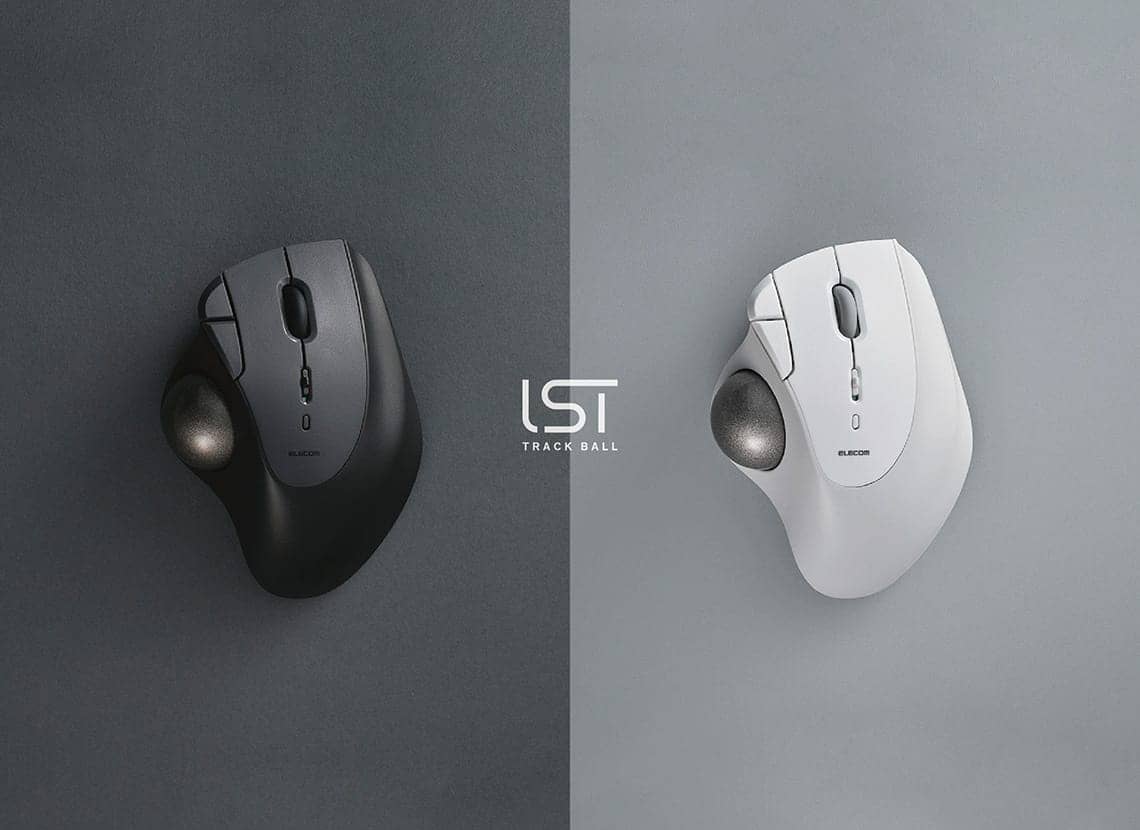
The core of the IST series consists of a large 36 mm diameter ball, a unique interchangeable support unit system, and an ergonomic design that allows you to rest your hand in a relaxed posture.
The IST PLUS is a “new standard model” evolved from the feedback received on the IST series.
First, let’s look at the hands-on report.
IST PLUS Hands-on Report
Actual devices were on display for the press on the day of the event.

The first thing that caught my eye was the lineup of the IST series.

The size is almost the same, but the IST PLUS is easy to distinguish because the side of the wheel is orange.
The IST (unlabeled) has the simplest exterior. It has a very clean look with no switches on the sides.
One of its features is the power button on the top, allowing you to turn it on and off without flipping it over.

Next is the flagship IST Pro.
The body features a leather-like grain pattern that gives it a premium feel.
A connection setting dial that can be operated with the thumb is located on the side.
With an increased number of buttons and a scroll wheel with left/right tilt buttons, the specs are truly worthy of a flagship.
This also has a button on the top, but it’s a DPI adjustment button, and the power button is placed on the side, which is different from the standard IST.
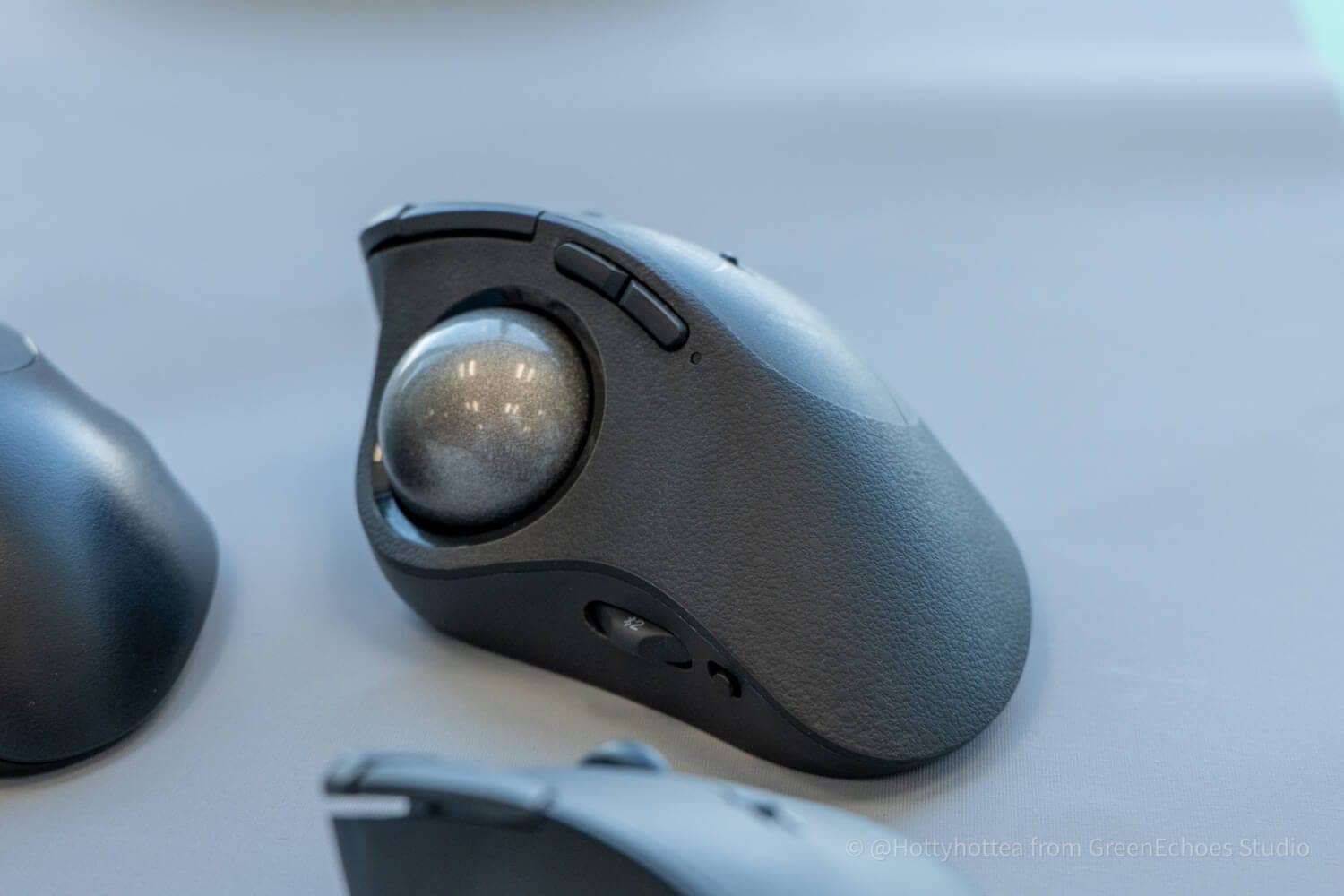
Finally, the IST PLUS.
The exterior is almost the same as the standard IST, but it differs in that it has a connection switching button on the side of the body.
The number of buttons is five, the same as the standard IST model.

The three major differences from the standard IST are as follows:
Differences between IST (Standard) and IST PLUS
- Settings can be saved on onboard memory, so your personal configuration stays the same even when switching devices.
- All five buttons feature a silent design.
- Supports simultaneous wireless connection for up to 3 devices.
The standard IST version is compatible with Elecom Mouse Assistant, but since settings are saved on the software side, they cannot be shared across multiple devices.
Sharing settings across multiple devices used to be a feature reserved for the top-tier IST PRO, but with the addition of the PLUS to the lineup, it feels like a “perfect middle ground” has been created.
The performance comparison table makes the differences between each model very clear.
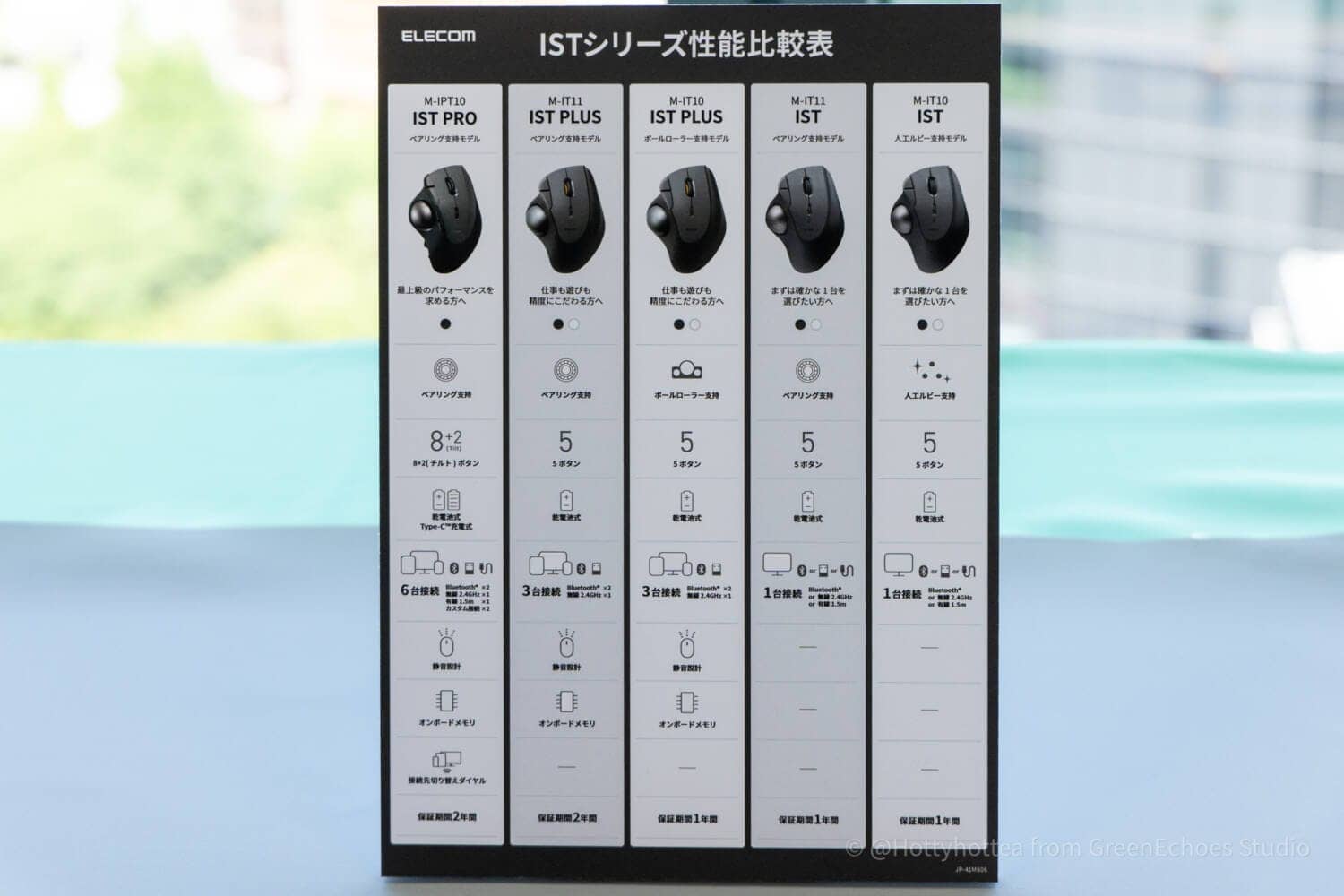

As you can see, the size is almost identical to the previous IST series.

It also carries over the use of a 36 mm ball instead of the 34 mm ball common in many thumb-operated trackballs, aiming to improve ball control.

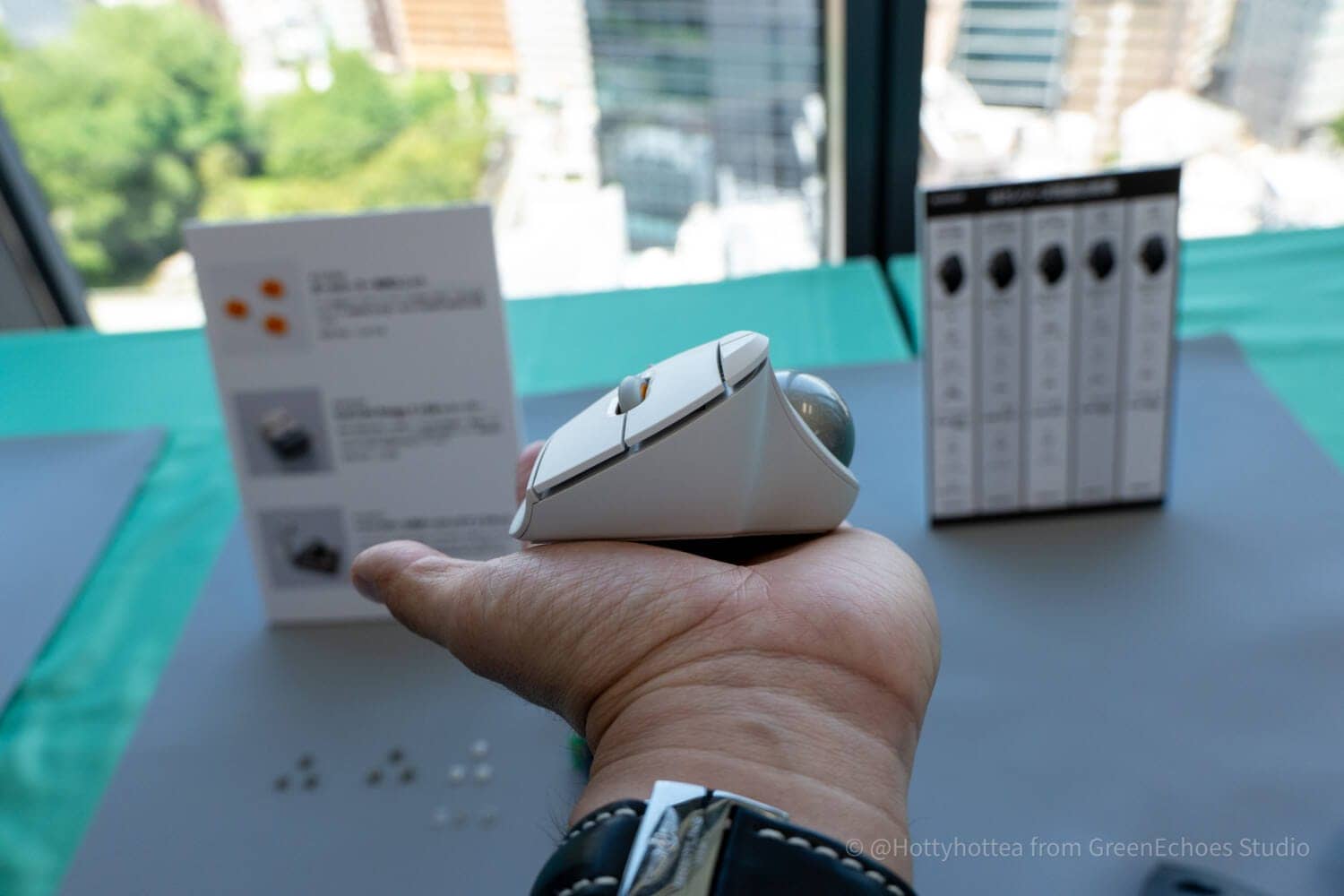
The bottom houses a wireless connection dongle using a proprietary 2.4 GHz standard.
It runs on a single AA battery and does not support rechargeable battery operation.
The fact that the power button isn’t on the bottom is a subtle but well-thought-out detail.

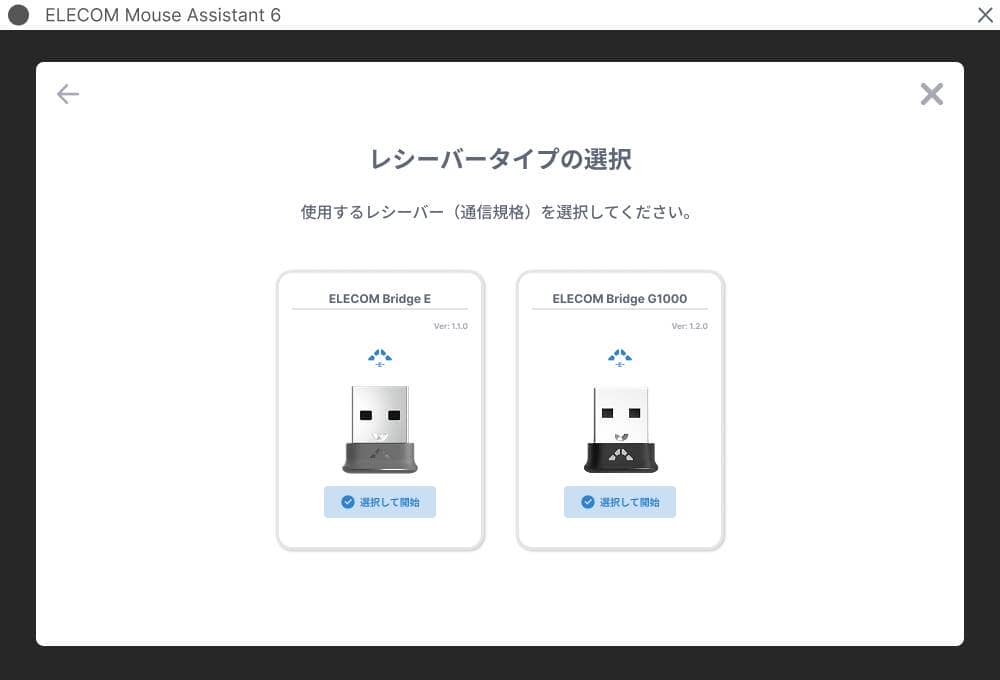
The receiver used is the newly announced “Bridge E.”
This will be sold separately, and it seems there are plans to allow pairing with multiple Elecom products via this receiver in the future, similar to competitors.


The highlight this time is undoubtedly the “ball roller support mechanism.”
Like the bearing support mechanism, it is modular and can be swapped out.

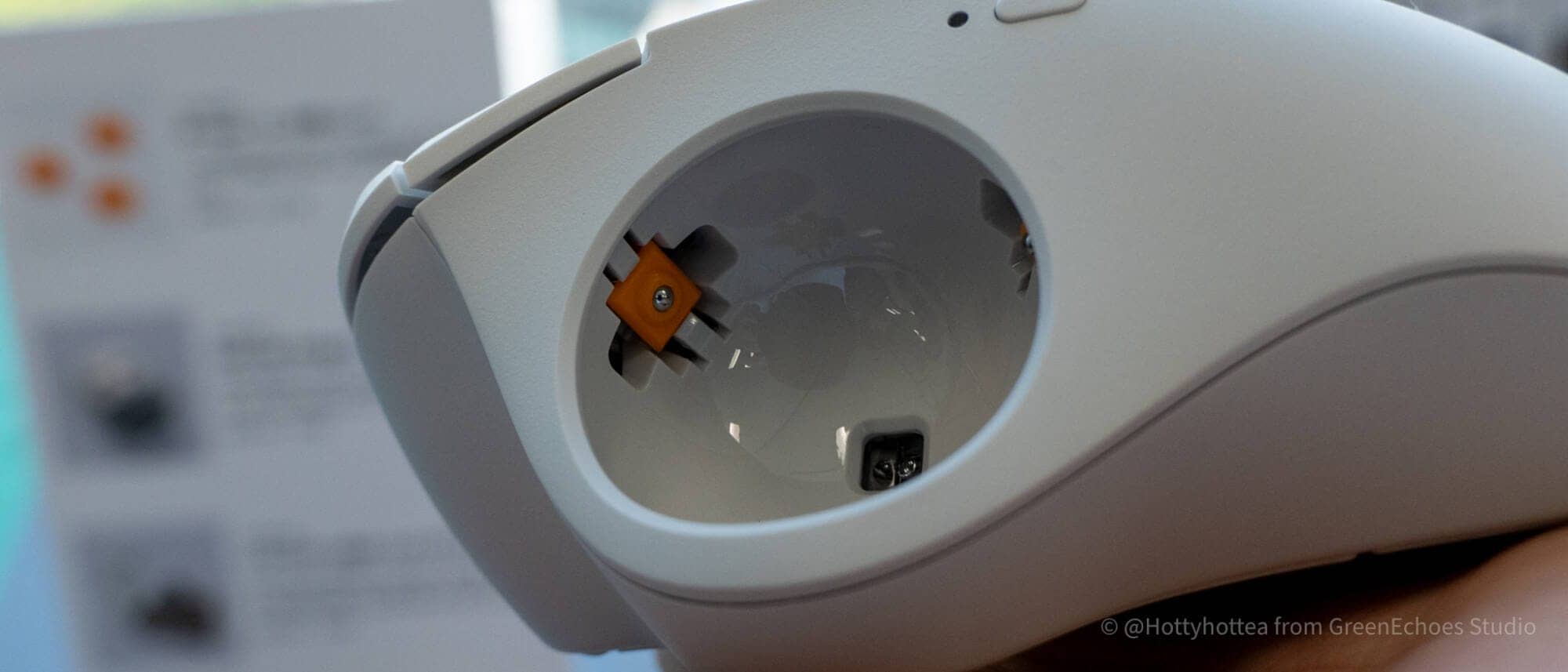


The operation sound is very quiet, and while it’s not quite at the level of bearings, the noticeably lighter feel compared to the artificial ruby support mechanism was very pleasant.
This ball roller support unit is also planned for individual sale and is compatible with the existing IST series and HUGE PLUS support mechanisms.

One of the charms of the IST and HUGE PLUS is the ability to customize the operation feel to your liking.
With the addition of this ball roller support module, there are now three support mechanisms to choose from for the IST and HUGE PLUS.
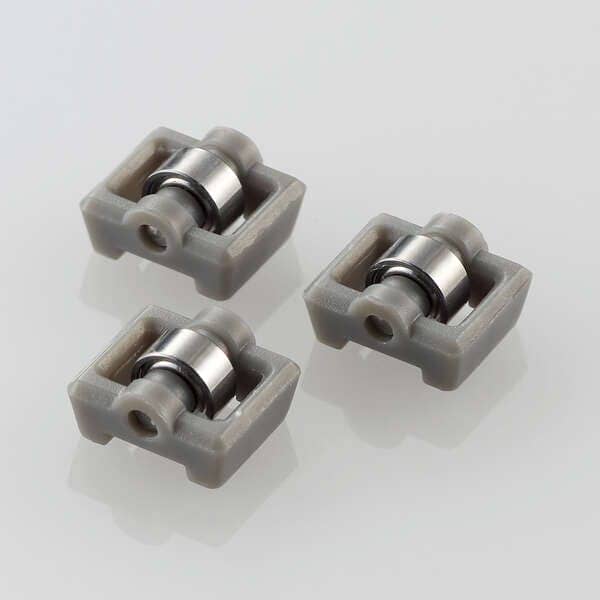
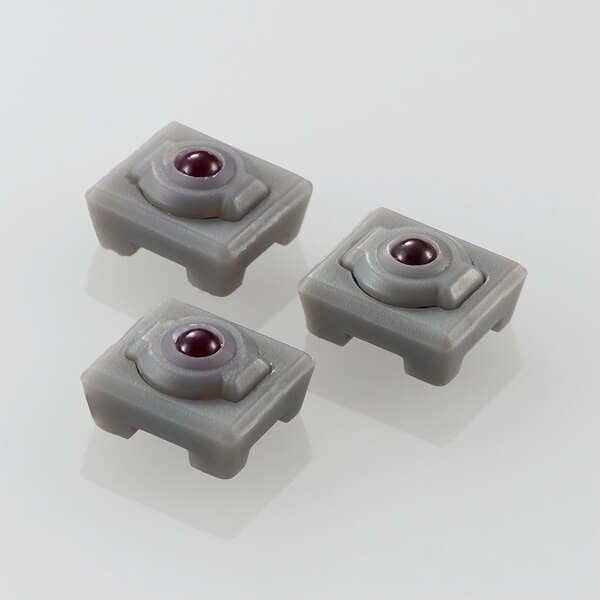
Additionally, the “Elecom Mouse Assistant” used for button customization has been updated. In the demo version, the UI made it easy to set common shortcuts based on the OS.
We’re looking forward to the official announcement regarding the update details.
Evolution points of the IST PLUS
The following four points were highlighted as “evolution points” during the presentation:
Evolution points of the IST PLUS
- Addition of a new support method
- Silent operation support
- Enhanced connectivity
- Onboard memory included
Let’s look at these evolution points in order.
The deep philosophy behind the “ball roller support mechanism” used in the IST PLUS
The most impressive thing about the IST PLUS was the newly developed “ball roller support mechanism.”
This ball roller support mechanism felt like a very realistic answer to the trade-off between “lightness” and “quietness” that trackball users often face.
A trackball is an input device where you roll the ball itself with your fingers.
Therefore, the operation feel changes significantly depending not just on sensor performance or the number of buttons, but on how the ball is supported.
Common trackballs often use support balls made of artificial ruby, zirconia, or ceramic.
While these are excellent for quietness, they tend to have resistance when starting to move, and the operation feel can degrade as dust or skin oils accumulate on the support points.
On the other hand, bearing supports move very lightly and smoothly, but the operation noise and the way they roll can be a matter of personal preference.
The “ball roller support mechanism” solves this.
How the ball roller support mechanism works
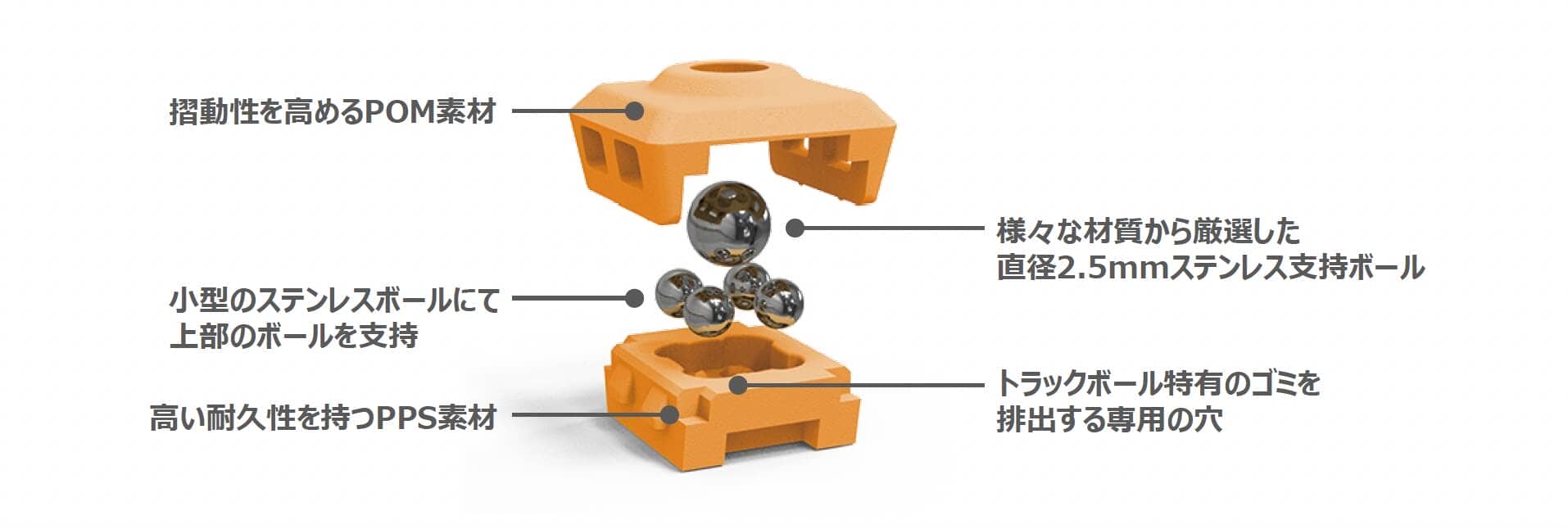
The ball roller support mechanism has an internal structure where a 2.5 mm diameter stainless steel ball sits on top of four other stainless steel balls.
This mechanism achieves a balance between smoothness and quietness.
In an interview with the ball unit developers, they mentioned using POM material with high slidability *1 for the top housing instead of using lubricants, achieving very smooth movement.
It’s also very interesting that they used PPS material instead of POM for the bottom housing to increase durability and fit *2.
The common trackball problem of dust accumulation was solved by creating discharge holes, and they even mentioned it can be “washed with warm water.”
KawamuraApparently, if you wash it with warm water and leave it on an absorbent sheet, the moisture will naturally drain and dry.
You wouldn’t be able to do this kind of maintenance if lubricants were used.
The feel of the ball roller support is like the “best of both worlds”
When I operated the ball roller support model of the IST PLUS at the venue, my first impression was quite positive.

The ball starts rolling with a smooth “glide.”
While it has a smoothness similar to bearings, you hardly hear the scratchy noise characteristic of bearings.
Also, unlike bearings that keep spinning, it creates resistance and stops naturally after a certain point. It felt like the “best of both worlds”—the smoothness of bearings combined with the just-right tracking feel of artificial rubies.
This “best of both worlds” feeling is backed up by the presentation materials.
Comparative verification data of friction for each support ball showed that the ball roller support reduced friction by about 25% compared to artificial rubies.

Bearings boast overwhelming smoothness, but many people might feel they “move too much.”
In that sense, the “ball roller support mechanism” sits right between artificial rubies and bearing supports.
However, it’s true that operation feel is largely a matter of personal preference.
To meet these individual needs, the IST PLUS lineup includes both a “bearing support model” and a “ball roller support model.”
Furthermore, the support mechanism itself is modular and replaceable, and each module can be purchased individually. This shows great attention to detail for trackball users, allowing for customization based on preference.
KawamuraFrom a fan’s perspective, this is a very welcome feature.
Why is the ball roller support mechanism so quiet?
Here are my rough impressions after trying the three support mechanisms at the hands-on event:
- Quietness: Artificial Ruby > Ball Roller > Bearing
- Low Friction: Bearing > Ball Roller Support > Artificial Ruby
Regarding low friction, the data makes it easy to understand.
On the other hand, the “quietness” didn’t quite click for me at first.
With the ball roller support mechanism, if there are moving parts, it wouldn’t be surprising if it generated “noise” similar to bearings.
When I asked the development staff about this, they said, “Because the rotation direction of the ball and the rotation direction of the support balls match, the operation noise may be smaller compared to bearings.”
KawamuraThat made me go, “Aha!” I was truly impressed.
While bearing supports are excellent for smoothness, their structure can cause forced friction on the support parts depending on the direction the ball moves.
The bearing support mechanism supports from three directions, and those rotation axes don’t necessarily match the ball’s rotation direction.
Therefore, in this structure, friction occurs between the ball and the bearings that aren’t aligned with the rotation axis, which may be the cause of noise.
In contrast, the ball roller support has a structure where the support balls rotate while providing point support, making it easier to follow the ball’s movement naturally.
The explanation was that this structure ensures smoothness while achieving a level of quietness different from bearing supports.
Support units are compatible with previous series
What’s important about the IST PLUS isn’t just that ball roller and bearing models are available.
This support unit is a module that is compatible with other Elecom trackball mouse series.
In other words, the newly sold “ball roller support unit” can be used with the previously released “IST series” and “HUGE PLUS.”
Trackball series compatible with support unit replacement
| series | model number | Operation Type | Mounting Style | connection |
|---|---|---|---|---|
| IST | M-IT10UR series | Thumb | Artificial Ruby | communicate by wire |
| IST | M-IT11UR series | Thumb | Bearing | communicate by wire |
| IST | M-IT10DR series | Thumb | Artificial Ruby | 2.4 GHz Wireless |
| IST | M-IT11DR series | Thumb | Bearing | 2.4 GHz Wireless |
| IST | M-IT10BR series | Thumb | Artificial Ruby | Bluetooth |
| IST | M-IT11BR series | Thumb | Bearing | Bluetooth |
| IST PRO | M-IPT10MRS series | Thumb | Bearing | Wired / 2.4 GHz / Bluetooth |
| HUGE PLUS | M-HT1MRBK | Index/Middle Finger | Bearing | Wired / 2.4 GHz / Bluetooth |
This means you aren’t stuck with the operation feel you chose at the time of purchase; you can swap the support method later.
This “modularization of support methods” that started with the IST is a realization of the “freedom to choose support methods” according to user needs.
This is similar to the concept of swapping switches or keycaps on a keyboard, and it smells like a dangerous invitation into an even deeper “rabbit hole.”
KawamuraIt’s a “gateway strategy.”
Just like with keyboards, it’s an idea that brings the fun of customization to trackballs, and it seems likely to break the fixed notion that one person keeps one product without ever replacing it.
I believe this is a key concept that will lead to market revitalization.
The maintenance kit is worth noting
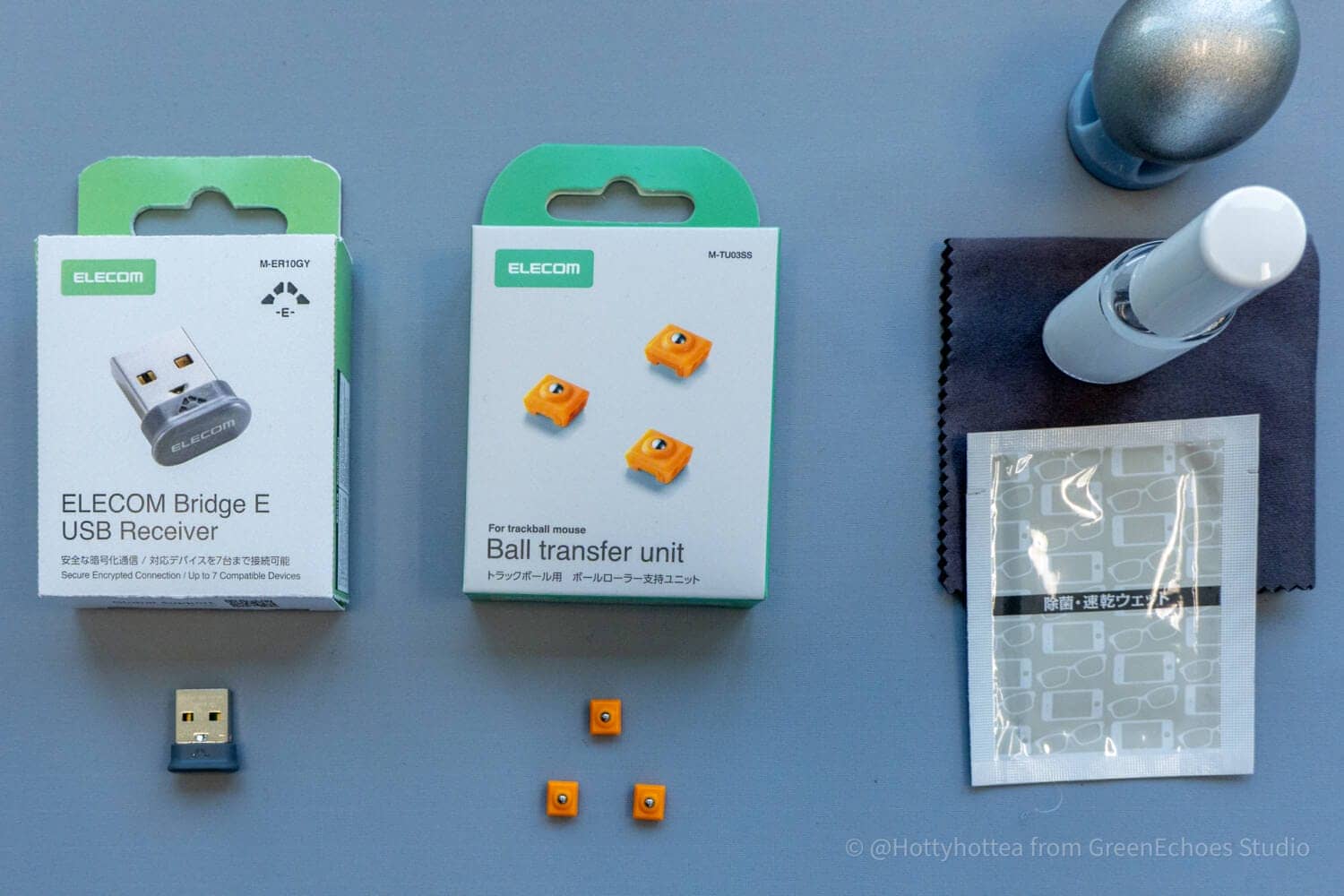
Actually, something that felt as impactful as the “ball support mechanism” announcement was the “Trackball Maintenance Kit” announced alongside it.
KawamuraI think trackballers will really relate to this.
Just seeing that they’ve turned this pain point into a product shows how serious Elecom is about listening to market needs.
This maintenance kit has the potential to dramatically solve the trackball problem of “poor gliding making it hard to use.”
The secret behind this maintenance kit is a “fluorine coating agent.”
The set includes the coating liquid, a brush, and a cloth, and it’s said to be ready for use 5 seconds after application.

Applying it to a well-used ball is said to reduce friction by about half and improve durability by about double.
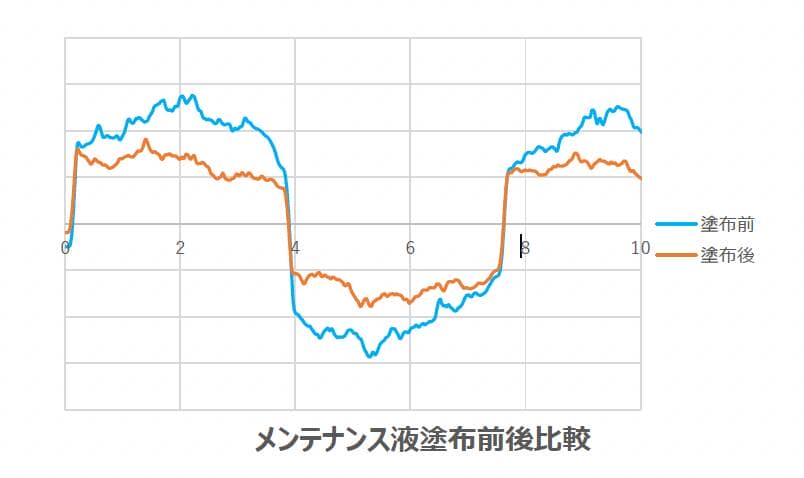
It’s no exaggeration to say that for a trackball, the operation feel determines the usability.
Since that feel degrades with use, the need for regular “maintenance” is a big difference from optical sensor mice.
This “fluorine coating” is a standard maintenance method among trackballers.
You can even find fluorine-based coating agents as related products for trackball mice on major EC malls, suggesting there’s a certain number of users who want to keep their ball gliding smoothly.
Elecom providing a dedicated maintenance kit can be seen as the manufacturer officially acknowledging this user behavior.
This means the manufacturer views the trackball not as a “buy and forget” product, but as a tool to be maintained and adjusted to one’s preference.
I felt this was a product only Elecom could make, given their desire to “apply user feedback to products.”
Elecom Mouse Assistant also updated
With the IST PLUS, improvements are being made not just in hardware but also in software.
The presentation materials announced the update for Elecom Mouse Assistant 6.3.0, including IST PLUS support, Bridge E support, profile management features, and UI improvements.
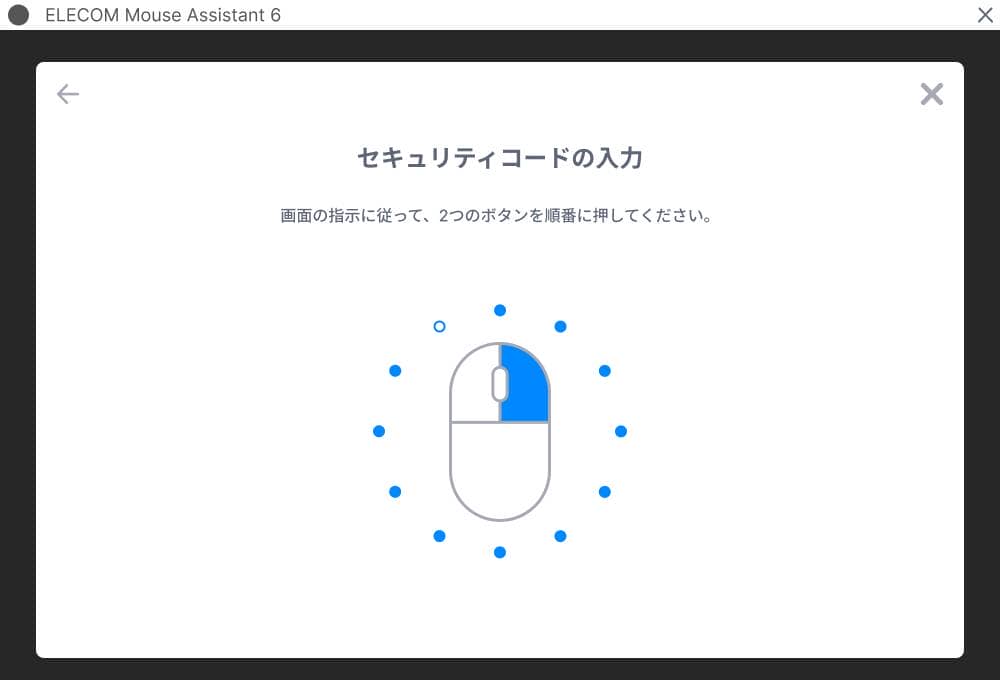
A new receiver type, “Bridge E,” can now be selected, allowing for corresponding security code settings.
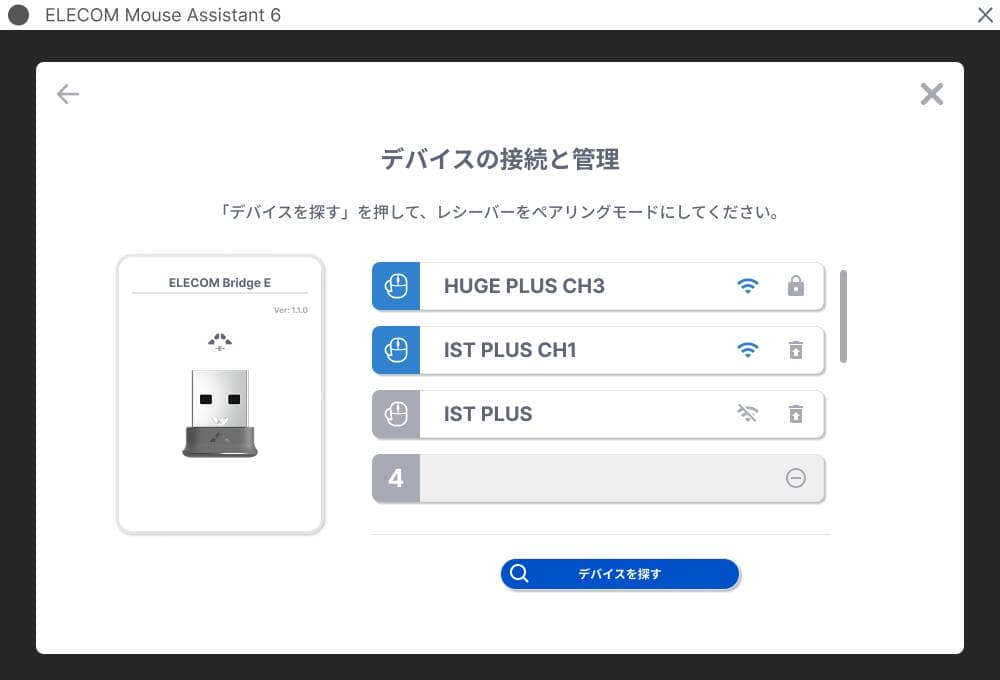
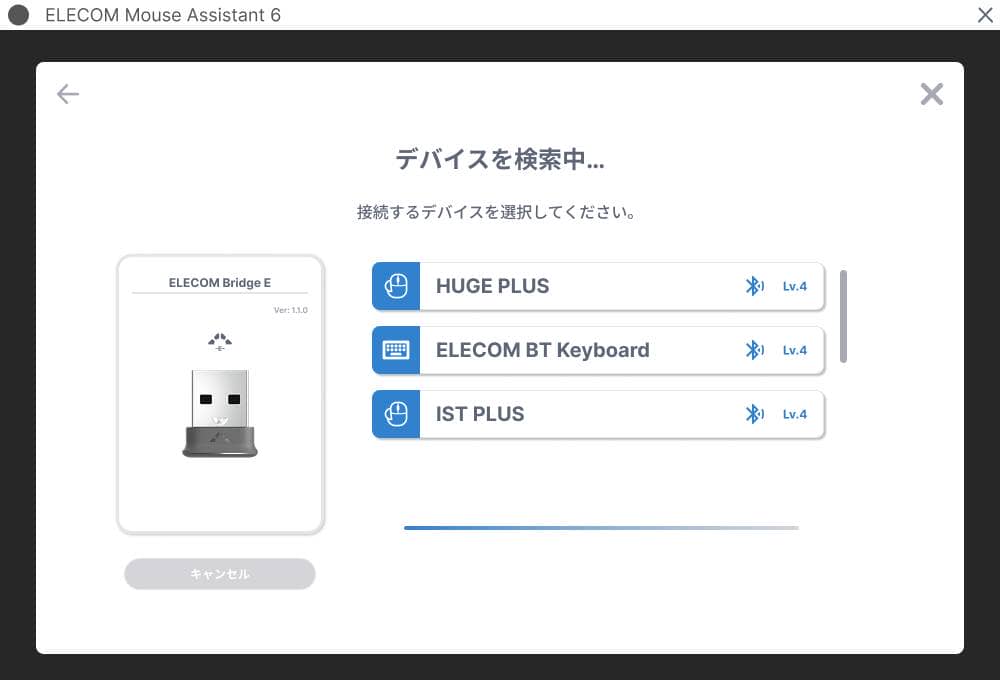
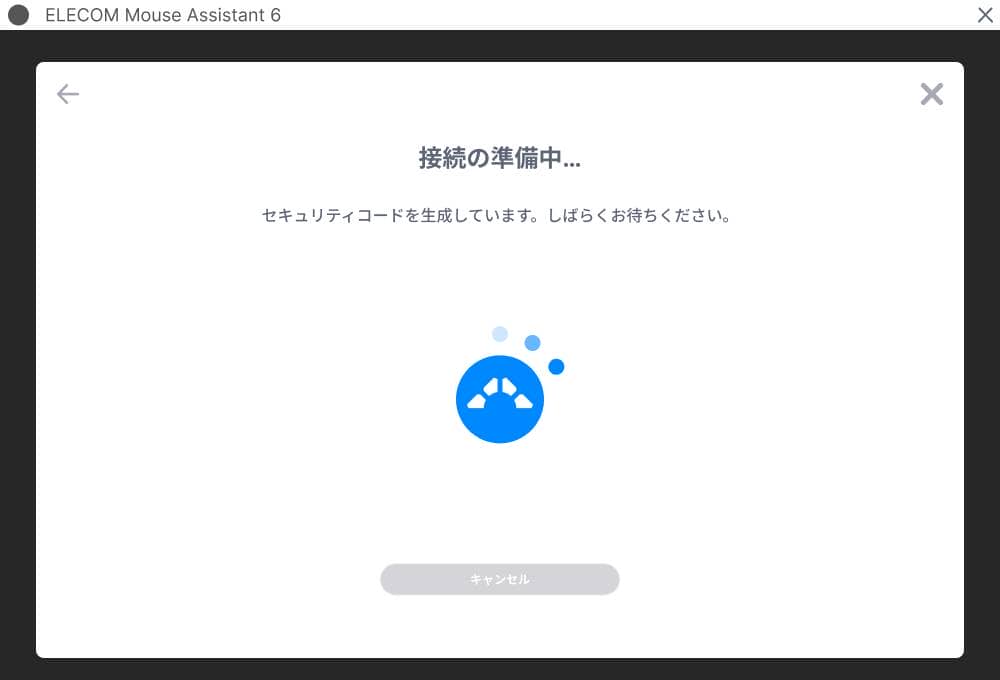
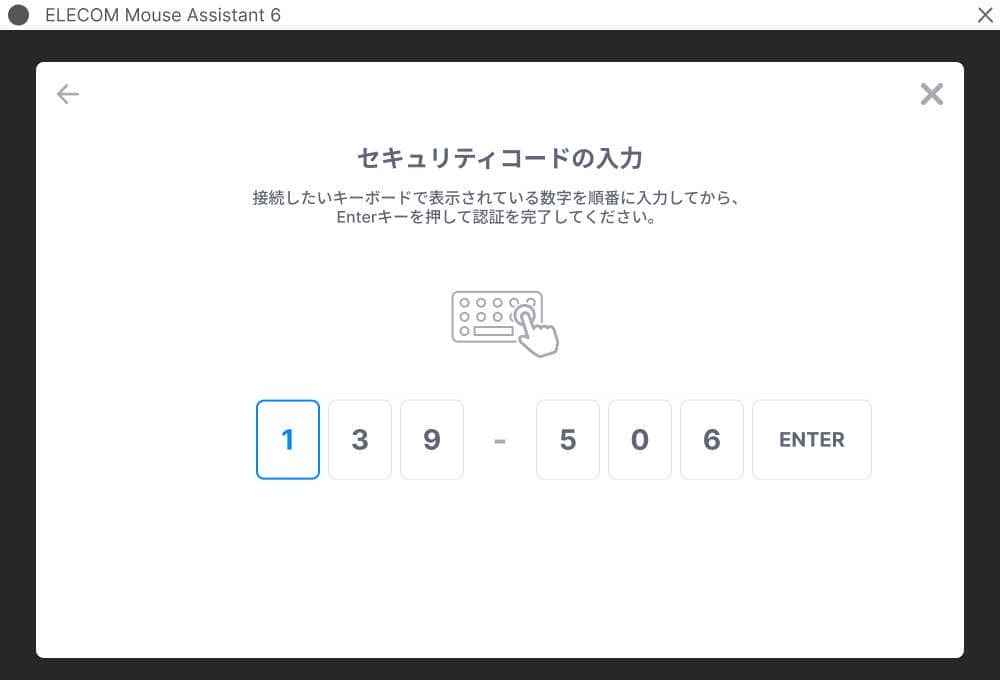
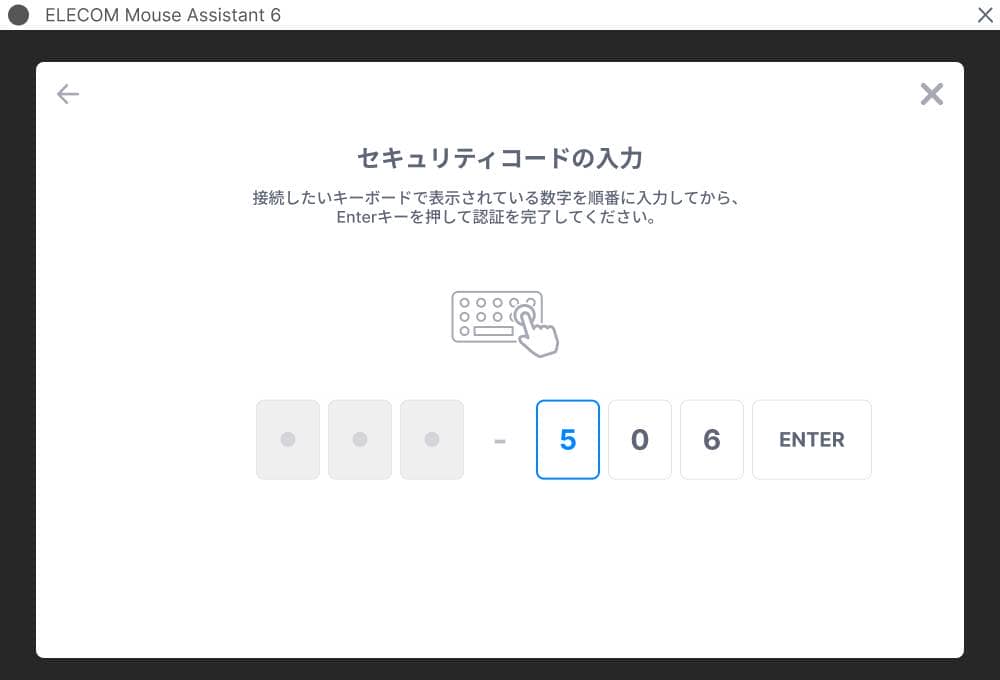
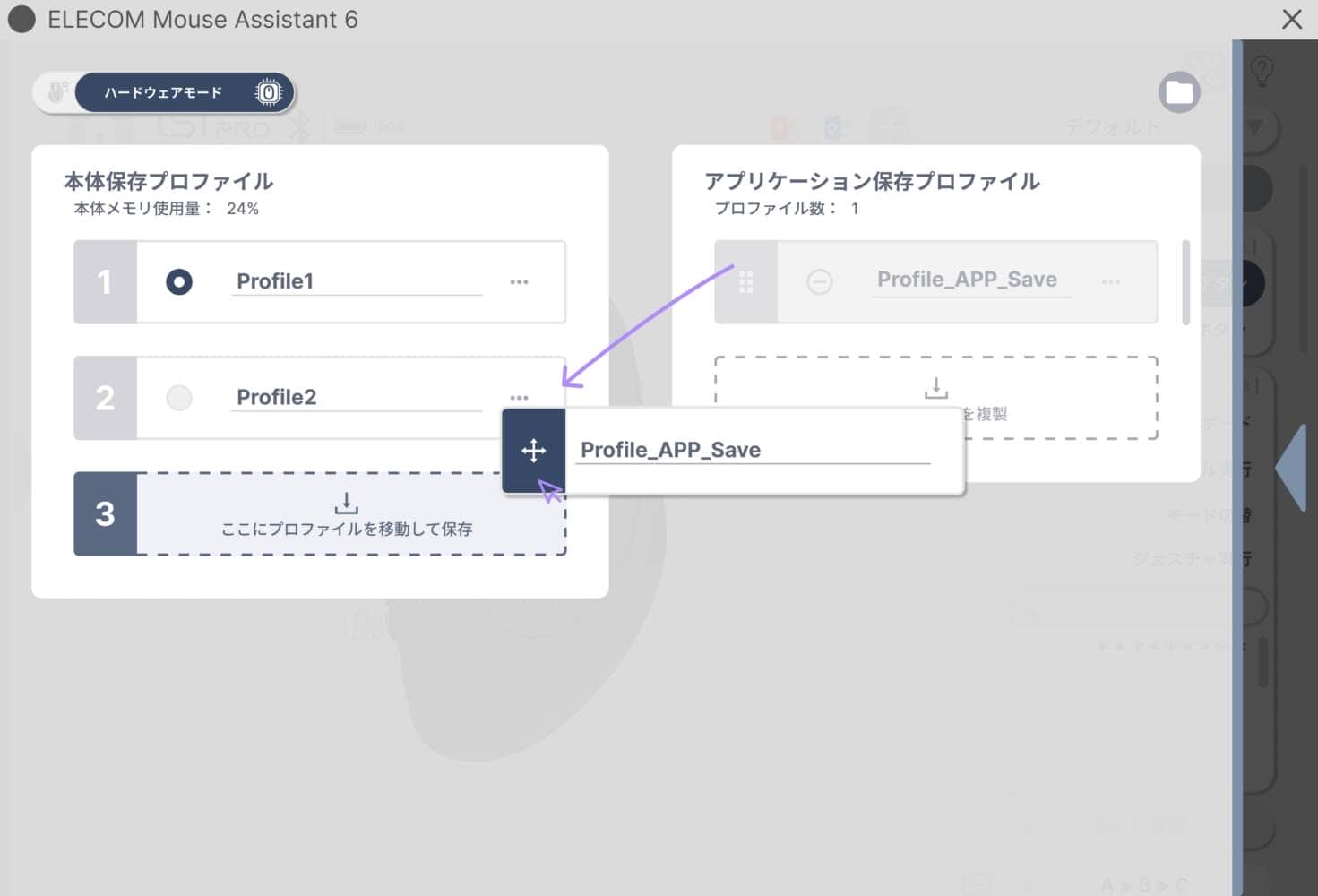
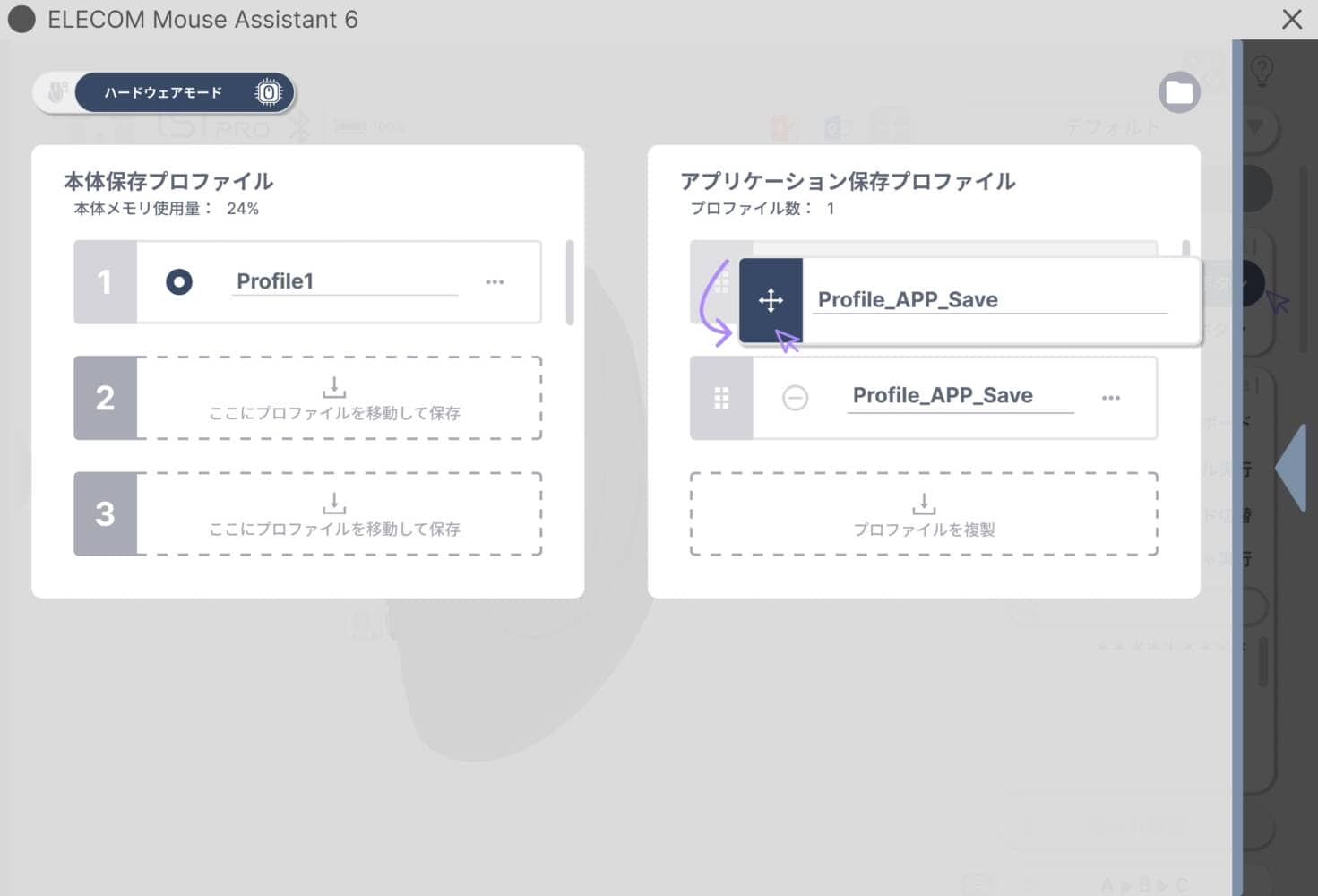
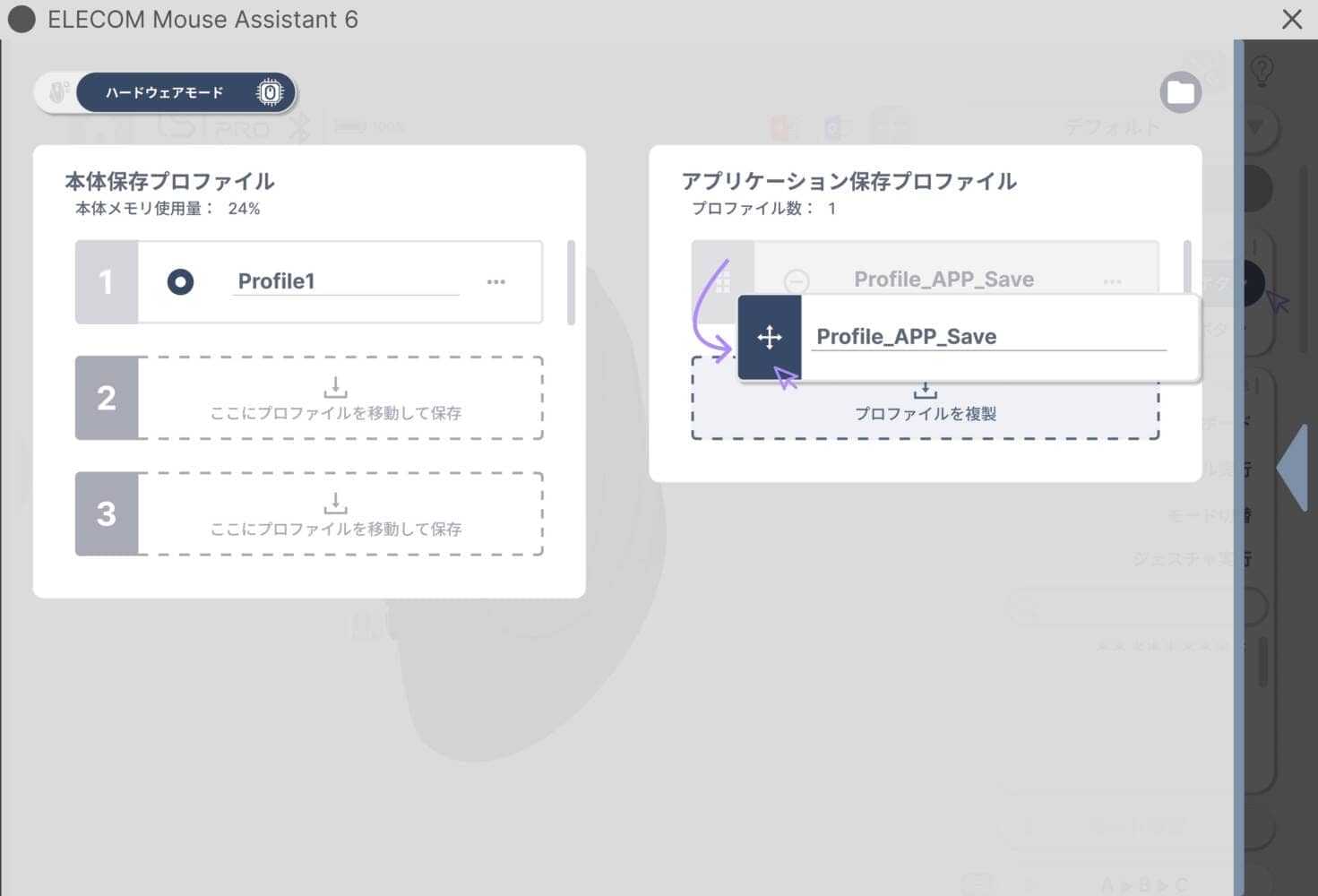
It also mentioned that features to manage and switch between set profiles will be included.
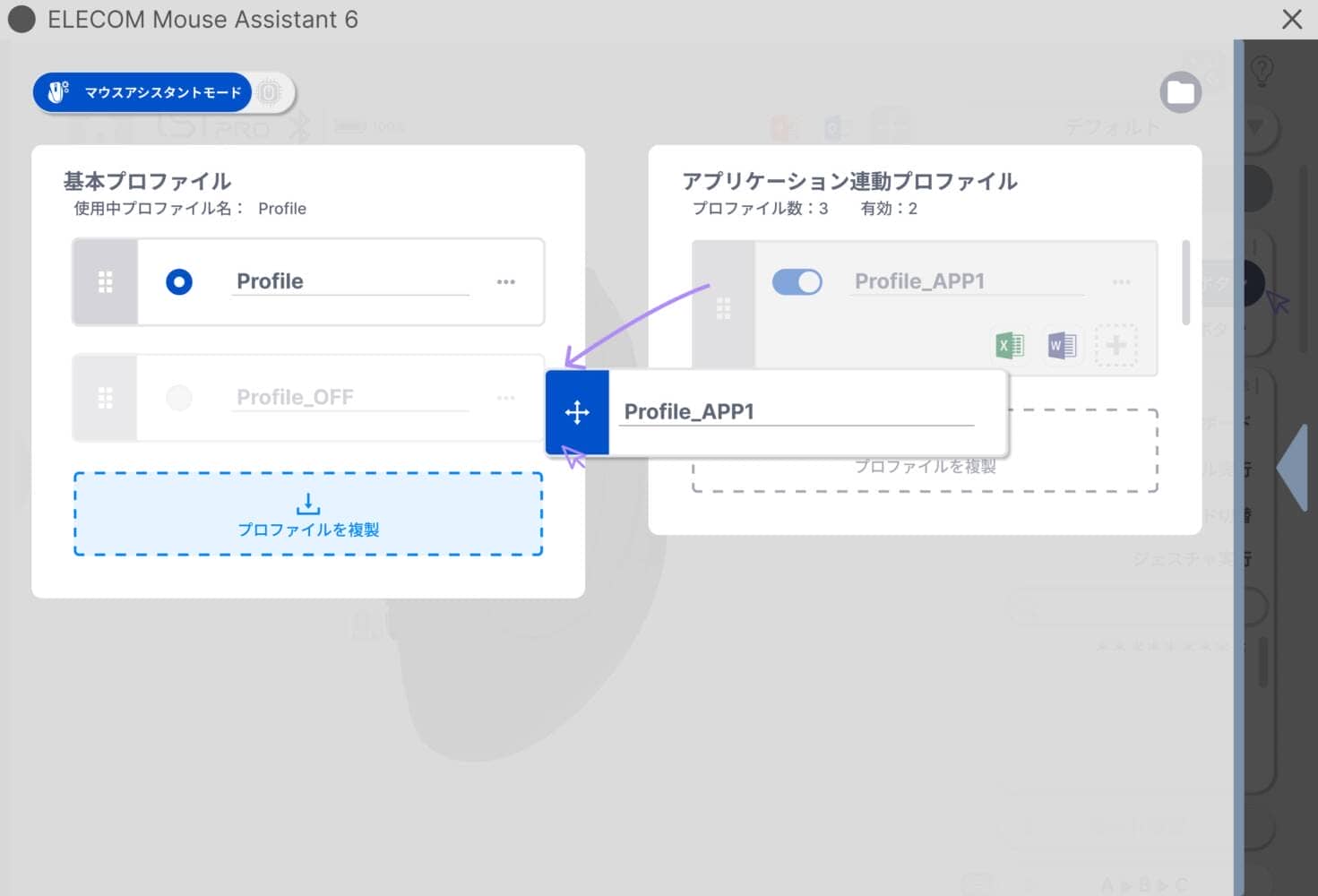
In the future, they are also considering onboard support for the HUGE PLUS, track scrolling, layer functions, preset expansions, and custom macro support.
KawamuraMany people used external customization devices like HID Remapper to implement track scrolling, so it’s wonderful that this will be available as an official feature.
I feel they are very good at picking up on user needs in these areas as well.
Commitment to user-friendly UI seen in Mouse Assistant
The talk from the UI design lead was also very impactful.
At the presentation, the developer explained that they are developing with the mindset of “how to make complex things easy to set up.”
I feel this is one answer to the increasing complexity of tracking devices, including macro pads.
While modern high-performance mice and trackballs can do more, their setting screens have become more complex.
With more features like button assignments, profile management, macros, and connection switching, a certain level of knowledge is required to set them up properly.
For example, even when setting a copy shortcut button, shortcut keys differ by OS, and you have to follow the right steps to register that shortcut key.
In other words, the structure is such that users have to learn to some extent to implement convenient features.
Elecom is trying to solve this through the “UI side.”
No matter how convenient a feature is, it won’t be used unless “anyone can use it easily.”
Bringing convenient products from a niche market to a place where everyone can reach them.
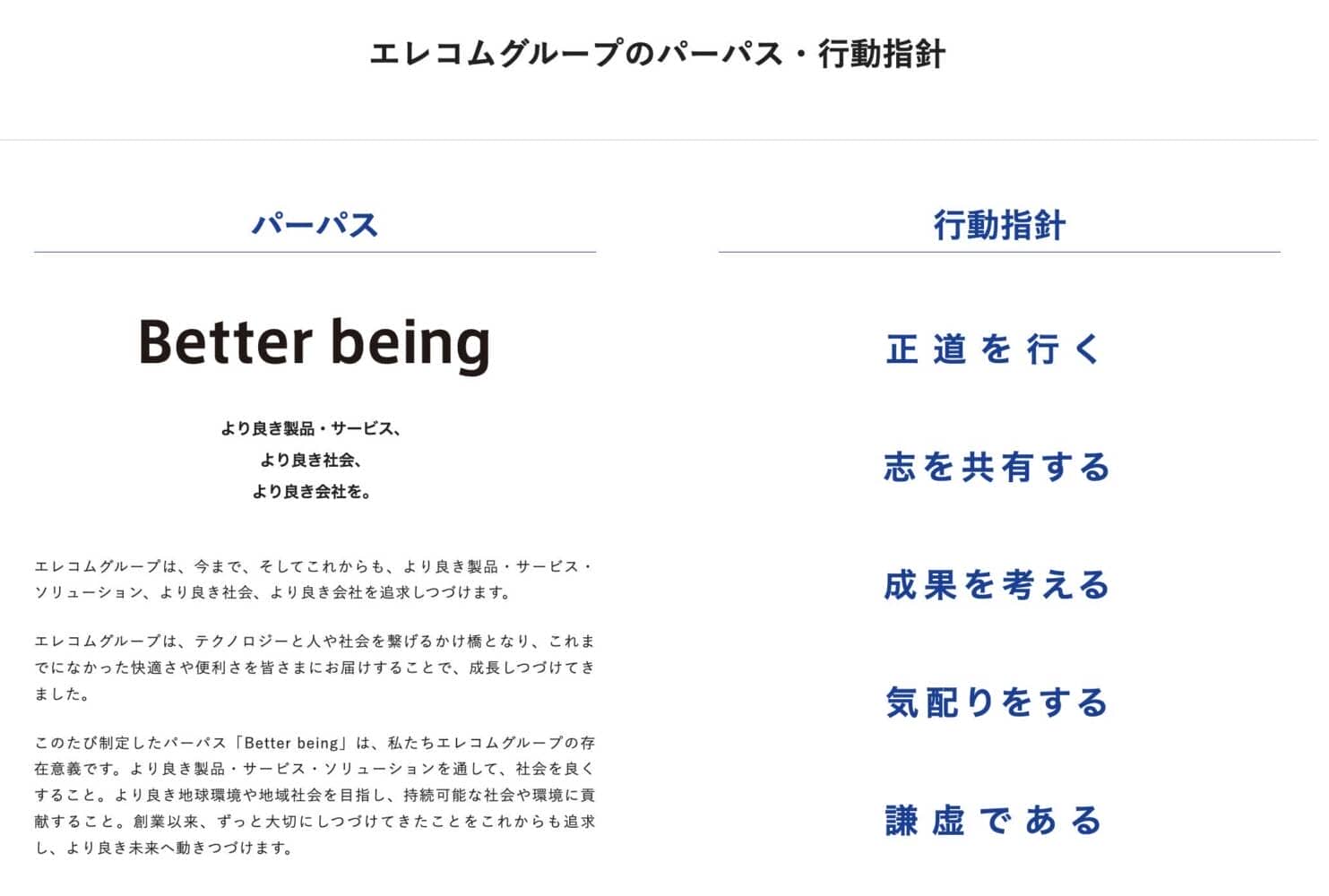
I felt this truly embodies Elecom’s purpose: “Better being: For better products, better services, a better society, and a better company.”
Summary: IST PLUS is a product that hints at Elecom’s “next move”

That concludes the hands-on report of the IST PLUS and the report from the launch event.
Looking at the release of the IST PLUS and its accessories, along with the updates to Elecom Mouse Assistant, I get the impression that Elecom is exploring broad updates across the entire input experience and refining their approach to “making products that users choose.”
- Creating a new option between artificial rubies and bearings with ball roller support.
- Allowing the operation feel to be changed later through support unit replacement.
- Expanding ball roller support to the HUGE PLUS.
- Providing a way to maintain ball glide with the maintenance kit.
- Making increasingly multi-functional trackballs easier to handle through Mouse Assistant improvements.
These changes seen through the IST PLUS feel like stepping stones toward changes in Elecom’s entire product lineup.
It’s natural to think that the efforts to achieve seamless connectivity for their products through the update of proprietary wireless dongles, in addition to expanding hardware options, will spread not only to trackballs and mice but also to keyboards.
In the context of input devices, “keymap customization” for keyboards is becoming mainstream, and we look forward to the arrival of “Elecom Keyboard Assistant” for their keyboard lineup.
As a media outlet that covers input devices extensively, Elecom’s stance of actively developing products that stay close to user needs looked like a beacon of hope for Japanese companies making desk peripherals.
Greenkeys will continue to keep a close eye on future developments.
- First published: May 26, 2026
- Last updated: May 26, 2026
- Reporting method: Official manufacturer releases and press presentation materials
- References/Citations: Press releases and press presentation materials
- Conflicts of interest: Product offering: Yes Monetization link in this paper: No


Google検索の「優先ソース」にGreenkeysを追加します
Add Greenkeys as a Preferred Source on Google

