


Compact Japanese keyboards face a layout problem that ANSI models largely avoid: fitting extra JIS keys, arrow keys, and a usable right Shift key into a limited width.
The result is often a shifted Z row. Using Keychron’s 75% JIS keyboards as examples, this article explains why the shift occurs and how different manufacturers work around it.
On June 11, 2026, Keychron announced three low-profile mechanical keyboards: the “J9,” “K3 HE,” and “K3 Ultra.”
The J9 is already available for purchase through Kopek Japan, Keychron’s Japanese distributor, while the K3 HE and K3 Ultra have begun crowdfunding campaigns on Makuake.


What both models have in common is that they offer a 75% Japanese layout.
Upon closer inspection, this layout reveals something “a bit unusual.”
In fact, this “75% Japanese layout” comes with a unique “challenge” specific to Japanese keyboards.
This article explores this “challenge” based on the author’s experience.

The Unique Challenge of 75% Japanese Layout Keyboards
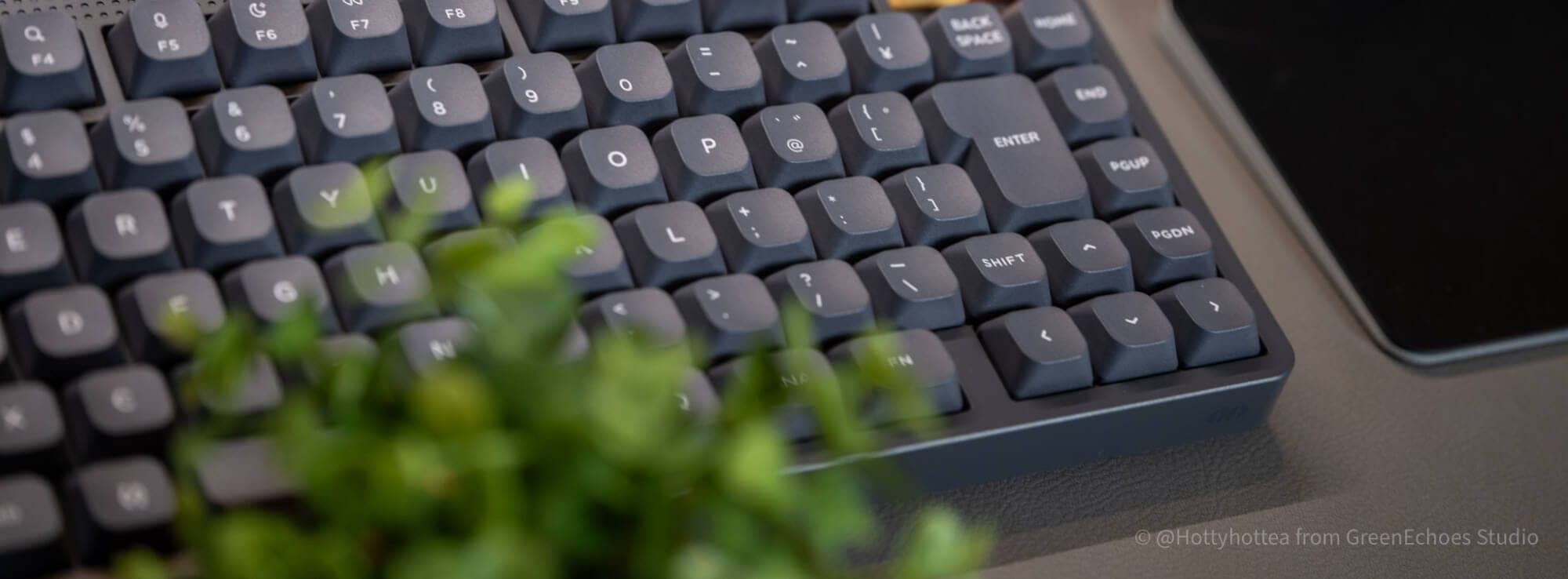
The 75% layout keyboard is a popular physical layout in Japan.
Despite its compact size, it includes function keys, allowing comfortable typing equivalent to a full-size keyboard with fewer keys.
Additionally, compared to full-size or TKL keyboards, its shorter width aligns well with Japan’s “desk situation,” where desks are often not particularly spacious, contributing to its popularity.
When creating this popular keyboard size in a Japanese layout, a significant issue arises: balancing the Z row shift and arrow keys becomes extremely difficult.
Let’s explain this unique situation step by step.
Japanese Layout Is Quite Unique Globally

Unlike languages that directly input Latin characters, Japanese typically involves typing through kana input or romaji input followed by conversion.
Therefore, compared to Latin-based languages, Japanese uses a globally rare input method: typing in Latin characters → converting → inputting “Japanese.”
For this reason, a unique “Japanese layout” has developed, and most keyboards sold in Japan today are “Japanese layout”※.
※This is a general observation and does not represent historical fact.
Globally, the Japanese layout is extremely niche, and Japan is the only country in the world that uses it.

External Size Constraints = Key Layout Constraints

Given these circumstances, the global keyboard standard is the “English layout.”
Therefore, when creating a Japanese layout keyboard, it is based on an English layout keyboard.
What becomes important here is the “external dimensions.”
As a personal observation, 75% keyboards commonly have an external dimension of “16u”.
This means that in the Esc row, 16 standard-sized keys (approximately 18.5mm vertically and horizontally) are arranged side by side.
Therefore, many keyboard brands reconstruct the Japanese layout based on this width.
The Z Row Shift Problem in 75% Japanese Layouts
75% Japanese layout keyboards are often created based on the external dimensions of English layout keyboards.
The problem here is that the Japanese layout Z row has one more key.
Look at this diagram.

As shown, the Japanese layout has one additional key on the Z row, “ro (_ \),” compared to the English layout.
In this state, the right Shift key cannot be adequately sized.
To solve this, manufacturers take various approaches.
Design Approaches and Trade-offs by Manufacturers
| Design Approach | Advantages | demerit | Models Using This Approach |
|---|---|---|---|
| Shift the Z row slightly to the left | Easier to create inverted-T arrow keys | Creates a noticeable difference from existing layouts The so-called muscle memory issue | Realforce RC1/HHKB JP/NuPhy Node75 JIS/Air75 v3 JIS/Lofree Flow LITE JIS, etc. |
| Arrange arrow keys horizontally | Less discomfort during typing | Horizontal arrow keys may be difficult to accept | Keychron K2, etc. |
| Combine right Shift with “↑” Combine right Shift with “_ \” | Less discomfort during typing | Significant impact on users who use right Shift | Keychron K2 HE, etc. |
| Shift the up arrow key to the right | Less discomfort during typing | Visual misalignment may be noticeable | Keychron J9/Keychron K3 HE, etc. |
Shift the Z Row Slightly to the Left
Let’s look at this image again.
As shown, to fit a 1u right Shift key, there is a shortage of “0.25u.”
Therefore, “shifting the Z row to the left of ‘ro’ by 0.25u” solves the problem.

 Kawamura
This approach is used in the Flow LITE JIS, which I supervised for layout design.
In fact, this layout has been adopted by established Japanese keyboard brands for quite some time.
HHKB Professional Classic Type-S Japanese Layout/White

REALFORCE RC1 Japanese Layout Ivory

Additionally, NuPhy’s Japanese layout models also accommodate the Z row shift.


However, the biggest issue with this approach is the “muscle memory problem.”
Muscle memory refers to the phenomenon where muscles that have been trained remember that state, and even if training is temporarily stopped and muscles deteriorate, they can quickly return to their previous mass and strength when training resumes.
In other words, with the habitual act of “typing,” there is a possibility of unconsciously learning the Z row shift.
This “0.25u” shift may unconsciously feel “difficult to type” for those who have mastered touch typing.
Methods to Solve Without Shifting the Z Row
The simplest solution is to shift the Z row 0.25u to the left.
However, if muscle memory is prioritized, this method should be avoided—a perspective that is entirely understandable.
One brand has prioritized this consideration.
That brand is “Keychron.”
KawamuraWhen I previously discussed Japanese layouts with Keychron CEO Nick, he mentioned that due to muscle memory concerns, he preferred not to shift the Z row.
Keychron is likely one of the rare brands that introduced Japanese layout mechanical keyboards to Japan.
It seems that they have continued to create Japanese layout keyboards without shifting the Z row since entering the Japanese market.
They have used the following three patterns for “layouts without shifting the Z row.”

Pattern 1: Arrange Arrow Keys Horizontally
First, the layout seen in models like the Keychron K2 arranges the arrow keys horizontally in the bottom row.

This allows placing “ro” without shifting the Z row.
However, the disadvantage of this layout is that the arrow keys cannot be arranged in an inverted-T configuration.
Even though arrow keys are used less frequently than the Z row, the “muscle memory problem” still arises in a different area.
Pattern 2: Combine Right SHIFT with “↑” via Fn
Next, a layout was devised that combines the “right Shift” and “up arrow key.”
This is used in models like the Keychron K2 HE.

This places the arrow key operation on a secondary layer, so pressing the right Shift key simultaneously with Fn inputs “↑.”
Alternatively, with Mod-Tap configured, a long press functions as right Shift, while a short press functions as “↑.”
However, this is also a trade-off with convenience, as pressing the up arrow key requires pressing Fn simultaneously.
Pattern 3: Shift the ↑ Key Slightly to the Right
On June 11, 2026, models were released that present the “current optimal solution” resolving all these conflicts in a 75% Japanese layout keyboard.
These are the “Keychron J9” and “Keychron K3 HE/Ultra.”


This layout successfully accommodates “ro,” “right Shift,” and “↑” by allowing the up arrow key to shift slightly to the right and removing the rightmost key.
KawamuraHaving no key to the right of the up arrow key may also reduce mistyping during touch typing.
However, some may still find the “0.25u shift of the up arrow key” visually unsettling.
That said, from a purely practical standpoint, when creating a Japanese layout based on English layout keyboard dimensions, this form seems quite close to a realistic optimal solution at present.
On the other hand, without external size constraints, a layout like the Keychron Q1 would likely be ideal.

X-Linked Survey Campaign Underway
A survey is currently underway asking which of Keychron’s “non-shifted Z row” patterns feels “most comfortable to use.”
For those actually using Japanese layouts, which trade-off is acceptable? This is an intriguing theme when considering future Japanese layout design.
Conclusion: There Is No “Perfect Answer” for 75% Japanese Layout Keyboards
This article has explored the Z row shift issue in 75% Japanese layouts.
Some time has passed since my conversation with Nick, but I wrote this column to coincide with the release of the J9 and K3 HE.
Personally, I believe the layout adopted in the Keychron J9, K3 HE, and K3 Ultra is one realistic solution that maintains the Z row while accommodating both the right Shift and inverted-T arrow keys.
However, some may still find the slight rightward shift of the “↑” key visually unsatisfying.
Ideally, if 75% Japanese layout keyboards had a width of 16.5u to 17u, this issue would not arise, but given that they are based on English layout dimensions, this is difficult.
KawamuraFor manufacturers considering Japanese layout-only releases, making the width 16.5u would solve this problem.
Honestly, there is no single correct answer to this problem.
That is why each manufacturer’s layout reflects what that brand prioritized.
As Japanese layout mechanical keyboards continue to increase, it will be interesting to pay attention to these subtle layout differences.
Though it is a bit niche.
- First published: June 12, 2026
- Last updated: June 12, 2026
- Research method: Author’s observations
- References: https://superkopek.jp/collections/keyboard
- Conflicts of Interest: Product Offering: None Monetization Link in this paper: Yes


Google検索の「優先ソース」にGreenkeysを追加します
Add Greenkeys as a Preferred Source on Google

